Customer Ratings & Reviews
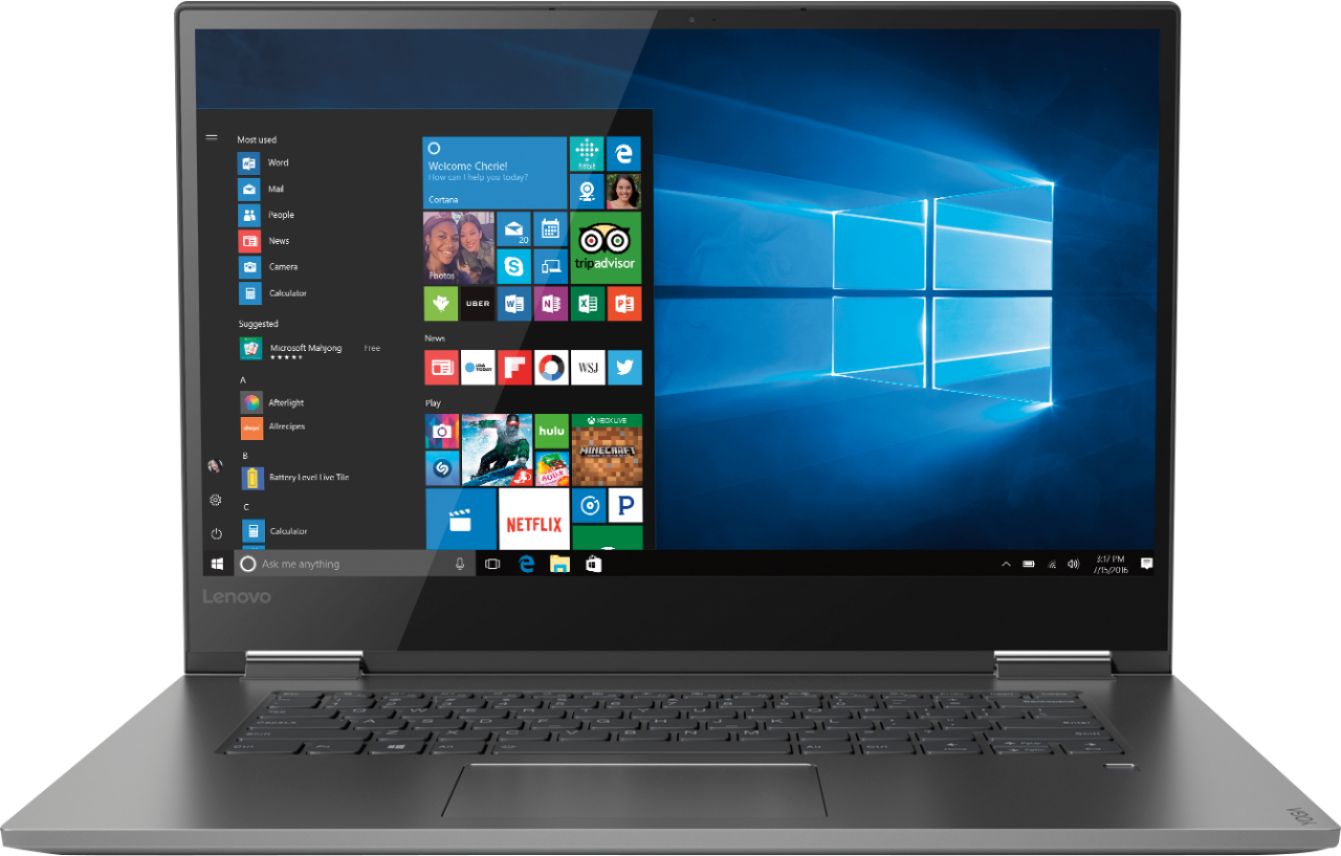
- Model:
- 81CU0009US
- SKU:
- 6201037
Rating by feature
- Value
Rating 4.2 out of 5 stars
- Quality
Rating 4.2 out of 5 stars
- Ease of Use
Rating 4.4 out of 5 stars
Customers are saying
Customers recognize the Yoga 730 2-in-1 laptop for its touchscreen capabilities, lightweight design, and affordable price. Many users appreciate the laptop's user-friendly interface and solid-state drive, which offers improved performance and speed. However, some customers have experienced issues with the laptop's Wi-Fi connectivity and weight.
This summary was generated by AI based on customer reviews.
excellent - certified? I don't think so.
||Posted .This reviewer received promo considerations or sweepstakes entry for writing a review.This was supposed to be open box excellent - certified, which means it should look brand new because it was professionally cleaned. But the item I received is filthy. Covered with smudges and dried droplets of some kind of liquid that apparently was spilled on it by the original purchaser. The screen is badly streaked, as if it was cleaned by a five year-old. It certainly did not come in the original package. In fact, it literally arrived in an open box. Very disappointed.
No, I would not recommend this to a friendComputer is frozen
||Posted .This reviewer received promo considerations or sweepstakes entry for writing a review.We failed to purchase the warranty for this computer, and - as I guess we could have expected - four days in , it froze. We are very unhappy with this product.
No, I would not recommend this to a friendBrand response from Lenovo Product Expert
Posted .We are sorry to hear that you are having issues with your Lenovo Yoga 730-15. Be sure any software you installed is compatible with Windows 10. There is no need to install Microsoft Office software. The software is already part of the operating system, you just need to activate the software with a purchased product key. If you have installed a copy of Microsoft Office, this is conflicting with the existing copy on the system and this will slow your system down. If you have installed a 3rd party anti-virus program, be sure that Windows Defender is turned off and that the trial version of McAfee Anti-Virus software is uninstalled. There can only be one anti-virus program on the system. You may need to restore your system to original factory default settings if any of the programing errors have occurred. Since you can no longer boot the device, this system is equipped with OneKey Recovery System. There is a very small pin hole on the left side of the device, right near the headphone jack on the device. You will need a pin to push this reset button. Plug the device in. Let the battery charge for about 15 minutes. Push the reset button. The system should boot to a choice screen where you can choose "Restore To Factory Default". Select this. It will delete everything from the hard drive except the original factory install of the operating system. You will need to reinstall all programs and files after the reset. If you don't have copies of the files, try to make one before you restore by selecting "Boot to desktop" and trying to back up your files. If the problem persists after the factory reset, we recommend you contact Lenovo Tech Support at: 877-453-6686.

Terrible
||Posted .This reviewer received promo considerations or sweepstakes entry for writing a review.The first one I bought lasted 4 hours, the exchange computer made it 6 hours. The WiFi receiver is huge problem with this computer it constantly disconnects and you have to run the troubleshoot icon for it to reset the Wifi. It has never stayed connected for longer than 10 minutes it’s really annoying and geek squad can’t fix. Now I’m stuck with a 1200 dollar broke computer which is very disappointing no matter how many you exchange there all the same.
No, I would not recommend this to a friendBrand response from Lenovo Product Expert
Posted .We are sorry to hear that you are having issues with WiFi connectivity on your Lenovo Yoga 730-15. There is a new RealTek WiFi Card Driver update version currently available. This will correct the WiFi connectivity issue that is currently being found within Lenovo models with the RealTek 8822BE WiFi Card.
Install the new driver version on the computer with the WiFi connectivity issue, RealTek Wireless Driver for Windows 10 (64-bit) Lenovo –
https://download.lenovo.com/pccbbs/mobiles/r0prw12w.exe
If the WiFi signal continues to drop after restarting the computer, manually change the Bandwidth setting under the "Advanced Driver Properties" within the Device Manager, from
80Mhz_40Mhz_20Mhz to 40Mhz_20Mhz. For 2018, Lenovo retained its place for a second year as the best laptop vendor:
https://www.laptopmag.com/articles/laptop-brand-ratings
Not worth the money
||Posted . Owned for 1 year when reviewed.This reviewer received promo considerations or sweepstakes entry for writing a review.Very disappointed in this Lenovo. So entry level it is virtually unusable. I like Lenovo orherwise
No, I would not recommend this to a friendHad to return
||Posted . Owned for 2 weeks when reviewed.This reviewer received promo considerations or sweepstakes entry for writing a review.Wireless network connection kept dropping out. Tried installing driver update but problem persisted. Learned later other users had same issue with this particular model. May be problem in the wireless card itself. Had to return and exchange for a different brand that cost a lot more. If it wasn't for the wireless problem we would've kept the laptop because of the many other positives.
No, I would not recommend this to a friendBrand response from Lenovo Product Expert
Posted .We are sorry to hear that you did not get the newest driver update for your WiFi issue. Be sure you have the latest version of Windows 10 installed on the computer, then update the BIOS files and drivers as well. You can easily accomplish this by scanning the device with the Lenovo Utility software installed on the computer. This system has Lenovo utilities installed to help maintain the health of the device and keep the operating system software up to date. Type "Lenovo Vantage" in the Cortana Search window (if Lenovo Vantage is not installed on your device, you can download the APP and install it now). Select Lenovo Vantage from the list. In the window that opens, click on "Health and Support". In the expanded menu, select "Hardware Scan" In the window that opens, select "Run Quick Tests". This will scan your entire system for errors. Follow any directions that may pop up. If the problem continues after this scan, now click on "System Update". First select Windows update from the menu. Scan your system to be sure you have the latest version of Windows 10. Once that scan is complete, select "Additional Updates". This will scan your device to be sure there are no new BIOS/Driver updates needed. Follow any instructions that may pop up. If the issue still continues after these updates, we recommend you call Lenovo Tech Support at: 877-453-6686 for additional help. For 2018, Lenovo retained its place for a second year as the best laptop vendor:
https://www.laptopmag.com/articles/laptop-brand-ratings
- Cons mentioned:Wifi connectivity
Bad product
||Posted .This reviewer received promo considerations or sweepstakes entry for writing a review.3rd trade in because it kept dropping wifi on this laptop and the 2 before it
No, I would not recommend this to a friendBrand response from Lenovo Product Expert
Posted .We are sorry to hear you had issues with the WiFi on your Yoga 730-15. There is a new RealTek WiFi Card Driver update version currently available. This will correct the WiFi connectivity issue that is currently being found within Lenovo models with the RealTek 8822BE WiFi Card.
Install the new driver version on the computer with the WiFi connectivity issue, RealTek Wireless Driver for Windows 10 (64-bit) Lenovo –
https://download.lenovo.com/pccbbs/mobiles/r0prw12w.exe
If the WiFi signal continues to drop after restarting the computer, manually change the Bandwidth setting under the "Advanced Driver Properties" within the Device Manager, from
80Mhz_40Mhz_20Mhz to 40Mhz_20Mhz. If you need additional help or the issue continues, we recommend you call Lenovo Tech Support at: 877-453-6686. For 2018, Lenovo retained its place for a second year as the best laptop vendor:
https://www.laptopmag.com/articles/laptop-brand-ratings
Broken since day one out of box
||Posted . Owned for 1 year when reviewed.This reviewer received promo considerations or sweepstakes entry for writing a review.This laptop had screen issues the day I opened it out of the box. Screen will flicker then go black. Best Buy would not return it because I owned it for 16 days. But offered to have it repaired. It has been repaired twice and same problem still exist. I was sold a defect product out of the box and Best Buy has not stepped up to resolve the problem.
No, I would not recommend this to a friendBrand response from Lenovo Product Expert
Posted .We are sorry to hear that you are having issues with your Lenovo Yoga 730-15. We recommend you call Lenovo Tech Support at: 877-453-6686.
Does not stay connected to the internet & is slow
||Posted .This reviewer received promo considerations or sweepstakes entry for writing a review.Will not stay connected to the internet and does not operate any better than an older model.
No, I would not recommend this to a friendBrand response from Lenovo Product Expert
Posted .The Lenovo Yoga 730-15 ships with the latest 5G 802.11AC frequency WiFi. The Yoga 730-15 model number 81CU0009US , ships with the Quad-Core/Eight-Thread Intel Core i7-8550U processor, supported by 8GB DDR4-2400MHz RAM with a 256GB solid state hard drive. This processor has a energy efficient base speed of 1.8GHz but has a Turbo Boost speed of up to 3.7GHz for maximum performance. This configuration can handle most of today's most demanding software, streaming video and general internet browsing. All this computing power presented in an ultra portable, 2 in 1 configuration that delivers a 15.6" (screen size measured diagonally) and weighs just 4.17 lbs. For 2018, Lenovo retained its place for a second year as the best laptop vendor:
https://www.laptopmag.com/articles/laptop-brand-ratings
Needs Work
||Posted .This reviewer received promo considerations or sweepstakes entry for writing a review.It’s a decent laptop but the network card keeps dropping the connection constantly.
No, I would not recommend this to a friendBrand response from Lenovo Product Expert
Posted .The Lenovo Yoga 730-15 ships with the latest 5G 802.11AC WiFi Frequency. If you are using an older b/g/n frequency router, 802.11AC is backward compatible, but be sure your router has the latest firmware updates from the router manufacturer's web site. Additionally, you can update to the latest version of Windows 10 and update the supporting BIOS files and drivers on this computer, by scanning the computer with the Lenovo Utility software installed on this device. This system has Lenovo utilities installed to help maintain the health of the device and keep the operating system software up to date. Type "Lenovo Vantage" in the Cortana Search window (if Lenovo Vantage is not installed on your device, you can download the APP and install it now). Select Lenovo Vantage from the list. In the window that opens, click on "Health and Support". In the expanded menu, select "Hardware Scan" In the window that opens, select "Run Quick Tests". This will scan your entire system for errors. Follow any directions that may pop up. If the problem continues after this scan, now click on "System Update". First select Windows update from the menu. Scan your system to be sure you have the latest version of Windows 10. Once that scan is complete, select "Additional Updates". This will scan your device to be sure there are no new BIOS/Driver updates needed. Follow any instructions that may pop up. If the issue still continues after these updates, we recommend you call Lenovo Tech Support at: 877-453-6686 for additional help. For 2018, Lenovo retained its place for a second year as the best laptop vendor:
https://www.laptopmag.com/articles/laptop-brand-ratings
Terrible quality
||Posted . Owned for more than 2 years when reviewed.This reviewer received promo considerations or sweepstakes entry for writing a review.I though at first that it was the best laptop doe the money. I was mistake after only a year when the screen failed. I bought a second one and that screen also fail. Lenovo seems to have a history of this. Lightning rarely strikes twice. I am surely fried.
No, I would not recommend this to a friendAwful
||Posted . Owned for 1.5 years when reviewed.This reviewer received promo considerations or sweepstakes entry for writing a review.In the first 6 months I had to have the screen replaced and brought on 2x because the battery won’t hold a charge. It is now a very over-priced paperweight andu am left wondering why I didn’t by another Mac. Will NEVER purchase another Lenovo based on this experience.
No, I would not recommend this to a friendBrand response from Lenovo Product Expert
Posted .We are sorry to hear that you are having issues with the battery within your Yoga 730-15 holding a charge. It is possible that restoring the computer back to original factory settings may correct the issue. This system is equipped with OneKey Recovery System. There is a very small pin hole on the left side of the device, right near the headphone jack on the device. You will need a pin to push this reset button. Plug the device in. Let the battery charge for about 15 minutes. Push the reset button. The system should boot to a choice screen where you can choose "Restore To Factory Default". Select this. It will delete everything from the hard drive except the original factory install of the operating system. You will need to reinstall all programs and files after the reset. If you don't have copies of the files, try to make one before you restore by selecting "Boot to desktop" and trying to back up your files. If the problem persists after the factory reset, we recommend you contact Lenovo Tech Support at: 877-453-6686.
Return date
||Posted .This reviewer received promo considerations or sweepstakes entry for writing a review.Product didn't work exactly after the return period ended
No, I would not recommend this to a friendBrand response from Lenovo Product Expert
Posted .We are sorry to hear that you are having issues with your Lenovo Yoga 730-15. We recommend you call Lenovo Tech Support for help with your specific issue at: 877-453-6686. For 2018, Lenovo retained its place for a second year as the best laptop vendor:
https://www.laptopmag.com/articles/laptop-brand-ratings
Do not buy
||Posted .This reviewer received promo considerations or sweepstakes entry for writing a review.These laptops have terrible WiFi adaptor cards in them. The constantly drop WiFi connection and cannot re-establish on their own.
No, I would not recommend this to a friendBrand response from Lenovo Product Expert
Posted .The Lenovo Yoga 730-15 ships with the latest 5G, 802.11AC frequency WiFi. Be sure the router you are using has the latest firmware updates available from the router manufacturer's web site. You can make sure you have the latest version of Windows 10 on this computer and that all BIOS files and drivers are up to date by using the Lenovo Utility software installed on this device. This system has Lenovo utilities installed to help maintain the health of the device and keep the operating system software up to date. Type "Lenovo Vantage" in the Cortana Search window (if Lenovo Vantage is not installed on your device, you can download the APP and install it now). Select Lenovo Vantage from the list. In the window that opens, click on "Health and Support". In the expanded menu, select "Hardware Scan" In the window that opens, select "Run Quick Tests". This will scan your entire system for errors. Follow any directions that may pop up. If the problem continues after this scan, now click on "System Update". First select Windows update from the menu. Scan your system to be sure you have the latest version of Windows 10. Once that scan is complete, select "Additional Updates". This will scan your device to be sure there are no new BIOS/Driver updates needed. Follow any instructions that may pop up. If the issue still continues after these updates, we recommend you call Lenovo Tech Support at: 877-453-6686 for additional help.
Touch screen is a huge problem
||Posted .This reviewer received promo considerations or sweepstakes entry for writing a review.Screen started “shaking” after 1.5 months - then it just went out. Took it in for repair, but don’t have it back yet.
No, I would not recommend this to a friendGreat design Poor Preformance
||Posted .This reviewer received promo considerations or sweepstakes entry for writing a review.Had two out of the box with connectivity issues. Returned and went with a HP.
No, I would not recommend this to a friendBrand response from Lenovo Product Expert
Posted .We are sorry to hear that you had issues with WiFi connectivity. It may be that your two models of the Yoga 730-15 required a BIOS/Driver update. This system has Lenovo utilities installed to help maintain the health of the device and keep the operating system software up to date. Type "Lenovo Vantage" in the Cortana Search window (if Lenovo Vantage is not installed on your device, you can download the APP and install it now). Select Lenovo Vantage from the list. In the window that opens, click on "Health and Support". In the expanded menu, select "Hardware Scan" In the window that opens, select "Run Quick Tests". This will scan your entire system for errors. Follow any directions that may pop up. If the problem continues after this scan, now click on "System Update". First select Windows update from the menu. Scan your system to be sure you have the latest version of Windows 10. Once that scan is complete, select "Additional Updates". This will scan your device to be sure there are no new BIOS/Driver updates needed. Follow any instructions that may pop up.

wouldnt stay connected
||Posted .This reviewer received promo considerations or sweepstakes entry for writing a review.it would be a great computer just kept disconnecting to the internet had to return to store
No, I would not recommend this to a friendBrand response from Lenovo Product Expert
Posted .We are sorry to hear that you are having WiFi connectivity issues with your Lenovo Yoga 730-15. There is a new RealTek WiFi Card Driver update version currently available. This will correct the WiFi connectivity issue that is currently being found within Lenovo models with the RealTek 8822BE WiFi Card.
Install the new driver version on the computer with the WiFi connectivity issue, RealTek Wireless Driver for Windows 10 (64-bit) Lenovo –
https://download.lenovo.com/pccbbs/mobiles/r0prw12w.exe
If the WiFi signal continues to drop after restarting the computer, manually change the Bandwidth setting under the "Advanced Driver Properties" within the Device Manager, from
80Mhz_40Mhz_20Mhz to 40Mhz_20Mhz. For 2018, Lenovo retained its place for a second year as the best laptop vendor:
https://www.laptopmag.com/articles/laptop-brand-ratings
DONT BUY IT
||Posted .This reviewer received promo considerations or sweepstakes entry for writing a review.Screen flashes and it’s pretty much useless. I wish we could return this.
No, I would not recommend this to a friend- Pros mentioned:Touch screen
Great return on Investment - Very Versatile!
Posted .This reviewer received promo considerations or sweepstakes entry for writing a review.After months of research and comparing products, I made the decision to go with this model. After one month of use, I do not regret this decision. **DISCLAIMER** I did not purchase a pen so there is no review of the laptop's pen abilities. To start, the unboxing was great. The Yoga 730 series has an amazing design. The bezels are not too invasive, the 360 flexibility is great and its not hard to move back and forth. The aluminum chassis makes the laptop look sturdy and it does hold up. Its sleek, sophisticated, and most of all it remains light and easy to carry. Even with it being on the heavier side as far as ultrabooks go, it is not a hard device to lug around. Lenovo, as they always do, SERIOUSLY delivers on the keyboard and mouse pad. It is arguably the best features of the Yoga 730. The mouse pad in particular, is the best one I have ever used hands down. Its incredibly responsive and it almost eliminates the need for a mouse if you don't plan on using it. The touch screen itself is good. Where I ran into the only issues I have overall with the laptop is tablet mode. The automatic rotate and switch feature is rather slow at times. At one point, it would stay in tablet mode and not auto rotate, which was annoying. I would highly suggest going into your tablet mode settings and set it to "Never switch and don't ask" and then switching to tablet mode manually as you wish to use it. Above everything else, I absolutely love how versatile this particular model is. Although I dislike the increasingly annoying trend of preventing self upgrading the RAM, this model allows you to upgrade the SSD which is necessary if you are easily strapped for storage space. It has 2 USB 3.0 Ports, an HDMI output, and best of all a Thunderbolt 3 USB port. I have a Razer Core GPU enclosure and I am simply amazed by how well the Yoga 730 takes to it and can run games (with external monitor). Of course most of the hard work is being done by the external enclosure, and there are FAR better options for gaming laptops, the PC still holds up incredibly well for gaming with the right amount of help. This is a well put together machine, and for anyone who needs a new laptop, don't sleep on Lenovo. I am very happy with this product. I am more than certain, you will be as well!
I would recommend this to a friendBrand response from Lenovo Product Expert
Posted .Thank you for choosing the Lenovo Yoga 730-15. Please keep in mind, This model is not user upgradable. A certified technician must do all of the work, so as to not void the warranty.
Horrible model
||Posted .This reviewer received promo considerations or sweepstakes entry for writing a review.Do not get this computer model, Lenovo yoga 730 is very flawed.
No, I would not recommend this to a friendBrand response from Lenovo Product Expert
Posted .For 2018, Lenovo retained its place for a second year as the best laptop vendor:
https://www.laptopmag.com/articles/laptop-brand-ratings
SLOW!!!!
||Posted . Owned for 6 months when reviewed.This reviewer received promo considerations or sweepstakes entry for writing a review.I HATE IT!!! Too slow can’t return sucks!!!!!!!!!!!!
No, I would not recommend this to a friendBrand response from Lenovo Product Expert
Posted .The Lenovo Yoga 730-15 is a fast computer, with its Core i7 processor, 8GB RAM and a 256GB solid state hard drive. Incompatible software installed on the computer will slowdown performance. Be sure any software you installed is compatible with Windows 10. There is no need to install Microsoft Office software. The software is already part of the operating system, you just need to activate the software with a purchased product key. If you have installed a copy of Microsoft Office, this is conflicting with the existing copy on the system and this will slow your system down. If you have installed a 3rd party anti-virus program, be sure that Windows Defender is turned off and that the trial version of McAfee Anti-Virus software is uninstalled. There can only be one anti-virus program on the system. You may need to restore your system to original factory default settings if any of the programing errors have occurred. You can do that by typing "restore" in the Cortana search window. Just click on the magnifying glass icon at the bottom left of your Windows 10 Desktop. Click on "Reset This PC" Then click on "Get Started" and follow the on screen directions to restore to factory defaults. If the problem persists, we recommend you contact Lenovo Tech Support at: 877-453-6686.