Customer Ratings & Reviews
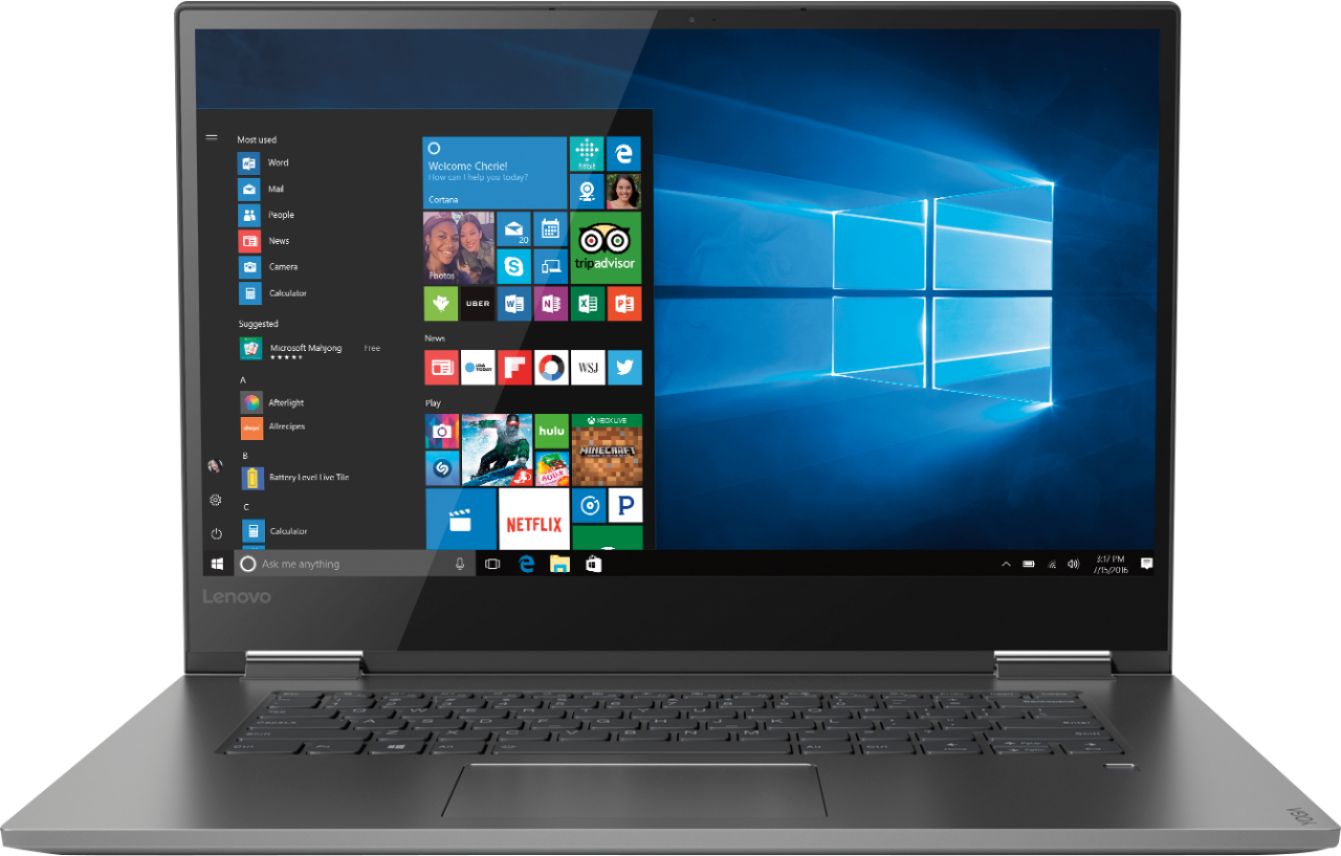
- Model:
- 81CU0009US
- SKU:
- 6201037
Rating by feature
- Value
Rating 4.2 out of 5 stars
- Quality
Rating 4.2 out of 5 stars
- Ease of Use
Rating 4.4 out of 5 stars
Customers are saying
Customers recognize the Yoga 730 2-in-1 laptop for its touchscreen capabilities, lightweight design, and affordable price. Many users appreciate the laptop's user-friendly interface and solid-state drive, which offers improved performance and speed. However, some customers have experienced issues with the laptop's Wi-Fi connectivity and weight.
This summary was generated by AI based on customer reviews.
- Pros mentioned:Lightweight, Price, Speed
Powerful Machine for student or professional!
Posted .This reviewer received promo considerations or sweepstakes entry for writing a review.I bought this lap top for school and work, I did not need much to satisfy "technological requirements" for my classes. With the price, plus student discount, I could not pass up the opportunity. By far this machine is worth the investment. Versatile, fast, sleek, light, but solid. Perfect for school and work related projects. Very Satisfied!
I would recommend this to a friendBrand response from Lenovo Product Expert
Posted .Thank you for choosing the Lenovo Yoga 730-15. We are pleased to hear that the value, features and performance of the Yoga 730-15 meets your computing needs so well.

730-15"
Posted .This reviewer received promo considerations or sweepstakes entry for writing a review.The only issue I had with this Laptop is the mouse track, it locks once I received a Microsoft Update a couple of years ago. Lenovo hasn't found a fix as far as I know.
I would recommend this to a friend- Pros mentioned:Speed
Great Computer
Posted .This reviewer received promo considerations or sweepstakes entry for writing a review.I had been in the market for a new laptop as my old laptop was about 6 years old. I initially purchased the HP Pavilion X360. Loved the color and the size of the laptop, however the laptop had an issue from out of the box. After 29 days of having the laptop something told me to take it back even though it was past the 15 day return policy. That HP had a problem with overheating. (Reminded my why I tend to stay away from HP.) So far this laptop has been great. I use it for school mostly and love the speed that it has. This laptop is pretty thin and not too heavy. The only downside is that the speakers could be a little better. I am looking forward to seeing how long this laptop will last!
I would recommend this to a friendBrand response from Lenovo Product Expert
Posted .Thank you for choosing the Lenovo Yoga 730-15 laptop. This model ships with stereo JBL speakers and Dolby Atmos sound enhancement software. Dolby Atmos works best with headphones, so if you are using the device speakers, for the best audio experience through the system speakers, be sure Dolby Atmos is turned off.

Best laptop
Posted .This reviewer received promo considerations or sweepstakes entry for writing a review.One of the best investments I ever bought. Definitely would recommend to buy!!
I would recommend this to a friend- Cons mentioned:Weight
Fantastic machine!
Posted .This reviewer received promo considerations or sweepstakes entry for writing a review.The Lenovo 730-15IKB is almost perfect! It's sleek, fast and has some great features! My only complaints are that it is heavy and there is no SD card reader. I added an additional 8GB of memory and a new WiFi adapter that supports Bluetooth v5.0. This machine is even FASTER and much more future proof! I plan on having it for a while.
I would recommend this to a friendBrand response from Lenovo Product Expert
Posted .The Lenovo Yoga 730-15 is an ultra portable, 2 in 1 computing device, that features a full size 15.6" (screen size measured diagonally) screen. The Yoga 730-15 measures just 14.17 x 9.80 x 0.68 inches and weighs just 4.17 lbs. The Yoga 730-15 ships with the latest 5G, 802.11AC frequency WiFi and Bluetooth 4.1 capability. Please keep in mind, this model is not user upgradable. A certified technician must do all of the work, so as to not void the warranty. For 2018, Lenovo retained its place for a second year as the best laptop vendor:
https://www.laptopmag.com/articles/laptop-brand-ratings
- Pros mentioned:Touch screen
Fastest lenovo laptop
Posted .This reviewer received promo considerations or sweepstakes entry for writing a review.I have always used lenovo brand laptops and they are great. This is the first touch screen laptop I've had and it's amazing. The laptop gives you options for when you switch it to tablet view or back off to laptop view. The finger print sensor I've never seen before but you're able to use more than one finger print which is nice. I've looked at other yoga laptops in different brands and this one had better specs. Very happy with this gift I received.
I would recommend this to a friendBrand response from Lenovo Product Expert
Posted .We are pleased to hear that your Lenovo Yoga 730-15 is working out so well for you. We are glad to know that the features and performance of the Yoga 730-15 meets your computing needs so well.
Worth the money
Posted .This reviewer received promo considerations or sweepstakes entry for writing a review.I got this laptop a few weeks ago and it’s been good in every aspect, at first when I got it I thought the battery life was going to be an issue, but you just need to update windows and the drivers. Display is great, speakers are loud and clear even at the highest volume. I use this for college work and personal use like watching movies and a little gaming on the side. Everything is good so far
I would recommend this to a friendBrand response from Lenovo Product Expert
Posted .Thank you for choosing the Lenovo Yoga 730-15. We are pleased to hear that the features and performance of the Yoga 730-15 meets your computing needs so well.
Display Issue
Posted .This reviewer received promo considerations or sweepstakes entry for writing a review.Because of the material used, it breaks down easily and often needs to be fixed. I often have to get it repaired.
No, I would not recommend this to a friendSerious Issues
Posted .This reviewer received promo considerations or sweepstakes entry for writing a review.I purchased this computer and loved it at first. It is designed very nicely, light weight, beautiful big screen. The first laptop I received had an issue with the laptop screen staying open. Because it can turn into a tablet you can move the screen, the problem is it will move on it’s own. I tried to lay back on my sofa with it and it will fall forward or back. It’s not in a stiff position so it moves too much. A few times it just randomly closed from a slight movement I made. I took it back in hopes I had a defective laptop and exchanged it for a new one. After one hour of using the 2nd computer my screen started flickering. I got scared and thought maybe it was my lights that flickered not the computer. Then the next day it flickered non stop. Lines all through the computer flickering. A few times it had a black screen, then flicker, then a white screen with static. I finally just returned the computer and got a full refund. I’m not the only one with a flickering screen issue. If you simply google or YouTube this problem, you can see examples of others having this issue. It’s a good looking computer but after 2 that didn’t work well right out the box, no thanks!
No, I would not recommend this to a friendBrand response from Lenovo Product Expert
Posted .We are sorry to hear that you had issues with your Lenovo Yoga 730-15. There was a recent Windows 10 update that may be the cause for the screen flicker you describe. A BIOS/Driver update mat correct this issue. This system has Lenovo utilities installed to help maintain the health of the device and keep the operating system software up to date, including BIOS/Drivers. Type "Lenovo Vantage" in the Cortana Search window. Select Lenovo Vantage from the list. In the window that opens, click on "Health and Support". In the expanded menu, select "Hardware Scan" In the window that opens, select "Run Quick Tests". This will scan your entire system for errors. Follow any directions that may pop up. If the problem continues after this scan, now click on "System Update". First select Windows update from the menu. Scan your system to be sure you have the latest version of Windows 10. Once that scan is complete, select "Additional Updates". This will scan your device to be sure there are no new BIOS/Driver updates needed. Follow any instructions that may pop up. If the issue still continues after these updates, we recommend you call Lenovo Tech Support at: 877-453-6686 for additional help.
Excellent performance per dollar
Posted .This reviewer received promo considerations or sweepstakes entry for writing a review.I wanted a very slim and light laptop. This one is slim but not what I'd call light. The good news is that weight seems to be due to a very solid build quality. The entire case is metal and very strong. The hinges are sturdy as well. I was pleasantly surprised by the sound quality on the onboard JBL speakers. For a slim laptop they really do a nice job. Performance wise I was very impressed to see it would run my PowerDirector video production software at a very reasonable speed. The machine is quite and stay's cool even when being worked hard (video production is brutal). The only thing that grinds my gears is the fact that it's missing a SD reader. No excuse for that omission. They don't take up that much space but now I have to lug around a USB SD reader. The touchscreen is excellent though Windows 10 is still not a great touchscreen based OS so I don't use it much. Overall it's the best bang for the buck in terms of performance when compared to any other brand on the market in this price range and there's really no downside to it.
I would recommend this to a friendBrand response from Lenovo Product Expert
Posted .Thank you for choosing the lenovo Yoga 730-15. This full size, 15.6" (screen size measured diagonally), 2 in 1 device weighs 4.17 lbs. and measures 0.7" thin. We are pleased to hear that the features and performance of the Yoga 730-15 meets your computing needs so well.
- Pros mentioned:Touch screen
Great Laptop
Posted .This reviewer received promo considerations or sweepstakes entry for writing a review.This laptop works great with my Lenovo pen. I can take notes like with a normal paper notepad. The screen flips into portrait mode so it is really convenient for reading papers and taking notes. It is also really light weight so it is easy to carry.
I would recommend this to a friendBrand response from Lenovo Product Expert
Posted .Thank you for choosing the lenovo Yoga 730-15. We are pleased to hear that the features and performance of the Yoga 730-15 meets your computing needs so well.
Great speakers and imaging
Posted .This reviewer received promo considerations or sweepstakes entry for writing a review.Being a novice at purchasing a laptop I really researched to the point of being overwhelmed. I finally selected this laptop. I truly wanted one with a dvd player so I compromised a bit on this one. Im not a gamer but I plan on runing a cad program so I was told to purchase this laptop. First off the laptop froze on set up twice. Could not get out of it so i powered off and upon re connecting i was on the same page. I finally googled on my phone and it told me to unplug and hold power button for a set amount of time. It worked. When starting over it froze again. I repeated the first step and started again. This time it continued until compleated. I realized I had no backlight? I turned it on and off several times and it would go on for maybe 3 seconds and turn off. Power botton remains lit but keyboard does not. I googled and the only thing i could find was to do what i initially did when it froze twice and that was to power off or clear everything back to factory setting. Im done. This is brand new and already having to figure out why there are issues. Packing it up and going back. I think Linova Yoga is still the one to get but maybe a 12 or 16 instead of 8 for the cad program and a 17" screen. I did not want to go over $700 and went over $800 now probably over $1000. I want the dvd now as well as a strong laptop to run the 2020 Cad program.....Help!!
I would recommend this to a friendBrand response from Lenovo Product Expert
Posted .We are sorry to hear that you are having issues with the initial activation of Windows 10. From the description of the issue you are having, it is possible that restoring Windows 10 back to the original factory settings and starting over again may fix the problem. Since you can no longer boot the device, this system is equipped with OneKey Recovery System. There is a very small pin hole on the left side of the device, right near the headphone jack on the device. You will need a pin to push this reset button. Plug the device in. Let the battery charge for about 15 minutes. Push the reset button. The system should boot to a choice screen where you can choose "Restore To Factory Default". Select this. It will delete everything from the hard drive except the original factory install of the operating system. You will need to reinstall all programs and files after the reset. If you don't have copies of the files, try to make one before you restore by selecting "Boot to desktop" and trying to back up your files. If the problem persists after the factory reset, we recommend you contact Lenovo Tech Support at: 877-453-6686.
Fine if you're not comparing it to a great laptop
Posted .This reviewer received promo considerations or sweepstakes entry for writing a review.I have used a Dell Studio for 8 years and it was seriously the best. The battery life is toast at this point but I still have to use it to supplement this brand new Lenovo laptop. That is ridiculous. It doesn't come with an SD slot, it doesn't recognize my older hard drive, and the battery life isn't even that impressive. The SD card slot isn't a deal breaker because I bought an external one for under $10 that connects to the USB port, but it's still a nusance. The fact that it is SSD is the main point that sold me on this laptop and it better live up to its claim to last longer than an HDD. The features it does claim to have like projecting to my tv and other projectors haven't worked. They say I need to download the drivers, and I have an it hasn't worked. My Dell Studio has no problem doing these things so that is SO frustrating to witness. If my Dell wasn't so old and slow at this point I'd use it forever but instead I'm stuck with this purchase which I can't return because the time window has passed. Even if I could return it, I'm skeptical I'd find one that does what my OLD Dell does anyway. So...it's fine if you have low standards and just want a laptop that turns on and lets you browse the internet quickly.
No, I would not recommend this to a friend- Cons mentioned:Wifi connectivity
Wifi Will Not Detect Networks
Posted .This reviewer received promo considerations or sweepstakes entry for writing a review.I just bought this yesterday and today, it is not detecting Wifi networks. Well, that isn't quite true. It detects them for a total of 5 seconds and then says that there are no wifi networks available. There are 2 very strong networks here at my work and about 10 others very close. I uninstalled the antivirus thinking it might be interfering. No luck. I upgraded the drivers. No luck. I downgraded the drivers. No luck. I disabled and reenabled the card. No luck. I have just about run out of things to do. It doesn't even pick up the signal when I am standing right under the access point! I have read Lenovo's responses to similar issues about making sure that the routers have the latest firmware. This is pretty much garbage advice as it is impossible to know what level of firmware a particular router is on unless you own it, so forget using wifi anywhere else than home. That pretty much makes the unit worthless for the average person. Lenovo has a good reputation and I would have expected better. Needless to say, it is going back as soon as I can get my original packaging back together. I may or may not try another unit. I am seriously thinking of trying a different brand altogether.
No, I would not recommend this to a friendBrand response from Lenovo Product Expert
Posted .We are sorry to hear that you are having WiFi connectivity issues with your Lenovo Yoga 730-15. We recommend you use the Lenovo Utility software installed on this computer to update all operating software, including Windows 10 Operating System, the BIOS files and the communications drivers on the device. Just updating drivers will not change out dated BIOS files. Also be sure you have the latest version of Windows 10 on the device. Updating the firmware on your home router will indicate what the problem is. Just go to the web page for the router manufacturer you use at home. Find your router model and check for firmware updates for your specific router. If the problem is fixed for your home router, you now know the source of the issue. Regarding using the Lenovo Utility software, This system has Lenovo utilities installed to help maintain the health of the device and keep the operating system software up to date. Type "Lenovo Vantage" in the Cortana Search window (if Lenovo Vantage is not installed on your device, you can download the APP and install it now). Select Lenovo Vantage from the list. In the window that opens, click on "Health and Support". In the expanded menu, select "Hardware Scan" In the window that opens, select "Run Quick Tests". This will scan your entire system for errors. Follow any directions that may pop up. If the problem continues after this scan, now click on "System Update". First select Windows update from the menu. Scan your system to be sure you have the latest version of Windows 10. Once that scan is complete, select "Additional Updates". This will scan your device to be sure there are no new BIOS/Driver updates needed. Follow any instructions that may pop up. If the issue still continues after these updates, we recommend you call Lenovo Tech Support at: 877-453-6686 for additional help. For 2018, Lenovo retained its place for a second year as the best laptop vendor:
https://www.laptopmag.com/articles/laptop-brand-ratings
Upset with Lenovo- Yoga 730 Quality
Posted .This reviewer received promo considerations or sweepstakes entry for writing a review.We purchased our Lenova Yoga 730 i7 on 9/23/18 at a Best Buy in Castleton, IN. The Salesman at Best Buy said it was a great laptop computer. We were purchasing a new laptop for my daughter as she is Pre-Med at IUPUI. I received a text from my daughter 3 months later showing me a picture of the screen on her new laptop. There were a series of black and white vertical lines that totally disrupted what you could see on the screen. This was just before finals week. She shut the computer off and restarted and it was okay. I received a call 2 weeks ago and she sent me a video of what here computer screen was doing. Again, wide vertical white and black strips with a loud static noise coming from the computer. I couldn't make out anything on the computer screen. I had her take the computer back to the Best Buy Store in Castleton, IN and they told here that they've seen this before with this computer. They told her that it would be 2-3 weeks to send the computer back into Lenovo for warranty. They said that if Lenovo couldn't duplicate what the computer has been doing when they went to evaluate it that they would not fix it and it would get sent back. So I just spent over $1000 for a computer that can't work more than 3 months and to find out that they only way it can be fixed is if it stops working. Really!! I'm furious!! This is my first time purchasing a Lenovo PC and it will be my last!!! I won't hesitate to tell everyone I know!
No, I would not recommend this to a friendBrand response from Lenovo Product Expert
Posted .We are sorry to hear that you are having issues with your daughter's Yoga 730-15. We recommend you call Lenovo Tech Support for additional help with your daughter's specific issue with her Yoga 730-15 at: 877-453-6686.
- Pros mentioned:Touch screen
Doesn't work as well as it looks
Posted .This reviewer received promo considerations or sweepstakes entry for writing a review.I got this laptop to last me through high school, so my family prepared to pay quite a bit to make sure I was getting a laptop that would last me all 4 years. I wanted a lot of memory because I take a lot of coding classes and I liked touch screen. This seemed like a good choice. It's not. It's fancy looking, and the background is really cool. But when I first tried to set it up, I sat there for at least 15 minutes trying to get the fingerprint scanner to work. I eventually gave up and finished setup. It also came with something called Chromium, which is like a blue Chrome?? It doesn't seem to affect anything but I found it weird. But my main problem is its trouble running, as if it had 2 GB of RAM. I was trying to work on an essay in class and booted it up, opened Chromium, and opened a tab. I attempted to type in Google Docs and search for it. It wouldn't load, and so when I tried to reload, the screen went entirely white. I turned it on and off several times but every time I logged in the screen would go white again. Finally after sitting there for several minutes, at the end of class, the computer finally rebooted itself and was suddenly completely normal. This sort of thing happens on a daily basis. Not this exact thing, but it will constantly freeze, or not load, or stop working, and there's nothing you can do to fix it. It of course may be viruses but it came with a free trial from McAfee and happened even then. Now I doubt it's 100% virus- proof but if that many viruses are getting to this computer, it's not worth it. This computer just isn't worth it. The randomest thing will cause it to stop, like opening a new tab. It's a pretty good computer, but not at all worth the money you're getting it for.
No, I would not recommend this to a friendBrand response from Lenovo Product Expert
Posted .We are sorry to hear that you are having issues with your Lenovo Yoga 730-15. Lenovo does not install Chromium on its computers. This is a browser from Google. Here is a link to more information: https://www.computerworld.com/article/3261009/googles-chromium-browser-explained.html. From the description you provide of the issues you are experiencing, it sounds like there is incompatible software installed on the computer. Be sure any software you installed is compatible with Windows 10. There is no need to install Microsoft Office software. The software is already part of the operating system, you just need to activate the software with a purchased product key. If you have installed a copy of Microsoft Office, this is conflicting with the existing copy on the system and this will slow your system down. If you have installed a 3rd party anti-virus program, be sure that Windows Defender is turned off and that the trial version of McAfee Anti-Virus software is uninstalled. There can only be one anti-virus program on the system. You may need to restore your system to original factory default settings if any of the programing errors have occurred. You can do that by typing "restore" in the Cortana search window. Just click on the magnifying glass icon at the bottom left of your Windows 10 Desktop. Click on "Reset This PC" Then click on "Get Started" and follow the on screen directions to restore to factory defaults. If the problem persists, we recommend you contact Lenovo Tech Support at: 877-453-6686.
- Cons mentioned:Wifi connectivity
Realtek adapter
Posted .This reviewer received promo considerations or sweepstakes entry for writing a review.Had it for a month and starting about a week ago this laptop is keep dropping wifi signal every 5 minutes. I thought it maybe my router or something else because I never imagined “Brand new” laptop is doing this. Well, I was wrong. Guys before you buy this, search for “Lenovo yoga 730 losing wifi signal” there are so many customers having this issue it’s because Lenovo used cheap Realtek adaptor. Many customers contacted Lenovo and seems like they don’t care about it. I haven’t contacted them yet, I will find out I guess. I am very upset, new laptop is already having issue a month later. According to Lenovo forum, only solution is to buy a intel adapter yourself and install it. I will take it to Best Buy also to see what they will do.
No, I would not recommend this to a friendBrand response from Lenovo Product Expert
Posted .The Lenovo Yoga 730-15 ships with the latest 5G 802.11AC frequency WiFi. If you are having WiFi issues, first be sure your b/g/n router has the latest firmware updates available from the router manufacturer's web site. 802.11AC frequency WiFi is backward compatible to older b/g/n frequencies, but for the best connectivity, make sure your b/g/n router has the latest firmware update. You can keep the operating system and supporting BIOS files and drivers up to date on this computer, by regularly scanning the computer with the Lenovo Utility software installed on the computer. This system has Lenovo utilities installed to help maintain the health of the device and keep the operating system software up to date. Type "Lenovo Vantage" in the Cortana Search window (if Lenovo Vantage is not installed on your device, you can download the APP and install it now). Select Lenovo Vantage from the list. In the window that opens, click on "Health and Support". In the expanded menu, select "Hardware Scan" In the window that opens, select "Run Quick Tests". This will scan your entire system for errors. Follow any directions that may pop up. If the problem continues after this scan, now click on "System Update". First select Windows update from the menu. Scan your system to be sure you have the latest version of Windows 10. Once that scan is complete, select "Additional Updates". This will scan your device to be sure there are no new BIOS/Driver updates needed. Follow any instructions that may pop up. If the issue still continues after these updates, we recommend you call Lenovo Tech Support at: 877-453-6686 for additional help. For 2018, Lenovo retained its place for a second year as the best laptop vendor:
https://www.laptopmag.com/articles/laptop-brand-ratings
More time in repair than in use
Posted .This reviewer received promo considerations or sweepstakes entry for writing a review.Second time in three months I have had to return this Yoga and ship off, wait for parts, and have sent back and certain same recurring screen blinking, blacking our, and or not coming on...again... Daughters classmates polled , 7 of 21 had same chronic issue during only first three months of school... Hopefully they will Recall this model and allow new model free swap out...very dissatisfied
No, I would not recommend this to a friendBrand response from Lenovo Product Expert
Posted .We are sorry to hear you are having issues with screen flicker with your daughter's Yoga 730-15. The issue you describe may be due to a Windows 10 update that also requires a separate BIOS and video drivers update. This is easily done by using the Lenovo Utility software installed on this computer. This system has Lenovo utilities installed to help maintain the health of the device and keep the operating system software up to date. Type "Lenovo Vantage" in the Cortana Search window (if Lenovo Vantage is not installed on your device, you can download the APP and install it now). Select Lenovo Vantage from the list. In the window that opens, click on "Health and Support". In the expanded menu, select "Hardware Scan" In the window that opens, select "Run Quick Tests". This will scan your entire system for errors. Follow any directions that may pop up. If the problem continues after this scan, now click on "System Update". First select Windows update from the menu. Scan your system to be sure you have the latest version of Windows 10. Once that scan is complete, select "Additional Updates". This will scan your device to be sure there are no new BIOS/Driver updates needed. Follow any instructions that may pop up. If the issue still continues after these updates, we recommend you call Lenovo Tech Support at: 877-453-6686 for additional help.
- Cons mentioned:Wifi connectivity
Do Not Purchase: Wifi Terrible
Posted .This reviewer received promo considerations or sweepstakes entry for writing a review.I really loved this laptop, but had to return it because the wifi would not stay connected. I tried all of the troubleshooting that Lenovo suggested in the comments on the product, and even called the customer support team. But, within days the wifi wasn't working again. Shouldn't have this many problems with a nearly $900 laptop. Unfortunately, had to return it to buy something more reliable. Do better, Lenovo!!!!
No, I would not recommend this to a friendBrand response from Lenovo Product Expert
Posted .We are sorry to hear that you are having issues with your Lenovo Yoga 730-15. This model ships with the latest 5G 802.11AC frequency WiFi. We recommend you call Lenovo Tech Support for help with the specific issue you are having at: 877-453-6686. For 2018, Lenovo retained its place for a second year as the best laptop vendor:
https://www.laptopmag.com/articles/laptop-brand-ratings
Buyers Beware
Posted .This reviewer received promo considerations or sweepstakes entry for writing a review.I was quickly impressed by the sleek design and 2-1 functionality especially with the pen. But immediately after unboxing. I realized that was all it had going for it. Returned within days. WiFi issues. Yes they exist. Your connection will drop every 5 minutes or less. Immediately checked in the settings to see if the driver was up to date, which it was, restarted and the issue persist. Finally I was able to find a newer driver online that I had to manually install. Once installed, the WiFi worked consistently but was slow. My 4 year old Acer is faster. There is a severe lack of software support from Lenovo or Realtek (the wireless chip manufacturer) to correct this issue. Lenovo was trying to skimp out by using a cheaper less supported chip and it shows. Hardware issues Screen flickering. By the end of day 4, the screen had flickered twice. Not a huge issue but I'd imagine it would get worse if I kept it for longer. Keyboard issues. Keys randomly stopped working all the time. Lag is present when you type. At first I thought it was a software issue as one second it would work and the next it would not. So I tried updating drivers, factory resetting, resetting bios, disabling keyboard settings, etc. Nothing worked. I concluded it was a hardware issue. Do NOT buy this laptop if you want to type or go online. It is worthless. Due to Lenovo spending extra money on the sleek all metal design as compared to other manufacturers. They use cheaper less reliable components. Very disappointed.
No, I would not recommend this to a friendBrand response from Lenovo Product Expert
Posted .We are sorry to hear that you are having issue with your Lenovo Yoga 730-13. Based on the description of the issues you are experiencing, there may be a software update needed. You can easily check this by scanning the device with the Lenovo Utility software installed on the computer. This system has Lenovo utilities installed to help maintain the health of the device and keep the operating system software up to date. Type "Lenovo Vantage" in the Cortana Search window (if Lenovo Vantage is not installed on your device, you can download the APP and install it now). Select Lenovo Vantage from the list. In the window that opens, click on "Health and Support". In the expanded menu, select "Hardware Scan" In the window that opens, select "Run Quick Tests". This will scan your entire system for errors. Follow any directions that may pop up. If the problem continues after this scan, now click on "System Update". First select Windows update from the menu. Scan your system to be sure you have the latest version of Windows 10. Once that scan is complete, select "Additional Updates". This will scan your device to be sure there are no new BIOS/Driver updates needed. Follow any instructions that may pop up. If the issue still continues after these updates, we recommend you call Lenovo Tech Support at: 877-453-6686 for additional help. For 2018, Lenovo retained its place for a second year as the best laptop vendor:
https://www.laptopmag.com/articles/laptop-brand-ratings