Customer Ratings & Reviews
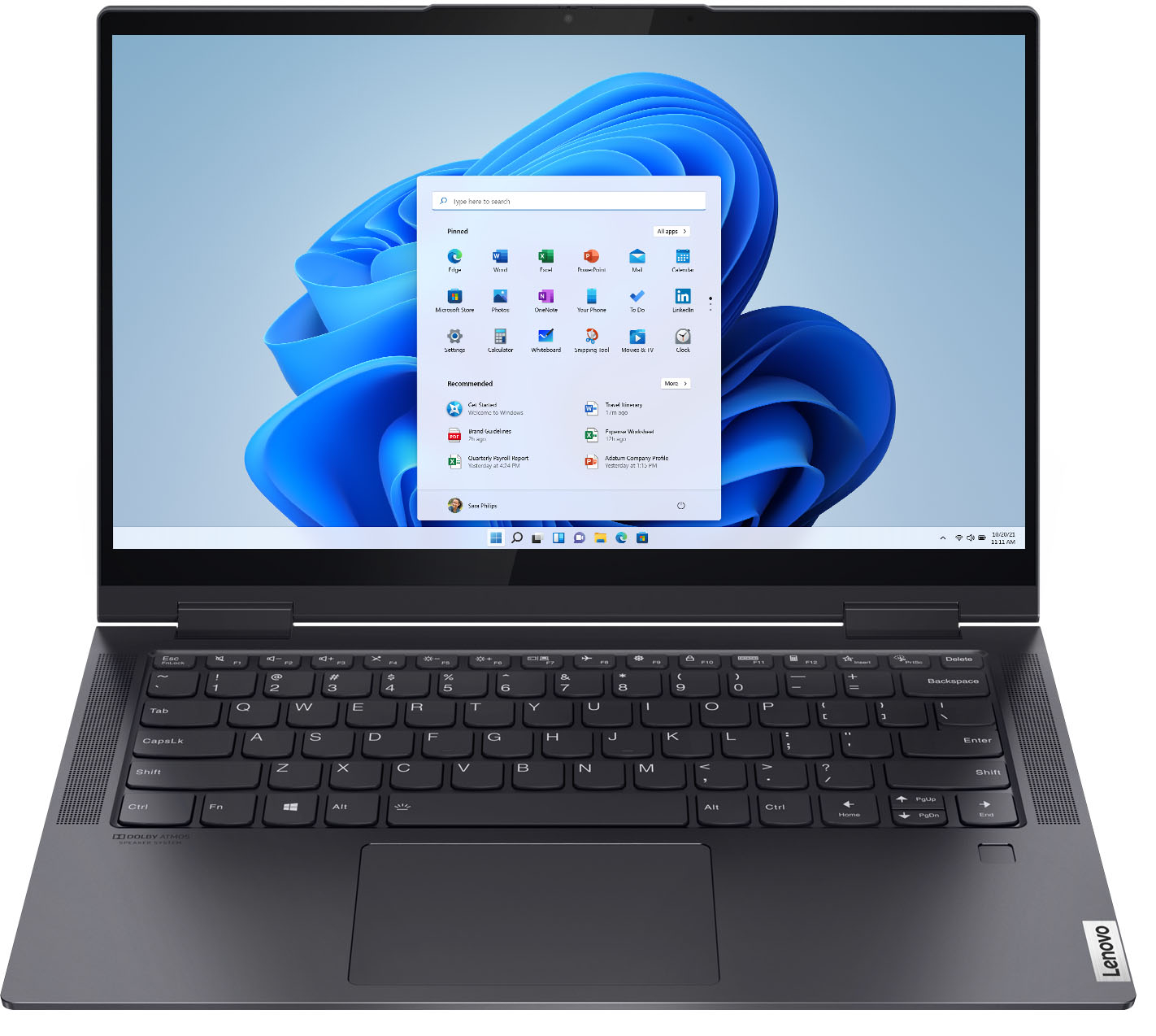



- Model:
- 82BH00DLUS/82BH0002US
- SKU:
- 6426704
Rating by feature
- Battery Life
Rating 4.6 out of 5 stars
- Speed
Rating 4.7 out of 5 stars
- Display
Rating 4.6 out of 5 stars
Customers are saying
Customers are impressed with the Yoga 7i 2-in-1 laptop's speed, light weight, and long battery life. They appreciate the touch screen and build quality, and find the price reasonable for the performance they get. However, some customers have experienced issues with the hinge breaking after light use.
This summary was generated by AI based on customer reviews.
good laptop
||Posted .This reviewer received promo considerations or sweepstakes entry for writing a review.Caps lock key really long, otherwise solid laptop.
I would recommend this to a friendBrand response from Lenovo Product Expert
Posted .Thank you for choosing the Intel Evo-Certified, Lenovo Yoga 7i-14. This model ships with a standard QWERTY keyboard.

- Cons mentioned:Hinge
Broken Hinge
||Posted . Owned for 1.5 years when reviewed.This reviewer received promo considerations or sweepstakes entry for writing a review.The hinge broke while I was shutting the lid after 13months of owning the computer. The Best Buy technician told me it would cost more to fix than what I paid for the product. Read the reviews and responses from Lenovo. Several people had the same issue. I called Lenovo they will not support the problem if the computer is more than a year old. Their testing on the hinges was obviously not robust enough. Very frustrating.
No, I would not recommend this to a friend Not sure
||Posted .This reviewer received promo considerations or sweepstakes entry for writing a review.Good product. Did not know you do not earn points on a finance and either did the employee who checked me out at the register. Stated points will be in my account in a month.
I would recommend this to a friendCamera is disappointing
||Posted . Owned for 1 year when reviewed.This reviewer received promo considerations or sweepstakes entry for writing a review.The computer works well, but the camera is junk. It’s like using a very very old iPhone and has a hard time processing light. The issue is really bad on Zoom.
No, I would not recommend this to a friendFor the price, I think it could be better.
||Posted . Owned for 1 week when reviewed.This reviewer received promo considerations or sweepstakes entry for writing a review.For the price, I think it could be better. The battery lasts about 6-7 hrs, not 13 hrs, and I am not a heavy duty user. The fan runs loudly.
No, I would not recommend this to a friendBrand response from Lenovo Product Expert
Posted .The Intel Evo-Certified, Lenovo Yoga 7i-14 model number 82BH0002US, has All-Day Battery-Life, thanks to its 4CELL_71WH_INTERNAL, Lithium Polymer Battery, which within this configuration, has a battery life of up to 13 hours, depending on the work the device is performing. If you are getting substantially less battery life, first, set your screen brightness at less than 100-percent - try 80-percent to start with. Then, be sure Battery conservation Mode is turned off. This power management setting should only be used when the laptop is plugged in all the time. It will prolong overall battery life by only charging the battery to 60-percent of capacity. Here is a link to instructions for turning off Battery Conservation Mode: https://support.lenovo.com/us/en/solutions/ht103159. Also check what programs are running in the background on the computer. Be sure only the programs you want running in the background are. These programs will drain the battery. Here is a link to information about how to find out what programs are running in the background on your Windows 10 computer and how to manage them for better system performance: https://www.windowscentral.com/how-prevent-apps-running-background-windows-10. Then, finally, be sure any software you installed is compatible with Windows 10. Incompatible software will drain the battery at a faster rate. There is no need to install Microsoft Office software. The software is already part of the operating system, you just need to activate the software with a purchased product key. If you have installed a copy of Microsoft Office, this is conflicting with the existing copy on the system and this will slow your system down. If you have installed a 3rd party anti-virus program, be sure that Windows Defender is turned off and that the trial version of McAfee Anti-Virus software is uninstalled. There can only be one anti-virus program on the system. You may need to restore your system to original factory default settings if any of the programming errors have occurred. You can do that by typing "restore" in the Cortana search window. Just click on the magnifying glass icon at the bottom left of your Windows 10 Desktop. Click on "Reset This PC" Then click on "Get Started" and follow the on screen directions to restore to factory defaults. If the problem persists, we recommend you contact Lenovo Tech Support at: 877-453-6686.
Battey dead
||Posted . Owned for 1.5 years when reviewed.This reviewer received promo considerations or sweepstakes entry for writing a review.Battery dead within 8 months of purchase. It charges and drains with 10 minutes
No, I would not recommend this to a friendNot enough USB
||Posted . Owned for 11 months when reviewed.This reviewer received promo considerations or sweepstakes entry for writing a review.I would have like to have more USB connections. That was important for me
No, I would not recommend this to a friendBrand response from Lenovo Product Expert
Posted .This Intel Evo-Certified Lenovo Yoga 7i 14 model number 82BH0002US, ships with these ports: 1x USB 3.2 Gen 1 (Always On), 2x Thunderbolt 4 / USB4 40Gbps (support data transfer, Power Delivery 3.0 and DisplayPort 1.4), 1x Headphone / microphone combo jack (3.5mm). If you find that you need more USB Type A ports, you may want to consider using a portable USB Hub like this one: https://www.bestbuy.com/site/insignia-4-port-usb-3-0-hub-gray/6460660.p?skuId=6460660
Not bad
||Posted .This reviewer received promo considerations or sweepstakes entry for writing a review.It’s looking and working good I loved it very much but I had issue in flickering so i returned it
I would recommend this to a friendLaptop locked up and could not be recovered
||Posted . Owned for 1 week when reviewed.This reviewer received promo considerations or sweepstakes entry for writing a review.Worked great for 3 days then it locked up. Called the Lenovo support line and they wanted to reset the whole Windows 10 system. However, when we tired, it did not work because of the Windows 10 bitlocker was set. The recovery number was not in my profile even thought the laptop was, so they said I had to send it to them to fix. I returned it instead.
No, I would not recommend this to a friendBrand response from Lenovo Product Expert
Posted .We are sorry to hear that you had an issue with your Intel Evo-Certified, Lenovo Yoga 7i-14. If you need to reset this Yoga 7i-14, this system is equipped with OneKey Recovery System. There is a very small pin hole on the bottom right side of the device, right near the top right corner of the cooling vent on the bottom of the device. You will need a pin to push this reset button. Plug the device in. Let the battery charge for about 15 minutes. Push the reset button. The system should boot to a choice screen where you can choose "Restore To Factory Default". Select this. It will delete everything from the hard drive except the original factory install of the operating system. You will need to reinstall all programs and files after the reset. If you don't have copies of the files, try to make one before you restore by selecting "Boot to desktop" and trying to back up your files. If the problem persists after the factory reset, we recommend you contact Lenovo Tech Support at: 877-453-6686.
Good price
||Posted . Owned for 1 year when reviewed.This reviewer received promo considerations or sweepstakes entry for writing a review.Thought it was computer but it just a tablet which I have 2 ipads
I would recommend this to a friendFrustrating Purchase
||Posted . Owned for 1 month when reviewed.This reviewer received promo considerations or sweepstakes entry for writing a review.Frustrating purchase. This computer constantly shuts down with for no known reason.
No, I would not recommend this to a friendBrand response from Lenovo Product Expert
Posted .We are sorry to hear that you are having issues with your Intel Evo-Certified, Lenovo Yoga 7i-14, model number 82BH0002US. First, check the battery charge level by rolling your touchpad cursor over the battery icon at the lower right side of your Windows 10 Desktop Screen. If the battery level is less than 10 Percent, your computer is shutting down due to lack of battery power. Plug the computer in using the AC charger/adapter included with the computer. Be sure to plug the AC adapter into the proper charging port on the left side of the computer. There is only one Thunderbolt USB-c port that can charge the computer. It is the one with the electrical cord icon next to it, along with the Thunderbolt icon. This is the only port that can be used to charge the computer. If you have been using the other Thunderbolt port on the left side of the computer to try to charge the battery, the battery has not been getting any charge and this is causing the computer to shut down. If the issue continues, we recommend you contact Lenovo Tech Support for additional help at: 877-453-6686.
fine with occasional noise
||Posted . Owned for 9 months when reviewed.This reviewer received promo considerations or sweepstakes entry for writing a review.it sometimes make loud noise. Otherwise the computer is fine.
No, I would not recommend this to a friendBrand response from Lenovo Product Expert
Posted .If the noise you are hearing is from the internal system fan, you can use Lenovo Q-Control to manually control fan and system performance: ( Fn + Q ) option to change the fan by undervolting the processor. If the issue continues, we recommend you call Lenovo Tech Support at: 877-453-6686.
Short honeymoon
||Posted . Owned for 1 week when reviewed.This reviewer received promo considerations or sweepstakes entry for writing a review.The first 3 days were heaven, really fast, really good. Then the antivirus that came already installed with a trial, started continiusly asking for a restart and that was it. After the restart I couldn't log in again. It keeps loading when I enter my PIN and it goes black or I receive an error code telling me that the PIN is not avaliable. So it seems that afeter paying for a rush delivery because I really need the laptop, i will have to send it for service. I am super dissapointed.
No, I would not recommend this to a friendBrand response from Lenovo Product Expert
Posted .We are sorry to hear that you are having issues with your Intel Evo-Certified, Lenovo Yoga 7i-14. It is possible that resetting your computer back to original factory settings will correct the issue you describe. Since the computer will not properly boot, this system is equipped with OneKey Recovery System. There is a very small pin hole on the bottom of the device, right near the cooling vent on the bottom of the device. You will need a pin to push this reset button. Plug the device in. Let the battery charge for about 15 minutes. Push the reset button. The system should boot to a choice screen where you can choose "Restore To Factory Default". Select this. It will delete everything from the hard drive except the original factory install of the operating system. You will need to reinstall all programs and files after the reset. If you don't have copies of the files, try to make one before you restore by selecting "Boot to desktop" and trying to back up your files. Once you have the computer reset, be sure any software you installed is compatible with Windows 10. There is no need to install Microsoft Office software. The software is already part of the operating system, you just need to activate the software with a purchased product key. If you have installed a copy of Microsoft Office, this is conflicting with the existing copy on the system and this will slow your system down. If you have installed a 3rd party anti-virus program, be sure that Windows Defender is turned off and that the trial version of McAfee Anti-Virus software is uninstalled. There can only be one anti-virus program on the system. You may need to restore your system to original factory default settings if any of the programming errors have occurred. You can do that by typing "restore" in the Cortana search window. Just click on the magnifying glass icon at the bottom left of your Windows 10 Desktop. Click on "Reset This PC" Then click on "Get Started" and follow the on screen directions to restore to factory defaults. If the problem persists, we recommend you contact Lenovo Tech Support at: 877-453-6686.
- Cons mentioned:Hinge
Waste of money!
||Posted . Owned for 1.5 years when reviewed.This reviewer received promo considerations or sweepstakes entry for writing a review.charging port went out 5 months after it was purchased, and most recently the hinges on the flip screen have broken. I would have expected better quality from Lenovo.
No, I would not recommend this to a friend No fast it suppose to be
||Posted . Owned for 1 week when reviewed.This reviewer received promo considerations or sweepstakes entry for writing a review.I7 being top processor, thought it fast but not really.
No, I would not recommend this to a friendBrand response from Lenovo Product Expert
Posted .If you are getting less than expected performance from your Intel Evo-Certified, Lenovo Yoga 7i-14, be sure any software you installed is compatible with Windows 10. There is no need to install Microsoft Office software. The software is already part of the operating system, you just need to activate the software with a purchased product key. If you have installed a copy of Microsoft Office, this is conflicting with the existing copy on the system and this will slow your system down. If you have installed a 3rd party anti-virus program, be sure that Windows Defender is turned off and that the trial version of McAfee Anti-Virus software is uninstalled. There can only be one anti-virus program on the system. You may need to restore your system to original factory default settings if any of the programming errors have occurred. You can do that by typing "restore" in the Cortana search window. Just click on the magnifying glass icon at the bottom left of your Windows 10 Desktop. Click on "Reset This PC" Then click on "Get Started" and follow the on screen directions to restore to factory defaults. If the problem persists, we recommend you contact Lenovo Tech Support at: 877-453-6686.
Ok
||Posted .This reviewer received promo considerations or sweepstakes entry for writing a review.Keyboard is worse. Delivery was okay received nicely.
No, I would not recommend this to a friend2 months in, laptop will not turn on
||Posted .This reviewer received promo considerations or sweepstakes entry for writing a review.My son is starting college next week and his brand new (2 months) laptop will no longer turn on. Lenovo is sending a fedex box to send to their tech department but said it could be 10-15 business days before he gets it back. So now my child will have no laptop for at least the first 2 weeks of school. First time using Lenovo, NOT a great impression to start.
No, I would not recommend this to a friendBrand response from Lenovo Product Expert
Posted .We are sorry to hear that your son is having issues with his Intel Evo-Certified, Lenovo Yoga 7i 14. First, be sure that the battery has a full charge. There is only one port on the Yoga 7i 14 that can charge the computer. It is on the left side of the computer and has an electric plug icon next to the power port. Plug the AC adapter/charger that came with the Yoga 7i 14 into this port only. Let the computer charge for 15-minuties. Now with the computer still plugged in, push the power button. The computer will boot up normally. If this does not fix the issue, now try a reset of the computer back to original factory settings. This system is equipped with OneKey Recovery System. There is a very small pin hole on the bottom right side of the device, right near the top right corner of the cooling vent on the bottom of the device. You will need a pin to push this reset button. Plug the device in. Let the battery charge for about 15 minutes. Push the reset button. The system should boot to a choice screen where you can choose "Restore To Factory Default". Select this. It will delete everything from the hard drive except the original factory install of the operating system. You will need to reinstall all programs and files after the reset. If you don't have copies of the files, try to make one before you restore by selecting "Boot to desktop" and trying to back up your files. If the problem persists after the factory reset, we recommend you contact Lenovo Tech Support at: 877-453-6686.
- Cons mentioned:Software
Update problem
||Posted . Owned for 1 week when reviewed.This reviewer received promo considerations or sweepstakes entry for writing a review.It didn’t worked after the windows updates. Not with what I expected.
No, I would not recommend this to a friendBrand response from Lenovo Product Expert
Posted .We are sorry to hear that you are having issues with a recent Windows 10 update. You can roll back an update if there is a problem with its download/installation. Here is a link to options for rolling back a Windows 10 update: https://support.microsoft.com/en-us/windows/recovery-options-in-windows-10-31ce2444-7de3-818c-d626-e3b5a3024da5. If after the update you can no longer properly boot the computer, this system is equipped with OneKey Recovery System. There is a very small pin hole on the bottom right side of the device, right near the top right corner of the cooling vent on the bottom of the device. You will need a pin to push this reset button. Plug the device in. Let the battery charge for about 15 minutes. Push the reset button. The system should boot to a choice screen where you can choose "Restore To Factory Default". Select this. It will delete everything from the hard drive except the original factory install of the operating system. You will need to reinstall all programs and files after the reset. If you don't have copies of the files, try to make one before you restore by selecting "Boot to desktop" and trying to back up your files. If the problem persists after the factory reset, we recommend you contact Lenovo Tech Support at: 877-453-6686.
Good, but….
||Posted . Owned for 1 month when reviewed.This reviewer received promo considerations or sweepstakes entry for writing a review.Background light stopped working after day 3. Very disappointing! But other than that seems to be fine for my college kid.
No, I would not recommend this to a friendBrand response from Lenovo Product Expert
Posted .We are sorry to hear that you are having issues with your Intel Evo-Certified Lenovo Yoga 7i 14. This model ships with a backlit keyboard. To activate the backlighting, hold down the Fn Key and at the same time, tap the Spacebar - Once to turn on the backlighting, twice to increase the backlight intensity and three times to turn off the backlighting. If the issue continues, we recommend you contact Lenovo Tech Support at: 877-453-6686.
Dead on Arrival
||Posted . Owned for 3 weeks when reviewed.This reviewer received promo considerations or sweepstakes entry for writing a review.My first Lenovo laptop. I had high hopes for this laptop, considering it had all the bells and whistles and a powerful processor, but after I set everything up and installed the anti-virus, it started a Windows update unexpectedly then went into frozen mode. Turned it off and on several times but it wouldn't log me in. Had to return it.
No, I would not recommend this to a friendBrand response from Lenovo Product Expert
Posted .We are sorry to hear that you are having issues with your Intel Evo-Certified, Lenovo Yoga 7i-14. Be sure any software you installed is compatible with Windows 10. There is no need to install Microsoft Office software. The software is already part of the operating system, you just need to activate the software with a purchased product key. If you have installed a copy of Microsoft Office, this is conflicting with the existing copy on the system and this will slow your system down. If you have installed a 3rd party anti-virus program, be sure that Windows Defender is turned off and that the trial version of McAfee Anti-Virus software is uninstalled. There can only be one anti-virus program on the system. You may need to restore your system to original factory default settings if any of the programming errors have occurred. You can do that by typing "restore" in the Cortana search window. Just click on the magnifying glass icon at the bottom left of your Windows 10 Desktop. Click on "Reset This PC" Then click on "Get Started" and follow the on screen directions to restore to factory defaults. If the problem persists, we recommend you contact Lenovo Tech Support at: 877-453-6686.