Customer Ratings & Reviews
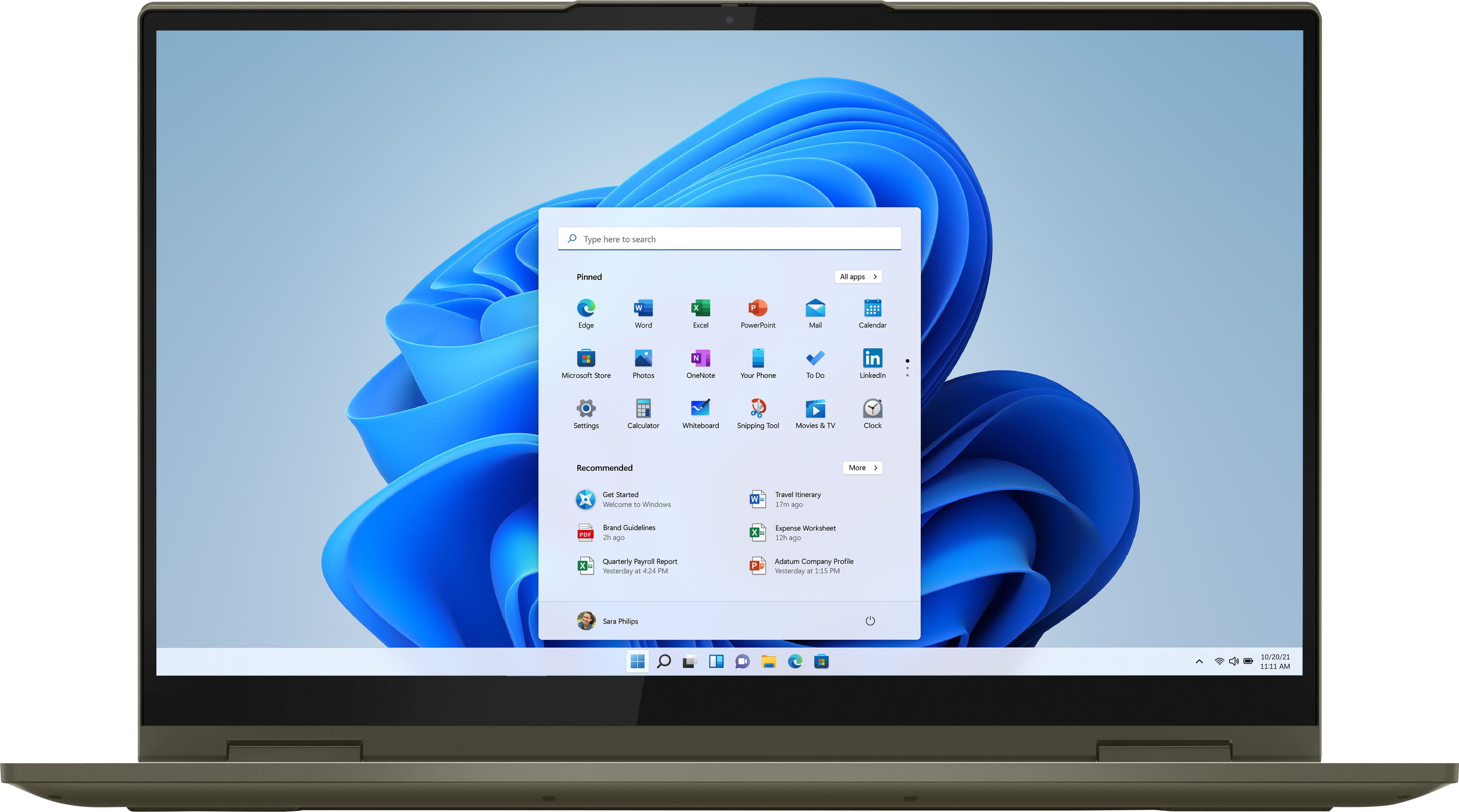



- Model:
- 82BJ0003US/82BJ007SUS
- SKU:
- 6426713
Rating by feature
- Battery Life
Rating 4.5 out of 5 stars
- Speed
Rating 4.7 out of 5 stars
- Display
Rating 4.7 out of 5 stars
Customers are saying
Customers are impressed with the Yoga 7i's touch screen, describing it as smooth and responsive. They also appreciate its long battery life, lightweight design, and user-friendly interface. The laptop's performance and build quality are also praised, with customers noting its sturdy construction and reliable performance.
This summary was generated by AI based on customer reviews.
Nice Sound
||Posted . Owned for 1 month when reviewed.This reviewer received promo considerations or sweepstakes entry for writing a review.I'm liking this laptop. I'm surprised by the audio quality. Great separation and high volume. The only thing that I don't like is that when you run a scan to keep your computer healthy, Levono want to charge you a yearly subscription to fix the simple issues. I think that aspect sucks but other than that I'm pleased so far with this product.
I would recommend this to a friendBrand response from Lenovo Product Expert
Posted .Thank you for choosing the Intel Evo-Certified, Lenovo Yoga 7i-15. We are pleased to hear that the features and performance of the Yoga 7i-15 meets your computing needs so well. You can continue to scan your computer with Lenovo Vantage software to check for updates to the operating software without charge at the basic level of service. There is also a premium level of service for an annual subscription fee.

Great Product!
||Posted . Owned for 1 month when reviewed.This reviewer received promo considerations or sweepstakes entry for writing a review.Easy to setup and easy to use. Very reasonable price.
I would recommend this to a friendBrand response from Lenovo Product Expert
Posted .Thank you for choosing the Intel Evo-Certified, Lenovo Yoga 7i-15. We are pleased to hear that the value, easy setup and use as well as the performance of the Yoga 7i-15 meets your computing needs so well.
- Pros mentioned:Speed
Levono Yoga
||Posted . Owned for 1 week when reviewed.This reviewer received promo considerations or sweepstakes entry for writing a review.Excellent computer for work , very fast and excellent service
I would recommend this to a friendBrand response from Lenovo Product Expert
Posted .Thank you for choosing the Intel Evo-Certified, Lenovo Yoga 7i-15. We are pleased to hear that the Yoga 7i-15 meets your computing needs so well.
- Pros mentioned:Speed
Yoga!
||Posted . Owned for 1 month when reviewed.This reviewer received promo considerations or sweepstakes entry for writing a review.Great product so far. Speed is significant as expected.
I would recommend this to a friendBrand response from Lenovo Product Expert
Posted .Thank you for choosing the Intel Evo-Certified, Lenovo Yoga 7i-15. We are pleased to hear that the Yoga 7i-15 meets your computing needs so well.
Great except touchpad intermittent issue
||Posted . Owned for 1 month when reviewed.This reviewer received promo considerations or sweepstakes entry for writing a review.All has been great except that occasionally the touch pad doesn’t work. I replaced my old Dell with this one (the old one was 10 years old)) and never once had this issue so it’s a bit frustrating. I have a wireless mouse attached now I use most of time to avoid having to use touchpad.
I would recommend this to a friendBrand response from Lenovo Product Expert
Posted .Thank you for choosing the Intel Evo-Certified, Lenovo Yoga 7i-15, model number 82BJ0003US. We are sorry to hear that you are having difficulty with the built in touchpad on your Yoga 7i-15. Check your touchpad settings to be sure they are set to your personal preference. You can make adjustments to the touchpad in your system settings. You can get there by clicking on the magnifying glass at the bottom left of your Windows 10 screen. Type "touchpad" in the search window. Select "Mouse & touchpad settings" from the list of choices. You can make general adjustments to the touchpad there. You can also select "Additional mouse options" for more detailed adjustments to the touchpad sensitivity by increasing the delay of the touchpad. If the issue continues, now check to be sure you have the latest version of Windows 10 on the computer. Then update all BIOS files and drivers up to that latest version of Windows 10. You can easily accomplish this by scanning the computer with the Lenovo Utility software available on this computer. This system has Lenovo utilities installed to help maintain the health of the device and keep the operating system software up to date. Type "Lenovo Vantage" in the Cortana Search window (if Lenovo Vantage is not installed on your device, you can download the APP and install it now). Select Lenovo Vantage from the list. In the window that opens, click on "Health and Support". In the expanded menu, select "Hardware Scan" In the window that opens, select "Run Quick Tests". This will scan your entire system for errors. Follow any directions that may pop up. If the problem continues after this scan, now click on "System Update". First select Windows update from the menu. Scan your system to be sure you have the latest version of Windows 10. Once that scan is complete, select "Additional Updates". This will scan your device to be sure there are no new BIOS/Driver updates needed. Follow any instructions that may pop up. If the issue still continues after these updates, we recommend you call Lenovo Tech Support at: 877-453-6686 for additional help.
- Pros mentioned:Speed
rjohn9
||Posted . Owned for 3 weeks when reviewed.This reviewer received promo considerations or sweepstakes entry for writing a review.Great light weight and super fast and a excellent screen.
I would recommend this to a friendBrand response from Lenovo Product Expert
Posted .Thank you for choosing the Intel Evo-Certified, Lenovo Yoga 7i-15. We are pleased to hear that the features and performance of the Yoga 7i-15 meets your computing needs so well.
- Pros mentioned:Easy to use
Lenovo laptop
||Posted . Owned for 3 weeks when reviewed.This reviewer received promo considerations or sweepstakes entry for writing a review.Very easy to setup. Perfect size. Great screen resolution.
I would recommend this to a friendBrand response from Lenovo Product Expert
Posted .Hello, thank you for choosing the Lenovo Yoga 7i. We are so happy to hear the performance, features, and sleek modern design of the Lenovo Yoga 7i is meeting your computing needs so well.
Good
||Posted . Owned for 1 month when reviewed.This reviewer received promo considerations or sweepstakes entry for writing a review.Good quality at a good price, so far so good my people!
I would recommend this to a friendBrand response from Lenovo Product Expert
Posted .Thank you for choosing the Intel Evo-Certified, Lenovo Yoga 7i-15. We are pleased to hear that the Yoga 7i-15 meets your computing needs so well.
- Pros mentioned:Speed
Good work horse.
||Posted . Owned for 1 month when reviewed.This reviewer received promo considerations or sweepstakes entry for writing a review.Works like I expected. Good speed. Great color on screen.
I would recommend this to a friendBrand response from Lenovo Product Expert
Posted .Thank you for choosing the Intel Evo-Certified, Lenovo Yoga 7i-15. We are pleased to hear that the performance of the Yoga 7i-15 meets your computing needs so well.
Good overall Laptop
||Posted . Owned for 1 month when reviewed.This reviewer received promo considerations or sweepstakes entry for writing a review.I really like this computer and had gotten a good recommendation from a Best Buy employee when I went into the store to check out laptops after reviewing several online. I ended up returning this computer as I thought the one I ordered was silver colored and had a faster processor. I only realized once I got home and ended up reviewing the outside of the box more closely.
I would recommend this to a friend- Pros mentioned:Speed
Mr
||Posted . Owned for 1 month when reviewed.This reviewer received promo considerations or sweepstakes entry for writing a review.Great speed and processor light weight easy key pad
I would recommend this to a friendBrand response from Lenovo Product Expert
Posted .Thank you for choosing the Lenovo Yoga 7i 2-in-1 15.6in. HDR Touch Screen Laptop with Intel Evo Core i7. We are very pleased to hear that the specifications and features of the Lenovo Yoga 7i 2-in-1 15.6in. HDR Touch Screen Laptop with Intel Evo Core i7 meet your computing needs so well.
Mrs
||Posted . Owned for 3 weeks when reviewed.This reviewer received promo considerations or sweepstakes entry for writing a review.Very good computer..works well and I like it very much.
I would recommend this to a friendGood All in one Laptop
||Posted . Owned for 1 month when reviewed.This reviewer received promo considerations or sweepstakes entry for writing a review.Great product! Got it on Black friday and it works well!
I would recommend this to a friendBrand response from Lenovo Product Expert
Posted .Hello, thank you for choosing the Lenovo Yoga 7i. We are so happy to hear the performance, features, and sleek modern design of the Lenovo Yoga 7i is meeting your computing needs so well.
- Pros mentioned:Speed
Laptop
||Posted . Owned for 3 weeks when reviewed.This reviewer received promo considerations or sweepstakes entry for writing a review.The laptop is very light and fast, great decision.
I would recommend this to a friendBrand response from Lenovo Product Expert
Posted .Thank you for choosing the Intel Evo-Certified, Lenovo Yoga 7i-15. We are pleased to hear that the Yoga 7i-15 is working out so well for you.
Bright Eyes
||Posted . Owned for 3 weeks when reviewed.This reviewer received promo considerations or sweepstakes entry for writing a review.I like this computer as it is slightly bigger than my previous laptop and the functions on the keyboard are perfect fit for my small hands. One feature I wish it did have would be a lighted keyboard because at night it is hard to see the keys. Also, signing up as full member with The Geek Squad has been a blessing!
I would recommend this to a friendBrand response from Lenovo Product Expert
Posted .Thank you for choosing the Intel Evo-Certified, Lenovo Yoga 7i-15. This model does have a backlit keyboard. To turn on the keyboard backlighting, hold down the Fn Key and at the same time, tap the Spacebar: Once to turn on the backlighting, twice to increase the intensity of the backlighting and three times to turn off the backlighting.
- Cons mentioned:Ports
Love this Laptop
||Posted .This reviewer received promo considerations or sweepstakes entry for writing a review.Lightweight! Powerful! Perfect! Cons: There aren’t enough ports.
I would recommend this to a friendBrand response from Lenovo Product Expert
Posted .Thank you for choosing the Intel Evo-Certified, Lenovo Yoga 7i-15, model number 82BJ0003US. This is an ultra-portable/Thin and light, 2 in 1 convertible computer. It ships with these ports: 1x USB 3.2 Gen 1, 1x USB 3.2 Gen 1 (Always On), 1x headphone / microphone combo jack (3.5mm), 2x Thunderbolt 4 / USB4 40Gbps (support data transfer, Power Delivery 3.0 and DisplayPort 1.4). For greater connectivity, you may want to add a universal Thunderbolt 3.0/4.0 docking station with the added port configuration you need. Here is one example: https://www.bestbuy.com/site/kensington-sd2500t-thunderbolt-3-and-usb-c-dual-4k-hybrid-nano-dock-with-60w-pd-win-mac-silver/6462673.p?skuId=6462673
- Pros mentioned:Battery life
Great laptop
||Posted . Owned for 1 month when reviewed.This reviewer received promo considerations or sweepstakes entry for writing a review.Great laptop last long and does everything I need !!
I would recommend this to a friendBrand response from Lenovo Product Expert
Posted .Thank you for choosing the Intel Evo-Certified, Lenovo Yoga 7i-15. We are pleased to hear that the Yoga 7i-15 meets your computing needs so well.
- Pros mentioned:Lightweight
lightweight
||Posted . Owned for 1 month when reviewed.This reviewer received promo considerations or sweepstakes entry for writing a review.Very lightweight and easy to use. Excellent Value.
I would recommend this to a friendBrand response from Lenovo Product Expert
Posted .Thank you for choosing the Intel Evo-Certified, Lenovo Yoga 7i-15. We are pleased to hear that the value, features and performance of the Yoga 7i-15 meets your computing needs so well.
Very Helpfull
||Posted . Owned for 3 weeks when reviewed.This reviewer received promo considerations or sweepstakes entry for writing a review.I went in looking for a new laptop, the salesman was easy going and asked me a few questions to guide me. He gave me a few choices and I picked one, the only bad part was I could not take it home with me but it shipped and got to me fairly quickly
I would recommend this to a friendBrand response from Lenovo Product Expert
Posted .Thank you for choosing the Intel Evo-Certified, Lenovo Yoga 7i-15. We are pleased to hear that the Yoga 7i-15 meets your computing needs so well.
Good 2-in-1 computer
||Posted . Owned for 1 month when reviewed.This reviewer received promo considerations or sweepstakes entry for writing a review.Easy and fast to boot up. Works well for the most part. Camera is a little blurry and grainy, and the fan is so loud it is very noticeable on a recording. i7 processor is noticeably faster than other lower level processors I’ve had and is handling all the tasks I’ve tried on it so far well. Pleased with this laptop, other than the fan noise.
I would recommend this to a friendBrand response from Lenovo Product Expert
Posted .Thank you for choosing the Intel Evo-Certified, Lenovo Yoga 7i-15. Concerning the clarity of your webcam, be sure you have removed the clear film tape that is placed on the lens of the webcam to protect the lens from scratching during shipping. If you have removed this film and the issue continues, now check to be sure you have the latest version of Windows 10 on the computer. Then update all BIOS files and drivers up to that latest version of Windows 10. You can easily accomplish this by scanning the computer with the Lenovo Utility software available on this computer. This system has Lenovo utilities installed to help maintain the health of the device and keep the operating system software up to date. Type "Lenovo Vantage" in the Cortana Search window (if Lenovo Vantage is not installed on your device, you can download the APP and install it now). Select Lenovo Vantage from the list. In the window that opens, click on "Health and Support". In the expanded menu, select "Hardware Scan" In the window that opens, select "Run Quick Tests". This will scan your entire system for errors. Follow any directions that may pop up. If the problem continues after this scan, now click on "System Update". First select Windows update from the menu. Scan your system to be sure you have the latest version of Windows 10. Once that scan is complete, select "Additional Updates". This will scan your device to be sure there are no new BIOS/Driver updates needed. Follow any instructions that may pop up. Regarding the fan running loud, the fan is automatically controlled based on the workload the computer is under. If you are hearing the fan running at idle or low workloads on the computer, first, Be sure any software you installed is compatible with Windows 10. There is no need to install Microsoft Office software. The software is already part of the operating system, you just need to activate the software with a purchased product key. If you have installed a copy of Microsoft Office, this is conflicting with the existing copy on the system and this will slow your system down. If you have installed a 3rd party anti-virus program, be sure that Windows Defender is turned off and that the trial version of McAfee Anti-Virus software is uninstalled. There can only be one anti-virus program on the system. You may need to restore your system to original factory default settings if any of the programming errors have occurred. You can do that by typing "restore" in the Cortana search window. Just click on the magnifying glass icon at the bottom left of your Windows 10 Desktop. Click on "Reset This PC" Then click on "Get Started" and follow the on screen directions to restore to factory defaults. If there is no incompatible software installed, now check to see what processes are running in the background on your computer. Be sure only those processes you want running in the background are, as this increases the system workload too. Here is a link to instructions for checking what processes are running on your computer: https://www.toolbox.com/it-security/vulnerability-management/blogs/how-to-find-hidden-programs-running-in-the-background-020615/#:~:text=%231%3A%20Press%20%E2%80%9CCtrl%20%2B,of%20hidden%20and%20visible%20programs. If there are no unwanted processes running but the fan continues to run loudly, you can use Lenovo Q-Control to manually control fan and system performance: ( Fn + Q ) option to change the fan by undervolting the processor. If the issue continues, we recommend you call Lenovo Tech Support at: 877-453-6686.