Customer Ratings & Reviews
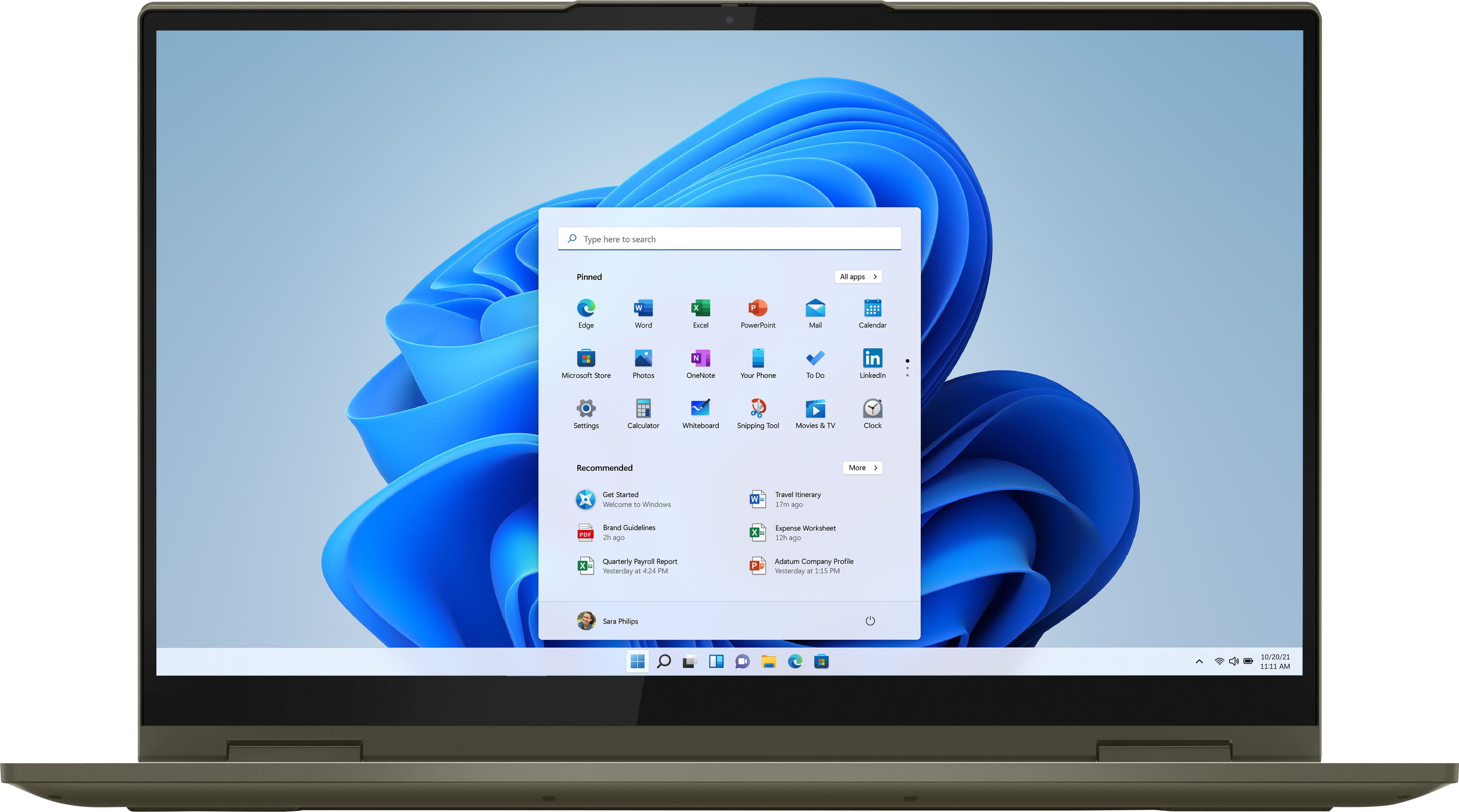



- Model:
- 82BJ0003US/82BJ007SUS
- SKU:
- 6426713
Rating by feature
- Battery Life
Rating 4.5 out of 5 stars
- Speed
Rating 4.7 out of 5 stars
- Display
Rating 4.7 out of 5 stars
Customers are saying
Customers are impressed with the Yoga 7i's touch screen, describing it as smooth and responsive. They also appreciate its long battery life, lightweight design, and user-friendly interface. The laptop's performance and build quality are also praised, with customers noting its sturdy construction and reliable performance.
This summary was generated by AI based on customer reviews.
Good Computer bad updates
||Posted .This reviewer received promo considerations or sweepstakes entry for writing a review.This is a great computer. However I am giving it 3 stars because I had to enter safe mode to Uninstall mcfee security because it was causing the computer to be unresponsive.
I would recommend this to a friendBrand response from Lenovo Product Expert
Posted .We are sorry to hear that you had issues with the 30-day free trial of McAfee Virus Protection software. This virus protection will activate automatically with the initial activation of Windows 10 and continue running until it is uninstalled. You do not need to use McAfee. Just uninstall McAfee and use any virus protection software you choose, as there can only be one active virus protection software on the computer at a time. Here is a link to information on uninstalling McAfee from Windows 10: https://service.mcafee.com/webcenter/portal/oracle/webcenter/page/scopedMD/s55728c97_466d_4ddb_952d_05484ea932c6/Page29.jspx?wc.contextURL=%2Fspaces%2Fcp&articleId=TS101331&_afrLoop=1355161020222084&leftWidth=0%25&showFooter=false&showHeader=false&rightWidth=0%25¢erWidth=100%25#!%40%40%3FshowFooter%3Dfalse%26_afrLoop%3D1355161020222084%26articleId%3DTS101331%26leftWidth%3D0%2525%26showHeader%3Dfalse%26wc.contextURL%3D%252Fspaces%252Fcp%26rightWidth%3D0%2525%26centerWidth%3D100%2525%26_adf.ctrl-state%3Dx25crirbo_9

Works well1
||Posted . Owned for 3 weeks when reviewed.This reviewer received promo considerations or sweepstakes entry for writing a review.It works for the many tasks that I need to get done.
I would recommend this to a friendBrand response from Lenovo Product Expert
Posted .Thank you for choosing the Intel Evo-Certified, Lenovo Yoga 7i-15. We are pleased to hear that the Yoga 7i-15 meets your computing needs so well.
Good for the price
||Posted . Owned for 1 week when reviewed.This reviewer received promo considerations or sweepstakes entry for writing a review.Great feel. This laptop has a good cost to functionality.
I would recommend this to a friendBrand response from Lenovo Product Expert
Posted .Thank you for choosing the Intel Evo-Certified, Lenovo Yoga 7i 15. We are pleased to hear that the value and performance of the Yoga 7i 15 meets your computing needs so well.
SAVE YOUR MONEY
Posted .This reviewer received promo considerations or sweepstakes entry for writing a review.Save your time and money! Bought this laptop THREE DAYS AGO! and now every time i so much as login or go on the internet it takes forever to load. when i tried to sign on it when black. i had a lenovo before and i thought i would be just as happy as this one bit nope.
No, I would not recommend this to a friendBrand response from Lenovo Product Expert
Posted .We are sorry to hear that you are having issues with your Intel Evo-Certified, Lenovo Yoga 7i-15, model number 82BJ0003US. This configuration will boot from power off to the Windows 10 Desktop in less than 10-seconds. It will wake from Sleep Mode almost instantly. If you are experiencing slower boot times or your system does not boot, be sure any software you installed is compatible with Windows 10. There is no need to install Microsoft Office software. The software is already part of the operating system, you just need to activate the software with a purchased product key. If you have installed a copy of Microsoft Office, this is conflicting with the existing copy on the system and this will slow your system down. If you have installed a 3rd party anti-virus program, be sure that Windows Defender is turned off and that the trial version of McAfee Anti-Virus software is uninstalled. There can only be one anti-virus program on the system. You may need to restore your system to original factory default settings if any of the programming errors have occurred. You can do that by typing "restore" in the Cortana search window. Just click on the magnifying glass icon at the bottom left of your Windows 10 Desktop. Click on "Reset This PC" Then click on "Get Started" and follow the on screen directions to restore to factory defaults. If the problem persists, we recommend you contact Lenovo Tech Support at: 877-453-6686.
Learning a new product!
||Posted . Owned for 1 month when reviewed.This reviewer received promo considerations or sweepstakes entry for writing a review.Haven’t had this long enough to know much about it.
I would recommend this to a friendYOGA GOOD LAPTOP
||Posted . Owned for 1 month when reviewed.This reviewer received promo considerations or sweepstakes entry for writing a review.Good Laptop Easy to setup. Easy typing and surfing.
I would recommend this to a friendBrand response from Lenovo Product Expert
Posted .Hello, thank you for choosing the Lenovo Yoga 7i. We are so happy to hear the performance, features, and sleek modern design of the Lenovo Yoga 7i is meeting your computing needs so well.
- Cons mentioned:Freezing
So Far, Not So Good
||Posted . Owned for 3 weeks when reviewed.This reviewer received promo considerations or sweepstakes entry for writing a review.Had this laptop three weeks. It have already failed to start-up twice. It comes on and freezes immediately. Have a really bad feeling about this.
No, I would not recommend this to a friendBrand response from Lenovo Product Expert
Posted .We are sorry to hear that you are having issues with your Intel Evo-Certified, Lenovo Yoga 7i 15, model number 82BJ007SUS. This model ships with Windows 11 Home, 64-bit Operating System installed and should not freeze. Be sure any software you installed is compatible with Windows 11, this includes any legacy software you may install from an old computer. Additionally, there is no need to install Microsoft Office software. The software is already part of the operating system, you just need to activate the software with a purchased product key. If you have installed a copy of Microsoft Office, this is conflicting with the existing copy on the system and this will slow your system down. If you have installed a 3rd party anti-virus program, be sure that Windows Defender is turned off and that the trial version of McAfee Anti-Virus software is uninstalled. There can only be one anti-virus program on the system. Here is a link to instructions for uninstalling McAfee from a Windows computer: https://service.mcafee.com/?articleId=TS101331&page=shell&shell=article-view You may need to restore your system to original factory default settings if any of the programming errors have occurred. You can do that by typing "restore" in the Cortana search window. Just click on the magnifying glass icon at the bottom of your Windows 11 Desktop. Click on "Reset This PC" Then click on "Get Started" and follow the on screen directions to restore to factory defaults. If the problem persists, we recommend you contact Lenovo Premium Care for additional help at: 888-278-9707.
Don't Buy
||Posted . Owned for more than 2 years when reviewed.This reviewer received promo considerations or sweepstakes entry for writing a review.Hinge breaks. One year after use, I cannot use this computer. Lenovo is aware of the issue but does not offer any kind of repair service.
No, I would not recommend this to a friendJust ok.
||Posted . Owned for 3 weeks when reviewed.This reviewer received promo considerations or sweepstakes entry for writing a review.Unable to use fingerprint reader or setup some Microsoft features yet. Microsoft support has been terrible. Haven't really been able to use much due to these issues. Since that is the OS, the rating is downgraded for this.
No, I would not recommend this to a friendBrand response from Lenovo Product Expert
Posted .We are sorry to hear that you are having issues with the initial activation of Windows 10. There is a 30-day trial of Microsoft Office 365 included as part of the Windows 10 operating system. In order to keep the program active after the trial period, you will need to purchase a product key. You will not need to download any additional software. Here is a link to instructions for the initial setup of fingerprint login within Windows 10: https://www.groovypost.com/howto/how-to-sign-into-your-windows-10-pc-with-your-fingerprint-with-windows-hello/
- Pros mentioned:Speed
Good at first then a problem!
||Posted . Owned for 5 months when reviewed.This reviewer received promo considerations or sweepstakes entry for writing a review.Had issues right away but after the warranty. I loved it at first because it was so fast but within 6 mons I have to bring it in for repairs.
No, I would not recommend this to a friendBrand response from Lenovo Product Expert
Posted .We are sorry to hear that you are having issues with your Intel Evo-Certified, Lenovo Yoga 7i 15, model number 82BJ0003US. This model ships with a limited, 1-year manufacturer's warranty, covering hardware OEM issues. We recommend you contact Lenovo Tech Support for help with your hardware issues at: 877-453-6686.
Wanted to be happy
||Posted . Owned for 1 week when reviewed.This reviewer received promo considerations or sweepstakes entry for writing a review.I thought I was getting a good product with Lenovo. The first one I had to take back because it wouldn't stay connected to the WiFi/Internet. Exchanged it and a week and a half later it doesn't charge to 100%. Have to take it back because customer service couldn't fix it and I have to bring it in to the store to see if they can fix the hardware problem. I may just get my money back because I shouldn't have these problems with a new product!
No, I would not recommend this to a friendBrand response from Lenovo Product Expert
Posted .Hello, we are sorry to hear you are experiencing this issue with your Lenovo Yoga 7i 15.6 inch lapotop. be sure Battery conservation Mode is turned off. This power management setting should only be used when the laptop is plugged in all the time. It will prolong overall battery life by only charging the battery to 60-percent of capacity. Here is a link to instructions for turning off Battery Conservation Mode: https://support.lenovo.com/us/en/solutions/ht103159 . If you need further assistance please don't hesitate to reach out to Lenovo Tech Support at 877-453-6686
Okay laptop but there are better ones at same pric
||Posted . Owned for 8 months when reviewed.This reviewer received promo considerations or sweepstakes entry for writing a review.The Good Stylish design Good material Good brand The Bad Kinda slow Compatibility issues with certain software Out specc’d by laptops in same price range
No, I would not recommend this to a friendBrand response from Lenovo Product Expert
Posted .This Intel Evo-Certified, Lenovo Yoga 7i 15 model number 82BJ0003US, is a very fast configuration, with its 4-Core/8-Thread, 11th Gen Intel Core i7-1165G7 Processor, with a base speed of 2.8GHz and a Turbo Boost Speed of up to 4.7GHz. This processor is supported by 12GB DDR4-3200MHz RAM and a 512GB M.2 2242 PCIe 3.0x4 NVMe solid state hard drive, the latest Intel 201N WiFi-6 and Integrated Intel Iris Xe Graphics. This Yoga 7i 15 is co-engineered by Lenovo and Intel to provide the ultimate experience for life and work anywhere, the Yoga 7i introduces the Intel Evo platform for the perfect combination of performance, battery life and
stunning visuals. You’ll experience remarkable responsiveness, lightning-fast Gigabit speeds
with Intel WiFi 6, and two Thunderbolt 4 ports for connecting to power and accessories with a single cable. If you are getting less than expected performance, be sure any software you installed is compatible with Windows 11, this includes any legacy software you installed from an old computer. Additionally, there is no need to install Microsoft Office software. The software is already part of the operating system, you just need to activate the software with a purchased product key. If you have installed a copy of Microsoft Office, this is conflicting with the existing copy on the system and this will slow your system down. If you have installed a 3rd party anti-virus program, be sure that Windows Defender is turned off and that the trial version of McAfee Anti-Virus software is uninstalled. There can only be one anti-virus program on the system. Here is a link to instructions for uninstalling McAfee from a Windows computer: https://service.mcafee.com/?articleId=TS101331&page=shell&shell=article-view. You may need to restore your system to original factory default settings if any of the programming errors have occurred. You can do that by typing "restore" in the Cortana search window. Just click on the magnifying glass icon at the bottom of your Windows 11 Desktop. Click on "Reset This PC" Then click on "Get Started" and follow the on screen directions to restore to factory defaults. If the problem persists, we recommend you contact Lenovo Premium Care for additional help at: 888-278-9707.
2nd Lenovo, unhappy with both
||Posted . Owned for 8 months when reviewed.This reviewer received promo considerations or sweepstakes entry for writing a review.This is the second Lenovo I've owned. I am not real happy with either one of them. The first one, after less than a year, would crash without warning.
No, I would not recommend this to a friendBrand response from Lenovo Product Expert
Posted .We are sorry to hear that you are having issues with your Intel Evo-Certified, Lenovo Yoga 7i 15, model number 82BJ0003US. We recommend you contact Lenovo Premium Care for help with issues you are having with this Yoga 7i 15, by calling at: 888-278-9707.
Disappointed in my Lenovo laptop
||Posted . Owned for 3 weeks when reviewed.This reviewer received promo considerations or sweepstakes entry for writing a review.I spent around $1,000 for a computer that is a piece of junk. I wanted another Dell but you didn't have it in stock. I ended up buying a Lenovo laptop [a YOGA 7i]. I had never heard of a Lenovo before I bought it. I've had it for 3 weeks and I can't seem to get rid of the problems. The main problems are: 1. I get an error message sometimes: "Power surge on the USB port Unknown USB device needs more power than the port can supply." 2. I can't get Alexa to work. 3. I can't print. The problems might be cables or the ports on the laptop. Best Buy also fixed my old computer [a Dell Inspiron] but I can't transfer the documents to it to print them out. About 6 months ago, I bought an HP computer. It was worse than the Lenovo. I had it for only 1 day and returned it. I couldn't get it to do anything. It was supposed to be top of the line. Because of this experience, I have been hesitant to return my laptop. I know I am getting older and have not kept up with all the changes in technology but I was hoping with Alexa's help I'd still be able to use a new computer.
No, I would not recommend this to a friendBrand response from Lenovo Product Expert
Posted .We are sorry to hear that you are having issues with your Intel Evo-Certified, Lenovo Yoga 7i-15. Regarding your first issue, the error message from plugging in an external device via the USB port on the Yoga 7i-15, check the power requirements of the device you are trying to use and be sure those power requirements meet the specifications of the USB 3.2 Gen 1 ports on the Yoga 7i-15, which are: USB 3.2 can deliver up to 20 volts, 5 amps and 100 watts for device power and charging. Alexa software is not installed on the Yoga 7i-15, the user must download then install Alexa. This is for the user's privacy. Here is a link to instructions for downloading then installing Alexa onto the Yoga 7i-15: https://www.hellotech.com/guide/for/how-to-download-alexa-app-to-computer. The Intel Evo Certified Lenovo Yoga 7i-15 is compatible with any printer, wireless or wired, that is compatible with the Windows 10 Operating System. We recommend you check with your printer manufacturer for the compatibility of your specific printer. Follow the pairing instructions provided by your printer manufacturer, for pairing a new Windows 10 computer to your model printer. Here is a link to Lenovo Migration Assistant software to help you easily transfer files from your old computer to your new one: https://www.lenovo.com/us/en/software/lenovomigrationassistant/. If you continue to have issues with your Yoga 7i-15 we recommend you contact Lenovo Tech Support for additional help at: 877-453-6686.
It’s aight
||Posted .This reviewer received promo considerations or sweepstakes entry for writing a review.Sometimes when I’m playing music on YouTube my whole computer would just freeze up and I would have to open another window to stop it It’s cool though
No, I would not recommend this to a friendBrand response from Lenovo Product Expert
Posted .We are sorry to hear that you are having issues with your Intel Evo-Certified, Lenovo Yoga 7i-15, model number 82BJ0003US. This model ships with Windows 10 Home 64-bit Operating System and should not freeze. First, Be sure any software you installed is compatible with Windows 10. There is no need to install Microsoft Office software. The software is already part of the operating system, you just need to activate the software with a purchased product key. If you have installed a copy of Microsoft Office, this is conflicting with the existing copy on the system and this will slow your system down. If you have installed a 3rd party anti-virus program, be sure that Windows Defender is turned off and that the trial version of McAfee Anti-Virus software is uninstalled. There can only be one anti-virus program on the system. You may need to restore your system to original factory default settings if any of the programming errors have occurred. You can do that by typing "restore" in the Cortana search window. Just click on the magnifying glass icon at the bottom left of your Windows 10 Desktop. Click on "Reset This PC" Then click on "Get Started" and follow the on screen directions to restore to factory defaults. If there is no incompatible software installed, then check to be sure that you have the latest version of Windows 10 on the computer. Update all BIOS files and drivers up to that latest version of Windows 10. You can easily accomplish this by scanning the computer with the Lenovo Utility software available on this computer. This system has Lenovo utilities installed to help maintain the health of the device and keep the operating system software up to date. Type "Lenovo Vantage" in the Cortana Search window (if Lenovo Vantage is not installed on your device, you can download the APP and install it now). Select Lenovo Vantage from the list. In the window that opens, click on "Health and Support". In the expanded menu, select "Hardware Scan" In the window that opens, select "Run Quick Tests". This will scan your entire system for errors. Follow any directions that may pop up. If the problem continues after this scan, now click on "System Update". First select Windows update from the menu. Scan your system to be sure you have the latest version of Windows 10. Once that scan is complete, select "Additional Updates". This will scan your device to be sure there are no new BIOS/Driver updates needed. Follow any instructions that may pop up. If the issue still continues after these updates, we recommend you call Lenovo Tech Support at: 877-453-6686 for additional help.
Supply chain fautlty parts in multiple computers B
||Posted . Owned for 3 weeks when reviewed.This reviewer received promo considerations or sweepstakes entry for writing a review.After returning 2 faulty new Dell computers in 3 months, after diagnostics and OS replacements, upgraded to this Lenovo. It only lasted 3 days. Upgraded to another open box Lanovo computer which also failed after being assured by salesman it was fine. Two Tech Support individuals told me to return it. Although I paid $100s than my original Dell, store personnel were willing to work with me and offer me cost breaks.
No, I would not recommend this to a friendLaptop cannot function now for no reason
||Posted .This reviewer received promo considerations or sweepstakes entry for writing a review.This laptop worked fine for the first 3 weeks, and then all of a sudden, it basically stopped functioning. After I sign into Windows, the screen turns black and nothing I do is able to get the screen back. Occasionally, I am able to reach the home screen with all of my apps, but I am literally unable to open any of them. The cursor starts to load as if the app is about to open, but nothing happens. I've tried following solutions from online forums, but nothing has worked and it's gotten to the point where I am sitting in front of the laptop for up to an hour and getting nowhere. I rarely write reviews, but had to share this because I am extremely disappointed and frustrated.
No, I would not recommend this to a friendBrand response from Lenovo Product Expert
Posted .We are sorry to hear that you are having issues with your Intel Evo-Certified, Lenovo Yoga 7i-15. Since your computer was working normally until recently, it may be a recent Windows 10 update that is causing the issues you describe. Here is a link to information about rolling back a recent Windows 10 update: https://www.howtogeek.com/235474/how-to-roll-back-builds-and-uninstall-updates-on-windows-10/. If just rolling back the Windows 10 update does not fix the issue, resetting the computer back to original factory settings may correct the issue. You can use this solution as well, if you are unable to rollback the Windows 10 update. This system is equipped with OneKey Recovery System. There is a very small pin hole on the bottom right side of the device, right near the top right corner of the cooling vent on the bottom of the device. You will need a pin to push this reset button. Plug the device in. Let the battery charge for about 15 minutes. Push the reset button. The system should boot to a choice screen where you can choose "Restore To Factory Default". Select this. It will delete everything from the hard drive except the original factory install of the operating system. You will need to reinstall all programs and files after the reset. If you don't have copies of the files, try to make one before you restore by selecting "Boot to desktop" and trying to back up your files. If the problem persists after the factory reset, we recommend you contact Lenovo Tech Support at: 877-453-6686.
Poor performance
||Posted .This reviewer received promo considerations or sweepstakes entry for writing a review.Very nice appearance, but as soon as I tried setting it up it crashed and never turned back on. Geek squad couldn't even figure out why.
No, I would not recommend this to a friendBrand response from Lenovo Product Expert
Posted .We are sorry to hear that you are having issues with your Intel Evo-Certified, Lenovo Yoga 7i-15. Be sure any software you installed is compatible with Windows 10. There is no need to install Microsoft Office software. The software is already part of the operating system, you just need to activate the software with a purchased product key. If you have installed a copy of Microsoft Office, this is conflicting with the existing copy on the system and this will slow your system down. If you have installed a 3rd party anti-virus program, be sure that Windows Defender is turned off and that the trial version of McAfee Anti-Virus software is uninstalled. There can only be one anti-virus program on the system. Even if there is no incompatible software installed, restoring your computer back to original factory settings may correct the issue you describe. Since you can not boot the computer, this system is equipped with OneKey Recovery System. There is a very small pin hole on the bottom right side of the device, right near the top right corner of the cooling vent on the bottom of the device. You will need a pin to push this reset button. Plug the device in. Let the battery charge for about 15 minutes. Push the reset button. The system should boot to a choice screen where you can choose "Restore To Factory Default". Select this. It will delete everything from the hard drive except the original factory install of the operating system. You will need to reinstall all programs and files after the reset. If you don't have copies of the files, try to make one before you restore by selecting "Boot to desktop" and trying to back up your files. If the problem persists after the factory reset, we recommend you contact Lenovo Tech Support at: 877-453-6686.
It hung the 2nd day
||Posted . Owned for less than 1 week when reviewed.This reviewer received promo considerations or sweepstakes entry for writing a review.This is second day, and the laptop stopped working. It starts but after 1 click it takes almost 5 minutes to open the app. The restarting takes forever. I have loved lenovo products, that is why bought this, but a little disappointed by this. Planning to return it.
No, I would not recommend this to a friendBrand response from Lenovo Product Expert
Posted .We are sorry to hear that you are having issues with your Lenovo Yoga 7i-15. Be sure any software you installed is compatible with Windows 10. There is no need to install Microsoft Office software. The software is already part of the operating system, you just need to activate the software with a purchased product key. If you have installed a copy of Microsoft Office, this is conflicting with the existing copy on the system and this will slow your system down. If you have installed a 3rd party anti-virus program, be sure that Windows Defender is turned off and that the trial version of McAfee Anti-Virus software is uninstalled. There can only be one anti-virus program on the system. You may need to restore your system to original factory default settings if any of the programming errors have occurred. You can do that by typing "restore" in the Cortana search window. Just click on the magnifying glass icon at the bottom left of your Windows 10 Desktop. Click on "Reset This PC" Then click on "Get Started" and follow the on screen directions to restore to factory defaults. If the problem persists, we recommend you contact Lenovo Tech Support at: 877-453-6686.
Laptop
||Posted .This reviewer received promo considerations or sweepstakes entry for writing a review.It’s a great lap top. Only problem is when switch over to tablet nothing to protect key board
I would recommend this to a friendBrand response from Lenovo Product Expert
Posted .Thank you for choosing the Intel Evo-Certified, Lenovo Yoga 7i 15 2 in 1 convertible Laptop. This model ships with two 360-degree hinges on the screen/keyboard that allow the screen to flip 360-degrees so the device can be used in either traditional laptop mode or in tablet mode - Or use the Yoga 7i 15 in any position in between, for media consumption. When the screen rotates past 180 degrees, the keyboard and touchpad automatically switch off, so no need to worry about inadvertent entries when holding the Yoga 7i 15 as a tablet, or placing the keyboard on a tablet to watch a movie.