Customer Ratings & Reviews
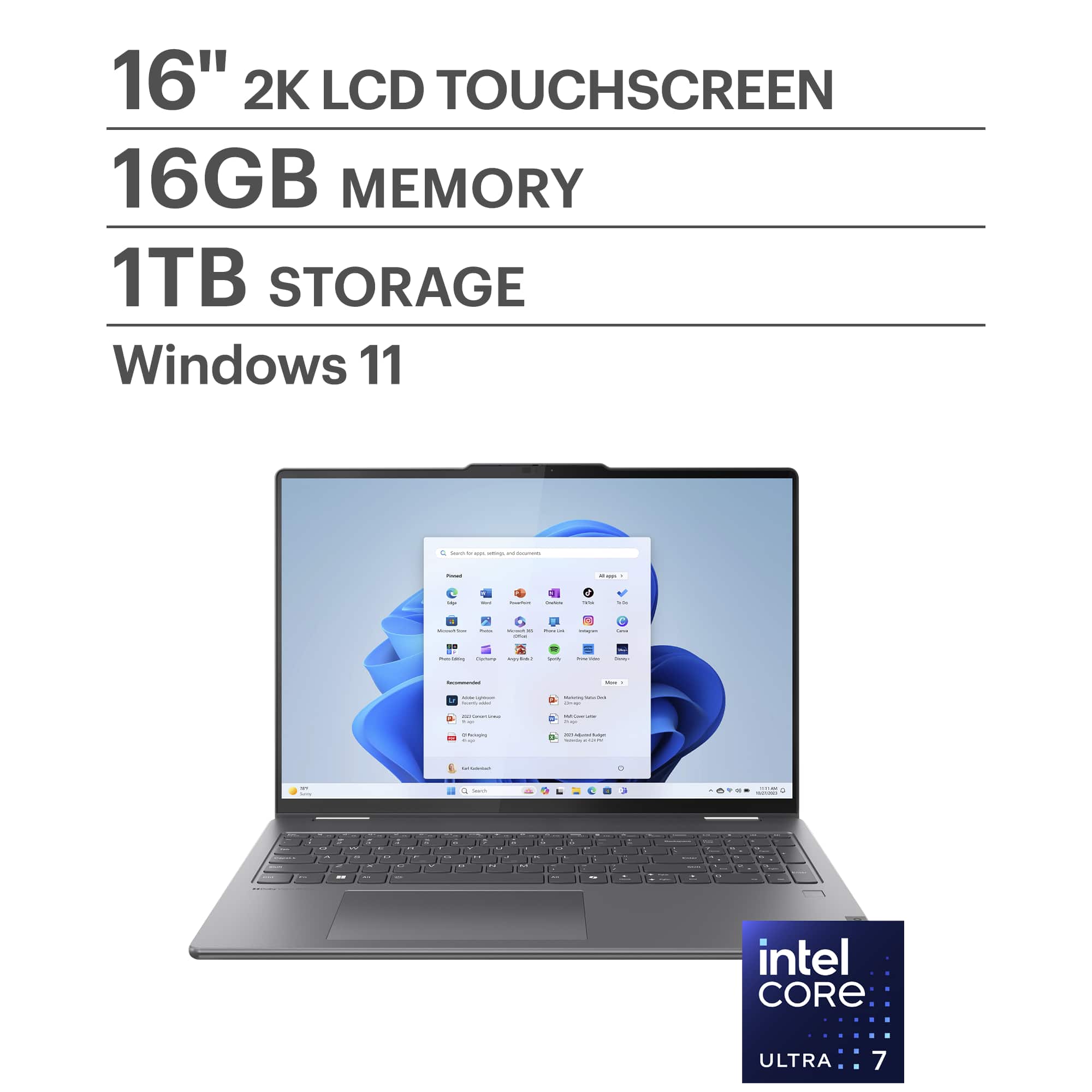
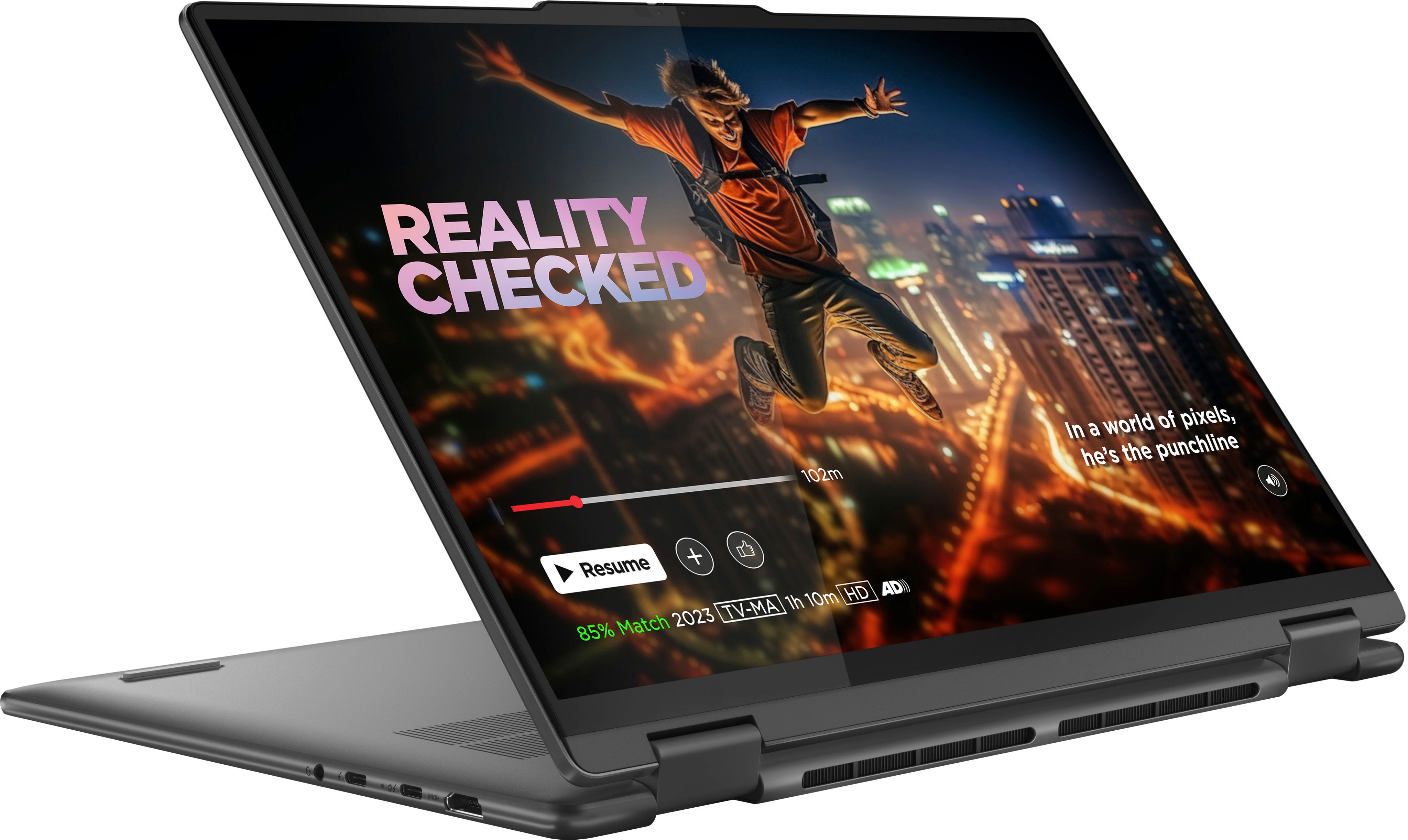
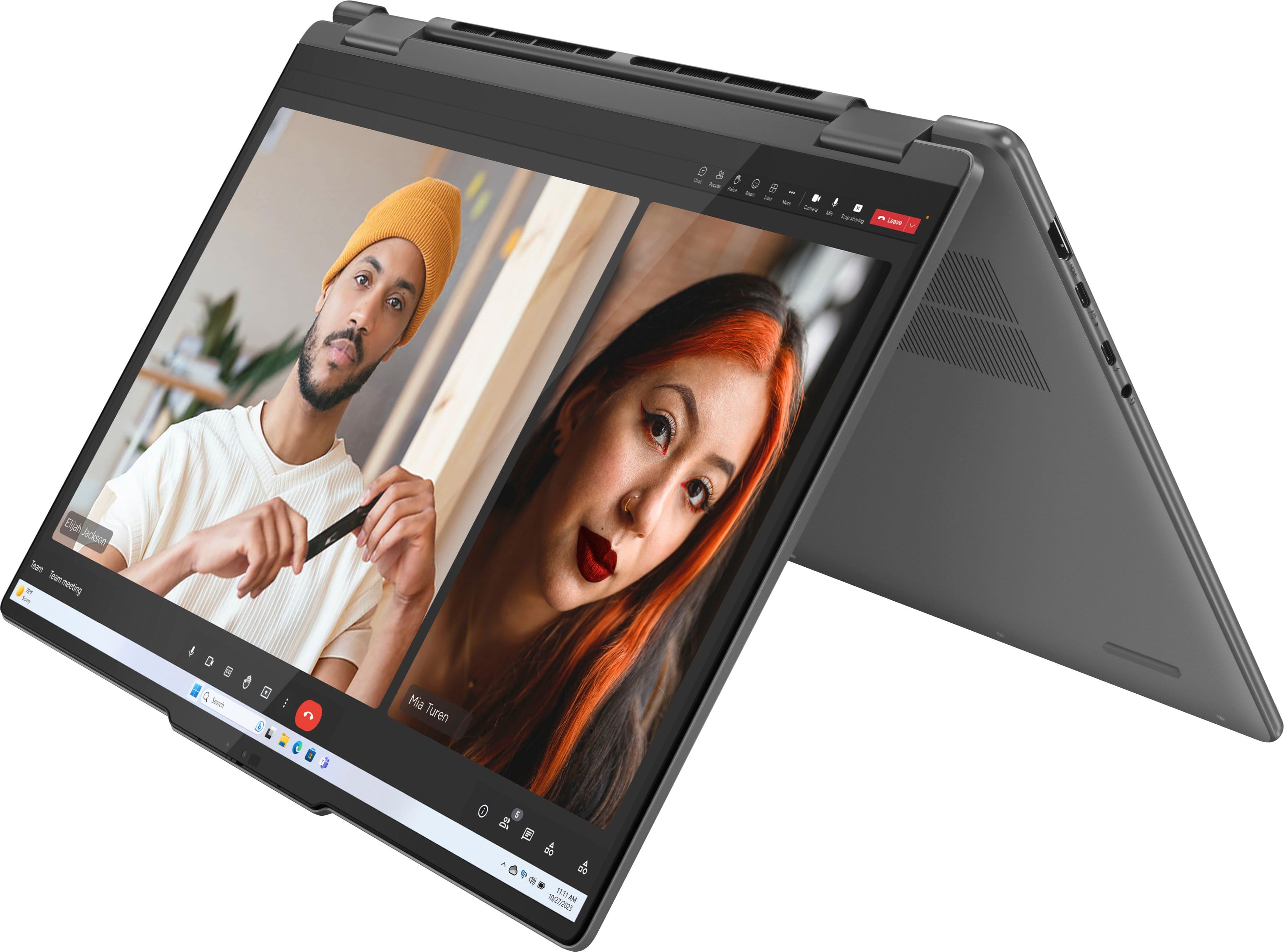
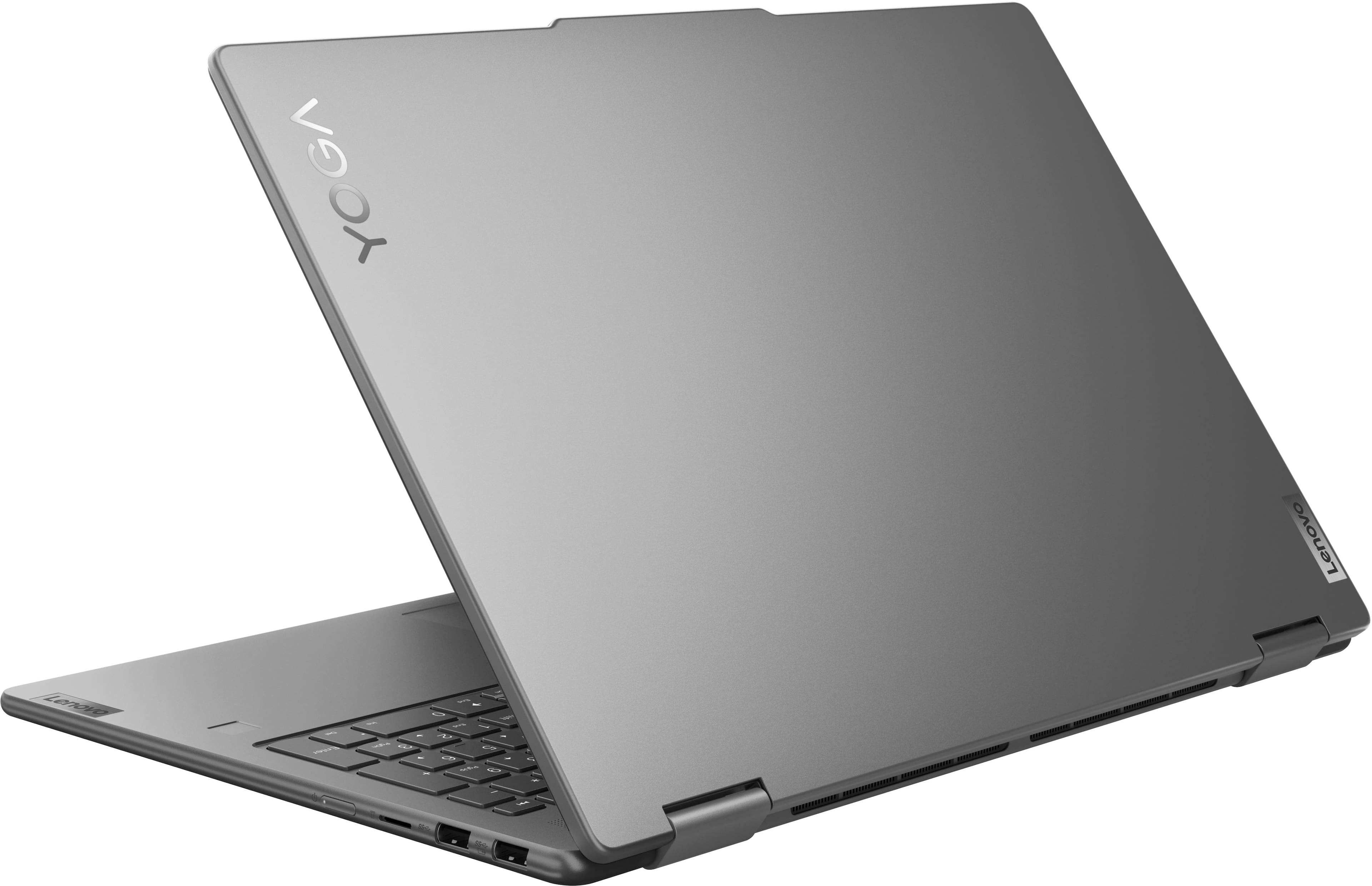






- Model:
- 83DL0002US
- SKU:
- 10287248
Rating by feature
- Battery Life
Rating 4.7 out of 5 stars
- Speed
Rating 4.8 out of 5 stars
- Display
Rating 4.8 out of 5 stars
Hassle
||Posted . Owned for 3 months when reviewed.This reviewer received promo considerations or sweepstakes entry for writing a review.I love this laptop. This is the 2nd one I have purchased only because it was cheaper than replacing the screen my kids busted. However, this second unit was used in the same manner as the first one and now the mouse pad does not work. Best Buy will do nothing to assist. Mouse pad went out roughly 30 days after purchase but I didn't get back to best buy in time to replace the computer. Reinstalled drivers, restored computer to original settings, had geek squad check it out...no dice.
No, I would not recommend this to a friendBrand response from Lenovo Product Expert
Posted .Hi, RebeccaR. We're sorry to hear that you are experiencing this issue with your Yoga. We will investigate the matter further, and in the meantime, please reach out to Lenovo Support at this number: 877-453-6686, so we can help resolve this problem for you.

Not using it
||Posted .This reviewer received promo considerations or sweepstakes entry for writing a review.Haven’t taken it out of the box yet. Household changes have limited my space so I haven’t had a chance to use the item yet. I’m sure it’s a good product.
I would recommend this to a friendBrand response from Lenovo Product Expert
Posted .Hey, user56476, thank you for choosing Lenovo! We are hope that your Yoga 7i is working out well for you, and we appreciate you taking the time to share your perspective with us.
PENDING $20.01 DEPOSIT TO PROGRESSIVE/BEST BUY
||Posted . Owned for 1 month when reviewed.This reviewer received promo considerations or sweepstakes entry for writing a review.I had to return the product after a week because I'm not satisfied with the performance of the "Touch Screen". Meanwhile, I was lured into financing it with Progressive Leasing. My issue is that Progressive refused to return my initial deposit of $20.01 (deducted from my account on 08-15-2025) as at today 09-23-2025. I once called on 877-898-1970 (on 09-10-2025) and the lady on the other end said they can't refund my initial deposit after 24 hrs! I wantmy money to be returned to my card/account before it clock 2 months, so I don't have cause to take the matter to the Social Media.
No, I would not recommend this to a friend- Pros mentioned:Overall performance, Touchscreen
Good purchase
Posted .This reviewer received promo considerations or sweepstakes entry for writing a review.I love my Lenovo Yoga 7i. The 2-in-1 design and touchscreen make it very versatile for both work and entertainment. Performance is smooth, and the 16GB memory with 1TB SSD gives me plenty of speed and storage. A great laptop for everyday use and creative tasks.I’m
I would recommend this to a friend BAD KEYBOARD IN 2 WEEKS
||Posted . Owned for 1 week when reviewed.This reviewer received promo considerations or sweepstakes entry for writing a review.WE HAD TO RETURN FOR AN EXCHANGE IN LESS THAN 2 WEEKS THE KEYBOARD WENT
No, I would not recommend this to a friendBrand response from Lenovo Product Expert
Posted .Hey JulieC,
Thank you for sharing your feedback with us. We are sorry to hear that you ran into an issue with your new Yoga 7i. We apologize for any inconvenience and disappointment that this may have caused you.
We hope that your replacement Yoga is working well for you.
Please feel free to reach out to us should you have any questions or need assistance.
Best,
Lenovo
Keyboard and mouse pad doesn’t work
||Posted . Owned for 1.5 years when reviewed.This reviewer received promo considerations or sweepstakes entry for writing a review.Overall laptop is good but mouse cursor and keyboard stopped working after 3 months. I have to carry keyboard and mouse all the time when I go outside.
No, I would not recommend this to a friendBrand response from Lenovo Product Expert
Posted .Hi SAITHEJA-
Thank you for sharing your experience with us. We are disappointed to hear that the Yoga 7i encountered an issue with the keyboard and touchpad. We understand the frustration that must come with having to carry additional accessories to use your device. In our experience this issue can resolved by a driver update offered in Lenovo Vantage.
We recommend running and installing all available drivers updates through Lenovo Vantage and Windows Update Settings, these updates are crucial to the device’s health and can fix outdated or corrupted drivers causing the issue you are encountering. To check for updates within Lenovo Vantage begin by launching the application, then select the “Check for updates” button on the top of the right-hand of the display. To check for Windows Updates, start by launching the Settings app, then selecting the Windows Update tab on the left-hand side of the page, finally select the “Check for updates’ button located in the top right of the page.
If this issue persists after this step, please reach out to Lenovo Support here: 1-855-253-6686 and one of our dedicated representatives would be happy to help you with advanced troubleshooting steps. Please reach out to use through the Q & A section of this product page if you would like to share any updates or have any additional questions.
Best wishes,
Lenovo
Too good to be true
||Posted . Owned for 3 weeks when reviewed.This reviewer received promo considerations or sweepstakes entry for writing a review.It started off well, and then a week later shutoff. I should have stuck with HP. It was almost too good to be true. Love it initially but when it shuts down in the middle of important zoom call and nothing works, not good
No, I would not recommend this to a friendBrand response from Lenovo Product Expert
Posted .Hi David,
Thank you for sharing your feedback with us. We are sorry to hear that you are having trouble with your Yoga 7i. We apologize for the frustration and inconvenience that this may be causing you, and we'd like to work with you to try to resolve this issue.
To start, we recommend ensuring you have the latest software by checking for updates, as this could correct the issue. To do so, first, open the Settings app > Select the Windows update tab > Select the Check for updates button, apply all available updates. Next, open the Lenovo Vantage app > on the homepage, select the Check for updates button, following on-screen prompts to apply all available updates here as well.
If after the available updates are applied and the system restarts, yet the issue persists, in-depth troubleshooting will be necessary to fix the problem. We recommend contacting Lenovo Support here: 877-453-6686, for further assistance.
Please update us when you can regarding this and reach out to us again should you have any questions or need further assistance.
Best regards,
Lenovo
It could be better
||Posted . Owned for 1 month when reviewed.This reviewer received promo considerations or sweepstakes entry for writing a review.It is slow to start up. Often freeze. The keyboard is too soft and the power button is placed in the most inconvenient plance.
No, I would not recommend this to a friendBrand response from Lenovo Product Expert
Posted .Hey, Eh22.We are sorry to hear that you are having trouble with your Yoga. To try to resolve the software side of things, we recommend checking for and applying updates in both Windows update settings and in the Lenovo Vantage app on your Yoga, if you have not already done so. If the issues continue after these updates, we recommend you call Lenovo Support for additional help at: 877-453-6686. We appreciate you taking the time to share your experience with us.
not for everyone
||Posted . Owned for 3 weeks when reviewed.This reviewer received promo considerations or sweepstakes entry for writing a review.slow response sometimes. questionable battery life. display could be clearer.
No, I would not recommend this to a friendBrand response from Lenovo Product Expert
Posted .Hi RichardC, we're sorry to hear that your Yoga has fallen short for you in some ways. Regarding performance and battery life, let's try to help with that. First, with response times, we recommend ensuring you have the latest software by checking for updates, as this could correct the issue. To do so, first, open the Settings app > Select the Windows update tab > Select the Check for updates button. Next, open the Lenovo Vantage app > on the homepage, select the Check for updates button, and apply any available updates. Regarding battery life, by default, the system will tend to give more speed when needed, which can sacrifice battery life. If you want to squeeze out more battery life, we recommend users utilize the Lenovo Vantage application that is preinstalled to adjust settings related to power and battery performance (to access relevant settings, open Vantage > Device Settings > Power). Users can also take advantage of the keyboard shortcut, Fn + Q to toggle thermal modes and easily switch between prioritizing battery life or power, or even the best of both worlds. Please let us know how things go for you after following these steps, and we appreciate you sharing your experience and feedback with us.
Not impressed for the price
||Posted . Owned for 1 month when reviewed.This reviewer received promo considerations or sweepstakes entry for writing a review.If i could give it 0 stars i would. Plugged it in and fully charged it. Started to do the initial set up. Couldnt figure out why the home and end buttons didnt work, no clue i had to push control first. After about 20 minutes of setting up, my battery says i have 1 hour 14 mins left (71%). Well thats not gonna work, i need something to at least last me the day. Deleted my stuff and went back to my HP roots. Never again will i try any lenovo product.
No, I would not recommend this to a friendBrand response from Lenovo Product Expert
Posted .Hey JosephpO, we're sorry to hear that your Yoga fell short for you, leading to you returning it. For context, the setup process and installing updates, along with system optimization after setup is strenuous for the system and can exhaust battery fairly quickly, which is one of the reasons why it is recommended to keep your device plugged in during system updates. Also, your system can be programmed to prioritize battery life or speed to best match your use and needs. We hope that you consider out product again in the future, and we thank you for your time taken to share your feedback with us.
Decent but not great.
||Posted . Owned for 2 weeks when reviewed.This reviewer received promo considerations or sweepstakes entry for writing a review.Very underpowered. Touch screen was hit and miss. Fingerprint scanner rarely worked
No, I would not recommend this to a friendBrand response from Lenovo Product Expert
Posted .Hello,
Thank you for sharing your feedback with us. We're sorry to hear that you ran into an issue. We strive to provide the best experience possible, so we're disappointed and apologize that this wasn't the case for you.
We recommend contacting Lenovo Support at this number: 877-453-6686, to work with the Customer Care team for swift action as we look to resolve this matter for you and make things right.
Please don't hesitate to let us know what else we can do to improve your experience, as your satisfaction is important to us.
Best regards,
Lenovo
Broken screen
||Posted . Owned for 1 month when reviewed.This reviewer received promo considerations or sweepstakes entry for writing a review.I just bought this laptop on 12/07/25 I only had it for three weeks never drop it I only use it for 2 hours a day for light duty task and the screen went black and it’s flashing every time I turned it on I would not recommend getting this laptop
No, I would not recommend this to a friend- Pros mentioned:Overall performance
POOR SERVICE
||Posted . Owned for 3 weeks when reviewed.This reviewer received promo considerations or sweepstakes entry for writing a review.COMPUTER IS GOOD, SERVICE STINKS, AND I'M BEING POLITE!! NO WAY TO CONTACT THE STORE OR GEEK SQUAD, CANNED MESSAGE CRAP WITH NO ONE TO CONFIRM ANYTHING!!
I would recommend this to a friend Stole identity
||Posted .This reviewer received promo considerations or sweepstakes entry for writing a review.This laptop was purchased by someone who stole my identity. Great job to Best Buy for not checking the ID of the person who picked up the item or to send an email to actually verify that I bought this item.
No, I would not recommend this to a friendxx
||Posted . Owned for 1 month when reviewed.This reviewer received promo considerations or sweepstakes entry for writing a review.Bought this laptop because windows 10 is not going to be supported! Laptop has never been turned on.
No, I would not recommend this to a friendDo not buy
||Posted . Owned for 2 weeks when reviewed.This reviewer received promo considerations or sweepstakes entry for writing a review.Absolute crapp product and service compounded by some tosser using my email address which Best Buy don’t seem to have a way to remove to stop sending unwanted emails
No, I would not recommend this to a friendWindows 11 problem
||Posted . Owned for 1 month when reviewed.This reviewer received promo considerations or sweepstakes entry for writing a review.It is sometimes very slow to open office programs. Maybe bc of windows 11.
I would recommend this to a friendBrand response from Lenovo Product Expert
Posted .Hey there, while we are thankful that you chose to purchase our product, we are sorry to hear that you are having trouble with your Yoga. To help try to resolve this, here's a link to a Microsoft community forum page (https://answers.microsoft.com/en-us/msoffice/forum/all/office-365-is-responding-extremely-slowly/e9a60cd0-7a95-4ac5-9fc6-64a329df4481) where a Microsoft Agent shared a resolution for someone who experienced a similar issue to yours. We appreciate you taking the time to share your experience with us.
Terrible Experience
||Posted . Owned for less than 1 week when reviewed.This reviewer received promo considerations or sweepstakes entry for writing a review.I would give it zero stars. Got the laptop today and it didnt turn on..not even while being charged. The box it came in was torn and in bad shape. I was so excited to receive this laptop but it turned out to be such a bad experience..Now i have to go through the trouble of taking it back to the store to get a refund. Such a disappointment. Maybe buying refurbished is not a good thing. ..and from Best Buy of all places.
No, I would not recommend this to a friendBrand response from Lenovo Product Expert
Posted .Hey, Rapj. We are sorry to hear that your experience was poor. If you decide to keep your Yoga 7i, please reach out to Lenovo Support for assistance in resolving this problem. We appreciate you taking the time to share your experience with us and all parties will investigate this further to make the necessary changes.
Not happy
||Posted . Owned for 2 weeks when reviewed.This reviewer received promo considerations or sweepstakes entry for writing a review.Purchased and returned at the same time. Waited in line an hour to get assistance transferring data from my old Lenovo to the new one. Told it would be nearly $200 and I would have to leave it. No thanks.
I would recommend this to a friendLenovo laptop
||Posted . Owned for 1 year when reviewed.This reviewer received promo considerations or sweepstakes entry for writing a review.We had the original and a brand new replacement. Same story, keyboard did not function. Original was sent off for repair to no avail, received a brand new out of the box….same issue
No, I would not recommend this to a friendBrand response from Lenovo Product Expert
Posted .Hello RebeccaA,
Thank you for sharing your feedback with us. We're sorry to hear that you ran into an issue. We strive to provide the best experience possible, so if you'd like to, we want to work with you to try to resolve this. We believe that this is a driver / firmware issue.
To start, we recommend ensuring you have the latest software by checking for updates, as this could correct the issue. To do so, first, open the Settings app > Select the Windows update tab > Select the Check for updates button, apply all available updates. Next, open the Lenovo Vantage app > on the homepage, select the Check for updates button, following on-screen prompts to apply all available updates here as well.
If after the available updates are applied and the system restarts, yet the issue persists, in-depth troubleshooting will be necessary to fix the problem. We recommend contacting Lenovo Support here: 877-453-6686, for further assistance.
Please don't hesitate to let us know what else we can do to improve your experience, as your satisfaction is important to us.
Best regards,
Lenovo