Customer Ratings & Reviews








- Model:
- 83DL0002US
- SKU:
- 10853718
Rating by feature
- Battery Life
Rating 4.7 out of 5 stars
- Speed
Rating 4.8 out of 5 stars
- Display
Rating 4.8 out of 5 stars
Customers are saying
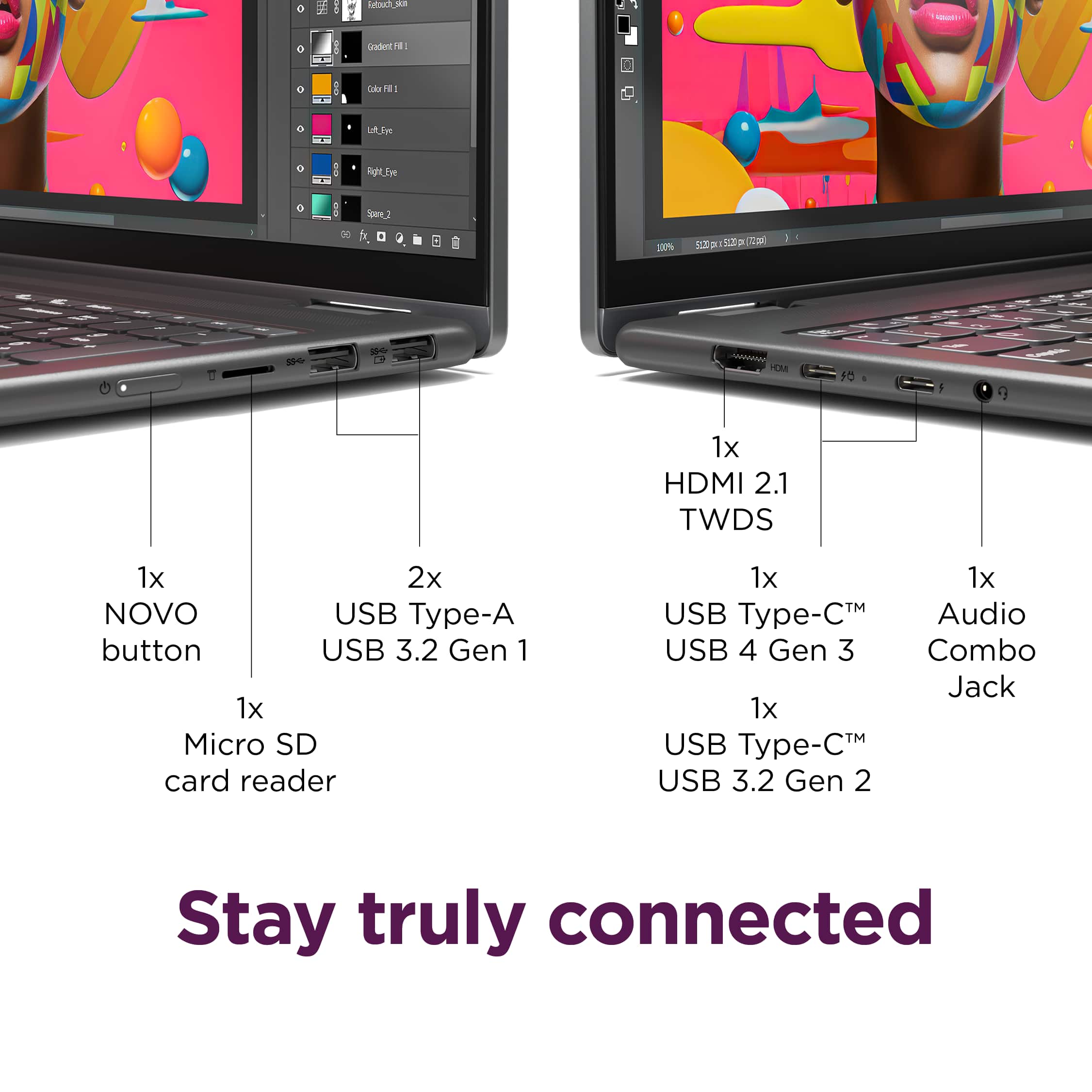
Customers express satisfaction with the Yoga 7i 2-in-1 laptop's overall performance, speed, portability, battery life, touchscreen, screen size, design, and storage capacity. Many appreciate its responsiveness and suitability for daily travel. However, some find the weight to be a bit awkward and have noted concerns regarding port selection, heat dissipation, and fan noise. Overall, the positive aspects of the laptop appear to outweigh the drawbacks for most users.
This summary was generated by AI based on customer reviews.
New to Windows 11
||Posted . Owned for 1 month when reviewed.This reviewer received promo considerations or sweepstakes entry for writing a review.New to Windows 11. Having to learn new way of doing things.
I would recommend this to a friendBrand response from Lenovo Product Expert
Posted .Hi,
Thanks for choosing Lenovo and for sharing your feedback with us!
We are glad to read that you are satisfied with your purchase overall.
Please don't hesitate to reach out to us via the Q& A section of this product page or contact Lenovo Support should you have any questions or need assistance.
Regards,
Lenovo
Knowledgeable staff
||Posted . Owned for 8 months when reviewed.This reviewer received promo considerations or sweepstakes entry for writing a review.Staff helped me get what I needed. I appreciated the patience and great customer service
I would recommend this to a friendBrand response from Lenovo Product Expert
Posted .Hey SilviaH,
Thank you for choosing Lenovo and for sharing your feedback with us!
We are glad to hear that the service you received was helpful and that your Yoga 7i meets your needs.
Please feel free to reach out to us should you have any questions.
Best,
Lenovo
2nd laptop computer.
||Posted . Owned for 2 weeks when reviewed.This reviewer received promo considerations or sweepstakes entry for writing a review.I like the Lenova Yoga 16”. However I wish the display could be brighter.
I would recommend this to a friendBrand response from Lenovo Product Expert
Posted .Hi RebeccaH-
Thank you for choosing Lenovo and sharing your experience with us. We are happy to hear that you are enjoying the Yoga 7i. We have noted your comments regarding the display brightness, and we may use your insight to improve future products.
Please reach out to us through the Q & A section of this product webpage if you have any questions or need any assistance.
Best wishes,
Lenovo
- Pros mentioned:Overall performance
Blue SCreens after 3 weeks...
||Posted .This reviewer received promo considerations or sweepstakes entry for writing a review.The display was beautiful, the functionality, the look, the features wear all great.. until 3 weeks into owning it, Blue screens, errors and I cannot log in. Apparently I have to have the entire operating system re-uploaded. I haven't had time to deal with it, so it has been a paperweight for the past couple of weeks. Very disappointed.
No, I would not recommend this to a friendBrand response from Lenovo Product Expert
Posted .Hi StephenB-
Thank you for sharing your feedback with us. We are sorry to hear that your experience with your Yoga 7i has been disappointing. We understand that it is very inconvenient to try to find time to deal with repairs.
Please be assured that our Lenovo Support team would be happy to work with you to help resolve your issues, they can be reached directly at this number: 877-453-6686. Reach out to us through the Q & A section of this product webpage if you have any questions or would like to share any updates on your repair process. Thank you!
Best wishes,
Lenovo
Lenovo review
||Posted . Owned for 3 weeks when reviewed.This reviewer received promo considerations or sweepstakes entry for writing a review.Very pleased with this purchase, has all the options we wanted.
I would recommend this to a friendBrand response from Lenovo Product Expert
Posted .Hey FreidaC,
Thanks for choosing Lenovo and for sharing your feedback with us!
We are glad to read that you are quite pleased with your Yoga 7i 2-in-1.
Please feel free to reach out to us via the Q& A section of this product page should you have any questions or need assistance.
Best,
Lenovo
Great mid price computer
||Posted . Owned for 3 weeks when reviewed.This reviewer received promo considerations or sweepstakes entry for writing a review.Easy set up. Meet my needs for working in Microsoft tools
I would recommend this to a friendBrand response from Lenovo Product Expert
Posted .Hi KathyS,
Thanks for choosing Lenovo and for sharing your feedback with us!
We are pleased to read that this Yoga 7i 2-in-1 meets your needs well.
Please feel free to reach out to us via the Q& A section of this product page should you have any questions or need assistance.
Best,
Lenovo
Laptop
||Posted . Owned for 2 weeks when reviewed.This reviewer received promo considerations or sweepstakes entry for writing a review.Happy with the laptop. Very good deal. Good customer service.
I would recommend this to a friendBrand response from Lenovo Product Expert
Posted .Hi,
Thanks for choosing Lenovo and for sharing your feedback with us!
We are glad to read that you are satisfied with your purchase overall.
Please don't hesitate to reach out to us via the Q& A section of this product page or contact Lenovo Support should you have any questions or need assistance.
Regards,
Lenovo
Enjoying my new laptop computer
||Posted . Owned for 1 month when reviewed.This reviewer received promo considerations or sweepstakes entry for writing a review.I enjoyy new laptop bought from Best Buy. Thanks Geek Squad.
I would recommend this to a friendBrand response from Lenovo Product Expert
Posted .Hi,
Thanks for choosing Lenovo and for sharing your feedback with us!
We are glad to read that you are satisfied with your purchase.
Please don't hesitate to reach out to us via the Q& A section of this product page or contact Lenovo Support should you have any questions or need assistance.
Regards,
Lenovo
Computer
||Posted . Owned for 1 month when reviewed.This reviewer received promo considerations or sweepstakes entry for writing a review.Some glitches installing Office otherwise no issues.
I would recommend this to a friendBrand response from Lenovo Product Expert
Posted .Hi,
Thanks for choosing Lenovo and for sharing your feedback with us!
We are glad to read that you are satisfied with your purchase overall.
Please don't hesitate to reach out to us via the Q& A section of this product page or contact Lenovo Support should you have any questions or need assistance.
Regards,
Lenovo
Love it.
||Posted . Owned for 1 month when reviewed.This reviewer received promo considerations or sweepstakes entry for writing a review.It's better than I thought. I was looking for a good quality computer for what I need it. This one is perfect.
I would recommend this to a friendBrand response from Lenovo Product Expert
Posted .Hey CarmenA,
Thank you for choosing Lenovo and for sharing your feedback with us!
We are glad to hear that you love your Yoga 7i, that it meets your needs and that it is a perfect fit for you.
Please feel free to reach out to us should you have any questions.
Best,
Lenovo
Don’t hesitate to buy one
||Posted .This reviewer received promo considerations or sweepstakes entry for writing a review.Great buy. Quality is good and Im really enjoying it
I would recommend this to a friendBrand response from Lenovo Product Expert
Posted .Hey Emmy,
Thanks for choosing Lenovo and for sharing your feedback with us!
We are glad to read that you are really enjoying your Yoga 7i 2-in-1.
Please feel free to reach out to us via the Q&A section of the product page should you have any questions or need assistance.
Best,
Lenovo
Great Laptop
||Posted . Owned for 2 months when reviewed.This reviewer received promo considerations or sweepstakes entry for writing a review.Awesome device. Love the touch screen aspect of it. Wife absolutely loves it as it was purchased for her.
I would recommend this to a friendBrand response from Lenovo Product Expert
Posted .Hey DennisS,
Thank you for choosing Lenovo and for sharing your feedback with us!
We are glad to hear that your wife absolutely loves her Yoga 7i 2-in-1.
Please feel free to reach out to us should you have any questions.
Best,
Lenovo
Zubair Shaikh
||Posted . Owned for 3 weeks when reviewed.This reviewer received promo considerations or sweepstakes entry for writing a review.I always like to use Lenovo. That's why I purchased it.
I would recommend this to a friendBrand response from Lenovo Product Expert
Posted .Hi,
Thanks for choosing Lenovo again and for sharing your feedback with us!
We are glad to read that you are satisfied with your purchase overall.
Please don't hesitate to reach out to us via the Q& A section of this product page or contact Lenovo Support should you have any questions or need assistance.
Regards,
Lenovo
Best of both worlds
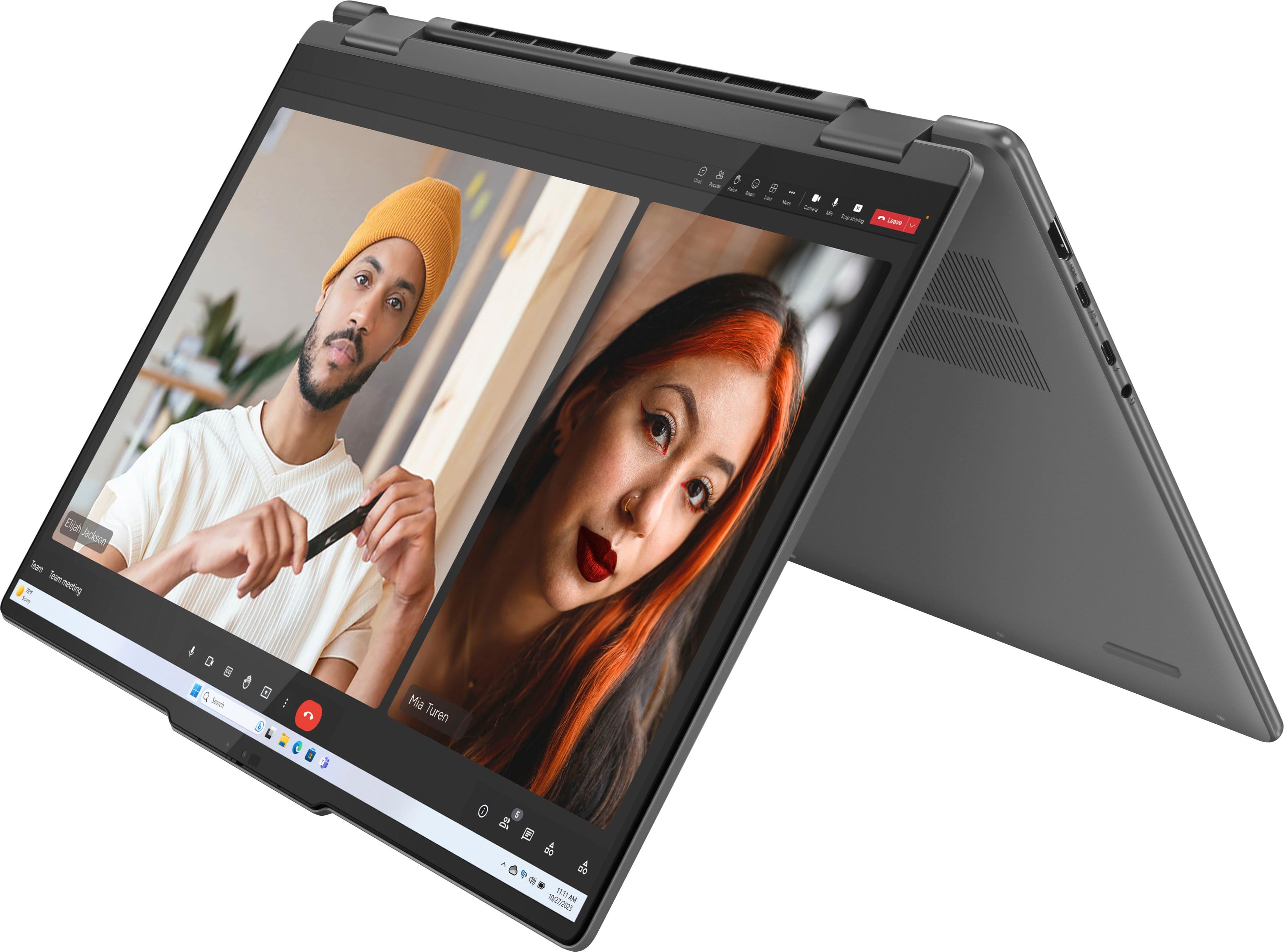
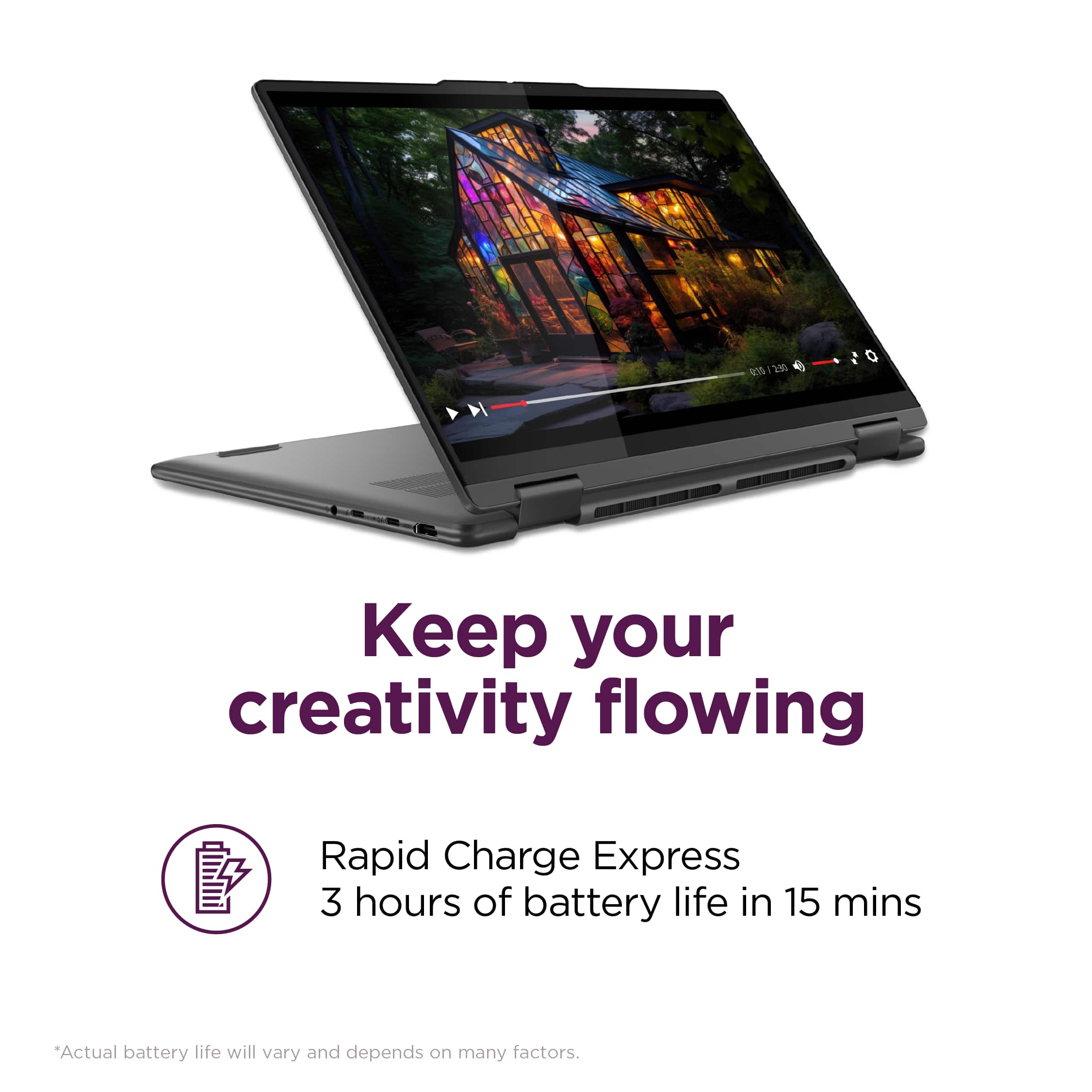
||Posted . Owned for 3 weeks when reviewed.This reviewer received promo considerations or sweepstakes entry for writing a review.We gave it to our daughter as a graduation gift. She set it up and loves it. I see her using it on her desk, but occasionally she folds it and uses it as a tablet on her bed. It's a really good device. I would recommend it.
I would recommend this to a friendBrand response from Lenovo Product Expert
Posted .Hi, Viverosh. Thank you for choosing Lenovo! We are happy to hear that your daughter is loving her Yoga, and we appreciate you taking the time to share your experience with us. Pleas share our congrats on her graduation!
Eleven
||Posted . Owned for 1 week when reviewed.This reviewer received promo considerations or sweepstakes entry for writing a review.Microsoft 11 leads a little work, it caused the internet button to go out on this product.
I would recommend this to a friendBrand response from Lenovo Product Expert
Posted .Hi,
Thanks for choosing Lenovo and for sharing your feedback with us. We're sorry to hear that you ran into an issue with your Yoga 7i. Please don't hesitate to reach out to us via the Q& A section of this product page or contact Lenovo Support should you have any questions or need assistance, as your satisfaction is important to us.
Regards,
Lenovo
Great Lenovo
||Posted . Owned for 2 months when reviewed.This reviewer received promo considerations or sweepstakes entry for writing a review.Great purchase during a great time,i got a discount that was so worth the purchase.
I would recommend this to a friendBrand response from Lenovo Product Expert
Posted .Hey JuanO,
Thank you for choosing Lenovo and for sharing your feedback with us!
We are glad to hear that your Yoga 7i has been great for you.
Please feel free to reach out to us should you have any questions.
Best,
Lenovo
Great laptop
||Posted . Owned for 2 weeks when reviewed.This reviewer received promo considerations or sweepstakes entry for writing a review.Very good laptop, very good quality! Recommended very good prices
I would recommend this to a friendBrand response from Lenovo Product Expert
Posted .Hey HenryH,
Thanks for choosing Lenovo and for sharing your feedback with us!
We are glad to read that your experience with this Yoga 7i 2-in-1 has been awesome.
Please feel free to reach out to us via the Q& A section of this product page should you have any questions or need assistance.
Best,
Lenovo
- Cons mentioned:Connectivity
Unreliable Wi-Fi Connectivity
||Posted . Owned for 1 month when reviewed.This reviewer received promo considerations or sweepstakes entry for writing a review.This laptop is good looking and has an excellent trackpad, keyboard and fingerprint sensor. The power button is hard to find on the side and does not protrude enough to make it easy to find without looking for it. However, I have had a major problem with this device. Wi-Fi connectivity with this laptop is terribly unreliable. If I weren't beyond the return date, I would exchange for an HP, because the HP laptops I have had for years never had this problem. When I start using this Yoga, the Wi-Fi is often disconnected, and will only reconnect when I run the Network Troubleshooter. This is extremely frustrating for me with a laptop I have only had for a month. I do not recommend that anyone purchase this laptop.
No, I would not recommend this to a friendBrand response from Lenovo Product Expert
Posted .Hi EarlM-
Thank you for sharing your feedback with us. We are sorry to hear that you are having issues with the Yoga 7i 16”. We can understand how frustrating it may be to have Wi-Fi issues. We strive to ensure great user experience for all our products and are sad to hear that we did not meet our goal, we would like to recommend a few solutions.
Firstly, we suggest checking for and installing software and driver updates via Lenovo Vantage and Windows Update Settings. This will ensure that your system is running the newest revisions and may address the Wi-Fi issues you are experiencing.
We hope this helps, should your issue persist, or you would like further assistance, please reach out to us here or contact Lenovo Support on this number: 877-453-6686 and one of our representatives will be happy to help you.
Best wishes,
Lenovo
Best computer
||Posted . Owned for 3 weeks when reviewed.This reviewer received promo considerations or sweepstakes entry for writing a review.Just what I was looking for to use for work. The sales person was very informative and answered my questions.
I would recommend this to a friendBrand response from Lenovo Product Expert
Posted .Hey MillieM,
Thank you for choosing Lenovo and for sharing your feedback with us!
We are glad to hear that your yoga 7i is a great fit for you and your use.
Please feel free to reach out to us should you have any questions.
Best,
Lenovo
Sleek
||Posted .This reviewer received promo considerations or sweepstakes entry for writing a review.Start up and importing all my stuff from old computer was easy
I would recommend this to a friendBrand response from Lenovo Product Expert
Posted .Hey CrazyGringo,
Thanks for choosing Lenovo and for sharing your feedback with us!
We are glad to read that your Yoga 7i 2-in-1 is working out well for you.
Please feel free to reach out to us via the Q& A section of this product page should you have any questions or need assistance.
Best,
Lenovo