Customer Ratings & Reviews






- Model:
- 83DL0002US
- SKU:
- 6571369
Rating by feature
- Battery Life
Rating 4.7 out of 5 stars
- Speed
Rating 4.8 out of 5 stars
- Display
Rating 4.8 out of 5 stars
Customers are saying
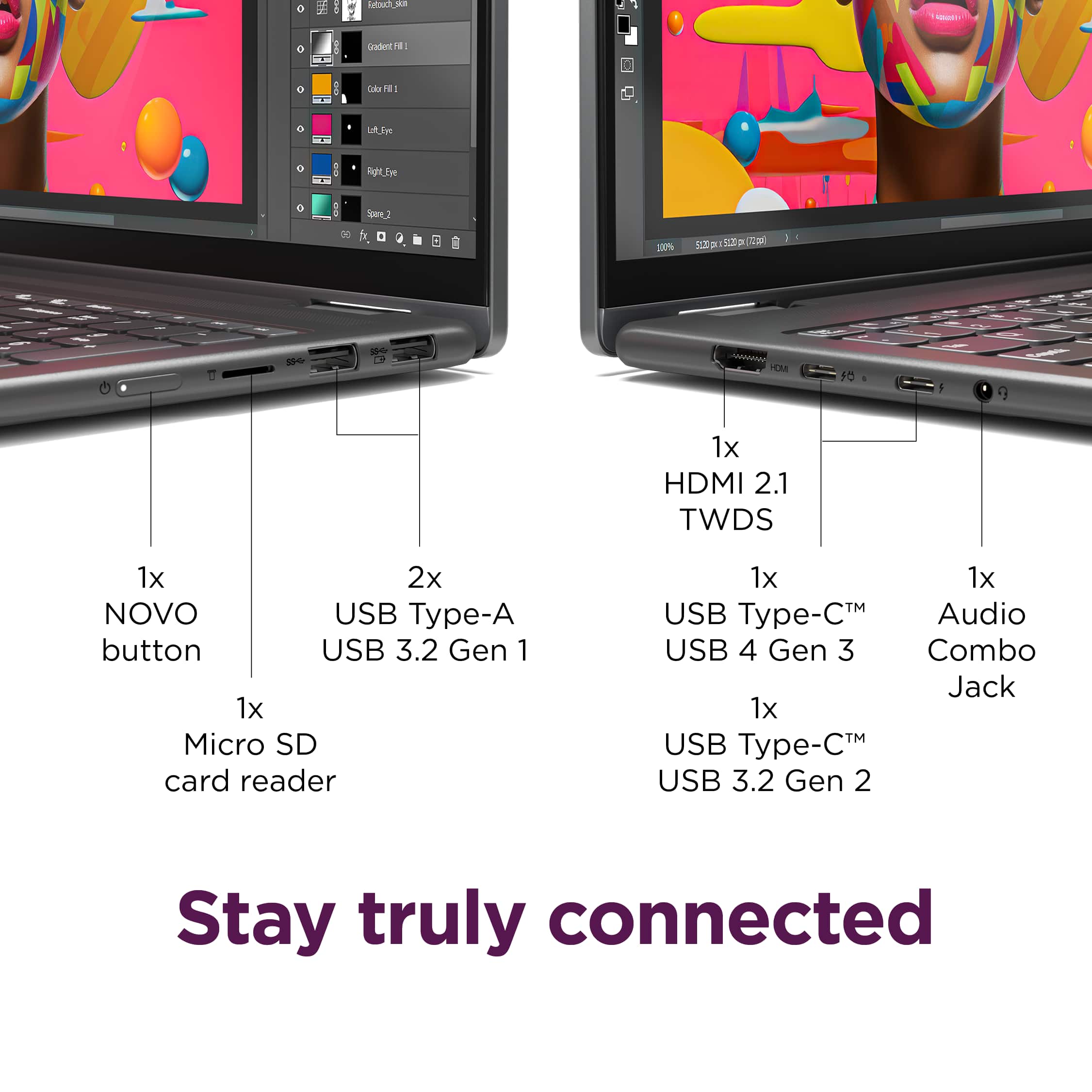
Customers express satisfaction with the Yoga 7i 2-in-1 laptop's overall performance, speed, portability, battery life, touchscreen, screen size, design, and storage capacity. Many appreciate its responsiveness and suitability for daily travel. However, some find the weight to be a bit awkward and have noted concerns regarding port selection, heat dissipation, and fan noise. Overall, the positive aspects of the laptop appear to outweigh the drawbacks for most users.
This summary was generated by AI based on customer reviews.
Great laptop for the home,office and personal use
||Posted . Owned for 1 month when reviewed.This reviewer received promo considerations or sweepstakes entry for writing a review.I have enjoyed everthing the laptop has to offer. The only thing i am getting use to is that keyboard is a little touchy.
I would recommend this to a friendBrand response from Lenovo Product Expert
Posted .Hey Amp72,
Thanks for choosing Lenovo and for sharing your feedback with us!
We are glad to read that you are enjoying every aspect of your Yoga 7i 2-in-1.
Please feel free to reach out to us via the Q& A section of this product page should you have any questions or need assistance.
Best,
Lenovo
Laptop review
||Posted .This reviewer received promo considerations or sweepstakes entry for writing a review.I bought this laptop for a graduation gift for my granddaughter. Great laptop. Great value.
I would recommend this to a friendBrand response from Lenovo Product Expert
Posted .Hey Binki,
Thank you for choosing Lenovo and for sharing your feedback with us!
We are glad to hear that your Yoga 7i offers great value to you and we hope that your granddaughter is enjoying it.
Please feel free to reach out to us should you have any questions.
Best,
Lenovo
The Best
||Posted . Owned for 3 weeks when reviewed.This reviewer received promo considerations or sweepstakes entry for writing a review.Great customer service friendly professional and knowkedgable. Recommend. Great computer
I would recommend this to a friendBrand response from Lenovo Product Expert
Posted .Hey JohnM,
Thank you for choosing Lenovo and for sharing your feedback with us!
We are glad to hear that your service received was great and that your Yoga 7i is working out well for you.
Please feel free to reach out to us should you have any questions.
Best,
Lenovo
Best computer
||Posted . Owned for 3 weeks when reviewed.This reviewer received promo considerations or sweepstakes entry for writing a review.Just what I was looking for to use for work. The sales person was very informative and answered my questions.
I would recommend this to a friendBrand response from Lenovo Product Expert
Posted .Hey MillieM,
Thank you for choosing Lenovo and for sharing your feedback with us!
We are glad to hear that your yoga 7i is a great fit for you and your use.
Please feel free to reach out to us should you have any questions.
Best,
Lenovo
- Pros mentioned:Overall performance
Pleased with Lenovo choice
||Posted . Owned for 1 month when reviewed.This reviewer received promo considerations or sweepstakes entry for writing a review.Lenovo is a good brand and thus far the laptop is working well
I would recommend this to a friend Frustrated with a New Laptop
||Posted . Owned for 2 weeks when reviewed.This reviewer received promo considerations or sweepstakes entry for writing a review.Motherboard went out in 7 months and it took 5 weeks to get the laptop back
I would recommend this to a friendBrand response from Lenovo Product Expert
Posted .Hi JanieS,
Thanks for choosing Lenovo and for sharing your feedback with us. We are sorry to hear that you ran into this issue with your Yoga 7i. We apologize for the frustration that this caused you. When servicing devices, factors like workload, component availability, and technical expertise, servicing delays can happen. We wish to provide the best experience possible, and we appreciate your comments, as we investigate the matter to make the necessary changes.
We hope that you are now enjoying your Yoga, and please feel free to reach out to us via the Q& A section of this product page should you have any questions or need further assistance, as your satisfaction is important to us.
Best regards,
Lenovo
Perfect Laptop for the cost
||Posted . Owned for 1 month when reviewed.This reviewer received promo considerations or sweepstakes entry for writing a review.Shopped around many stores and best buy was the cheapest for this laptop. My salesperson helped with the purchase and answered many of my questions too.
I would recommend this to a friendBrand response from Lenovo Product Expert
Posted .Hey MarcS, thanks for choosing Lenovo! We are glad to hear that your Yoga is perfect fit for you, and we appreciate you taking the time to share your feedback with us.
Lenovo Yoga 7I
||Posted . Owned for 3 weeks when reviewed.This reviewer received promo considerations or sweepstakes entry for writing a review.This is perfect for my needs. My first laptop and I absolutely love it.
I would recommend this to a friendBrand response from Lenovo Product Expert
Posted .Hey ChristyV,
Thank you for choosing Lenovo and for sharing your feedback with us!
We are glad to hear that this Yoga 7i is a perfect fit for your needs and that you are absolutely loving it.
Please feel free to reach out to us should you have any questions.
Best,
Lenovo
Computer
||Posted . Owned for 1 month when reviewed.This reviewer received promo considerations or sweepstakes entry for writing a review.Excellent product. Flexible screen makes it easy to do homework projects, etc..
I would recommend this to a friendBrand response from Lenovo Product Expert
Posted .Hey MarcyB,
Thank you for choosing Lenovo and for sharing your feedback with us!
We are glad to hear that your Yoga 7i is working excellently for you.
Please feel free to reach out to us should you have any questions.
Best,
Lenovo
Review of new Laptop
||Posted . Owned for 1 month when reviewed.This reviewer received promo considerations or sweepstakes entry for writing a review.It's what I wanted to replace my 14 year old Lenovo V570 Laptop.
I would recommend this to a friendBrand response from Lenovo Product Expert
Posted .Hey DavidP,
Thanks for choosing Lenovo again and for sharing your feedback with us!
We are glad to read that the Yoga 7i is exactly what you were after in a new laptop solution.
Please feel free to reach out to us via the Q& A section of this product page should you have any questions or need assistance.
Best,
Lenovo
- Pros mentioned:Overall performance
Great Laptop.
||Posted . Owned for 3 months when reviewed.This reviewer received promo considerations or sweepstakes entry for writing a review.Great laptop for every day use. Lots of power ans aesthetics. Good looking.
I would recommend this to a friendBrand response from Lenovo Product Expert
Posted .Hi, Leonardo, thank you for choosing Lenovo! We are glad to hear that your Yoga has been great for your use, and we appreciate you taking the time to share your experience with us.
Lenovo yoda
||Posted . Owned for 3 weeks when reviewed.This reviewer received promo considerations or sweepstakes entry for writing a review.Was not able to access scanner. Call geek squad. They had the dial in. After they dialed in I had four credit cards that were compromised and one day. I've never had this happen before. Called but no response.
I would recommend this to a friendNice Laptop!
||Posted . Owned for less than 1 week when reviewed.This reviewer received promo considerations or sweepstakes entry for writing a review.Great laptop for the price! I bought the last one they had.
I would recommend this to a friendBrand response from Lenovo Product Expert
Posted .Hey JillF,
Thanks for choosing Lenovo and for sharing your feedback with us!
We are glad to read that this Yoga 7i is working nicely for you.
Please feel free to reach out to us via the Q& A section of this product page should you have any questions or need assistance.
Best,
Lenovo
easy opening
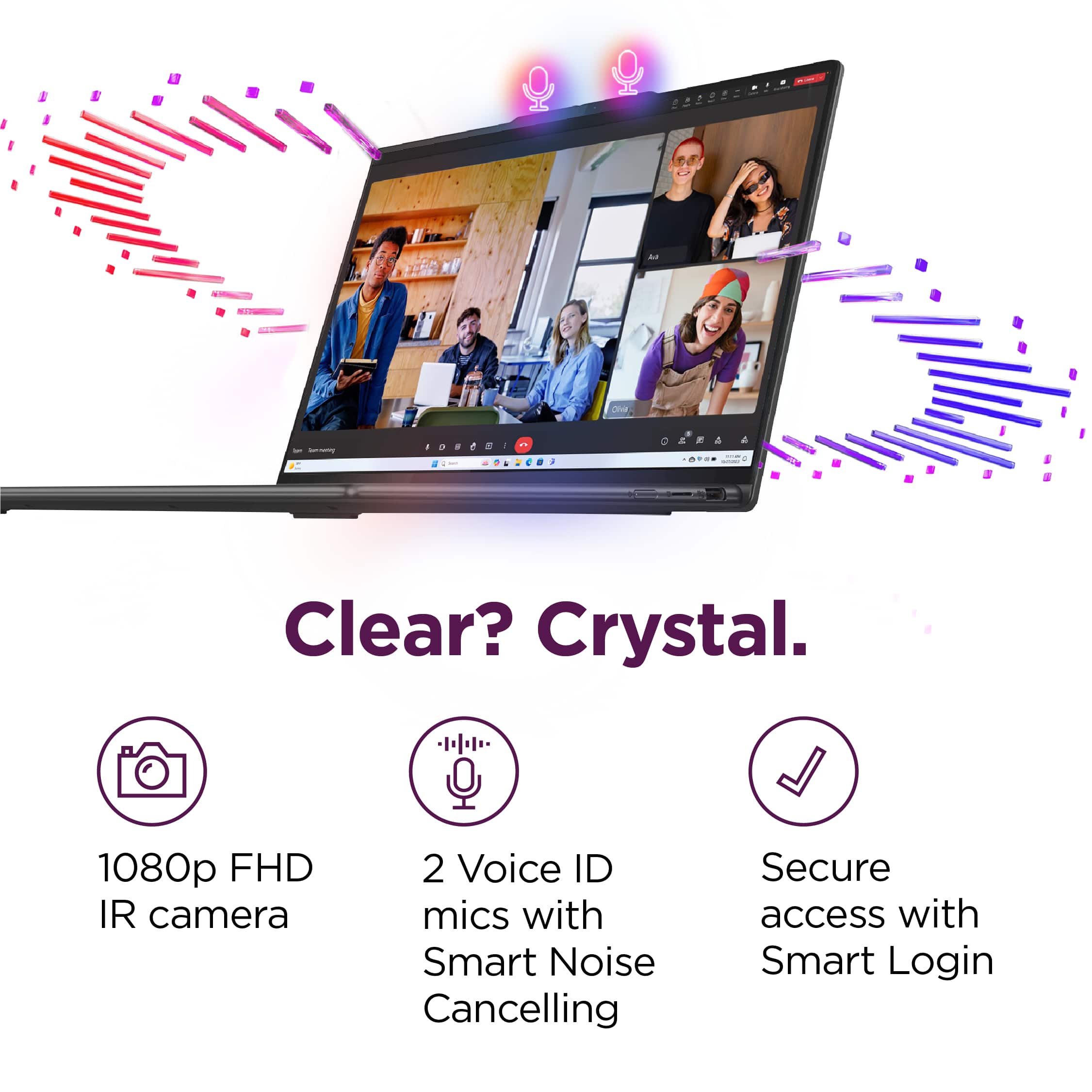
||Posted . Owned for 3 weeks when reviewed.This reviewer received promo considerations or sweepstakes entry for writing a review.Has facial recognition to use to open laptop making opening easier. Much harder to save documents after document is written. It wants to store things in one cloud.
I would recommend this to a friendBrand response from Lenovo Product Expert
Posted .Hey Mack,
Thank you for choosing Lenovo and for sharing your feedback with us!
We are glad to hear that this Yoga 7i is working out well for you.
Please feel free to reach out to us should you have any questions.
Best,
Lenovo
Rene' is Happy
||Posted . Owned for 3 weeks when reviewed.This reviewer received promo considerations or sweepstakes entry for writing a review.I Love my laptop. It's so nice knowing it wont stop working in the middle of my workday.
I would recommend this to a friendBrand response from Lenovo Product Expert
Posted .Hey MsRenie,
Thank you for choosing Lenovo and for sharing your feedback with us!
We are glad to hear that you love your Yoga 7i.
Please feel free to reach out to us should you have any questions.
Best,
Lenovo
- Pros mentioned:Touchscreen
I love it!!!
||Posted . Owned for 1 week when reviewed.This reviewer received promo considerations or sweepstakes entry for writing a review.I love the touchscreen, it’s light weight, great quality.
I would recommend this to a friendBrand response from Lenovo Product Expert
Posted .Hey, EssnceLove, thank you for choosing Lenovo! We are glad to hear that you are loving your Yoga 7i and its features, and we appreciate you taking the time to share your perspective with us.
Great piece
||Posted . Owned for 3 weeks when reviewed.This reviewer received promo considerations or sweepstakes entry for writing a review.Laptop condition is really good, there is no problems
I would recommend this to a friendBrand response from Lenovo Product Expert
Posted .Hey RamakrishnaV,
Thanks for choosing Lenovo and for sharing your feedback with us!
We are glad to read that this Yoga 7i is working quite well for you.
Please feel free to reach out to us via the Q& A section of this product page should you have any questions or need assistance.
Best,
Lenovo
Great Laptop
||Posted .This reviewer received promo considerations or sweepstakes entry for writing a review.Great laptop! I havent upgraded laptops in a while and this one is a worthy investment.
I would recommend this to a friendBrand response from Lenovo Product Expert
Posted .Hey ReginaldS,
Thank you for choosing Lenovo and for sharing your feedback with us!
We are glad to hear that your experience with your Yoga 7i has been great.
Please feel free to reach out to us should you have any questions.
Best,
Lenovo
Great one
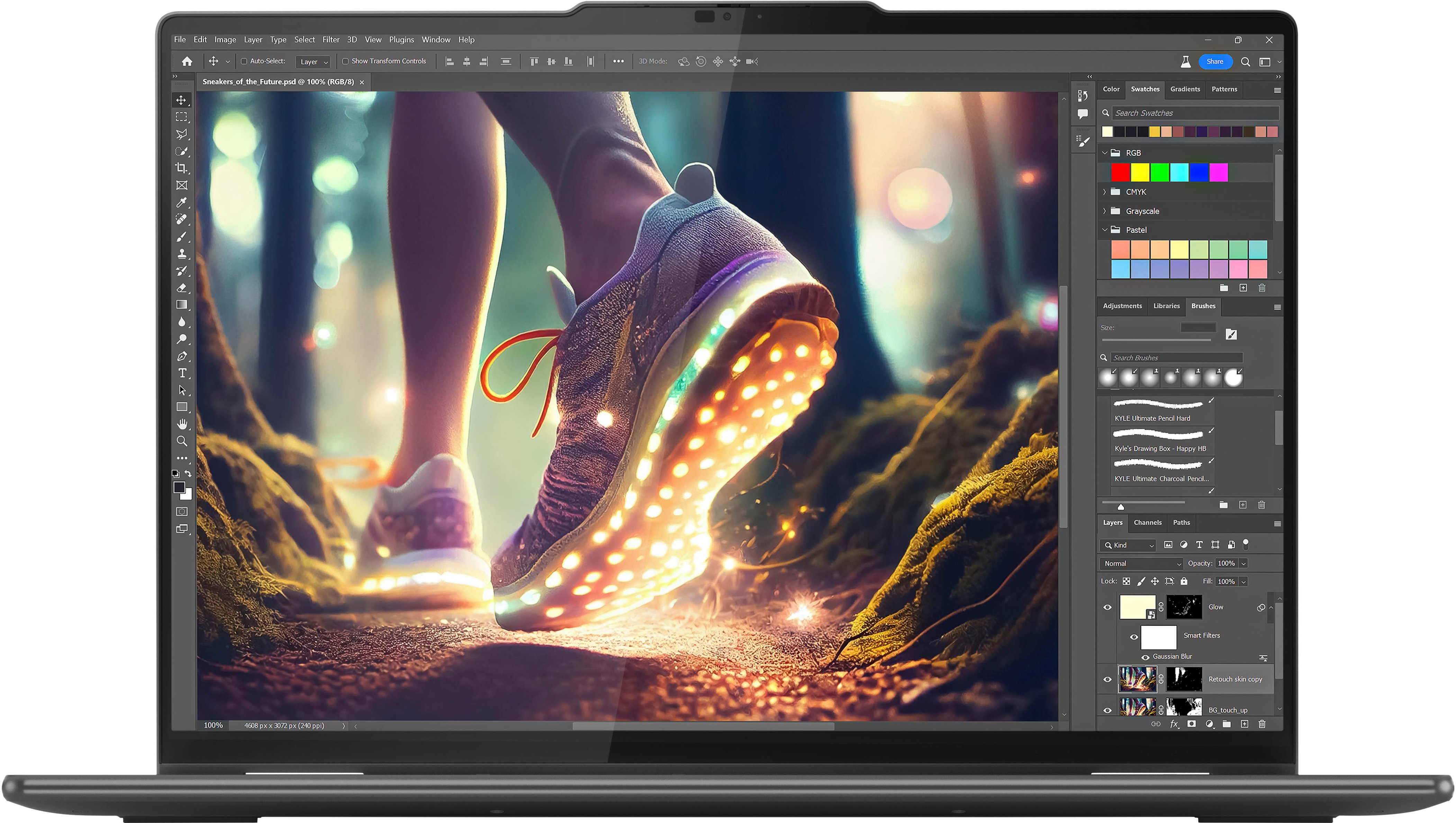
||Posted .This reviewer received promo considerations or sweepstakes entry for writing a review.Great laptop picture editing is perfect.. it was one of the best choices I made
I would recommend this to a friendBrand response from Lenovo Product Expert
Posted .Hey MariaR,
Thank you for choosing Lenovo and for sharing your feedback with us!
We are glad to hear that your Yoga 7i is a perfect fit for your use.
Please feel free to reach out to us should you have any questions.
Best,
Lenovo
All required features and a great price.
||Posted .This reviewer received promo considerations or sweepstakes entry for writing a review.All the features I required, and the sale price put the cherry on top.
I would recommend this to a friendBrand response from Lenovo Product Expert
Posted .Hey Rick3251,
Thank you for choosing Lenovo and for sharing your feedback with us!
We are glad to hear that this Yoga 7i meets all of your needs.
Please feel free to reach out to us should you have any questions.
Best,
Lenovo