Customer Ratings & Reviews














- Model:
- 83JT0001US
- SKU:
- 11991033
Rating by feature
- Battery Life
Rating 4.8 out of 5 stars
- Speed
Rating 4.8 out of 5 stars
- Display
Rating 4.8 out of 5 stars
- Cons mentioned:Connectivity, Weight
Works well out of the box, but has wifi issues
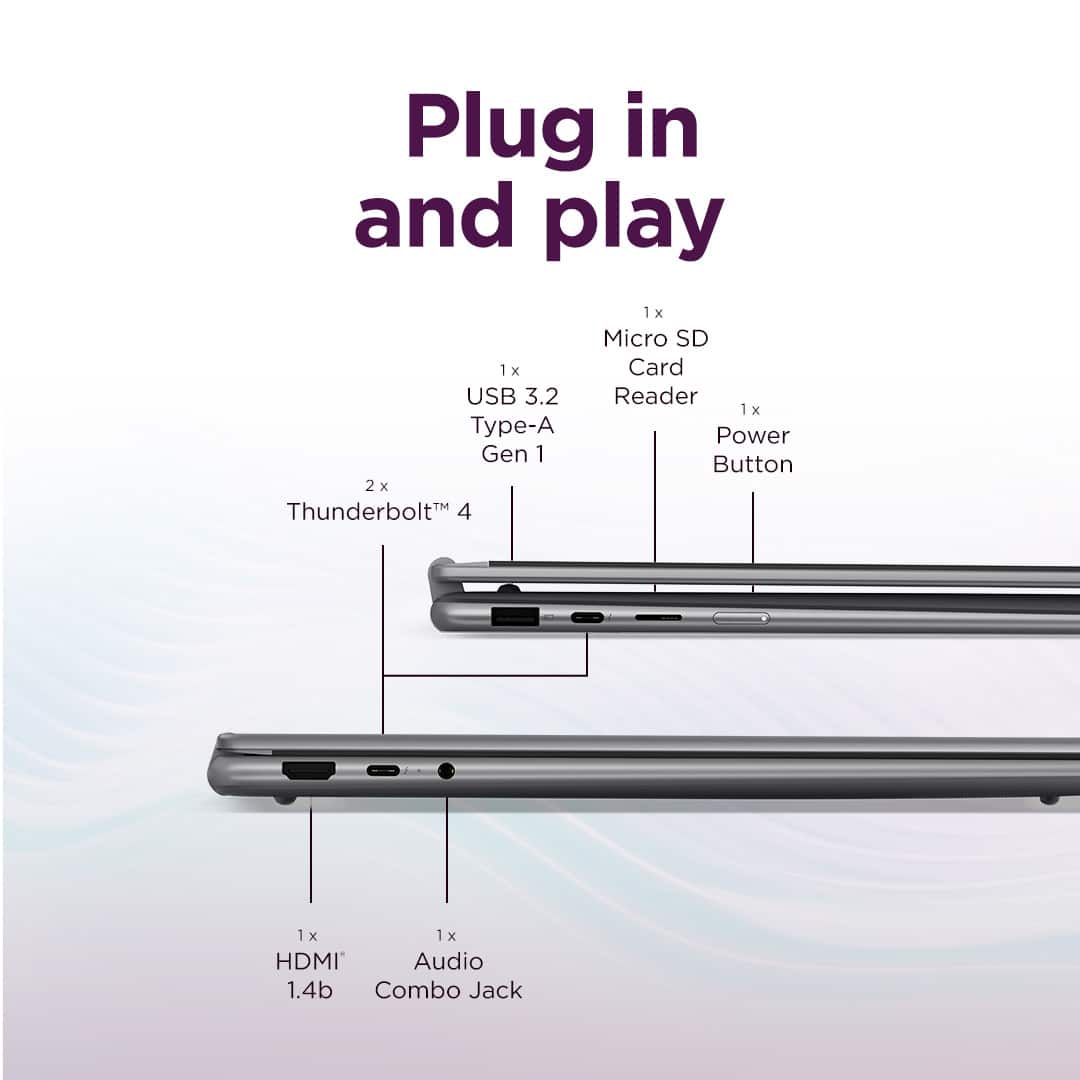
||Posted . Owned for 1 month when reviewed.This reviewer received promo considerations or sweepstakes entry for writing a review.This machine a heavier than I am used to, but it's not too bad. It was very easy to set up and was able to get to work quickly. So far, my only issue is that the the Wi-Fi will stop working if there is a USB 3.0 drive plugged in. It only has one USB-A port. I bought the Insignia 4 port 3.0 USB hub so that I can use a USB drive and a wireless mouse. It worked fine until I plugged in my USB 3.0 thumb drive into the hub. Once that is plugged in the Wi-Fi will start working intermittently then not at all. I tried on multiple networks. The same happens if it is plugged directly into the laptop without the USB hub. USB 2.0 thumb drives work fine. I ended up having to get new USB hub that was 2.0. I can plug a 3.0 USB drive into 2.0 hub it and it works without issue. All drivers are updated. USB 3.0 and wi-fi work fine when I plug the drive into the power supply of a docking station. This makes me think that there is a power resource conflict between the wi-fi and a 3.0 USB device, but I'm no computer expert. I've only had this a couple of weeks and am a bit disappointed that a brand new laptop can't simultaneously use a USB 3.0 thumb drive and connect to Wi-Fi. Please let me know if I am missing something and this is a user error.
No, I would not recommend this to a friendBrand response from Lenovo Product Expert
Posted .Hey Frank,
Thank you for sharing your feedback with us. We are sorry to hear that you are having trouble with your Yoga 7i 2-in-1. We apologize for the disappointment that this has caused you, and we'd like to work with you to address this issue.
To start, given that you've updated network drivers, please try uninstalling the network adapter and allowing Windows to attempt to reinstall the correct driver. To do so:
Open Device Manager, locate your USB Wi-Fi adapter under "Network adapters," right-click, and select "Uninstall device". Then, restart the computer.
If this does not resolve the issue and you've updated the system BIOS, we then recommend contacting Lenovo Support at this number: 877-453-6686, for in-depth troubleshooting. The Customer Care team may need to take a look at the system to help determine the root of the issue, given its unique ailment.
Please feel free to reach out to us via the Q& A section of this product page should you have any questions or have further comments, as we look forward to hearing more from you.
Best regards,
Lenovo
- Pros mentioned:Battery life, Portability, Speed
Lenovo 16" Touchscreen Laptop
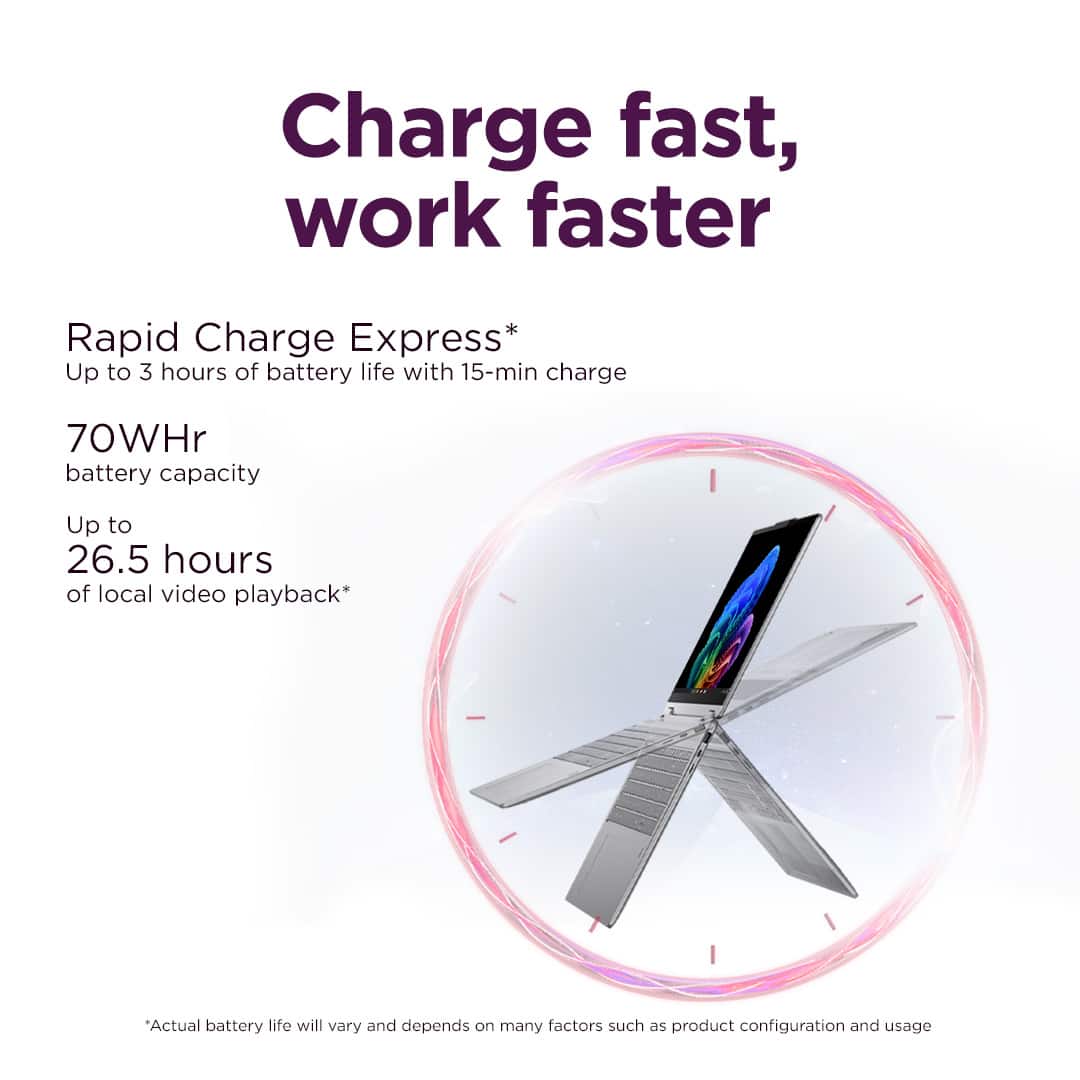
||Posted . Owned for 1 month when reviewed.This reviewer received promo considerations or sweepstakes entry for writing a review.This laptop is fast, lightweight, easy to set up and easy to move from room to room. The battery stays charged and I would highly recommend.
I would recommend this to a friendBrand response from Lenovo Product Expert
Posted .Hi TheresaSS,
Thanks for choosing Lenovo and for sharing your feedback with us!
We are pleased to read that this Yoga 7i 2-in-1 is working out great for you.
Please feel free to reach out to us via the Q& A section of this product page should you have any questions or need assistance.
Best,
Lenovo
- Pros mentioned:Speed
Surprisingly Amazed
||Posted . Owned for 1 month when reviewed.This reviewer received promo considerations or sweepstakes entry for writing a review.I am very impressed with this laptop. I wasn't sure about moving from a 17" screen to a 16" screen, but they are so close am pleased. Now for the overall functioning and speed, I am very pleased. It's fast, I actually like the finger reader, everything worked amazingly! I always keep it plugged into the power outlet, that works for me. I would recommend to family & friends. It's a great Laptop!
I would recommend this to a friendBrand response from Lenovo Product Expert
Posted .Hi,
Thanks for choosing Lenovo and for sharing your feedback with us!
We are glad to read that you are satisfied with your purchase.
Please don't hesitate to reach out to us via the Q& A section of this product page or contact Lenovo Support should you have any questions or need assistance.
Regards,
Lenovo
- Pros mentioned:Overall performance, Speed
Absolutely stunning laptop!
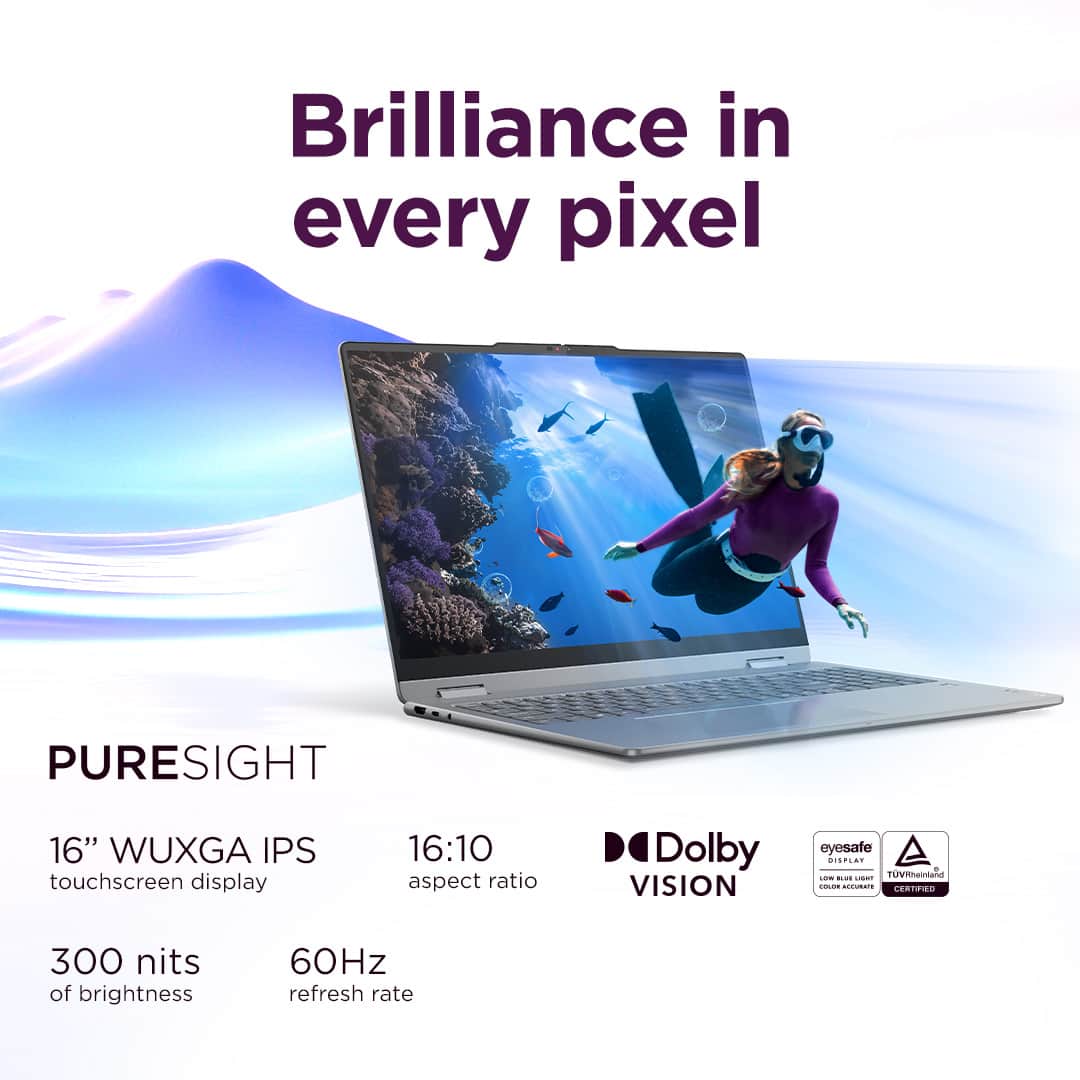
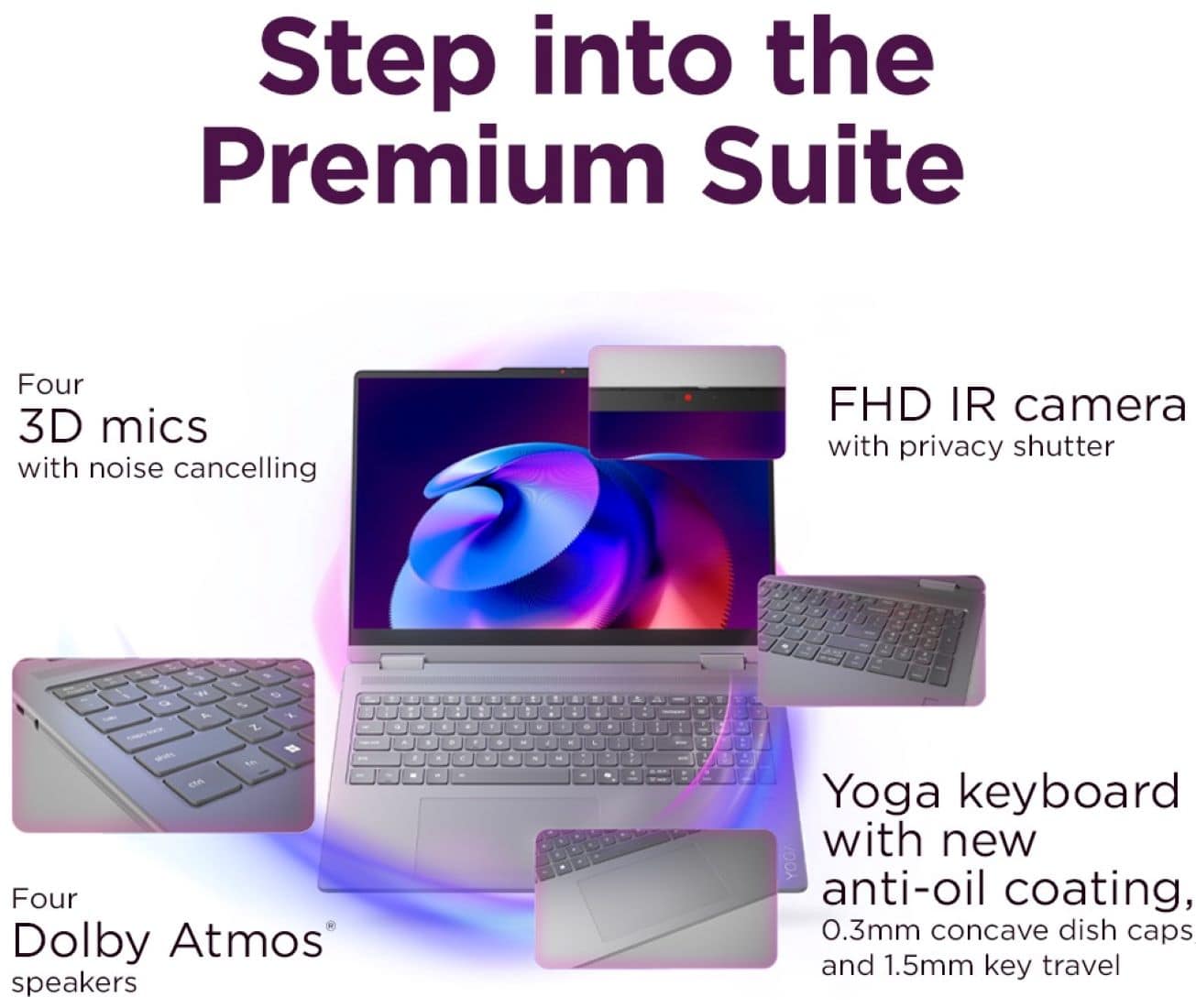
||Posted .This reviewer received promo considerations or sweepstakes entry for writing a review.Absolutely stunning laptop with a Copilot button. Only laptop I know that has a 10-key on a 16" keyboard. Decided to give it a try (sorry longtime friend HP). So far smooth transition with the Ultra 7, stunning display, and the fingerprint logon is a must have for now on. Backlit keyboard can be programmed into four modes (low, high, auto, and off). Not light, not heavy, but just right for a strongly built laptop!
I would recommend this to a friendBrand response from Lenovo Product Expert
Posted .Hey OdieJ,
Thank you for choosing Lenovo and for sharing your feedback with us!
We are pleased to read that you are satisfied with your purchase.
Please don't hesitate to reach out to us via the Q& A section of this product page or contact Lenovo Support should you have any questions or need assistance.
Regards,
Lenovo
- Pros mentioned:Overall performance, Portability, Speed
Great laptop for heavy excel user
||Posted . Owned for 1 month when reviewed.This reviewer received promo considerations or sweepstakes entry for writing a review.I have been using my Lenovo - Yoga 7i 2-in1 - co-pilot for about 3 months now, so far I am very happy with the performance. It is fast and very user friendly.
I would recommend this to a friendBrand response from Lenovo Product Expert
Posted .Hey StephanieG,
Thank you for choosing Lenovo and for sharing your feedback with us!
We are glad to hear that your Yoga 7i Copilot+ PC is working out great for you and that you are very happy with its performance.
Please feel free to reach out to us should you have any questions.
Best,
Lenovo
- Pros mentioned:Design, Portability
Great laptop
||Posted . Owned for 1 month when reviewed.This reviewer received promo considerations or sweepstakes entry for writing a review.Laptop is perfect for on the go because of its light weight compact. Beautiful design, and amazing color. Love the features this laptop has, makes it great to use with my cricket for crafts or for lesson planning assignments for my classroom.
I would recommend this to a friendBrand response from Lenovo Product Expert
Posted .Hi AngelaR-
Thank you for choosing Lenovo and sharing your experience with us. We are happy to hear that you are enjoying the display quality, product features, and design of the Yoga 7i. We aim to offer great user experience and are overjoyed to see that we met our goal.
Please reach out to us through the Q & A section of this product webpage if you have any questions or need any assistance.
Best wishes,
Lenovo
- Pros mentioned:Overall performance, Portability
College laptop
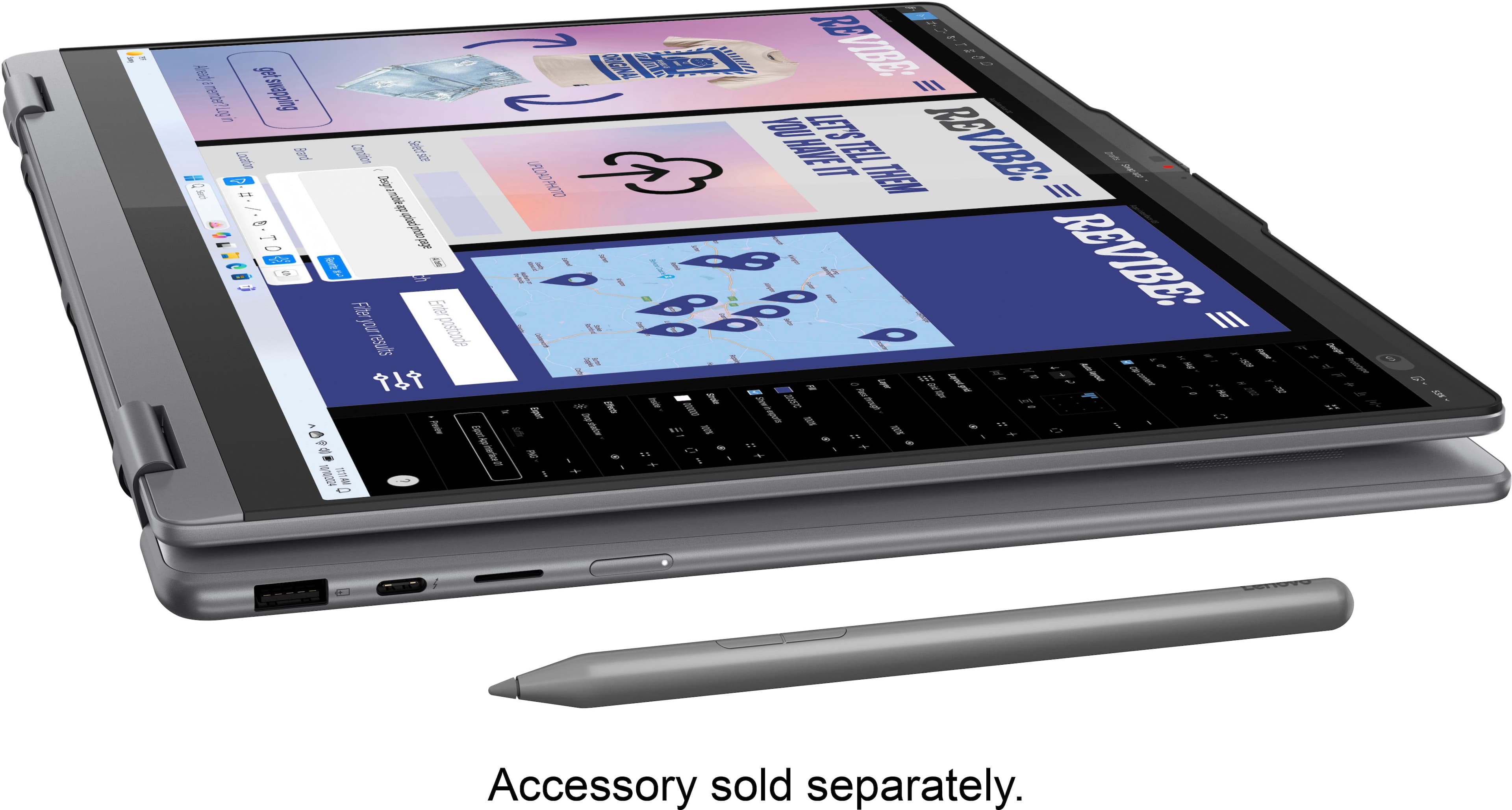
||Posted .This reviewer received promo considerations or sweepstakes entry for writing a review.My son just finished his first college semester with this Lenovo 7i notebook. Had to buy the Lenovo slim pen separately but was worth it. The notebook handled everything the school threw at him. Doubled as his portable entertainment for watching movies. Well done Lenovo.
I would recommend this to a friendBrand response from Lenovo Product Expert
Posted .Hi,
Thanks for choosing Lenovo and for sharing your feedback with us!
We are glad to read that you are satisfied with your purchase overall.
Please don't hesitate to reach out to us via the Q& A section of this product page or contact Lenovo Support should you have any questions or need assistance.
Regards,
Lenovo
- Pros mentioned:Battery life
Works Great
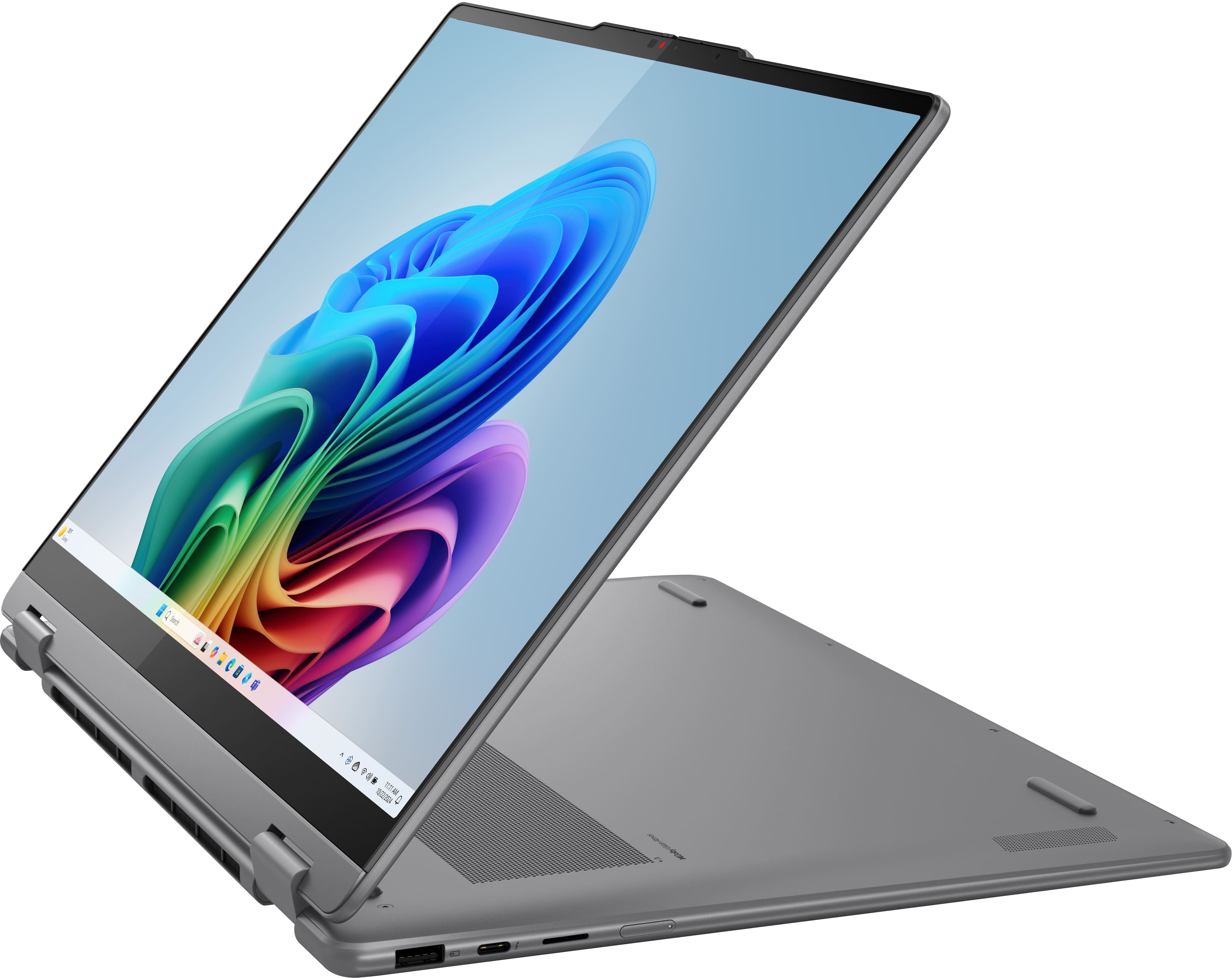
||Posted . Owned for 1 month when reviewed.This reviewer received promo considerations or sweepstakes entry for writing a review.A good computer. I have only owned it for a couple of months. Some of the things I have noticed is that the power button is not well placed. There have been a couple of times where I pick up the computer and accidentally turn it off. The camera is okay but not the best quality. I enjoy the touchscreen and the ability to make it into a tablet. The battery life is great for school work. The face recognition to unlock the computer is also not very good. Overall it does what I need and I hope to but it to good use as an electrical engineer.
I would recommend this to a friendBrand response from Lenovo Product Expert
Posted .Hey DavidG,
Thanks for choosing Lenovo and for sharing your feedback with us!
We are glad to read that your experience with this Yoga 7i 2-in-1 has been great thus far.
Please feel free to reach out to us via the Q& A section of this product page should you have any questions or need assistance.
Best,
Lenovo
- Pros mentioned:Battery life, Overall performance
Highly recommend for home, office, or school
||Posted .This reviewer received promo considerations or sweepstakes entry for writing a review.This computer is much better than the 2-in-1 HP Envy I had before it. It is faster, lighter, has much longer batter life, crisp display, and includes copilot. The touchscreen is immediately responsive and hinge is smooth when converting to tablet form.
I would recommend this to a friendBrand response from Lenovo Product Expert
Posted .Hi,
Thanks for choosing Lenovo and for sharing your feedback with us!
We are glad to read that you are satisfied with your purchase overall.
Please don't hesitate to reach out to us via the Q& A section of this product page or contact Lenovo Support should you have any questions or need assistance.
Regards,
Lenovo
- Pros mentioned:Overall performance, Portability, Speed
Great laptop for home
||Posted . Owned for 3 weeks when reviewed.This reviewer received promo considerations or sweepstakes entry for writing a review.Laptopnis great for general home office work. Fast proceesing and easy to use!
I would recommend this to a friendBrand response from Lenovo Product Expert
Posted .Hi ChristineB,
Thanks for choosing Lenovo and for sharing your feedback with us!
We are pleased to read that this Yoga 7i is a great fit for your use.
Please feel free to reach out to us via the Q& A section of this product page should you have any questions or need assistance.
Best,
Lenovo
- Pros mentioned:Overall performanceCons mentioned:Connectivity
INTEL CORE IS GOOD
||Posted . Owned for 3 weeks when reviewed.This reviewer received promo considerations or sweepstakes entry for writing a review.We've had good luck with Lenovo computers. After buying a Yoga 7i 2 in 1 with an AMD platform and having problems (twice actually) I switched to the Yoga 7i with the Intel platform. The Intel platform has been flawless so far. The AMD platform had a problem with internet connection.
I would recommend this to a friendBrand response from Lenovo Product Expert
Posted .Hi DonaldF-
Thank you for choosing Lenovo and sharing your experience with us. While we are happy to hear that you are enjoying the Yoga 7i we are disappointed that you encountered issues with the Yoga 7. We aim to offer great user experience and are overjoyed to hear that your new laptop has performed flawlessly.
Please reach out to us through the Q & A section of this product webpage if you have any questions or need any assistance.
Best wishes,
Lenovo
- Pros mentioned:Overall performance, Portability, Speed
Retireddraftsman
||Posted . Owned for 1 week when reviewed.This reviewer received promo considerations or sweepstakes entry for writing a review.Great computer for the money! Very lightweight, great screen display, and fast!
I would recommend this to a friendBrand response from Lenovo Product Expert
Posted .Hi Retireddraftsman,
Thanks for choosing Lenovo and for sharing your feedback with us!
We are pleased to read that this Yoga 7 2-in-1 offers great value to you.
Please feel free to reach out to us via the Q& A section of this product page should you have any questions or need assistance.
Best,
Lenovo
- Pros mentioned:Design, Overall performance
Laptop review
||Posted . Owned for 1 month when reviewed.This reviewer received promo considerations or sweepstakes entry for writing a review.I’m very pleased with this laptop. It has a modern, up-to-date design and is extremely easy to use. The performance has been excellent, and the one terabyte of memory is a huge plus—it provides more than enough space for all my files and programs. I would definitely recommend this laptop to anyone looking for a reliable and well-designed device.
I would recommend this to a friend - Pros mentioned:Overall performance, Portability
Lenovo yoga laptop
||Posted . Owned for 2 weeks when reviewed.This reviewer received promo considerations or sweepstakes entry for writing a review.I love my Lenovo yoga. It's super fast, has great storage, easy to use. Best buy was awesome at helping me pick out the laptop that fits my needs. The staff was friendly and helpful as was the tech help. The price was perfect for what I was looking for. Great laptop!!
I would recommend this to a friendBrand response from Lenovo Product Expert
Posted .Hi CarolS-
Thank you for choosing Lenovo and sharing your feedback with us. We are excited to hear that you are enjoying the storage capabilities, user friendly design, and performance of the Yoga 7i. We aim to provide excellent user experience for our products, and we are overjoyed to hear that we met our goal.
Please reach out to us through the Q & A section of this product page if you have any questions or need assistance.
Best wishes,
Lenovo
- Pros mentioned:Portability, Speed
No more noisy fan and low battery HP for mr
||Posted . Owned for 1 week when reviewed.This reviewer received promo considerations or sweepstakes entry for writing a review.At first, I did not want a Lenovo; I wanted an HP. My MIL bought a Lenovo 15 years ago, and it constantly had problems. The salesman convinced me to give the Lenovo a try. I love it! It is quiet, fast, and easy to use. I wanted a faster processor and a large SSD. The keyboard is backlit and easy to use. I highly recommend the Lenovo Yoga 7i 2-in-1
I would recommend this to a friendBrand response from Lenovo Product Expert
Posted .Hi AshleyC,
Thanks for choosing Lenovo and for sharing your feedback with us!
We are pleased to read that this Yoga 7i 2-in-1 is working out great for you and that you are now loving it.
Please feel free to reach out to us via the Q& A section of this product page should you have any questions or need assistance.
Best,
Lenovo
- Pros mentioned:Portability, Speed
Exceeded expectations
||Posted . Owned for 5 months when reviewed.This reviewer received promo considerations or sweepstakes entry for writing a review.Although I'm a Mac guy, we purchased this for my wife when she needed a new laptop. It's a really nice machine. Fast, intuitive and very simple to set up.
I would recommend this to a friend - Pros mentioned:Overall performance, PortabilityCons mentioned:Connectivity
So far so good
||Posted . Owned for 3 weeks when reviewed.This reviewer received promo considerations or sweepstakes entry for writing a review.Kinda cool as I live the foldability. It is very fast, downside bt not working right will not pair
I would recommend this to a friendBrand response from Lenovo Product Expert
Posted .Hi Steffy72,
Thanks for choosing Lenovo and for sharing your feedback with us. We are sorry to hear that you've ran into an issue with your Yoga's Bluetooth connectivity. We'd like to work with you to address this.
To start, we recommend ensuring you have the latest software by checking for updates, as this could correct the issue. To do so, first, open the Settings app > Select the Windows update tab > Select the Check for updates button, apply all available updates. Next, open the Lenovo Vantage app > on the homepage, select the Check for updates button, following on-screen prompts to apply all available updates here as well.
We are pleased to read that your experience with your Yoga has been otherwise good.
Please feel free to reach out to us via the Q& A section of this product page should you have any questions or need further assistance, as your satisfaction is important to us.
Best regards,
Lenovo
- Pros mentioned:Overall performance
What else do you need.....Your not James Bond!!!!
||Posted . Owned for 3 weeks when reviewed.This reviewer received promo considerations or sweepstakes entry for writing a review.If you need something simple, fast, no lag, with a back-lit keyboard, webcam, fingerprint secure, touchscreen, 360 degree folding for tablet use, and bluetooth, look no further. You cant get a better deal than this for what you get. Now if the included a wireless mouse.........talk about a steal!!!!
I would recommend this to a friendBrand response from Lenovo Product Expert
Posted .Hi RAvion718,
Thanks for choosing Lenovo and for sharing your feedback with us!
We are pleased to read that this Yoga 7i meets your needs well.
Please feel free to reach out to us via the Q& A section of this product page should you have any questions or need assistance.
Best,
Lenovo
- Pros mentioned:Overall performance, Portability, Speed
Lenovo Yoga
||Posted . Owned for 1 month when reviewed.This reviewer received promo considerations or sweepstakes entry for writing a review.Works as described. I use it for work (and at home), much faster than my previous HP and lighter. Happy so far!
I would recommend this to a friendBrand response from Lenovo Product Expert
Posted .Hey TimH,
Thanks for choosing Lenovo and for sharing your feedback with us!
We are glad to read that you are happy with your Yoga 7i 2-in-1 thus far and that it has met your expectations.
Please feel free to reach out to us via the Q&A section of the product page should you have any questions or need assistance.
Best,
Lenovo
- Pros mentioned:Portability
Lenovo Yoga 7i 2-in-1 Laptop
||Posted . Owned for 3 weeks when reviewed.This reviewer received promo considerations or sweepstakes entry for writing a review.This is my first Lenovo product and I love it. So easy to set up. Screen is big but not too big. Screen is crisp and clear.
I would recommend this to a friend