Customer Ratings & Reviews





- Model:
- 80MK00HAUS
- SKU:
- 4529000
to a friend
Customers are saying
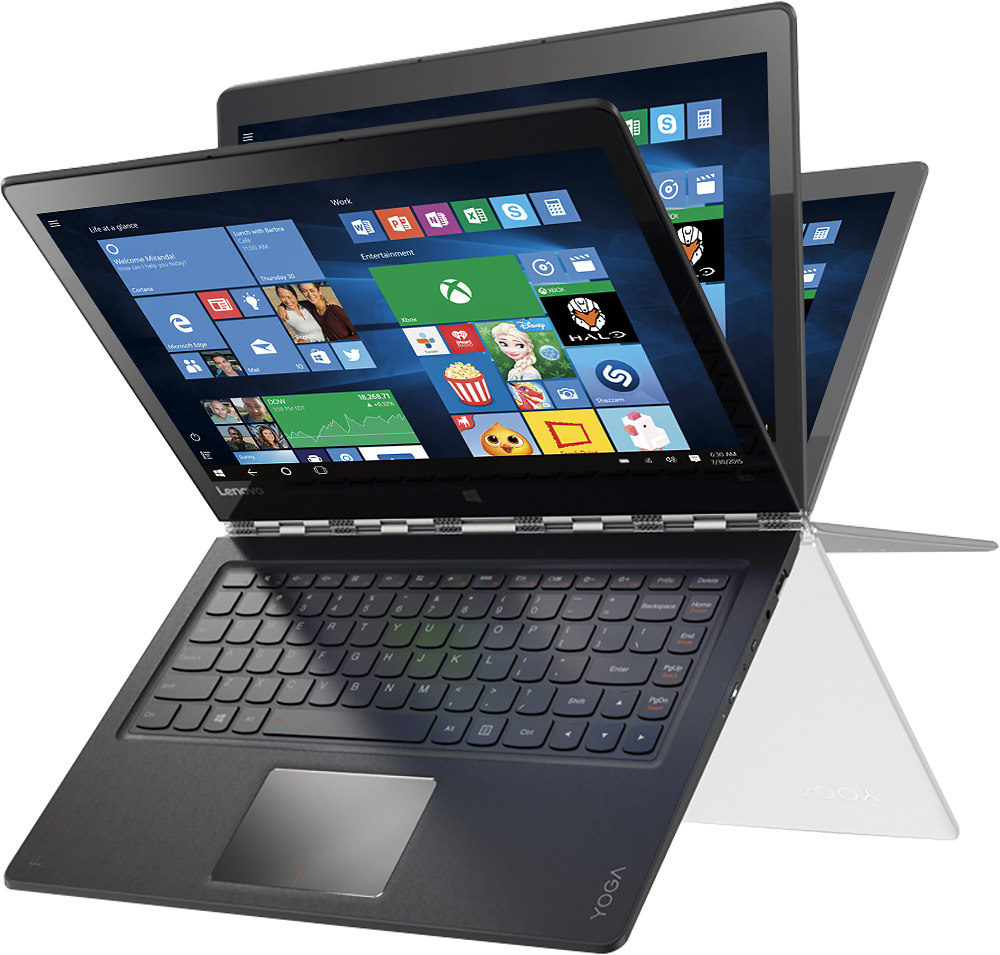
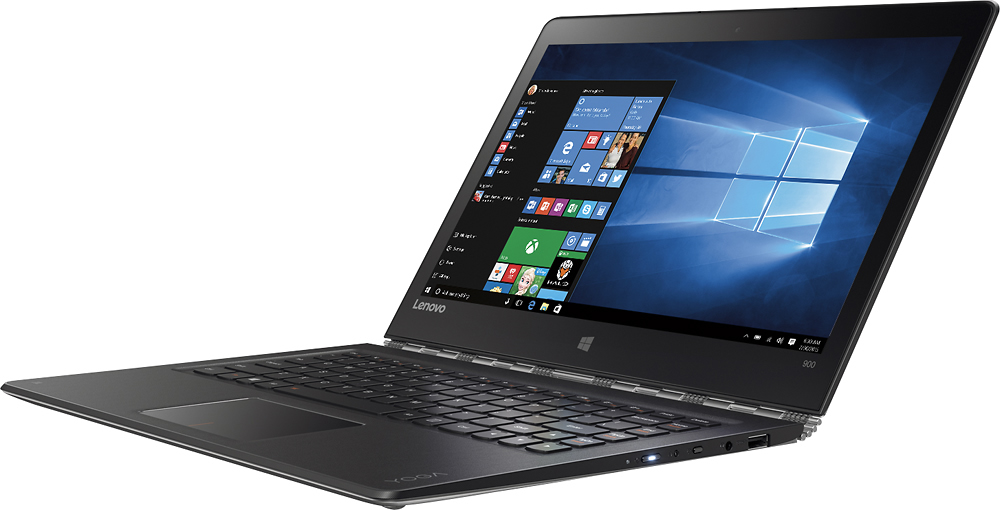
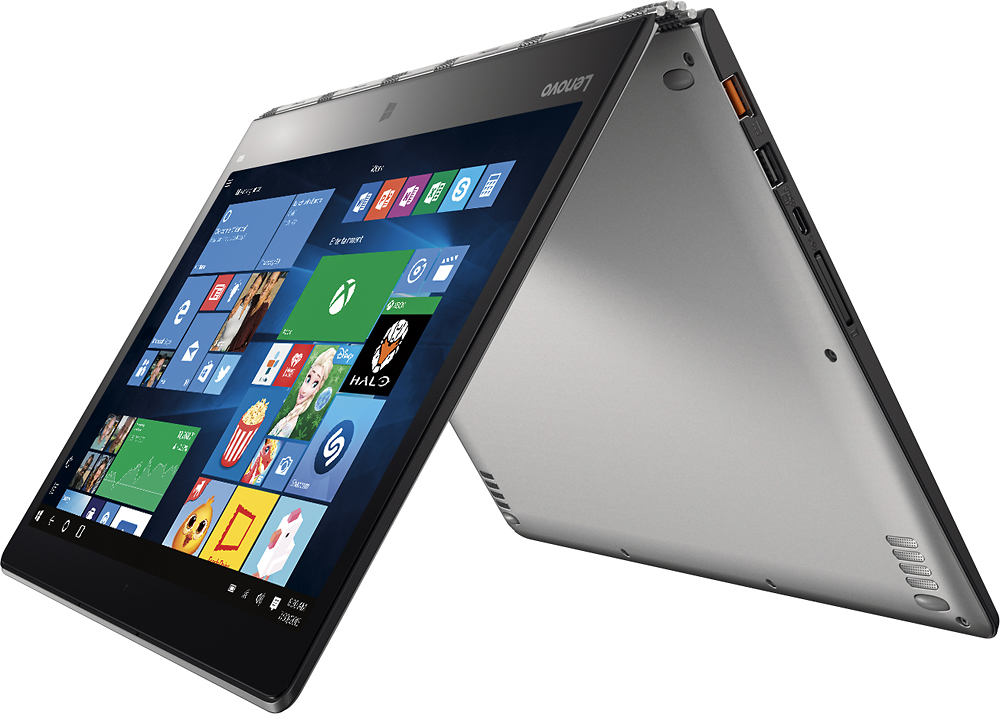
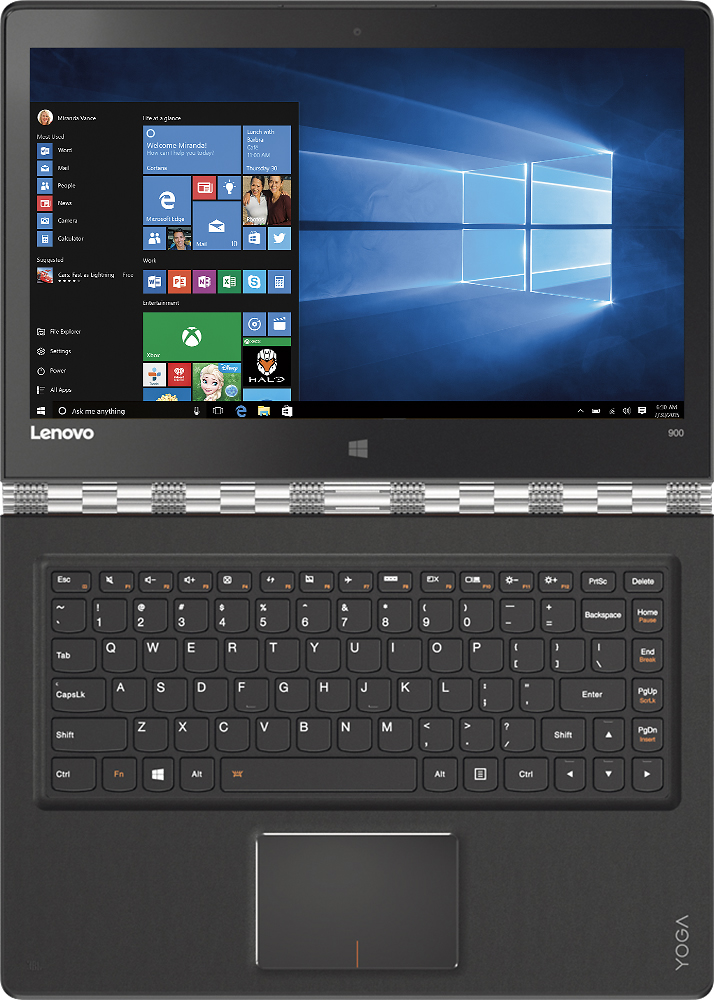
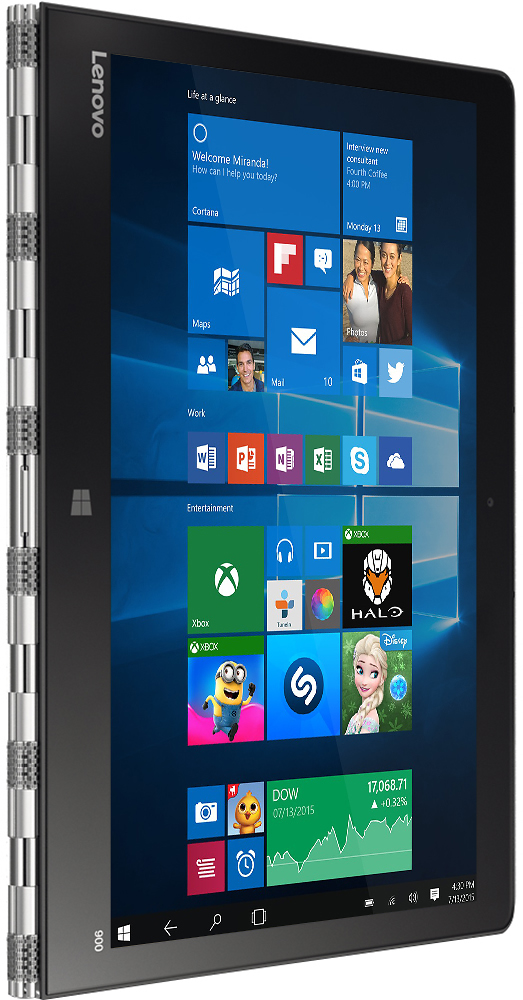
Customers appreciate the Yoga 900 13.3" 2-in-1 Touch-Screen Laptop for its lightweight design, fast performance, and long battery life. The touchscreen display and overall performance of the laptop are also highly regarded. On the other hand, some customers have expressed concerns about the screen size, fan noise, and issues with Windows 10 and sleep mode.
This summary was generated by AI based on customer reviews.
It's a not good laptop
||Posted .This reviewer received promo considerations or sweepstakes entry for writing a review.After buying couple of months, i had started facing issue with function keys (F1,F2,F3 etc) and mouse right and left click is not working properly, I am using external mouse. Now i am unable to open task manger,Chrome,IE so many other things. I am unable to use it. It's waste of money. It would be better choice if I would had bought a mac laptop.
No, I would not recommend this to a friendBrand response from Lenovo Product Expert
Posted .With regard to the issues you mention with your device, there may be driver updates for your specific system. Follow the link below to look for new driver updates for your specific system. You can also run diagnostics from the Lenovo site as well. As always, be sure to create a restore point on your system before you make any changes. Here is the link:
http://support.lenovo.com/us/en/products/Laptops-and-netbooks/Yoga-Series/yoga-900-13isk/80MK/00HAUS?tabName=Downloads&linkTrack=Mast:SubNav:Support:Drivers and Software|Drivers and Software
- Cons mentioned:Sleep mode issue
Dead after 1 month
||Posted .This reviewer received promo considerations or sweepstakes entry for writing a review.Just got dead after one month, after I put it in the sleep mode.
No, I would not recommend this to a friendBrand response from Lenovo Product Expert
Posted .On the right side of this device there is a very small button, it is the OneKey Recovery System Button. The OneKey Recovery System will boot your device if it will not boot normally. Once you boot the system with OneKey Recovery, you can look for driver updates to correct the sleep mode issue. You can follow the link below to Lenovo.com support-drivers to look for driver updates for your specific system:
http://support.lenovo.com/us/en/products/Laptops-and-netbooks/Yoga-Series/yoga-900-13isk/80MK/002JUS?linkTrack=Caps%253ABody_SearchProduct&tabName=downloads&beta=false
Item was heavy
||Posted .This reviewer received promo considerations or sweepstakes entry for writing a review.The team worked fine just to heavy and difficult to handle
No, I would not recommend this to a friend- Pros mentioned:Battery life, Performance
Love this laptop
Posted .This reviewer received promo considerations or sweepstakes entry for writing a review.Work in IT and waited months for something like this. Love it. Only minor downside, power should have been USB-C port. Would prefer thinner bevel like Dell 13 xps. But everything else is great. Battery - all day, cool, quiet on load, worth the 16GB to future proof. Great screen. I can't recommend this enough. Do uninstall all the Lenovo applications though.
I would recommend this to a friend Already broke
||Posted .This reviewer received promo considerations or sweepstakes entry for writing a review.I loved the item but already the power button downtown work. Geek squad shipped it out for service on 2/23/2017. Today, 3/1/2017 it reached the service center. A full week without my computer and all it did was ship. Im very disappointed
No, I would not recommend this to a friendI would not recommend
||Posted .This reviewer received promo considerations or sweepstakes entry for writing a review.Very frustrating with the key board right shift key being too small. Also now screen blinks every so often. I wanted to use stylus for illustration but incompatible. If you spend this much money, I would buy MacBook.
No, I would not recommend this to a friendScreen fried - returned
||Posted .This reviewer received promo considerations or sweepstakes entry for writing a review.Screen fried shortly after purchase, flickered, then went pink...ended up exchanging for a Surface Book. Like the keyboard much better.
No, I would not recommend this to a friendGreat Device
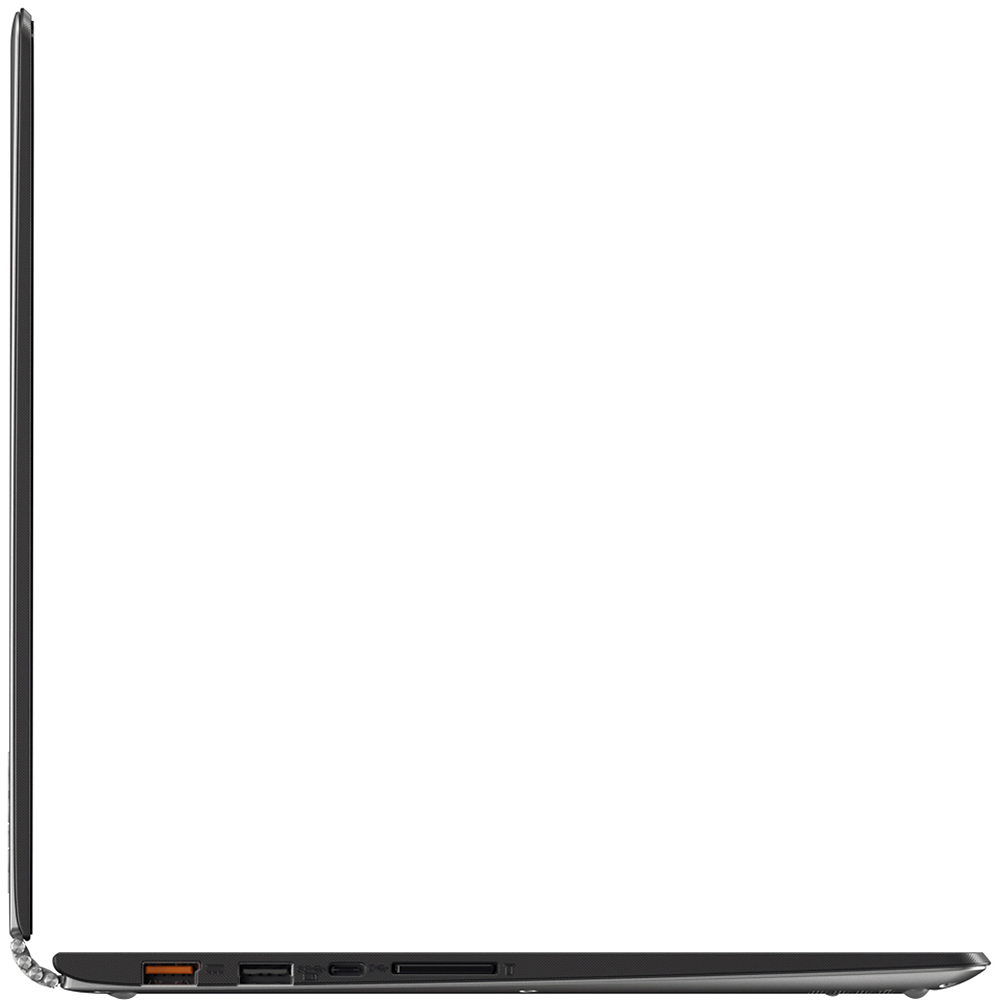
Posted .This reviewer received promo considerations or sweepstakes entry for writing a review.This is a review of the 16GB RAM and 512GB SSD version. This device replaces my Yoga 2 Pro. Almost identical machines but the 16GB of RAM and huge 512GB SSD make this machine scream. It lakes a great video card but it does 4k video editing just fine. I can have 20 tabs open in Chrome browser and I'm only at 27% memory usage. Does not slow down at all. There is an error in the BB listing. This laptop has 2 dedicated USB 3 ports and then the power port can be used as a USB 2 port (2 dedicated USB 3 posts, not 1 as listed). The power port is proprietary and I've yet to see any 3rd parties offer an after market charger. One from Lenovo is not too expensive. But the cable is unique and detaches from the power brick so don't lose it. Two con's to the laptop. The speakers are on the bottom of the machine. They are still pretty loud but this takes away from the sound quality. It uses USB C for video output so you make need a USB C to HDMI adapter. They run around $20.
I would recommend this to a friendGreat machine!
Posted .This reviewer received promo considerations or sweepstakes entry for writing a review.I just received my 900 today and have been setting it up. The only problem I had was that 2 finger scroll didn't work for the new "metro" windows apps. It worked for everything else. I downloaded trackpad driver from Lenovo and boom it worked everywhere! I strongly recommend running the Lenovo optimizer and click "full optimizer" as it will find that the bios needs upgrading. It is an easy process and fairly automatic. I found the trackpad worked very well including multiple fingers. 4 finger tap for notification panel, 3 finger tap Cortana, 3 finger swipe for desktop or view all apps. Screen is bright and clear. I haven't put it through it's paces yet but so far i'm very impressed. I returned a surfacebook and got this. True, the inking is not as good as surface book, however, If you get the proper stylus, the adonit jot pro (like 25 bucks) the inking, especially in the one note app is superb. I was really really surprised. If you're an artist it wont' do as there is no pressure sensitivity, but the capacitive jot pro is wonderful. It has a little clear disk where you write and you can see where the ink starts. It needs no power and no pairing and is light years beyond those horrible rubbery metal mesh stubby finger styli. You can get it on amazon. Also I tried the "Dot Pen" which is like 70 bucks and uses a AAA battery to generate the same electrical field that your finger generates. Just click it on and it works and it works well. No pairing, no Bluetooth, it just works and it works on ANY capacitive touchscreen (with no screen protector). It switches easily and quickly and automatically from laptop to tablet mode without a hitch! The thing just works! I know some folks have had problems, but that happens on any machine. I love it so much i'm getting one for my wife! I am coming from a surface pro 3, which wasn't bad but had lots of quirks and DID NOT have good "lapability"
I would recommend this to a friend- Pros mentioned:Fast
Great Machine!
Posted .This reviewer received promo considerations or sweepstakes entry for writing a review.Was going to wait and purchase a Surface Book... And then Lenovo brought out the Yoga 900! The computer is lightning fast with the 16 Gigs of RAM, the I7 Processor and the SSD hard drive. With updated BIOS and drivers my copy has performed flawlessly including the AC Wi-Fi. My only recommendation is read the reviews on the Lenovo Bloatware and dump it!
I would recommend this to a friend I wanted to like it, i really did.
Posted .This reviewer received promo considerations or sweepstakes entry for writing a review.SO i have another review on here which is 5 stars under "chris" and I cant seem to find a way to edit that. So here is a newer review. I purchased Lenovo Yoga 900 #1 and was super excited to get it, it had problems and I can’t wait for it to go to the shop and be repaired so I purchased a second one with intent of returning the first, and this is what I ran into. 1) Double key strokes of the keys on the keyboard. This has happens on both of them. I can type all day long on my desktop with no issue. At Best Buy yesterday I also typed on a display model they had and still had the same issue. I then moved over to the Surface book, zero problems with double key strokes. I then tried on an HP and another model of Ultrabook and still no issue. So this is 3/3 Yoga 900’s with this problem. It ends up being every 10-15 words on average I get a double keystroke. This is a serious pain, it makes all sorts of things more difficult than they need to be. When typing on the screen there is no issue. Could be a bad batch? Maybe just the hardware itself and my typing style don’t get along? The only time I run into this is on their keyboards. 2) Intermittent unresponsiveness on the trackpad and keyboard. On #1 this is very intermittent, sometimes I cannot click in dialog boxes and begin typing on some programs, but others I can? On #2 the trackpad just went south 30 min after unboxing it. The trackpad felt loose compared to the first one, and it wouldn’t register clicks 9/10 times. That was the final straw for #2 and it went back to the store. On #1 this happens 2-3 times a day and sometimes opening/closing it will resolve it. Or it will just clear on its own after a few minutes. 3) Turning on. Sometimes it just sits there when I try to turn it on, it will give me the opportunity to log in, then it sites there for 4-5 minutes doing NOTHING. Finally ill hard reset it and it comes back but starts updating, so I think there is a bug somewhere that is causing issues when waking up if there is an update. 4) Yoga #1 intermittently seems to think somebody is touching it. This is clearly a digitizer issue. It manifests as a vertical path of small dots, the same you see under your finger when you touch the screen, and it jumps up and down in a vertical line in the same spot every time. 5) Display driver crashing. This happens intermittently on both, the screen sort of blacks out then comes back, along with a message that the display driver crashed. 6) Resetting. Both units have reset on me multiple times while I have been working on them. That’s all I can think of off the top of my head. It has been a very frustrating experience because I REALLY like the specs, I like the design, it is a super lightweight and comfortable machine to work with. The battery life is excellent, the screen is incredible. I am giving Yoga one more try. I took #2 back to Best Buy yesterday to swap it out, the geek squad spent just a few minutes and conceded it was totally jacked up. They did not have a replacement for me at the store, or any surrounding stores so I will have to wait until later this week. I still have Yoga #1 and will probably be returning it as soon as #2 comes in. I feel a lot of this might be able to be corrected with a software patch, but the bad trackpads, the screen digitizer issues, that is hardware. If this next Yoga does not clear up all of these problems, ill bite the bullet and try out the Surface Book. I just don’t like the idea of spending $500 more for something with less processor, less ram, less SSD space. But what good are those specs if the machines are so inherently buggy? And the double stroke one the keyboards is the worst though. I do a LOT of blogging and typing, I need to have an accurate keyboard. Even if everything else is fixed, that is still a deal breaker for me. The surface pro is a lot more money, but typing on it was flawless. Like i said i REALLY wanted this to work. I really want to love this machine so much but it is plagued with little annoyances. These are things i might look past on a $300 laptop, but this is a $1,400 device. Both of them have come with hardware issues, if it was clearly software issues i would probably give them time to work the kinks out. Nothing comes out of the gate flawless. Hopefully 3rd is a charm but i dont have high expectations. I really welcome comments on this review, please no flaming im not trying to bag on this product. I really want some input on other people about the keyboard, do they get doublestrokes and what is thier typing style and average speed
No, I would not recommend this to a friend- Pros mentioned:Touchscreen
Maybe a Lemon
Posted .This reviewer received promo considerations or sweepstakes entry for writing a review.I spent a few days researching my next laptop. I've used a Lenovo Yoga 2 Pro before and was really impressed. I settled on the Yoga 900 after reading some great reviews and was looking forward to working with new machine. I spent about 3 hours with the machine this evening after picking it up from BestBuy and I am taking it back tomorrow. I'm not sure if the various points below apply to all Yoga 900's, or just to the system I purchased. 1. Screen Issues. When I first unboxed the machine and lifted the lid, I noticed the screen flexing at the bottom bezel. I opened the lid with one hand at the top and my other hand on the side. I used my top hand to pry the lid open (the hinge is nice and taught) and then my side hand to adjust my angle. I have been using Lenovos and MacBook Pros for a long time and have always opened my screens this way. This is the first time I have ever seen a screen flex the way it did (slightly, but noticeable). After about an hour of setting up the system (installing chrome, etc.), everthing was working as expected (except for the trackpad issues, see below). The touchscreen was responsive and the machine was fast. Then I flipped it into tablet mode. The touchscreen no longer worked, making the tablet mode useless. I put it in tent mode with the same result - the touchscreen was not working. Back to laptop mode, and the touchscreen still was not working. A few restarts and moments of head-scratching, and the touchscreen still did not work. Bummer! Thinking the touchscreen issue was a driver issue, I went through Lenovo's system update process and updated the BiOS and some drivers. Still nothing. After all of the updates, I then tried another restart and flipped it into tablet mode before the system restarted thinking this would do something (like magic would happen). Nothing. The screen was black and I had to hard boot. I then flipped back into laptop mode for the hard boot and then, through the light shining through the pixels, there was a crack in the panel running from the center top and meandering to the upper right side of the panel! This was not there when I first used the machine, nor did I ever feel like I had done anything to crack the screen. Seriously, I changed it from tablet mode to laptop mode and the screen cracked! It pains me to give a one-star, but the system build quality sucks if the screen cracks on first few hours of (seriously) light use for something that the machine is designed to do. The Lenovo Yoga 2 Pro was awesome, and I am severely disappointed in this machine's build. 2. Trackpad Issues - The screen was not the only frustrating part of this system. The trackpad sucks. Maybe I have been spoiled with Macbook Pros, but I at least the touchpad to take commands. The two-finger scroll only works on certain apps (such as Chrome and Edge) and not others, such as anything else, even to scroll through the Windows 10 settings to get to trackpad settings. The right click is buggy and doesn't work that well. Lastly, the trackpad is too small. That is a design issue, but with the other limitations, this does not help the problem. PROS -- speakers sound really good - probably the best laptop speakers I have ever heard; watch band hinge is gorgeous and tight; keyboard works well; good looking screen.
No, I would not recommend this to a friend - Pros mentioned:Lightweight
Excellent!!!
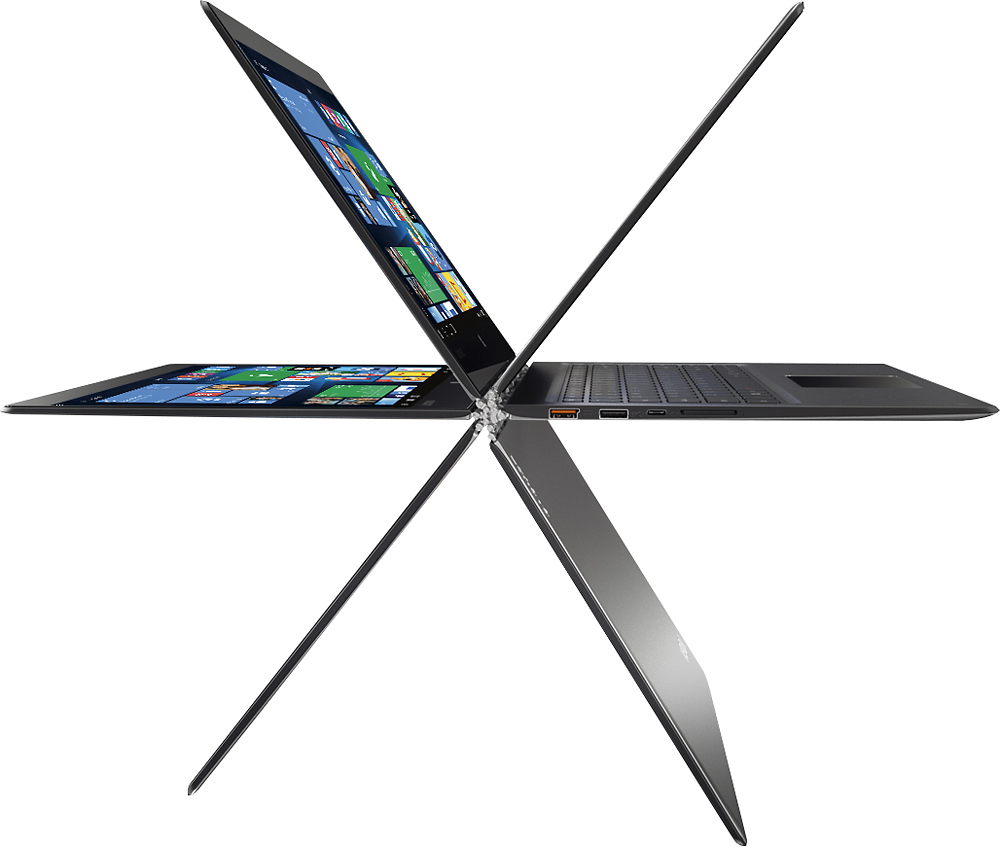
Posted .This reviewer received promo considerations or sweepstakes entry for writing a review.This is a wonderful 2-in-1. I was considering a Surface; however, the "watch band" designed hinge and the ability to bend the screen forward made this the better choice. It's awesome when waiting at appointments. The startup and processing speed is excellent. Very lightweight The ability to use it in tablet form, in a tented position, and even longways makes it super versatile. This is my favorite purchase in a long time. Love it!
I would recommend this to a friend Ultra Thin Powerhouse.
Posted .This reviewer received promo considerations or sweepstakes entry for writing a review.I read the reviews before I purchased this 2 in 1 Laptop. The only issue noted was a TouchPad scrolling issue within Windows 10's Setup and many "Metro" Apps. The problem was the TouchPad driver. Lenovo's Support site had already acknowledged the problem and provided an updated driver. It was an easy download and install from their site. I mention this only because there are many yet to be sold YOGA 900's with this problem. 16 gigs of RAM and a 512 Gig SSD makes this little guy a SCREAMER. 3200 X 1800 display resolution is unreal. I'm a happy camper! I do wish that Best Buy had the Clemente Orange in stock. But my silver 900 is still great looking.
I would recommend this to a friendGreat Ultrabook - Only Problem is Keyboard
Posted .This reviewer received promo considerations or sweepstakes entry for writing a review.After deciding to retire my Lenovo Yoga 2 Pro, I ultimately landed on this laptop after strongly considering the Microsoft surface products. I did purchase the Surface Pro 4 and ended up returning it because of poor battery life, keyboard layout, and not feeling enough like a proper laptop. I have to say, I really like this updated version of the Yoga series. The build quality feels excellent, the trackpad is solid (if not surface book or macbook quality), super light and portable, excellent screen resolution (just expect some glare), and the specs are fantastic for the price point (16 GB RAM, 512 GB SSD). The only thing bringing it down to 4 stars is the keyboard. I love the keyboard layout, much than most other laptops I've tried, but it has a tendency to double-type characters more often than I would like. My sentencess too offten end up loooking like this. Fairly annoying. I actually returned the first one I bought because of the issue, and now the new one does it as well. Not as bad as the original, but still enough to be a nuisance. I will keep it this time and deal with the issue, but this just seems like something they should absolutely be getting right.
I would recommend this to a friend- Pros mentioned:Touchscreen
Nicest laptop I have owned
Posted .This reviewer received promo considerations or sweepstakes entry for writing a review.I really like it. The keyboard is very nice and the back lighting comes in handy. I think the keys are placed well. It is easy to use. The screen keyboard is also easy to use with large keys and good placement. The screen has been bright enough for me in all cases. Not sure why some have problems with it. Maybe the screen protector they use? It boots very quickly in about 8 seconds and powers down in much less, unbelievable. It runs quietly and does not heat up. I am an HP fan in the past but bought this instead and I am happy with it. It performs very well and the wireless hooks up quickly the first time and every time after that. I am a new Lenovo fan.
I would recommend this to a friend By Far The Best
Posted .This reviewer received promo considerations or sweepstakes entry for writing a review.I have a Surface Pro 2,3,4 and there great for the kids. However, I use CAD for work and some other design programs. Surface Pro (a Microsoft Computer) can't even run Microsoft software correctly in win 10 without freezing up, however the new yoga 900 runs it fast, smooth, without lag, and I love it. If your looking for a kids computer get a surface pro (as for the surface book I returned it too, you can load them down with specs but that don't help if It won't load). If you want a business computer that will do anything, the yoga 900 is the computer for you. I see people complaining about the resolution but I've had no issue and love the computer. Great job Lenovo!!!
I would recommend this to a friendGreat so far!
Posted .This reviewer received promo considerations or sweepstakes entry for writing a review.Ordered online through Best Buy and received it about a week ago. I've used it everyday for a variety of tasks since then with minimal issues. The design and versatility is everything I hoped for. The quality of the build seems durable for the most part. I'm an engineering student so I will be using some extensive software on this machine, hopefully the integrated graphics will prove to be enough, but I haven't tested the software on it yet. In an attempt to future proof, I opted for the 16gb of ram, which has proven to make this machine a work horse even under demanding circumstances. So far I love the machine, but below I will note a few things that I have noticed or encountered that are worth mentioning: 1) from the first day of use, my trackpad show's signs of use. i.e. discoloration that does not wipe off. I don't know if I had something on my hands that day, but now my trackpad looks like it's 2 years old with the finish worn off the trackpad 2) trackpad has, on some instances been less responsive or nonresponsive to gestures or general touch use, not sure if the "touchpad settings" set to medium delay is the reason for this or if its a result of hardware or driver issues 3) trackpad is somewhat loud and "clicky" as mentioned on other reviews, the build of it feels slightly cheap, but it's not horrible by any means 4) display drivers periodically failing the first couple of days, which is not unique to this device as my other laptop (HP) has been doing the same; but before I had a chance to look for updated drivers on the Lenovo website, I installed the latest Windows 10 update and have not ran into the issue since 5) the keyboard is fairly small, which for my small hands is not a problem. I've also been using a tablet with attachable keyboard for the last 2 years, so I'm adjusted to small keyboards. For anyone with larger hands, it may take some time to get use to the size, or it may be a deal breaker and you may want to opt for a larger device 6) resolution on this beast does indeed make text, apps, and programs smaller than what I would like. I saw this "issue" on a review that I had read before purchasing, thinking changing the settings would help. Unfortunately, I have not found the right setting to make the text better without "blowing up" everything else. For example, I'm using Quicken Deluxe 2016 for my finances, and some of the buttons for settings and such are now less than centimeter tall or wide, making it impossible to select with touch, and just too small in general. Many of the other apps and programs I run also display text that is too small to read from more than a foot or two away, and in many instances I can't zoom in while in the program/app Despite these minor caveats, I still very much enjoy this machine. There are some small issues that could be addressed, but nothing that truly inhibits the functionality. Best of luck hunting!
I would recommend this to a friendPowerfull, Portable and sleek.
Posted .This reviewer received promo considerations or sweepstakes entry for writing a review.The Yoga 900 with the i7 is a powerfull computer able to handle most everything I have asked it to do without stumbling. It is fast to boot up and load all programs and webpages. The battery life is execptional, I can easily get a day of moderate usage out of it with no problems. It is sleek and lightweight making it very portable and easy to use anywhere. It feels like a premium product and I would reccomend it to anyone looking for something of this nature.
I would recommend this to a friend- Pros mentioned:Fast
Everything I hoped for
Posted .This reviewer received promo considerations or sweepstakes entry for writing a review.Love the flexibility of my Yoga. It's super fast - really surprisingly fast. And so quiet. The keyboard has a deft touch, and being able to fold it into a tablet is a huge bonus for reading e-books, curled up on the couch. The cool silver hinge holds the screen in any position without fail. A wonderful machine!
I would recommend this to a friend