Customer Ratings & Reviews







- Model:
- 80VF00FRUS
- SKU:
- 5723427
to a friend
Customers are saying
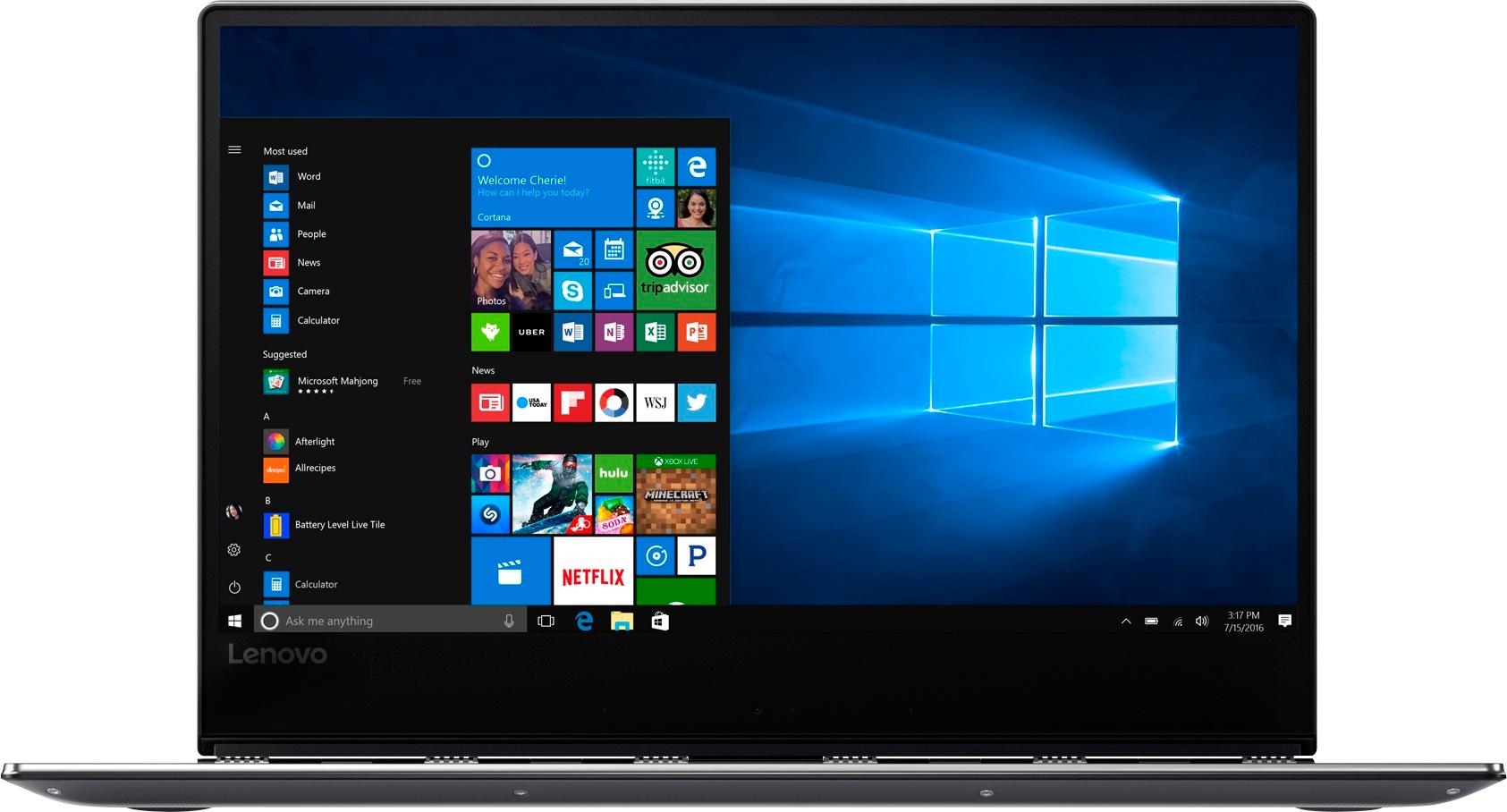
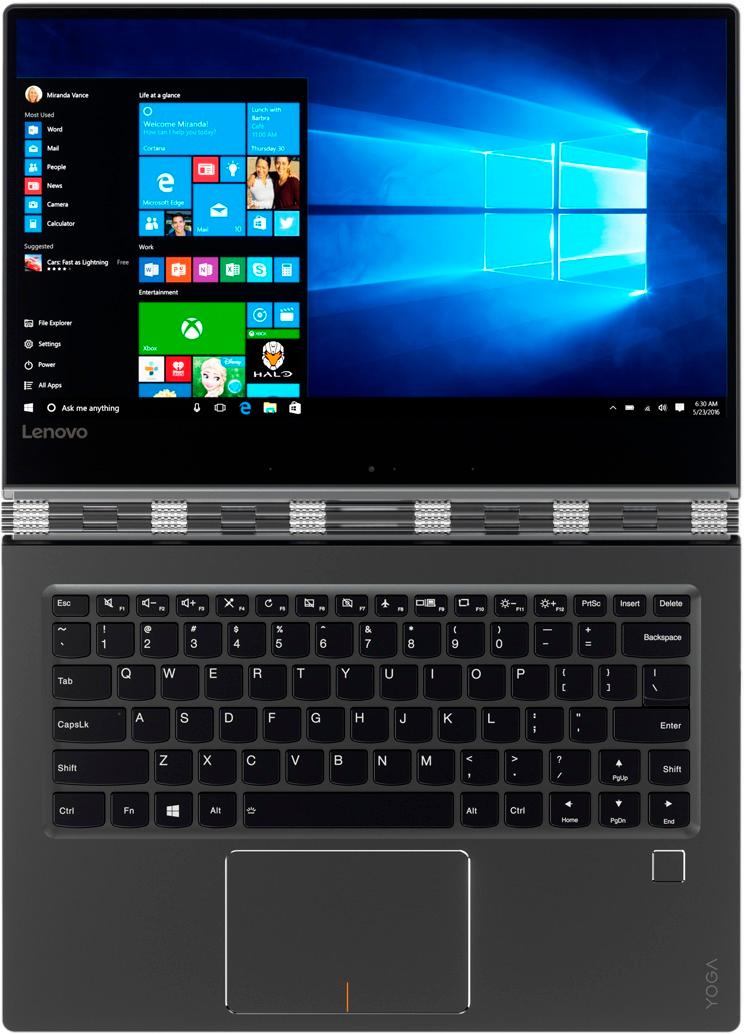
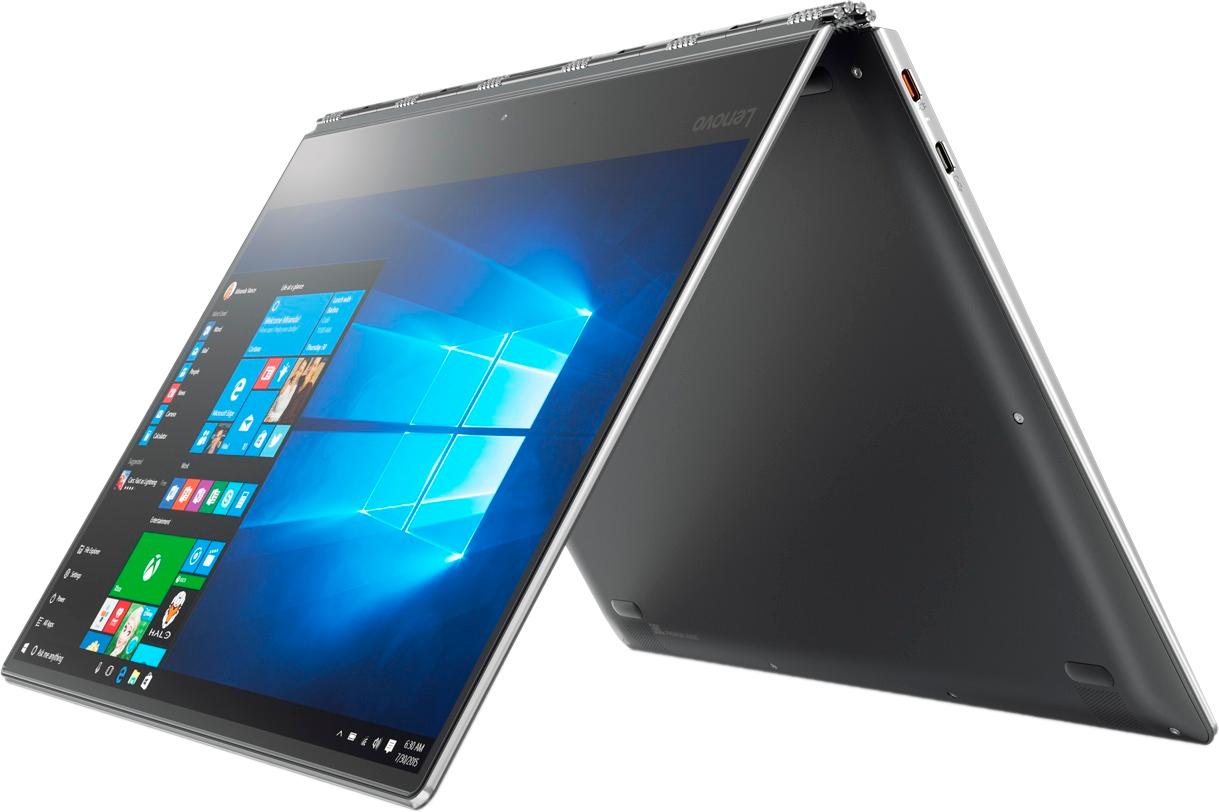
Customers appreciate the Yoga 910's fast performance, lightweight design, and long battery life. They also value the high-quality 4K touch screen and the large 1TB SSD storage. However, some customers have expressed concerns about the fan noise, the placement of the right Shift key, and the limited number of ports.
This summary was generated by AI based on customer reviews.
- Pros mentioned:Lightweight
Lightweight and sturdy
||Posted .This reviewer received promo considerations or sweepstakes entry for writing a review.Lightweight , smooth opening with new design on hinge
I would recommend this to a friendBrand response from Lenovo Product Expert
Posted .Thank you for choosing the Lenovo Yoga 910-14. We are pleased to hear that the features and performance of the Yoga 910-14 meets your computing needs so well.

Excellent product!!
||Posted .This reviewer received promo considerations or sweepstakes entry for writing a review.Excellent product!! Great price!! Highly recommended!!
I would recommend this to a friendBrand response from Lenovo Product Expert
Posted .Thank you for choosing the Lenovo Yoga 910-14. We are pleased to hear that the value and performance of the Yoga 910-14 meets your computing needs so well.
Nice Laptop...
||Posted .This reviewer received promo considerations or sweepstakes entry for writing a review.Very fast laptop and , 1TB of solid state great!!!!!
I would recommend this to a friendBrand response from Lenovo Product Expert
Posted .Thank you for choosing the Lenovo Yoga 910-14. We are pleased to hear that the features and performance of the Yoga 910-14 meets your computing needs so well.
Good price for what you get.
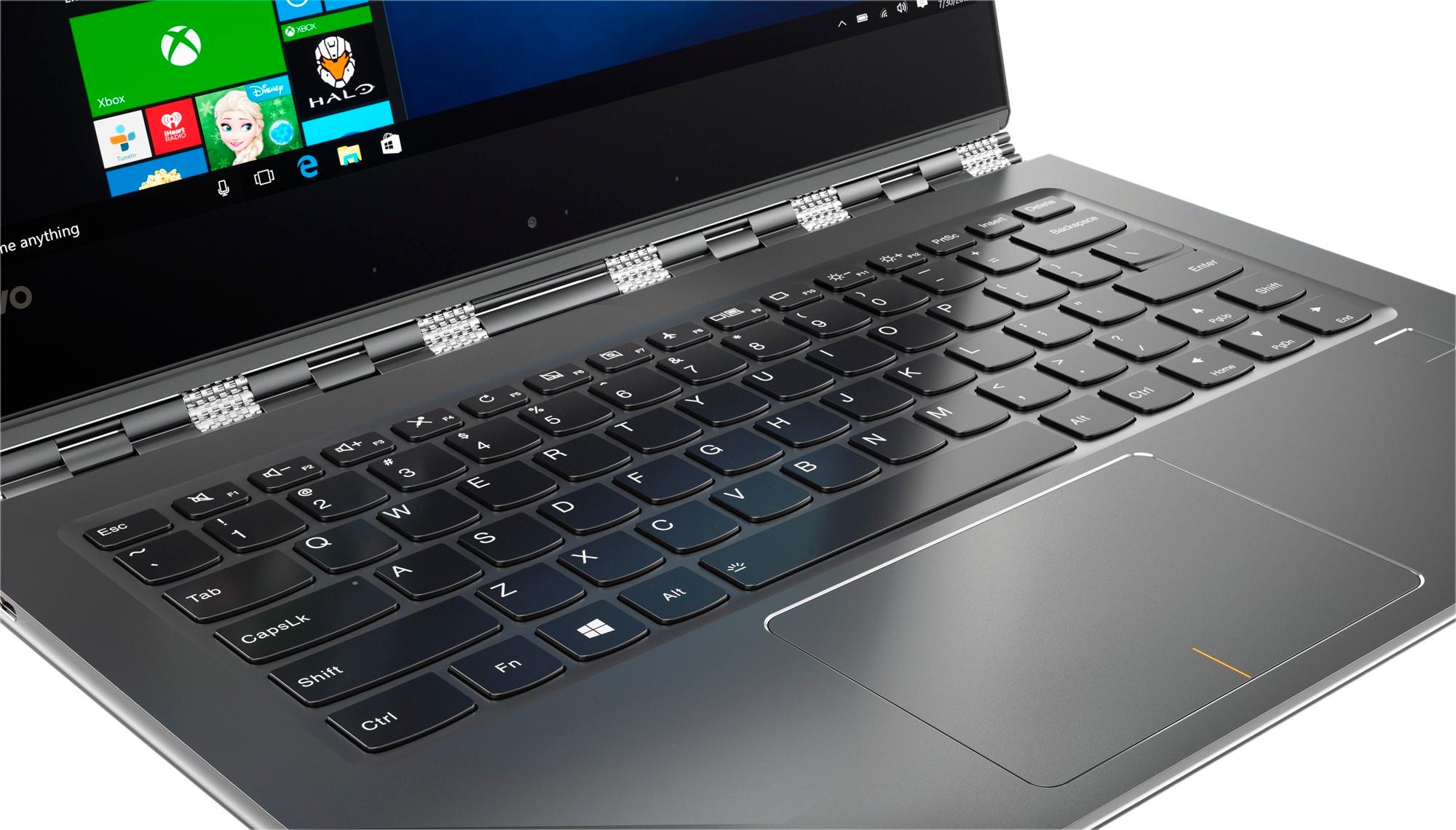
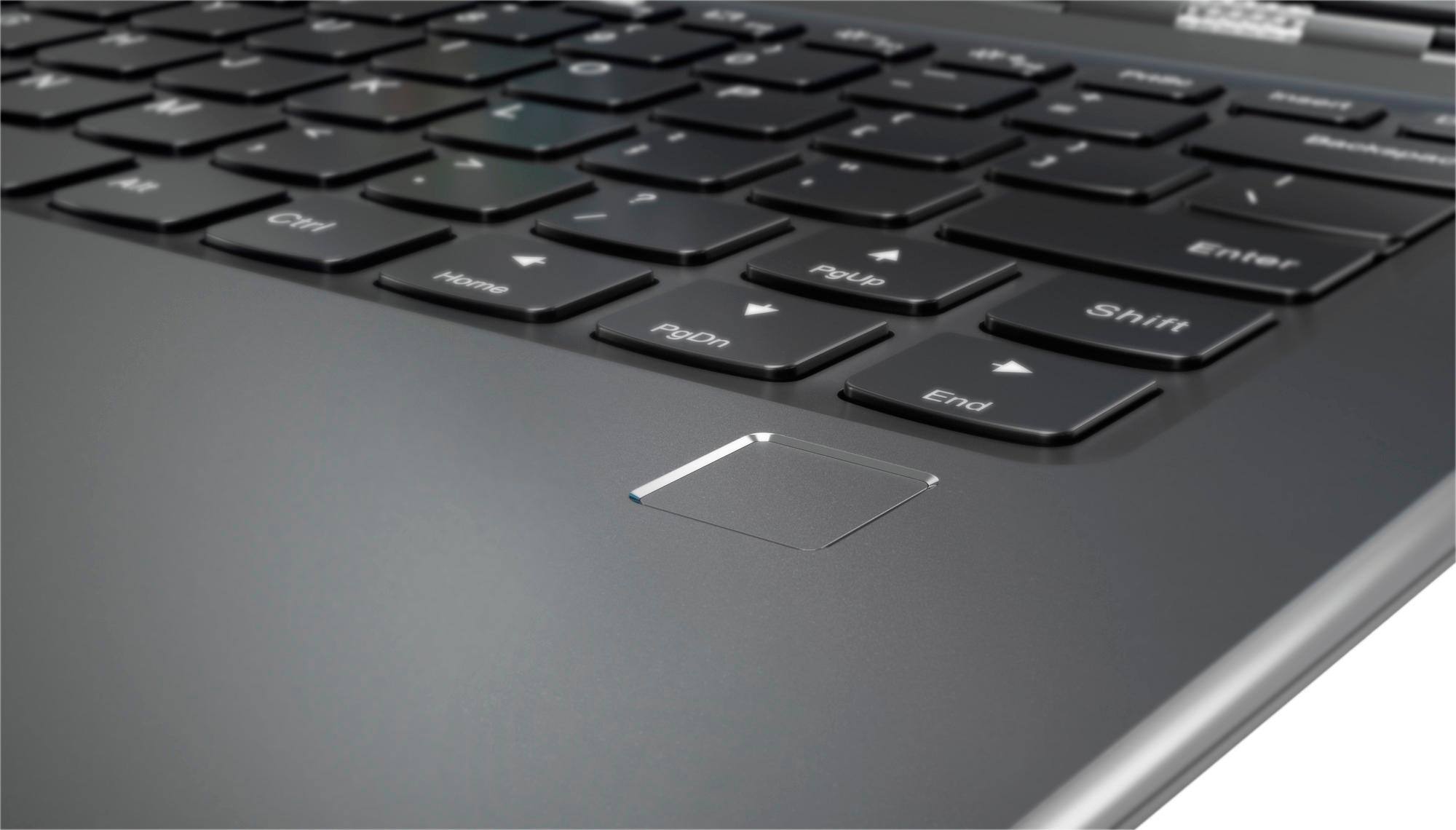
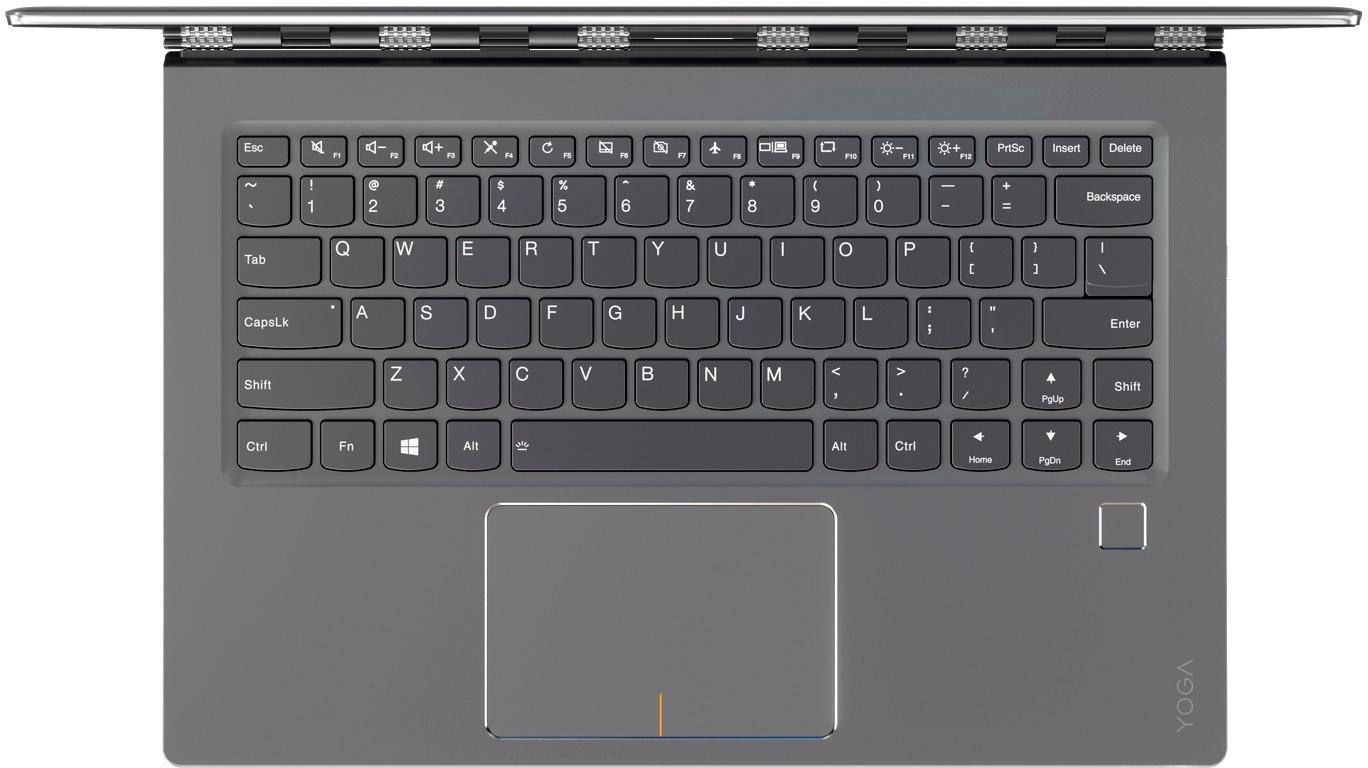
||Posted .This reviewer received promo considerations or sweepstakes entry for writing a review.Overall, a very good computer with few quirks. The small right hand shift key is a strange design decision and takes a lot of time to get use to.
No, I would not recommend this to a friendBrand response from Lenovo Product Expert
Posted .Thank you for choosing the Lenovo Yoga 910-14. With regard to the right shift key issue you mention, there is a free software APP called KeyTweak that may help you. You can switch the key functions of specific keys on your keyboard with this software, so you could change the right shift key with the key you hit in its place. Just Google search "KeyTweak" and you will find articles about what the software does and you will find the download location for this free APP.
- Pros mentioned:Fast
Love it
||Posted .This reviewer received promo considerations or sweepstakes entry for writing a review.I found this laptop easy to use, reliable and fast.
I would recommend this to a friendBrand response from Lenovo Product Expert
Posted .Thank you for choosing the Lenovo Yoga 910-14. We are pleased to hear that the Yoga 910-14 is working out so well for you.
- Cons mentioned:Fan noise
I DO NOT Recommend you buy this laptop
||Posted .This reviewer received promo considerations or sweepstakes entry for writing a review.If you are going to spend this money on a laptop i would recommend buying an Apple Laptop. I chose to stick with Windows and and was happy with the laptop for about a month or so but my disappointments after a year were: 1) Loud fan noise because of how hot the laptop gets. 2) Power failure after first repair under warantee 3) Blue screens 4) My brothers laptop webcam and hard drive failed also n the same model.
No, I would not recommend this to a friend - Pros mentioned:Screen
Its ok
||Posted .This reviewer received promo considerations or sweepstakes entry for writing a review.This laptop is ok. I enjoy windows on touch screen. The screen is so sensitive its unusable as a tablet. Other than that ... so far so good
I would recommend this to a friend - Cons mentioned:Freezing
Great while it worked
||Posted .This reviewer received promo considerations or sweepstakes entry for writing a review.After being on a MacBook Air for passed years decided to go back to my windows based laptop since I just never got used to the Mac OS. I debated between this and the Dell XPS 13. Made the wrong choice. Initially then laptop ran beautifully. Now it keeps on freezing and restarting. I use it mostly just to surf the web and watch Netflix. In middle of my shows just freezes and windows is locked up. Checked to make sure everything is updated and sure is. No idea why it just locks up. Now I can't even to get it to load up...stuck on the repair screen. If it gets passed that freezes within minutes. Sigh. Should have stayed with a MacBook. Kicked myself since now I need to live with it for a couple years at least. So if you want the laptop to work for a short period and then just randomly freeze this is for you...if you want a reliable laptop steer clear. Sad since it was a beautiful looking laptop...I guess the old sang don't judge a book by its cover...
No, I would not recommend this to a friendBrand response from Lenovo Product Expert
Posted .This sounds like a conflict with either a Windows 10 update or incompatible installed software. Be sure any software you installed is compatible with Windows 10. There is no need to install Microsoft Office software. The software is already part of the operating system, you just need to activate the software with a purchased product key. If you have installed a copy of Microsoft Office, this is conflicting with the existing copy on the system and this will slow your system down. If you have installed a 3rd party anti-virus program, be sure that Windows Defender is turned off and that the trial version of McAfee Anti-Virus software is uninstalled. There can only be one anti-virus program on the system. You may need to restore your system to original factory default settings if any of the programing errors have occurred. You can do that by typing "restore" in the Cortana search window. Just click on the magnifying glass icon at the bottom left of your Windows 10 Desktop. Click on "Reset This PC" Then click on "Get Started" and follow the on screen directions to restore to factory defaults. If you can't get to the Windows 10 desktop to restore the device, this system is equipped with OneKey Recovery System. There is a very small pin hole on the right side of the device, right near the power button on the device. You will need a pin to push this reset button. Plug the device in. Let the battery charge for about 15 minutes. Push the reset button. The system should boot to a choice screen where you can choose "Restore To Factory Default". Select this. It will delete everything from the hard drive except the original factory install of the operating system. You will need to reinstall all programs and files after the reset. If you don't have copies of the files, try to make one before you restore by selecting "Boot to desktop" and trying to back up your files.
Too expensive
||Posted .This reviewer received promo considerations or sweepstakes entry for writing a review.It's a good a good laptop but its way over priced. I think Lenovo priced it that high so they could cut the price in half and still make money. It's worth about $800.00.
I would recommend this to a friendSo far so good!
||Posted .This reviewer received promo considerations or sweepstakes entry for writing a review.Needed a computer due to a unresolved issue with a HP laptop. Best Buy staff helped us make an educated decision in choosing a new laptop that would fit our needs now and in the near future. I am still getting familiar with this Yoga, but so far it has been very easy to use and navigate thru.
I would recommend this to a friendBrand response from Lenovo Product Expert
Posted .Thank you for choosing the Lenovo Yoga 910-14. We are pleased to hear that the features and performance of the Yoga 910-14 meets your computing needs so well.
Great computer
||Posted .This reviewer received promo considerations or sweepstakes entry for writing a review.I purchased this computer for college, the first one I picked up was a dud (the display didn't work) so I brought it back and that exchanged it on the spot. They replaced it on the spot and it runs everything flawlessly with extreme efficiency. Amazing computer, I've had no complaints!
I would recommend this to a friend- Cons mentioned:Fan noise
performance good but the fan noise
||Posted .This reviewer received promo considerations or sweepstakes entry for writing a review.This ultra book is great appearance, but the fan noise is really loud and the tech support can't solve the problem.
No, I would not recommend this to a friendBrand response from Lenovo Product Expert
Posted .The fix for the fan noise is a BIOS update. Obviously, the fan needs to run to keep the device within optimum operating temperatures. This BIOS update will help with throttling of the fan which will make the fan run less, therefore causing less noise. Follow the link below to look for new BIOS updates for your specific system. You can also run diagnostics from the Lenovo site as well. As always, be sure to create a restore point on your system before you make any changes. You can do this by just typing "restore point" in the search window within Cortana and follow the link to create a restore point. Here is the link:
http://pcsupport.lenovo.com/us/en/products/laptops-and-netbooks/yoga-series/yoga-910-13ikb/80vf/80vf00frus/downloads
Not much better than other competitor units
||Posted .This reviewer received promo considerations or sweepstakes entry for writing a review.Good resolution but icons are too small to read. Blue screen comes on once in a while to restart the computer.
No, I would not recommend this to a friendBrand response from Lenovo Product Expert
Posted .You can increase the size of text an icons. Click on the magnifying glass icon at the bottom left of your Windows 10 screen. Type "larger" in the search window. Select "Make text and other items larger or smaller" from the list of options. Follow the instructions to increase text an icons to your liking. This system should not be getting Blue Screens. Be sure any software you installed is compatible with Windows 10. There is no need to install Microsoft Office software. The software is already part of the operating system, you just need to activate the software with a purchased product key. If you have installed a copy of Microsoft Office, this is conflicting with the existing copy on the system and this will slow your system down. If you have installed a 3rd party anti-virus program, be sure that Windows Defender is turned off, there can only be one anti-virus program on the system. You may need to restore your system to original factory default settings if any of the programing errors have occurred. You can do that by typing "restore" in the Cortana search window. Just click on the magnifying glass icon at the bottom left of your Windows 10 Desktop. Click on "Reset This PC" Then click on "Get Started" and follow the on screen directions to restore to factory defaults.
Fast - slim - lightweight & convertible
||Posted .This reviewer received promo considerations or sweepstakes entry for writing a review.Looked at all the convertible laptops. I got this specked with 1tb flash drive & 16g ram. It's fast, reliable, light & looks great. Very fast startup (seconds). Battery life is only 3-4hrs. Very solid hinge mechanism. A few people complimented me on it in coffee shops.
I would recommend this to a friendBrand response from Lenovo Product Expert
Posted .Thank you for choosing the Lenovo Yoga 910-14. The battery life on this model should be 8 to 10 hours. Be sure there are no unwanted programs running in the background on your system. There is no need to install Microsoft Office software. The software is already part of the operating system, you just need to activate the software with a purchased product key. If you have installed a copy of Microsoft Office, this is conflicting with the existing copy on the system and this will slow your system down and could be possibly be running in the background, draining your battery. Additionally, try changing your power management setting to a more conservative one. You can do this in the control panel, in the power management category on your system. Select a more conservative power management setting to extend battery life.
Good product
||Posted .This reviewer received promo considerations or sweepstakes entry for writing a review.Good Product, not quite as responsive as I would have expected being a 7 processor, but all in all it is about like all the others I suppose.
I would recommend this to a friendBrand response from Lenovo Product Expert
Posted .This system should be extremely fast system with its Core I-7 processor and 16GB of RAM and a 1TB SSD. Be sure any software you installed is compatible with Windows 10. There is no need to install Microsoft Office software. The software is already part of the operating system, you just need to activate the software with a purchased product key. If you have installed a copy of Microsoft Office, this is conflicting with the existing copy on the system and this will slow your system down. You may need to restore your system to original factory default settings if any of the programing errors have occurred. You can do that by typing "restore" in the Cortana search window. Just click on the magnifying glass icon at the bottom left of your Windows 10 Desktop. Click on "Reset This PC" Then click on "Get Started" and follow the on screen directions to restore to factory defaults.
Very good value
||Posted .This reviewer received promo considerations or sweepstakes entry for writing a review.Got this as an open box black Friday deal. Good product, just wish that I knew how to set-up the fingerprint reader. Wish that it had a pen. Best Buy seems to sell good open box products. This was my first open box purchase and I was hesitant.
I would recommend this to a friendLove it
||Posted .This reviewer received promo considerations or sweepstakes entry for writing a review.My husband loves his Lenovo. He tried a few different computers before he settled on this one and he is very pleased. He like to watch tv and movies on it and do some work. He uses it all the time and it has a clear picture.
I would recommend this to a friendNice little machine
||Posted .This reviewer received promo considerations or sweepstakes entry for writing a review.Works well so far. Like the size. Dislike the sharp edge when typing as it digs into my wrists.
I would recommend this to a friendBrand response from Lenovo Product Expert
Posted .Thank you for choosing the Lenovo Yoga 910-14. With regard to the edge of the device, we will look in to this for future improvements.
Some good features but I'm ready to through it out
||Posted .This reviewer received promo considerations or sweepstakes entry for writing a review.One very stupid thing about this laptop is the small right SHIFT KEY. Right SHIFT KEY is always one of the largest KEYs for every laptops and computers, but this one is a small one. I just cannot get used to it. After almost one month of use, my right baby finger keep hitting PgUp Key instead, totally screwing up my work. I miss normal laptop.
No, I would not recommend this to a friendBrand response from Lenovo Product Expert
Posted .With regard to the right shift key issue you mention, there is a free software APP called KeyTweak that may help you. You can switch the key functions of specific keys on your keyboard with this software, so you could change the right shift key with the key you hit in its place. Just Google search "KeyTweak" and you will find articles about what the software does and you will find the download location for this free APP.
Very good value for this much memory
||Posted .This reviewer received promo considerations or sweepstakes entry for writing a review.This purchase replaced a 5 year old Mac, that had served its purpose well, but had become outdated. Switching to a PC was a good move.
I would recommend this to a friendBrand response from Lenovo Product Expert
Posted .Thank you for choosing the Lenovo Yoga 910-14. We are pleased to hear that the features and performance of the Yoga 910-14 meets your computing needs so well.