Customer Ratings & Reviews







- Model:
- 80VF00FRUS
- SKU:
- 5723427
to a friend
Customers are saying
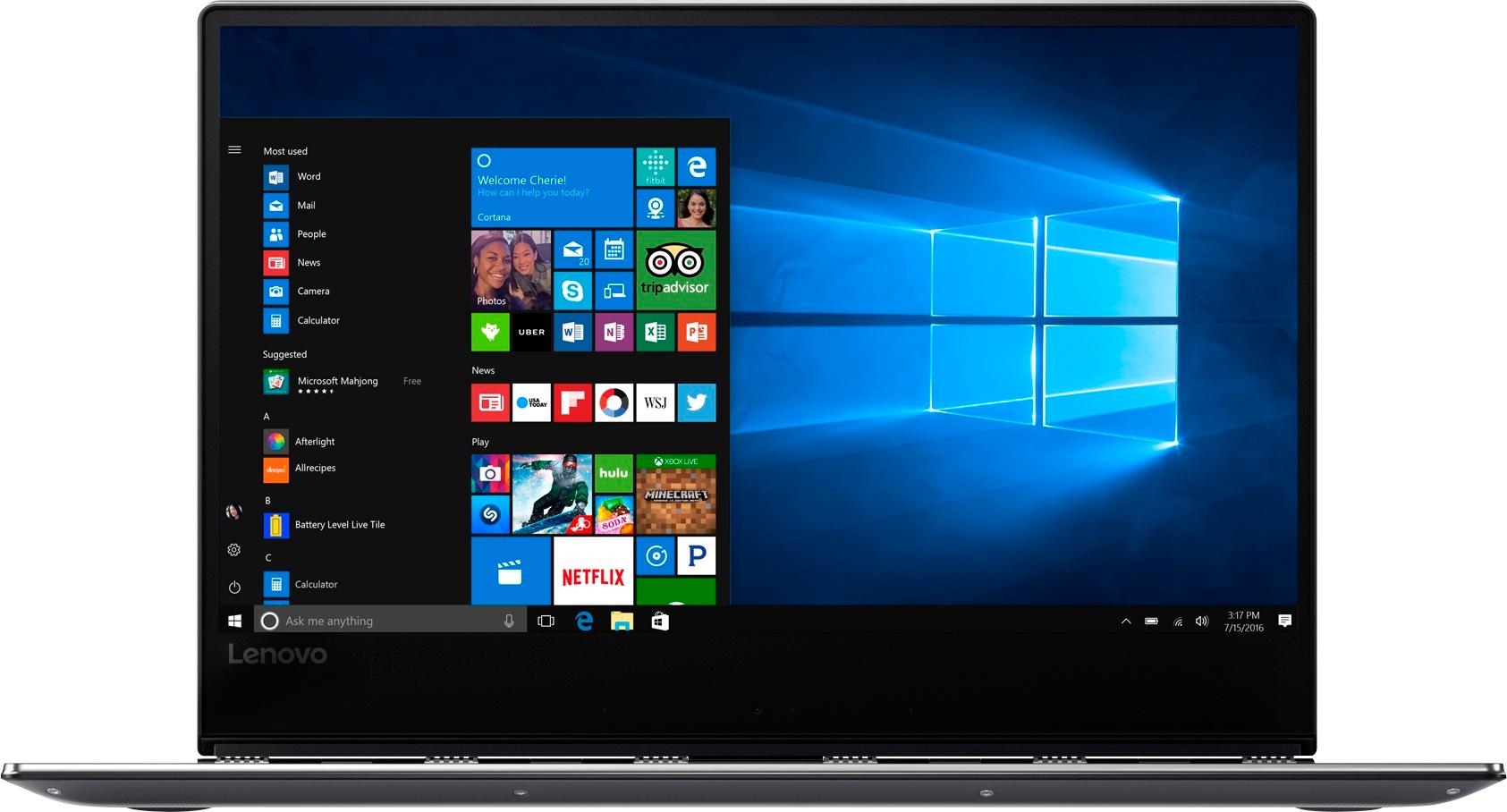
Customers appreciate the Yoga 910's fast performance, lightweight design, and long battery life. They also value the high-quality 4K touch screen and the large 1TB SSD storage. However, some customers have expressed concerns about the fan noise, the placement of the right Shift key, and the limited number of ports.
This summary was generated by AI based on customer reviews.
Do your homewotk
||Posted .This reviewer received promo considerations or sweepstakes entry for writing a review.Make sure you do your homework on what this laptop can do. If you are looking for a laptop to use with the pen this is not for you.
No, I would not recommend this to a friendBrand response from Lenovo Product Expert
Posted .You are correct. The Yoga 910-14 is not compatible with any active/digital pen.

- Cons mentioned:Fan noise
About the noise and background
Posted .This reviewer received promo considerations or sweepstakes entry for writing a review.The fan of my laptop is loud. I don't know how to turn it off. That would be great if I know how; otherwise, it would be annoying. The background is strange (including with the Microsoft Office.) It does not give you white color or normal background as normal laptops/computers (white background). I am not good on the technical aspects on laptop and computer. So, if there is anyone can help me with the issues above, that would be good. Also, it is good if there is more USB port, Otherwise, it is pretty good laptop to be with. It is light and easy to type, high memory to store.
I would recommend this to a friendBrand response from Lenovo Product Expert
Posted .It sounds like there may have been errors during the initial setup of Windows 10. We recommend you stop by your local Best Buy and show these issues to the Geek Squad. As for the fan, this is a high performance system. The fan is necessary to maintain the proper operating temperature of the system. When the fan is running, it is normal to hear the fan. There are BIOS updates that may be able to help with the throttling of the fan. Follow the link below to look for new BIOS/driver updates for your specific system. You can also run diagnostics from the Lenovo site as well. As always, be sure to create a restore point on your system before you make any changes. You can do this by just typing "restore point" in the search window within Cortana and follow the link to create a restore point. If you feel you would rather have your local Geek Squad to this for you, show them the following link: https://pcsupport.lenovo.com/us/en/products/laptops-and-netbooks/yoga-series/yoga-910-13ikb/80vf/80vf00frus/downloads
- Pros mentioned:Screen
Best laptop for college
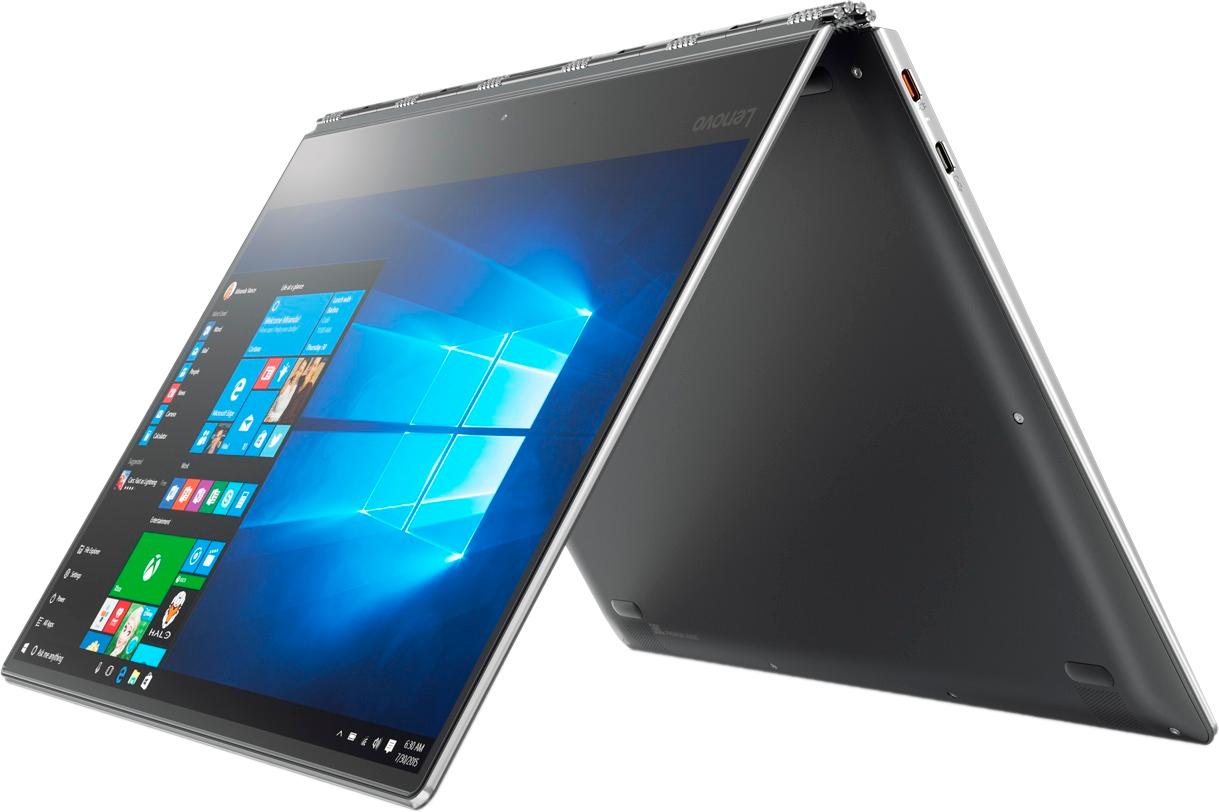
Posted .This reviewer received promo considerations or sweepstakes entry for writing a review.This has been the perfect laptop for school. I purchased in 2017 and still use it today in 2024. It's touch screen which comes in handy and it folds into a tablet. It has fingerprint sign in for login ease. This is by far my favorite laptop. It also works well with programming.
I would recommend this to a friend Absolutely Impressed
Posted .This reviewer received promo considerations or sweepstakes entry for writing a review.I bought this Lenovo 2-in-1 after eyeing it for some time when my Dell Latitude (I know. old system) began to show it's age and was not performing how I wished it to perform anymore. In search of something that was portable, could keep up with the programs I needed to run, (I'm in business school and use a lot of extra database programs or have a lot of office programs running simultaneously) I found this gem. Bonus features where the 2-in-1 and the sleek but sturdy hinge. Must haves for me were the 1TB SSD (incredibility fast) 16GB ram, and intel i7, a little beefed up but definitely great for the peace of mind. I have not been disappointed yet. The fan was loud to begin with but a recent BIOS update took care of that and it is quieter than ever and does not heat-up as much. Battery life is awesome as well as I am also an EMT who works long hours and can throw this in my backpack and rely on it all day long. All in all I can say I am thoroughly impressed by Lenovo and don't see myself purchasing from another manufacturer anytime soon.
I would recommend this to a friendBrand response from Lenovo Product Expert
Posted .Thank you for choosing the Lenovo Yoga 910-14. We are pleased to hear that the features and performance of the Yoga 910-14 meets your computing needs so well.
- Cons mentioned:Shift key
Coulda woulda shoulda
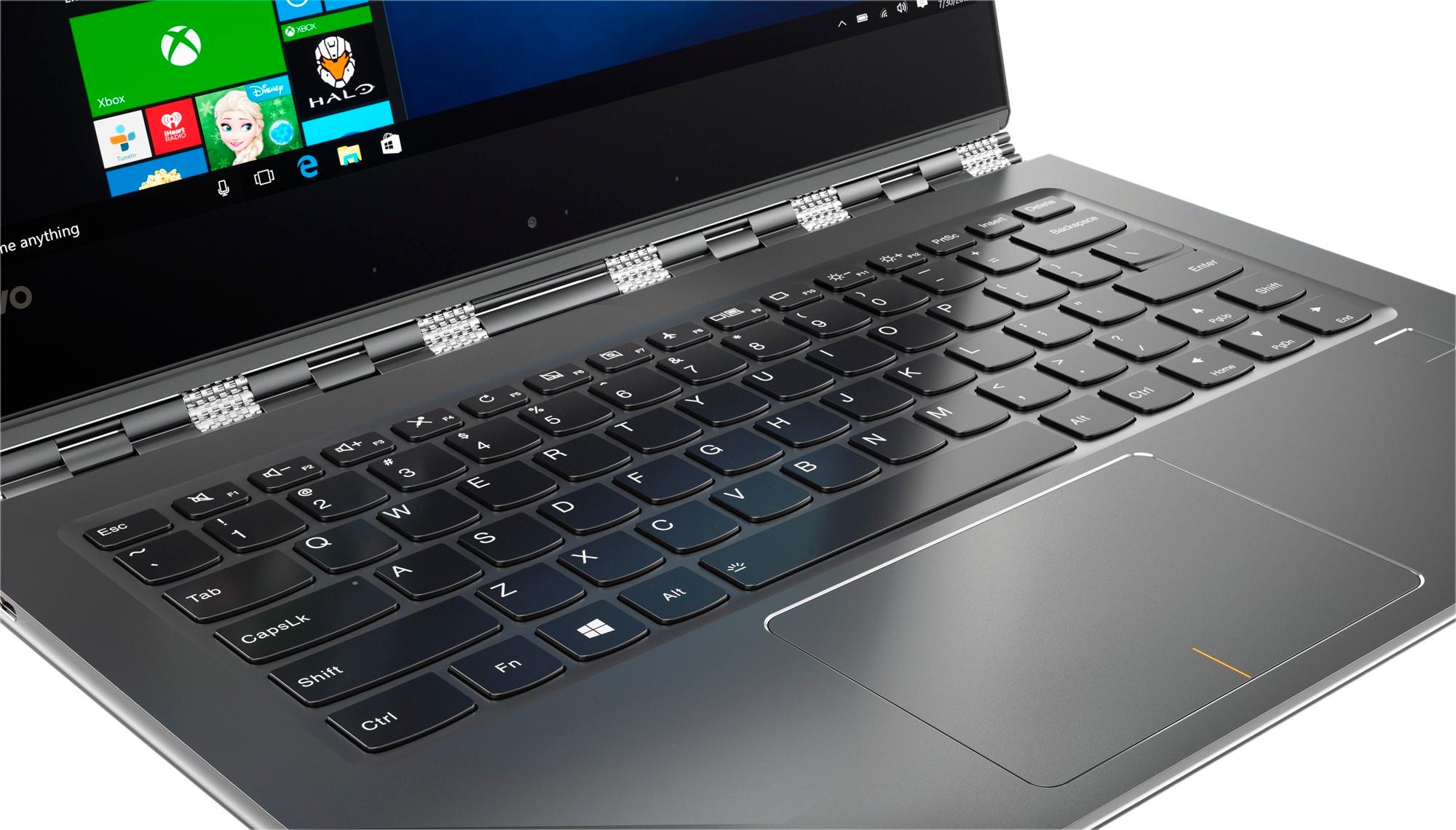
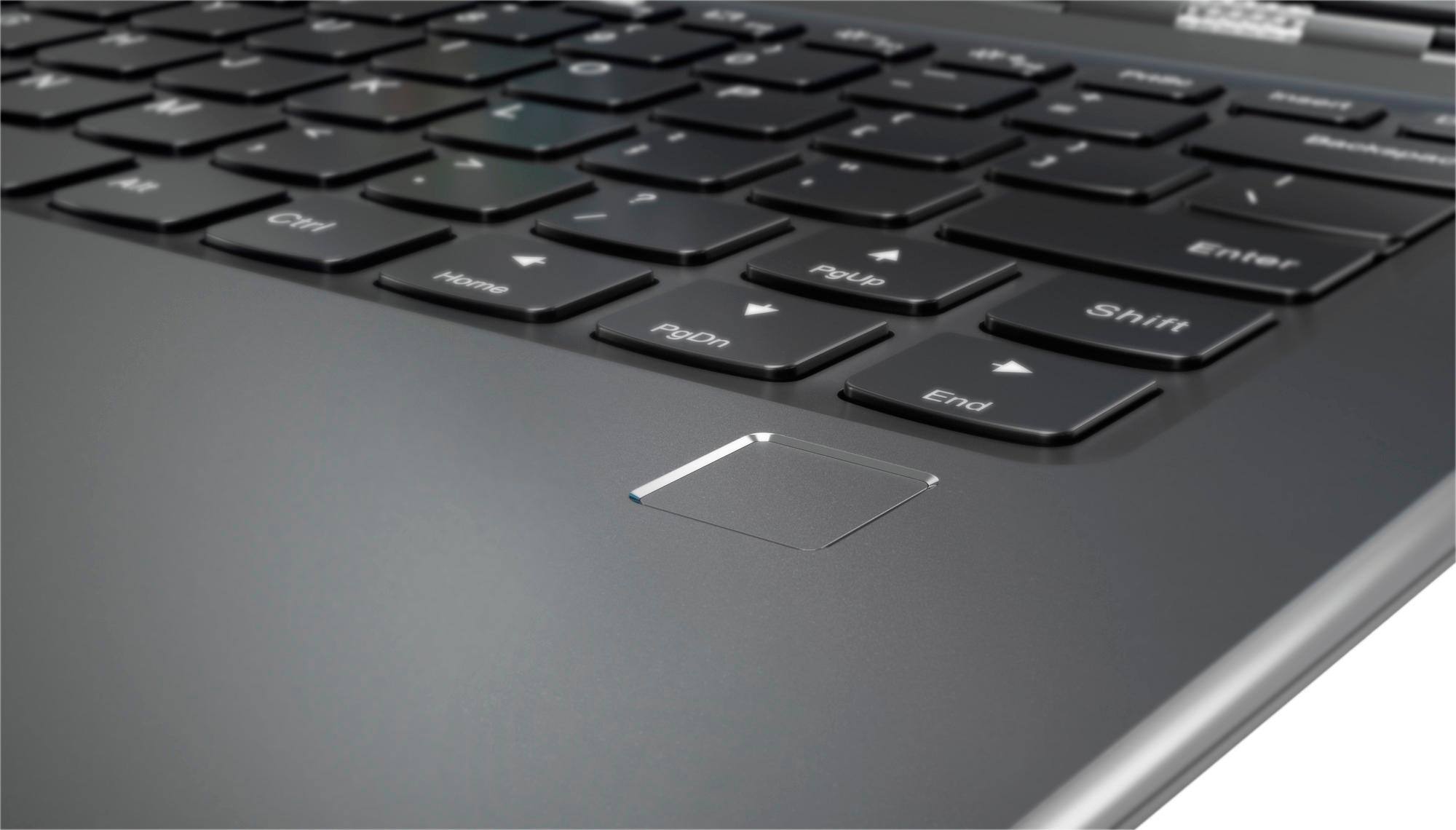
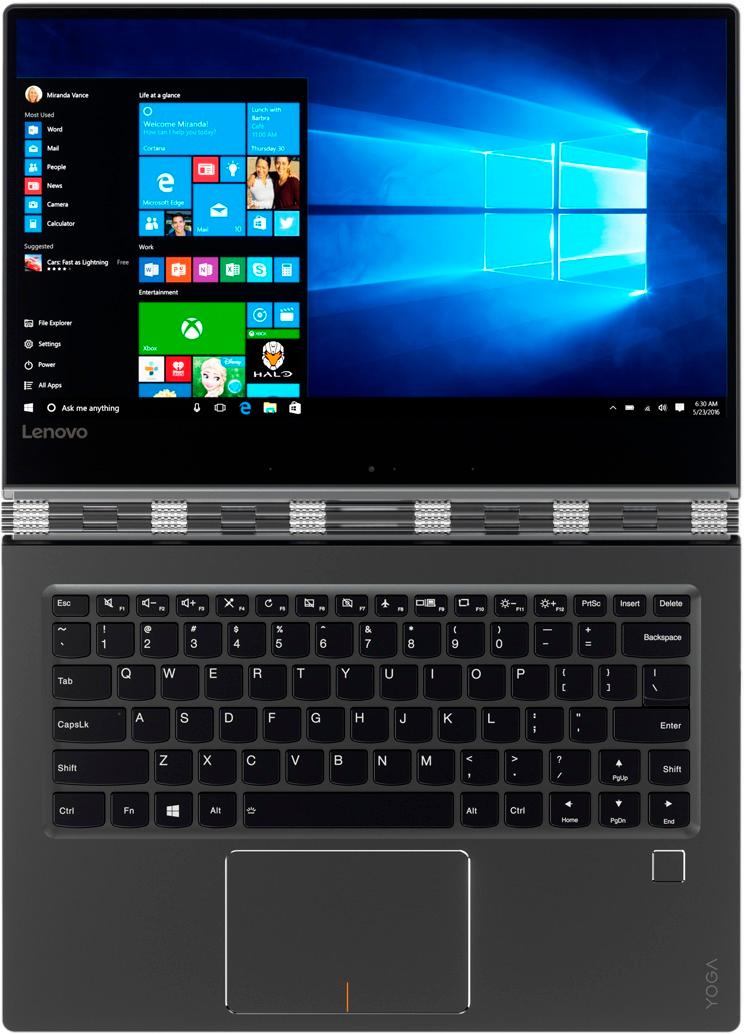
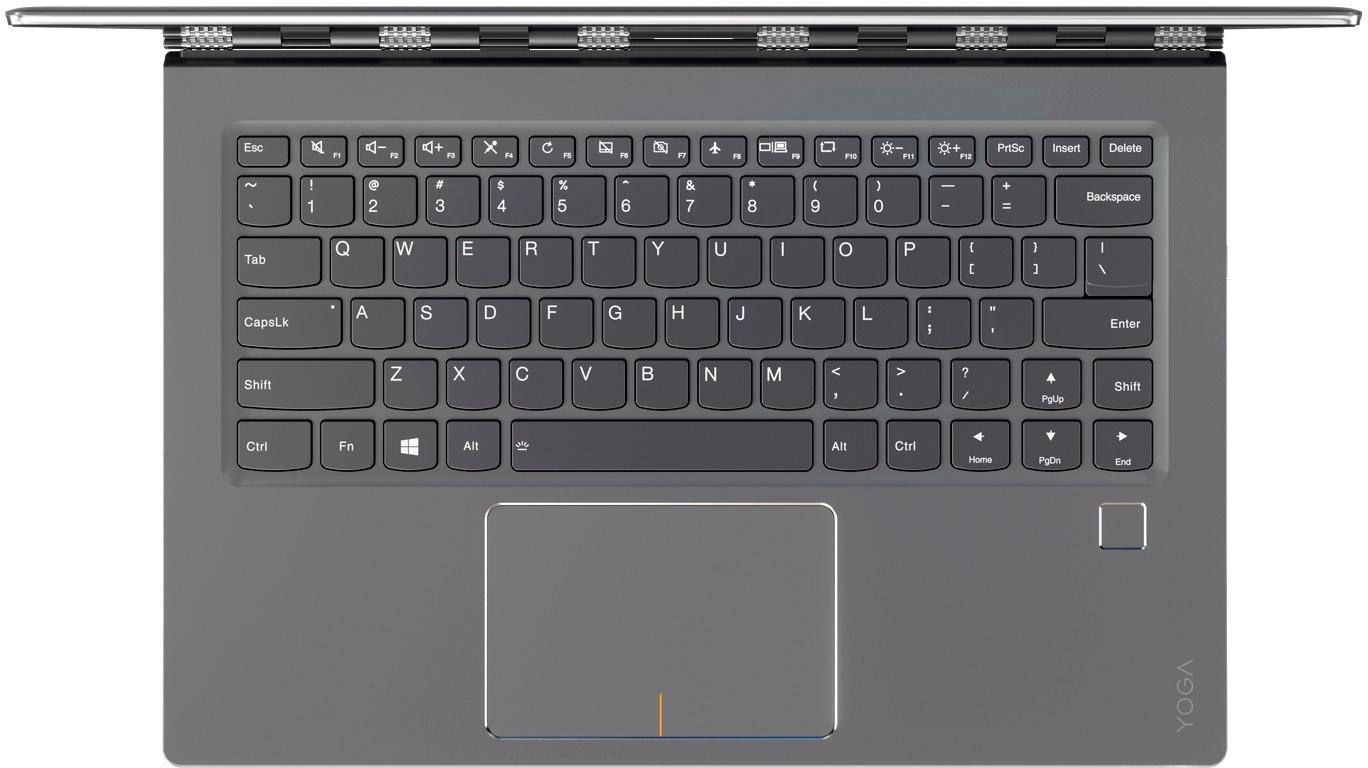
Posted .This reviewer received promo considerations or sweepstakes entry for writing a review.This coulda been the best laptop, woulda not sent it back if it weren’t for the keyboard. Have LOVED Lenovo products but they shoulda not changed the layout of the keyboard. The right shift key was cut in half, moved to the outside and the up arrow set beside it. Result-when you want the shift key, you hit the up arrow. If your a “one finger picker” then this won’t matter to you but if you type, especially if you type with your eyes on the screen, then this one might drive you to drink. Even if you not a drinker.
No, I would not recommend this to a friendBrand response from Lenovo Product Expert
Posted .With regard to the right shift key issue you mention, there is a free software APP called KeyTweak that may help you. You can switch the key functions of specific keys on your keyboard with this software, so you could change the right shift key with the key you hit in its place. Just Google search "KeyTweak" and you will find articles about what the software does and you will find the download location for this free APP.
- Cons mentioned:Freezing
Freezing Kills The Fun
Posted .This reviewer received promo considerations or sweepstakes entry for writing a review.Beautiful notebook, it's the reason I bought it. There are bad reviews but things that I ignore because of the design look: noisy fan, webcam placement, right shift key. I'm not bothered by those as I don't use the cam, the right shift key is not bothersome to me. One thing though that I could not tolerate is the freezing. Yesterday, having owned the 910 for about 3 months now, I had about a 4-minute freeze. This is not the first time and won't be the last. So for buyers out there, decide if you can live with the freezing. Don't be like me, hoping that the bad reviews were not real, because they are. Decide if those bad reviews would affect your decision. I read about the noisy fan and webcam and right shift key placement but decided still to buy it. I had no idea there is a freezing issue. I will not recommend this to anyone.
No, I would not recommend this to a friendBrand response from Lenovo Product Expert
Posted .Freezing is a software issue. If you have installed new software recently, be sure it is compatible with Windows 10. Additionally, there was a recent major Windows 10 update that may have a conflict with older drivers on this device. Follow the link below to look for new driver updates for your specific system. You can also run diagnostics from the Lenovo site as well. As always, be sure to create a restore point on your system before you make any changes. You can do this by just typing "restore point" in the search window within Cortana and follow the link to create a restore point. Here is the link: https://pcsupport.lenovo.com/us/en/products/laptops-and-netbooks/yoga-series/yoga-910-13ikb/80vf/80vf00frus/downloads
- Pros mentioned:Weight
Amazing Laptop
Posted .This reviewer received promo considerations or sweepstakes entry for writing a review.It's a great laptop, Light weight with 16GB RAM and 1TB SSD hard drive, just graphic card is not so powerful so make sure you don't buy it for video game or video editing.
I would recommend this to a friend Smokin' Fast
Posted .This reviewer received promo considerations or sweepstakes entry for writing a review.I had a Lonovo for 2 years and was happy with it, so decided to stay in the family on this purchase. I made sure I got 1TB SSD (incredibility fast) 16GB ram, and intel i7 in this one and the performance is more than I expected! This is a 5 star machine, being held back by two things: it runs hot - too hot to actually leave it in your lap. Fortunately I don't do that often. But the real reason it only gets 4 stars (and not 5) is some idiot placed the up arrow where the shift key is on standard keyboards. Every time I hit shift I end up typing a line up. This is really frustrating and completely unnecessary when this machine was designed. Sad that such a simple thing is keeping this from being a 5 star machine, but if you type by memory it is a BIG deal!
I would recommend this to a friendBrand response from Lenovo Product Expert
Posted .Thank you for choosing the Lenovo Yoga 910-14. The normal operating temperature range of this device is between 100-degrees and 150-degrees Fahrenheit. With regard to the right shift key issue you mention, there is a free software APP called KeyTweak that may help you. You can switch the key functions of specific keys on your keyboard with this software, so you could change the right shift key with the key you hit in its place. Just Google search "KeyTweak" and you will find articles about what the software does and you will find the download location for this free APP.
Great Screen Resolution
Posted .This reviewer received promo considerations or sweepstakes entry for writing a review.I purchased Yoga 910 with a lot of research. I tried many laptop like Asus, Razer, Hp. I decided to get along with this because it has clear screen, it doesn't support stylus therefor the screen is different with the rest. I love 4K resolution. The disappointed thing is lacking of Thunderbolt 3.
I would recommend this to a friendBrand response from Lenovo Product Expert
Posted .Thank you for choosing the Lenovo Yoga 910-14. This model has a USB-c port for video transfer. You are correct, this model is not compatible with any active digital pen.
Great computer!!
Posted .This reviewer received promo considerations or sweepstakes entry for writing a review.It’s been a great laptop. The touchscreen is an asset!
I would recommend this to a friend- Pros mentioned:WeightCons mentioned:Shift key
Beware R shift key. Horrible
Posted .This reviewer received promo considerations or sweepstakes entry for writing a review.I loved the weight and general overall feel. Now that I have used it, I really cannot get used to the small shift key on the right hand side. It is to the Right hand of the page up key, so I have lost tons of text by hitting this key. I wish I could return the laptop. I saved to buy it, and would love to trade it in. Webcam is in odd place making that pretty worthless unless you pick up the laptop. Overall I had been so excited and loved the feel. As it is I rarely use it and have only had it one month. my advice is to pass on this.
No, I would not recommend this to a friendBrand response from Lenovo Product Expert
Posted .With regard to the right shift key issue you mention, there is a free software APP called KeyTweak that may help you. You can switch the key functions of specific keys on your keyboard with this software, so you could change the right shift key with the key you hit in its place. Just Google search "KeyTweak" and you will find articles about what the software does and you will find the download location for this free APP.
- Pros mentioned:Screen
runs hot and lasts only 6 hours
Posted .This reviewer received promo considerations or sweepstakes entry for writing a review.After months of research and reading reviews, I just bought this 2 in 1 and after spending the entire day updating bios and drivers, I am still unhappy that the laptop does not run for more than 6 hours, just watching Netflix without anything else running in background. It also started to run really hot with very loud fan noise. Having read the prior reviews, I expected this and updated all drivers and bios as directed by prior Lenovo answers. I left it to get a full charge overnight and started to just run Netflix to see how long the battery lasts and if it would run hot. Unfortunately, I found that the laptop still runs hot, Certainly not as hot as it was originally, but surely hotter than I had expected as it was not comfortable holding it on my lap. It also lasted only about 6 hours watching Netflix alone. I really like the crisp HD display and very nice colors. However, not wanting to load it with other programs I usually use as I am contemplating returning it, I am not sure how it'd perform under other (not Netflix) loads. But then again, at $1500/u, 16G of RAM and SSD drives, these machines were supposed to be built to easily handle multiple simple tasks such as watching movies, browsing with multiple tabs and emails without getting hot. Am I expecting too much here ? Is watching Netflix alone considered a heavy enough load that makes this laptop last only 6 hours and run hot ? If I get some good pointers/answers from this post, I will run additional tests as I have a few days to really look into the possible issues and solutions before my return date is up. Unless I hear from Lenovo and/or best buy team with some suggestions for how we can improve the power profile and avoid running hot (besides just changing the display), I am seriously contemplating to return and either exchange it with a Spectre 360 or perhaps with another Lenovo Yoga to see if the problems I see are present on all Lenovo Yoga 910s or perhaps just this piece of hardware. I look forward to hearing suggestions from Lenovo team or Best Buy or knowledgeable forum members who can help address the issues.
No, I would not recommend this to a friendBrand response from Lenovo Product Expert
Posted .This is a high performance system, the normal operating temperature range is 100 to 150-degrees Fahrenheit. Streaming a movie would be a resource intensive process and would run up the temperature to the higher range of normal, this would also initiate the fan to keep the system within the normal temperature range. This high resource usage will also drain the battery quicker. The 4K model battery life is up to 10 hours, depending on what work the device is performing, so the 6 you are getting while streaming a movie is within normal range. If you feel this device is running hotter than normal, we recommend you bring the device in to your local Best Buy and have the Geek Squad evaluate the device to be sure it is running normally.
- Cons mentioned:Fan noise, Freezing
Not recommended for an expert
Posted .This reviewer received promo considerations or sweepstakes entry for writing a review.I am so upset i didn't just by a Apple PC. When i did my reviews someone said the fan was loud but otherwise it's great. I went ahead and purchased baseds on the fact that i thought that the noise alone as bad review was minor. Not only is the fan LOUD but ever so often i get blue screen and it freezes up and i have to restart. I am in summary not satisfied and would suggest if anyone is going to invest in a robust work notebook don't choose the YOGA Lenovo Laptop.
No, I would not recommend this to a friendBrand response from Lenovo Product Expert
Posted .Obviously this system should not be freezing up. Be sure any software you installed is compatible with Windows 10. There is no need to install Microsoft Office software. The software is already part of the operating system, you just need to activate the software with a purchased product key. If you have installed a copy of Microsoft Office, this is conflicting with the existing copy on the system and this will slow your system down. If you have installed a 3rd party anti-virus program, be sure that Windows Defender is turned off and that the trial version of McAfee Anti-Virus software is uninstalled. There can only be one anti-virus program on the system. You may need to restore your system to original factory default settings if any of the programing errors have occurred. You can do that by typing "restore" in the Cortana search window. Just click on the magnifying glass icon at the bottom left of your Windows 10 Desktop. Click on "Reset This PC" Then click on "Get Started" and follow the on screen directions to restore to factory defaults.
- Cons mentioned:Fan noise
Excellent laptop, ruined by Creators Update/ Keys
Posted .This reviewer received promo considerations or sweepstakes entry for writing a review.I bought this 2-in-1 and absolutely loved it. Incredible screen paired with unbelievable performance. I was bummed it did not include a USB-C Thunderbolt 3 port, but it has USB-C and USB-A which makes it more flexible, and that is a plus. This was my first Windows machine in a long time, and I wasn't regretting coming over from the Mac... Until the Creators Update caused my fan to run as soon as the lid lifted. This caused battery performance to suffer, and made using the laptop miserably loud. Lenovo makes beautiful machines, and it is unfortunate the fan hampered the experience. If you read reviews on several machines, you'll find this is a common issue. I'm not sure if it is Windows 10 or the way the hardware handles it. The other major issue, and one I was learning to live with, is the right shift key is tiny and next to the up arrow key. This causes so many issues while typing, and definitely makes the experience subpar. I could have lived with it as no computer is perfect, but the fan issue caused me too return the laptop. It's such a shame because other than those issues this laptop is a winner on value and performance. By the way, the fan issue cannot be solved with a driver fix, as I tried that and found none from Lenovo that supported this new laptop model.
No, I would not recommend this to a friendBrand response from Lenovo Product Expert
Posted .With regard to the issues you mention with your device that occurred after the Windows Creator update, it sounds as though there are drivers that were not updated properly. There may be driver updates for your specific system to correct these issues. Follow the link below to look for new driver updates for your specific system. You can also run diagnostics from the Lenovo site as well. As always, be sure to create a restore point on your system before you make any changes. You can do this by just typing "restore point" in the search window within Cortana and follow the link to create a restore point. Here is the link: http://pcsupport.lenovo.com/us/en/products/laptops-and-netbooks/yoga-series/yoga-910-13ikb/80vf/80vf00frus/downloads?linkTrack=Caps%3ABody_SerialNumber. With regard to the right shift key issue you mention, there is a free software APP called KeyTweak that may help you. You can switch the key functions of specific keys on your keyboard with this software, so you could change the right shift key with the key you hit in its place. Just Google search "KeyTweak" and you will find articles about what the software does and you will find the download location for this free APP.
- Cons mentioned:Freezing
LEMON - Almost as awful as my last HP.
Posted .This reviewer received promo considerations or sweepstakes entry for writing a review.Dont buy this. Having had bad luck with an HP, I bought my yoga 910 with all the bells and whistles 3 months ago. I paid $1600+. It was fine, with a few limitations, for for 1.5 months. Just long enough to get out of the best buy repair limit. At the outset, the fingerprint ID never worked. This was one of the reasons that I chose the yoga. After resetting it 5 times I gave up and only use the pin. Also, the right shift key is small and in a weird place. It’s really irritating. That’s just the beginning. About 1.5 months in, the mouse and the touch screen began to freeze…all all all the time. I mostly use MS Office and Chrome. You cant multitask on this – more than 3 applications in MS Office open at one time, and the yoga goes nuts and freezes. You have to wait 5 minutes before it resets itself, or do a forced restart. It cant take video and therefore freezes. Now, 3 months in, it takes forever to wake up. It also gets super hot after a few hours of use. Im not sending it back to Lenovo and waiting a month for them to not fix it. It’s going to that place where all awful computers go to die. THE YOGA 910 IS AWFUL.
No, I would not recommend this to a friendBrand response from Lenovo Product Expert
Posted .Since the system was working well initially, you may want to restore your Yoga 910-14 to factory default settings. This system is equipped with OneKey Recovery System. There is a very small pin hole on the right side of the device, right near the power button on the device. You will need a pin to push this reset button. Plug the device in. Let the battery charge for about 15 minutes. Push the reset button. The system should boot to a choice screen where you can choose "Restore To Factory Default". Select this. It will delete everything from the hard drive except the original factory install of the operating system. You will need to reinstall all programs and files after the reset. If you don't have copies of the files, try to make one before you restore by selecting "Boot to desktop" and trying to back up your files.
Surprisingly Disappointed
Posted .This reviewer received promo considerations or sweepstakes entry for writing a review.I purchased my Yoga 910 directly from Lenovo 5 months ago and I'm really disappointed with this PC. I've owned a number of IBM/Lenovo laptops (T-Series & X-Series) and loved them, so I was looking forward to the sleek new Yoga. However, since getting the unit, I've been underwhelmed. The PC has been very quirky with browsers and other apps freezing frequently. And the battery life I've experienced has been terrible. I've been lucky to get 3-4 hours with nothing more than a browser open - nowhere near what's advertised. This machine also runs hot. If you tend to use your laptop on your lap, you will definitely notice the heat. I've also found that I really don't like the keyboard layout - the keys have an odd spacing, so when I go from my work laptop to my Yoga, I can definitely see a difference. Because I've been a Lenovo fan for so long I hate saying this, but save your money and look at a different PC. For what it's worth: My company provided a new HP Spectre as my work laptop at roughly the same time that I purchased my Yoga for home use. There is no comparison - the HP Spectre is a far superior machine in every way (and no, I am not an employee of HP, nor am I compensated in any way for endorsing them - it's just been my honest experience over the past 5 months using both machines on a daily basis)
No, I would not recommend this to a friendBrand response from Lenovo Product Expert
Posted .This system should be an extremely fast system with its Core I-7 processor and 16GB of RAM. The battery life on this system is up to 10 hours, depending on the work that the system is performing. If you are getting significantly less battery life, be sure you don't have any unwanted programs running in the background. With regard to issues with "browsers", be sure any software you installed is compatible with Windows 10. There is no need to install Microsoft Office software. The software is already part of the operating system, you just need to activate the software with a purchased product key. If you have installed a copy of Microsoft Office, this is conflicting with the existing copy on the system and this will slow your system down. If you have installed a 3rd party anti-virus program, be sure that Windows Defender is turned off and that the trial version of McAfee Anti-Virus software is uninstalled. There can only be one anti-virus program on the system. You may need to restore your system to original factory default settings if any of the programing errors have occurred. You can do that by typing "restore" in the Cortana search window. Just click on the magnifying glass icon at the bottom left of your Windows 10 Desktop. Click on "Reset This PC" Then click on "Get Started" and follow the on screen directions to restore to factory defaults.
- Cons mentioned:Fan noise, Freezing
Worst experience ever
Posted .This reviewer received promo considerations or sweepstakes entry for writing a review.DO NOT BUY AT ALL... Loud fan noise... cant keep on lap as the base of laptop gets too hot.Screen will freeze sometimes. Worst part is lenovo service - with a commitment to get a call back from lenovo tech support , nobody approached me.
No, I would not recommend this to a friendBrand response from Lenovo Product Expert
Posted .With regard to the fan noise issues you mention with your device, there may be BIOS/driver updates for your specific system. Follow the link below to look for new driver updates for your specific system. You can also run diagnostics from the Lenovo site as well. As always, be sure to create a restore point on your system before you make any changes. You can do this by just typing "restore point" in the search window within Cortana and follow the link to create a restore point. Here is the link: https://pcsupport.lenovo.com/us/en/products/laptops-and-netbooks/yoga-series/yoga-910-13ikb/80vf/80vf00frus/downloads. The normal operating temperature of the Yoga 910-14 4K model is between 100 and 150-degrees Fahrenheit, depending on the workload. The freezing screen indicates an issue with software. Be sure any software you installed is compatible with Windows 10. There is no need to install Microsoft Office software. The software is already part of the operating system, you just need to activate the software with a purchased product key. If you have installed a copy of Microsoft Office, this is conflicting with the existing copy on the system and this will slow your system down. You may need to restore your system to original factory default settings if any of the programing errors have occurred. You can do that by typing "restore" in the Cortana search window. Just click on the magnifying glass icon at the bottom left of your Windows 10 Desktop. Click on "Reset This PC" Then click on "Get Started" and follow the on screen directions to restore to factory defaults.
- Pros mentioned:Battery life
I finally found my laptop upgrade!
Posted .This reviewer received promo considerations or sweepstakes entry for writing a review.After trying HP, Dell, and ASUS laptops in the past year, the Lenovo 910 finally fits all of my wants to replace my older Samsung Series 7. The build quality, processing speed, screen brightness/clarity, battery duration, and 1TB SSD speed/size are perfect! Yes you can hear the fan under high demand, but you can always use the "Quiet" setting in the newest Bios to turn it off. The Series 7 still serves the family needs, but my 910 is a definite improvement.
I would recommend this to a friendBrand response from Lenovo Product Expert
Posted .Thank you for choosing the Lenovo Yoga 910-14. We are pleased to hear that the features and performance of the Yoga 910-14 meets your computing needs so well.
- Cons mentioned:Fan noise
fan runs almost continually
Posted .This reviewer received promo considerations or sweepstakes entry for writing a review.Just bought this today and when I booted the 910 up the fan almost immediately started. then I read the reviews in depth and many of them have the same problem...should have read the reviews first. I've tried all the system updates available (including the bios) and fan still runs. will be taking this computer back first chance. I've had an ideapad for years and I really wanted this computer to work. It looks great and the 4k screen is awesome. But the fan is annoying and should not have this problem for a $1500 computer!
No, I would not recommend this to a friend What happened to the Right Shift key?
Posted .This reviewer received promo considerations or sweepstakes entry for writing a review.My last Computer was a Yoga 2 Pro. I loved it and decided to try this new Yoga 910. It just as sleek, faster and more memory. The only reason why I gave it a 4 is because of the right shift key. They misplaced it. Was this an accident? Definitely horrible when typing!! I would not have bought the computer just for that reason. I am constantly hitting page up button and it is time consuming. bummer. I hope they change that when I go to get a different computer in a couple years. Crazy! What were they thinking?
No, I would not recommend this to a friendBrand response from Lenovo Product Expert
Posted .With regard to the right shift key issue you mention, there is a free software APP called KeyTweak that may help you. You can switch the key functions of specific keys on your keyboard with this software, so you could change the right shift key with the key you hit in its place. Just Google search "KeyTweak" and you will find articles about what the software does and you will find the download location for this free APP.