Customer Ratings & Reviews








- Model:
- 80VF001TUS
- SKU:
- 5579125
to a friend
Customers are saying
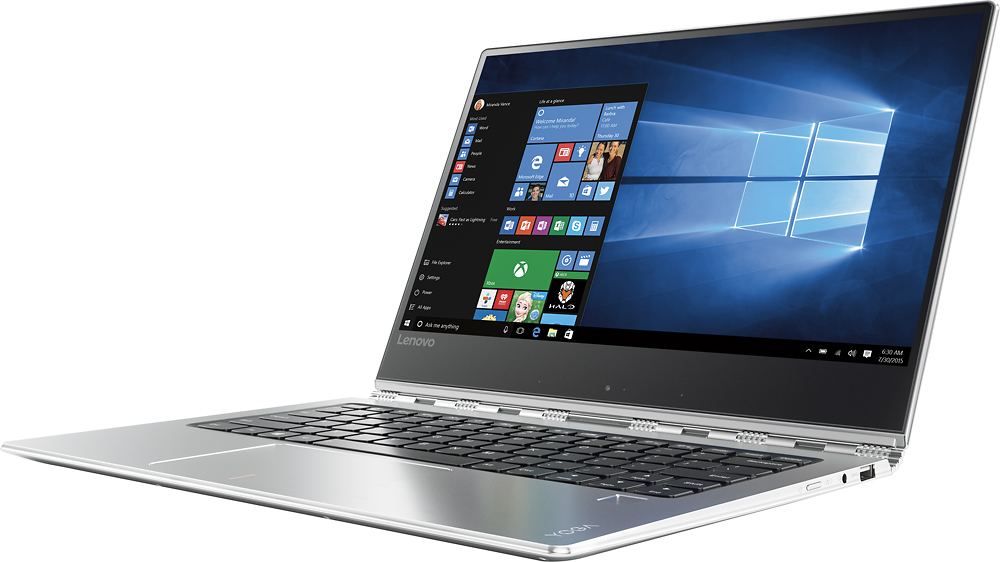
Customers enjoy the Yoga 910's lightweight design, impressive screen size, and strong performance. Many appreciate its long battery life and ease of use. However, some users have noted issues with fan noise and heat generation, while others find the placement of the shift key less than ideal. The fast SSD is also a frequently cited positive.
This summary was generated by AI based on customer reviews.
Amazing display and thin
||Posted .This reviewer received promo considerations or sweepstakes entry for writing a review.The display is amazing. It is very thin yet fast. The 4k resolution causes windows 10 issues - especially on external display.
No, I would not recommend this to a friendBrand response from Lenovo Product Expert
Posted .Thank you for choosing the Lenovo Yoga 910-14. With regard to the screen resolution on your external monitor, if the monitor is not a 4K monitor, your should scale down the resolution the Yoga 910-14 is sending out to the monitor to match its maximum resolution. There should be no problems with Windows 10, other than the size of your desktop icons. This can be adjusted by scaling up the desktop settings. You can do this by right clicking on the desktop. Then select the slider bar to increase the scaling of text and icons.

Nice unit
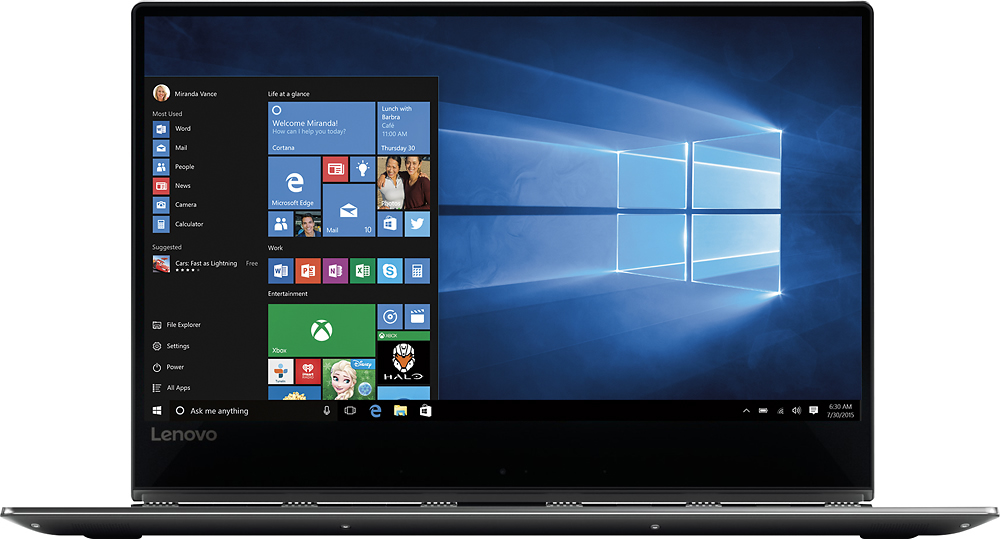
||Posted .This reviewer received promo considerations or sweepstakes entry for writing a review.The unit has good specs. Dont like that the full screen is shrunk at the bottom
I would recommend this to a friendExcellent tablet. Perfect for mobile user
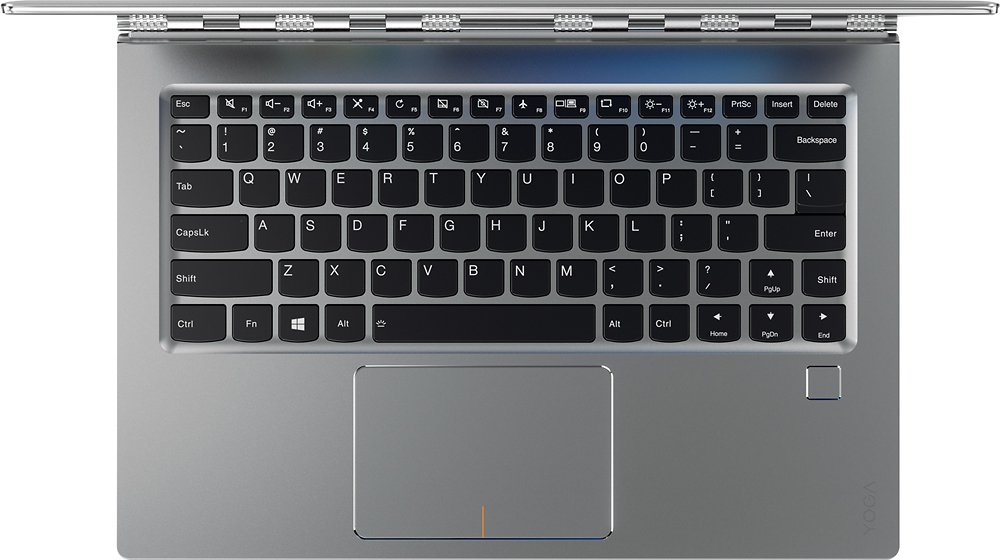
||Posted .This reviewer received promo considerations or sweepstakes entry for writing a review.The only negative feature of this laptop is that the right shift key is not in the standard keyboard layout position.
I would recommend this to a friendBrand response from Lenovo Product Expert
Posted .With regard to the right shift key issue you mention, there is a free software APP called KeyTweak that may help you. You can switch the key functions of specific keys on your keyboard with this software, so you could change the right shift key with the key you hit in its place. Just Google search "KeyTweak" and you will find articles about what the software does and you will find the download location for this free APP.
Had trouble with it out of the box
||Posted . Owned for more than 2 years when reviewed.This reviewer received promo considerations or sweepstakes entry for writing a review.We returned this after numerous attempts to resolve bugs...
No, I would not recommend this to a friendBeware Poor Battery Life
||Posted .This reviewer received promo considerations or sweepstakes entry for writing a review.After a few charges, my battery only lasts, at best, 5 hours. Pathetic.
No, I would not recommend this to a friendBrand response from Lenovo Product Expert
Posted .Be sure there are no unwanted programs running in the background. Try changing your power management setting to a more conservative one. You can do this in the control panel, in the power management category on your system. Select a more conservative power management setting to extend battery life.
Did not live up to expectations
||Posted .This reviewer received promo considerations or sweepstakes entry for writing a review.Bought this for a Christmas present for my wife. While setting up, the trackpad started acting up and gets stuck in the down position when pressed. If you push the bezel next to it, it will pop back up. It is going back tomorrow. Not what I expected from a premium laptop with a premium price tag.
No, I would not recommend this to a friend- Pros mentioned:Processor speed, Screen size
Beautiful, Portable, Light Weight
Posted .This reviewer received promo considerations or sweepstakes entry for writing a review.I've owned this device for just over a week now; a bit of an impulse purchase after much research/confusion on whether to stick w/mac or replace the windows pc I've had to keep current w/software. Here are my pros & cons: Pros - as stated, beautifully designed full of the latest hardware, apps respond fast and seamlessly, screen is gorgeous, backlit keyboard has a great feel**. I've had NO issue as referenced by another review w/loud fan in watching any YouTube videos. It's dead silent as I write this review. I love being able to carry this around the house for use wherever. It feels solid, I don't sense issues & hope any experience w/customer support is a positive one. Cons - **location of the darn right shift key is irritating. I read Lenovo's response to another review and will try the Key Tweak (?). I had hoped to create a desktop environment by use a docking station or other connectors. Having to change the video resolution to agree to a monitor is a pain. In experimenting, I wasn't able to get alternate audio plugging my Klipsch cable in to the audio no matter how many settings I played with. Lenovo - I know you're reading these reviews. Any suggestions? No ability to use a pencil. Outside of playing on a iPad Pro in the store w/a coloring app I fell in love with; I'm not sure I have a big need for a pencil. Touchscreen is more than enough. All in all this is an awesome device that will keep Windows and the wonders of Office (that is a pain to use on a mac) alive and well in this house.
I would recommend this to a friendBrand response from Lenovo Product Expert
Posted .Thank you for choosing the Lenovo Yoga 910-14. With regard to using a docking station with this system, there currently is no docking station for this system, but you can use a universal port replicator. Look for USB connectivity from the port replicator. With a port replicator, you can connect a monitor and additional USB ports. Concerning your speakers, try connecting your speakers through the headphone jack. You are correct, this system is not compatible with a digital pen.
Disappointing
||Posted .This reviewer received promo considerations or sweepstakes entry for writing a review.The shift key on the right side of the keyboard is half the size it should be. The page up key is where the shift key SHOULD be. I have to look at the keyboard every time I need to use the shift key on the right side. I would not buy this computer again, I would not recommend it.
No, I would not recommend this to a friendBrand response from Lenovo Product Expert
Posted .With regard to the right shift key issue you mention, there is a free software APP called KeyTweak that may help you. You can switch the key functions of specific keys on your keyboard with this software, so you could change the right shift key with the key you hit in its place. Just Google search "KeyTweak" and you will find articles about what the software does and you will find the download location for this free APP.
Summary
||Posted .This reviewer received promo considerations or sweepstakes entry for writing a review.Touch pad sucks.looks pretty. Battery doesn't last long.
I would recommend this to a friendBrand response from Lenovo Product Expert
Posted .The battery on this system should last up to 10 hours, depending on the work the device is performing. Be sure there are no unwanted programs running in the background draining the battery. With regard to the touchpad, you can make adjustments to the touchpad in your system settings. You can get there by clicking on the magnifying glass at the bottom left your Windows 10 screen. Type "touchpad" in the search window. Select "Mouse & touchpad settings" from the list of choices. You can make general adjustments to the touchpad there. You can also select "Additional mouse options" for more detailed adjustments to the touchpad sensitivity by increasing the delay of the touchpad.
Slow, frozen all the time
||Posted .This reviewer received promo considerations or sweepstakes entry for writing a review.I bought the 512ssd, 16gb ram, i7 7th generation, makes noises all the time and get frozen working in word, excel or powers point, also with all browsers like explorer or Mozilla, I won't recommend this laptop
No, I would not recommend this to a friendcharging port and motherboard fried after 2 years
||Posted . Owned for more than 2 years when reviewed.This reviewer received promo considerations or sweepstakes entry for writing a review.This was a good computer until it stopped charging and there was NO WAY TO FIX IT. It boggles my mind that they can sell something this expensive and have a minor error that can't be fixed.
No, I would not recommend this to a friendImposible to type
||Posted .This reviewer received promo considerations or sweepstakes entry for writing a review.The right shift key is a small button on the far side of the keyboard that cannot be reached while typing. In addition the up arrow was moved up to the position where you would normally make contact with the shift key. While typing I either hit the wrong key and had to go back or I experienced hand cramping from trying to stretch to the key. We returned the computer. It was my only complaint about the laptop. This was my third Lenovo laptop so I can't imagine why they would have made this change without checking to see that the shift key was still within reach for someone who types with all their fingers.
No, I would not recommend this to a friendBrand response from Lenovo Product Expert
Posted .With regard to the right shift key issue you mention, there is a free software APP called KeyTweak that may help you. You can switch the key functions of specific keys on your keyboard with this software, so you could change the right shift key with the key you hit in its place. Just Google search "KeyTweak" and you will find articles about what the software does and you will find the download location for this free APP.
- Pros mentioned:Battery life, Screen size
Upgraded from Yoga 2 Pro
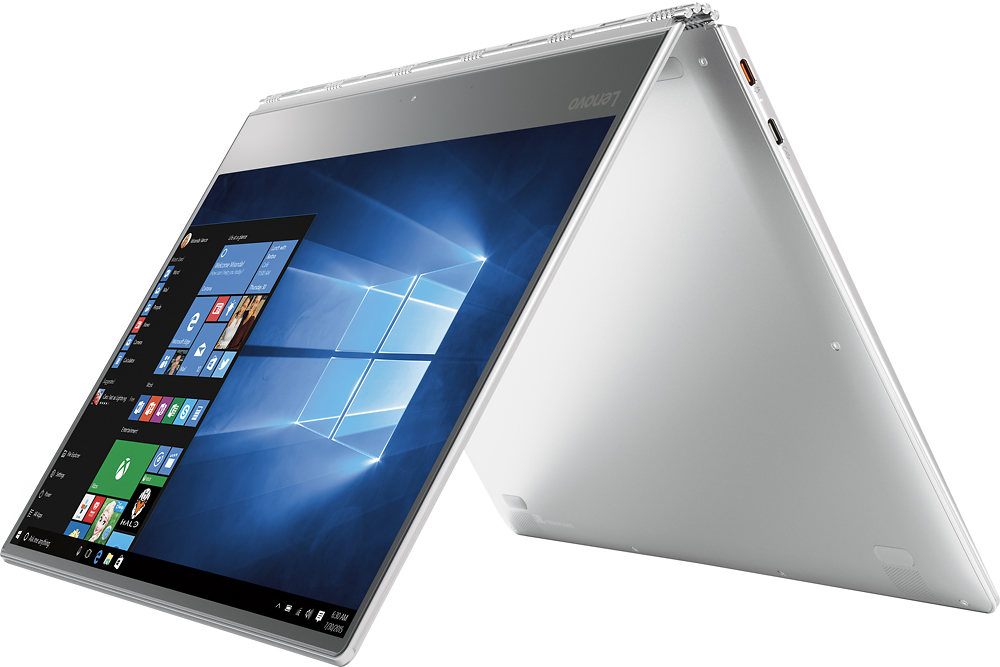
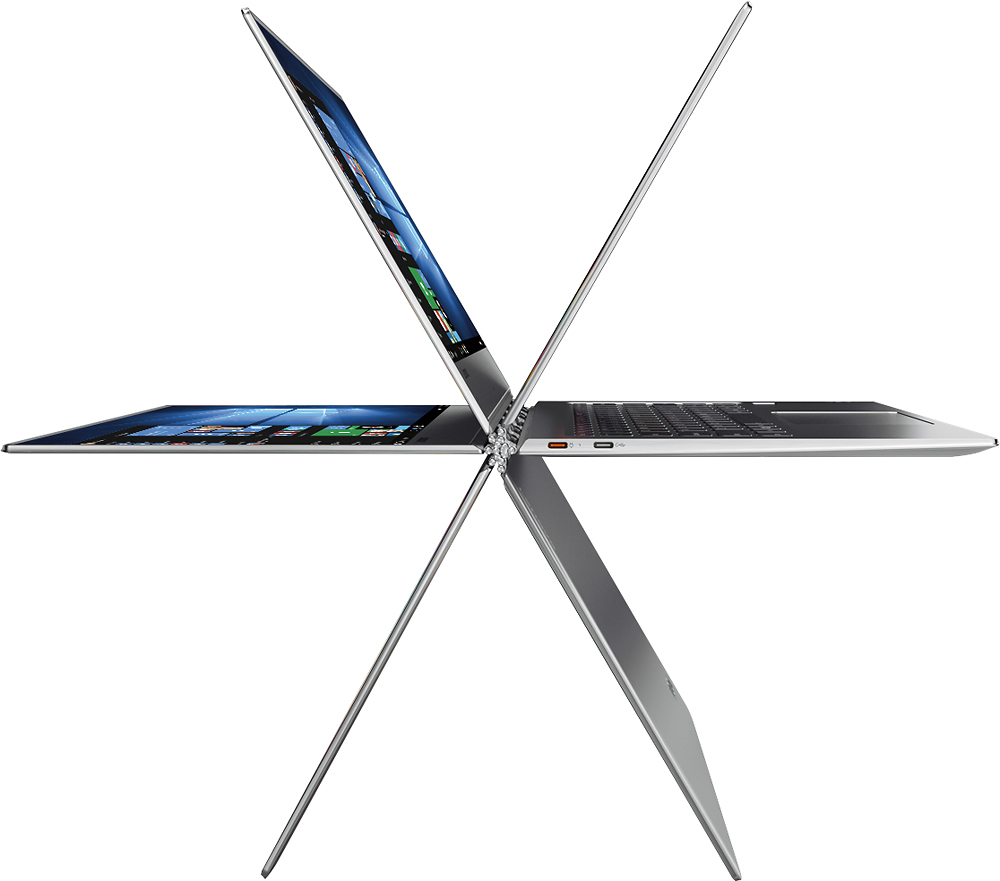
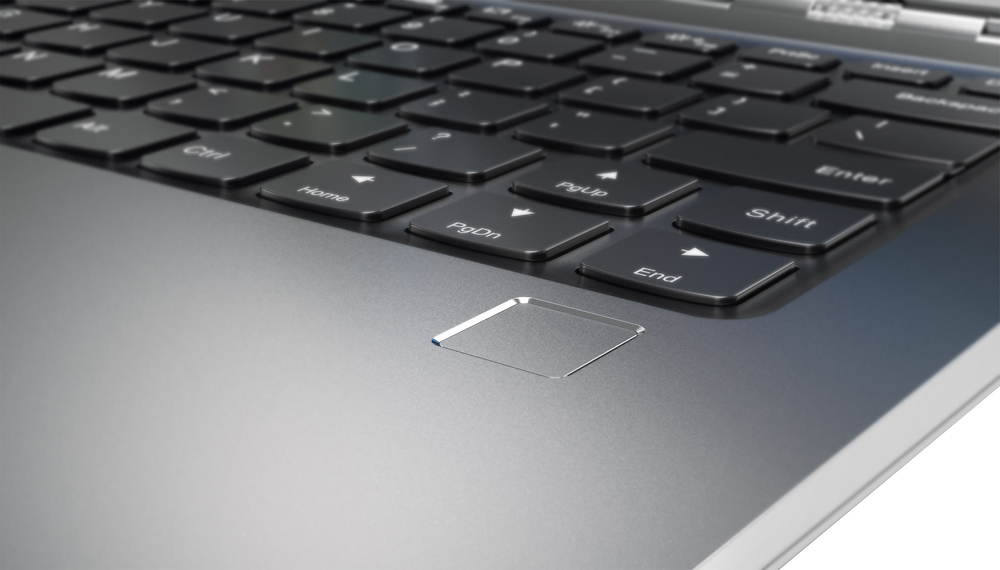
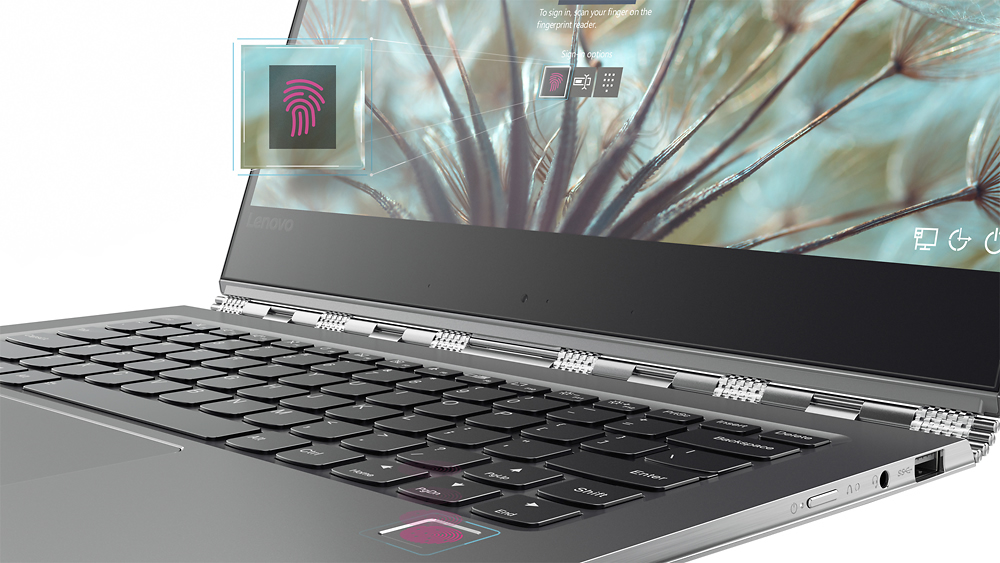
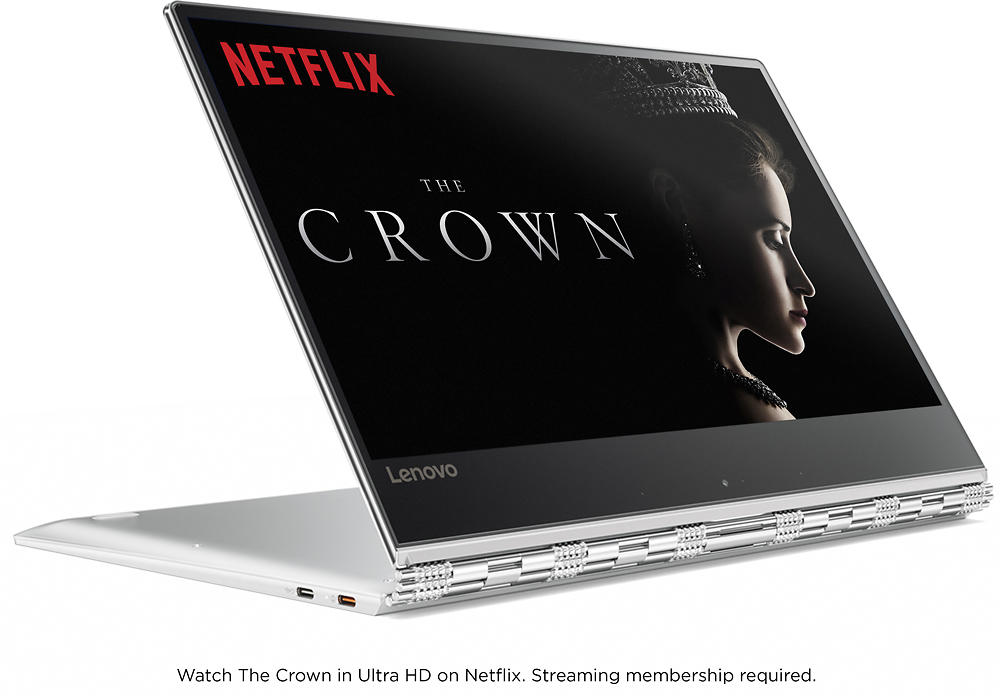
Posted .This reviewer received promo considerations or sweepstakes entry for writing a review.So I got this laptop for travel purposes, I will be traveling next month to Europe and wanted a laptop to watch movies for the 10 hour flight. In seat power has always been a roll of the dice. I have a 3 year old Yoga 2 Pro which I bought for the same reason, unfortunately the Yoga 2 pro only lasted close to 6 hours watching video. Anyhow, straight out the gate the build quality on this 910 is on a different level to the Yoga 2 Pro, even though that model has run flawlessly for the last 3 years, it never felt premium (even though the Yoga 2 Pro did cost $400 less at the time but it is the 256gb model). When I unboxed the 910 and felt it in my hands for the first time it really did have that nice premium feel to it and with the silver version it does not show finger prints like the Yoga 2 Pro does as it is all silver and not just silver on the outside. As for battery, I did a run down test over a couple of days running a 1080 video loop taking the battery down to it's shut off point of 7%, on both occasions this got me to 10.5 play time at 60% brightness which is perfectly acceptable when watching in lower lit surroundings, at 70% brightness it started to eat the battery quite a bit faster and it looked like that would bring the screen time down about another 2 hours BUT as I said, for watching videos on an airplane or lower lit areas it was really nice. As for the screen itself, it has really nice contrast, everything pops and reminds me of the surface pro 4 screen which I bought but returned due to it's much lower battery life. Also this is a 13.9 screen unlike all of it's competitors which are all 13.3 and so this also impressed me that the battery life was still so great. For people who play games, this unit does not have a discrete video card but will play at low settings, World of Warcraft and Guild Wars 2, the latter being the hardest on the unit. On to the perks, the Hello button is great, put your finger on the pad and the laptop logs in within seconds, no worries about someone seeing your password in a crowded area. Ports are pretty good, 2 USB-C and 1 USB 3. The non power USB-C allows for HDMI passthrough using 3rd party adapters. I think the only negative is that there is no thunderbolt included which the new HP Spectre x360 does have. Also there is no card reader built in but there are several 3rd party USB-C adapters which have USB 3 and card readers built in. As for the video conferencing camera, I have not used it and if I do use it I will be using the laptop in tent mode to avoid "up the nose" video conferencing :) . Finally the cpu is 7th generation i7 lower power variety, which doesn't have the same horsepower as my MSI which is quad core vs this dual core but it is still pretty powerful. For the most part the fans stay off and when running in a normal environment are quiet, everything stays cool and so far I have observed no heat issues when playing video games which are amongst the most taxing tasks I have run on this laptop. Overall I am very pleased with this laptop. My only real concern is the USB ports and plugging hubs into them could cause strain on the port physically due to most hubs have short cables and so has the hub hanging from the USB port and possibly long term causing damage.
I would recommend this to a friendBrand response from Lenovo Product Expert
Posted .Thank you for choosing the Lenovo Yoga 910-14. We are pleased to hear that the features and performance of the Yoga 910-14 meets your expectations for the computer so well.
Dead Laptop
||Posted .This reviewer received promo considerations or sweepstakes entry for writing a review.I purchased this on Nov. 24, 2016. This week it stopped charging I contacted Best Buy Geek Squad. They refused to give me the part number for the power adapter, saying I must bring it into the store. Right now my laptop doesn't work I'm trying to finalize wedding plans but have no way to do so unless drive over hour to nearest store and pay them to tell me the part number for the power cable.
No, I would not recommend this to a friendBrand response from Lenovo Product Expert
Posted .The part number for the AC adapter is Delta ADLX45UDCC2A 20V2.25A adapter
5A10K34721. Here is a link to a 3rd party replacement: http://www.power-adapter-store.com/power_adapter_fit_lenovo_yoga_910-13ikb.html
Couldn't power on after just one day
||Posted .This reviewer received promo considerations or sweepstakes entry for writing a review.It's a very well-built product with very premium feeling. However, it won't power up the second morning. You can hear the fan running and see the power light on, but the screen and keyboard backlight just won't turn on. Very disappointed.
No, I would not recommend this to a friendBrand response from Lenovo Product Expert
Posted .This system is equipped with OneKey Recovery System. There is a very small pin hole on the right side of the device, right near the power button on the device. You will need a pin to push this reset button. Plug the device in. Let the battery charge for about 15 minutes. Push the reset button. The system should boot to a choice screen where you can choose "Restore To Factory Default". Select this. It will delete everything from the hard drive except the original factory install of the operating system. You will need to reinstall all programs and files after the reset. If you don't have copies of the files, try to make one before you restore by selecting "Boot to desktop" and trying to back up your files.
- Pros mentioned:Battery life, Processor speed, Screen size
beautiful device
Posted .This reviewer received promo considerations or sweepstakes entry for writing a review.piece of art computer, nice body design, incredible screen, very fast, very quiet, good keyboard, good battery life. tip: high CPU load out-of-the-box can be mitigated by setting the PCI Express/Link State Power Management to Off.
I would recommend this to a friendBrand response from Lenovo Product Expert
Posted .Thank you for choosing the Lenovo Yoga 910-14. We are leased to hear that the features and performance of the Yoga 910-14 meets your computing needs so well.
Wi-Fi will not work more than
||Posted .This reviewer received promo considerations or sweepstakes entry for writing a review.Wi-Fi works within 1 room in the next room it is dead. My HP works all over the House This top of the line Laptop, works only same room. and for that price NO Windows PRO????
No, I would not recommend this to a friendBrand response from Lenovo Product Expert
Posted .With regard to the WiFi issues you mention with your device, there may be driver updates for your specific system. Follow the link below to look for new Wireless LAN driver updates for your specific system. You can also run diagnostics from the Lenovo site as well. As always, be sure to create a restore point on your system before you make any changes. You can do this by just typing "restore point" in the search window within Cortana and follow the link to create a restore point. Here is the link:
http://support.lenovo.com/us/en/products/Laptops-and-netbooks/Yoga-Series/yoga-910-13ikb/80VF/007TUS?linkTrack=Caps%253ABody_SearchProduct&tabName=downloads&beta=false
trackpad sucks
||Posted .This reviewer received promo considerations or sweepstakes entry for writing a review.bought it and it was awesome for the first 2 day, after that trackpad came loose and i returned it right away. go for a razer blade stealth instead
No, I would not recommend this to a friendPathetic product
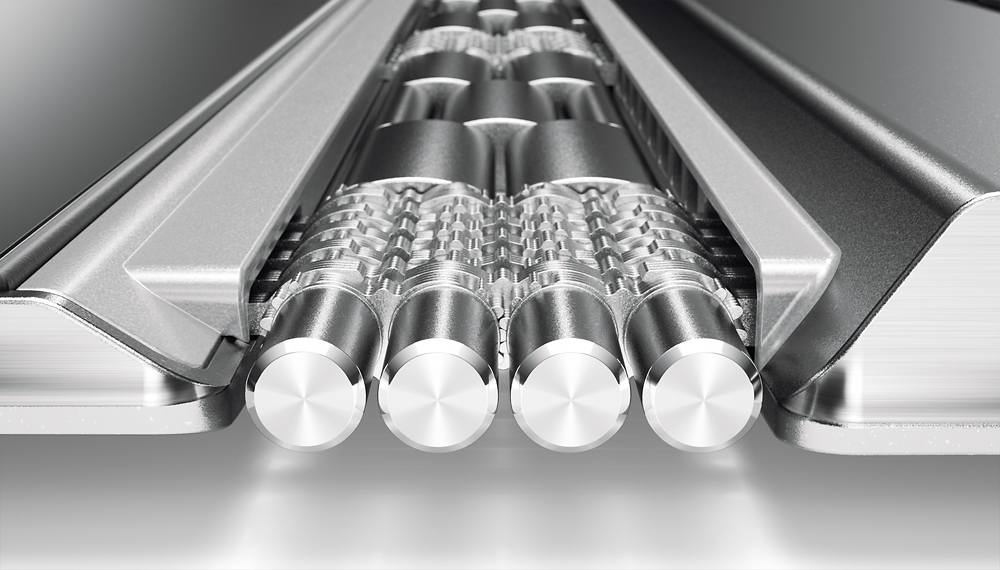
||Posted .This reviewer received promo considerations or sweepstakes entry for writing a review.Battery is dead. Not finding any reliable replacement battery. Lenovo does not sell replacement battery for this laptop. The camera is at bottom of the screen and displays the keyboard in the video. Pathetic laptop. The hinges are loose from day 1. It does not hold the screen upright strong etc etc etc......
No, I would not recommend this to a friendIf you value your time & money, then DO NOT buy...
||Posted .This reviewer received promo considerations or sweepstakes entry for writing a review.this OR the new Yoga 920 coming out soon! I have had this laptop for less than 4 months, and it is going back for repair for the third time. It is unacceptable for such an expensive machine and Lenovo wants to just keep trying to repair it instead of replace it. The budget I had set aside for the new Yoga 920 will definitely be going toward a different brand. Time to do some research!
No, I would not recommend this to a friend