Customer Ratings & Reviews









- Model:
- 80VF001TUS
- SKU:
- 5579125
to a friend
Customers are saying
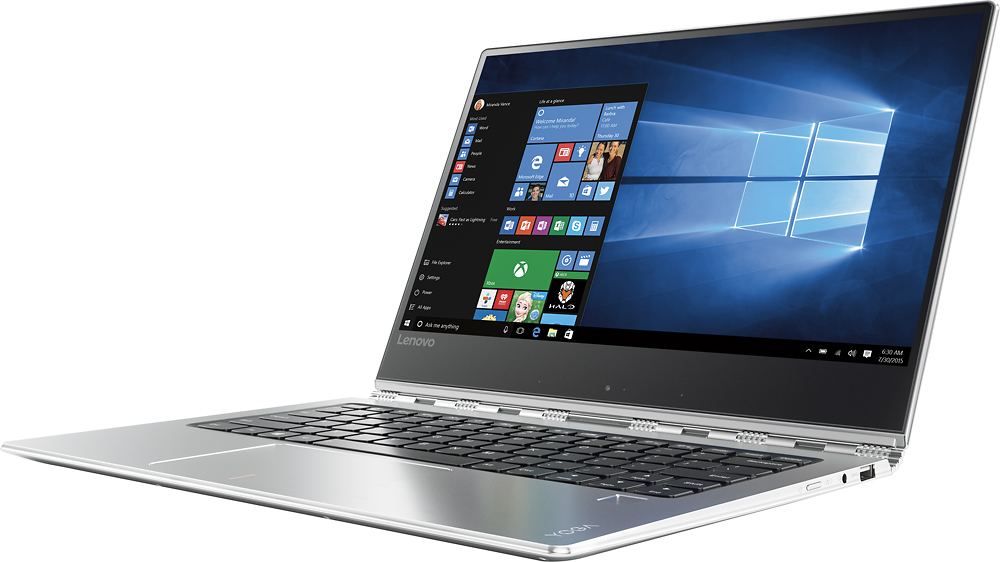
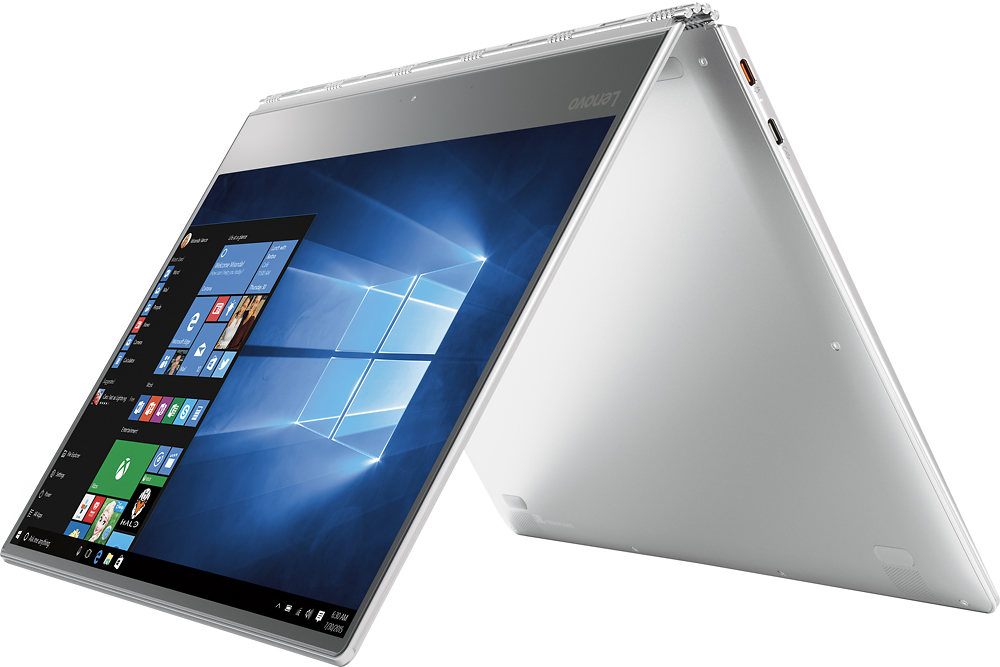
Customers enjoy the Yoga 910's lightweight design, impressive screen size, and strong performance. Many appreciate its long battery life and ease of use. However, some users have noted issues with fan noise and heat generation, while others find the placement of the shift key less than ideal. The fast SSD is also a frequently cited positive.
This summary was generated by AI based on customer reviews.
2 in 1 - Great Specs/Excellent Value
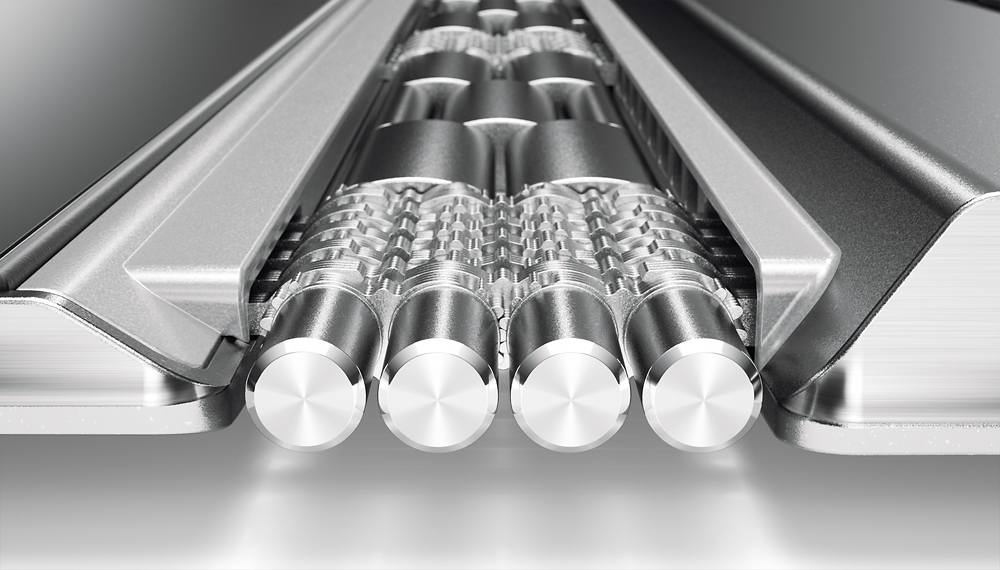
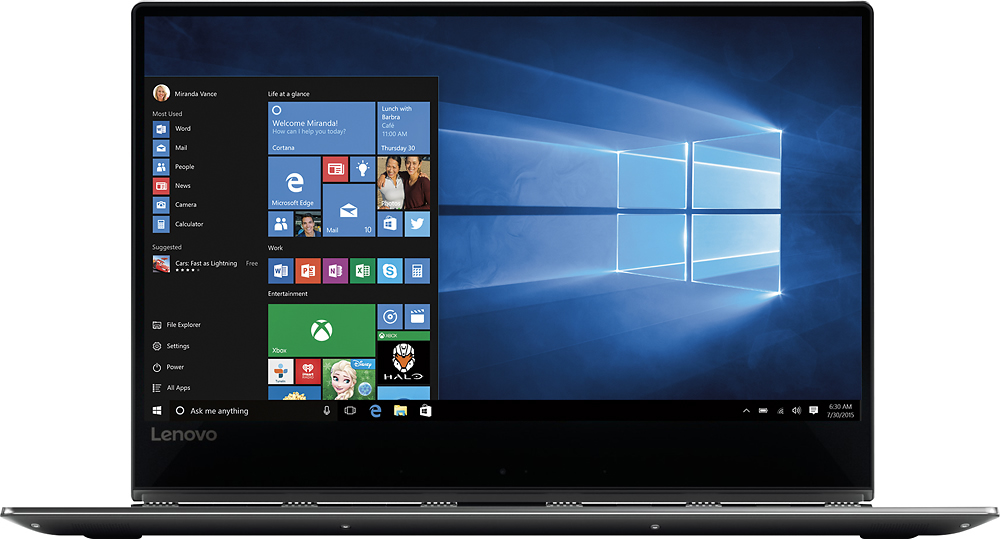
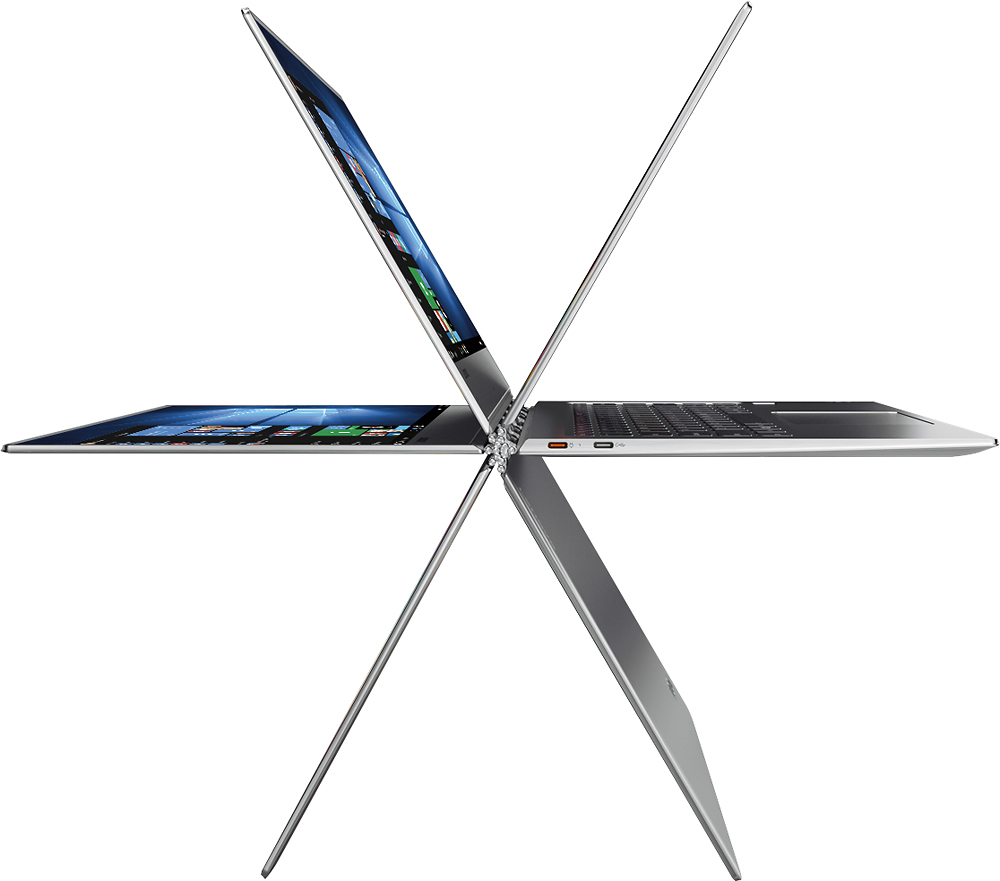
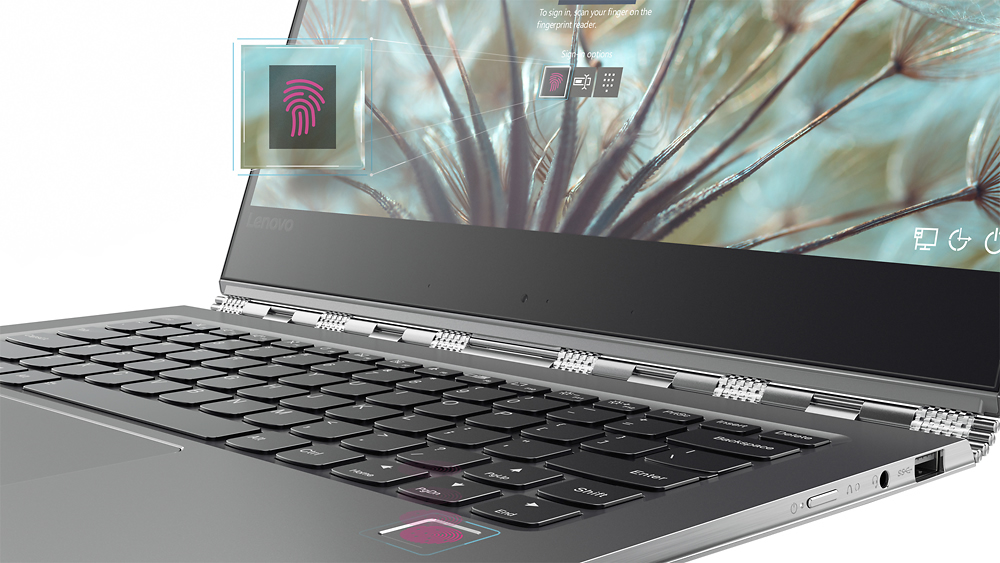
Posted .This reviewer received promo considerations or sweepstakes entry for writing a review.I read a considerable number of reviews prior to purchasing this 2 in 1 and am more than happy with the purchase. My major concern was the fan noise some individuals encountered. After setting it up, I noticed moderate amount of fan noise and checked for any updates on the Lenovo website. There were something like 11 or 12 various updates. After updating everything from BIOS, audio, video, Bluetooth, etc,, the fan settled down to a more than tolerable level. The keyboard is responsive and works well. The keys feel fine and are lighted which is what you'd expect from a premium 2 in 1. The thin bezel allows for a larger screen on a smaller footprint and adds to the looks of the machine. Of course, everyone likes the "watchband" type hinge. It's a great looking machine that can definitely take anything you can throw at it. Pretty impressive!
I would recommend this to a friendBrand response from Lenovo Product Expert
Posted .Thank you for choosing the Lenovo Yoga 910-14. We are pleased to hear that the features and performance of the Yoga 910-14 meets your expectations and computing needs so well.

Great Laptop with a flaw
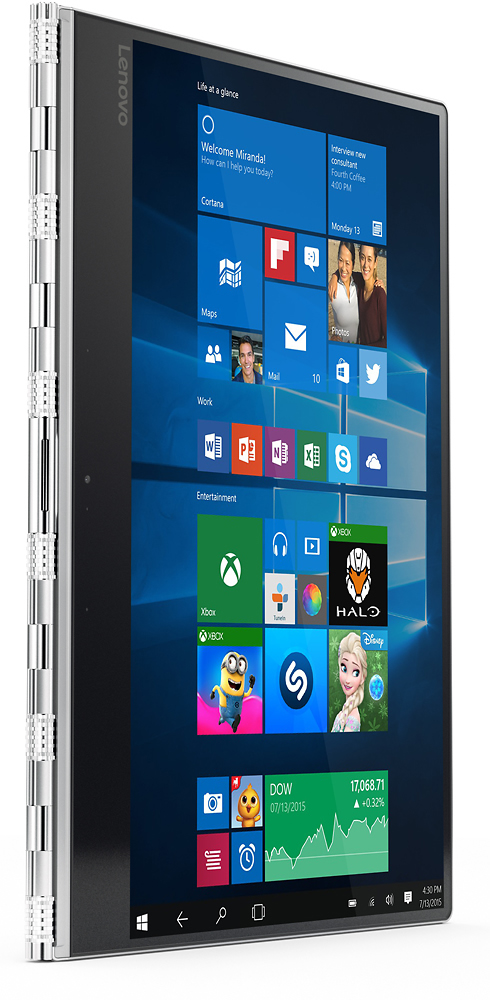
Posted .This reviewer received promo considerations or sweepstakes entry for writing a review.This is a powerful laptop with excellent screen, large enough memory and storage to run high-end applications as well as developer tools. However the camera location at the bottom of the screen is a major flaw. I originally thought it to be a non-issue until I had to use it on an urgent basis for a skype interview. In order to make yourself look straight in the camera you need to flip the screen however it takes away the keyboard and you are limited to on-screen keyboard. If you are ok with this flaw I would highly recommend it.
I would recommend this to a friend- Pros mentioned:Weight
lenovo logo 910 blow-up
Posted .This reviewer received promo considerations or sweepstakes entry for writing a review.Ok, I have now gone through 2 lenovo 910's and unfortunately, they have failed very quickly, so I really do not even get much of an opportunity to use. Very simply, with two completely different 910's, I install some very simple drivers, one for a usb hub and another for an hdmi adapter and install goes well, I then need to re-boot and boom! machine does not boot... I get the lenovo display on the screen and that's it. Shame, because the 910 is super sleek, quick, nice display, very light, but i cannot do anything with it. I am now returning this 2nd 910 and I will buy something else. i am bummed, because a nice machine, but extremely unreliable. Oh and for the 1st replacement, the Geek Squad updated BIOS, and all of the windows updates, but boom!
No, I would not recommend this to a friend - Cons mentioned:Fan noise
Great laptop except crazy fan whistling
Posted .This reviewer received promo considerations or sweepstakes entry for writing a review.Hey, I have been trying to pass a windows pc, but all pcs I got this point have crazy fan noise, which bothers me a lot. This pc is perfect but fan is always whistling on the background even though I dont do something significant like video editing or working a couple programs. If you work at a table and fan dont bother you, buy it. I cant believe how lenovo can not make minimize fan noise in its laptops. Crazy.
No, I would not recommend this to a friendBrand response from Lenovo Product Expert
Posted .Here is a link to a BIOS update to help with the fan noise issue. As always, be sure to create a restore point on your system before you make any changes. You can do this by just typing "restore point" in the search window within Cortana and follow the link to create a restore point. Here is the link:
http://support.lenovo.com/us/en/products/Laptops-and-netbooks/Yoga-Series/yoga-910-13ikb/80VF/007TUS/downloads/DS119202
Touch Typists Beware!
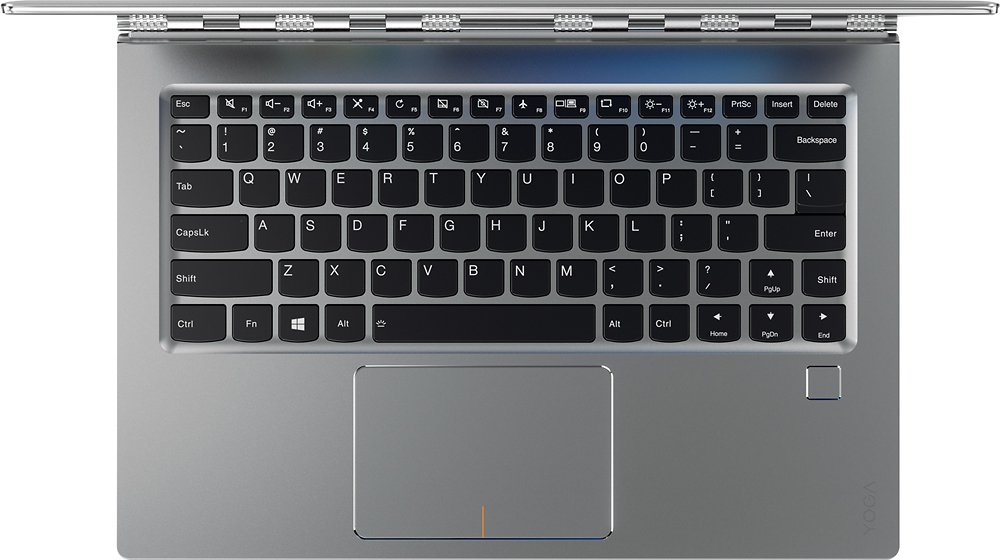
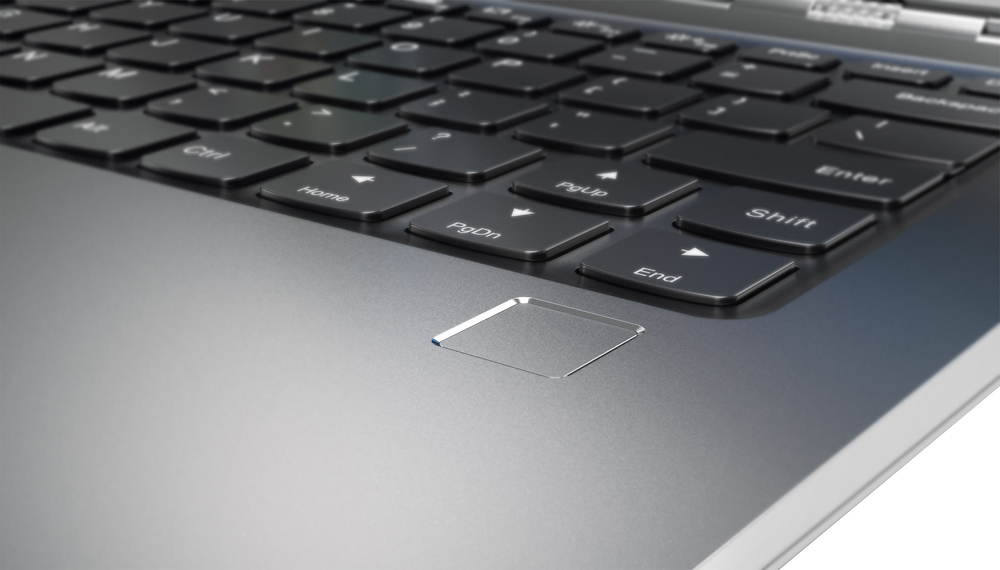
Posted .This reviewer received promo considerations or sweepstakes entry for writing a review.I had high hopes for this machine. It had all the right ingredients to replace my old Lenovo ThinkPad. I read a few reviews commenting on the odd placement and downsizing of the right shift key. This concerned me, but I decided to give it a try anyway and bought it. Other reviewers have sung the praises of the features and performance of the Yoga 910 and I agree with virtually all of them. Unfortunately, efforts to reprogram my muscle memory to accept the bizarre placement and size of that right shift key failed and I found myself consistently hitting the up arrow key (which occupies the space the shift key belongs), wreaking havoc on anything I typed. I can think of no less crude word for this design snafu than "stupid". I returned the machine before my 45-Day Elite-Plus period was up. This is probably a fine computer if you can live with that shift key placement, but if you are an experienced 10-finger touch typist, forget about it (unless you don't mind a long process of reprogramming your muscles, but then that will slow you down next time you are at a more traditional keyboard). For me, moving such an important key is the equivalent of relocating a fret on my guitar: TABOO!
No, I would not recommend this to a friendBrand response from Lenovo Product Expert
Posted .With regard to the right shift key issue you mention, there is a free software APP called KeyTweak that may help you. You can switch the key functions of specific keys on your keyboard with this software, so you could change the right shift key with the key you hit in its place. Just Google search "KeyTweak" and you will find articles about what the software does and you will find the download location for this free APP.
- Pros mentioned:Screen size
love the size and speed
Posted .This reviewer received promo considerations or sweepstakes entry for writing a review.love how thin and fast this 2 in 1 is. love the screen
I would recommend this to a friendBrand response from Lenovo Product Expert
Posted .Thank you for choosing the Lenovo Yoga 910-14. We are pleased to hear that the features and performance of the Yoga 910-14 meets your computing needs so well.
- Cons mentioned:Fan noise
Beautiful laptop but loud fan!
Posted .This reviewer received promo considerations or sweepstakes entry for writing a review.Really like this laptop. Beautiful build, nice screen, fast ... but really loud fan. It comes on at odd times and is high pitched. Please fix!
No, I would not recommend this to a friendBrand response from Lenovo Product Expert
Posted .With regard to the fan noise issues you mention with your device, there may be driver updates for your specific system. Follow the link below to look for new driver updates for your specific system. You can also run diagnostics from the Lenovo site as well. As always, be sure to create a restore point on your system before you make any changes. Here is the link:
http://support.lenovo.com/us/en/products/Laptops-and-netbooks/Yoga-Series/yoga-910-13ikb/80VF/007TUS?linkTrack=Caps%253ABody_SearchProduct&tabName=downloads&beta=false
Great spec laptop - with a major flaw
Posted .This reviewer received promo considerations or sweepstakes entry for writing a review.I am typing my review for this laptop on the machine itself andtypos are unedited deliberately. I purchased this yesterday, and having had this for 24 hours now I ama little anxious and am debating returning this. Yes it has a great display, people have mentioned the problem with the position of thecamera - this doesn't bother me particularly. The real problem I have withthe machine is the keyboard... A few have mentioned the issue ofthe right hand shift keybeing shorter than a standard keyboard. Thisis annoying butI can get used to thisprobably. However, the biggest problem isthestiffness ofthe keys. You have to hitthemhard for them to register and this is not how I naturally type- and as you can probably see from this uncorrected review, the major problem is the spacebar which needs a decent whack to register. Thisreally isn't a good machine for touch-typists and those thathave to do a lot of typing. I am hoping that the keyboard will 'give' a little over the next few days and can be worn in but if notI fearI will have toreturn this which is a real shame. As you can see form the review, the spacebar issue is something that happens rarely. And it's ashame because the laptop is in all otherways a very fine laptop. Those that hit the keys hard when they type will likely not have a problem, but II would saythis is the stiffest keyboard I have ever seen.
No, I would not recommend this to a friendBrand response from Lenovo Product Expert
Posted .Thank you for choosing the Lenovo Yoga 910-14. With regard to the right shift key issue you mention, there is a free software APP called KeyTweak that may help you. You can switch the key functions of specific keys on your keyboard with this software, so you could change the right shift key with the key you hit in its place. Just Google search "KeyTweak" and you will find articles about what the software does and you will find the download location for this free APP. Concerning the spacebar issue, we will look in to this for future improvements.
Well made overall, except the noisy buzzing fan
Posted .This reviewer received promo considerations or sweepstakes entry for writing a review.Lenovo made such a beautiful & powerful machine. I'm at a loss, however, why did they not test for such a flaw in the noisy fan. I've had this 16g/512g/i7 machine for over 8 hours and the buzzing fan spoiled the experience. It is a show stopper for me. I truly wanted to keep it :((
No, I would not recommend this to a friendBrand response from Lenovo Product Expert
Posted .I tested this system for two days in a business teaching environment and never once heard the fan - Not to say the fan didn't run in two days, only stating I never heard the fan during the 2-day training.
U and Y keys
Posted .This reviewer received promo considerations or sweepstakes entry for writing a review.I've had this product for 3 days and just noticed that the U and Y keys look tilted from the eye test. Everything else works fine. Going to take it back today but curious if anyone else is noticing what seems to be tilted or mushed keys on there keyboards initially or after a long time of use. Because this U key is literally pushed down almost even with the silver base. It still works but im scared that it will eventually get suck if pressed further down. Ill post pictures later.
No, I would not recommend this to a friend- Cons mentioned:Fan noise
Don't do it...
Posted .This reviewer received promo considerations or sweepstakes entry for writing a review.I wanted a Yoga for at least a year before I splurged and got the 910. I am shocked at how bad this laptop was. It ran slow and the fan was constantly going like it was overheating. I finally took it into Best Buy and they replaced it for me. Now I'm on my second one thinking it was just a fluke. My second one started crashing and restarting for no apparent reason. I took it back in to Best Buy and the agent told me they had a LOT of issues with this laptop. I'm not sure why the ratings are so high unless unsatisfied customers just don't take time to write reviews because they have wasted all of their time dealing with the issues. I felt compelled to share because I went through so much trouble. My business partner has the 810 and it runs just fine. I think the 910's are the ones that have issues. I also reached out to Lenovo and they did a scan and said it was fine so if you do buy it get the extra warranty or you will be out of luck. Just my two cents. Lenovo has historically been a fantastic brand.
No, I would not recommend this to a friend Want to love it...just can't nt kernel crashes
Posted .This reviewer received promo considerations or sweepstakes entry for writing a review.My background is extensive tech...with that said...There is no solution found after having for 3 months with the issues of the nt kernel lock ups daily. Video drivers, vanilla setup, absolutely no spyware/virus, no Chrome installed, firmware updated, all drivers the latest (tried reverting back too), etc. - nothing fixes what is has done out of the box, which is lock up or crash after working for about 12-24 hours. It is like clockwork with a new day. Many nice features, look, and feel...all don't matter when it is one of the most unreliable computers I owned or supported in many years. Plus, the fans are ridiculously loud with low CPU usage. From experience, my guess is the intent to keep it from getting hot. That is what fans are for, but they usually are setup to wait until it gets somewhat hotter. I would rather have it get a little hotter first than to constantly have loud fans kick in, especially when sitting dormant. Will not be recommending nor purchasing a Lenovo in the future. Bad drivers or OEM design, and support has no solutions.
No, I would not recommend this to a friendShould have listened to the reviews
Posted .This reviewer received promo considerations or sweepstakes entry for writing a review.Checked the reviews and made the mistake of thinking people were being overly sensitive towards the fan noise. I was wrong. This thing sounds like a jet is running at all times. I updated the bios and everything else as the "lenovo product expert" has been suggesting and it did absolutely nothing. People were looking at me in meetings from the other side of the room because of the noise this thing makes. Never again. Returning immediately.
No, I would not recommend this to a friendBrand response from Lenovo Product Expert
Posted .There is a new BIOS update for this system: http://support.lenovo.com/us/en/products/Laptops-and-netbooks/Yoga-Series/yoga-910-13ikb-glass/80VG/S00300?linkTrack=Homepage%253ABody_Search%2BProducts&beta=false
- Cons mentioned:Fan noise
Fan is too loud
Posted .This reviewer received promo considerations or sweepstakes entry for writing a review.Fan is way too loud. I read about this issue before I purchased the unit, but did not expect it to be so loud. Will return it tomorrow.
No, I would not recommend this to a friendBrand response from Lenovo Product Expert
Posted .Thank you for your input, we will look in to this issue.
Great product - WHY the shift key location change?
Posted .This reviewer received promo considerations or sweepstakes entry for writing a review.I have had a Lenovo Yoga 3 Pro for a couple years and was looking to upgrade to an Intel i7 this year. The 910 looks fantastic and I went to go buy one and soon realized that Lenovo move the right shift key on, apparently, all of their latest laptops. The up arrow key is where the shift key should be. Lenovo want's us to fiddle with key remapping software?? Nope! THAT was a deal killer and I purchased a Lenovo Yoga 900 instead with more ports, cheaper, and has last years processor.
No, I would not recommend this to a friendLenovo Yoga 910/13.9" 4K UHD Touch/7th Gen i7-7500
Posted .This reviewer received promo considerations or sweepstakes entry for writing a review.I was lucky to buy this 3 wks ago from the storeA+
I would recommend this to a friend- Cons mentioned:Fan noise
Very loud fans, sounds like a jet engine
Posted .This reviewer received promo considerations or sweepstakes entry for writing a review.My CPU is hovering around 25% when watching youtube on Edge or Chrome. The fans are extremely loud like a jet engine.
No, I would not recommend this to a friendBrand response from Lenovo Product Expert
Posted .Thank you for choosing the Lenovo Yoga 910-14. With regard to the loud fan issues you mention with your device, there may be BIOS or power management driver updates for your specific system. Follow the link below to look for new driver updates for your specific system. You can also run diagnostics from the Lenovo site as well. As always, be sure to create a restore point on your system before you make any changes. Here is the link:
http://support.lenovo.com/us/en/products/Laptops-and-netbooks/Yoga-Series/yoga-910-13ikb/80VF/001TUS?linkTrack=Caps%253ABody_SearchProduct&tabName=downloads&beta=false
WARNING- NO PORTS AT ALL
Posted .This reviewer received promo considerations or sweepstakes entry for writing a review.Laptop seem great except one KEY problem. no ports at All!! just one USB port. WTF?. maybe some people can get by with just one USB port but when I spend nearly 2 grand on a laptop, I expect at least an HDMI port. you have been warned...
No, I would not recommend this to a friend