Customer Ratings & Reviews




- Model:
- 80VF00FQUS
- SKU:
- 5723422
to a friend
Customers are saying
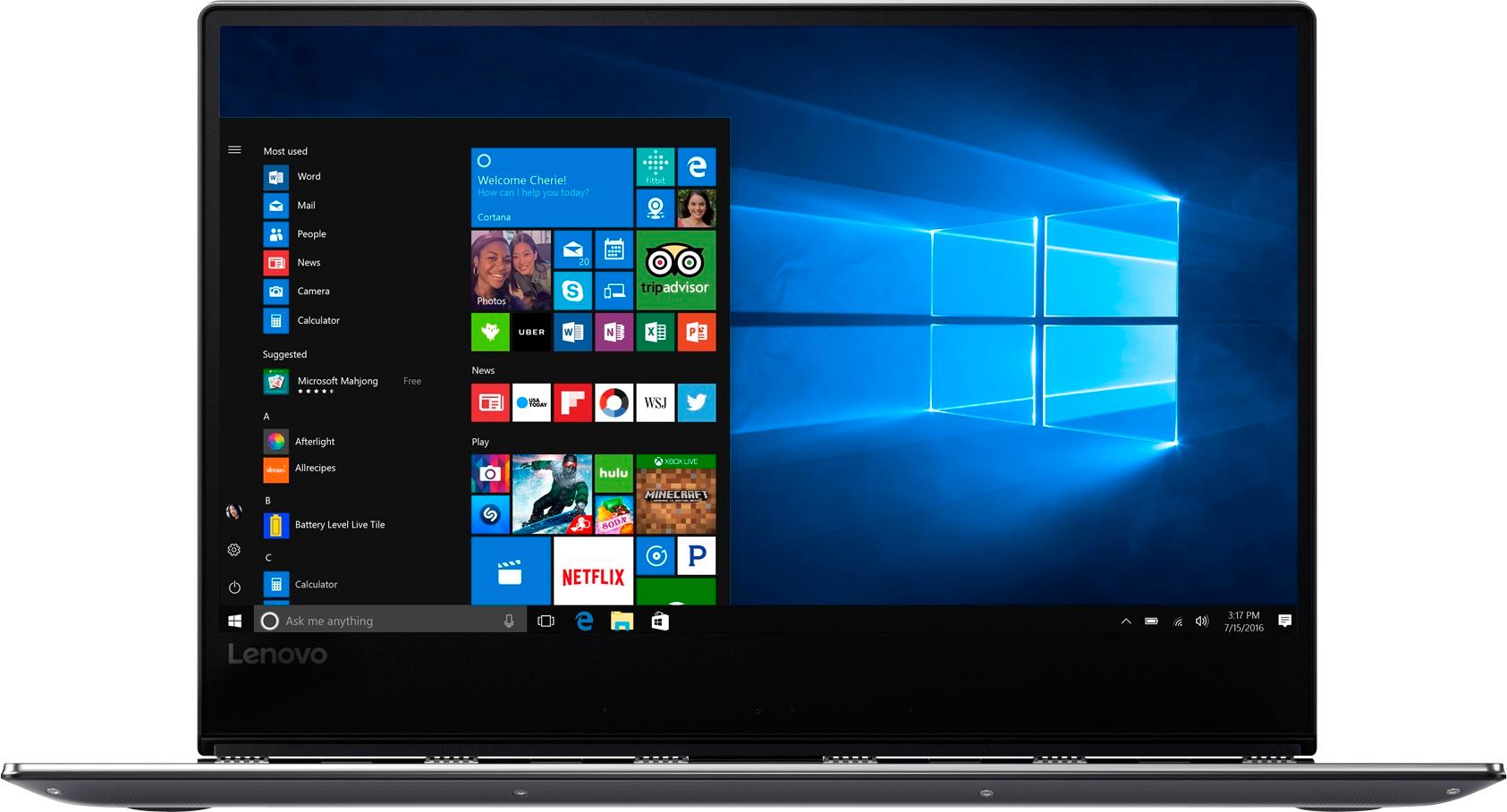
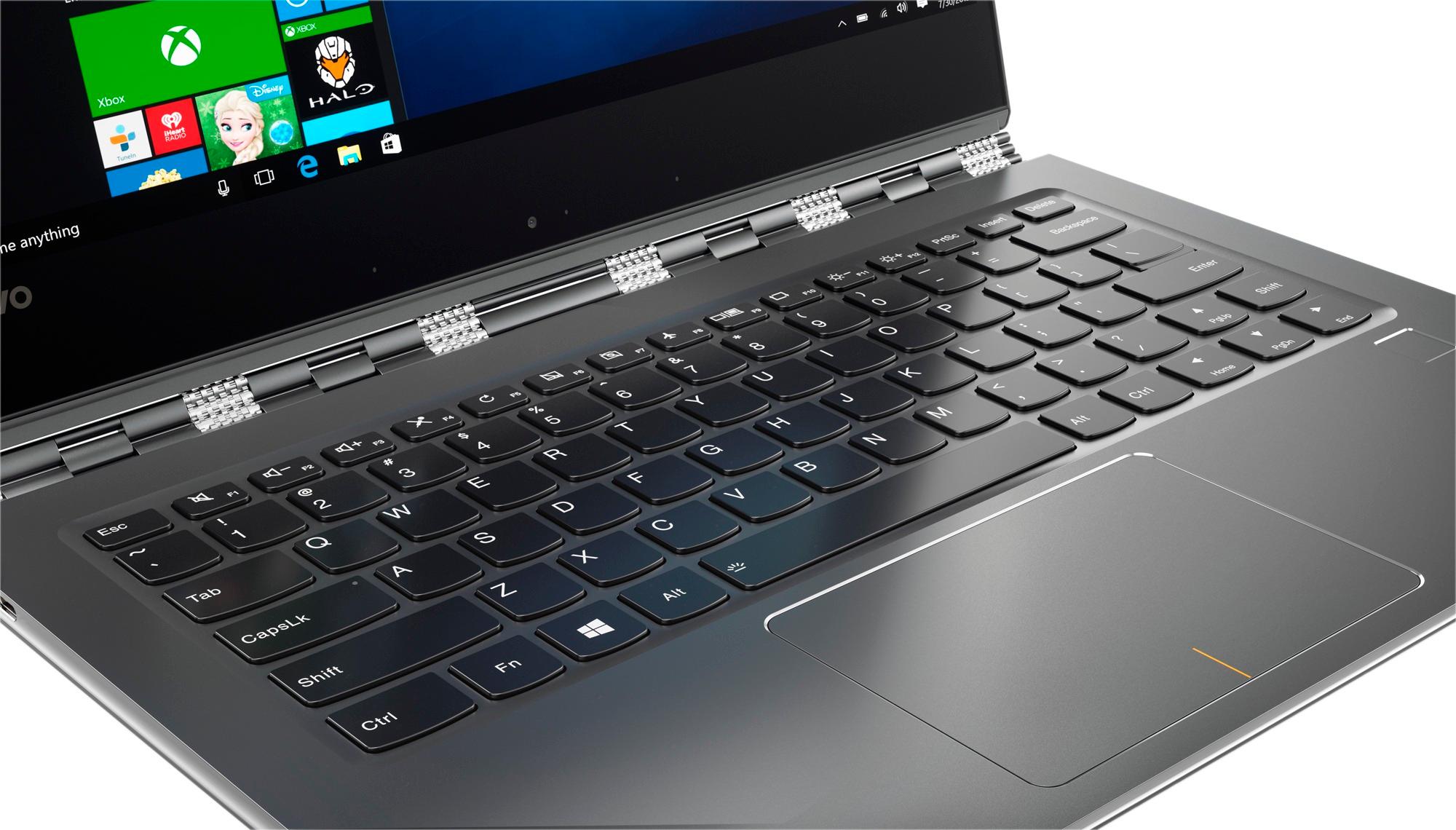
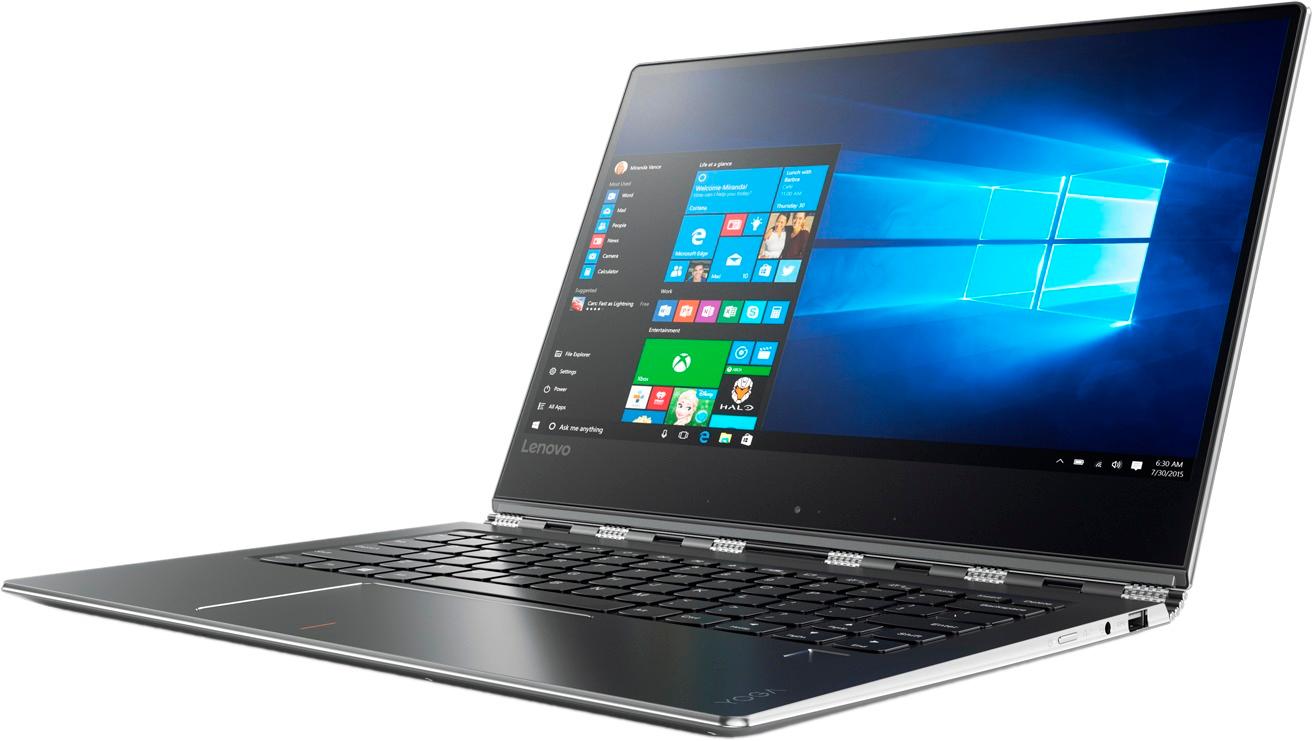
Customers admire the Yoga 910 2-in-1 laptop for its lightweight design, touchscreen capabilities, and extended battery life. They appreciate the overall performance, sleek design, and reasonable price point. However, some users have expressed concerns about fan noise, the size of the right shift key, limited port selection, and occasional freezing issues.
This summary was generated by AI based on customer reviews.
Great everything except one teeny thing
||Posted .This reviewer received promo considerations or sweepstakes entry for writing a review.I love, love, love my Lenovo Yoga. The only feature I'm bummed about is the inability to attach a skin cover to it... The Yoga only has the sleeve cases available. Other than this one minor feature, I'm in love with this laptop. Happy customer, happy purchase. It's perfect for school and personal use.
I would recommend this to a friendBrand response from Lenovo Product Expert
Posted .Thank you for choosing the Lenovo Yoga 910-14. Skins are available for the Yoga 910-14. Here is one link as an example, here, you can even create your own. There are more site as well, just Google Laptop Skins: http://www.skinit.com/device-skins/laptop-skins/lenovo/yoga-910-2-in-1-14-in-laptop

Great Laptop for a student
||Posted .This reviewer received promo considerations or sweepstakes entry for writing a review.This laptop has been great for school. It is super lightweight and a great tool to have at school and work since it flips from a laptop into a tablet. My only dislike is that it gets pretty hot. I had fixed the issue but after a recent update it has again become to hot to sit on my lap.
I would recommend this to a friendvery smart lab top
||Posted .This reviewer received promo considerations or sweepstakes entry for writing a review.A portable laptop very thin we open the screen and you can touch it it becomes like an iPad at the same time also speaks to you, you can draw on it you can have 30 windows open at the same time it will not shut down it's a great value for the price you get everything that you need for 2017
I would recommend this to a friend- Pros mentioned:Touch screen
pen or stylus not working
||Posted .This reviewer received promo considerations or sweepstakes entry for writing a review.Liked much about the computer - really powerful computer, bezel-free display, strong hinge, very responsive touch screen. But the disappointment was that none of us at the store could figure out how to make the pen/stylus work.
No, I would not recommend this to a friendBrand response from Lenovo Product Expert
Posted .Thank you for choosing the Lenovo Yoga 910-14. This model is not compatible with any active/digital pen. It is the Yoga 720 Series that is compatible with a digital/active pen.
Great Little Computer!
||Posted .This reviewer received promo considerations or sweepstakes entry for writing a review.The computer is extremely fast in general & boots up in 2-3 seconds, crazy fast! The pad response outclasses any I've ever had by far. Love the fact that the screen can be used as a functioning tool with your apps. This is my second one of these to purchase & will probably purchase another!
I would recommend this to a friendBrand response from Lenovo Product Expert
Posted .Thank you for choosing the Lenovo Yoga 910-14. We are pleased to hear that the Yoga 910-14 is working out so well for you. We appreciate you loyalty to the Yoga 910-14 and the Lenovo Brand.
Nice aesthetics
||Posted .This reviewer received promo considerations or sweepstakes entry for writing a review.I love this laptop as it is light and very conducive for traveling. The only thing I did not like in the beginning was that the shift key does not extend on the right side so I had to start using the left side shift key. Other than that I have had no problems with this amazing machine.
I would recommend this to a friendBrand response from Lenovo Product Expert
Posted .Thank you for choosing the Lenovo Yoga 910-14. With regard to the right shift key issue you mention, there is a free software APP called KeyTweak that may help you. You can switch the key functions of specific keys on your keyboard with this software, so you could change the right shift key with the key you hit in its place. Just Google search "KeyTweak" and you will find articles about what the software does and you will find the download location for this free APP.
Keyboard Function key too hard to deal with
||Posted .This reviewer received promo considerations or sweepstakes entry for writing a review.Laptop seemed like a good unit, but I could not get beyond the way the FN key performed. The software I use uses the FN key extensively and its function was the reverse of any keyboard I've ever used. Had to return the laptop as it diminished my productivity.
No, I would not recommend this to a friendBrand response from Lenovo Product Expert
Posted .You can reverse the function keys, here are the instructions: https://support.lenovo.com/us/en/solutions/ht103044
Excellent computer for size and power
||Posted .This reviewer received promo considerations or sweepstakes entry for writing a review.This laptop is an excellent example of flexibility of a tablet coupled with the power of a laptop, I am very happy with its performance in both laptop and tablet mode. It is small enough to be easily carried in a bag but big enough for a comfortable sized keyboard.
I would recommend this to a friendBrand response from Lenovo Product Expert
Posted .Thank you for choosing the Lenovo Yoga 910-14. We are pleased to hear that the features and performance of the Yoga 910-14 meets your computing needs so well.
College bound
||Posted .This reviewer received promo considerations or sweepstakes entry for writing a review.got this for our daughter going to college, LOVES IT!!! folds to a tablet, can get a stylus to write with ( sold separately ) , beautiful screen and comes with some extras and you get a student discount, not much but every bit helps nowadays.
I would recommend this to a friendBrand response from Lenovo Product Expert
Posted .Thank you for choosing the Lenovo Yoga 910-14 for your daughter. Please note: The Yoga 910-14 IS NOT compatible with any digital/active pen.
Worked great until screen started causing problems
||Posted .This reviewer received promo considerations or sweepstakes entry for writing a review.Nice form factor, sleek, hinge and the rest of build quality speaks of premium quality. I picked this up as a gift for my brother who was starting college. It worked great until screen started flickering and the stopped working completely. Sent it for repair through bestbuy as was still in manufacturer warranty. Geek squad customer service was great to deal with. I get it back after couple of weeks and problem started again and it’s back for repairs. My next purchase defiantly will be a MAC I guess at least they are more open to replacing their products. Anyways will update if anything changes. Just sharing my experience, yours can be different.
No, I would not recommend this to a friendLove my laptop
||Posted .This reviewer received promo considerations or sweepstakes entry for writing a review.The laptop is very user friendly, easy to set up for apps. I can use the search functionality to troubleshoot and auto correct technical problems to the computer. Love all the functionality it provides! Its a hybrid of a laptop and an IPAD.
I would recommend this to a friendBrand response from Lenovo Product Expert
Posted .Thank you for choosing the Lenovo Yoga 910-14. We are pleased to hear that the features and performance of the Yoga 910-14 meets your computing needs so well.
- Cons mentioned:Shift key
One major design flaw
||Posted .This reviewer received promo considerations or sweepstakes entry for writing a review.The computer was great in all aspects, however, the right shift key is oddly placed which created issues when typing text. I ultimately returned it for this reason alone.
No, I would not recommend this to a friendBrand response from Lenovo Product Expert
Posted .With regard to the right shift key issue you mention, there is a free software APP called KeyTweak that may help you. You can switch the key functions of specific keys on your keyboard with this software, so you could change the right shift key with the key you hit in its place. Just Google search "KeyTweak" and you will find articles about what the software does and you will find the download location for this free APP.
Best 2-in-1 out there for the money
||Posted .This reviewer received promo considerations or sweepstakes entry for writing a review.Excellent in all respects except one - the right shift key is smaller than most and in an odd position. Many buyers have re-mapped the key to a more conventional placement. Other than that, this product is excellent!
I would recommend this to a friendBrand response from Lenovo Product Expert
Posted .Thank you for choosing the Lenovo Yoga 910-14. With regard to the right shift key issue you mention, there is a free software APP called KeyTweak that may help you. You can switch the key functions of specific keys on your keyboard with this software, so you could change the right shift key with the key you hit in its place. Just Google search "KeyTweak" and you will find articles about what the software does and you will find the download location for this free APP.
It's OK
||Posted .This reviewer received promo considerations or sweepstakes entry for writing a review.First, I have been working with computers for a living for decades. I typically do not use consumer-grade products. This was probably just fine, or may have been damaged. Not sure how many times you are expected to click something to have the PC respond. I prefer only once. Same for scrolling - how many time do you have to slide on the scroll pad to have it actually move? On mine, which MAY have been a defect, the spacebar only worked when you depressed it in the center - of course you don't discover this until a paragraph has passed (with no blanks). I'm going back to a real thinkpad.
No, I would not recommend this to a friendExcellent laptop!
||Posted .This reviewer received promo considerations or sweepstakes entry for writing a review.I purchased this laptop to replace my work laptop. So far the laptop is fast and reliable! It is lightweight with a crisp image. My only complaint is the odd placement of the right shift key. You get used to it though over time.
I would recommend this to a friendBrand response from Lenovo Product Expert
Posted .Thank you for choosing the Lenovo Yoga 910-14. With regard to the right shift key issue you mention, there is a free software APP called KeyTweak that may help you. You can switch the key functions of specific keys on your keyboard with this software, so you could change the right shift key with the key you hit in its place. Just Google search "KeyTweak" and you will find articles about what the software does and you will find the download location for this free APP.
Love it
||Posted .This reviewer received promo considerations or sweepstakes entry for writing a review.This is a fantastic machine with good specs, although I do wish it allowed for extra memory additions. The fans are a bit loud but not unbearable by any means. Display is gorgeous and I have really been enjoying this computer.
I would recommend this to a friendBrand response from Lenovo Product Expert
Posted .Thank you for choosing the Lenovo Yoga 910-14. We are pleased to hear that the Yoga 910-14 is working out well for you.
Perfect time for a sale
||Posted .This reviewer received promo considerations or sweepstakes entry for writing a review.I needed to get my daughter a laptop for college and she preferred the smaller keyboard size of this Lenovo. The other ratings were good and then the sale hit. That turned out to be perfect timing.
I would recommend this to a friendBrand response from Lenovo Product Expert
Posted .Thank you for choosing the Lenovo Yoga 910-14 for your daughter. We are pleased to hear that the value, features and performance of the of the Yoga 910-14 meets your daughter's computing needs so well.
Lenovo Yoga
||Posted .This reviewer received promo considerations or sweepstakes entry for writing a review.This is a fantastic laptop. Light, fast, thin. It is perfect for everyday use and is easy to transport wherever needed. It is easy to switch from computer use to using as a tablet. No issues with touch screen.
I would recommend this to a friendBrand response from Lenovo Product Expert
Posted .Thank you for choosing the Lenovo Yoga 910-14. We are pleased to hear that the features and performance of the Yoga 910-14 meets your computing needs so well.
Lenova Laptop
||Posted .This reviewer received promo considerations or sweepstakes entry for writing a review.Well designed and functional laptop, but way too little memory. Regret I didn't do more research. Over priced for how little GB it has!
No, I would not recommend this to a friendSleek, thin and fast-but shift key hurts!
||Posted .This reviewer received promo considerations or sweepstakes entry for writing a review.Like the size and feel and quick operation-however- Shiftt key on right side is out of place and hard to use. Often hit the page up key instead causing chaos! Otherwise great,
No, I would not recommend this to a friend