Customer Ratings & Reviews


- Model:
- 80Y70012US
- SKU:
- 6132407
Rating by feature
- Value
Rating 3.7 out of 5 stars
- Quality
Rating 4.1 out of 5 stars
- Ease of Use
Rating 4.2 out of 5 stars
Customers are saying
Customers highly value the Yoga 920's touch screen, long battery life, lightweight design, and reasonable price. They appreciate its performance and weight. However, some customers have concerns about overheating, fan noise, limited storage, pre-installed software, and non-upgradeable RAM.
This summary was generated by AI based on customer reviews.
Good Product
||Posted .This reviewer received promo considerations or sweepstakes entry for writing a review.Its a good product and but the price can be little lower
I would recommend this to a friendGood
||Posted .This reviewer received promo considerations or sweepstakes entry for writing a review.Needs longer battery life and always seems to be on
I would recommend this to a friendBrand response from Lenovo Product Expert
Posted .The Yoga 920-14 ships with a 4CELL 70WH, Lithium Polymer battery, with a battery life of up to 9 hours, depending on the work that the device is performing. If you are getting substantially less, be sure there are no unwanted programs running in the background, draining the battery. Here is a link to some tips for finding out what is draining your battery:
https://www.laptopmag.com/articles/battery-saver-windows-10. If there are no unwanted programs running, to maximize battery life, try changing your power management setting to a more conservative one. You can do this in the control panel, in the power management category on your system. Select a more conservative power management setting to extend battery life.
- Pros mentioned:Battery life, Light

This is the best 2 for one laptop ever
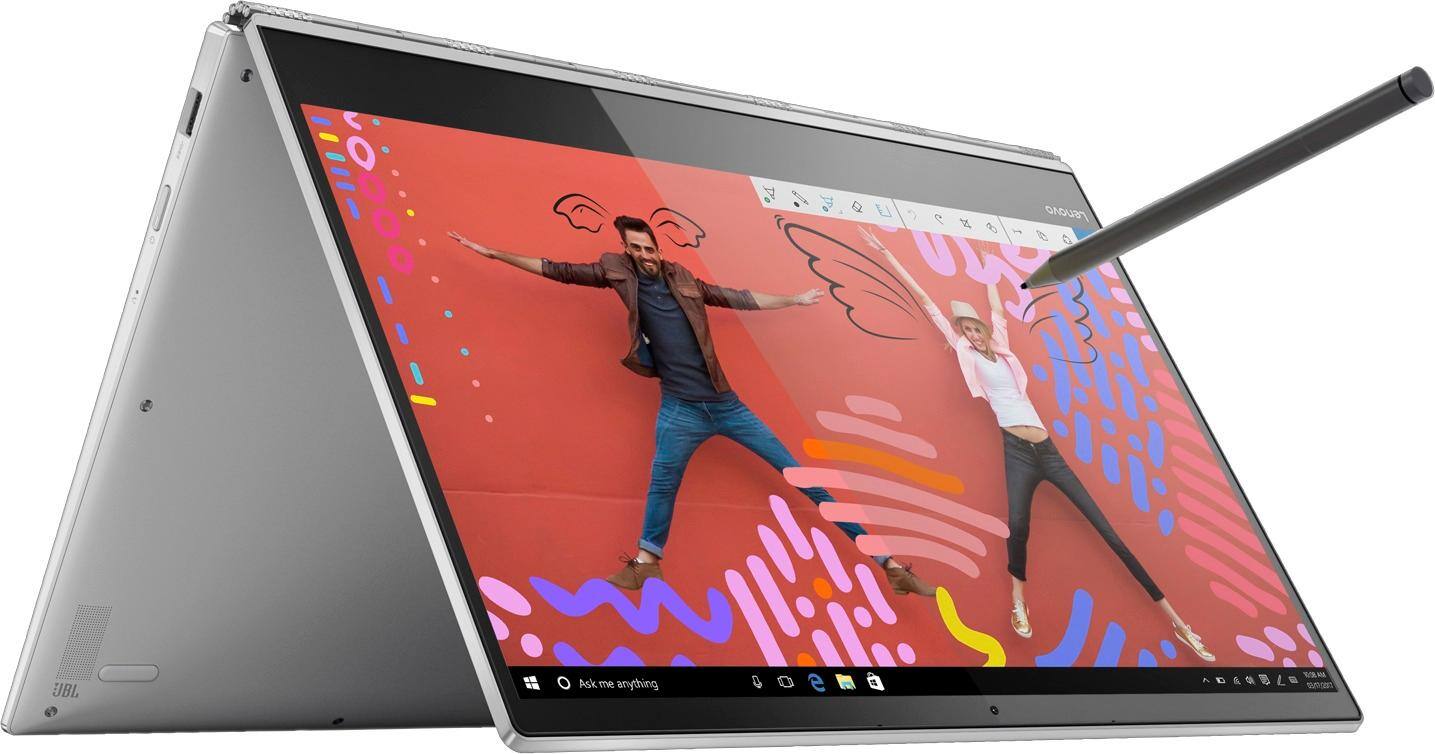
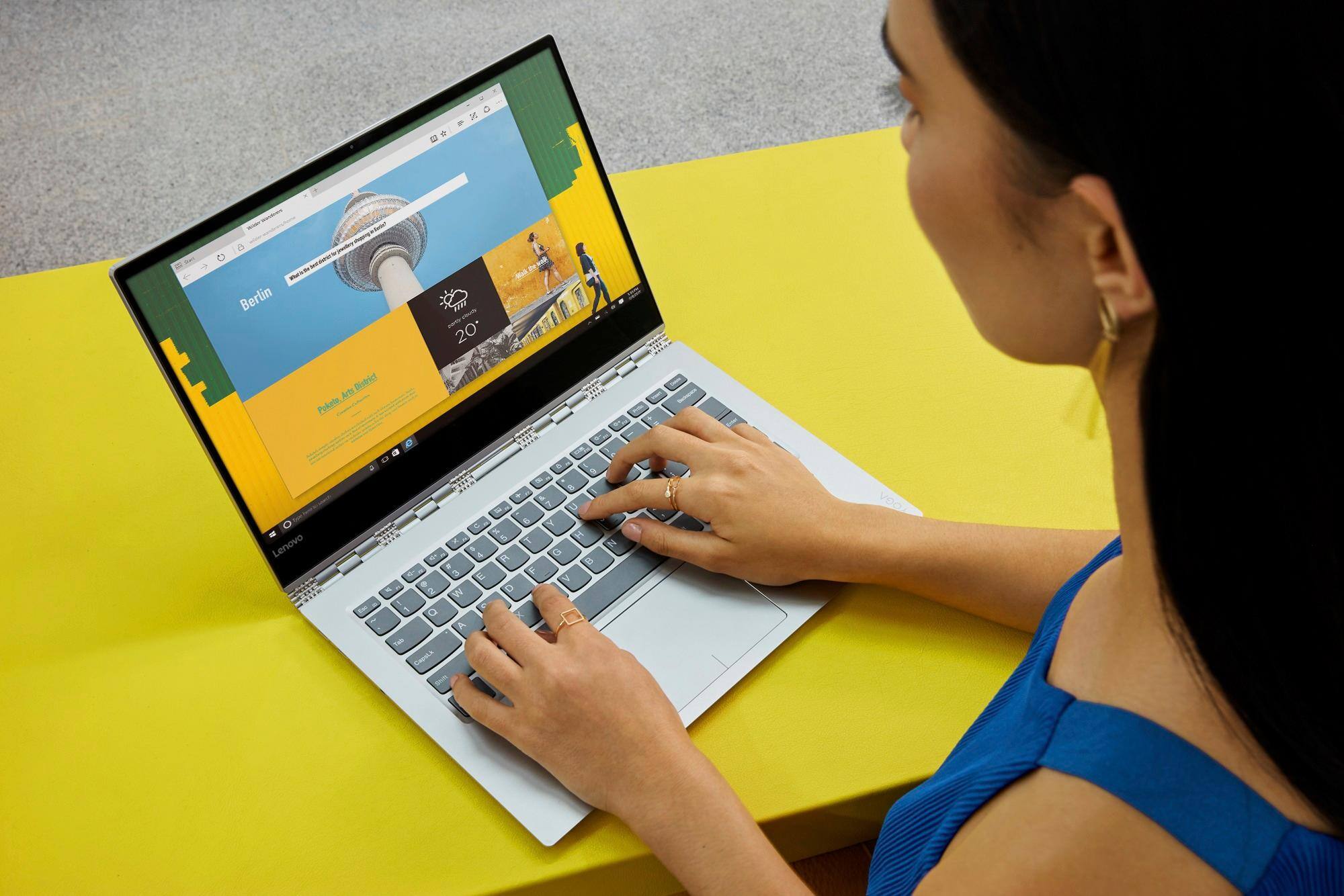
|Posted .This reviewer received promo considerations or sweepstakes entry for writing a review.This is without question one of the most light, fast and performing laptops that I ever own. With an amazing batterie, that charges in a record time thanks to its usbc3, it is able to keep working for more than 10 hours before visiting the plug. You can see all the specs that will be more detailed than me but let me highlight two directions: 1.- This is a real 2 for one laptop. If you plan to use it as a tablet your experience will definitively be very closer. Including the (little) time that can take you to turn on and the fast reaction for the commands and the screen. 2.- If you plan to use as light laptop, this is a better experience than a surface because of the rigid connection keyboard-screen. I still have plenty of other functionalities to enjoy that I just tested during a couple of weeks: fingerprint security, the active pen or the voice assistant but up to now this computer has been definitively over all the expectations that I put in it. And looks so well designed that I know people are jealous about how cool this is while I am in the coffe shop I have no a single negative comment about this laptop.
I would recommend this to a friendBrand response from Lenovo Product Expert
Posted .Thank you for choosing the Lenovo Yoga 920-14. We are pleased to hear that the features and performance of the Yoga 920-14 meets your computing needs so well.
many many problems
||Posted .This reviewer received promo considerations or sweepstakes entry for writing a review.Yoga 920. Blue screen every 30 minutes or so, began after initial set up and continued after updating all drivers through Lenovo's update program. Happens regardless of which program being used. After trying various troubleshooting methods, including talking to Best Buy and Lenovo customer service, problem continued and worsened. Now, I cannot even troubleshoot because I get a blue screen immediately upon powering it up. There is also screen flickering with lines/squares. Don't think it is a driver issue, so am sending it back to Lenovo for service. Note: blue screens were various error codes, maybe 6 or 7 different codes, sometimes repeated.
No, I would not recommend this to a friendBrand response from Lenovo Product Expert
Posted .We are sorry to hear that you are having issues with your Lenovo Yoga 920-14. From the description of the issue you provide, be sure any software you installed is compatible with Windows 10. There is no need to install Microsoft Office software. The software is already part of the operating system, you just need to activate the software with a purchased product key. If you have installed a copy of Microsoft Office, this is conflicting with the existing copy on the system and this will slow your system down. If you have installed a 3rd party anti-virus program, be sure that Windows Defender is turned off and that the trial version of McAfee Anti-Virus software is uninstalled. There can only be one anti-virus program on the system. You may need to restore your system to original factory default settings if any of the programing errors have occurred. Since you can no longer boo the device, this system is equipped with OneKey Recovery System. There is a very small pin hole on the right side of the device, right near the power button on the device. You will need a pin to push this reset button. Plug the device in. Let the battery charge for about 15 minutes. Push the reset button. The system should boot to a choice screen where you can choose "Restore To Factory Default". Select this. It will delete everything from the hard drive except the original factory install of the operating system. You will need to reinstall all programs and files after the reset. If you don't have copies of the files, try to make one before you restore by selecting "Boot to desktop" and trying to back up your files. If the problem persists after the factory reset, we recommend you contact Lenovo Tech Support at: 877-453-6686.

- Pros mentioned:Battery life
Perfect for artists
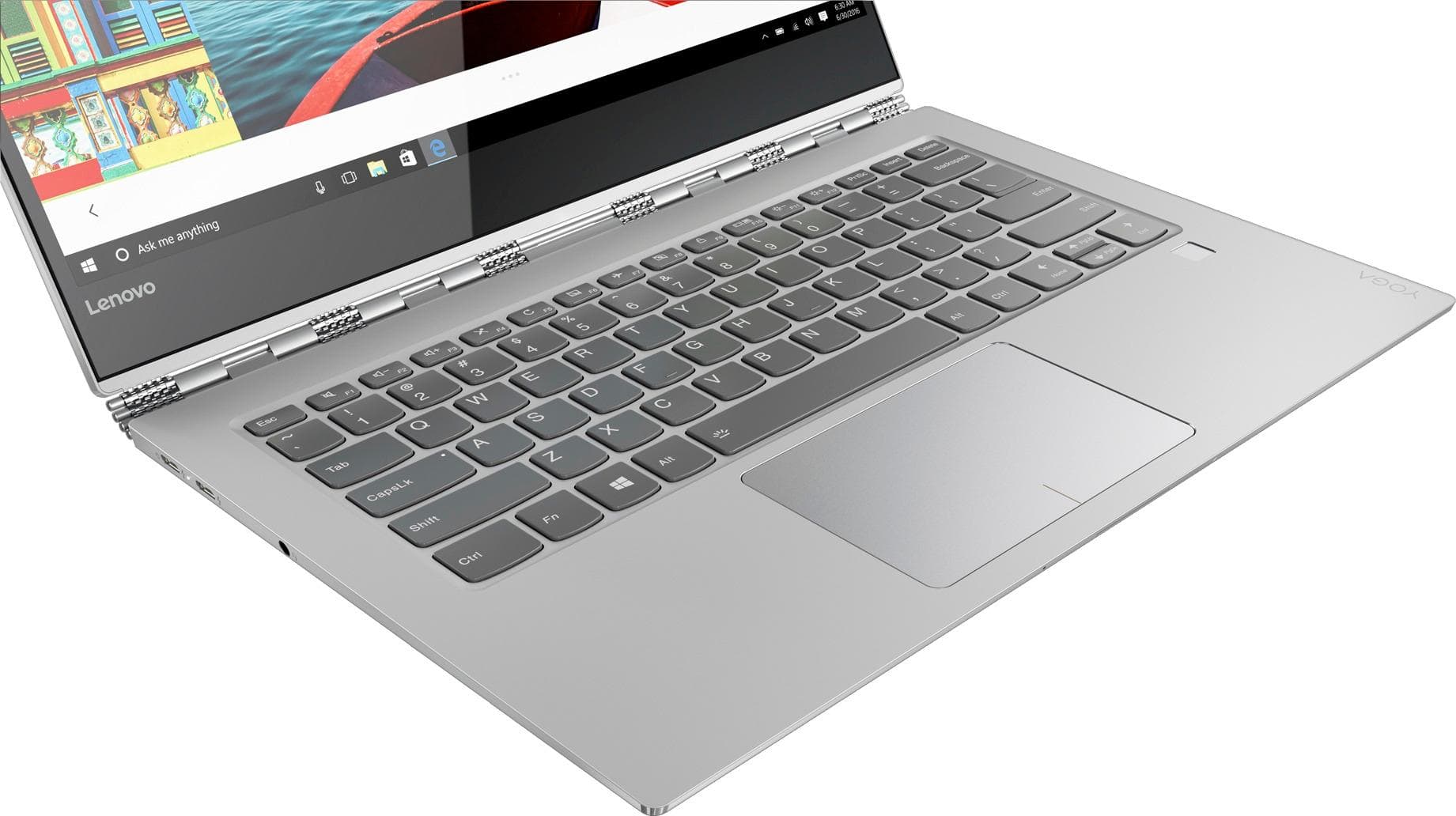
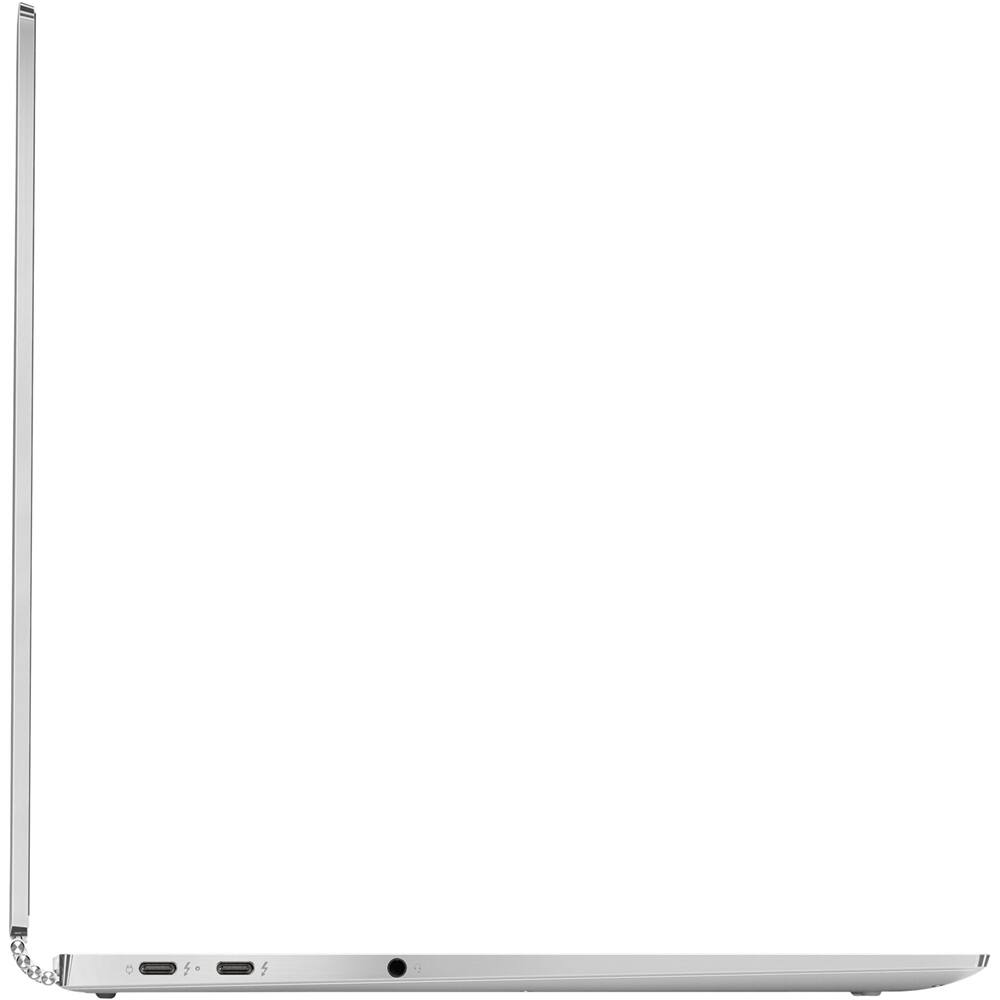
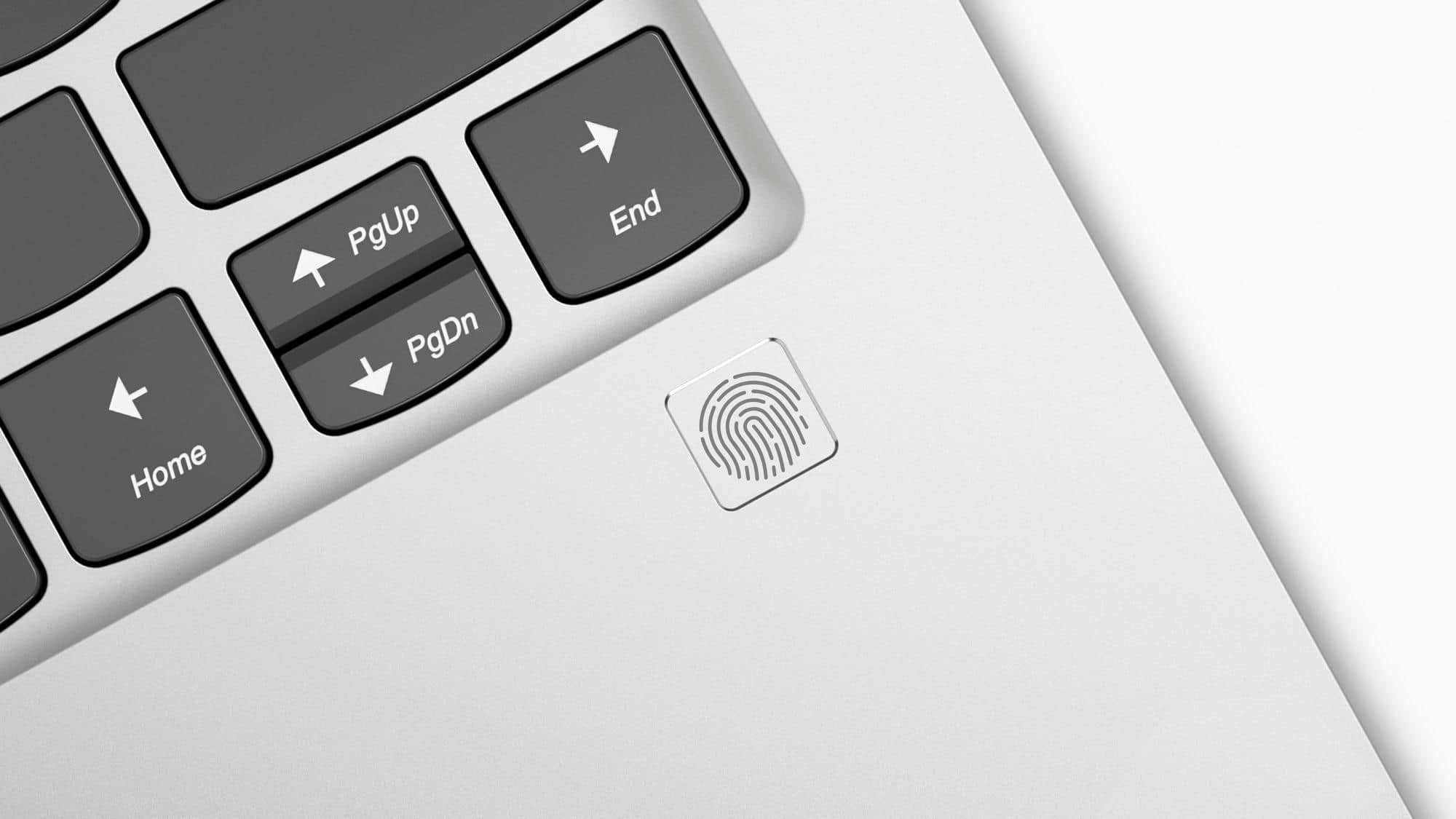
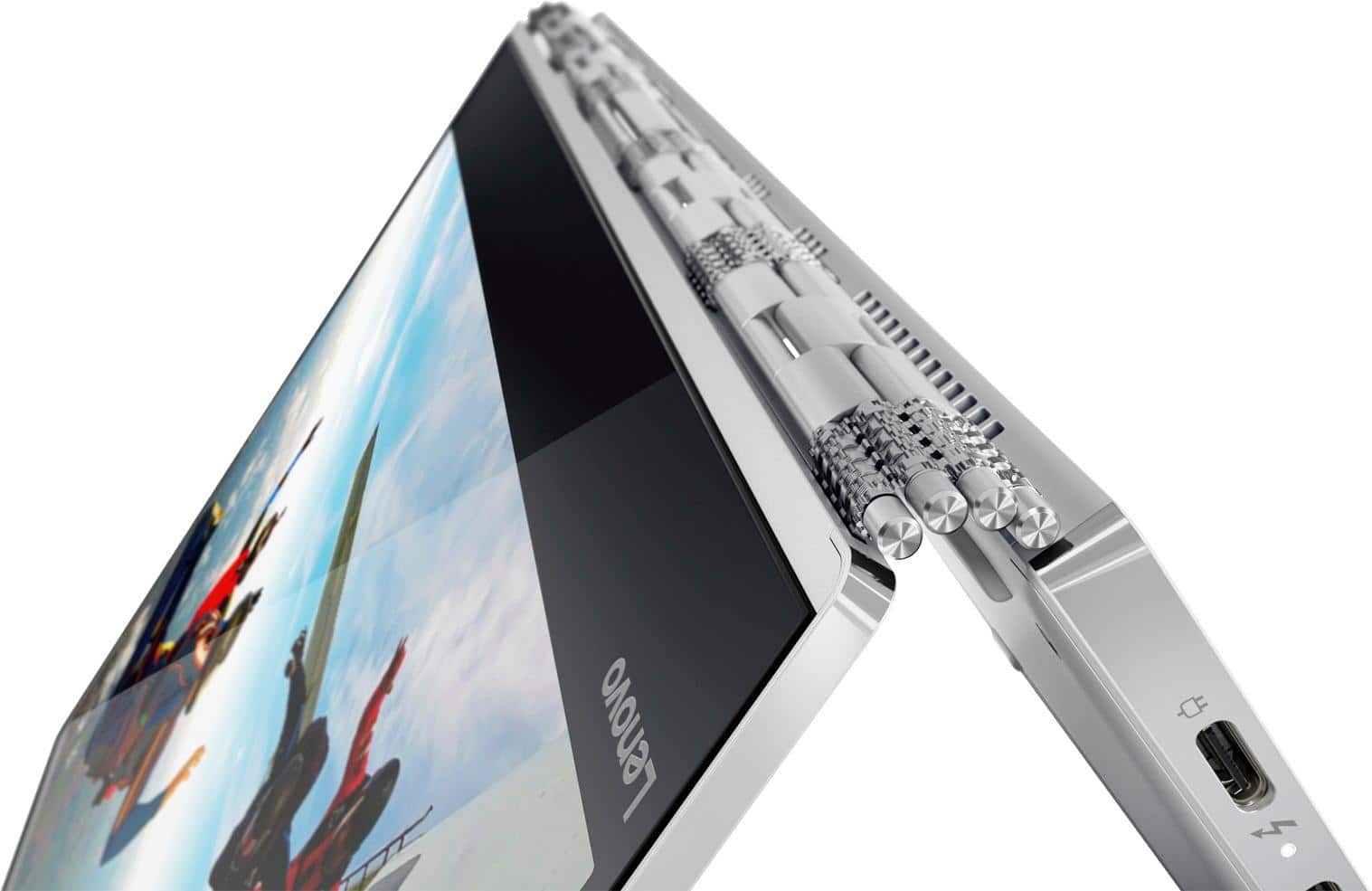
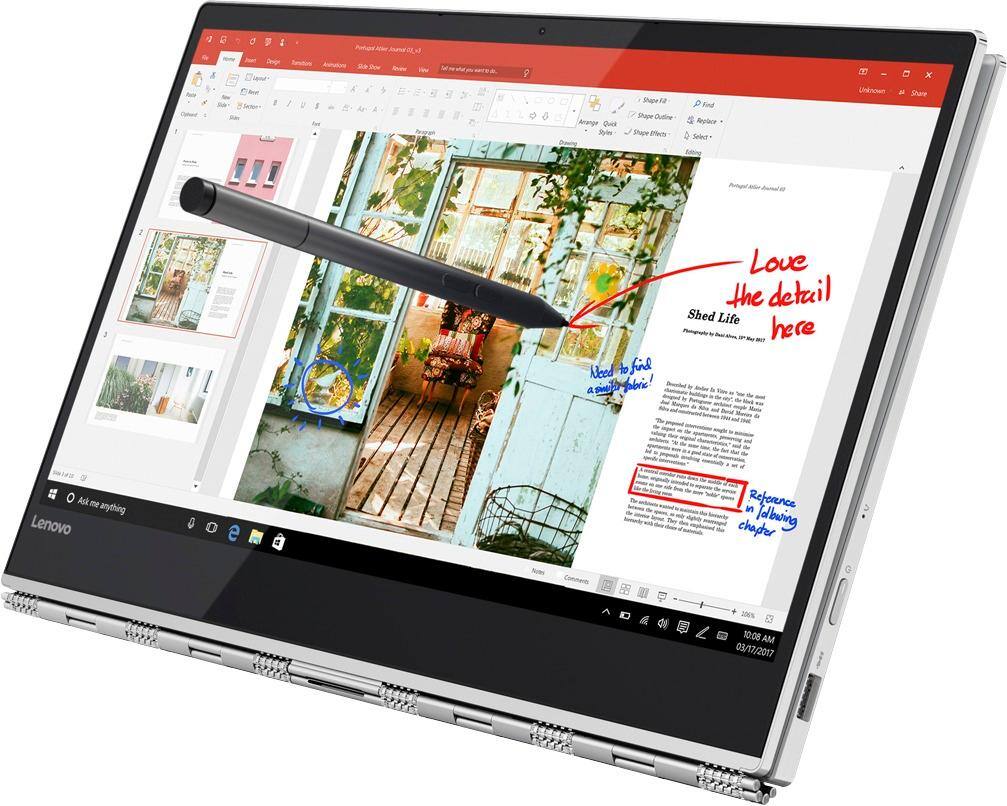
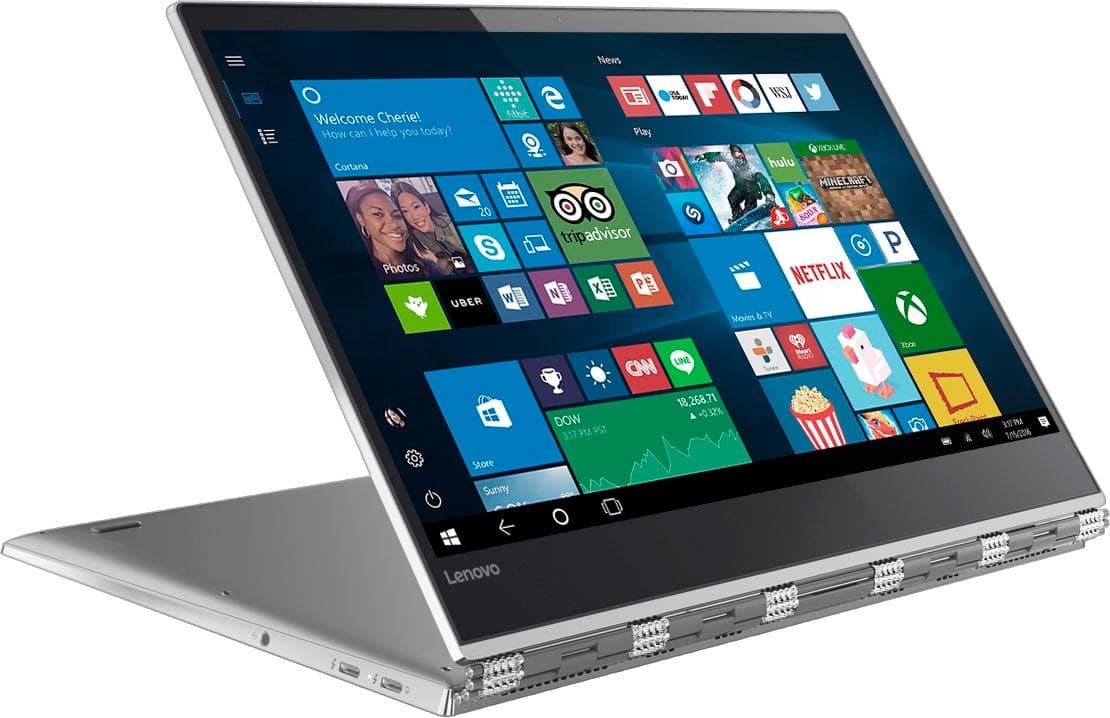
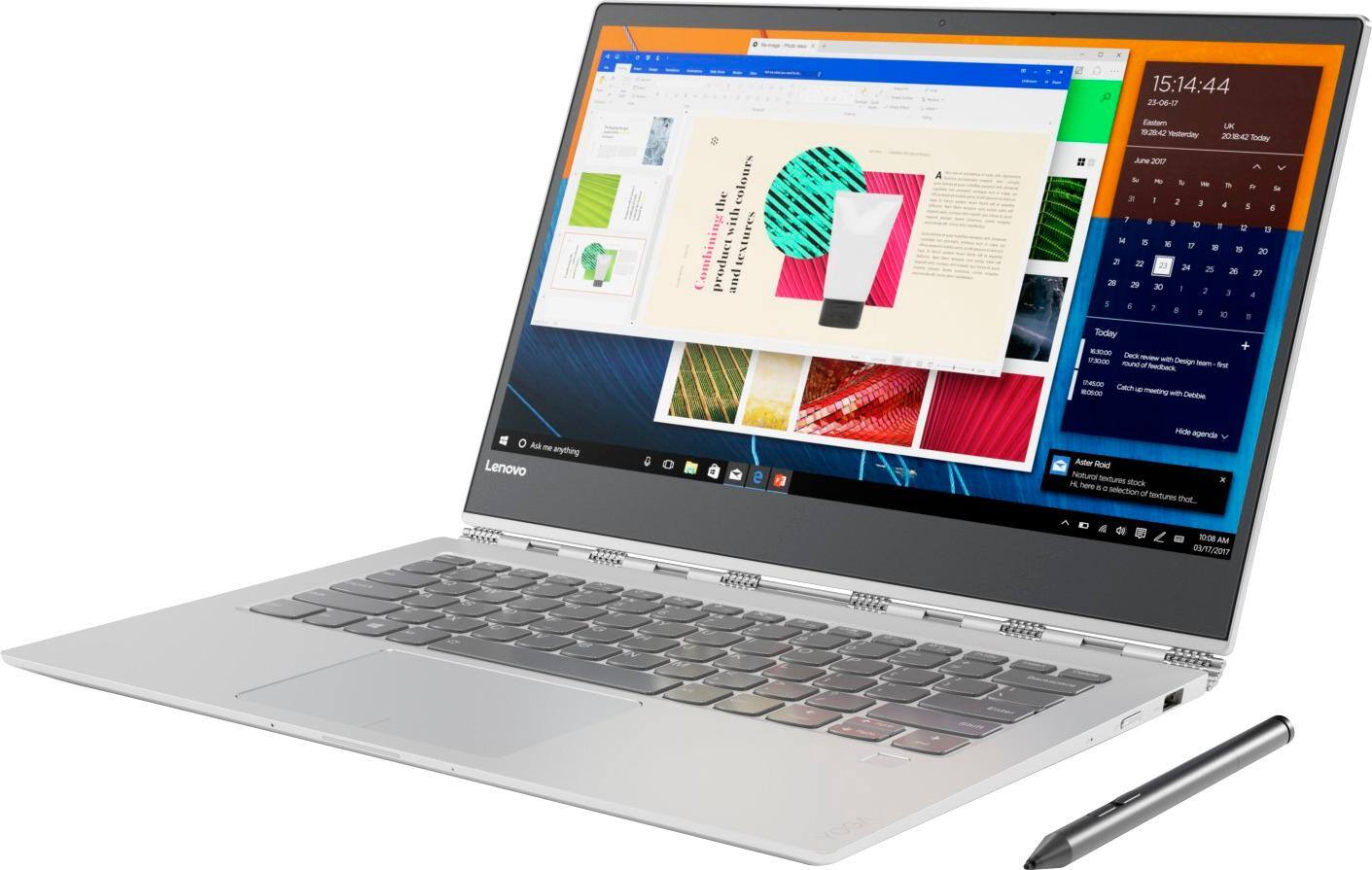
|Posted .This reviewer received promo considerations or sweepstakes entry for writing a review.This laptop did almost everything right. It supports Wacom 4096 level of pen sensitivity, impressive speakers, good battery, and 2 USB type C and 1 type A. This laptop is great for artists or designers and is a good substitute for a Wacom Cintiq on the go. It’s not perfect however, as the keyboard keys are stiff and the trackpad is hard and clicky. The camera is 720p and is decent, but a full 1080p would have been prefered. Overall still a very good laptop. Good: -Wacom 4096 Pen pressure sensitivity -Speakers -Design -Far field speakers -Battery -2 Thunderbolt 3 and 1 usb 3 type A -Fingerprint reader Bad: -Keyboard is stiff and requires harder push -Trackpad is hard and clicky -Camera isn’t great -No included documents Hardware: This is a nice looking laptop. It feels like a premium machine with the matte finish and solid construction. There’s very little flex. It’s not the lightest ultrabook I’ve had, but given it’s features in a compact form, I can’t fault that. I’m not crazy about its dual tone wrist watch style hinges, but that’s my personal preference. On the sides, you’ll find two USB-C/Thunderbolt ports, a USB 3.0 type A (which doubles as a pen holder with the included clip), power button, and headphone jack. The keyboard and touchpad is probably one of the biggest con for me. The keys are solid with little wiggle, but they feel hard and springy. It takes more force to type and after awhile you can feel it in your fingers. The touchpad is a nice size but it’s super clicky and noisy. Pressing down on it is also not easy on the fingertips. The fingerprint reader is located near the right corner of the keyboard, and makes unlocking much faster. Too bad it doesn’t seem to be able to use it to store passwords for sites. The 1080p touchscreen is nice and crisp with vibrant colors, and response well to touch and gestures. The camera has been moved back to the top of the screen and is acceptable. It’s not great but good enough for video calls. The speakers really surprised me. They’re located on the bottom corners and I thought they would be weak and muffled, but they sound really good! The sound is full and clear, but it does lack bass, and the sound quality can suffer a bit at higher volume. Performance: Setting up was standard Windows setup, just be sure to pair the bluetooth pen afterworth to get all the features. With 8GB of ram, running common apps shouldn’t be a problem, but with more intensive apps, it’ll can nearly max it out. I had Photoshop up while system update was running in the background and the memory was pushing 90%. I recommend getting the 16GB model for those applications. After some moderate use, it can get uncomfortably warm. Too warm to have it in your lap. After setting up, I tested the drawing capabilities, and I have to say that I’m totally impressed with the results. It may not be as good as a Cintiq, but the pen is sensitive enough to pick up light hair thin lines to full solid marks. It does take more pressure than a drawing tablet, and there’s no way to customize the sensitivity and buttons. I have to press harder than I’m comfortable with to register 100% pressure. Using the pen feels natural and it doesn’t pick up on touch as long as the pen is active. Drawing on the screen has a little resistance so it’s less like drawing on glass but not quite like paper. I took to it easily and now I flip it around and use it like a sketchbook with a bluetooth keyboard for shortcuts. I’m really loving it. The battery is good. It didn’t last up to 15 hours like they claim, but I got about 6 hours with moderate use of Photoshop. I had 20% left and I was able to get 3 hours with constant internet use, typing, and music, so I’m guessing I would have gotten much more than 6 hours if I hadn’t been using Photoshop. Another cool feature is the Amazon Echo like voice command. You can set it up to that while it’s plugged in, you can use voice commands from far away. I tested it out at 10 ft and it worked. The downside is that you’re stuck with Cortana. It’s not that useful but it’s there if you need to check messages and weather. If you’re an on the go artist, then this laptop is a great choice. I would upgrade to higher spec model, but this base model can still get the job done. I’ll be using this as my portable drawing utility for awhile.
I would recommend this to a friendBrand response from Lenovo Product Expert
Posted .Thank you for choosing the Lenovo Yoga 920-14. We are pleased to hear that the features and performance of the Yoga 920-14 meets your computing needs so well.
Screen flickering
||Posted .This reviewer received promo considerations or sweepstakes entry for writing a review.Got this laptop in December before I left for my vacation. Roughly used for 2-3 days before the screen started flickering and a black patch appeared on the screen. Returned the laptop back
No, I would not recommend this to a friendBrand response from Lenovo Product Expert
Posted .We are sorry to hear that you had an issue with the screen image on your Lenovo Yoga 920-14. From the description you give of the issue, it is possible updating Windows 10 to the latest version and updating the BIOS and drivers on the computer may correct the issue. This is easily accomplished by scanning the device with the Lenovo Utility software installed on the computer. This system has Lenovo utilities installed to help maintain the health of the device and keep the operating system software up to date. Type "Lenovo Vantage" in the Cortana Search window (if Lenovo Vantage is not installed on your device, you can download the APP and install it now). Select Lenovo Vantage from the list. In the window that opens, click on "Health and Support". In the expanded menu, select "Hardware Scan" In the window that opens, select "Run Quick Tests". This will scan your entire system for errors. Follow any directions that may pop up. If the problem continues after this scan, now click on "System Update". First select Windows update from the menu. Scan your system to be sure you have the latest version of Windows 10. Once that scan is complete, select "Additional Updates". This will scan your device to be sure there are no new BIOS/Driver updates needed. Follow any instructions that may pop up. If the issue still continues after these updates, we recommend you call Lenovo Tech Support at: 877-453-6686 for additional help.
Beautiful Laptoo
|Posted .This reviewer received promo considerations or sweepstakes entry for writing a review.I can't say I've had a laptop that I like more than this one. It is incredibly light and works like a charm for what I use it for. I usually use laptops for browsing the web, spreadsheets, YouTube, and Netflix. So I can't really tell you how well it works for things like Photoshop or premiere. But, during my use it was smooth and handled whatever I threw at it. Display: I got the 1080p version and the screen looks great. I'm very used to average looking laptop displays and this one is a huge step up. The colors look great, it's very bright, and very clear. Tablet mode: I think windows has improved a lot with the way it handles convertible laptops. I get a notification every time a fold the laptop into tablet mode. Windows will then expand everything to work well with touch. The tablet works well but, there isn't a whole lot of touch apps that I could find. I could see this being very useful for taking hand written notes (laptop also comes with a very good pen). The hinge works great and hold the screen very firm. You get almost no wiggle when you press the screen when. It's not completely folded flat. Pen: the pen works very well. It writes well and the response is great. It has three buttons. Two will do different things depending on the app. The other on top will open a dashboard with several writing apps (notepad, onenote, paint). Its a pretty cool shortcut that works well. The pen is powered by one aaa and two watch batteries. This is probably my biggest complaint as I'm not sure why they need multiple kinds of batteries. The pen also come with a holder that clips into the full-size usb port. I don't think this was thought out very well. It takes up the only full size is port and gets in the way of the power button. Ports: don't buy this laptop if you want ports. It has three. One full-size usb port and two usb c, one of which is take by the power code when charging. I get that the laptop is super light and it's hard to get ports but, usb c still seems kinda useless until more accessories support it. Overall: great portable laptop for light use and taking notes. Screen is great, pen works very well. But, usb c really holds the laptop back until more accessories come out.
I would recommend this to a friendBrand response from Lenovo Product Expert
Posted .Thank you for choosing the Lenovo Yoga 920-14. If you need more USB ports for this device, you may want to consider a USB hub for this device.
- Pros mentioned:Touch screen
Initial Thoughts
Posted .This reviewer received promo considerations or sweepstakes entry for writing a review.After the 13" HP Spectre x360 left me disappointed (I bought and returned three of them for various manufacturing defects), I had to go to Plan B. My brother loves his Lenovo, and I found good reviews of this one online, so I decided to make the jump. (As an aside, the packaging is really excellent -- the inner box actually rises up when you pull back the flaps of the cover). This is a very well-built machine, especially compared to the similarly priced Spectre. The only issue I noticed with the build is that the trackpad is not fantastic, as it makes a little clicking noise if you click on it lightly, but it is not an issue. The hinge is very well designed, and it is easy to rotate backwards as well as having very little play when you are typing (again, unlike the flimsy, cheap, and almost always crooked hinges of the Spectre). The keyboard is very good, and it has adjustable backlighting that is plenty bright for any situation, and the thankfully included Lenovo pen is fantastic because it easier to hold and use than other active pens for other laptops and Lenovo included a USB pen holder as well. The fingerprint sensor is also in a better position than on the Spectre (on the top of the laptop instead of on the side), and I have found it to be more accurate as well. The trackpad is very roomy, it has Windows precision drivers, and it is aligned with the space bar instead of perfectly centered (some would argue it doesn't look as good this way, but I think it makes the transition from tracking to typing easier). This laptop's performance is very snappy as well. It is flawless when working with Photoshop, I can have many Chrome tabs open and it will still be blazing fast, and even though it is not at all meant for gaming, it can still run Fortnite on medium-low settings and get a consistent 60fps, a respectable showing for an ultrabook. However, it is a little light on ports, with only one USB-A port and two USB-C Thunderbolt 3 ports, so a few dongles (not included) would be helpful. While this is only a first impression, this is a fantastic device and I would easily recommend this over any other laptop at this price point.
I would recommend this to a friendBrand response from Lenovo Product Expert
Posted .Thank you for choosing the Lenovo Yoga 920-14. With regard to the touchpad, you can make adjustments to the touchpad in your system settings. You can get there by clicking on the magnifying glass at the bottom left of your Windows 10 screen. Type "touchpad" in the search window. Select "Mouse & touchpad settings" from the list of choices. You can make general adjustments to the touchpad there. You can also select "Additional mouse options" for more detailed adjustments to the touchpad sensitivity by increasing the delay of the touchpad. We are pleased to hear that the features and performance of the Yoga 920-14 meets your computing needs so well.
Screen Flickers & USB stopped work
||Posted .This reviewer received promo considerations or sweepstakes entry for writing a review.Bought this computer for my son and in less then 30 days we are having problems with the screen flickering and the usb port has failed. Went to Lenova Web site and did all the updates, windows updates, and nothing worked. Then as a last resort did a complete system restore and still have the same problems. Apparently this problem is not software related and most likely hardware or poor construction. Wouldn't recommend. Hopefully I will get a completely new computer and won't have to mess around with repair.
No, I would not recommend this to a friendBrand response from Lenovo Product Expert
Posted .We are sorry to hear that you are having issues with your Lenovo Yoga 920-14. The issue you describe may be corrected by doing a scan and fix using the Lenovo Utility software installed on this computer. This system has Lenovo utilities installed to help maintain the health of the device and keep the operating system software up to date. Type "Lenovo Vantage" in the Cortana Search window (if Lenovo Vantage is not installed on your device, you can download the APP and install it now). Select Lenovo Vantage from the list. In the window that opens, click on "Health and Support". In the expanded menu, select "Hardware Scan" In the window that opens, select "Run Quick Tests". This will scan your entire system for errors. Follow any directions that may pop up. If the problem continues after this scan, now click on "System Update". First select Windows update from the menu. Scan your system to be sure you have the latest version of Windows 10. Once that scan is complete, select "Additional Updates". This will scan your device to be sure there are no new BIOS/Driver updates needed. Follow any instructions that may pop up. If the issue still continues after these updates, we recommend you call Lenovo Tech Support at: 877-453-6686 for additional help.
Failed within a week, needed replacing
||Posted .This reviewer received promo considerations or sweepstakes entry for writing a review.Replaced system seems to be working as expected. But still wary of it failing again. The drives' ability to start the system somehow got corrupted and would no longer boot.
No, I would not recommend this to a friendBrand response from Lenovo Product Expert
Posted .We are sorry to hear that you are having issues with your Lenovo Yoga 920-14. This system has Lenovo utilities installed to help maintain the health of the device and keep the operating system software up to date. Type "Lenovo Vantage" in the Cortana Search window (if Lenovo Vantage is not installed on your device, you can download the APP and install it now). Select Lenovo Vantage from the list. In the window that opens, click on "Health and Support". In the expanded menu, select "Hardware Scan" In the window that opens, select "Run Quick Tests". This will scan your entire system for errors. Follow any directions that may pop up. If the problem continues after this scan, now click on "System Update". First select Windows update from the menu. Scan your system to be sure you have the latest version of Windows 10. Once that scan is complete, select "Additional Updates". This will scan your device to be sure there are no new BIOS/Driver updates needed. Follow any instructions that may pop up. If the issue still continues after these updates, we recommend you call Lenovo Tech Support at: 877-453-6686 for additional help.
One of the BEST convertible laptop, hands down!
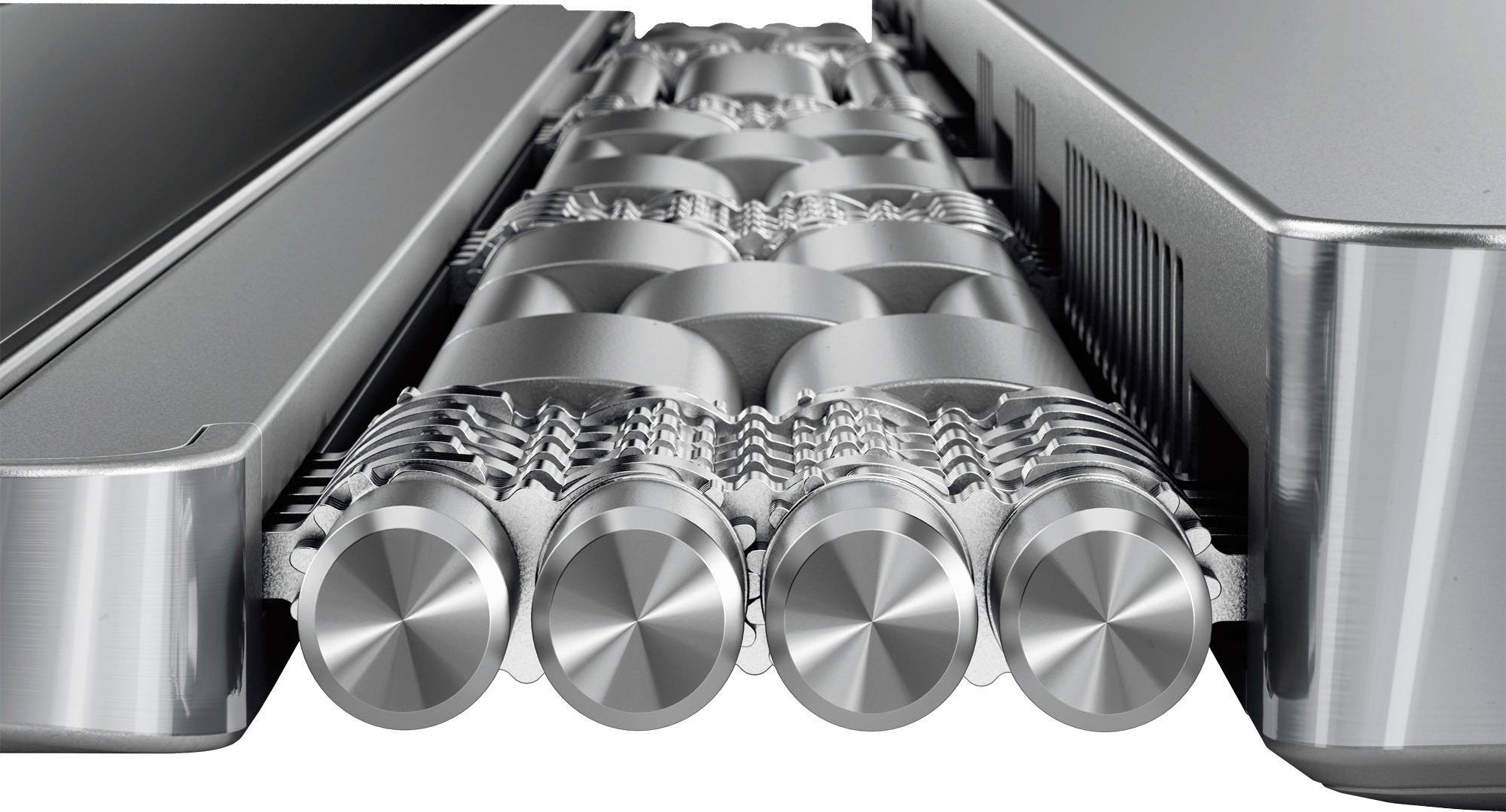
|Posted .This reviewer received promo considerations or sweepstakes entry for writing a review.My daily driver was an Dell XPS 13, which I considered to be the perfect 13 inch laptop, and wasn't really sold on the convertible laptops that was available then (1 year ago). Boy has time changed! When I received the Yoga 920, I finally had a laptop other than silver and/or black... the bronze finish is soo nice! The one thing I immediately noticed was the huge difference it was coming from an i5 to i7 processor... this thing is snappy! Overall size comparison to the XPS 13 and Yoga 920 is that the Yoga is about 20% bigger. Battery life is at par with about 8-9 hours of use before needing to charge (of course, this is based on my usage) and I do have portable battery chargers for both devices (best investments!). I will have to get used to the USB-C (Thunderbolt ports) more so than the USB 3.0 that I am accustomed too. Overall solid look and feel. The brushed aluminum touch is very niceee. I am, by far, amazed at the level of engineering it took to make the hinges for the Yoga. It sure has come a LONGGGG way. It's seamless and a beauty to the eyes at the craftsmanship of it. If you're in the market for a excellent convertible laptop, that is surely a bang for your buck, the Yoga 920 has it. I haven't used the stylus too much, but I am glad it's included! Thanks Lenovo! :D
I would recommend this to a friendBrand response from Lenovo Product Expert
Posted .Thank you for choosing the Lenovo Yoga 920-14. We are pleased to hear that the features and performance of the Yoga 920-14 meets your computing needs so well.
great but broken
||Posted .This reviewer received promo considerations or sweepstakes entry for writing a review.Out of the box the volume button was faulty and sometimes doesnt register when i press it. I didnt notice this until after the return period for best buy so i doubt theyll do anything. And if i ship it to lenovo to get it fixed, theyll probably charge shipping, which is ridiculous considering it came broken out of the box and i think the expense should be on them. Also, the screen was a bit too grippy and so the pen wouldnt glide smoothly.
No, I would not recommend this to a friendBrand response from Lenovo Product Expert
Posted .We are sorry to hear that you are having issues with your Lenovo Yoga 920-14. We recommend you call Lenovo Tech Support at: 877-453-6686 for help with your specific issues.
- Pros mentioned:Touch screen
Great!
|Posted .This reviewer received promo considerations or sweepstakes entry for writing a review.I must say do not let the small size of this laptop fool you. First impressions of this laptop is that it is very impressive. Without a doubt the hinge (watch strap design) is my absolute favorite, not only does it look nice, its feels so sturdy and strong. I've noticed that they have made this laptop so incredibly thin that it is somewhat difficult to open it up, the space they leave for you to put you finger really just forces you to use you finger nails instead to pry it open, I would have liked to see a slightly more ergonomic notch cut into the edge. The speakers seem to have a great sound, so far music and movie playback sounds good, especially on a desk, but if you plan to use this on your lap often, and need the sound, this is not the one for you. The speakers are on the bottom outer edge that would be up against you and would be completely muffled. More impressive that the speakers though is the screen. I noticed right out of the box the brightness is way too high, when watching anything the highlights were so white and washed out, but bringing the screen brightness down to about 60% I think added to the quality of the picture. When playing 4k or 8k videos, I have no trouble saying the quality is right up there with my dell 4k monitor that was a $600 purchase. A step further than the visual quality of the screen is the touch capabilities, I was not expecting to be impressed with it but I am. Very accurate and precise. The first time that I saw that it even knew when I would press harder on the screen and adjust the line accordingly, I was amazed. Only complaint I have is the Bluetooth pen design, the buttons down low are in the exact spot my thumb seems to always rest at, and since the lower button appears to be an eraser, I often erase something I just did. I can see this laptop being great for students who need something faster and stronger than just a basic cheap laptop. There is a function where you can take a screenshot by clicking the button on the top of the pen twice and from there you can make all sorts of notes or even highlight something like an actual highlighter to paper. Where was that tool while I was in school? I can also see this laptop being good for someone who works with graphic design or creative content because of the quality of the screen as well as the touch capabilities. I would not say this would be their only tool, I personally do a lot of photo editing in adobe lightroom for both personal and job use and I cannot use a screen this small unless I absolutely have to, say like out in the field where I need a project turned in nearly on the spot. For everyday use with creating content however, a larger 24-37 inch screen is a better option. But again, this would be a great option for working on the go. And for someone who just needs the internet and microsoft office functions, this would be an even better option for them as the specs on the internal components all either meet or exceed the daily demands of the everyday user.
I would recommend this to a friendBrand response from Lenovo Product Expert
Posted .Thank you for choosing the Lenovo Yoga 920-14. We are pleased to hear that the features and performance of the Yoga 920-14 meet your computing needs so well.
Not good for me
||Posted .This reviewer received promo considerations or sweepstakes entry for writing a review.This computer had issues with other products like hp printer and a mouse that was 4 years old. Bought a Bluetooth mouse it disconnected at least 1x a day. The Lenovo wants you to use edge which is compatible with their pen but you can’t print from edge. Couldn’t scan from printer to computer. Awful experience returning it.
No, I would not recommend this to a friendBrand response from Lenovo Product Expert
Posted .We are sorry to hear that you are having issues pairing your printer with the Yoga 920-14. We recommend you check with the printer manufacturer for Windows 10 drivers for the printer to be installed on the Yoga 920-14. Follow the printer manufacturer's pairing instructions for pairing a Windows 10 computer to the printer.
The hard drive got corrupted within 20 days
||Posted .This reviewer received promo considerations or sweepstakes entry for writing a review.The hard drive got corrupted within 20 days and because of best buy's 15 day return policy, I am now stuck with the laptop. Please don't purchase it from best buy
No, I would not recommend this to a friendBrand response from Lenovo Product Expert
Posted .We are sorry to hear that you are having issues with the hard drive on your Lenovo Yoga 920-14. This system is equipped with OneKey Recovery System. There is a very small pin hole on the right side of the device, right near the power button on the device. You will need a pin to push this reset button. Plug the device in. Let the battery charge for about 15 minutes. Push the reset button. The system should boot to a choice screen where you can choose "Restore To Factory Default". Select this. It will delete everything from the hard drive except the original factory install of the operating system. You will need to reinstall all programs and files after the reset. If you don't have copies of the files, try to make one before you restore by selecting "Boot to desktop" and trying to back up your files. If the problem persists after the factory reset, we recommend you contact Lenovo Tech Support at: 877-453-6686.
- Pros mentioned:Battery life, Light, Touch screen
Best Laptop Out there
Posted .This reviewer received promo considerations or sweepstakes entry for writing a review.I needed a Main laptop for law school. I wanted to replace my heavy gaming laptop because I would need a light yet sturdy, dependable, stylish 12-14 inch computer. I did a lot of research and ended up with about 5. I didn't want anything over 14 inches or under 12 inches because it would be either too bulky or too small for comfort. My top choices were the MacBook pro, Surface laptop, HP Spectra 360 and the Dell XPS also considered regular 12 inch Mac and even the surface pro. I found this laptop to be the least lacking. The XPS and Spectre were the closest runner ups but they were a bit too thin and flimsy. The Surface pro was too small and the Surface laptop had the cloth keyboard that could wear out. The Macs are not touchscreen or convertible. This one I think is the most stylish and the battery life is amazing I can take it to school and one charge will last all day. The only better things that Mac has is a better keyboard and perhaps better screen, but you can also get the 4k model. I love the thin bezels which were the final requirement I was looking for.
I would recommend this to a friendBrand response from Lenovo Product Expert
Posted .Thank you for choosing the Lenovo Yoga 920-14. We are pleased to hear that the value, features and performance of the Yoga 920-14 meets your computing needs so well.
- Cons mentioned:Bloatware, Fan noise
Classic Windows Experience again
Posted .This reviewer received promo considerations or sweepstakes entry for writing a review.Over the last few years I have only owned the latest MacBook Pros and Microsoft Machines such as the Surface Book, Pro and Laptop. I am therefore a person who has premium expectation in a machine and look for a flawless experience in either Windows or Mac. When I saw the Yoga 920 at the store I really thought the fit and finish was on the same level as the aforementioned machines and was packing the latest 8th gen CPUs, at $1099 it seemed like a good deal. But then using it for two hours reminds me why I dont normally loose my time or money with PCs in general, except Microsoft who seems to have taken a cue from Apple. You turn it on for the first time and you are greeted by Lenovo Bloatware, McAfee, Virus Protections Pop-Ups, Themal Throttling and Fan Noise for no reasons. There is even a 20GB or so partition on the disk for Lenovo stuff? No THanks!!! See I dont understand how manufacturers who want to design a high end machine to go after Mac Or Microsoft cant put two and two together and understand that nobody wants to deal with this BS. Lenovo, you have a solid laptop that feels premium but as long as the experience from your machine resonates the classical Windows experience that had so many users switch to Mac you wont be perceived as a Flag Ship Brand. Conclusion: Will return the machine today and go back to Surface Book 1st gen now that they can be had for cheap.
No, I would not recommend this to a friend Problem with key board
||Posted .This reviewer received promo considerations or sweepstakes entry for writing a review.It has worked fine till now. The key board quit working on it. They said I will have to send it back. I hardly used it and bought it in August and we are at the end of September.
No, I would not recommend this to a friendBrand response from Lenovo Product Expert
Posted .We are sorry to hear that you are having issues with the keyboard on your Lenovo Yoga 920-14. Before you send your Yoga 920-14 in for repair, you might want to scan both the hardware and software for fixes to the issue. This system has Lenovo utilities installed to help maintain the health of the device and keep the operating system software up to date. Type "Lenovo Vantage" in the Cortana Search window (if Lenovo Vantage is not installed on your device, you can download the APP and install it now). Select Lenovo Vantage from the list. In the window that opens, click on "Health and Support". In the expanded menu, select "Hardware Scan" In the window that opens, select "Run Quick Tests". This will scan your entire system for errors. Follow any directions that may pop up. If the problem continues after this scan, now click on "System Update". First select Windows update from the menu. Scan your system to be sure you have the latest version of Windows 10. Once that scan is complete, select "Additional Updates". This will scan your device to be sure there are no new BIOS/Driver updates needed. Follow any instructions that may pop up.
Horrible Open Box Experience
||Posted .This reviewer received promo considerations or sweepstakes entry for writing a review.We bought this computer open box and it was not working right off the bat. But Best Buy would not replace the computer. We were very frustrated.
No, I would not recommend this to a friendBrand response from Lenovo Product Expert
Posted .We are sorry to hear that you are having issues with your Lenovo Yoga 920-14. We recommend you call Lenovo Tech Support to see if we can find a solution for your issues at: 877-453-6686.
Not Worth the Money
||Posted . Owned for 11 months when reviewed.This reviewer received promo considerations or sweepstakes entry for writing a review.Second Lenovo laptop. First one was okay, then one is worst but cost 50% more. Audio has goes off once a month. Sometimes will not turn on. This is the last Lenovo that I buy.
No, I would not recommend this to a friend