Customer Ratings & Reviews


- Model:
- 80Y70012US
- SKU:
- 6132407
Rating by feature
- Value
Rating 3.7 out of 5 stars
- Quality
Rating 4.1 out of 5 stars
- Ease of Use
Rating 4.2 out of 5 stars
Customers are saying
Customers highly value the Yoga 920's touch screen, long battery life, lightweight design, and reasonable price. They appreciate its performance and weight. However, some customers have concerns about overheating, fan noise, limited storage, pre-installed software, and non-upgradeable RAM.
This summary was generated by AI based on customer reviews.
Terrible quality, low-life
Posted .This reviewer received promo considerations or sweepstakes entry for writing a review.Lenovo laptops are not the same old IBM workhorses. Quality is exceedingly low, and service not up to the mark. For my business use, I purchased a high end Lenovo Yoga 900 (in the $1400 range) which immediately after it's 1 yr warranty was over, refused to power up or charge. The Lenovo service center is charging me $80 just to figure out the problem, and has suggested a possible $400 for eventual repair. No other brand I've purchased has given such a terrible experience - Dell, HP, Sony, Toshiba, Apple. Why would someone buy a $1500 Lenovo when even the cheapest $300 HP machine doesn't go bust after a year? Lenovo refused to repair it or even tell me what is wrong - free of charge.
No, I would not recommend this to a friendBrand response from Lenovo Product Expert
Posted .We are sorry to hear that you are having issues. Your review is attached to the Lenovo Yoga 920-14 model, but you say you have the Yoga 900. We recommend you call Lenovo Tech Support at: 877-453-6686 for help.

Amazing deal.
Posted .This reviewer received promo considerations or sweepstakes entry for writing a review.I bought this laptop as an open box, costing half of it's MSRP and I honestly couldn't find a single cosmetic flaw that was mentioned. Installing and running Linux in this machine was quick and painless. I highly recommend this laptop.
I would recommend this to a friendFaulty
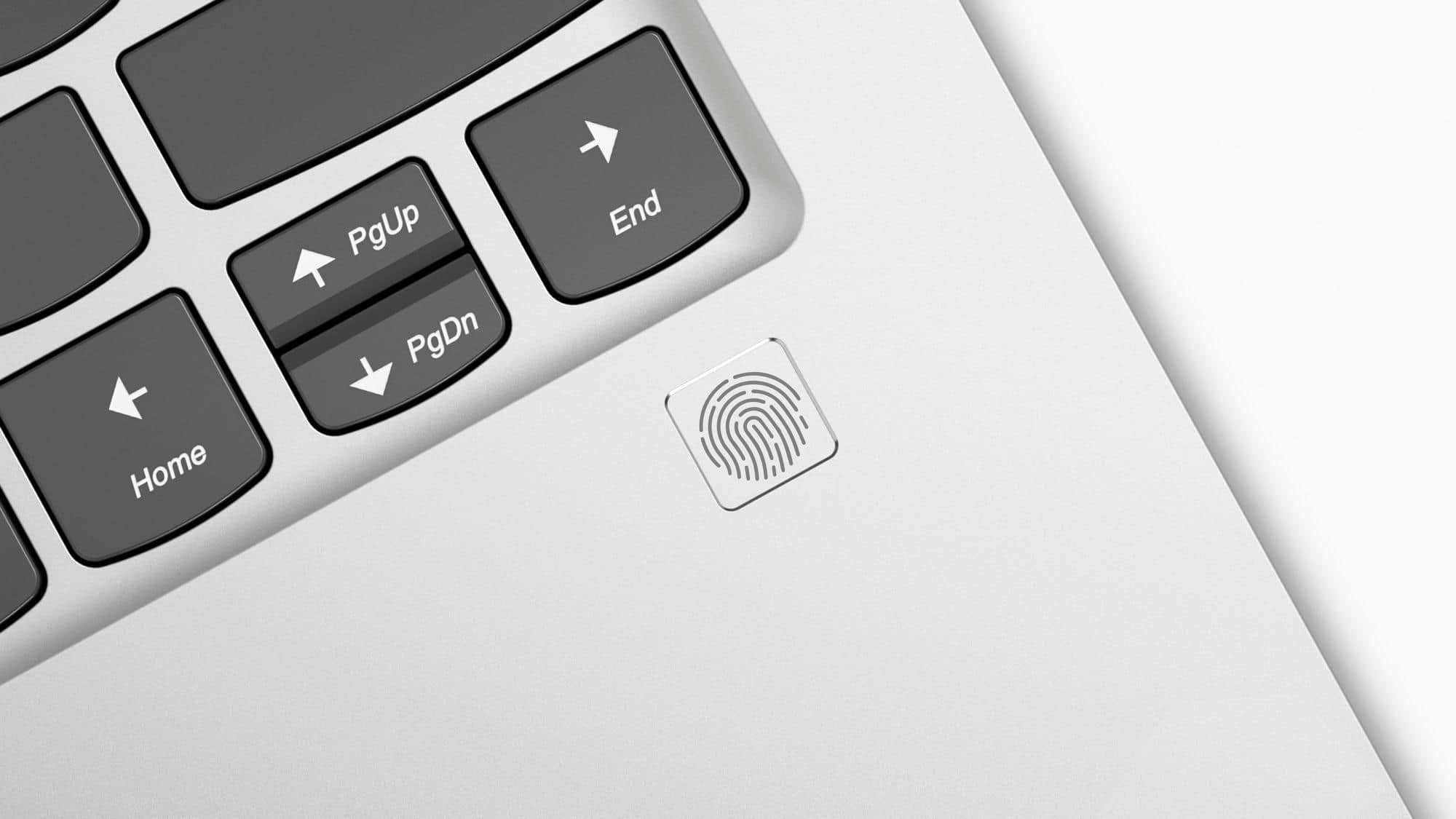
Posted .This reviewer received promo considerations or sweepstakes entry for writing a review.When I first purchased this laptop, I recieved on with the metal frame broken on the interior. I was able to return it. I then purchased another one because I really enjoyed the look and feel of this laptop. However, two days after I bought it, the fingerprint sensor would not work at all and the computer struggled to open a single app. For the two days that I had it, I loved the way it looked and felt. But I noticed that it runs pretty hot and the fan is very noisy. Although the computer looked great, the functions of it we’re not great.
No, I would not recommend this to a friendBrand response from Lenovo Product Expert
Posted .We are sorry to hear that you are having issues with your Yoga 920-14. With regard to the issues you mention with your device, there may be driver updates for your specific system. Follow the link below to look for new driver updates for your specific system. You can also run diagnostics from the Lenovo site as well. As always, be sure to create a restore point on your system before you make any changes. You can do this by just typing "restore point" in the search window within Cortana and follow the link to create a restore point. Here is the link:
https://pcsupport.lenovo.com/us/en/products/laptops-and-netbooks/yoga-series/yoga-920-13ikb/downloads?linkTrack=Caps%3ABody_SearchProduct&searchType=3&keyWordSearch=Yoga%2520920-13IKB%2520Notebook%2520%2528ideapad%2529
Not a good choice for students
Posted .This reviewer received promo considerations or sweepstakes entry for writing a review.I purchased my Yoga 910-131KB a little over a year and a half ago. I've had startup errors prior to this where the laptop charger light would not come on, even though it was plugged in, there were no tears, kinks, or otherwise problems with the charger cord, the outlet was working, etc. This happened enough times that I called customer service and they could not provide assistance; the customer service trouble shooting suggestions were things I've already done. Everytime this happened, I would push a bobby pin in the reset button next to the headphone icon and after selecting normal startup, the computer usually turned on. If it did not turn on after trying this, I'd wait a few minutes or an hour and try again. This past week, as I noticed my laptop was around 50%, I plugged in my charger and got the dreaded "plugged in, not charging" notification next to my battery icon. According to other posts on this community forum, troubleshooting steps outlined by lenovo under "support", and lenovo customer service, it has come to my attention that this spells imminent computer death. I'm posting this so other consumers are aware of this issue and for students, like myself, to look for alternative laptop options, perferably ones that have a longer life span than a year and a half. After seeing the "plugged in, not charging" notice, I checked the Lenovo Vantage app, which told me nothing was wrong with my computer. There were no system updates, health and support indicated nothing was wrong, and the hardware settings for power also indicated nothing was wrong. I checked my computer's troubleshooters under my settings, which also indicated nothing was wrong. In trying to figure out what was wrong I: -changed power outlets -checked for updates -turned the pc on/off, restarted the pc -uninstalled the battery driver ACPI-Compliant Control Method Battery and reinstalled it - restored my computer to an earlier version -rebooted the system entirely As a note, taking the battery out and putting it back in was not an option because it is not easily accessible. When I rebooted the computer, it no longer said "plugged in, not charging", instead it couldn't identify if the battery was even in. The battery icon was empty and the charging light flashed orange until it eventually died. After speaking with customer service, I was informed this was a common issue and lenovo will be sending me a new battery replacement (which they felt was the issue). I have yet to received notification on when the battery will be replaced, however, I have doubts it will fix anything because of other posts on the community forum indicating this solution was also suggested, tried, and ultimately failed to fix the issue. Another community member stated lenovo then wanted to replace the PC's motherboard (valued around $800),which is not a viable financial option for me. I recently plugged in the laptop and the charging light is again white, however, after pressing the reset button to power on (because the power button does nothing at this point), the keyboard backlight lights up, but nothing happens. The screen does not turn on, the computer fails to startup, and the power immidiently dies. The charging light also never goes beyond the flashing white light (when it is completely charged the light should stay a consistent white). I'm disappointed that such an expensive laptop has such issues. I'll see where the battery replacement gets me, but I'm going to take out more student loan to buy a $400 or less laptop from Walmart. As a student I need to have reliable access to an affordable laptop and this product by far is not worth its price.
No, I would not recommend this to a friendBrand response from Lenovo Product Expert
Posted .Your review is attached to the Yoga 920-14, but you describe your product as the Yoga 910-13IKB, which is no longer manufactured. With regard to the issue you describe with your battery, try a hard reset of a non-removable battery. Here is a link to instructions for resetting a non-removable battery. If you need further assistance, we recommend you call Lenovo Tech Support at: 877-453-6686. Here is the link: https://www.techwalla.com/articles/how-to-reset-a-laptop-battery
Good Computer, Bed Design
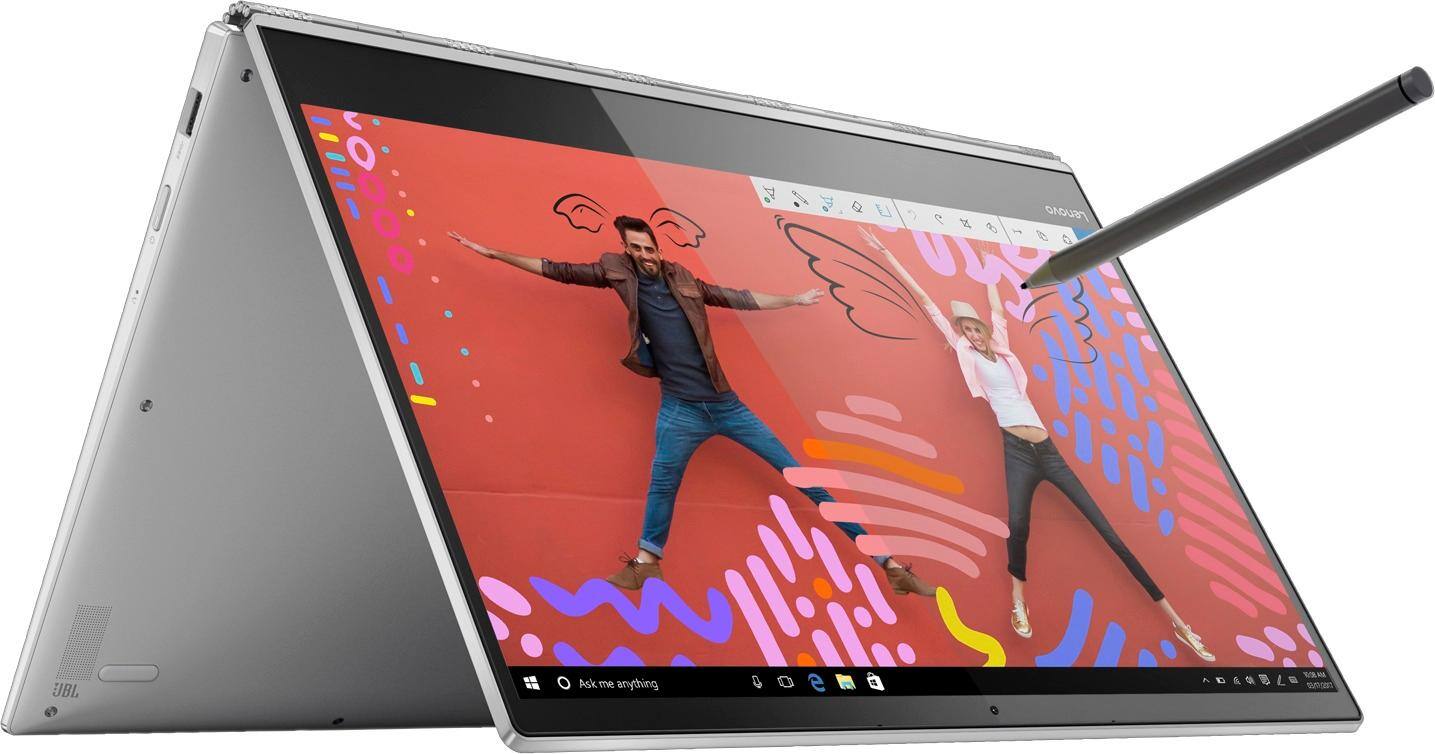
Posted .This reviewer received promo considerations or sweepstakes entry for writing a review.I just bought this computer yesterday and I had been very excited about it. My only complaint had been that my wrists hurt when they were resting on the computer because of the sharp edges. That was until I started getting little cuts all over my fingers from the edges. I thought it wasn't a big deal and that I needed to be more careful. However, tonight I bent the screen back to go into tablet mode and the edge sliced my finger open. The cut is very deep and it's safe to say I will be returning this tomorrow for a computer that does not double as a knife.
No, I would not recommend this to a friendSpeaker Issues due to a Faulty Motherboard
Posted .This reviewer received promo considerations or sweepstakes entry for writing a review.It was a great laptop, when it was functional and when it wasn't away for repair. There is a faulty part on the motherboard of many of these laptops that cause the speakers to fail and eventual power issues that result in complete failure. See this discussion board to gauge how prevalent the issue is. https://forums.lenovo.com/t5/Lenovo-Yoga-Series-Notebooks/Lenovo-Yoga-920-No-sound/m-p/4003227/highlight/false#M62299 For this reason, I can't recommend this laptop. It gets two stars, and not one, simply because it's great when it works.
No, I would not recommend this to a friendBrand response from Lenovo Product Expert
Posted .The issue you refer to concerning no audio on the Yoga 920-14 is due to a Windows 10 update that conflicts with existing audio drivers. This issue is easily repaired by updating both the BIOS and audio drivers on the Yoga 920-14. This can be accomplished by the user, using the Lenovo Utility software installed on this computer. This system has Lenovo utilities installed to help maintain the health of the device and keep the operating system software up to date. Type "Lenovo Vantage" in the Cortana Search window (if Lenovo Vantage is not installed on your device, you can download the APP and install it now). Select Lenovo Vantage from the list. In the window that opens, click on "Health and Support". In the expanded menu, select "Hardware Scan" In the window that opens, select "Run Quick Tests". This will scan your entire system for errors. Follow any directions that may pop up. If the problem continues after this scan, now click on "System Update". First select Windows update from the menu. Scan your system to be sure you have the latest version of Windows 10. Once that scan is complete, select "Additional Updates". This will scan your device to be sure there are no new BIOS/Driver updates needed. Follow any instructions that may pop up. If the issue still continues after these updates, we recommend you call Lenovo Tech Support at: 877-453-6686 for additional help.

Beautiful but flawed
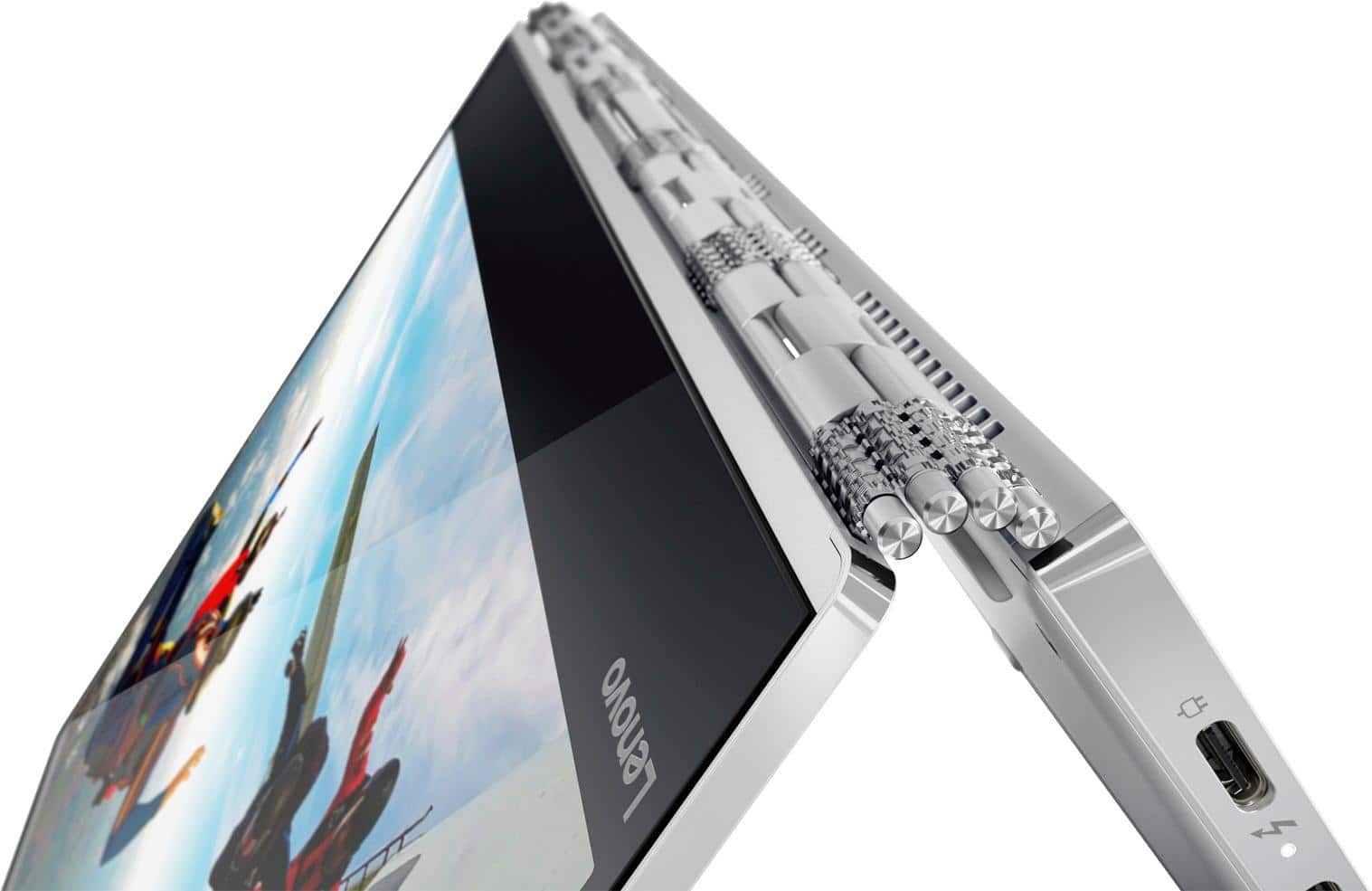
Posted .This reviewer received promo considerations or sweepstakes entry for writing a review.This is our third Lenovo yoga product. WeI had the 2 and the 3 Pro before this. Like other 920s, this machine also has the problems with really poor wifi reception. I have a fairly small office and the signal is very strong, but the Yoga constantly drops it. I keep current on all updates. Also, several of the end caps on the hinge have fallen off and Lenovo will not provide replacements, even if I'm willing to pay for them. Definitely our last Lenovo.
No, I would not recommend this to a friendBrand response from Lenovo Product Expert
Posted .We are sorry to hear that you are having issues with the WiFi on your Yoga 920-14. The Yoga 920-14 uses the latest version 802.11AC WiFi frequency and although it is backward compatible to older b/g/n frequencies, you should check to be sure your router has the latest firmware updates. You can check the router manufacturer's web page for the latest firmware update for your model router. You can check this out yourself by trying the Yoga 920-14 at a commercial location. See if you experience the same signal drop at a commercial free WiFi location, as the operators tend to keep their service up to date.
TERRIBLE WIFI
Posted .This reviewer received promo considerations or sweepstakes entry for writing a review.One of the foundational elements of any laptop is it’s ability to connect to and maintain connection to WiFi. If you type in “Lenovo yoga WiFi problems” you’ll see this isn’t a singular case. The WiFi card (Atheros) used in the Yoga series and some others is AWFUL! 30 Mg downloads would say “35 minutes” and then lose connection and I’d have to start over. Web pages wouldn’t load frequently, I could never finish a download without it disconnecting. I troubleshooted this in depth going from forum to forum trying all the listed solutions to no avail. After spending $1,300, WiFi connectivity problems should not be happening. I get 5-6Mg downloads on all other devices while the Lenovo got less than 1. DO NOT BUY -
No, I would not recommend this to a friendBrand response from Lenovo Product Expert
Posted .The Lenovo Yoga 920-14 uses the latest and fastest WiFi frequency, 802.11AC. Be sure your router has the latest firmware updates, for although 802.11AC is backward compatible to older b/g/n frequencies, to get optimum performance, be sure you have the latest firmware installed on your router. You can check this at the web site for your router manufacturer. You can also check and maintain the health of the Yoga 920-14 and keep operating software like BIOS/Drivers up to date easily. This system has Lenovo utilities installed to help maintain the health of the device and keep the operating system software up to date. Type "Lenovo Vantage" in the Cortana Search window (if Lenovo Vantage is not installed on your device, you can download the APP and install it now). Select Lenovo Vantage from the list. In the window that opens, click on "Health and Support". In the expanded menu, select "Hardware Scan" In the window that opens, select "Run Quick Tests". This will scan your entire system for errors. Follow any directions that may pop up. If the problem continues after this scan, now click on "System Update". First select Windows update from the menu. Scan your system to be sure you have the latest version of Windows 10. Once that scan is complete, select "Additional Updates". This will scan your device to be sure there are no new BIOS/Driver updates needed. Follow any instructions that may pop up. If the issue still continues after these updates, we recommend you call Lenovo Tech Support at: 877-453-6686 for additional help.
- Cons mentioned:Overheating
Terrible
Posted .This reviewer received promo considerations or sweepstakes entry for writing a review.It overheated very often, especially when it was charging. After less than 3 months of use, it completely heated to the point that the hard drive disconnected and was no longer recoverable.
No, I would not recommend this to a friendBrand response from Lenovo Product Expert
Posted .We are sorry to hear that you are having issues with your Lenovo Yoga 920-14. We recommend you call Lenovo Tech Support for help with your specific issue at: 877-453-6686.
Stay Away
Posted .This reviewer received promo considerations or sweepstakes entry for writing a review.I was so careful about what I was going to buy. I have used ThinkPads for as long as I can remember so I was so excited to buy this Yoga. The first four days were fantastic. Then I needed Excel which I bought. Didn't work. Geek Squad said it happens. I searched the internet to see if others had the issue, sure enough, many people with this computer and Windows 10 had this issue. Ok, not a big deal. I can pay someone that is NOT Geek Squad to fix it because they couldn't. Before I could do that it suddenly went black an hour into a webinar. About an hour later I was able to reboot. For the last five days I keep trying to use it. Sometimes it goes black after five minutes, sometimes after 45 minutes. I spoke to Geek Squad, they said I am not the first. Well, I can't afford to not have a working laptop so I will be returning and recommend people to stay away. If they would have told me there was this issue I would have purchased a different Lenovo because I was a fan. Now, I am just a ticked off former owner.
No, I would not recommend this to a friendBrand response from Lenovo Product Expert
Posted .We are sorry to hear that you are having issues with your Yoga 920-14. This issues you are describing seem to come from your installation of Microsoft Excel Office software. There is a 30-day trial of Microsoft Office 365 included as part of the Windows 10 operating system. In order to keep the program active after the trial period, you will need to purchase a product key. You will not need to download any additional software. If you install another copy of Office programs on top to the pre-installed Microsoft software, the problems you describe can occur. You will need to uninstall the Office software you installed, then use the 25-digit Product Key that came with your purchased software to activate the preloaded software.
Buy a Mac instead... system crashed after update
Posted .This reviewer received promo considerations or sweepstakes entry for writing a review.Shame on Lenovo for creating a system that crashes on simple operating system updates... I bought this for my wife for Christmas, I thought I would give a PC a try again. After the update which the computer forced through on it own... the system would no longer boot up and display anything. I had do a system reset, only to find out the AC adapter needed to be replaced as well. For a unit that is less that 6 month old, this horrible. I lost everything on my computer and have already paid Geek Squad $200+ to fix my brand new machine. My Macbook is 7 years old and has never had a problem. I feel duped, please but another brand.
No, I would not recommend this to a friendBrand response from Lenovo Product Expert
Posted .We are sorry to hear that you had issues with your Lenovo Yoga 720-13. This system has Lenovo utilities installed to help maintain the health of the device and keep the operating system software up to date. Type "Lenovo Vantage" in the Cortana Search window (if Lenovo Vantage is not installed on your device, you can download the APP and install it now). Select Lenovo Vantage from the list. In the window that opens, click on "Health and Support". In the expanded menu, select "Hardware Scan" In the window that opens, select "Run Quick Tests". This will scan your entire system for errors. Follow any directions that may pop up. If the problem continues after this scan, now click on "System Update". First select Windows update from the menu. Scan your system to be sure you have the latest version of Windows 10. Once that scan is complete, select "Additional Updates". This will scan your device to be sure there are no new BIOS/Driver updates needed. Follow any instructions that may pop up. If you are unable to boot up the device after a failed Windows 10 update, this system is equipped with OneKey Recovery System. There is a very small pin hole on the right side of the device, right near the power button on the device. You will need a pin to push this reset button. Plug the device in. Let the battery charge for about 15 minutes. Push the reset button. The system should boot to a choice screen where you can choose "Restore To Factory Default". Select this. It will delete everything from the hard drive except the original factory install of the operating system. You will need to reinstall all programs and files after the reset. If you don't have copies of the files, try to make one before you restore by selecting "Boot to desktop" and trying to back up your files. If the problem persists after the factory reset, we recommend you contact Lenovo Tech Support at: 877-453-6686.
Worst laptop I have ever had
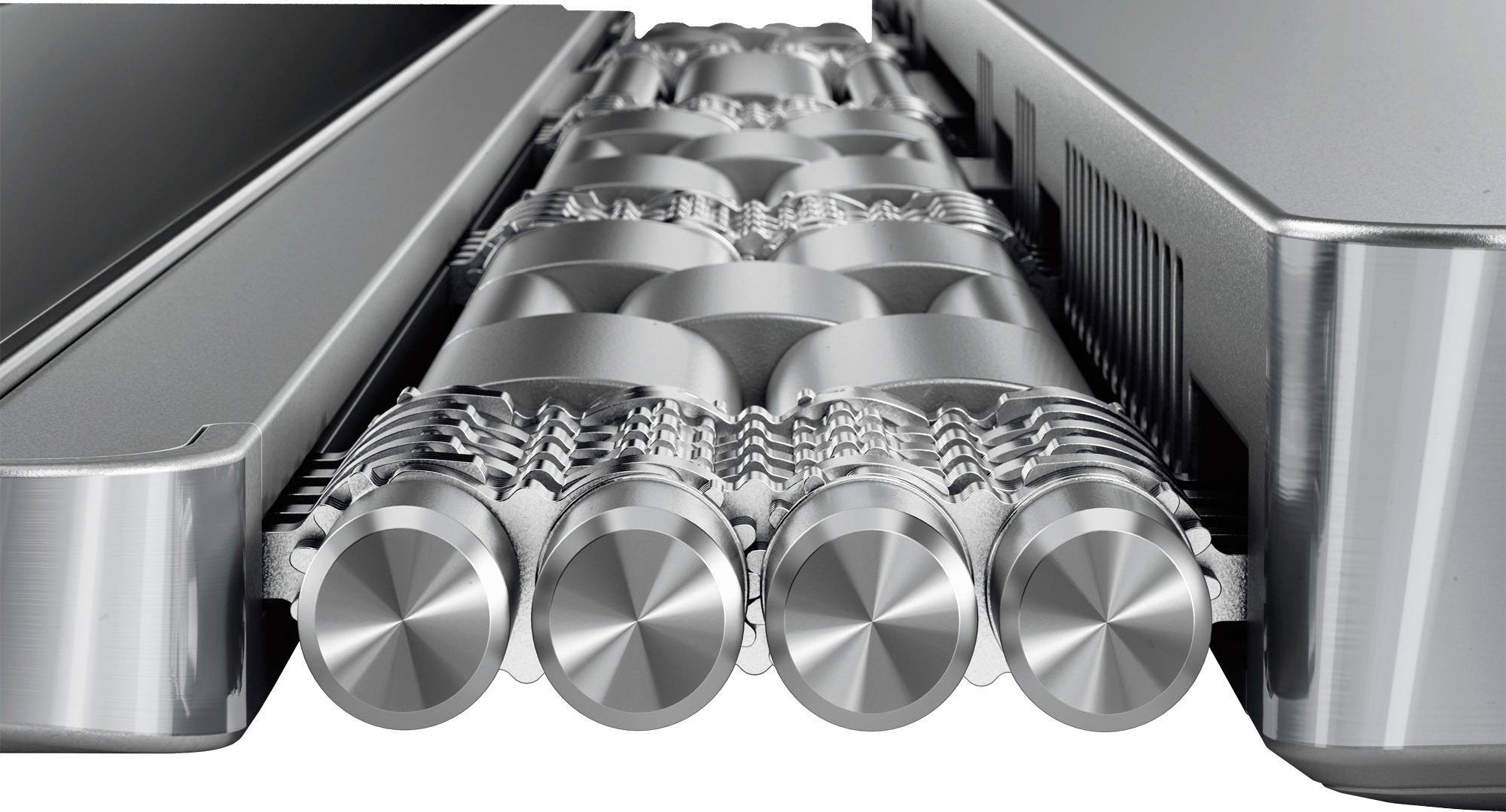
Posted .This reviewer received promo considerations or sweepstakes entry for writing a review.I thought the MacBook was the worst laptop, until I had a Yoga! I have had multiple thinkpads and IBM desktops and they are great. The only part of this entire device that is worth anything at all is the watchband hinge! It is stellar. Buttons work great, except the spacebar - must be pressed in the center of the spacebar. Usually the cursor is visible, but not always. Scrolling is reasonable, when it decides to pay attention to what you are doing. Way too often it just sits there and ignores you. Last consumer grade laptop I will ever buy.
No, I would not recommend this to a friendBrand response from Lenovo Product Expert
Posted .We are sorry to hear you having having issues with your Yoga 920-14. With regard to the touchpad, you can make adjustments to the touchpad in your system settings. You can get there by clicking on the magnifying glass at the bottom left of your Windows 10 screen. Type "touchpad" in the search window. Select "Mouse & touchpad settings" from the list of choices. You can make general adjustments to the touchpad there. You can also select "Additional mouse options" for more detailed adjustments to the touchpad sensitivity by increasing the delay of the touchpad. If you continue to have issues, we recommend you call Lenovo Tech Support for specific help at: 877-453-6686.
Terrible product, full of defects
Posted .This reviewer received promo considerations or sweepstakes entry for writing a review.It's one thing to have a defect in the product, it's another to send it back to the company for correction after 3 geek squad visits and STILL have the same problems. Restarts by itself (without update), occasionally fails to load the drive, cursor function won't work occasionally, the tablet to desktop rotate is flawed whether you tell it to never rotate or to ask before. This product is horrible and I will never buy another Lenovo.
No, I would not recommend this to a friendBrand response from Lenovo Product Expert
Posted .We are sorry to hear that you are having issues with your Lenovo Yoga 920-14. From the description of the problem you provide, it sounds as though there may be incompatible software installed on the computer. Be sure any software you installed is compatible with Windows 10. There is no need to install Microsoft Office software. The software is already part of the operating system, you just need to activate the software with a purchased product key. If you have installed a copy of Microsoft Office, this is conflicting with the existing copy on the system and this will slow your system down. If you have installed a 3rd party anti-virus program, be sure that Windows Defender is turned off and that the trial version of McAfee Anti-Virus software is uninstalled. There can only be one anti-virus program on the system. You may need to restore your system to original factory default settings if any of the programing errors have occurred. You can do that by typing "restore" in the Cortana search window. Just click on the magnifying glass icon at the bottom left of your Windows 10 Desktop. Click on "Reset This PC" Then click on "Get Started" and follow the on screen directions to restore to factory defaults. If the problem persists, we recommend you contact Lenovo Tech Support at: 877-453-6686.
DON'T BUY THIS LAPTOP
Posted .This reviewer received promo considerations or sweepstakes entry for writing a review.The laptop worked for a month before it had issues. I sent it in to get fixed and they cant even tell me when its going to be done and it has been a month since ive sent it in. I have bought lenovo before and had no issues but this has been ridiculous. I will never recommend or buy from lenovo again.
No, I would not recommend this to a friendHard drive failed the first day
Posted .This reviewer received promo considerations or sweepstakes entry for writing a review.Bought the machine last night. Went through the initial configuration, and then put it to sleep. Woke up this morning to the Blue Screen of Death: "Default boot device missing or Boot Failed" A quick google search shows that many other users have had this problem with Lenovo products. I will return this machine and buy an ASUS.
No, I would not recommend this to a friendBrand response from Lenovo Product Expert
Posted .We are sorry to hear you had issues with the initial activation of Windows 10. This system is equipped with OneKey Recovery System. There is a very small pin hole on the right side of the device, right near the power button on the device. You will need a pin to push this reset button. Plug the device in. Let the battery charge for about 15 minutes. Push the reset button. The system should boot to a choice screen where you can choose "Restore To Factory Default". Select this. It will delete everything from the hard drive except the original factory install of the operating system. You will need to reinstall all programs and files after the reset. If you don't have copies of the files, try to make one before you restore by selecting "Boot to desktop" and trying to back up your files. If the problem persists after the factory reset, we recommend you contact Lenovo Tech Support at: 877-453-6686.
Terrible customer service from Lenovo
Posted .This reviewer received promo considerations or sweepstakes entry for writing a review.Bought this laptop, and 8 months later half of the touch screen quit working. Tried to have it repaired because it is still under warranty, but Lenovo said I would have to pay because it is an issue with the screen and that is not covered. This is the last Lenovo product I will ever purchase.
No, I would not recommend this to a friendBrand response from Lenovo Product Expert
Posted .We are sorry to hear you are having issues with the touchscreen on your Yoga 920-14. The issue you describe may be a software issue. This system has Lenovo utilities installed to help maintain the health of the device and keep the operating system software up to date. Type "Lenovo Vantage" in the Cortana Search window (if Lenovo Vantage is not installed on your device, you can download the APP and install it now). Select Lenovo Vantage from the list. In the window that opens, click on "Health and Support". In the expanded menu, select "Hardware Scan" In the window that opens, select "Run Quick Tests". This will scan your entire system for errors. Follow any directions that may pop up. If the problem continues after this scan, now click on "System Update". First select Windows update from the menu. Scan your system to be sure you have the latest version of Windows 10. Once that scan is complete, select "Additional Updates". This will scan your device to be sure there are no new BIOS/Driver updates needed. Follow any instructions that may pop up. If the issue still continues after these updates, we recommend you call Lenovo Tech Support at: 877-453-6686 for additional help.
Not working days after return end
Posted .This reviewer received promo considerations or sweepstakes entry for writing a review.Not a reliable product. The only thing you can do is send it to Lenova and that will take 3 the 6 weeks. Not an option for me. On my way the the mac store. Best buy was no help at all with a rude manager as well.
No, I would not recommend this to a friendBrand response from Lenovo Product Expert
Posted .We are sorry to hear that you are having issues with your Lenovo Yoga 920-14. You don't mention the problem you are having, but this system has Lenovo utilities installed to help maintain the health of the device and keep the operating system software up to date. Type "Lenovo Vantage" in the Cortana Search window (if Lenovo Vantage is not installed on your device, you can download the APP and install it now). Select Lenovo Vantage from the list. In the window that opens, click on "Health and Support". In the expanded menu, select "Hardware Scan" In the window that opens, select "Run Quick Tests". This will scan your entire system for errors. Follow any directions that may pop up. If the problem continues after this scan, now click on "System Update". First select Windows update from the menu. Scan your system to be sure you have the latest version of Windows 10. Once that scan is complete, select "Additional Updates". This will scan your device to be sure there are no new BIOS/Driver updates needed. Follow any instructions that may pop up. If the issue still continues after these updates, we recommend you call Lenovo Tech Support at: 877-453-6686 for additional help.