Customer Ratings & Reviews
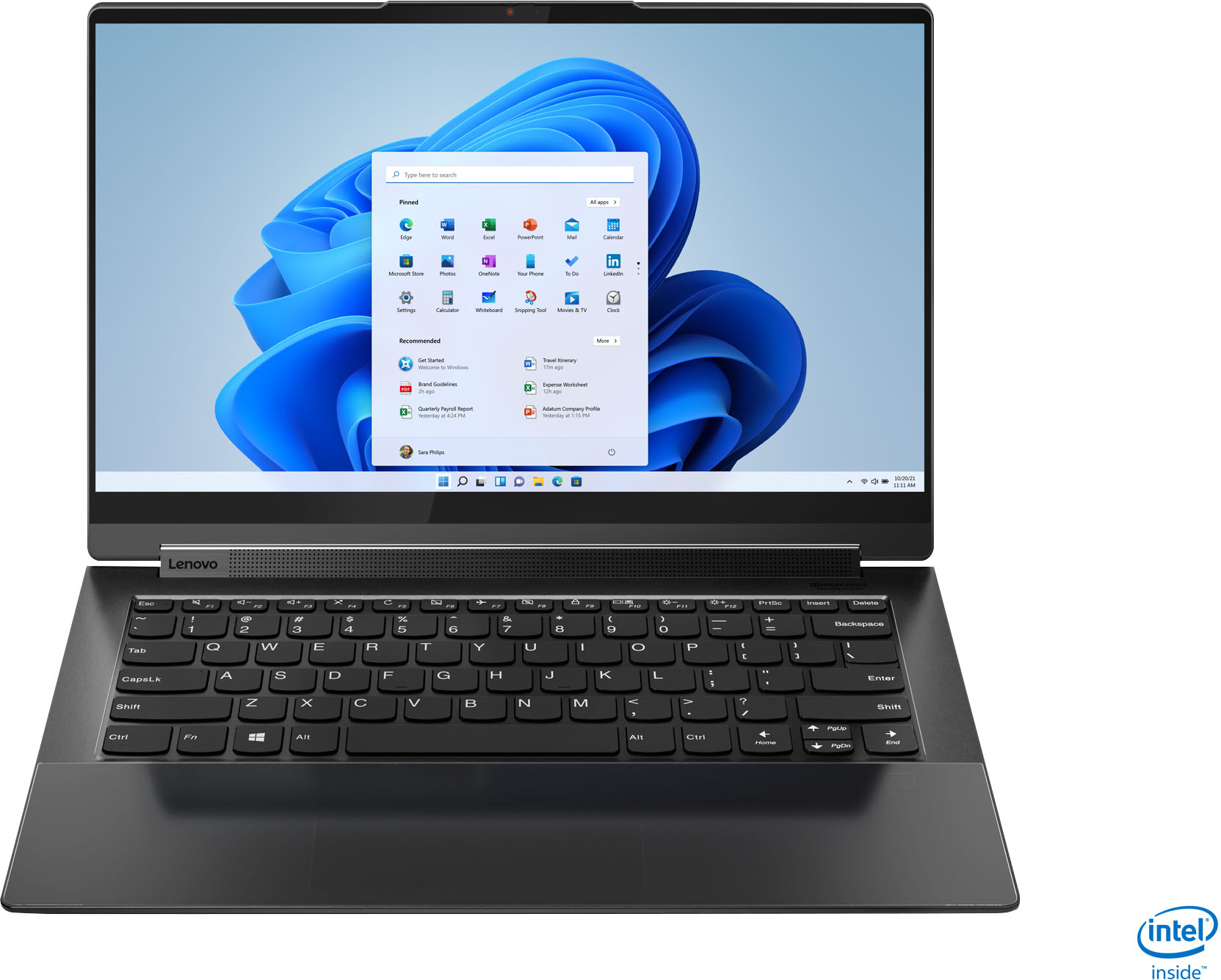



- Model:
- 82BG0001US
- SKU:
- 6426702
Rating by feature
- Battery Life
Rating 4.2 out of 5 stars
- Speed
Rating 4.5 out of 5 stars
- Display
Rating 4.7 out of 5 stars
Customers are saying
Customers value the Yoga 9i 14's stunning screen quality, impressive performance, and long battery life. Many appreciate its lightweight design and ease of use, making it ideal for portability. However, some users experienced issues with the trackpad and fingerprint reader, while others noted concerns about heat generation and the limited port selection. A few also mentioned challenges related to RAM capacity.
This summary was generated by AI based on customer reviews.
Good laptop
||Posted .This reviewer received promo considerations or sweepstakes entry for writing a review.Price is worth for the specifications and the Leather top is great. Battery life isn’t very long hardly it was 4hrs on youtube and normal google browsing
I would recommend this to a friendBrand response from Lenovo Product Expert
Posted .Hi there! Thank you for choosing the Lenovo Yoga 9i 14" model #82BG0001US. We are so happy to hear the amazing performance, features, premium look, and feel of the Yoga 9i is meeting your computing needs so well. This unit is rated for up to 9 hours of battery life (depending on your usage scenario). If you are getting substantially less battery life, please adjust your screen brightness settings. A setting of 100% brightness will drain your battery much faster than a lower setting. We recommend setting the screen brightness to some value below 100% that is still comfortable for you to view. Next be sure Battery conservation Mode is turned off. This power management setting should only be used when the laptop is plugged in all the time. It will prolong overall battery life by only charging the battery to 60-percent of capacity. Here is a link to instructions for turning off Battery Conservation Mode: https://support.lenovo.com/us/en/solutions/ht103159. Also check what programs are running in the background on the computer. Be sure only the programs you want running in the background are. These programs will drain the battery. Here is a link to information about how to find out what programs are running in the background on your Windows 10 computer and how to manage them for better system performance: https://www.windowscentral.com/how-prevent-apps-running-background-windows-10. Then, finally, be sure any software you installed is compatible with Windows 10. Incompatible software will drain the battery at a faster rate. There is no need to install Microsoft Office software. The software is already part of the operating system, you just need to activate the software with a purchased product key. If you have installed a copy of Microsoft Office, this is conflicting with the existing copy on the system and this will slow your system down. If you have installed a 3rd party anti-virus program, be sure that Windows Defender is turned off and that the trial version of McAfee Anti-Virus software is uninstalled. There can only be one anti-virus program on the system. You may need to restore your system to original factory default settings if any of the programming errors have occurred. You can do that by typing "restore" in the Cortana search window. Just click on the magnifying glass icon at the bottom left of your Windows 10 Desktop. Click on "Reset This PC" Then click on "Get Started" and follow the on screen directions to restore to factory defaults. If the problem persists, we recommend you contact Lenovo Tech Support at: 877-453-6686

Great laptop
||Posted .This reviewer received promo considerations or sweepstakes entry for writing a review.The laptop is really good, works well, runs fine. The only problem with it is that the pen only runs about 30 minutes before needing to recharge.
I would recommend this to a friendBrand response from Lenovo Product Expert
Posted .Thank you for choosing the Intel Evo-Certified, Lenovo Yoga 9i-14. The Lenovo Pen that ships with the Yoga 9i-14 will charge when not in use if you store the pen back in its onboard charging garage. Let the pen charge for 15 minutes for a 50 percent level of charge in between usage.
Great laptop.
||Posted . Owned for 1 week when reviewed.This reviewer received promo considerations or sweepstakes entry for writing a review.The picture is amazing with this laptop. A little heavy for being a 2 in 1.
I would recommend this to a friendBrand response from Lenovo Product Expert
Posted .Thank you for choosing the Intel Evo-Certified, Lenovo Yoga 9i-14. This ultra-portable 2 in 1 configuration laptop weighs just 3.13 lbs.
Lenovo Yoga laptop
||Posted . Owned for 1 month when reviewed.This reviewer received promo considerations or sweepstakes entry for writing a review.The Lenovo Yoga laptop works great. It was a little difficult at first to set up but that was more related to the software I was installing rather than the laptop itself. The only thing that I didn't like was the mouse pad. It's a little difficult to see but I'm getting used to it.
I would recommend this to a friendBrand response from Lenovo Product Expert
Posted .Thank you for choosing the Intel Evo-Certified, Lenovo Yoga 9i-14. We are pleased to hear that the Yoga 9i-14 is working out so well for you.
Great service
||Posted . Owned for 1 month when reviewed.This reviewer received promo considerations or sweepstakes entry for writing a review.Quick pick up at bb store. Great laptop size and price.
I would recommend this to a friendBrand response from Lenovo Product Expert
Posted .Thank you for choosing the Intel Evo-Certified, Lenovo Yoga 9i 14. We are pleased to hear that the features and performance of the Yoga 9i 14 meets your computing needs so well.
Good product
||Posted .This reviewer received promo considerations or sweepstakes entry for writing a review.This is a good product and easy to use. My daughter loves it!
I would recommend this to a friendBrand response from Lenovo Product Expert
Posted .Thank you for choosing the Intel Evo-Certified, Lenovo Yoga 9i-14 for your daughter. We are pleased to hear that the ease of use and performance of the Yoga 9i-14 meets your daughter's computing needs so well.
nice laptop but some keys stopped working
||Posted . Owned for 1 year when reviewed.This reviewer received promo considerations or sweepstakes entry for writing a review.I bought this for my daughter to take off to college. It's worked well for her and she likes the touch screen and the fact that it is a pretty fast laptop. However, about a 13 months after the purchase (so a month out of warranty), the "w" and "2" keys suddenly stopped working, for no apparent reason. So while it has been a good laptop for her until now, I have to give it a lower rating for durability.
No, I would not recommend this to a friendBrand response from Lenovo Product Expert
Posted .We are sorry to hear that your daughter is having issues with some of the keys on her Intel Evo-Certified, Lenovo Yoga 9i 14. First, check to be sure you have the latest version of Windows 10 on the computer. Then update all BIOS files and drivers up to that latest version of Windows 10. You can easily accomplish this by scanning the computer with the Lenovo Utility software available on this computer. This system has Lenovo utilities installed to help maintain the health of the device and keep the operating system software up to date. Type "Lenovo Vantage" in the Cortana Search window (if Lenovo Vantage is not installed on your device, you can download the APP and install it now). Select Lenovo Vantage from the list. In the window that opens, click on "Health and Support". In the expanded menu, select "Hardware Scan" In the window that opens, select "Run Quick Tests". This will scan your entire system for errors. Follow any directions that may pop up. If the problem continues after this scan, now click on "System Update". First select Windows update from the menu. Scan your system to be sure you have the latest version of Windows 10. Once that scan is complete, select "Additional Updates". This will scan your device to be sure there are no new BIOS/Driver updates needed. Follow any instructions that may pop up. If the issue with the keys continues, resetting the computer back to original factory settings may correct the issue. This will remove all files and programs that have been installed. So be sure to backup your files and have copies of the programs you want to install available. Here is a link to instructions for resetting a Windows PC: https://support.microsoft.com/en-us/windows/recovery-options-in-windows-31ce2444-7de3-818c-d626-e3b5a3024da5. If you some reason you can not access the screen, this system is equipped with OneKey Recovery System. There is a very small pin hole on the bottom right side of the device, right near the top right corner of the cooling vent on the bottom of the device. You will need a pin to push this reset button. Plug the device in. Let the battery charge for about 15 minutes. Push the reset button. The system should boot to a choice screen where you can choose "Restore To Factory Default". Select this. It will delete everything from the hard drive except the original factory install of the operating system. You will need to reinstall all programs and files after the reset. If you don't have copies of the files, try to make one before you restore by selecting "Boot to desktop" and trying to back up your files.
Not worth the price
||Posted . Owned for more than 2 years when reviewed.This reviewer received promo considerations or sweepstakes entry for writing a review.Not a good laptop. To many hardware issues and windows problem.
No, I would not recommend this to a friend- Pros mentioned:Screen quality
Yoga 9i
||Posted . Owned for 1 week when reviewed.This reviewer received promo considerations or sweepstakes entry for writing a review.Top of the line with it's UHD display and Dolby ATMOS sound.
I would recommend this to a friendBrand response from Lenovo Product Expert
Posted .Hi there! Thank you for choosing the Lenovo Yoga 9i. We are so happy to hear the amazing performance, features, premium look, and feel of the Yoga 9i is meeting your computing needs so well.
Overheating
||Posted . Owned for 2 months when reviewed.This reviewer received promo considerations or sweepstakes entry for writing a review.It s overheating. No way using on the lap. But I don’t have any problem with normal use performance
No, I would not recommend this to a friendGood laptop
||Posted . Owned for 1 week when reviewed.This reviewer received promo considerations or sweepstakes entry for writing a review.The laptop works good. Besides the fact the first one I bought would not charge the day after I got it. . But after i replaced it I haven't had any problems. It been working great.
I would recommend this to a friendBrand response from Lenovo Product Expert
Posted .Thank you for choosing the Intel Evo-Certified, Lenovo Yoga 9i-14. If you should have issues charging your Yoga 9i-14, first check to be sure you are using the correct Thunderbolt 4.0 port for charging, it will be the Thunderbolt 4.0 port on the left side, closest to the USB port. There is a small white LED light next to the port that will light up when the laptop is plugged in. If you are getting a "Plugged In, Not Charging" message, unplug the computer and let the battery charge level drain to below 50-Percent. Then Plug the computer in and it will begin charging normally back to 100-Percent capacity. You can contact Lenovo Tech Support if you have questions about charging your computer at: 877-453-6686.
Wifi range is terrible
||Posted . Owned for 2 weeks when reviewed.This reviewer received promo considerations or sweepstakes entry for writing a review.Great price and great laptop. Biggest problems is I only have 1 bar of my wifi and my speeds are on average of 9-10 mbps. I have fast speeds except this laptop range is terrible. Literally 15 feet away from the modem and don’t have fast speeds or full connection. Either I’m missing something but the wifi range is terrible.
No, I would not recommend this to a friendBrand response from Lenovo Product Expert
Posted .The Intel Evo-Certified, Lenovo Yoga 9i 14, model number 82BG0001US, ships with the Latest Intel WiFi-6, 2x2 802.11ax frequency WiFi for long range/high speed WiFi connectivity. It is also backward compatible to older a/b/g/n/ac frequency WiFi. If you are getting less than expected WiFi functionality, check to be sure you have the latest version of Windows on the computer. Then update all BIOS files and drivers up to that latest version of Windows. You can easily accomplish this by scanning the computer with the Lenovo Utility software available on this computer. This system has Lenovo utilities installed to help maintain the health of the device and keep the operating system software up to date. Type "Lenovo Vantage" in the Cortana Search window (if Lenovo Vantage is not installed on your device, you can download the APP and install it now). Select Lenovo Vantage from the list. In the window that opens, click on "Health and Support". In the expanded menu, select "Hardware Scan" In the window that opens, select "Run Quick Tests". This will scan your entire system for errors. Follow any directions that may pop up. If the problem continues after this scan, now click on "System Update". First select Windows update from the menu. Scan your system to be sure you have the latest version of Windows. Once that scan is complete, select "Additional Updates". This will scan your device to be sure there are no new BIOS/Driver updates needed. Follow any instructions that may pop up. If the issue still continues after these updates, we recommend you call Lenovo Premium Care for additional help at: 888-278-9707.
- Pros mentioned:Performance, Processor speedCons mentioned:Fingerprint reader, Trackpad
Powerful specs and finish but comes up bad flaws
Posted .This reviewer received promo considerations or sweepstakes entry for writing a review.Pros: - An impressive 3.0 GHz base speed and 16 GB memory. - Sleek design and admirable build finish. I was pleasantly impressed on unboxing this. - The UHD display is pleasing. Can't go back :) - Typing on the keyboard has a nice feel to it. I could just type on itfor the sake of typing. Cons: - The Wifi range is worthless and Wifi itself poor. Believe me. You might return this laptop within 2 days when you realize how bad. Don't expect a fix is coming. It's flawed. I myself like the specs, display, and finish for the price enough that I'm going to opt for workarounds (Wifi adapter in USB or tether to my phone). - The battery life is like 5 hours with normal use. To some extent it's understandable given the UHD and fast processor. But it's on the edge of bearable. You can dim the screen and adjust the mode to stretch it. But it's a big trade-off for the speed and display. - The fingerprint scanner is poor. By the time it works, you could have just typed your password at the prompt - making it kind of useless. It's also embarrassing compared to how well it works on my Pixel 3. - The haptic feedback on the touchpad is 'meh'. It's not too big a deal - you get used to it quickly. But I did look for a setting to turn it off in vain.
I would recommend this to a friendBrand response from Lenovo Product Expert
Posted .The Lenovo Intel Evo-Certified, Lenovo Yoga 9i-14 ships with the latest Intel 6G Wide-Range/High Speed 2x2 802.11AX frequency WiFi. If you are having connectivity issues, be sure you have the latest version of Windows 10 on the computer. Then update all BIOS files and drivers up to that latest version of Windows 10. You can easily accomplish this by scanning the computer with the Lenovo Utility software available on this computer. This system has Lenovo utilities installed to help maintain the health of the device and keep the operating system software up to date. Type "Lenovo Vantage" in the Cortana Search window (if Lenovo Vantage is not installed on your device, you can download the APP and install it now). Select Lenovo Vantage from the list. In the window that opens, click on "Health and Support". In the expanded menu, select "Hardware Scan" In the window that opens, select "Run Quick Tests". This will scan your entire system for errors. Follow any directions that may pop up. If the problem continues after this scan, now click on "System Update". First select Windows update from the menu. Scan your system to be sure you have the latest version of Windows 10. Once that scan is complete, select "Additional Updates". This will scan your device to be sure there are no new BIOS/Driver updates needed. Regarding battery life, the Yoga 9i-14 has All-Day Battery Life, thanks to its 4CELL_60WH_INTERNAL, Lithium Polymer Battery, which within this configuration, has a battery life of up to 9 hours. If you are getting substantially less battery life, first, set your screen brightness at less than 100-percent - try 80-percent to start with. Then, be sure Battery conservation Mode is turned off. This power management setting should only be used when the laptop is plugged in all the time. It will prolong overall battery life by only charging the battery to 60-percent of capacity. Here is a link to instructions for turning off Battery Conservation Mode: https://support.lenovo.com/us/en/solutions/ht103159. Also check what programs are running in the background on the computer. Be sure only the programs you want running in the background are. These programs will drain the battery. Here is a link to information about how to find out what programs are running in the background on your Windows 10 computer and how to manage them for better system performance: https://www.windowscentral.com/how-prevent-apps-running-background-windows-10. Then, finally, be sure any software you installed is compatible with Windows 10. Incompatible software will drain the battery at a faster rate. There is no need to install Microsoft Office software. The software is already part of the operating system, you just need to activate the software with a purchased product key. If you have installed a copy of Microsoft Office, this is conflicting with the existing copy on the system and this will slow your system down. If you have installed a 3rd party anti-virus program, be sure that Windows Defender is turned off and that the trial version of McAfee Anti-Virus software is uninstalled. There can only be one anti-virus program on the system. You may need to restore your system to original factory default settings if any of the programming errors have occurred. You can do that by typing "restore" in the Cortana search window. Just click on the magnifying glass icon at the bottom left of your Windows 10 Desktop. Click on "Reset This PC" Then click on "Get Started" and follow the on screen directions to restore to factory defaults. Concerning the fingerprint reader, here's a tip for making your fingerprint reader work every time: Try lightly sliding your finger over the fingerprint reader. No need to press hard on the reader, in fact pressing hard on the fingerprint reader will distort your fingerprint and cause read errors. With regard to the touchpad, you can make adjustments to the touchpad in your system settings. You can get there by clicking on the magnifying glass at the bottom left of your Windows 10 screen. Type "touchpad" in the search window. Select "Mouse & touchpad settings" from the list of choices. You can make general adjustments to the touchpad there. You can also select "Additional mouse options" for more detailed adjustments to the touchpad sensitivity by increasing the delay of the touchpad. If you continue to have issues with your Yoga 9i-14 we recommend you contact Lenovo Tech Support at: 877-453-6686.
Top
||Posted . Owned for 3 weeks when reviewed.This reviewer received promo considerations or sweepstakes entry for writing a review.Excelente screen resolution, simple elegant and light
I would recommend this to a friendBrand response from Lenovo Product Expert
Posted .Thank you for choosing the Intel Evo-Certified, Lenovo Yoga 9i 14. We are pleased to hear that the Yoga 9i 14 is working out so well for you.
Who would benefit from this configuration?
||Posted . Owned for 7 months when reviewed.This reviewer received promo considerations or sweepstakes entry for writing a review.The bottom of this computer is like fire when using for over an hour. If you place this on your bare lap, you may even burn yourself, it's that hot. The fans also, run pretty much from the second you power on, till you power off, literally, never goes off. The build quality is very impressive, the keypad is smooth but the haptic mousepad can be a nuisance for those not accustomed to it. The fingerprint is impossible to find in the dark on this model. (I placed a little sticker below it). The 4k screen is a waste of $ at 14", your eyes can't tell the difference. Screen colors are okay, 1 usb A port is a little annoying, although I just went out and purchased a hub. usb-c charging is really fast, but keep in mind the 4k screen literally drains the battery. Overall, this thing is powerful for a workstation, but not as a graphics station as graphic heavy photoshop and illustrator tasks, not even gaming, jams this thing up when loading. Unless you are using this for autocad drafting, office programs, and light stuff, I recommend, but anything that requires a decent graphics card, find something else.
No, I would not recommend this to a friend- Cons mentioned:Trackpad
I wanted to love it.
||Posted . Owned for 2 months when reviewed.This reviewer received promo considerations or sweepstakes entry for writing a review.Since I gave my son my old Yoga 920 I needed a new laptop, and I loved the 920 so I figured the 9i would be great. I had two main problems. The first was the wifi card which would have to be replaced, as all the drivers were updated and had tried all the various advanced protocol settings in the device config. Basically couldn't get wifi in the same room that my 920 had 90% strength. The second issue was the haptic touchpad implementation. It was way too sensitive and would register false clicks when simply trying to move the cursor. It could be remedied with a firmware update from Lenovo, but there is no guarantee that will happen, and in the mean time the risk of accidently sending or deleting something was too great.
No, I would not recommend this to a friendBrand response from Lenovo Product Expert
Posted .The Intel Evo-Certified Lenovo Yoga 9i-14, model number 82BG0001US, ships with the latest Intel 6G, Wide-Range/High Speed 2x2 802.11AX WiFi card and should not have to be replaced. Also the BIOS and driver files on this system can easily be updated. This system has Lenovo utilities installed to help maintain the health of the device and keep the operating system software up to date. Type "Lenovo Vantage" in the Cortana Search window (if Lenovo Vantage is not installed on your device, you can download the APP and install it now). Select Lenovo Vantage from the list. In the window that opens, click on "Health and Support". In the expanded menu, select "Hardware Scan" In the window that opens, select "Run Quick Tests". This will scan your entire system for errors. Follow any directions that may pop up. If the problem continues after this scan, now click on "System Update". First select Windows update from the menu. Scan your system to be sure you have the latest version of Windows 10. Once that scan is complete, select "Additional Updates". This will scan your device to be sure there are no new BIOS/Driver updates needed. Follow any instructions that may pop up. If the issue still continues after these updates, we recommend you call Lenovo Tech Support at: 877-453-6686 for additional help.
My Yoga 9i
||Posted . Owned for 3 weeks when reviewed.This reviewer received promo considerations or sweepstakes entry for writing a review.Great computer had a yoga 6 years old that was traded I. For this on only bad thing the speakers are still bad
I would recommend this to a friendDecent laptop
||Posted . Owned for 1 year when reviewed.This reviewer received promo considerations or sweepstakes entry for writing a review.Good laptop. Didn't like the leather type cover. A bit heavier than I'd like.
I would recommend this to a friendBrand response from Lenovo Product Expert
Posted .Thank you for choosing the Intel Evo-Certified, Lenovo Yoga 9i 14, model number 82BG0001US. This model weighs approximately 1.44 kg (3.17 lbs) and ships with an authentic leather cover top cover.
Reliable unit. We've bought multiple.
||Posted . Owned for 3 weeks when reviewed.This reviewer received promo considerations or sweepstakes entry for writing a review.This is our 3rd unit we've purchased for our techs within 2 years. That's not to say we are replacing them, but adding to the fleet. The units are durable enough to be in the field and proven to be reliable. It does what we need it to do for us
I would recommend this to a friendBrand response from Lenovo Product Expert
Posted .Thank you for choosing the Intel Evo-Certified, Lenovo Yoga 9i 14. We appreciate your loyalty to the Yoga 9i 14 and the Lenovo Brand. We are pleased to hear that the features and performance of the Yoga 9i 14 meets your business computing needs so well.
Great Laptop For Your Money!
||Posted . Owned for 1 year when reviewed.This reviewer received promo considerations or sweepstakes entry for writing a review.Solid product with a solid price. It was fantastic, except Lenovo's own website competes feircely with competitors. They had a 1 TB version with practical the same cost as this one, even though it had twice the storage.
I would recommend this to a friend