Customer Ratings & Reviews
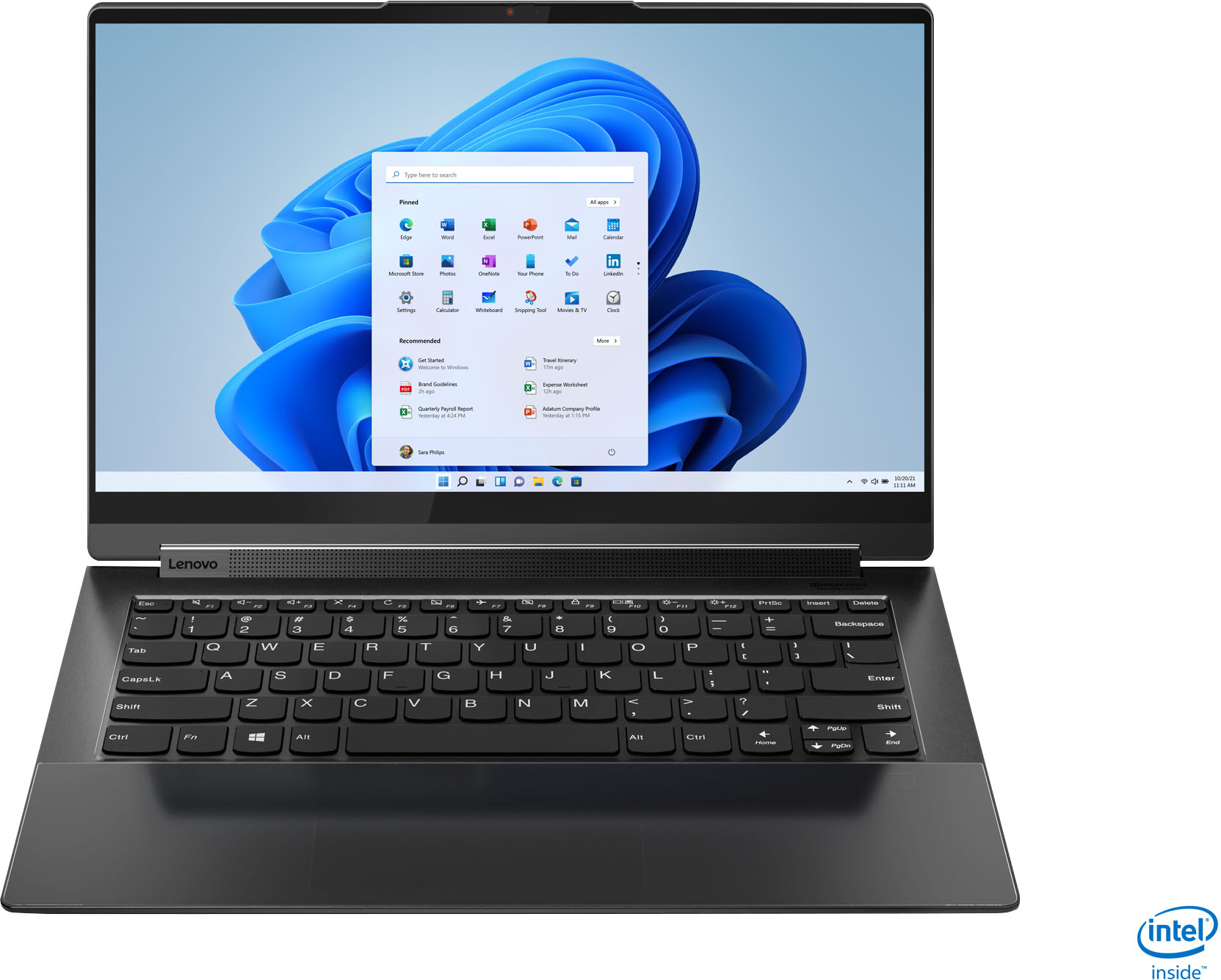



- Model:
- 82BG0001US
- SKU:
- 6426702
Rating by feature
- Battery Life
Rating 4.2 out of 5 stars
- Speed
Rating 4.5 out of 5 stars
- Display
Rating 4.7 out of 5 stars
Customers are saying
Customers value the Yoga 9i 14's stunning screen quality, impressive performance, and long battery life. Many appreciate its lightweight design and ease of use, making it ideal for portability. However, some users experienced issues with the trackpad and fingerprint reader, while others noted concerns about heat generation and the limited port selection. A few also mentioned challenges related to RAM capacity.
This summary was generated by AI based on customer reviews.
WiFi won’t connect
||Posted . Owned for 1 week when reviewed.This reviewer received promo considerations or sweepstakes entry for writing a review.WiFi wouldn’t connect to either hub. How can Lenova let their products go out without issues like this happening. There are numerous reviews with the exact same issue. I took it back.
No, I would not recommend this to a friendBrand response from Lenovo Product Expert
Posted .We are very sorry to hear that you experienced WiFi connectivity issues with the device. We recommend that you disconnect the device from the WiFi, power off both the router and modem for 30 seconds, power off the laptop, reboot everything after the 30 seconds and then reconnect the device to the WiFi. If that does not fix the issue, please look for the Lenovo Vantage software that is equipped on Lenovo products to check if there is a need for BIOs updates, or drivers updates. To launch the Lenovo Vantage software, please click the Windows logo button on the keyboard to bring up the Menu and search bar. Then, type in Lenovo Vantage. Click on "Check System Updates," then after the scan, update any software that is needed. Follow any prompts necessary. If issues persist, this system is equipped with OneKey Recovery System. There is a very small pin hole on the (insert the exact location of the OneKey Recovery hole on this specific model). You will need a pin to push this reset button. Plug the device in. Let the battery charge for about 15 minutes. Push the reset button. The system should boot to a choice screen where you can choose "Restore to Factory Default". Select this. It will delete everything from the hard drive except the original factory install of the operating system. You will need to reinstall all programs and files after the reset. If you don't have copies of the files, try to make one before you restore by selecting "Boot to desktop" and trying to back up your files. If the problem persists after the factory reset, we recommend you contact Lenovo Tech Support at: 877-453-6686.

Return
||Posted . Owned for 3 weeks when reviewed.This reviewer received promo considerations or sweepstakes entry for writing a review.I have been hugely dissatified with this product, once I had it and set it up there was a problem with the hardware, and it doesnt connect to any sort of wifi, rendering completely useless. I hope the reutrn policy is not a huge hassle as Ive always had good experiences with this store.
No, I would not recommend this to a friendBrand response from Lenovo Product Expert
Posted .We are sorry to hear that you are having issues with your Intel Evo-Certified, Lenovo Yoga 9i-14 model number 82BG0001US. The Yoga 9i-14 is certified to have the best WiFi connectivity available, thanks to its Intel 6G 2x2 802.11AX WiFi which is also backward compatible to older a/b/g/n/ac frequency WiFi for the widest possible WiFi compatibility. If you are having issues with WiFi Connectivity, check to be sure you have the latest version of Windows 10 on the computer. Then update all BIOS files and drivers up to that latest version of Windows 10. You can easily accomplish this by scanning the computer with the Lenovo Utility software available on this computer. This system has Lenovo utilities installed to help maintain the health of the device and keep the operating system software up to date. Type "Lenovo Vantage" in the Cortana Search window (if Lenovo Vantage is not installed on your device, you can download the APP and install it now). Select Lenovo Vantage from the list. In the window that opens, click on "Health and Support". In the expanded menu, select "Hardware Scan" In the window that opens, select "Run Quick Tests". This will scan your entire system for errors. Follow any directions that may pop up. If the problem continues after this scan, now click on "System Update". First select Windows update from the menu. Scan your system to be sure you have the latest version of Windows 10. Once that scan is complete, select "Additional Updates". This will scan your device to be sure there are no new BIOS/Driver updates needed. Follow any instructions that may pop up. If the issue still continues after these updates, we recommend you call Lenovo Tech Support at: 877-453-6686 for additional help.
Wi-Fi
||Posted . Owned for 3 weeks when reviewed.This reviewer received promo considerations or sweepstakes entry for writing a review.The Wi-Fi signal was horrible. I would have almost a full signal with three other laptops and this one would fail to connect. We were enjoying this laptop until I carried it to the kitchen.
No, I would not recommend this to a friendBrand response from Lenovo Product Expert
Posted .This Intel Evo-Certified, Lenovo Yoga 9i 14 model number 82BG0001US, ships with the latest Intel WiFi-6, Wide-Range/High Speed 802.11ax frequency WiFi installed. If you are getting less than expected WiFi performance, check to be sure you have the latest version of Windows 10/11 on the computer. Then update all BIOS files and drivers up to that latest version of Windows 10/11. You can easily accomplish this by scanning the computer with the Lenovo Utility software available on this computer. This system has Lenovo utilities installed to help maintain the health of the device and keep the operating system software up to date. Type "Lenovo Vantage" in the Cortana Search window (if Lenovo Vantage is not installed on your device, you can download the APP and install it now). Select Lenovo Vantage from the list. In the window that opens, click on "Health and Support". In the expanded menu, select "Hardware Scan" In the window that opens, select "Run Quick Tests". This will scan your entire system for errors. Follow any directions that may pop up. If the problem continues after this scan, now click on "System Update". First select Windows update from the menu. Scan your system to be sure you have the latest version of Windows 10/11. Once that scan is complete, select "Additional Updates". This will scan your device to be sure there are no new BIOS/Driver updates needed. Follow any instructions that may pop up. If the issue continues after these updates, we recommend you call Lenovo Premium Care for additional help at: 888-278-9707.
Extremely disappointing lifespan
||Posted . Owned for 4 months when reviewed.This reviewer received promo considerations or sweepstakes entry for writing a review.After less than four months, the laptop will not turn on anymore, no structural damage and not covered under Best Buy’s protection plan. Would not recommend this device
No, I would not recommend this to a friendBrand response from Lenovo Product Expert
Posted .We are sorry to hear that you are having issues with your Intel Evo-Certified, Lenovo Yoga 9i 14, model number 82BG0001US. Resetting the Yoga 9i 14 back to original factory settings may correct the issue you are having. Power off the computer. This system is equipped with OneKey Recovery System. There is a very small pin hole on the bottom right side of the device, right near the top right corner of the cooling vent on the bottom of the device. You will need a pin to push this reset button. Plug the device in. Let the battery charge for about 15 minutes with the power turned off. Push the reset button. The system should boot to a choice screen where you can choose "Restore To Factory Default". Select this. It will delete everything from the hard drive except the original factory install of the operating system. You will need to reinstall all programs and files after the reset. If you don't have copies of the files, try to make one before you restore by selecting "Boot to desktop" and trying to back up your files. If the problem persists after the factory reset, we recommend you contact Lenovo Premium Care for additional help. Let the Lenovo Customer Support Specialist know what troubleshooting steps you have already taken. Call at: 888-278-9707.
Broke after 15 months
||Posted . Owned for 1 year when reviewed.This reviewer received promo considerations or sweepstakes entry for writing a review.No longer charges. I only used it while I was in the college classroom. At home, I would use my desktop. It did not get heavy usage. Unfortunately, it broke 3 months after the warranty I purchased.
No, I would not recommend this to a friendAnother lemon
||Posted . Owned for 3 weeks when reviewed.This reviewer received promo considerations or sweepstakes entry for writing a review.It worked for a total of 2 days before it locked up. I brought it back and bought a different brand,so far,so good.
No, I would not recommend this to a friendBrand response from Lenovo Product Expert
Posted .We are sorry to hear that you having issues with your Intel Evo-Certified, Lenovo Yoga 9i 14 model number 82BG0001US. Since the Yoga 9i 14 worked properly initially, check to be sure any software you installed is compatible with Windows 10. There is no need to install Microsoft Office software. The software is already part of the operating system, you just need to activate the software with a purchased product key. If you have installed a copy of Microsoft Office, this is conflicting with the existing copy on the system and this will slow your system down. If you have installed a 3rd party anti-virus program, be sure that Windows Defender is turned off and that the trial version of McAfee Anti-Virus software is uninstalled. There can only be one anti-virus program on the system. You may need to restore your system to original factory default settings if any of the programming errors have occurred. You can do that by typing "restore" in the Cortana search window. Just click on the magnifying glass icon at the bottom left of your Windows 10 Desktop. Click on "Reset This PC" Then click on "Get Started" and follow the on screen directions to restore to factory defaults. If the problem persists, we recommend you contact Lenovo Tech Support at: 877-453-6686.
Don't buy
||Posted . Owned for 2 weeks when reviewed.This reviewer received promo considerations or sweepstakes entry for writing a review.If you update the intel drivers ro the latest xe graphics then turn hdr on under display it will crash went through 3 of these. Also they do have wifi issues. The signal strength is not what it should be due to an issue with the bottom cover.
No, I would not recommend this to a friendBrand response from Lenovo Product Expert
Posted .We are sorry to hear that you are having issues with your Intel Evo-Certified, Lenovo Yoga 9i-14. Resetting the computer back to original factory settings, then updating to the Latest version of Windows 10 should correct both the video as well as WiFi issues you mention. Here is a link to instructions for resetting Windows 10: https://support.microsoft.com/en-us/windows/recovery-options-in-windows-10-31ce2444-7de3-818c-d626-e3b5a3024da5. If you are no longer able to properly boot the computer, this system is equipped with OneKey Recovery System. There is a very small pin hole on the bottom right side of the device, right near the top right corner of the cooling vent on the bottom of the device. You will need a pin to push this reset button. Plug the device in. Let the battery charge for about 15 minutes. Push the reset button. The system should boot to a choice screen where you can choose "Restore To Factory Default". Select this. It will delete everything from the hard drive except the original factory install of the operating system. You will need to reinstall all programs and files after the reset. If you don't have copies of the files, try to make one before you restore by selecting "Boot to desktop" and trying to back up your files. If the problem persists after the factory reset, we recommend you contact Lenovo Tech Support at: 877-453-6686.
Severe Wifi Issues and Display Freezing Up
||Posted .This reviewer received promo considerations or sweepstakes entry for writing a review.Bought this laptop twice and returned it. This laptop has severe wifi issues as others have mentioned. My account got flagged due to returning the laptop multiple times and Geek Squad not seeing any issues after "running their diagnostics"
No, I would not recommend this to a friendDissapointment
||Posted . Owned for 3 weeks when reviewed.This reviewer received promo considerations or sweepstakes entry for writing a review.It stopped working less than 24 hours after I bought it. Lenovo tech support suggested I take it back to the store which I did and bought a different brand name.
No, I would not recommend this to a friendBroken item
||Posted . Owned for 3 weeks when reviewed.This reviewer received promo considerations or sweepstakes entry for writing a review.It was broken when I opened the box. It would not take a charge nor turn on. I returned it for a full refund and bought my Asus. I love the Asus.
No, I would not recommend this to a friendBrand response from Lenovo Product Expert
Posted .We are sorry to hear that you had issues with your Intel Evo-Certified, Lenovo Yoga 9i 14, model number 82BG0001US. Resetting this Yoga 9i 14 back to original factory settings may correct the issue you are having. This system is equipped with OneKey Recovery System. There is a very small pin hole on the bottom right side of the device, right near the top right corner of the cooling vent on the bottom of the device. You will need a pin to push this reset button. Plug the device in. Let the battery charge for about 15 minutes. Push the reset button. The system should boot to a choice screen where you can choose "Restore To Factory Default". Select this. It will delete everything from the hard drive except the original factory install of the operating system. You will need to reinstall all programs and files after the reset. If you don't have copies of the files, try to make one before you restore by selecting "Boot to desktop" and trying to back up your files. If the problem persists after the factory reset, we recommend you contact Lenovo Premium Care at: 888-278-9707.
Weak machine, disappointed.
||Posted . Owned for 7 months when reviewed.This reviewer received promo considerations or sweepstakes entry for writing a review.Very disappointed, 6 months of use at home. It's stopped working, updating the warranty that said expired. Waiting for Lenovo contact.
No, I would not recommend this to a friendBrand response from Lenovo Product Expert
Posted .We are sorry to hear that you are having issues with your Intel Evo-Certified, Lenovo Yoga 9i 14, model number 82BG0001US. Resetting this computer back to original factory settings may correct the issue you are having. This system is equipped with OneKey Recovery System. There is a very small pin hole on the bottom right side of the device, right near the top right corner of the cooling vent on the bottom of the device. You will need a pin to push this reset button. Plug the device in. Let the battery charge for about 15 minutes. Push the reset button. The system should boot to a choice screen where you can choose "Restore To Factory Default". Select this. It will delete everything from the hard drive except the original factory install of the operating system. You will need to reinstall all programs and files after the reset. If you don't have copies of the files, try to make one before you restore by selecting "Boot to desktop" and trying to back up your files. If the problem persists after the factory reset, we recommend you contact Lenovo Premium Care for additional help at: 888-278-9707.
Very unreliable, not a good value for the price.
||Posted . Owned for 5 months when reviewed.This reviewer received promo considerations or sweepstakes entry for writing a review.Only 6 months of very light use and it has stoped working. The screen doesn't come up, very disappointed, considering it's my second lenovo, the first one lasted 3 years.
No, I would not recommend this to a friendBrand response from Lenovo Product Expert
Posted .We are sorry to hear that you are having issues with your Intel Evo-Certified, Lenovo Yoga 9i 14 model number 82BG0001US. Resetting your computer back to original factory settings may correct the issue you are having. This system is equipped with OneKey Recovery System. There is a very small pin hole on the bottom right side of the device, right near the top right corner of the cooling vent on the bottom of the device. You will need a pin to push this reset button. Plug the device in. Let the battery charge for about 15 minutes. Push the reset button. The system should boot to a choice screen where you can choose "Restore To Factory Default". Select this. It will delete everything from the hard drive except the original factory install of the operating system. You will need to reinstall all programs and files after the reset. If you don't have copies of the files, try to make one before you restore by selecting "Boot to desktop" and trying to back up your files. If the problem persists after the factory reset, we recommend you contact Lenovo Tech Support at: 877-453-6686.
green screen
||Posted .This reviewer received promo considerations or sweepstakes entry for writing a review.loved it but had a green screen after the second day so had to return it
No, I would not recommend this to a friendBrand response from Lenovo Product Expert
Posted .We are sorry to hear that you had issues with your Intel Evo-Certified, lenovo Yoga 9i 14, model number 82BG0001US. Resetting the computer back to original factory settings may correct the issue you are having. This system is equipped with OneKey Recovery System. There is a very small pin hole on the bottom right side of the device, right near the top right corner of the cooling vent on the device. You will need a pin to push this reset button. Plug the device in. Let the battery charge for about 15 minutes. Push the reset button. The system should boot to a choice screen where you can choose "Restore To Factory Default". Select this. It will delete everything from the hard drive except the original factory install of the operating system. You will need to reinstall all programs and files after the reset. If you don't have copies of the files, try to make one before you restore by selecting "Boot to desktop" and trying to back up your files. If the problem persists after the factory reset, we recommend you contact Lenovo Premium Care for additional help at: 888-278-9707.
Lenovo 9i laptop
||Posted . Owned for less than 1 week when reviewed.This reviewer received promo considerations or sweepstakes entry for writing a review.This was a Geek Squad certified open box laptop. The touchscreen doesn't work and the computer came with fingerprints all over the screen. I'm going to return this laptop.
No, I would not recommend this to a friendPlease don’t shop here
||Posted .This reviewer received promo considerations or sweepstakes entry for writing a review.Best Buy lies to get sales They do not hold up their end of any deal Don’t do business here
No, I would not recommend this to a friendPoor sound, very low. I returned it.
||Posted . Owned for 3 weeks when reviewed.This reviewer received promo considerations or sweepstakes entry for writing a review.Poor sound, very low. The volume was half that of a similar one, the C940. I returned it.
No, I would not recommend this to a friend- Pros mentioned:Battery lifeCons mentioned:Trackpad
Almost perfect.
Posted .This reviewer received promo considerations or sweepstakes entry for writing a review.Really great laptop. For 4k the battery life is pretty good. I get right hours if I find the screen and do light tasks. The screen is nice and it is very lightweight. Beautiful and simple design. Only two issues. 1. You can not see or feel where the finger password lock is. At night it's impossible. You have literally shine a light to put your finger on it. The second is is the trackpad. Scrolling is fine but if you want to click and move it's weird. The haptic is odd and you really have to push down and gold in the right spot. It's hard to explain unless you do it. If those two things don't bother you it's perfect. But I do use the screen unlock with the finger and the trackpad right click.
I would recommend this to a friendBrand response from Lenovo Product Expert
Posted .The Lenovo Yoga 9i 14 model number 82BG0001US, ships with Smart Sensor Touchpad, which is
embedded under seamless Edge-to-Edge Glass wrist rest area. There is also an ultrasonic Fingerprint Reader, that reads your fingerprint through sound waves rather than an infrared scan, for a quicker login experience. It too is embedded under seamless Edge-to-Edge Glass wrist rest on the Yoga 9i-14.
- Pros mentioned:Processor speed, WeightCons mentioned:Trackpad
Great but still wating
Posted .This reviewer received promo considerations or sweepstakes entry for writing a review.Great laptop for the money. Very fast and lite weight. Sadly had to return it due to a bad display. It would just go blank and then when turned back on would flicker. I had them order me another. One thing I did not like was the trackpad. It was awful but not a deal breaker for me since I use a mouse all the time. I would remove the glass top and use a track pad like what is on the X1 extreme G3. If the replacement laptop is all good then I would give it 5 stars.
I would recommend this to a friendBrand response from Lenovo Product Expert
Posted .Hi there! Thank you for choosing the Lenovo Yoga 9i. We are sorry to hear your first unit was having some issues. We appreciate your patience while the issue is being resolved. The Glass palm rest on the Yoga 9i features a haptic response trackpad eliminating the need for physical clicking. Instead you need only tap your fingerer or apply light pressure. In instances of display issues it is possible updating the system software and device drivers will solve the issue. You can easily accomplish this by scanning the computer with the Lenovo Utility software available on this computer. This system has Lenovo utilities installed to help maintain the health of the device and keep the operating system software up to date. Type "Lenovo Vantage" in the Cortana Search window (if Lenovo Vantage is not installed on your device, you can download the APP and install it now). Select Lenovo Vantage from the list. In the window that opens, click on "Health and Support". In the expanded menu, select "Hardware Scan” In the window that opens, select "Run Quick Tests". This will scan your entire system for errors. Follow any directions that may pop up. If the problem continues after this scan, now click on "System Update". First select Windows update from the menu. Scan your system to be sure you have the latest version of Windows 10. Once that scan is complete, select "Additional Updates". This will scan your device to be sure there are no new BIOS/Driver updates needed. Follow any instructions that may pop up. If the issue continues after these updates, we recommend you call Lenovo Tech Support at: 877-453-6686 for additional help.
- Pros mentioned:Battery life, Processor speed, Weight
Impressed with Lenovo!
Posted .This reviewer received promo considerations or sweepstakes entry for writing a review.My former laptop by Dell was never fast, and had significant issues from the first day. When my Dell “died” in a zoom meeting, I needed a quick replacement. The 14inch Lenovo Yoga looked good so I bought it. It exceeds all expectations that I had. It is lightening fast to start compared to my former laptop that was only 4 years old. It is light weight and the battery is so good, I’ve stopped carrying the recharge cord with me everywhere I go in the house. I had 3 hours of zoom meetings, did email and wrote a report, and still had a couple hours left at the end of the day. I absolutely love my Lenovo Yoga! My Word files came up the first time I turned on the machine to use Word! Amazing! I used to avoid my computer, now I love using it! Great price for what I needed!
I would recommend this to a friendBrand response from Lenovo Product Expert
Posted .Thank you for choosing the Intel Evo-Certified, Lenovo Yoga 9i-14. We are pleased to hear that the features and performance of the Yoga 9i-14 meets your computing needs so well.
Yoga With Me
Posted .This reviewer received promo considerations or sweepstakes entry for writing a review.One of the best laptop I have ever used. It is neck in neck with Surface. It has been several year and it still works like brand new.
I would recommend this to a friend