Customer Ratings & Reviews
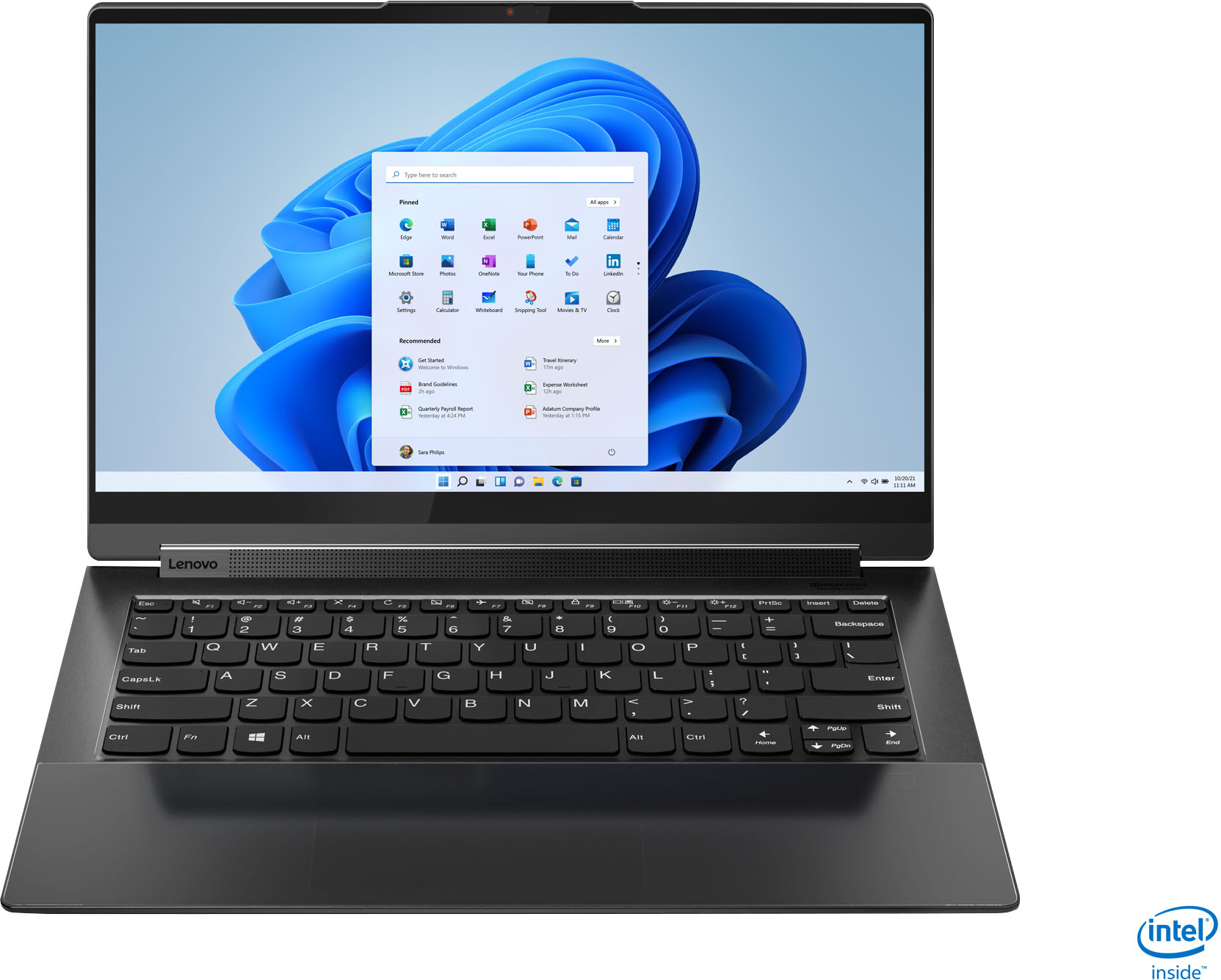



- Model:
- 82BG0001US
- SKU:
- 6426702
Rating by feature
- Battery Life
Rating 4.2 out of 5 stars
- Speed
Rating 4.5 out of 5 stars
- Display
Rating 4.7 out of 5 stars
Customers are saying
Customers value the Yoga 9i 14's stunning screen quality, impressive performance, and long battery life. Many appreciate its lightweight design and ease of use, making it ideal for portability. However, some users experienced issues with the trackpad and fingerprint reader, while others noted concerns about heat generation and the limited port selection. A few also mentioned challenges related to RAM capacity.
This summary was generated by AI based on customer reviews.
- Cons mentioned:Ram
Great 2 in 1 but having memory issue!
Posted .This reviewer received promo considerations or sweepstakes entry for writing a review.Great 2 in 1 but has a major issue where 8 GB of memory has gone missing! I didn't have any issues with the wifi that others have mentioned and the trackpad is also ok. Those seem to be the two major issues people report. I didn't see any thread with my issue where 8 GB is now GONE. I recently purchased this laptop and it's been great except this major issue where the OS and BIOS no longer sees 8 GB of memory. When I first got this from Bestbuy last weekend I confirmed it had 16GB of memory and Windows 10 showed that. While checking the updates in Vantage it suggested upgrading the BIOS. I went from the BIOS it came with EHCN40WW dated 9/24/20 according to System information in Win 10 to EHN65WW dated 7/1/21. I watched the BIOS utility flash and reboot my system. I also noticed it flashed successfully while rebooting although the text was very small and hard to read. After rebooting I didn't bother checking to confirm I still had 16GB since I didn't assume that would be an issue. Yesterday I upgraded from Win10 to Win11 and it took a while but went through fine. That's when I was startled to see I only had 8 GB of memory registered in Win 11! I rebooted and hit F2 to enter the BIOS utility and BIOS only show 8 GB as well! I called Lenovo premium support line and mentioned what happened. The support rep sent me the older BIOS EHCN40WW and I ran the utility in Windows again and it tried to flash back but this appears to not be supported like that. It started the BIOS flash utility in windows and then it just goes away and does not reboot and flash back. I noticed if I would of enabled the allow Flash Back in the BIOS it would of allowed me to return to the previous BIOS which I think might allow me to see the 8GB that's gone missing? I already tried rolling back from Win11 to Win10 and that didn't help. I didn't think it would since the BIOS only sees 8GB. I'm not sure if the BIOS update broke this system or something else? At this point I will probably return this to Bestbuy. I just want to make sure if I get a replacement that I won't run into this issue again. Does anyone else have this Bestbuy model and did they upgrade their BIOS from EHCN40WW dated 9/24/20 to EHN65WW dated 7/1/21? If so, did you have any issues? I would prefer to be on the latest BIOS if I get a replacement. This is very upsetting since I really like this 2 in 1. And here's the details on the Sticker: MTM: 82GB0001US MO: PF9XB0C14009 MFG Date 2020/12/14 This would of probably been a 5 star for me after more testing. It looks like I'll have to replace this or just take it back. Appreciate any input.
I would recommend this to a friend - Pros mentioned:Screen qualityCons mentioned:Trackpad
Loathe entirely
Posted .This reviewer received promo considerations or sweepstakes entry for writing a review.I’ve had this computer for several months now. At first I hated it, I am a graphic designer coming from a Mac but I wanted something that wasn’t so delicate. The resolution and sound are wonderful. However the trackpad makes it the most unbearable computer to use. I thought I’d give it a try and get used to it, but I still cannot stand it. I don’t currently use it for work, so when I go to use my computer I actually get anxious because the user experience is that bad. It’s far too touchy no matter what settings I change. If your dragging anything it will often double click prematurely or drop files. It’s either too precise or not enough, I’m not sure , either way doing simple tasks like changing a window size becomes a nightmare. I’ve never hated a computer more. And it’s a shame because if it weren’t for the trackpad it would be a great computer, but if you can’t use your trackpad we’ll, then it really doesn’t matter if the computer works. I will say if I use a mouse it’s much better, but I didn’t buy a laptop to have to carry around a mouse and have to sit at a table to use it.
No, I would not recommend this to a friendBrand response from Lenovo Product Expert
Posted .We are sorry to hear that you are having issues with the settings adjustments for the Buttonless glass surface multi-touch touchpad, supports Precision TouchPad (PTP) on your Intel Evo-Certified, Lenovo Yoga 9i 14. Here is a link to tips for adjusting the Precision TouchPad to your personal preferences: https://support.lenovo.com/us/en/solutions/vid500008-precision-touchpad-settings-in-windows-10-thinkpad-ideapad. If you have questions about your Lenovo Yoga 9i 14, we recommend you contact Lenovo Premium Care for additional help at: 888-278-9707.

- Cons mentioned:Fingerprint reader, Trackpad
Not worth it. Don't waste your time.
Posted .This reviewer received promo considerations or sweepstakes entry for writing a review.I bought this laptop assuming I am getting a high end laptop that will be worth my money. Coming in at $1700, way over priced for what this laptop is. Let me first start off by saying the fingerprint reader is terrible. Hardly every works and I've wasted so much time behind it to make it work. Deleted my fingerprint and re add it. Tried other fingers but nothing works properly. Also, this laptop doesn't come with a facial recognition scanner. At $1700 price point and its competitors, you'd assume that it would come with it but nope. Also, the trackpad is terrible. It will click on its own when I am scrolling or just moving the cursor. Needs much more improvement as it doesn't work consistently. I played with the touch pad settings but it doesn't really do anything and it is never consistent on how the click is. There is one part of the touch pad where it clicks as soon as you apply the smallest amount of pressure. I changed the setting from low sensitivity to most sensitivity and there is literally no difference at all. One part of the touch pad still continued to click with the slightest amount of pressure causing me to try to avoid that part of the touch pad. Rest of the touch pad is very inconsistent. Sometimes it will click with almost no pressure and sometimes you have to apply so much pressure for it to click. Next, the wifi is very bad. I pay for 1 gig speed and I sit in my room 15 feet away from the router. Fastest speeds I have gotten is up to 20 mbps. Averages less than 10 mbps. Yes, I have done all the troubleshooting steps to try to fix the issue. How ridiculous. Can't take zoom calls without internet interruption. Even when I sit right next to the router I only get 70 mpbs. I realize with the wifi 6 cards signal can be weaker but I did the same test with my Spectre 14 which has the wifi 6 card and it got up to almost 800 mbps. Averages around 600-700 mbps. The spectre at the same price also comes with facial recognition, fingerprint reader, OLED screen and much better user interface where you can adjust thermal profiles. Battery life with this laptop and the spectre are pretty much similar depending on how you use it. Only things I like about this laptop is that it has rapid charging and the premium look. But the cons outweigh the pros by a longshot as this device doesn't perform as a premium laptop. With that being said, I will be returning this laptop and will just stick with the new HP Spectre 14. Also, the bottom glass panel with the touch pad and fingerprint reader is a huge fingerprint magnet. Fingerprints all over the panel makes it looks terrible which is inevitable.
No, I would not recommend this to a friend Could do better for the price
Posted .This reviewer received promo considerations or sweepstakes entry for writing a review.Its a sleek laptop but not the most comfortable or fast one. Starting this from sleep sometimes is slow. Screen is great and bright. Battery is questionable.
No, I would not recommend this to a friend- Cons mentioned:Fingerprint reader, Trackpad
Nothing but Tech Issues
Posted .This reviewer received promo considerations or sweepstakes entry for writing a review.This product is awful. I have had mine for two years and have had nothing but problems. I urge you to reconsider purchasing it and here's why: My first laptop broke after about 3 months of use. The screen stopped working (blacked out) and I had to send it back and get a replacement laptop. I have then had plenty of issues with the replacement over the past 20 or so months. First, the mousepad frequently stops working. I would have to reset and consult tech help to get it fixed every time. It's to the point now that it won't work at all and I can't use the laptop at all without an external mouse. The next issue is the camera. It also frequently doesn't work, usually because it says no camera is detected. This also led to painstaking resets and tech help to fix every time. It is also to the point now where it doesn't work and I have given up trying to fix it. Next are the keys. Recently, when it is plugged in and charging, the keys won't register and I can't type. The next issue is the pen. It falls out of its pocket when it is supposed to be clicked in all the time. I'm surprised I haven't lost it yet. Next is the finger print reader. It hasn't worked since the first two weeks I got it. I have had nothing but trouble with this device and I honestly don't remember a time when everything worked properly other than the first few weeks out of the box. This is inexcusable for a laptop this price. I will never buy a Lenovo again and I urge you not to buy this laptop so you don't have to deal with these issues.
No, I would not recommend this to a friendBrand response from Lenovo Product Expert
Posted .This Intel Evo-Certified, Lenovo Yoga 9i 14 model number 82BG0001US, Windows 10 Home 64-bit Version, was first available for sale on 2020-09-25. We recommend you contact Lenovo Premium Care for help with any issues you are having at: 888-278-9707.
- Cons mentioned:Heat
9i Yoga 4K UHD, very practical
Posted .This reviewer received promo considerations or sweepstakes entry for writing a review.Excellent computer! Got if or my wife. Feels heavy but the resolution UHD model is wonderful. Very fast internet and download of pages due to the fast Wi-Fi and faster processing power. Gets pretty hot sometimes. Good for watching movies, working on Adobe, has a stylus. There's only one thing I recommend. Just remove the bloatware and reinstall windows. It'll be even a better machine.
I would recommend this to a friendBrand response from Lenovo Product Expert
Posted .Thank you for Choosing the Intel Evo-Certified, Lenovo Yoga 9i 14 for your wife. It is normal for the Yoga 9i 14 to feel warm to the touch when the computer is under heavy workloads. You can use Lenovo Q-Control to manually control fan and system performance: ( Fn + Q ) option to change the fan by undervolting the processor. The Lenovo Yoga 9i 14 4K model ships with just two adware programs, a 30-day trial of Microsoft Office 365 (as part of Windows 10 operating system) and a 30-day trial of McAfee virus protection. Lenovo computers ship with one of the cleanest factory software installs within the consumer computer industry.
- Pros mentioned:Processor speed, Screen quality
Servis very good
Posted .This reviewer received promo considerations or sweepstakes entry for writing a review.The Lenovo Yoga is very nice, because is fast, thing and has very excellents pictures
I would recommend this to a friendBrand response from Lenovo Product Expert
Posted .Thank you for choosing the Lenovo Yoga 9i 14 2-in-1 4K HDR Touch Screen Laptop with Intel Evo Certification. We are very pleased to hear that the specifications and features of the Lenovo Yoga 9i 14 2-in-1 4K HDR Touch Screen Laptop with Intel Evo Certification meet your computing needs so well.
- Cons mentioned:Trackpad
Wish I never bought it
Posted .This reviewer received promo considerations or sweepstakes entry for writing a review.nothing but issues with this computer, drivers constantly get knocked off. Sent it in for repair but when I got it back the bottom frame on the computer was popping off, touch screen no longer worked and now the computer no longer connects to the keyboard and wont stay on unless connected to the AC adapter.
No, I would not recommend this to a friend Sucks
Posted .This reviewer received promo considerations or sweepstakes entry for writing a review.A pointlessly complicated computer. The touch pad is insanely sensitive. You'll spend half your time trying to change the settings. I spent 30 minutes trying to find a screenshot that computer told me it saved and yet it deleted or hid it in some deep dark pointless corner of the computer you can never find. It said it stored the screen shot in the clipboard. You can't search for clipboard in order to find the clipboard. You have to google what the shortcut for the clipboard is. After you finally get into the clipboard the screenshots aren't saved in there even though said they were.
No, I would not recommend this to a friendBrand response from Lenovo Product Expert
Posted .You can make adjustments to the touchpad in your system settings. You can get there by clicking on the magnifying glass at the bottom left of your Windows 10 screen. Type "touchpad" in the search window. Select "Mouse & touchpad settings" from the list of choices. You can make general adjustments to the touchpad there. You can also select "Additional mouse options" for more detailed adjustments to the touchpad sensitivity by increasing the delay of the touchpad. To capture your entire screen and automatically save the screenshot, tap the Windows key + Print Screen key. Your screen will briefly go dim to indicate that you've just taken a screenshot, and the screenshot will be saved to the Pictures > Screenshots folder. Here is a link to more information about finding your saved screenshots on a Windows 10 computer: https://www.businessinsider.com/how-to-find-screenshots-on-windows-10
Screen cuts out returned
Posted .This reviewer received promo considerations or sweepstakes entry for writing a review.The screen keeps cutting out i returned it. I read someone's else had the same issue so that's sucks
No, I would not recommend this to a friendBrand response from Lenovo Product Expert
Posted .We are sorry to hear that you are having issues with your Intel Evo-Certified, Lenovo Yoga 9i 14 model number 82BG0001US. resetting the Yoga 9i 14 back to original factory settings may correct the issue you are having. This system is equipped with OneKey Recovery System. There is a very small pin hole on the bottom right side of the device, right near the top right corner of the cooling vent on the bottom of the device. You will need a pin to push this reset button. Plug the device in. Let the battery charge for about 15 minutes. Push the reset button. The system should boot to a choice screen where you can choose "Restore To Factory Default". Select this. It will delete everything from the hard drive except the original factory install of the operating system. You will need to reinstall all programs and files after the reset. If you don't have copies of the files, try to make one before you restore by selecting "Boot to desktop" and trying to back up your files. If the problem persists after the factory reset, we recommend you contact Lenovo Premium Care at: 888-278-9707.
Laptop will not power on
Posted .This reviewer received promo considerations or sweepstakes entry for writing a review.Brand new laptop would not power on. Called Lenovo tech support and got no help - just told to return it to Best Buy. Totally unacceptable for a laptop of this price and spec. Do not touch this laptop as it appears to have major manufacturing flaws.
No, I would not recommend this to a friendBrand response from Lenovo Product Expert
Posted .We are sorry to hear that you are having issues with your new Intel Evo-Certified, lenovo Yoga 9i 14, model number 82BG0001US. Although all Lenovo Laptops receive a battery charge at the factory, it is possible that the battery has drained to zero charge during transit. We recommend you plug the computer in and let it charge for 15-minutes. Now power on the computer for initial setup and activation of Windows 11. If the issue continues after charging for 15-minutes, we recommend you contact Lenovo Premium Care for additional Help at: 888-278-9707.
Screen flickering
Posted .This reviewer received promo considerations or sweepstakes entry for writing a review.The day i got the new product i had a screen flickering issue that only resolved for about 3 hours when i restart it. Ive heard that this issue is commonplace in this new line of products. Hopefully lenovo will fix it. Fortunately i got my money back
No, I would not recommend this to a friendBrand response from Lenovo Product Expert
Posted .We are sorry to hear that you had issues with your Intel Evo-Certified, Lenovo Yoga model number 82BG0001US. Be sure all Operating System updates have downloaded and installed on your new computer. If the issue continues, we recommend you contact Lenovo Premium Care for additional help at: 888-278-9707.
Do not buy!!!!!
Posted .This reviewer received promo considerations or sweepstakes entry for writing a review.This laptop is a piece of junk. I’ve had it for 18 days and the screen is defective. On top of that BEST BUY will not allow an exchange after 15 days. Not happy at all with LENOVO OR BEST BUY
No, I would not recommend this to a friendBrand response from Lenovo Product Expert
Posted .We are sorry to hear that you are having issues with your Intel Evo-Certified, Lenovo Yoga 9i 14. We recommend you contact Lenovo Premium Care for help with your issue at: 888-278-9707. Best Buy current has extended Holiday return and exchange periods: https://www.bestbuy.com/site/help-topics/return-exchange-policy/pcmcat260800050014.c?id=pcmcat260800050014
Never worked properly
Posted .This reviewer received promo considerations or sweepstakes entry for writing a review.Spent a lot on this machine and although beautiful doesn't work at all. Could not even get it to run on the first day I owned it!
No, I would not recommend this to a friendBrand response from Lenovo Product Expert
Posted .We are sorryu to hear that you had issues with your Intel Evo-Certified, Lenovo Yoga 9i-14. Be sure any software you installed is compatible with Windows 10. There is no need to install Microsoft Office software. The software is already part of the operating system, you just need to activate the software with a purchased product key. If you have installed a copy of Microsoft Office, this is conflicting with the existing copy on the system and this will slow your system down. If you have installed a 3rd party anti-virus program, be sure that Windows Defender is turned off and that the trial version of McAfee Anti-Virus software is uninstalled. There can only be one anti-virus program on the system. You may need to restore your system to original factory default settings if any of the programming errors have occurred. You can do that by typing "restore" in the Cortana search window. Just click on the magnifying glass icon at the bottom left of your Windows 10 Desktop. Click on "Reset This PC" Then click on "Get Started" and follow the on screen directions to restore to factory defaults. If the problem persists, we recommend you contact Lenovo Tech Support at: 877-453-6686.
Best buy sucks
Posted .This reviewer received promo considerations or sweepstakes entry for writing a review.They will not prove match this. Do not buy from here.
No, I would not recommend this to a friend