Customer Ratings & Reviews
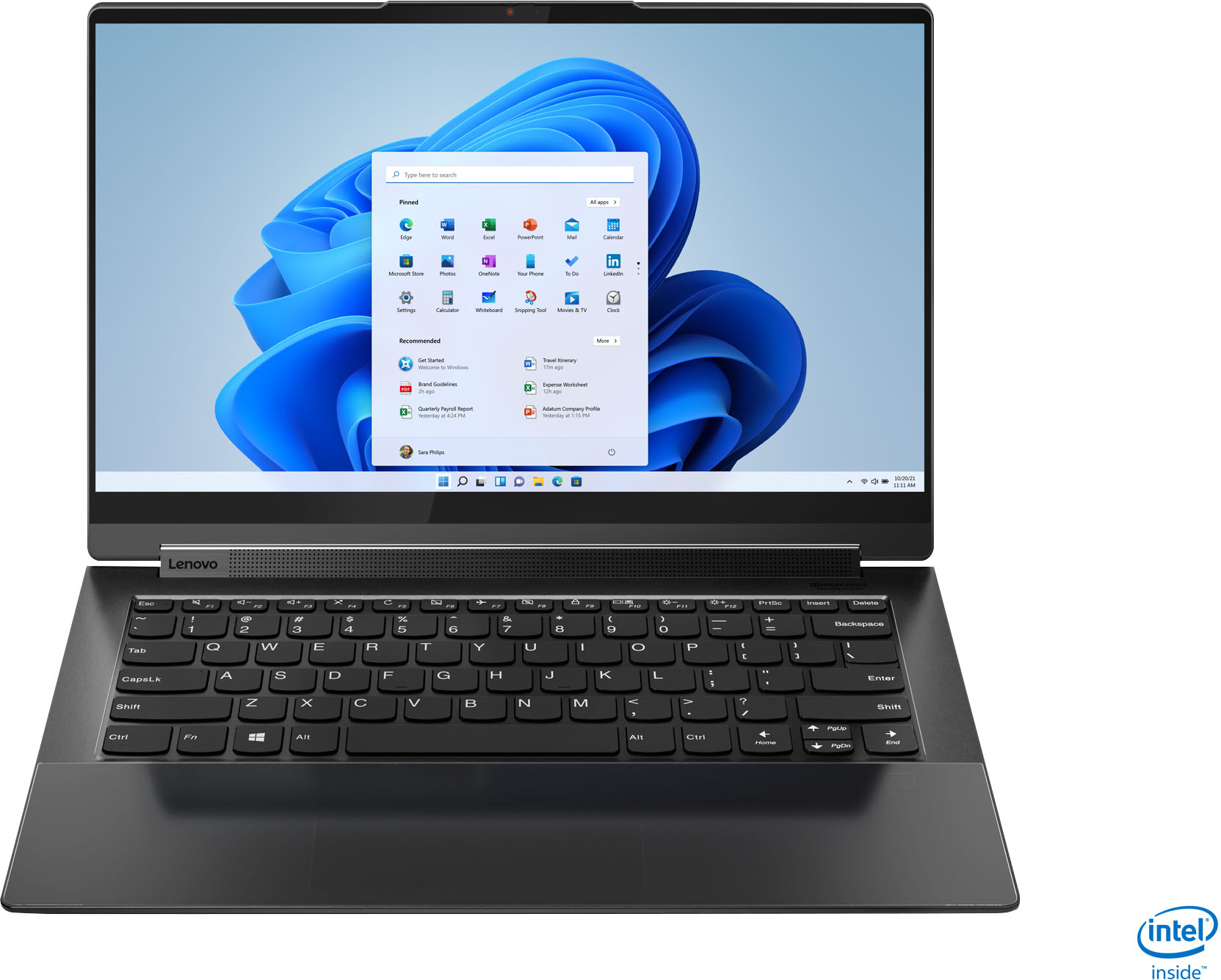



- Model:
- 82BG0001US
- SKU:
- 6426702
Rating by feature
- Battery Life
Rating 4.2 out of 5 stars
- Speed
Rating 4.5 out of 5 stars
- Display
Rating 4.7 out of 5 stars
Customers are saying
Customers value the Yoga 9i 14's stunning screen quality, impressive performance, and long battery life. Many appreciate its lightweight design and ease of use, making it ideal for portability. However, some users experienced issues with the trackpad and fingerprint reader, while others noted concerns about heat generation and the limited port selection. A few also mentioned challenges related to RAM capacity.
This summary was generated by AI based on customer reviews.
- Pros mentioned:Screen qualityCons mentioned:Fingerprint reader
A good laptop with some thing still missing
||Posted . Owned for 1 month when reviewed.This reviewer received promo considerations or sweepstakes entry for writing a review.Over all its a good laptop but the finger print scaner sucks display is good battery life is okay not that good
I would recommend this to a friendBrand response from Lenovo Product Expert
Posted .Thank you for choosing the Intel Evo-Certified, Lenovo Yoga 9i 14, model number 82BG0091US. This model ships with a Touch Style Ultrasonic fingerprint reader on palm rest, with match-on-host security. Here's a tip for making your fingerprint reader work every time: Try lightly sliding your finger over the fingerprint reader. No need to press hard on the reader, in fact pressing hard on the fingerprint reader will distort your fingerprint and cause read errors. This Yoga 9i 14 ships with a Integrated 60Wh, Lithium-Polymer Battery, which within this configuration, has a battery life of up to 10 hours, depending on the work the device is performing. If you are getting substantially less battery life, first, set your screen brightness at less than 100-percent - try 80-percent to start with. Then, be sure Battery conservation Mode is turned off. This power management setting should only be used when the laptop is plugged in all the time. It will prolong overall battery life by only charging the battery to 60-percent of capacity. Here is a link to instructions for turning off Battery Conservation Mode: https://support.lenovo.com/us/en/solutions/ht103159. Also check what programs are running in the background on the computer. Be sure only the programs you want running in the background are. These programs will drain the battery. Here is a link to information about how to find out what programs are running in the background on your Windows 10 computer and how to manage them for better system performance: https://www.windowscentral.com/how-prevent-apps-running-background-windows-10. Then, finally, be sure any software you installed is compatible with Windows 10. Incompatible software will drain the battery at a faster rate. There is no need to install Microsoft Office software. The software is already part of the operating system, you just need to activate the software with a purchased product key. If you have installed a copy of Microsoft Office, this is conflicting with the existing copy on the system and this will slow your system down. If you have installed a 3rd party anti-virus program, be sure that Windows Defender is turned off and that the trial version of McAfee Anti-Virus software is uninstalled. There can only be one anti-virus program on the system. You may need to restore your system to original factory default settings if any of the programming errors have occurred. You can do that by typing "restore" in the Cortana search window. Just click on the magnifying glass icon at the bottom left of your Windows 10 Desktop. Click on "Reset This PC" Then click on "Get Started" and follow the on screen directions to restore to factory defaults. If the problem persists, we recommend you contact Lenovo Premium Care for additional help at: 888-278-9707.

Great but not as I liked
||Posted . Owned for 1.5 years when reviewed.This reviewer received promo considerations or sweepstakes entry for writing a review.Great laptop but I still find myself using the Microsoft surface studio laptop more often than this one.
I would recommend this to a friend- Pros mentioned:Battery life
Good successor to the previous model!
||Posted . Owned for 1 month when reviewed.This reviewer received promo considerations or sweepstakes entry for writing a review.I was a little concerned looking at the reviews but the laptop is good and checks all boxes for a good price. Couple things to note: 1. The wi-fi signal seems weak (fewer bars on taskbar), but the connection is actually good.. so I believe this is a non-issue 2. The laptop charges blazingly fast under 45 ins for a full charge for my days work. 3. The battery life is good. I don't watch a lot of views on high brightness. The concerns i have is: 1. The charger gets really hot while charging, not sure if it is because it tends to charge very fast.. but lets hope this is not a issue. 2. The trackpad is sensitive, and i would love they go back to manual click, rather than haptic feedback.
I would recommend this to a friendBrand response from Lenovo Product Expert
Posted .Thank you for choosing the Intel Evo-Certified, Lenovo Yoga 9i-14. This model ships with the 6G, Wide-Range/High Speed Intel 2x2 802.11AX frequency WiFi. It is normal for the AC adapter/charger to feel warm to the touch while charging the computer. With regard to the touchpad, you can make adjustments to the touchpad in your system settings. You can get there by clicking on the magnifying glass at the bottom left of your Windows 10 screen. Type "touchpad" in the search window. Select "Mouse & touchpad settings" from the list of choices. You can make general adjustments to the touchpad there. You can also select "Additional mouse options" for more detailed adjustments to the touchpad sensitivity by increasing the delay of the touchpad.
- Pros mentioned:Performance, Screen quality
Wow! This little laptop totally blew me away.
||Posted . Owned for 1 week when reviewed.This reviewer received promo considerations or sweepstakes entry for writing a review.Just purchased this Yoga 9i. Wow..the display is unbelievable...sound out of this little laptop is unbelievable and the keys work just perfect. I love the garaged pen, so convenient. A real pleasure to use. I would highly recommend this laptop to anyone looking for great portability and great sound.
I would recommend this to a friendBrand response from Lenovo Product Expert
Posted .Thank you for choosing the Intel Evo-Certified, Lenovo Yoga 9i-14. We are pleased to hear that the features and performance of the Yoga 9i-14 meets your computing needs so well.
- Pros mentioned:Screen quality
Favorite Laptop
||Posted . Owned for 1 month when reviewed.This reviewer received promo considerations or sweepstakes entry for writing a review.Excellent machine with the speed and mobility I was looking for. Sleek, light, with all the bells and whistles you would expect in today's tech world. LOVE the touch screen feature and ease of use! I couldn't get over how much easier the screen is to see that my MacBook Pro Air.
I would recommend this to a friendBrand response from Intel team
Posted .Hello Albrightsmiles. Thank you for your great review on this Lenovo - Yoga 9i 14 2-in-1 touch-screen laptop. For us, it is very important the fact you can move freely and stay productive wherever you are. Continue to enjoy the remarkable responsiveness, battery life and fast connectivity our Intel® Evo™ Platform and the latest 11th Generation Intel® Core™ i7 Processors can offer you.
Thank you for choosing Intel!
- Pros mentioned:Processor speed
Good deal!
||Posted . Owned for 1 year when reviewed.This reviewer received promo considerations or sweepstakes entry for writing a review.Works great. Very fast and efficient. Will buy it again.
I would recommend this to a friend - Pros mentioned:Screen quality
I’ll stick w/ my Mac
||Posted . Owned for less than 1 week when reviewed.This reviewer received promo considerations or sweepstakes entry for writing a review.Absolutely love the look of this machine. All black and the leather, it’s stunning. However, the lag I experienced over and over again even after going through recovery twice and the continuous fan running I think I’ll return it. I really wanted to love this machine. I’m generally a Mac guy but I needed a PC for school so I gave this a shot. I’ve used many laptops over the years and I’ve never heard a fan running while doing simple task- web, E-mail. I had updated all BIOS and drivers with same result. I was particularly excited about the new EVO but from my experience my MacBook i5 10th gen running windows in bootcamp runs better. Maybe I got a bad machine ??? Also, nothing else was installed on this machine yet. Like I said love the look, screen and specs but for this price tag it should out perform my MacBook running windows and it just doesn’t.
No, I would not recommend this to a friendBrand response from Lenovo Product Expert
Posted .We are sorry to hear that you are having issues with your Intel-Evo Certified, Lenovo Yoga 9i-14, model number 82BG0001US. With its 11th. Gen 4-Core/8-Thread Intel Core i7-1185G7 processor, with a top speed of up to 4.8GHz with Turbo Boost, there will be no lag with compatible software. Be sure any software you installed is compatible with Windows 10. There is no need to install Microsoft Office software. The software is already part of the operating system, you just need to activate the software with a purchased product key. If you have installed a copy of Microsoft Office, this is conflicting with the existing copy on the system and this will slow your system down. If you have installed a 3rd party anti-virus program, be sure that Windows Defender is turned off and that the trial version of McAfee Anti-Virus software is uninstalled. There can only be one anti-virus program on the system. You may need to restore your system to original factory default settings if any of the programming errors have occurred. You can do that by typing "restore" in the Cortana search window. Just click on the magnifying glass icon at the bottom left of your Windows 10 Desktop. Click on "Reset This PC" Then click on "Get Started" and follow the on screen directions to restore to factory defaults. If the problem persists, we recommend you contact Lenovo Tech Support at: 877-453-6686.
- Pros mentioned:Performance
Loved the product!
||Posted . Owned for 1 month when reviewed.This reviewer received promo considerations or sweepstakes entry for writing a review.Good product. It is really student-friendly and the features make it very easy and comfortable to use.
I would recommend this to a friendBrand response from Intel team
Posted .Hello Rajshri. Thank you for your great review on this Lenovo - Yoga 9i 14 2-in-1 touch-screen laptop. For us, it is very important the fact you can move freely and stay productive wherever you are. Continue to enjoy the remarkable responsiveness, battery life and fast connectivity our Intel® Evo™ Platform and the latest 11th Generation Intel® Core™ i7 Processors can offer you.
Thank you for choosing Intel!
- Pros mentioned:Performance, Screen quality
Great laptop!
||Posted . Owned for 3 weeks when reviewed.This reviewer received promo considerations or sweepstakes entry for writing a review.This is a great laptop, I can't say enough about it. It's so fast, loads up Photoshop CC extremely fast! I highly recommend this laptop. I have had several Lenovo laptops and it is definitely my favorite brand. I like the built in pen, but don't use it much. Sound quality is very good, too.
I would recommend this to a friendBrand response from Lenovo Product Expert
Posted .Thank you for choosing the Intel Evo-Certified, Lenovo Yoga 9i-14. We appreciate your loyalty to the Lenovo Brand and we are pleased to hear that your new Yoga 9i-14 is working out so well for you.
- Pros mentioned:Processor speed
Yoga Fan
||Posted . Owned for 1 week when reviewed.This reviewer received promo considerations or sweepstakes entry for writing a review.I'm a Yoga fan. I'm not a tech geek. I need a versatile and easy to use laptop with options and that's what this Yoga provides. It's fast, compact, and is quite an upgrade from my last Yoga. Looking forward to using the stylus alongside the wordsmithing that I do for work.
I would recommend this to a friendBrand response from Lenovo Product Expert
Posted .Hi there! Thank you for choosing the Lenovo Yoga 9i. We are so happy to hear the amazing performance, features, premium look, and feel of the Yoga 9i is meeting your computing needs so well.
- Cons mentioned:Heat, Ram
evething is okay but its hot
||Posted . Owned for 11 months when reviewed.This reviewer received promo considerations or sweepstakes entry for writing a review.this laptop is okay except extrem hot and cant replace ram
I would recommend this to a friend Lenovo Yoga Power Supply
||Posted . Owned for 3 weeks when reviewed.This reviewer received promo considerations or sweepstakes entry for writing a review.Excellent laptop and great curbside service pickup for my online order. One minor annoying issue was the power cord and supply unit stopped working after 2 weeks. I contacted On line support and they said I had to go into the store to replace the power cord and unit. When I went in store they couldn’t replace the unit without returning the laptop also, which I refused to do. This was very frustrating. The store manager gave me a 65W generic power supply free of charge so I didn’t have to return the full laptop and power cord! Well done Bestbuy team!
I would recommend this to a friendBrand response from Lenovo Product Expert
Posted .We are sorry to hear that you are having issues charging your Intel Evo-Certified, Lenovo Yoga 9i-14, model number 82BG0001US. Be sure you are using the correct charging port on the left side of the computer. There are two Thunderbolt 4.0 ports but only one can be used to charge this computer. It is the one closest to the USB port on the left side and there is a small white LED power indicator light near the port that will light up when the computer is plugged in properly with the charger. If you are using the correct charging port but your are still getting a message of "Plugged In Not Charging", unplug the computer and let the battery charge level drop below 50-Percent. Now plug the computer back in to the proper charging port and the computer will begin to charge back up to a full 100-Percent. If the issue continues, we recommend you call Lenovo Tech Support for additional help at: 877-453-6686.
- Pros mentioned:Processor speed, Screen quality
10/10 Recommend
||Posted . Owned for 1 month when reviewed.This reviewer received promo considerations or sweepstakes entry for writing a review.This is the best laptop I have ever owned. I am a law student and it checks all the boxes for a great law school laptop. Easy to transport to and from class, very fast, lightweight. The screen has a great picture, and the sound bar is a plus.
I would recommend this to a friendBrand response from Intel team
Posted .Hello there. Thank you for your great review on this Lenovo - Yoga 9i 14 2-in-1 touch-screen laptop. For us, it is very important the fact you can move freely and stay productive wherever you are. Continue to enjoy the remarkable responsiveness, battery life and fast connectivity our Intel® Evo™ Platform and the latest 11th Generation Intel® Core™ i7 Processors can offer you.
Thank you for choosing Intel!
- Pros mentioned:Battery lifeCons mentioned:Heat
Yoga 9i
||Posted . Owned for 1 month when reviewed.This reviewer received promo considerations or sweepstakes entry for writing a review.Works great, great battery life, does get pretty hot though. Overall amazing laptop.
I would recommend this to a friendBrand response from Lenovo Product Expert
Posted .Thank you for choosing the Intel Evo-Certified, Lenovo Yoga 9i-14. System temperature is determined by the workload the computer is under. You can use Lenovo Q-Control to manually control fan and system performance: ( Fn + Q ) option to change the fan by undervolting the processor.
- Pros mentioned:Performance, Processor speed
Lenovo 9i
||Posted . Owned for 1 month when reviewed.This reviewer received promo considerations or sweepstakes entry for writing a review.Flawless operation and amazing speed are critcal to my WFH setup and the Lenovo 9i Yoga delivers! Great display and I like the smooth surface of the touch pad. Plenty of memory and I sold on SSD forever! Love the 4K display too!
I would recommend this to a friendBrand response from Lenovo Product Expert
Posted .Thank you for choosing the Intel Evo-Certified, Lenovo Yoga 9i 14. We are pleased to hear that the features and performance of the Yoga 9i 14 meets your computing needs so well.
- Pros mentioned:Screen qualityCons mentioned:Trackpad
Superb Computer
||Posted . Owned for 1 month when reviewed.This reviewer received promo considerations or sweepstakes entry for writing a review.I love this computer, the graphics, the screen is excellent. I have one small issue - the keyboard - often times the cursor disappears and ends up in the middle of another sentence! Maybe I am not aware of how to control that.
I would recommend this to a friendBrand response from Lenovo Product Expert
Posted .Thank you for choosing the Intel Evo-Certified, Lenovo Yoga 9i-14, model number 82BG0001US. Try reducing the sensitivity of the touchpad. You may be inadvertently coming in contact with the touchpad while typing, which will relocate the cursor. You can make adjustments to the touchpad in your system settings. You can get there by clicking on the magnifying glass at the bottom left of your Windows 10 screen. Type "touchpad" in the search window. Select "Mouse & touchpad settings" from the list of choices. You can make general adjustments to the touchpad there. You can also select "Additional mouse options" for more detailed adjustments to the touchpad sensitivity by increasing the delay of the touchpad. If the issue continues, we recommend you contact Lenovo Tech Support at: 877-453-6686.
- Cons mentioned:Trackpad
A couple of issues
||Posted . Owned for 7 months when reviewed.This reviewer received promo considerations or sweepstakes entry for writing a review.The touch pad is extremely sensitive - too sensitive and clicks on things not meant to be clicked on. 7 months after its purchase several keys stopped working and it had to have the mother board replaced. If I had not purchased the protection plan, I would be out a lot of money. And, I am still paying it off.
I would recommend this to a friend - Pros mentioned:PerformanceCons mentioned:Fingerprint reader
Only get it if on sale
||Posted . Owned for 3 weeks when reviewed.This reviewer received promo considerations or sweepstakes entry for writing a review.Good display and specs however the fingerprint sensor is a hit-or-miss. You can touch it, slide or press down... It just does not work. Had to return it as it doesn't make sense to buy something with a design flaw.
No, I would not recommend this to a friend - Pros mentioned:Battery life, Processor speed
LOVE!!! Lenovo Yoga 9i EVO
||Posted . Owned for 3 weeks when reviewed.This reviewer received promo considerations or sweepstakes entry for writing a review.I ABSOLUTELY LOVE My new Lenovo! It is blazing fast, great quality in every aspect, has a very long battery life, connectivity, and best of all exceeds my expectations! Well done EVO!!!
I would recommend this to a friendBrand response from Lenovo Product Expert
Posted .Thank you for choosing the Intel Evo-Certified, Lenovo Yoga 9i 14. We are pleased to hear that the features and performance of the Yoga 9i 14 meets your computing needs so well.
- Pros mentioned:Screen quality
Great laptop, disappointing battery life.
||Posted . Owned for 1 month when reviewed.This reviewer received promo considerations or sweepstakes entry for writing a review.Great laptop, the speed, screen quality and audio are fantastic. Beautiful, light weight, well designed. The only downside is the battery life, which is disappointing at best. While advertised at 9 hours, I routinely get about 3-3:30 hours with relatively routine usage. Zoom seems to drain the battery life, which is a key part how I need to use it.
No, I would not recommend this to a friendBrand response from Lenovo Product Expert
Posted .The Intel Evo-Certified, Lenovo Yoga 9i-14 delivers All-Day-Battery-Life, thanks to its 4CELL_60WH_INTERNAL, Lithium Polymer Battery, which within this configuration, provides up to 9 hours of battery life, depending on the work the device is performing. If you are getting substantially less battery life, first, set your screen brightness at less than 100-percent - try 80-percent to start with. Then, be sure Battery conservation Mode is turned off. This power management setting should only be used when the laptop is plugged in all the time. It will prolong overall battery life by only charging the battery to 60-percent of capacity. Here is a link to instructions for turning off Battery Conservation Mode: https://support.lenovo.com/us/en/solutions/ht103159. Also check what programs are running in the background on the computer. Be sure only the programs you want running in the background are. These programs will drain the battery. Here is a link to information about how to find out what programs are running in the background on your Windows 10 computer and how to manage them for better system performance: https://www.windowscentral.com/how-prevent-apps-running-background-windows-10. Then, finally, be sure any software you installed is compatible with Windows 10. Incompatible software will drain the battery at a faster rate. There is no need to install Microsoft Office software. The software is already part of the operating system, you just need to activate the software with a purchased product key. If you have installed a copy of Microsoft Office, this is conflicting with the existing copy on the system and this will slow your system down. If you have installed a 3rd party anti-virus program, be sure that Windows Defender is turned off and that the trial version of McAfee Anti-Virus software is uninstalled. There can only be one anti-virus program on the system. You may need to restore your system to original factory default settings if any of the programming errors have occurred. You can do that by typing "restore" in the Cortana search window. Just click on the magnifying glass icon at the bottom left of your Windows 10 Desktop. Click on "Reset This PC" Then click on "Get Started" and follow the on screen directions to restore to factory defaults. If the problem persists, we recommend you contact Lenovo Tech Support at: 877-453-6686.