Customer Ratings & Reviews








- Model:
- 82LU0000US
- SKU:
- 6502231
Rating by feature
- Battery Life
Rating 4.2 out of 5 stars
- Speed
Rating 4.6 out of 5 stars
- Display
Rating 4.7 out of 5 stars
Customers are saying
Customers love the Yoga 9i's performance, stunning OLED display, and lightweight design, praising its speed, vibrant colors, and ease of portability. However, some users express concerns regarding battery life and occasional issues with the included pen. The graphics capabilities also receive positive feedback. A few customers mentioned some noise from the fan.
This summary was generated by AI based on customer reviews.
Dr
||Posted . Owned for 3 weeks when reviewed.This reviewer received promo considerations or sweepstakes entry for writing a review.Great sales process for purchasing laptop and services
I would recommend this to a friendBrand response from Lenovo Product Expert
Posted .Thank you for choosing the Intel Evo-Certified, Lenovo Yoga 9i 14. We are pleased to hear that the Yoga 9i 14 meets your computing needs so well.

I wouldn't buy this again
||Posted . Owned for 1 month when reviewed.This reviewer received promo considerations or sweepstakes entry for writing a review.This laptop freezes all the time. Surprised because my old lenovo was flawless just ran out of space and this one has better specs. Very disappointed
No, I would not recommend this to a friendExcellent!!!!!!!!!!!!
||Posted . Owned for 3 weeks when reviewed.This reviewer received promo considerations or sweepstakes entry for writing a review.So far so good, No issues, I would recommend the purhase.
I would recommend this to a friendBrand response from Lenovo Product Expert
Posted .Thank you for choosing the Intel Evo-Certified, Lenovo Yoga 9i 14. We are pleased to hear that the Yoga 9i 14 is working out so well for you.
Not a Fan of 4 Shortcut keys added on the Keyboad
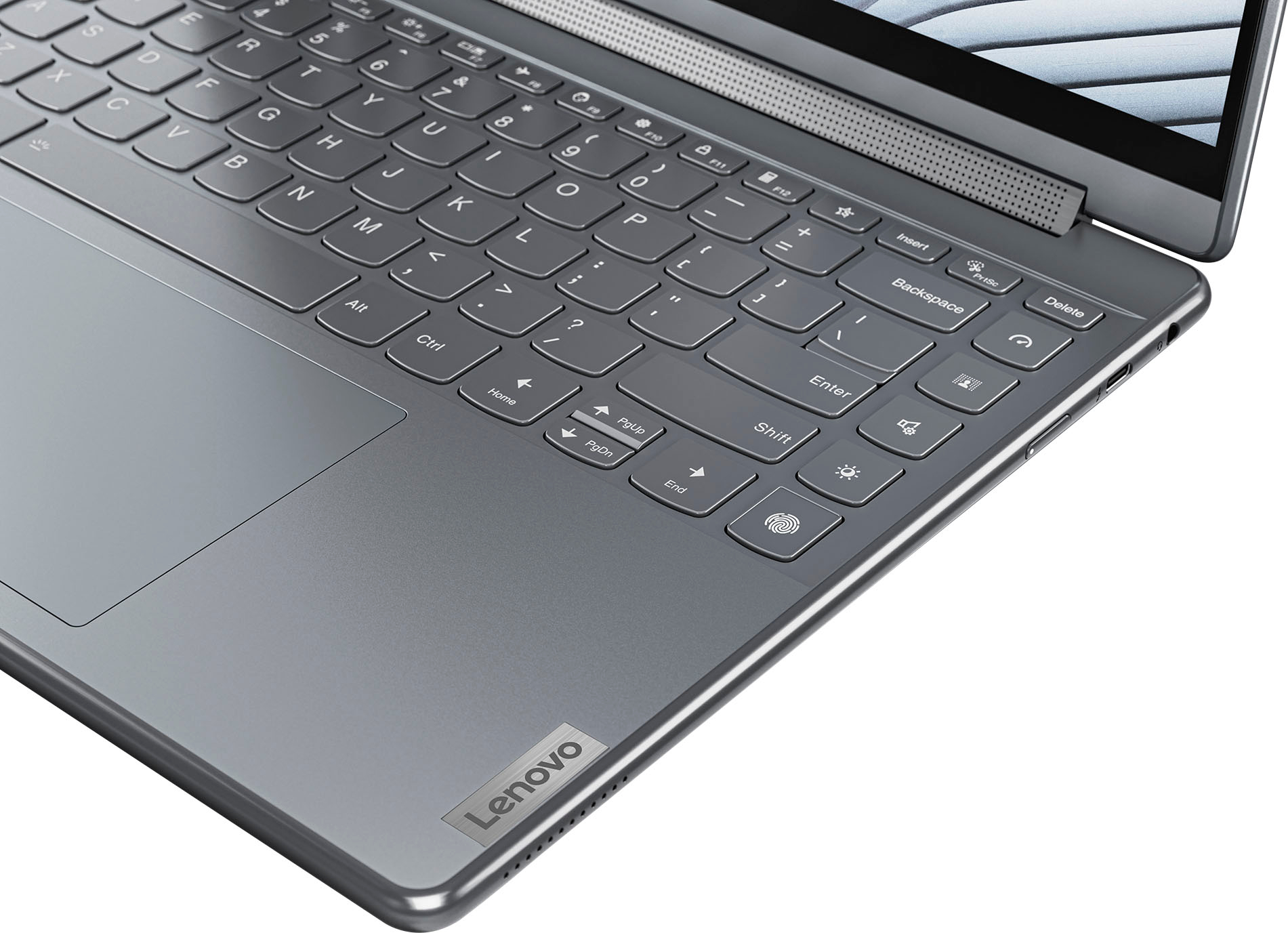
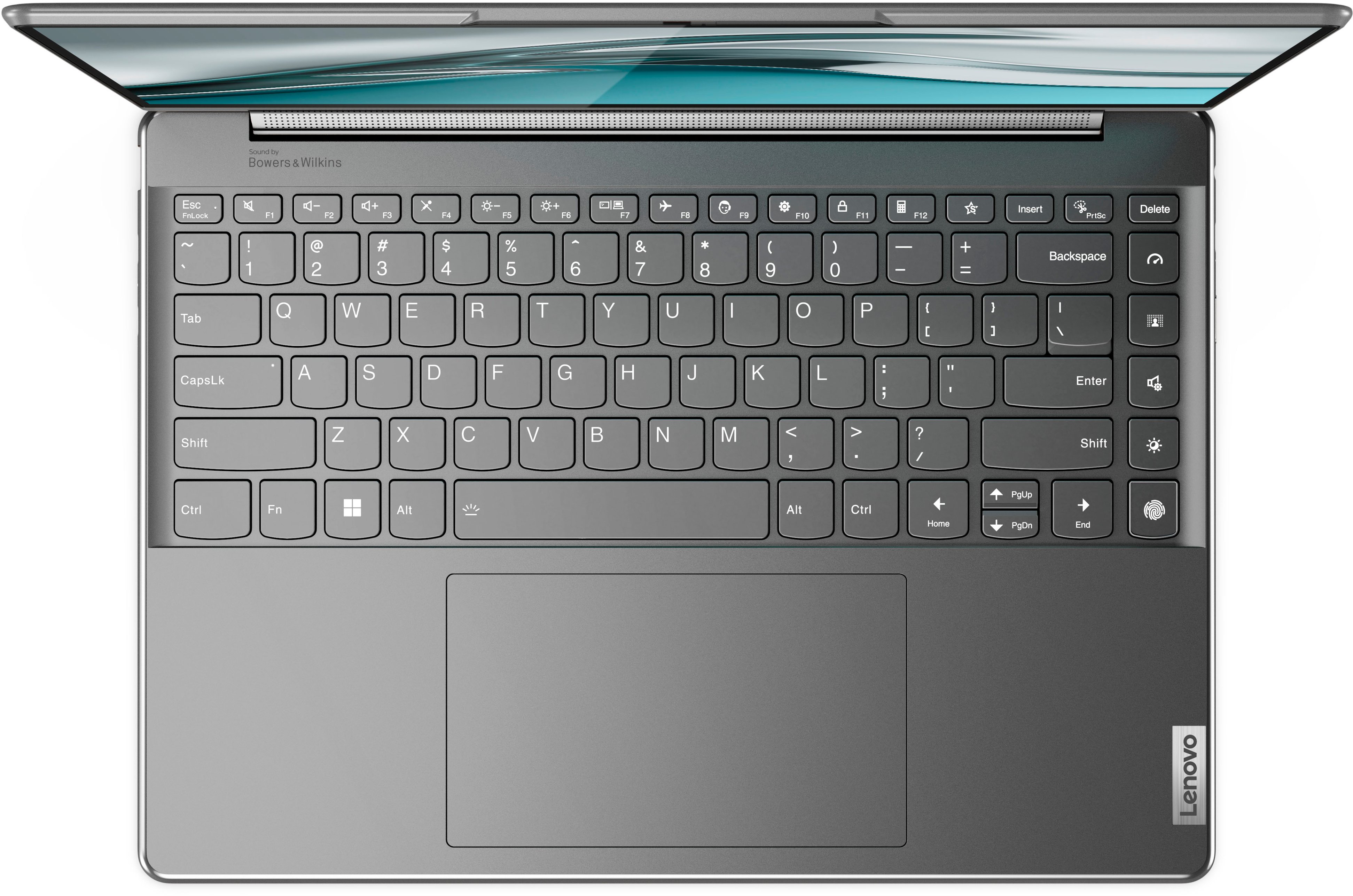
||Posted . Owned for 2 weeks when reviewed.This reviewer received promo considerations or sweepstakes entry for writing a review.Traded up from the Lenovo 730 and purchased the Lenovo 9i. Quite disappointed with the Lenovo 9i and have returned it to Best Buy for a new laptop with a more traditional keyboard. My problem with the Lenovo 9i's keyboard is that 4 new "Hot Keys" were added on the far right. These 4 new keys feel like they shouldn't be there and have caused me to make too many typing mistakes. Places where historically you expect a key to be, have been replaced with new "task" keys. Amazed that the Lenovo development team thought it was that important to add 4 new buttons for such "one off" unusual tasks that could be done in settings. New keys for tasks like 1) switch between different performance modes to boost battery life, 2) toggle between light and dark mode in Windows 11, 3) toggle between various built-in audio modes like on a television and finally 4) a key to blur the background on or off when on video call. Finally moved the finger print scanner key to where historically the traditional right arrow key was located. I am hoping that in the future, Lenovo moves to the traditional keyboard.
No, I would not recommend this to a friendBrand response from Lenovo Product Expert
Posted .We are sorry to hear that you had an issue with your Yoga 9i. This model Yoga 9i implemented these new "Hot Keys" to help those using their devices in a new digital world where battery life, security and ease of use are as more important than ever. As you mentioned, each key has a purpose, for example, the ability to switch from light to dark more, as switching to dark mode also improves battery life with the OLED display, activating less pixels on the screen. Also, another key, being able to digitally blur your background with the tap of of button allows the user to blur their background for privacy or enhance your image along with its FHD 1080p IR webcam for a better picture where online meetings are higher than ever and login with your face instead of a password. With the edge-to-edge keyboard design, you still get the full-sized, award winning Lenovo keyboard design, along with these pre-mapped keys. Should you have personal preferences in keyboard layout or design, we recommend searching for these features in your solution to help ensure the perfect fit before you invest in any device.
Mother Board damage
||Posted . Owned for 7 months when reviewed.This reviewer received promo considerations or sweepstakes entry for writing a review.The mother board was damage after few months since the purchase.
No, I would not recommend this to a friend- Cons mentioned:Battery life
Expensive and mediocre
||Posted . Owned for 1 week when reviewed.This reviewer received promo considerations or sweepstakes entry for writing a review.Pretty crappy battery life, and camera wasn’t great either.
No, I would not recommend this to a friendBrand response from Lenovo Product Expert
Posted .This Intel Evo-Certified, Lenovo Yoga 9i 14, model number 82LU0000US, ships with Intel Evo-Certified, All-Day-Battery-Life, thanks to its Integrated 75Wh, Lithium-Polymer Battery, which within this model configuration, has a battery life of up to 10 Hours, depending on the work the device is performing. This Yoga 9i 14 also ships with a IR (infrared - Windows Hello facial recognition security capable) & FHD 1080p Hybrid webcam with Privacy Shutter, ToF (Time of Flight) Sensor for auto focus and includes Dual Array Microphones, built in. If you are getting less than expected broadcast video performance, the webcam ships with an HD (720p) webcam with Privacy Shutter and Dual Array Microphones, built in. If you are getting less than expected broadcast video quality, check to be sure that the protective film/tape has been removed from the lens of the webcam. This protective film/tape is installed at the factory, to protect the webcam lens during transit and needs to be removed prior to using the webcam. Also, you are getting substantially less battery life first, set your screen brightness at less than 100-percent - try 80-percent to start with. Then, be sure Battery Charge Threshold is turned off. This power management setting should only be used when the laptop is plugged in all the time. It will prolong overall battery life by only charging the battery to 60-percent of capacity. You can turn off Battery Charge Threshold within the Lenovo Vantage APP installed on this computer. In Vantage select Battery Settings and turn off Battery Charge Threshold, if turned on. Also check what programs are running in the background on the computer. Be sure only the programs you want running in the background are. These programs will drain the battery. Here is a link to information about how to find out what programs are running in the background on your Windows 11 computer and how to manage them for better system performance: https://websiteforstudents.com/how-to-find-what-is-running-in-windows-11/. Then, finally, be sure any software you installed is compatible with Windows 11. Incompatible software will drain the battery at a faster rate. There is no need to install Microsoft Office software. The software is already part of the operating system, you just need to activate the software with a purchased product key. If you have installed a copy of Microsoft Office, this is conflicting with the existing copy on the system and this will slow your system down. If you have installed a 3rd party anti-virus program, be sure that Windows Defender is turned off and that the trial version of McAfee Anti-Virus software is uninstalled. There can only be one anti-virus program on the system. You may need to restore your system to original factory default settings if any of the programming errors have occurred. You can do that by typing "restore" in the Cortana search window. Just click on the magnifying glass icon at the bottom of your Windows 11 Desktop. Click on "Reset This PC" Then click on "Get Started" and follow the on screen directions to restore to factory defaults. If any of the problems persists, we recommend you contact Lenovo Premium Care for additional help at: 888-278-9707.
0
||Posted .This reviewer received promo considerations or sweepstakes entry for writing a review.This company and also Leneova people I have never experience like this company and they can’t find the solution in the problem my laptop is not here and it’s not to ship back that’s why they can’t reach out problem only inside USA how’s that possible? My leptop camera is not working and they can’t find a solution if I saw in zero I will choose
No, I would not recommend this to a friendBrand response from Lenovo Product Expert
Posted .We are sorry to hear that you are having issues with the webcam on your Intel Evo-Certified, Lenovo Yoga 9i 14, model number 82LU0000US. This Yoga 9i 14 ships with a ToF, FHD 1080p & IR (Infrared - Windows Hello Facial Recognition compatible) webcam with Privacy Shutter and Dual Array microphones built in. First, be sure that the Privacy Shutter is in the open position before you try to use the webcam. If there is a red dot over the webcam lens, the Privacy Shutter is in the closed position. Slide the Privacy Shutter to the right/left to open/close the Privacy Shutter. Here is a link to the User Guide for this Yoga 9i 14, which illustrates the location of the Privacy Shutter switch on page 1: https://download.lenovo.com/consumer/mobiles_pub/yoga_9_14iap7_userguide_en.pdf. If the Privacy Shutter is in the open position, but the problem with the webcam persists, here is a link to some troubleshooting tips for fixing webcam issues within Windows 11: https://support.microsoft.com/en-gb/windows/camera-doesn-t-work-in-windows-32adb016-b29c-a928-0073-53d31da0dad5#:~:text=the%20search%20results.-,Find%20your%20camera%20under%20Cameras%2C%20Imaging%20devices%2C%20or%20Sound%2C,opening%20the%20Camera%20app%20again. Finally, if the issue continues and you are currently out of the USA, you can check for International Warranty Coverage for your Lenovo Yoga 9i 14 at this web site: https://pcsupport.lenovo.com/us/en/iwslookup#/ideapad. Just put the model number in the space provided (82LU0000US), then select the Country you are in from the dropdown menu provided, to see whether there is coverage for your Yoga 9i 14 in the Country you are currently in and how to make contact with a warranty service provider, if service is available in that Country.
- Pros mentioned:Oled displayCons mentioned:Battery life
Light and portable
Posted .This reviewer received promo considerations or sweepstakes entry for writing a review.Great laptop for a traveling graphic designer. Battery life could be better but it has a great display and I love the way it turns into a tablet.
I would recommend this to a friend - Pros mentioned:Performance, Weight
Great laptop!
Posted .This reviewer received promo considerations or sweepstakes entry for writing a review.Great laptop! Only thing missing is a page up/dn button. Otherwise, size, weight, camera, screen and performance are all really nice.
I would recommend this to a friend Great Laptop Overall
Posted .This reviewer received promo considerations or sweepstakes entry for writing a review.Nice laptop. It does everything I need and has a great screen. I'm docking a star for the keyboard. The key action isn't as smooth as on the old Yoga machine this one replaced. Worse, the keys on the right side of the laptop represent a wasted opportunity. On other machines that have this extra column of keys, they serve as navigational buttons. On this one, they manage the screen interface, which is something I don't need to be so accessible.
I would recommend this to a friend- Pros mentioned:Graphics
Great laptop with an amazing OLED screen!
Posted .This reviewer received promo considerations or sweepstakes entry for writing a review.I began buying Lenovo laptops in 2014, starting with the Yoga Pro2 13", then the C740 15", the S940 14", the 2021 IdeaPad 9i 14" and now the Yoga 9i 14" 4k OLED. With the exception of the new 9i, all were used for work. I still use the C740 and the 2021 9i but I bought the OLED 9i mainly for viewing movies. Each one of the afore mentioned laptops performed great and had provided a very good viewing experience but this new 9i OLED is far and away the best for viewing media. With the exception of the S940, I've had very good luck with Lenovo laptops, they were durable, they performed without fault and have served me well over the years. One thing I learned is, regardless of which laptop is bought, a 3 year premium warranty is very important. The S940 was a beautiful design with a curved edge glass screen and barely noticeable bezels, a truly stunning panel! But the screen on the S940 would spontaneously crack and mine did so three separate times over a four month period. Lenovo's Premium Care warranty took care of the problem each time and finally replaced the S940 with the newly released 2021 9i 14". The S940 was discontinued within a year of its release (probably because of screen problems?). This was a shame because the laptop was had a beautiful design. My point is, the Premium Care warranty is well worth the money. That said, I highly recommend the new 9i OLED laptop!
I would recommend this to a friend Love It
Posted .This reviewer received promo considerations or sweepstakes entry for writing a review.Great computer, on sale for great price. only thing are some of the widgets are a little frustrating if you don't want them but can be deleted. Overall, wonderful purchase.
No, I would not recommend this to a friend2 in 1 laptop
Posted .This reviewer received promo considerations or sweepstakes entry for writing a review.I am happy with this item. It is what I was looking for and was a good deal.
I would recommend this to a friendSolid laptop/tablet
Posted .This reviewer received promo considerations or sweepstakes entry for writing a review.Bought used/refurbished and has worked great without any issues. Battery life could be better but for a 2-in-1 it's not bad
I would recommend this to a friend- Pros mentioned:Oled display
Great laptop.
Posted .This reviewer received promo considerations or sweepstakes entry for writing a review.Easy and fast to use. Keys feel great, I love typing on this keyboard. Touchscreen is reactive. Display is amazing. It has great features. I love how compact it is, great for traveling. I also love the look of it in general.
I would recommend this to a friend Great laptop
Posted .This reviewer received promo considerations or sweepstakes entry for writing a review.Great compact laptop with good power. Specs are equally good.
I would recommend this to a friendBrand response from Lenovo Product Expert
Posted .Thank you for choosing the Intel Evo-Certified, Lenovo Yoga 9i 14. We are pleased to hear that the features and performance of the Yoga 9i 14 meets your computing needs so well.