Customer Ratings & Reviews

- Model:
- F0E5003BUS
- SKU:
- 6424475
Rating by feature
- Value
Rating 4.1 out of 5 stars
- Quality
Rating 4.3 out of 5 stars
- Ease of Use
Rating 4.4 out of 5 stars
Customers are saying
Customers recognize the Yoga A940's large screen size and strong performance as significant advantages, frequently praising its ease of use and the convenient wireless charging feature. However, some users have noted that the fan can be noisy at times and that the included pen could be improved. Concerns were also raised regarding the device's tendency to overheat.
This summary was generated by AI based on customer reviews.
Not what I was expecting at all for a 2k desktop
||Posted . Owned for less than 1 week when reviewed.This reviewer received promo considerations or sweepstakes entry for writing a review.I bought it 2 days ago and is going back, I'm not familiar with this brand at all but the design was nice and I wanted to give it a chance. I'm not a computer nerd i just wanted to used it for basic stuff like web browsing and stuff like that. The mouse and keyboard are useless they don't work properly at all I'm even typing this with the touch screen that tells you how bad they are the keyboard has lots of lagging you press ones and it types multiple times and that's on a good day sometime don't respond at all the same with the mouse lagging as well doesn't go were you need it to go and I have done everything I could to make it work from updateds to spending hours in YouTube for troubleshooting videos nothing helps and this is just the basic things since I haven't try anything else with the computer so I don't know if all the other components are good since I'm not a computer expert. I'm very disappointed and upset how something this expensive will not even function properly with something so simple like using your keyboard and mouse. Going back to the store today to return it, i do not recommend this product to anyone since it did not work properly straight out of the box, this is a over priced junk.
No, I would not recommend this to a friendBrand response from Lenovo Product Expert
Posted .We are sorry to hear that you are having issues with your Lenovo Yoga A940-27 All-In-One system. From the description of the issues you are experiencing, it sounds as though there is incompatible software installed on the computer. Be sure any software you installed is compatible with Windows 10. There is no need to install Microsoft Office software. The software is already part of the operating system, you just need to activate the software with a purchased product key. If you have installed a copy of Microsoft Office, this is conflicting with the existing copy on the system and this will slow your system down. If you have installed a 3rd party anti-virus program, be sure that Windows Defender is turned off and that the trial version of McAfee Anti-Virus software is uninstalled. There can only be one anti-virus program on the system. You may need to restore your system to original factory default settings if any of the programing errors have occurred. You can do that by typing "restore" in the Cortana search window. Just click on the magnifying glass icon at the bottom left of your Windows 10 Desktop. Click on "Reset This PC" Then click on "Get Started" and follow the on screen directions to restore to factory defaults. If the problem persists, we recommend you contact Lenovo Tech Support at: 877-453-6686

30 Hz video input? Whaaat?
||Posted .This reviewer received promo considerations or sweepstakes entry for writing a review.A great device overall, but who designs and video input at 30 Hz in today’s day? I had actually return this device simply because I couldn’t run a Macintosh plugged into the video input at regular refresh rate. So sad.
No, I would not recommend this to a friendBrand response from Lenovo Product Expert
Posted .The Lenovo Yoga A940-27 All-In-One system, model number F0E50000US, ships with the AMD Radeon RX 560 discrete GPU. The HDMI-Out port on this GPU supports 4K @ 60Hz video signal to an external monitor. Be sure the monitor you are using is compatible with Windows 10 operating system and you have installed the proper monitor drivers, if any. If you have questions about the Yoga A940-27 AIO, we recommend you call Lenovo Tech Support at: 877-453-6686. Lenovo is the number #1 manufacturer of computers in the World:
https://venturebeat.com/2019/01/10/gartner-and-idc-hp-and-lenovo-shipped-the-most-pcs-in-2018-but-total-numbers-fell/
almost great
||Posted . Owned for 1 month when reviewed.This reviewer received promo considerations or sweepstakes entry for writing a review.IT is a great machine, but I returned it because the charging station stopped working.
I would recommend this to a friendBrand response from Lenovo Product Expert
Posted .We are sorry to hear that you had issues with the charging dock within your Lenovo Yoga A940-27 model number F0E5003BUS. This may be due to the need for a software update. First, check to be sure you have the latest version of Windows 10 on the computer. Then be sure all of the BIOS files and drivers are up to date with that latest version of Windows 10. You can easily accomplish this by scanning the computer with the Lenovo Utility software available on this computer. This system has Lenovo utilities installed to help maintain the health of the device and keep the operating system software up to date. Type "Lenovo Vantage" in the Cortana Search window (if Lenovo Vantage is not installed on your device, you can download the APP and install it now). Select Lenovo Vantage from the list. In the window that opens, click on "Health and Support". In the expanded menu, select "Hardware Scan" In the window that opens, select "Run Quick Tests". This will scan your entire system for errors. Follow any directions that may pop up. If the problem continues after this scan, now click on "System Update". First select Windows update from the menu. Scan your system to be sure you have the latest version of Windows 10. Once that scan is complete, select "Additional Updates". This will scan your device to be sure there are no new BIOS/Driver updates needed. Follow any instructions that may pop up. If the issue still continues after these updates, we recommend you call Lenovo Tech Support at: 877-453-6686 for additional help.
Great when the screen isn't flickering.
||Posted . Owned for 3 weeks when reviewed.This reviewer received promo considerations or sweepstakes entry for writing a review.When it works, it's amazing. When it doesn't, the screen flickers uncontrollably and when it's not doing that, the pixels dance around. Great for running Adobe creative suite, but I'm pretty sure I have to return it since I'm getting no help on the lenovo forum.
No, I would not recommend this to a friendBrand response from Lenovo Product Expert
Posted .Hi Kevin, we are sorry to hear you are experiencing these issues. It is possible updating the system device drivers will fix this issue. You can easily accomplish this by scanning the computer with the Lenovo Utility software available on this computer. This system has Lenovo utilities installed to help maintain the health of the device and keep the operating system software up to date. Type "Lenovo Vantage" in the Cortana Search window (if Lenovo Vantage is not installed on your device, you can download the APP and install it now). Select Lenovo Vantage from the list. In the window that opens, click on "Health and Support". In the expanded menu, select "Hardware Scan” In the window that opens, select "Run Quick Tests". This will scan your entire system for errors. Follow any directions that may pop up. If the problem continues after this scan, now click on "System Update". First select Windows update from the menu. Scan your system to be sure you have the latest version of Windows 10. Once that scan is complete, select "Additional Updates". This will scan your device to be sure there are no new BIOS/Driver updates needed. Follow any instructions that may pop up. If the issue continues after these updates, we recommend you call Lenovo Tech Support at: 877-453-6686 for additional help.
Would be 5 stars if it was a working system
||Posted . Owned for 2 months when reviewed.This reviewer received promo considerations or sweepstakes entry for writing a review.I work as a freelancer and purchased this system as an upgrade to what I was previously using. Good: - the display is beautiful - pen tool & yoga capabilities are a nice addition Bad: - issues came up a couple days after the return date closed ( 5th item from Best Buy where that is the case ) - CPU fan failure - software issues and inability to use alternate accounts within the system - computer freezes unexpectedly As I write this, I am backing up my system as I wait for Lenovo to give me a call back on how to move forward. My frustration with it is the amount of time that I will lose while trying to get everything resolved.
No, I would not recommend this to a friendNot worth the hype
||Posted . Owned for 3 weeks when reviewed.This reviewer received promo considerations or sweepstakes entry for writing a review.I have to return due to the bottom right of the screen is black, it became annoying the third day I had it. I purchased the Surface 2. Now this is by far the best have in office computer, switching my staff to have the surface pro X for business.
No, I would not recommend this to a friendBrand response from Lenovo Product Expert
Posted .We are sorry to hear that you are having issues with the screen on your Lenovo Yoga A940-27 All-In-One system. We recommend you call Lenovo Tech Support for help with your specific issue at: 877-453-6686.
CRAPPY PIECE OF TECHNOLOGY
||Posted . Owned for 5 months when reviewed.This reviewer received promo considerations or sweepstakes entry for writing a review.I wanted the Microsoft Surface Studio, but I couldn't afford it at the time. So I got the closest comparable thing to it, that was within a better price range. Piece of CRAP. Less than a week of having it got error msgs. Word of advice SAVE SAVE SAVE and get what you know is good. I returned it and made a better choice I couldn't be more satisfied.
No, I would not recommend this to a friendNOT a Touch Screen!
||Posted .This reviewer received promo considerations or sweepstakes entry for writing a review.Why would Lenovo sell this with a screen that is NOT a touch screen?! And it came with the pen! Spent hours setting up, researching drivers, ad nauseum... Device Manager showed that it is NOT a touch screen so no matter how many updates or driver downloads it would never become usable as a touch screen. Packed it up this morning and taking it back. What a waste of my time and energy!
No, I would not recommend this to a friendBrand response from Lenovo Product Expert
Posted .The Lenovo Yoga A940-27 All-In-One system ships with a touchscreen. We are sorry to hear that you are having issues with the touchscreen on this device. It is possible that resetting the computer back to original factory settings will fix the issue you describe. Here is a link to information about resetting your Windows 10 system back to original factory settings: https://support.microsoft.com/en-us/help/12415. Once you have the computer reset, be sure any software you installed is compatible with Windows 10. There is no need to install Microsoft Office software. The software is already part of the operating system, you just need to activate the software with a purchased product key. If you have installed a copy of Microsoft Office, this is conflicting with the existing copy on the system and this will slow your system down. If you have installed a 3rd party anti-virus program, be sure that Windows Defender is turned off and that the trial version of McAfee Anti-Virus software is uninstalled. There can only be one anti-virus program on the system. You may need to restore your system to original factory default settings if any of the programming errors have occurred. You can do that by typing "restore" in the Cortana search window. Just click on the magnifying glass icon at the bottom left of your Windows 10 Desktop. Click on "Reset This PC" Then click on "Get Started" and follow the on screen directions to restore to factory defaults. If the problem persists, we recommend you contact Lenovo Tech Support at: 877-453-6686.
- Pros mentioned:Processor speed, Screen sizeCons mentioned:Pen
Great workstation for art/photography projects
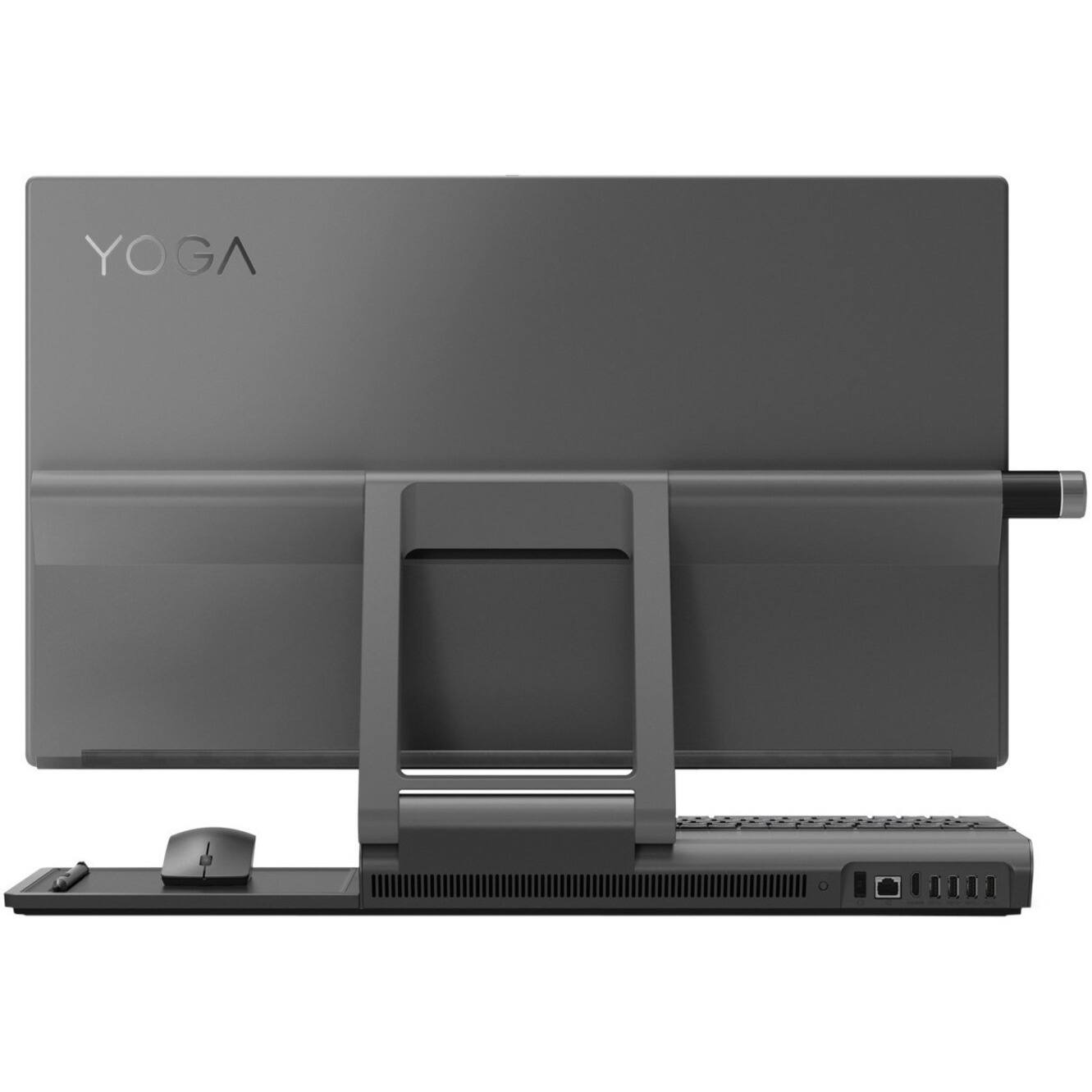
Posted .This reviewer received promo considerations or sweepstakes entry for writing a review.Wow! While I would've loved to had gotten the Microsoft Surface Studio PC. The 3k and 4k prices were just out of my reach. Picking up the Lenovo Yoga A940 was the perfect solution! I also liked they included the pen and dial at no extra cost too. Ok - enough of that. Let's move on! My likes - I love the massive 27 inch 4k display! For my photography work. The pictures look really great! Drawing on Sketchbook is a blast! I don't use any of the Adobe apps yet for my photo editing because I love the one that comes with the Windows 10 O.S. Speed - From the time I push the power button, signing in and to desktop screen takes 20 seconds for all that to happened and it's ready to use. Vroom! Vroom! I like that it was pretty generous with its ports. You get 4 usb ports in the back and one on the side. I use a portable hard drive so that was a huge plus. My dislikes - The Keyboard - I replaced the keyboard because the keys didn't travel deep enough because I know how to type. If you're a "hunt and peck" person. Then the included keyboard will work perfect. I needed a more traditional keyboard. No problem - I was able to find one and it works great. The pen does have a tendency to skip when drawing a straight line some times. No big deal there either. I'll see about upgrading the pen later on. Other than all that. I love this computer and I'd buy it again! I'd also like to add that I have bad vision and the big screen is awesome for my photography/art work or when I use it fun stuff like watching Netflix.
I would recommend this to a friendBrand response from Lenovo Product Expert
Posted .Thank you for choosing the Lenovo Yoga A940-27 All-In-One system. We are pleased to hear that the features and performance of the Yoga A940-27 AIO meets your computing needs so well. Lenovo is the number #1 manufacturer of computers in the World:
https://venturebeat.com/2019/01/10/gartner-and-idc-hp-and-lenovo-shipped-the-most-pcs-in-2018-but-total-numbers-fell/
Ok
||Posted . Owned for 3 weeks when reviewed.This reviewer received promo considerations or sweepstakes entry for writing a review.We told them we like to buy the computer and we did.
I would recommend this to a friendBrand response from Lenovo Product Expert
Posted .Hello, thank you for choosing the Lenovo Yoga A940 27" All-in-One PC model #F0E5003BUS . Tackle important projects or watch movies with this Lenovo Yoga desktop computer. The display measures 27 inches diagonally for a detailed view, and the adjustable design ensures optimal viewing. This Lenovo Yoga desktop computer has a touchscreen, keyboard and mouse for easy interfacing, and the Intel Core i7 delivers reliable high-speed performance. If you need further assistance please don't hesitate to reach out to Lenovo Tech Support at 866-426-6686
IRATE CUSTOMER
||Posted . Owned for 1 month when reviewed.This reviewer received promo considerations or sweepstakes entry for writing a review.It seems the only way I can get someone to reach out to me is by attempting to submit a bad review. The computer was purchased with Total Tech Support which we soon after cancelled. Almost a month now and no credit posted and calling and sending messages are a complete joke.
No, I would not recommend this to a friend- Pros mentioned:Processor speed, Screen sizeCons mentioned:Pen
Love it!
Posted .This reviewer received promo considerations or sweepstakes entry for writing a review.I love my new YOGA.. amazing 4K display, Very fast for my Adobe creative suite. I do Graphic designs and the pen is a little basic, with only 2k pressure sensitive sometimes skips lines.. I probably will order another pen.. I don't like that it needs AAAA batteries. Sound system is ok. not great. but i use Headphones all the time. bought it last week and this week went on sale for 300 less. Overall I'm happy with it.. will see how the new pen will work.
I would recommend this to a friendBrand response from Lenovo Product Expert
Posted .Thank you for choosing the Lenovo Yoga A940-27 All-In-One system. We are pleased to hear that the Yoga A940-27 AIO is working out so well for you. Lenovo is the number #1 manufacturer of computers in the World:
https://venturebeat.com/2019/01/10/gartner-and-idc-hp-and-lenovo-shipped-the-most-pcs-in-2018-but-total-numbers-fell/
lenovo
||Posted .This reviewer received promo considerations or sweepstakes entry for writing a review.poor quality machine fan malfunctioned in 5 days after purchase camera is awful
No, I would not recommend this to a friendBrand response from Lenovo Product Expert
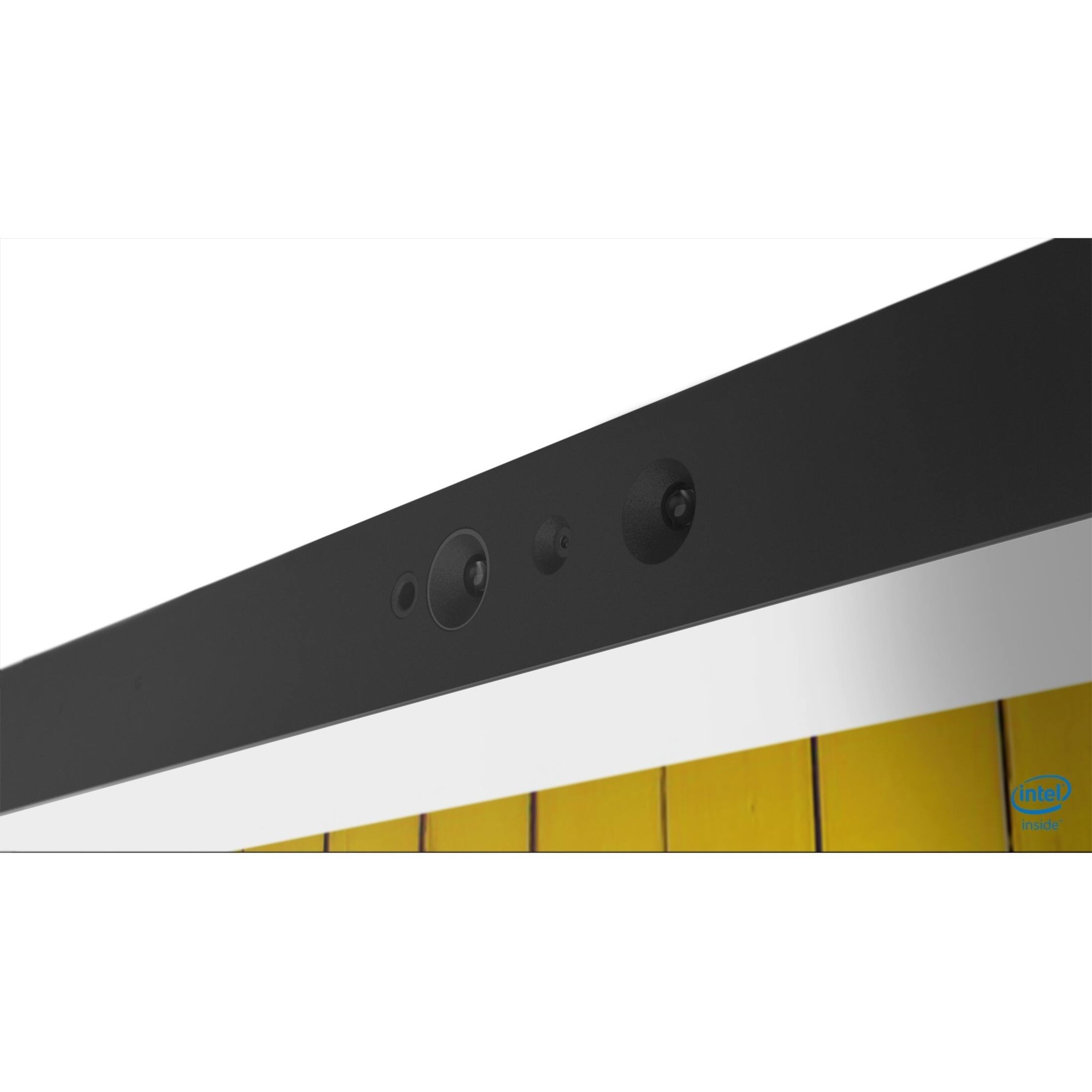
Posted .We are sorry to hear that you are having issues with your Lenovo Yoga A940 27 All-In-One system, model number F0E5003BUS. This model ships with a FHD, IR 1080p, fixed focus webcam. Be sure you have removed the protective film that is applied to the webcam lens for transport, before you try to operate the webcam. Concerning the internal fan, we recommend you contact Lenovo Tech Support for help at: 877-453-6686.
Canceled my order
||Posted . Owned for 3 weeks when reviewed.This reviewer received promo considerations or sweepstakes entry for writing a review.They canceled the order without giving an explanation. Nor do they offer alternatives to replace the order.
No, I would not recommend this to a friendFlickered on and off
||Posted . Owned for 3 months when reviewed.This reviewer received promo considerations or sweepstakes entry for writing a review.Beautiful computer, but wouldn’t stay on. Flickered on and off like it had a short in it
No, I would not recommend this to a friendBrand response from Lenovo Product Expert
Posted .We are sorry to hear that you are having issues with your Lenovo Yoga A940-27 All-In-One System. We recommend you call Lenovo Tech Support for help at: 877-453-6686.
Didn’t work!!!
||Posted . Owned for 3 weeks when reviewed.This reviewer received promo considerations or sweepstakes entry for writing a review.Junk don’t buy!!! Bad right of the box took it back and bought a Apple.
No, I would not recommend this to a friendBrand response from Lenovo Product Expert
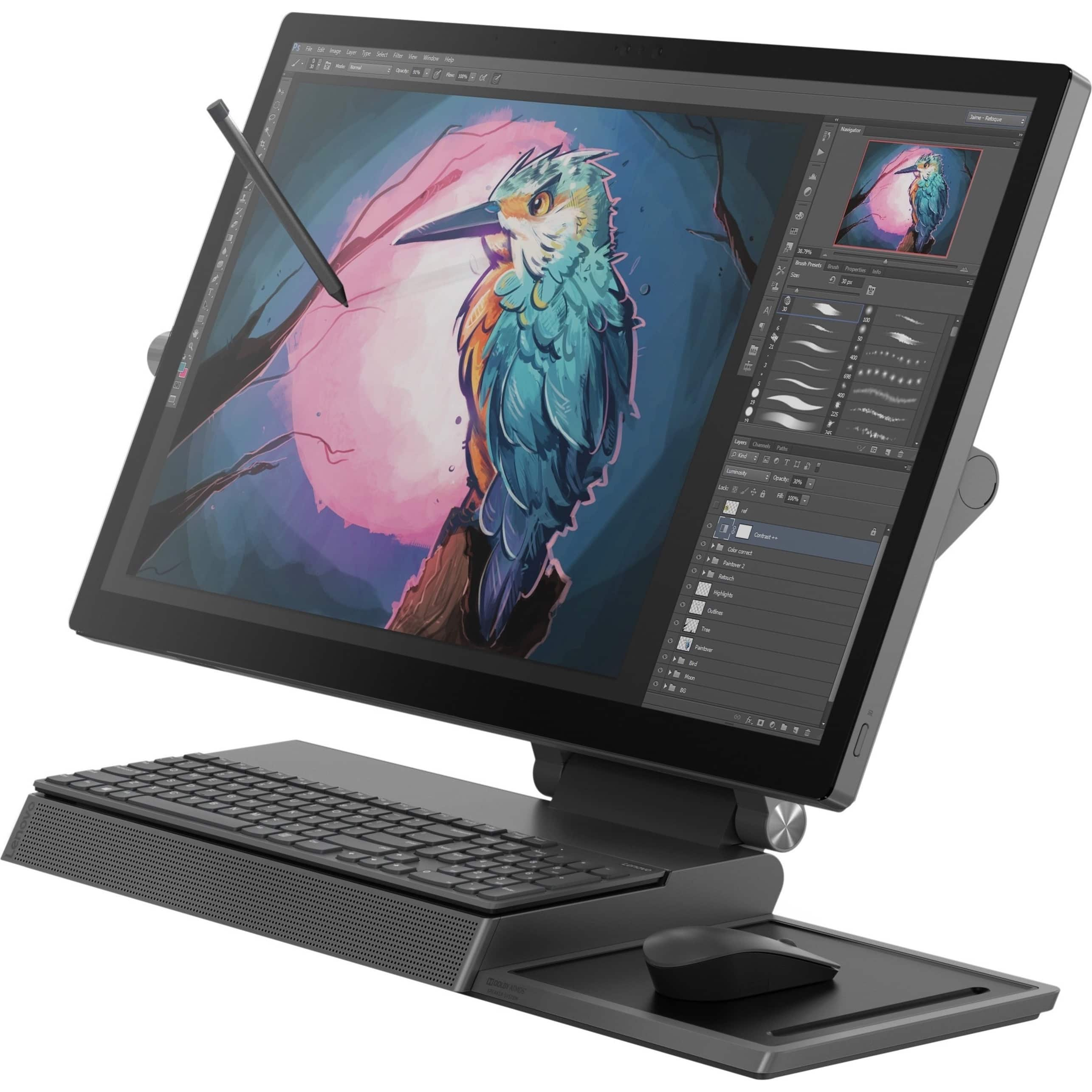
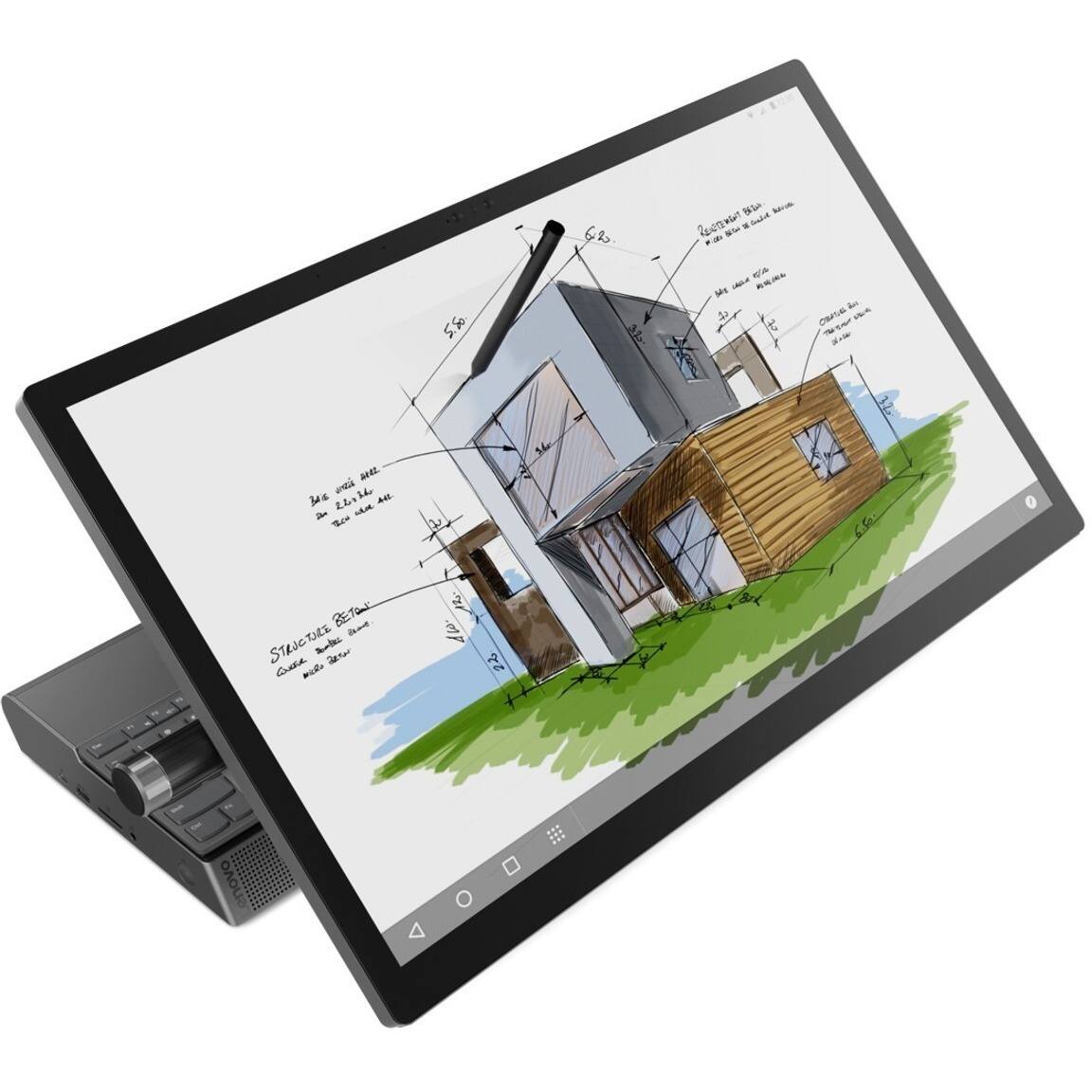
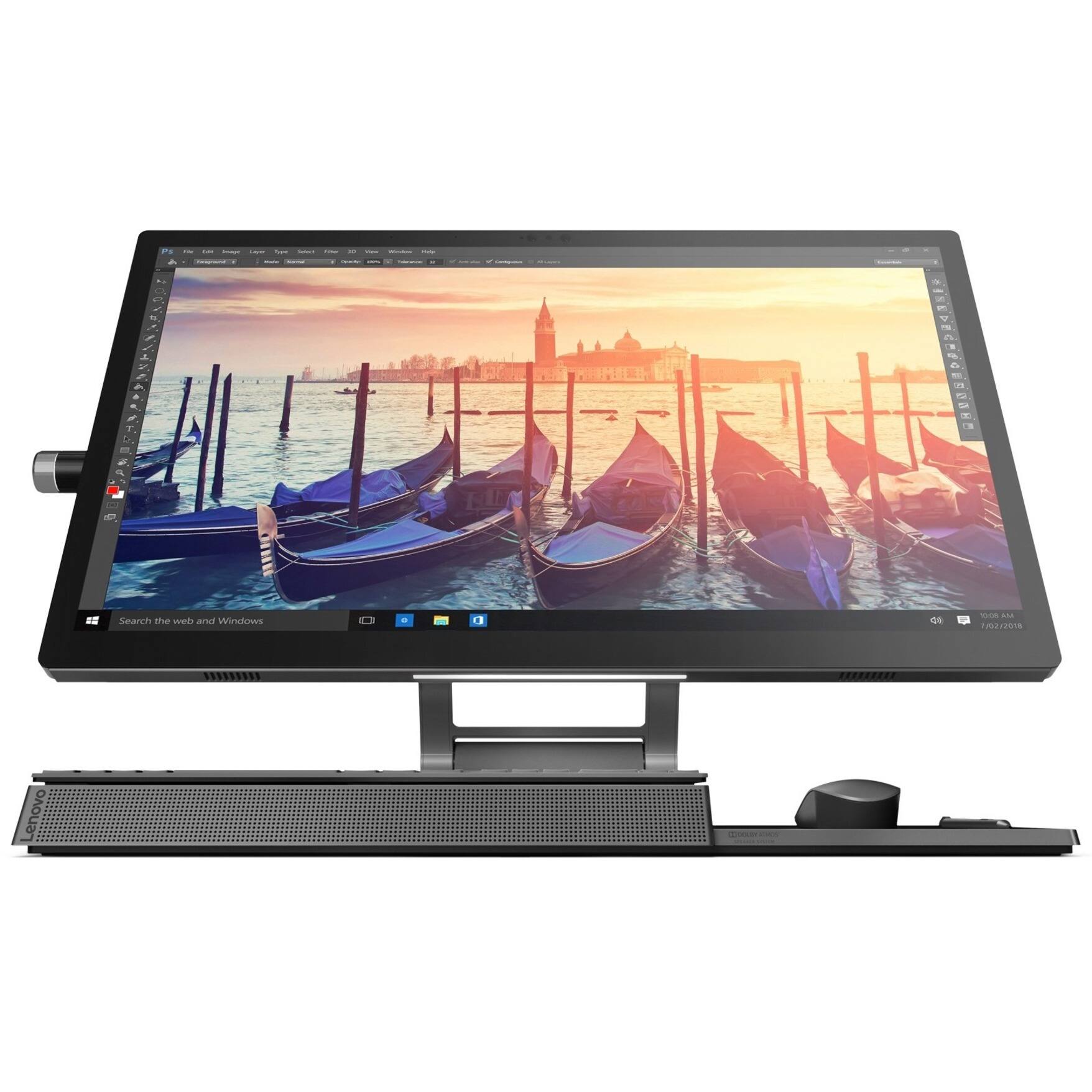
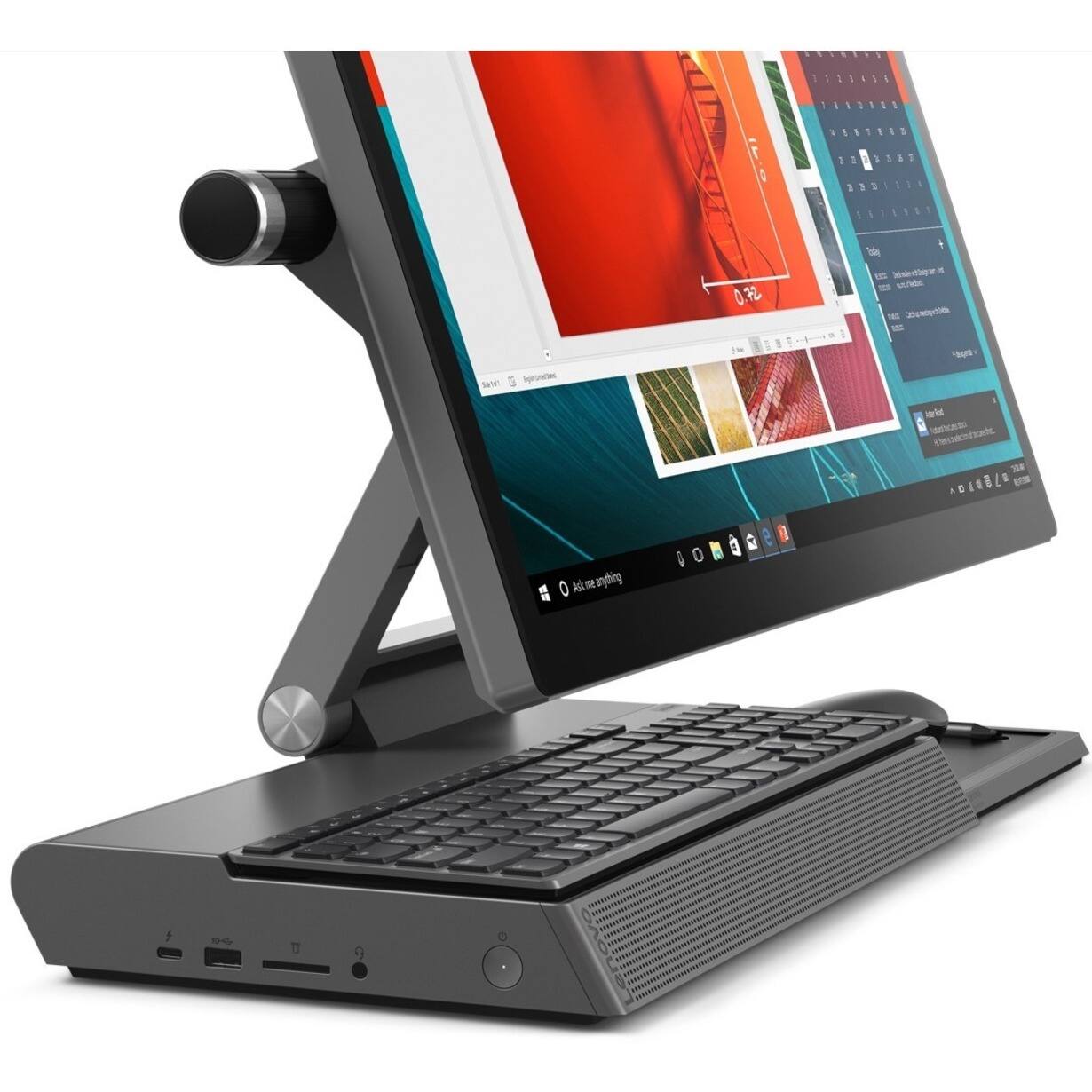
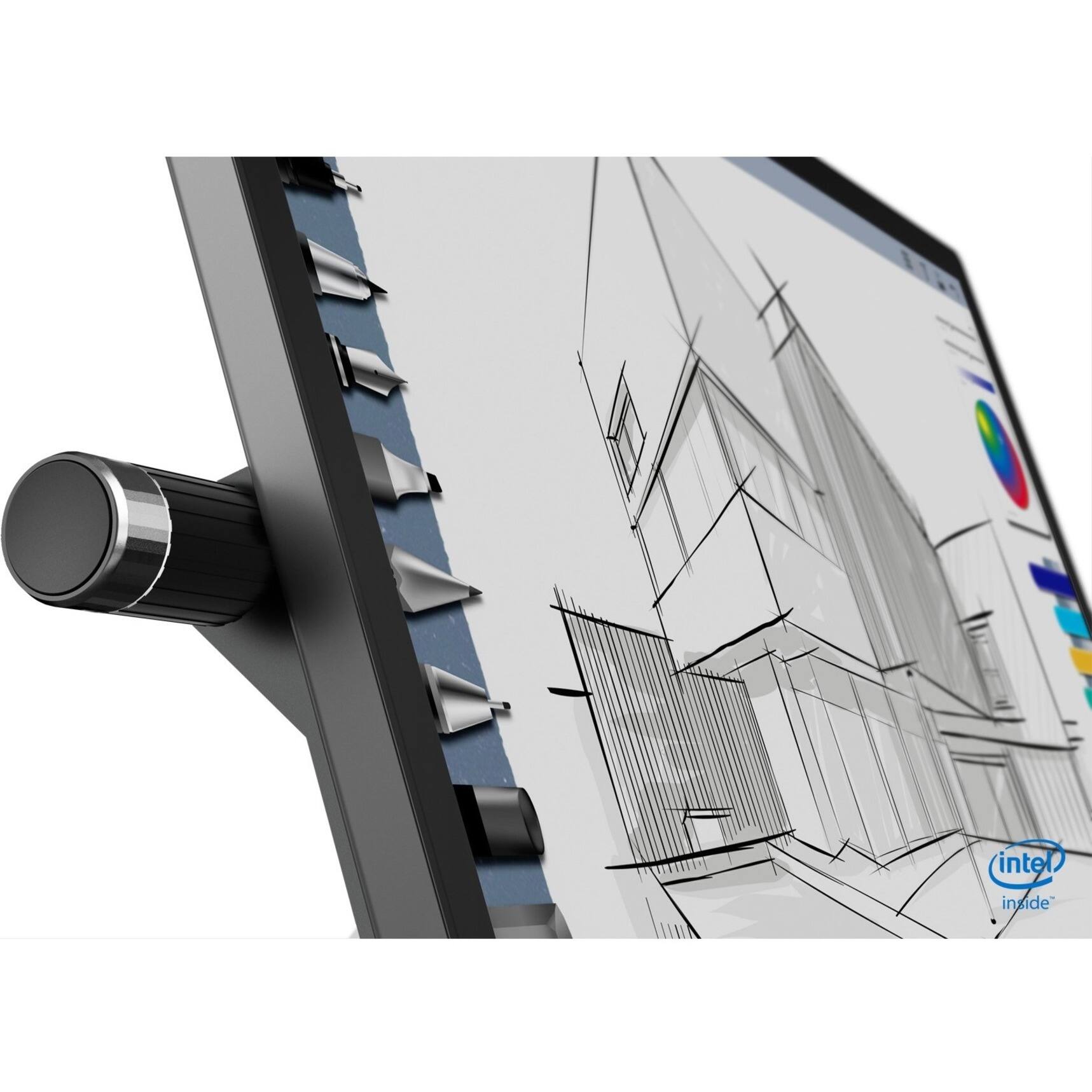
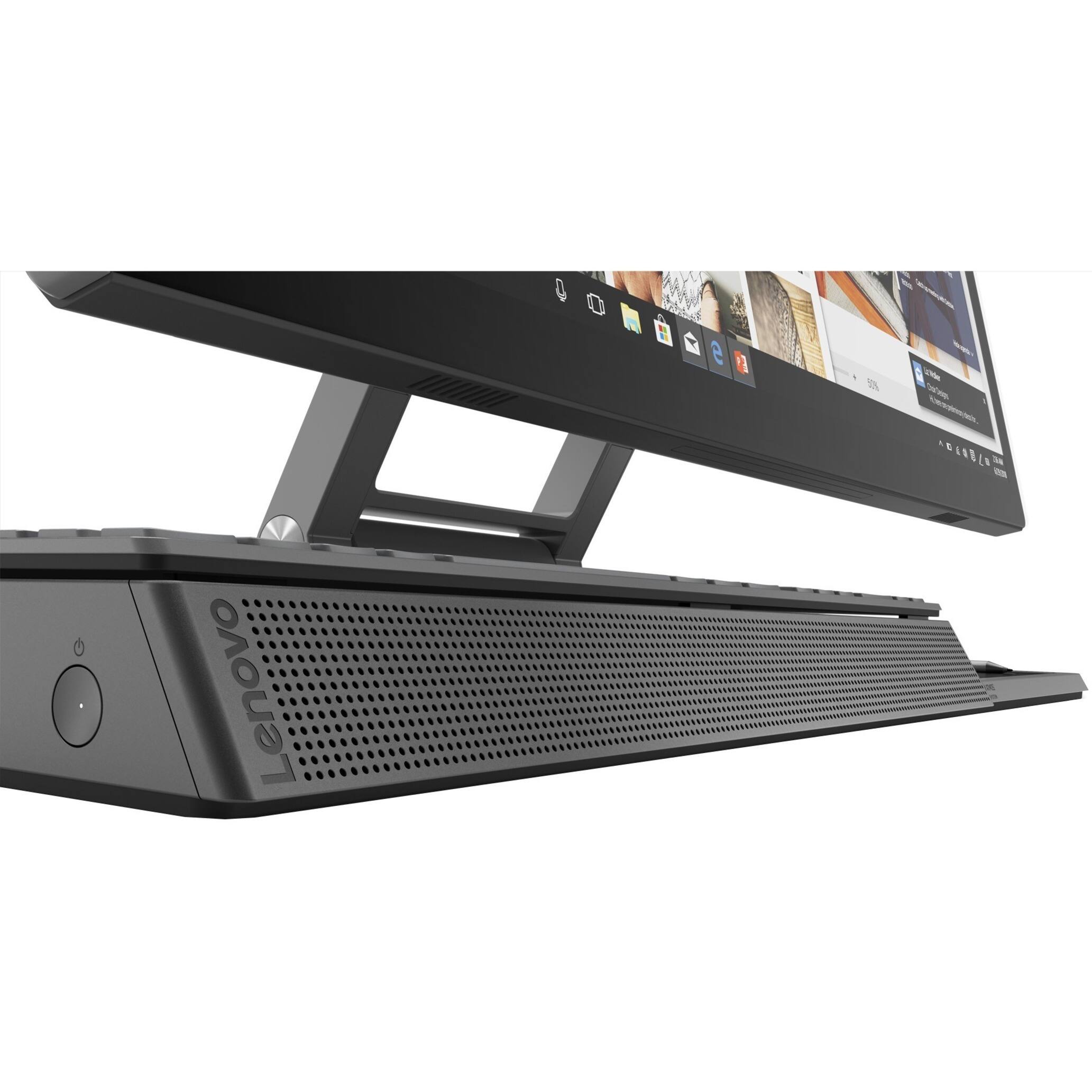
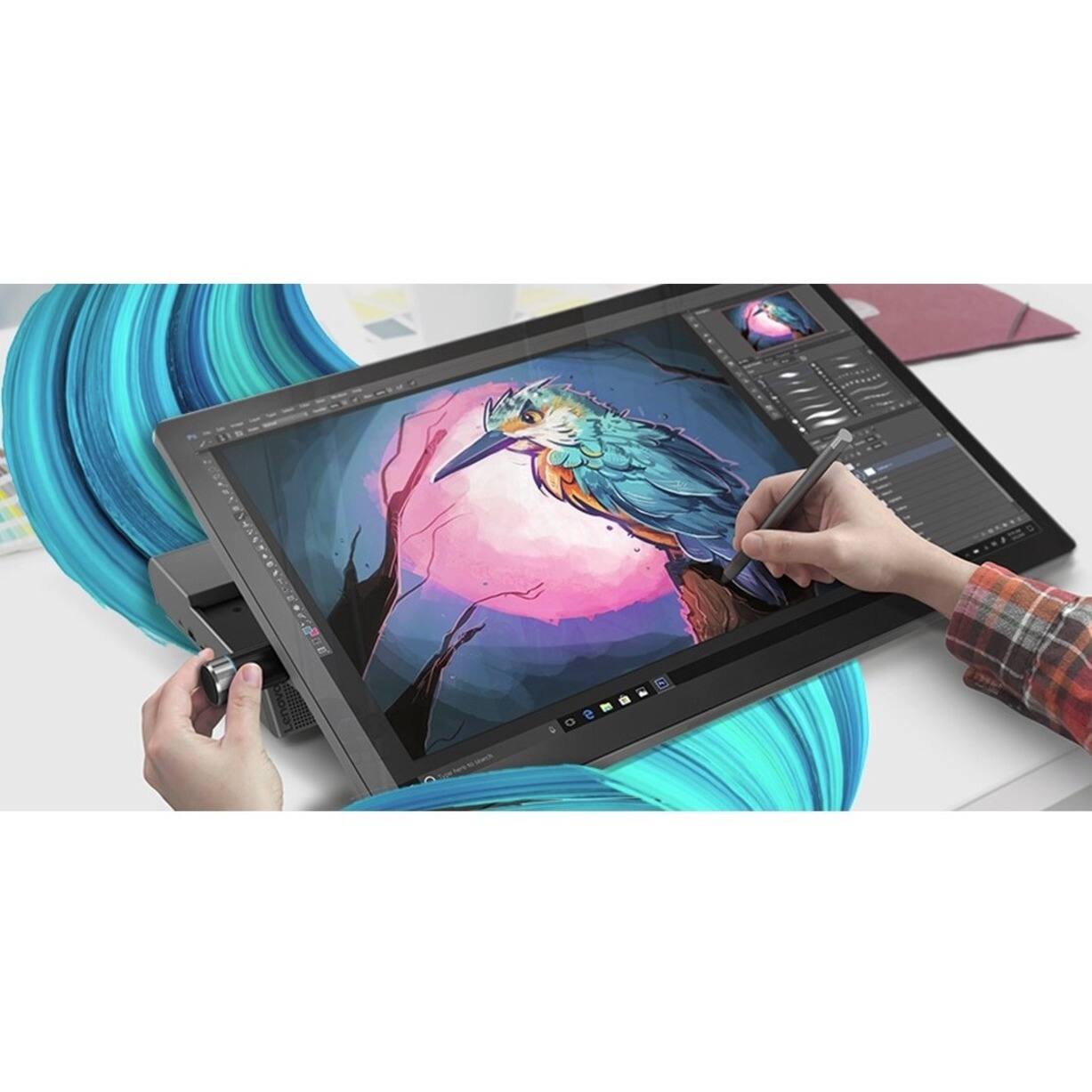
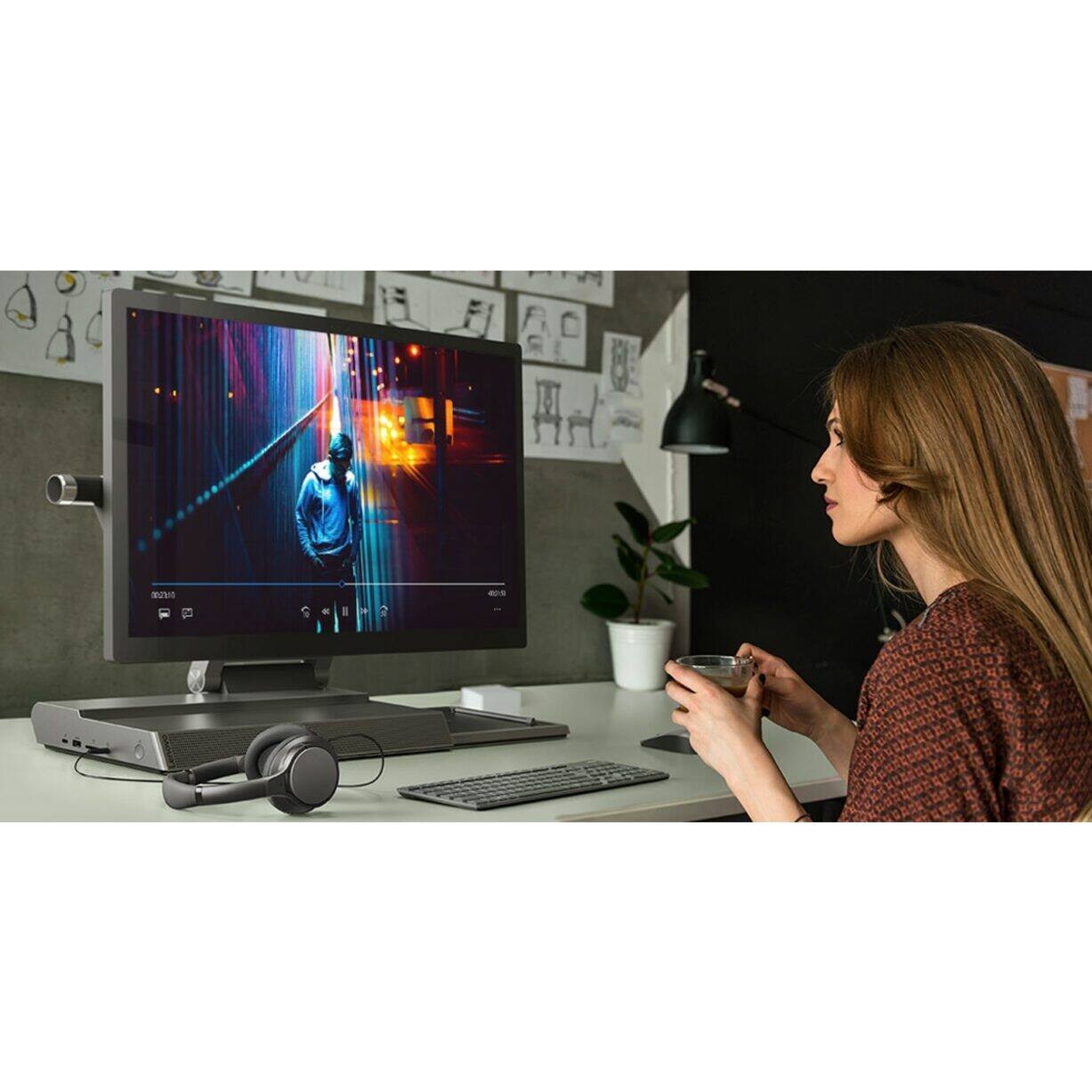
Posted .Tilt the Yoga A940's 27-inch display (screen size measured diagonally) to 25-degrees with a rotating hinge that provides stability for drawing and writing with a digital pen. The innovative dual hinge design makes it easier to slide into drafting mode with one hand- and palm-rejection technology provides a pen-to-paper experience whether you’re sketching out your next project or tweaking details in Lightroom. Scroll, calibrate, and make precise adjustments to your work with a twist of the Yoga A940's content creation dial. Use it to assign settings and features in Adobe Illustrator, Photoshop, Lightroom and more. Better yet, the dial can be placed on either the left or right side of the display to ensure maximum comfort for left-handed, right-brained creators. Experience stunning color, contrast, and detail in 4K resolution on a 27-inch wide-angle display optimized with Dolby Vision HDR. The Yoga A940 also offers powerful sound in every mode, with the user-facing Dolby Atmos Speaker System. Encased underneath the display is a second set of speakers, designed to maximize sound even when the display is tilted into drafting mode. The Yoga A940 offers Intel Core i7-8700 processing with 6-Core/12-Thread processing power for intelligent, ultrafast performance. Combined with powerful AMD Radeon RX560 discrete graphics, this all in one PC delivers lightning-fast responsiveness whether you’re editing or creating content.
- Pros mentioned:Processor speed, Screen sizeCons mentioned:Fan noise
Fantastic desktop computer!!!
Posted .This reviewer received promo considerations or sweepstakes entry for writing a review.A home run! Does everything and more that I can ask of a desktop computer. Very fast and reliable! I am more of an "End-User" than anything and I edit videos that it does effortlessly. This is my first Lenovo computer and it has been my best computer experience to date and I have owned several. The 27-inch screen is a MUST have. The only downside I see is that the fan cranks up pretty well from time to time and can be a little distracting while watching a movie or a video but it does not usually last long. My wife has a high-grade laptop and is constantly jumping on my computer when she can because of this wonderful screen. Looks like I am going to have to purchase her one of these as well:). Very satisfied!
I would recommend this to a friendBrand response from Lenovo Product Expert
Posted .Thank you for choosing the Lenovo Yoga A940-27 All-In-One system. We are pleased to hear that the features and performance of the Yoga A940-27 AIO meets your computing needs so well.
Great Design, Features, and Specs
Posted .This reviewer received promo considerations or sweepstakes entry for writing a review.Computer runs fast with desktop class CPU. Can barely hear the fan, and runs cool when surfing the web. Great it has dedicated graphics, but would like an even more powerful one. Screen is colorful and sharp. Even brightness down to zero, dark areas are fairly well defined. However, it may not be the brightest screen. I personally prefer brightness level down. Bezel and screen a little thick, but very sturdy. Computer is heavy, so adjusting the screen does not move or cause the computer to fall. Sound from the monitor is good. However, other Bluetooth speakers at the base can pair with my phone, but when paired with computer, it has no sound, likely due to Windows installing wrong drivers. I am ok with that. Having a precision dial is great, to adjust sound level for instance, and can be configured. Pen works automatically with the screen, but don't know how to pair or configure the buttons. Like how sturdy and compact the keyboard is. Typing response is fairly good. Mouse is solid and have 3 adjustable cursor speeds. Have not tried the wireless charging. Overall, great design, very sturdy, and has many components to work with.
I would recommend this to a friendBrand response from Lenovo Product Expert
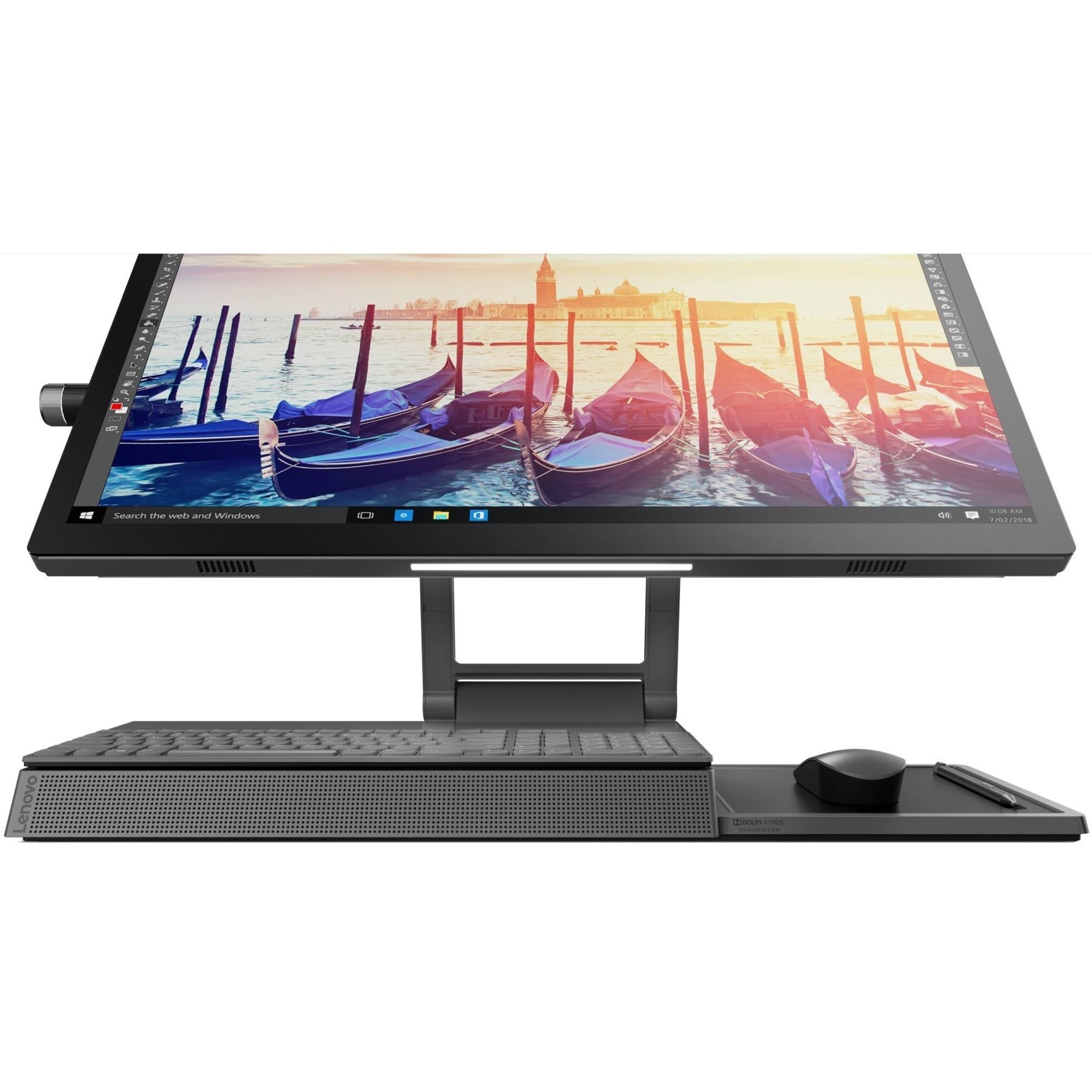
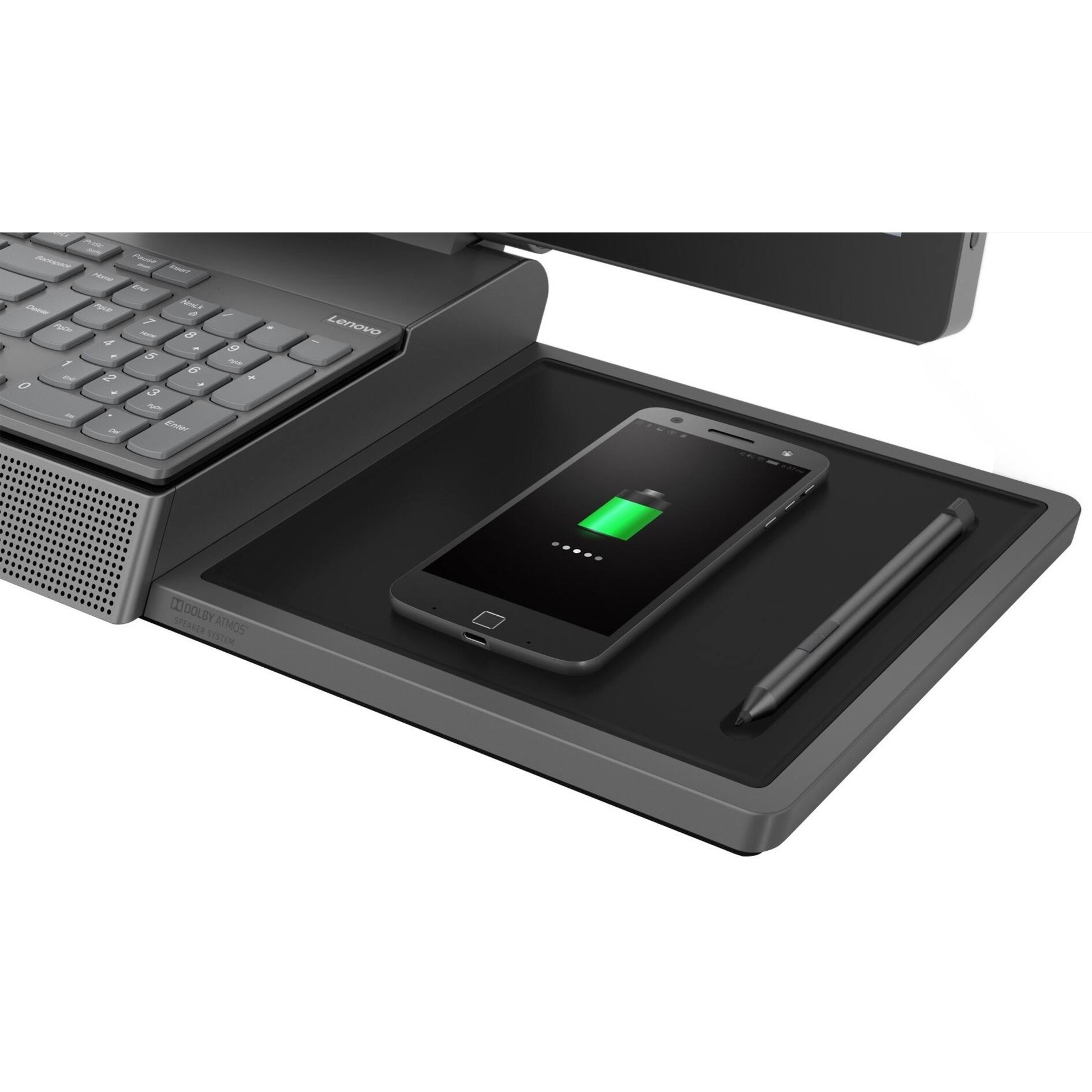
Posted .Thank you for choosing the Lenovo - Yoga A940-27 Touch-Screen All-In-One system. This configuration ships with the powerful, Six-Core/Twelve-Thread Intel Core i7-8700 processor, supported by 16GB DDR4-2666MHz RAM and the AMD Radeon RX 560 GPU with 4GB GDDR5 dedicated RAM on the card. There is a 27-inch, IPS Anti-Glare screen, with a 4K resolution of 3840x2160 (UHD) and a brightness level of 350 nits. Experience stunning color, contrast, and detail in 4K resolution on the 27-inch, wide-angle IPS display optimized with Dolby Vision HDR. The Yoga A940 also offers powerful sound in every mode, with the user-facing Dolby Atmos Speaker System. Encased underneath the display is a second set of speakers, designed to maximize sound even when the display is tilted into drafting mode. Keep it simple with a wireless charging dock and a groove for pen storage. The Yoga A940 is designed for your convenience, featuring dedicated spots for your keyboard and mouse that minimize clutter and keep your desk clean. It also boasts an LED light under the display for working in low-light conditions.
- Pros mentioned:Screen size
Worried about its future
Posted .This reviewer received promo considerations or sweepstakes entry for writing a review.Good machine but seems like an afterthought Overall a machine good, however I am worried about its future. Pen support is non-existent and seems abandoned, no drivers means no settings, means the stylus is little more than another finger. Lenovo seems to have abandoned the dial, again they nerfed the app (no settings) and seem to have little interest in updating it. This "nerfing" has been going on since the release of the product starting with the loss of tobii. I am worried that if this continues I am one update away from having an overpriced AIO
No, I would not recommend this to a friend Just Okay
Posted .This reviewer received promo considerations or sweepstakes entry for writing a review.Had for a little over 2 weeks now. Bought to use to edit photos and videos. Still getting the hang of it after switching back to PC from a Mac. So far so good. The attached speaker bar is weak for the quality of the machine. Better off getting a Bluetooth speaker or Logitech wires surround speakers. The charging pad is a good idea but it doesn’t charge swiftly at all & you have to get the phone in the right spot or it won’t charge. The unit itself has a great graphics card but the processor seems to run a little slow. Jury still out right now. I’d give it a 50-50 and a bit overpriced.
I would recommend this to a friendBrand response from Lenovo Product Expert
Posted .The Lenovo Yoga A940-27 All-In-One system screen provides stunning color, contrast, and detail in 4K resolution on a 27-inch wide-angle display optimized with Dolby Vision HDR. The Yoga A940 also offers powerful sound in every mode, with the user-facing Dolby Atmos Speaker System. Encased underneath the display is a second set of speakers, designed to maximize sound even when the display is tilted into drafting mode. The Yoga A940 offers premium 8th Generation Intel Core -7 processing with six processor cores for intelligent, ultrafast performance. The Intel Core i7-8700 processor has a base speed of 3.2GHz and a Turbo Boost Speed of up to 4.6GHz through its Six-Cores/Twelve-Threads. Combined with powerful AMD Radeon RX560 discrete graphics, with 4GB GDDR5 RAM on the GPU card. This all-in-one PC delivers lightning-fast responsiveness whether you’re editing or creating content. If the performance you are experiencing is less than expected, we recommend you check to be sure you have the latest version of Windows 10 on the computer. Then update all of the BIOS files and drivers up to that latest version of Windows 10. This system has Lenovo utilities installed to help maintain the health of the device and keep the operating system software up to date. Type "Lenovo Vantage" in the Cortana Search window (if Lenovo Vantage is not installed on your device, you can download the APP and install it now). Select Lenovo Vantage from the list. In the window that opens, click on "Health and Support". In the expanded menu, select "Hardware Scan" In the window that opens, select "Run Quick Tests". This will scan your entire system for errors. Follow any directions that may pop up. If the problem continues after this scan, now click on "System Update". First select Windows update from the menu. Scan your system to be sure you have the latest version of Windows 10. Once that scan is complete, select "Additional Updates". This will scan your device to be sure there are no new BIOS/Driver updates needed. Follow any instructions that may pop up. If the issue still continues after these updates, we recommend you call Lenovo Tech Support at: 877-453-6686 for additional help.