Customer Ratings & Reviews










- Model:
- 81JX0000US
- SKU:
- 6295998
Rating by feature
- Value
Rating 4.4 out of 5 stars
- Quality
Rating 4.6 out of 5 stars
- Ease of Use
Rating 4.5 out of 5 stars
Customers are saying
Customers find value in the Yoga C630's large screen size, ease of use, and long battery life. Many appreciate its performance and lightweight design, along with its competitive price point and ample RAM. The positive feedback highlights its overall quality and suitability for various tasks. However, a common complaint centers on the lack of a backlit keyboard.
This summary was generated by AI based on customer reviews.
- Pros mentioned:Battery life, Processor speed, Screen size

Quality I've come to expect
|Posted .This reviewer received promo considerations or sweepstakes entry for writing a review.Im familiar with Lenovo products and have owned a few of them... This is an exception laptop/tablet hybrid with the quality and speed I've come to expect from Lenovo. Processor is super quick, loved it! Love the aluminum instead of plastic on this, really adds premium feel and look. HD screen is clear and crisp, battery life is great, especially for a 15.6" laptop. I like that there is a charging port on BOTH sides of the computer... its little, but it makes a difference, and I love it. Overall, I really like this... its become my go-to in my house. Fires up quick, maintains battery life, its there when I need it!
I would recommend this to a friendBrand response from Lenovo Product Expert
Posted .Thank you for choosing the Lenovo C630 Chromebook. We are pleased to hear that the features and performance of the C630 Chromebook meets your computing needs so well. We appreciate your loyalty to the Lenovo Brand.

Great computer for beginners
||Posted .This reviewer received promo considerations or sweepstakes entry for writing a review.It's too heavy, it's not as fast as its spouse to, and it's hard to open it.
No, I would not recommend this to a friend- Pros mentioned:Screen sizeCons mentioned:Keyboard backlight
It's a decent purchase if you need the larger scre
|Posted .This reviewer received promo considerations or sweepstakes entry for writing a review.I have two of these 2 in 1 type laptops/chromebooks. One from Lenovo and one from another brand with a smaller screen. I personally find the screen size of this laptop and it's use as a touchscreen to be too large.I wish it weighed a little less as it is quite heavy for the size of the laptop. The screen is great and gets a ton of use for Netflix/Hulu type services and the picture is always very clear. The sound from the speakers is great and it easily connects with my Bluetooth headphones for listening in quiet situations. I was pleased with the amount of android apps that were able to download but then quickly realized that a lot of the apps aren't made to work with screens this size or with 2 in 1s in general and ended up deleting the majority of the apps I downloaded as they just don't work well enough to take up space. The google chrome software took a few days to get used to but it is pretty intuitive for someone who hasn't used it before. The touchscreen is great and very responsive and after playing around with some settings to get the trackpad to scroll how I wanted I find I use that just as much as the touchscreen. I wish this had a backlit keyboard like my other 2 in 1 as I find I really miss that feature when switching between the two. The quality of this laptop feels sturdy and also has a very sleek look I've come to expect out of some of the newer laptops. All in all I think this is a great basic laptop, I'm not a gamer though and not sure how it would hold up to that type of daily use.
I would recommend this to a friendBrand response from Lenovo Product Expert
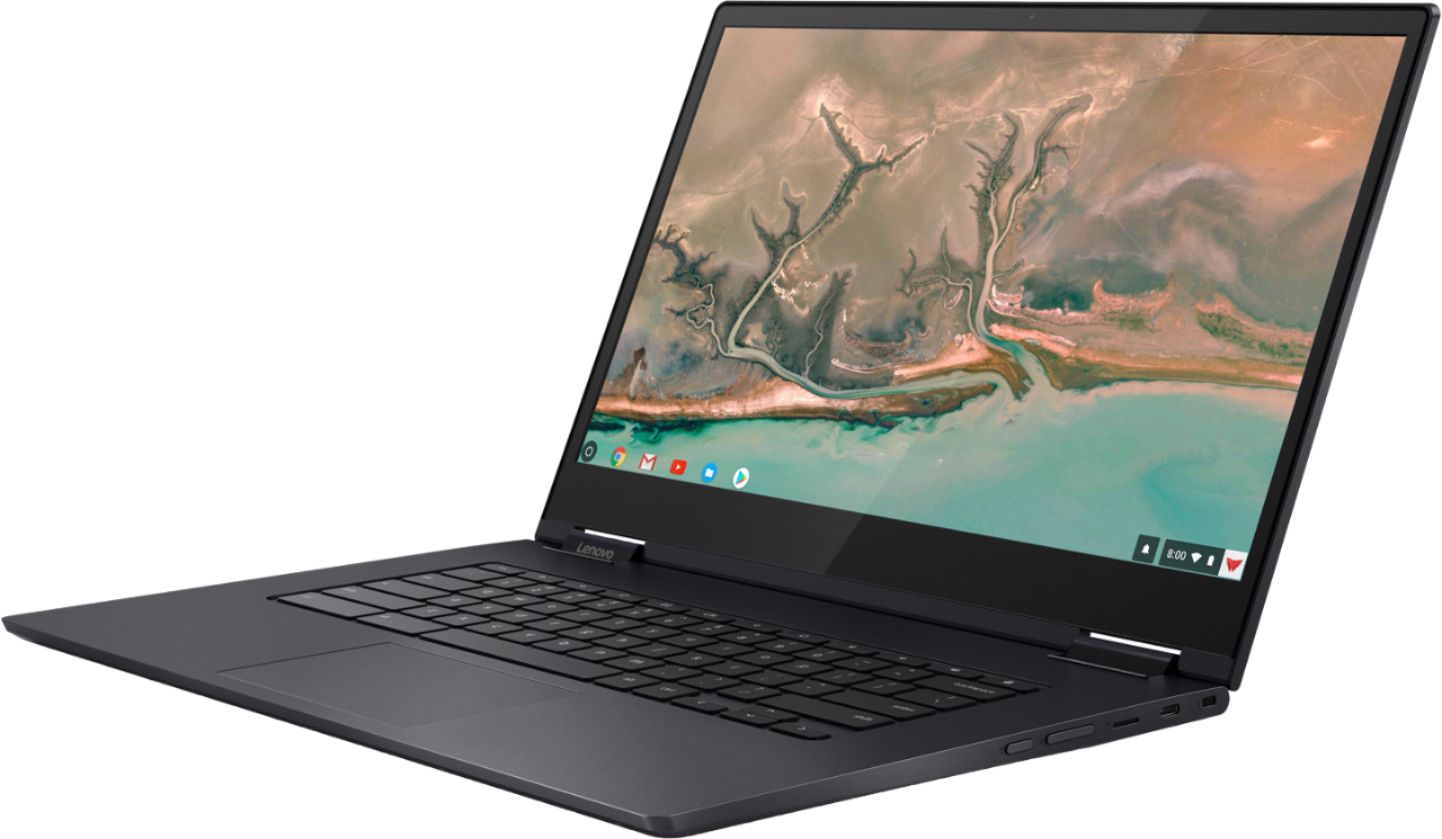
Posted .The Lenovo Yoga C630 Chromebook ships with a 15.6" (screen size measured diagonally) screen and weighs just 4.19 lbs. and measures 0.7" thin. If you are looking for a full-featured, 2 in 1 format Chromebook with a high performance Quad-Core/Eight-Thread Intel Core i5-8250U processor, supported by 8GB of RAM and a 128GB solid State hard drive, the C630 Chromebook is a great choice.
Great selection of games and more choices
||Posted . Owned for 3 weeks when reviewed.This reviewer received promo considerations or sweepstakes entry for writing a review.Laptop Chromebook is not able to connect the printer. What is the problem?
No, I would not recommend this to a friendBrand response from Lenovo Product Expert
Posted .We hope that the issue you were having connecting a printer to your Lenovo Yoga C630- Chromebook has been successfully resolved. If not, here is a link to more information about connecting a printer to a Chromebook: https://support.google.com/chromebook/answer/7225252?hl=en. Here is another link to tips for keeping your Chromebook running at its best: https://www.computerworld.com/article/3333005/chromebook-tune-up.html. If you ever need additional help with your Chromebook, we recommend you call Lenovo Tech Support for Chromebooks at: 800-426-7378.
Chrome book
||Posted . Owned for 7 months when reviewed.This reviewer received promo considerations or sweepstakes entry for writing a review.Didn’t do what I excepted but still a good product
I would recommend this to a friend- Pros mentioned:Processor speed, Screen size
Who needs a laptop when you can have this?
|Posted .This reviewer received promo considerations or sweepstakes entry for writing a review.Was a little skeptical about a Lenovo machine, remembering way back when they were IBM ThinkPads. (Yes, I'm that old!!) Back then, they were heavyweight and slow. Great for bouncing around and capable, but not standouts. That said, this Yoga Chromebook is an outstanding machine. Large, crystal clear screen, fast processor, convertible machine that does everything and more. Because it is a ChromeBook, access to the Google Play Store for apps is a given and everything loads quickly and runs like a champ. Open the lid, which can be flipped to make this into a more than adequate touchscreen tablet, and by the time your eyes adjust to the brilliant screen (If it's not 4K, it's close!) you are up and running. Connection to wireless network(s) is painless and quick. I was a little leery about using it in tablet mode, but, except for the weight, it works very well. Touchscreen in any mode is a nice addition. Surprisingly, even closed, this machine looks good. Matte black finish with the YOGA logo just a hair darker looks sleek and stylish. Weight overall is a bit much for carrying around all day, but for home use, or to carry in a backpack or satchel, it is quite comfortable. Unless you REALLY need the big OS from MS or Apple, and who does anymore, or a large fixed drive, this machine will take care of most peoples needs and wants. May be a bit pricey for some, but for the 15.6" hi-def screen, Intel Core i5 processor and convertible aspect, it is well worth it. Wish I could have gotten more of these to hand out as gifts to family and friends!!
I would recommend this to a friendBrand response from Lenovo Product Expert
Posted .Thank you for choosing the Lenovo Yoga C630 Chromebook. We are pleased to hear that the features and performance of the C630 Chromebook meets your computing needs so well.
Screen sharpness is not good and heavy
||Posted . Owned for 1 month when reviewed.This reviewer received promo considerations or sweepstakes entry for writing a review.Screen sharpness is not good and heavy. So I returned it.
No, I would not recommend this to a friendBrand response from Lenovo Product Expert
Posted .The Lenovo Yoga C630-15 Chromebook model number 81JX0000US, ships with a IPS LCD w/LED Backlight (Anti-glare) screen, with a resolution of 1920 x 1080 (FHD) and a brightness level of 300 nits. The Yoga C630 Chromebook provides a full size 15.6-inch screen, but only weighs 4.18 lbs.
- Pros mentioned:Battery life, Processor speedCons mentioned:Keyboard backlight
Great laptop for college
Posted .This reviewer received promo considerations or sweepstakes entry for writing a review.Bought this laptop yesterday via in store pick up and i have to say im more than throughly impressed with my purchase. From the sleek and light metal build, to the more than capable intel i5 processor and 8gb of RAM runs chrome OS like a dream. Wifi reception and speeds are great overall an enourmous upgrade for me from my aging 2011/12 toshiba windows laptop. The screen looks great too nice clear and bright display and while battery seems really good so far hadnt even had the laptop for 24 hours yet but so far with me being a power user its holding up really well. Only reason i gave 4 stars instead of 5 is the omission of a backlit keyboard, with everything this laptop has to offer a backllit keyboard would just made this laptop perfect for not just me but for anybody but then again no device is perfect. Overall im loving this laptop and think it will be a really good buy for students in college looking for some more power out of their laptop but not trying to break the 1000$ territory.
I would recommend this to a friendBrand response from Lenovo Product Expert
Posted .Thank you for choosing the Lenovo Yoga C630 Chromebook. We are pleased to hear that the C630 Chromebook is working out so well for you. With regard to a backlit keyboard for this model, we will look into this for future improvements.

Good for students and beginners
||Posted . Owned for 3 weeks when reviewed.This reviewer received promo considerations or sweepstakes entry for writing a review.Flash Memory downloads and loads programs too slow
No, I would not recommend this to a friendIncompatible
||Posted .This reviewer received promo considerations or sweepstakes entry for writing a review.Nice but incompatible so would not accept transfer from My old HP as that’s not a hoogle platform. I was very specific with my intent so I had to return this as it doesn’t meet my needs.
No, I would not recommend this to a friendBrand response from Lenovo Product Expert
Posted .The Lenovo Yoga C630 Chromebook uses the Chrome Operating System and is not directly compatible with Windows. The Yoga C630 Chromebook is compatible with APPs at the Google Play Store. For 2018, Lenovo retained its place for a second year as the best laptop vendor:
https://www.laptopmag.com/articles/laptop-brand-ratings
completely froze after 3 uses
||Posted . Owned for less than 1 week when reviewed.This reviewer received promo considerations or sweepstakes entry for writing a review.Bought this on the advice of the chromebook rep at Best Buy. Initial thoughts when I opened the box was, this is a great item. However after using it only 3 times, it completley froze. Keys, touchpad, screen all unresponsive. Will not power off, tried the shift+ esc method, still unresponsive. Taking it back tomorrow.. When it worked it was great, but due the the very limited use and now being an expensive paperweight, can not say it is good quality or value..
No, I would not recommend this to a friendBrand response from Lenovo Product Expert
Posted .We are sorry to hear you are having issues with your Lenovo Yoga C630 Chromebook. This Chromebook is compatible With Google Play Store APPs, be sure any APPs installed are compatible with the Chrome Operating System. Resetting your Chromebook back to original factory settings may fix the issue you are experiencing. Here is a link to instructions for resetting this Chromebook back to original settings: https://support.google.com/chromebook/answer/183084?hl=en
- Pros mentioned:Screen size
A great machine for everyday use.
|Posted .This reviewer received promo considerations or sweepstakes entry for writing a review.Lenovo Yoga Chromebook C630 review My initial impression of the Yoga Chromebook was that it was very nice to have the extra couple of inches over my Samsung Chromebook Plus. The keyboard is roomy and the touchpad is large. I have come to rely on my Chromebook for many daily tasks such as sitting in my comfortable chair in the evening and reading email or surfing the web. As a teacher, I also use it and a Chromecast for my math classes to work problems for my students on a screen. I had gotten so used to the stylus that I didn’t even think about it when I got this machine. It didn’t take long to figure out how important that one feature had become to me! I like the blue color of the machine, not quite as refined as the metal color of the Plus, but it is different in a way that is not bad. I almost thought they had sent me a black one since I unboxed it in an area with low lighting and the blue is so dark. The screen has a nice brightness to it and has a lot of room. A couple of my apps render a little odd on this, but it is not unusable at all. I am not sure if it is the resolution or the screen size that throws them off. I figured it must be the resolution since my Plus has an even higher resolution. Fonts are crisp and web sites look very good. It has a small assortment of ports, even one more regular USB would be a welcome addition. By now I have resorted to plugging everything into a hub and then I have a single connection for legacy USB devices. Without the stylus, I have reverted back to a mouse since I have never felt that a touchpad is as natural - I guess it is just a preference I have always had. I think the body could have been a bit smaller had Lenovo decided to make the bezels a bit smaller. As it is, there is a decent border that just makes it look even bigger than it already is. The storage is massive for what I have come to expect from a Chromebook, 128GB is truly a luxury I have not had. I have not had too many apps that have heated it up and have had no issues or problems with it, not that I would expect to at this price. Speaking of price, I have to go back to the stylus thing… for a machine with these specs, I fully expected to have some form of decent pen or stylus that came with it or could be purchased to add to it. It is too bad that they decided to skimp on this one important area. I know many are going to question the need for that added expense, but all I can say is you need to use a Chromebook that has a good stylus and high resolution digitizer to really understand the totally natural use of a pen on the screen. Touchscreens naturally attract fingerprints (another thing the stylus does away with!) and this one is no different. It is easy to clean and so isn’t too big a deal. With all that real estate, it is very nice to be able to touch and use the pad to get around. Overall, I am happy with the machine, it runs everything a Chromebook should run without breaking a sweat, and looks good doing it. If only there were a way to add a stylus! Come on Lenovo, don’t sell this nice machine short.
I would recommend this to a friendBrand response from Lenovo Product Expert
Posted .Thank you for choosing the Lenovo Yoga C630 Chromebook. We are pleased to hear that the C630 Chromebook meets your computing needs so well. With regard to being able to use an active/digital pen with the C630 Chromebook, we will look into this for future improvements.
- Pros mentioned:Processor speed, Screen size
Excellent Chromebook with Gen 8 processor
Posted .This reviewer received promo considerations or sweepstakes entry for writing a review.I don't normally do reviews, but after seeing the first review posted, I feel obligated to respond. I also have a Pixelbook, and this Chromebook (and a Chromebook Plus). This device is well built. Mine was new out of the box, had no visible defects, and everything is working as expected. The screen is great, though if you really want tiny pixels, a 4K version of this Chromebook is available. I have no problems with this screen, either close-up, or watching videos from a distance (the viewing angle is very good). I run Chrome OS / Web apps, Play store apps, and Linux apps, all side-by-side. They all run well, even when running them all at once. This thing is snappy and performs extremely well. I use the smaller devices when I'm mobile and use this one mostly at home, where it works very well. I have no issues with the touch screen, either, it works fine, as does the touchpad. This price-point isn't for the casual browser user, but if you want to get all you can out of a Chromebook, this is an excellent choice.
I would recommend this to a friend Garbage company
||Posted .This reviewer received promo considerations or sweepstakes entry for writing a review.Considering I didn’t buy this item and you keep sending me emails saying I did my review would be a zero if I could. Please never send me anything again that has anything to do with your crap products. Thanks!
No, I would not recommend this to a friendunhappy with purchase
||Posted . Owned for 3 weeks when reviewed.This reviewer received promo considerations or sweepstakes entry for writing a review.And lack of support I received a virus protection with it but just now learned that it is not compatible with my chrome book. THEN WHY was it given to me?
No, I would not recommend this to a friendBrand response from Lenovo Product Expert
Posted .Chromebooks do not need virus protection software installed because the Google Server provides it for free to all Chromebooks, every time you connect to the internet.
Solid Device But Needs Some Updates To Be Best
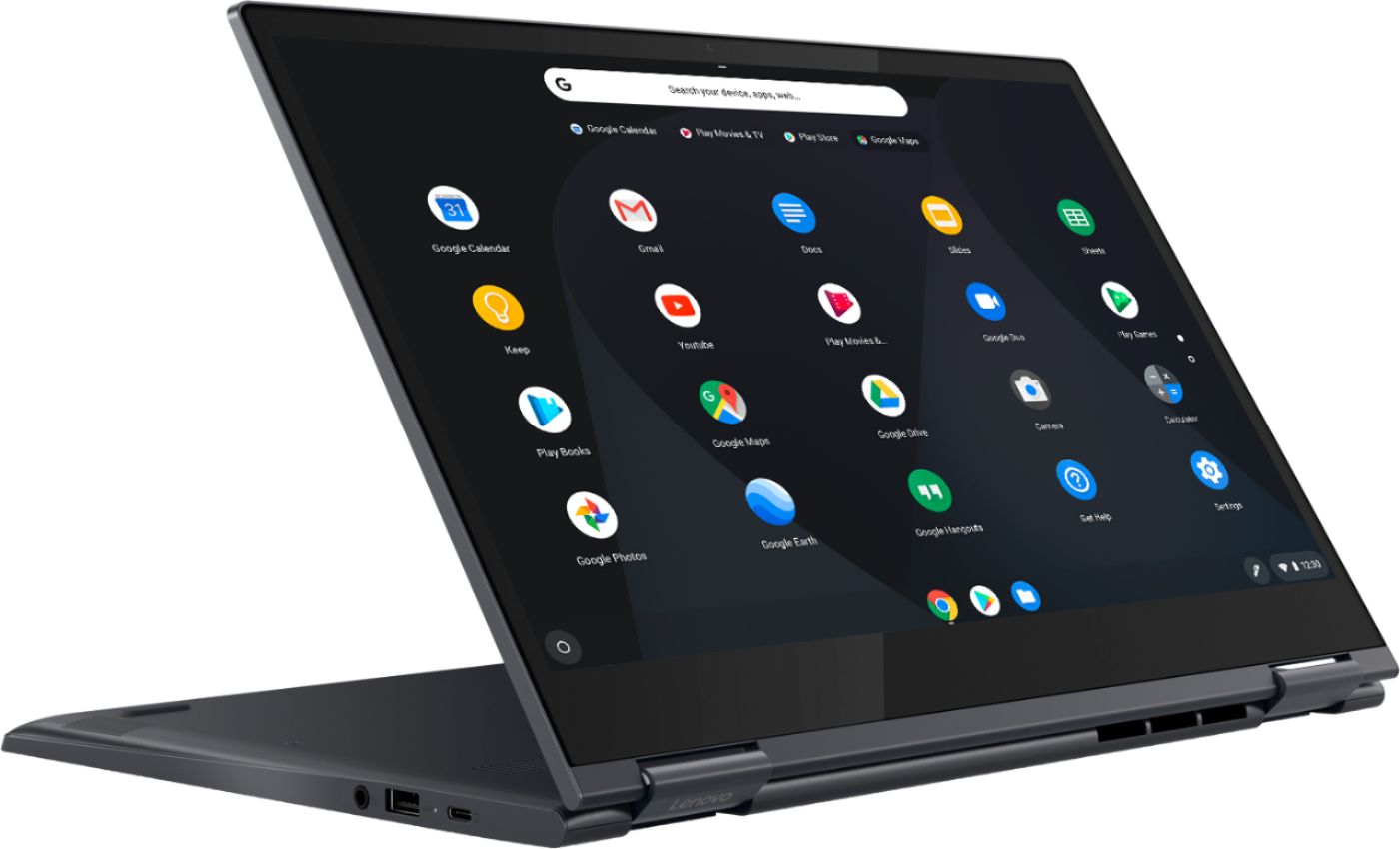
|Posted .This reviewer received promo considerations or sweepstakes entry for writing a review.The chromebook was packaged neatly and was quick to get up and running once unboxed. It comes with a 45W USB-C charger. I tried my phone’s charger (10W) and it actually worked. Slow, but it worked. So, if you’ve got your phone charger and forget the chromebook’s, all is not lost! It has a regular USB port, the USB-C charging port, and audio jack on the right side of chromebook, a USB-C port (which can also be used for charging), micro sd slot, power and volume buttons on the left. They keyboard also has keys to control brightness, volume (including mute), lock, browser forward/back, android forward back, full-screen toggle, and button to toggle all the open apps. The screen is pretty nice though when watching 1080p content, the lack of additional pixel density makes the screen not look as nice as something with similar pixel count but on a smaller screen. I suppose that’s a tradeoff though being a chromebook, one may not have too much in the way of customizing the DPI with which things are rendered as you would on a typical OS. The speakers are good. The grills open out the bottom of the chromebook which seems strange. Volume wise, I was pleased in a quiet environment. A slightly noisy one really drowns out the speakers, even at full volume. It’s really strange how that seemed to work. The keyboard size and spacing is a bit weird given that you have the chassis of a 15” laptop. There’s a decent amount of bezel so the yoga is plenty wide. The keyboard itself is narrow which makes for a smaller typing area than you’d expect. Furthermore, the keys themselves are on the small side which leads to above average mistakes, especially when keys at the first and last couple columns are involved. The keyboard is also not backlit which mostly isn’t an issue but is annoying if you’re ever typing in the dark. Build quality is pretty good with no flex in the base. The screen didn’t feel as strong and the force threshold I was comfortable applying was much less. Still, the weight distribution is pretty good and when propped on a lap or bed, only starts to topple if the screen angle is toward a particular extreme. The chromebook can be used in tent mode. Essentially, you flip the screen all the way to the other side. This disables the keyboard and puts in in touch only mode. This also flips the screen orientation, though still in landscape, so that you can let the screen and base make a tent to prop up the chromebook. Given how well it plays back video, this can be a pretty useful mode, especially while traveling. Screen orientation can be manually controlled via settings so one can set it to a portrait orientation The chromebook is capable of running android apps. My usual daily apps all have web applications so I mostly didn’t bother. Where having Android will come in handy is to replace things that you’d normally install via a desktop app on a laptop - dropbox for example. While I’m sure, many chromebook users are fully integrated into the google ecosystem, having the ability to make use of alternatives is nice. For me, the chromebook is a strong contender to replace my current laptop with one major weakness - it’s not powerful enough for my engineering work. While remote desktop could solve that, there are enough times that I need to completely work locally or without a VPN connection that that chromebook simply can’t be a complete replacement. I also have some desktop apps (crypto wallet for example) for which there simply isn’t a Android version. To that end, I’ll still need a home machine. Using remote desktop with a headless machine at home to get around these two issues is tempting. Now, I really need to consider just how often I travel and need to work without internet access. Printing worked though setup had a bit of a hiccup. I was able to add the printer both to the chromebook and to google cloud print. The cloud print setup had me confirm the setting on the printer itself. But after that, nothing printed, either via the direct printer setting in the chromebook, google cloud print, or my tablet/laptop which had been previously setup and has printed many times before. After rebooting my printer, everyone was happy and I got three copies of the same document. Battery life is pretty nice. I didn’t perform a true run-down test, but the battery life I got was easily 3X my current tablet/laptop. Given that most of my use at home is not work related, this is a pretty significant improvement. My 8.4 inch android tablet usually handles weekend browsing and reading. With a 12 hour battery life, it’s good for a typical weekend’s use, especially when paired with my normal phone use and the times I want to hop on my current tablet/laptop for the more “desktop” experience. The chromebook’s longevity makes it a strong contender to completely replace the 8.4” tablet and laptop over a weekend and only requiring me to connect the charger at the end of a day. While it can’t replace the 8.4” for mobile gaming, the weight and ease of use make it compelling for almost everything else that I used the android tablet to accomplish. I’ve already complained about the keyboard input. Touch is nice and works well. I need to look into changing the default touch screen keyboard - it doesn’t feel optimized for such a large screen, but otherwise it is adequate. I wish I could use the on-screen keyboard without being in tent mode - perhaps there’s a setting for that but it’s not immediately obvious. I was pleased with the performance of the chromebook under light to medium web browsing loads. With the Core i5 processor, it feels much more fluid and responsive than the Core i7 in my desktop OS running tablet/laptop. However, with a heavy tab load, the chromebook quickly bogs down where the other machine would slow, but still keep up. While I’m sure that the i5 in this chromebook is more geared towards power efficiency, this is still a bit disappointing. This situation doesn’t necessarily occur that often for me as I typically keep things down to around 10 tabs or less, when I’m researching something or comparing various options, the amount of tabs I open can skyrocket and being able to switch between them easily to compare and contrast is important. Overall, I think this is solidly three stars and stretching towards 4. Perhaps 3.5 stars is a better indicator of where this belongs. There are some issues, none are deal breakers, but the combination does make the chromebook a compromise, regardless of the promise contained.
No, I would not recommend this to a friendBrand response from Lenovo Product Expert
Posted .Concerning accessing the onscreen keyboard within the Chrome Operating System, here is a link to instructions for doing that: https://support.google.com/chromebook/answer/6076237?hl=en
Nice Chrome!
|Posted .This reviewer received promo considerations or sweepstakes entry for writing a review.I dont think Lenovo can make a bad product. After using this device for several weeks I am really enjoying it. I am not a gamer but all the usual internet functions, shopping, email, streaming movies and music work flawlessly. The screen is bright and the keyboard is full size making it easy to type. Converting it to "Tee-Pee" mode is great for cooking and tablet mode is great for reading and browsing. The hinges are very sturdy and the laptop has a nice solid feel overall. It is a little heavy but with the size one would expect that. Also, for some reason when I swipe to scroll up and down on a page sometimes it mistakes the gesture as "selection" instead of scrolling. Not sure why this is the case as I have plenty of touch screens I use however this is minor. Outside of that one small issue I love this device and would reccomend it.
I would recommend this to a friendBrand response from Lenovo Product Expert
Posted .Thank you for choosing the Lenovo Yoga C630 Chromebook. This full size 15.6" (screen size measured diagonally) 2 in 1 device weighs just 4.19 lbs. and measures 0.7" thin. With regard to using the touchscreen for scrolling, be sure not to lift your finger off the screen while scrolling the page as this could be mistaken by the screen as a selection gesture rather a continuation of the scroll.
- Pros mentioned:Processor speed
Missing A Key Feature
|Posted .This reviewer received promo considerations or sweepstakes entry for writing a review.I really like this 2-in-1 unit. It's quick to load and ready to start in a few seconds. Not having Windows on it does take some getting used to but I quickly found that it wasn't a problem. It does have a couple of drawbacks though. First, as a 2-in-1 unit, I expected a pen option to be available, but there isn't one, even on the manufacture's website. You can get a rubber tip stylus for it though. I'm just not sure I like having to keep up with it especially when other models do have one integrated in to them. Second, this unit is very heavy to hold in tablet mode. The unit folds in half and the keyboard turns off automatically so you can use it in tablet mode which I really like but it's heavy to hold. If you don't need a pen or don't mind keeping up with a separate one and you don't mind the weight, I definitely recommend this unit.
I would recommend this to a friendBrand response from Lenovo Product Expert
Posted .Thank you for choosing the Lenovo Yoga C630 Chromebook. The C630 Chromebook is not compatible with any active/digital pen. The C630 Chromebook weighs just 4.19 lbs. and measures 0.7" thin.
It doesn't meet my needs.
||Posted . Owned for 3 weeks when reviewed.This reviewer received promo considerations or sweepstakes entry for writing a review.Probably a great machine but not what I need. I couldn't do anything with it, will be returning it.
No, I would not recommend this to a friendBrand response from Lenovo Product Expert
Posted .The Lenovo Yoga C630 Chromebook uses the Chrome Operating System and is compatible with the Google Play Store and Chrome Web Store APPs. We always recommend you check the requirements and compatibility of any software you will be installing on your new computer, before you invest in any computer. Be sure your new computer can support the software you will need to use.
- Pros mentioned:Processor speed
Awesome fast chromebook.
|Posted .This reviewer received promo considerations or sweepstakes entry for writing a review.First off I must say this chromebook is a bit on the heavy side. 1. This is made very well and fast 2. The core i5 processor makes easy work for anything you can use it for with keeping in mind this is a chromebook. 3. Watching YouTube and any streaming service is a breeze. I have Netflix, Hulu, Amazon video, Google play. I was able to test them. All as working fine. Now to the next points Everything is chrome browser based but you can download most apps to the device to run on the desktop if you can it that. It has an app draw but have not figured out how to make it an icon. The screen is bright and colors are really nice. Very minimal added bloatware. Most normal Google services so no added from lenovo. WiFi is really strong with no issue connecting the same with the Bluetooth connection. Can also connect 2 at once. If you need a streaming device this could be near the top apart from the price it would be top of the list.
I would recommend this to a friendBrand response from Lenovo Product Expert
Posted .The Lenovo Yoga C630 Chromebook weighs just 4.19 lbs. and measures 0.7" thin. We are pleased to hear that the features and performance of the Yoga C630 Chromebook meets your computing needs so well.