Customer Ratings & Reviews
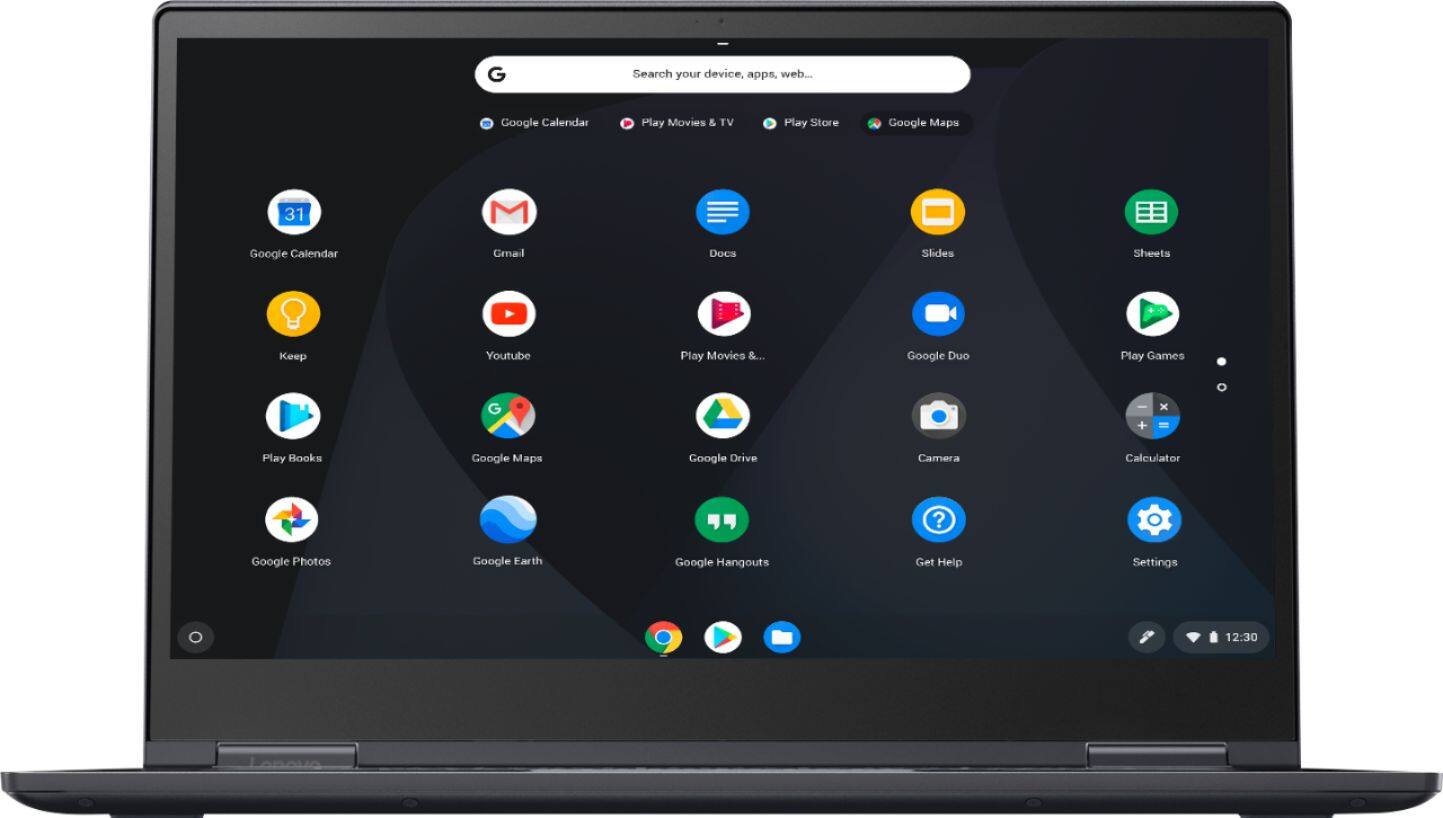
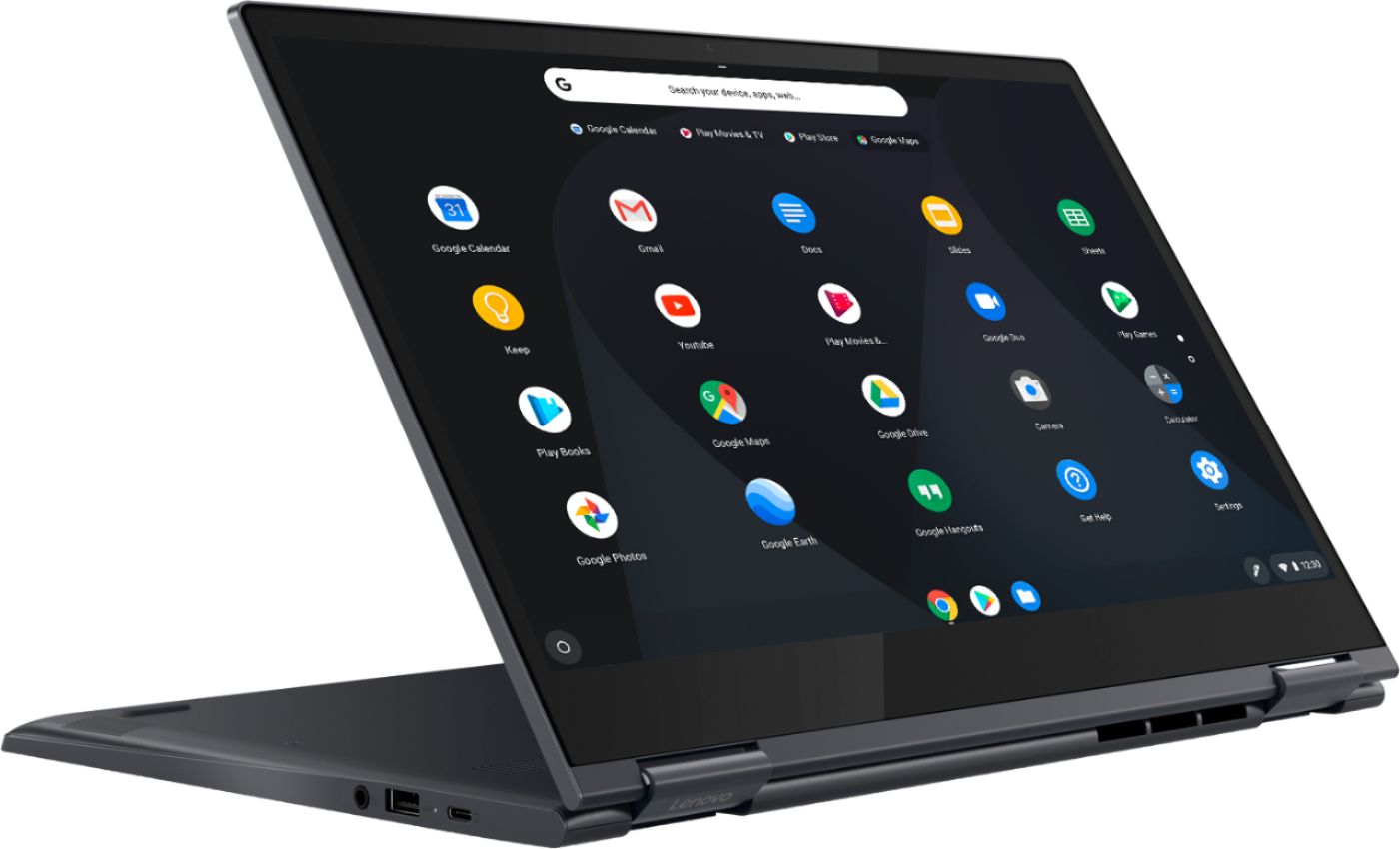
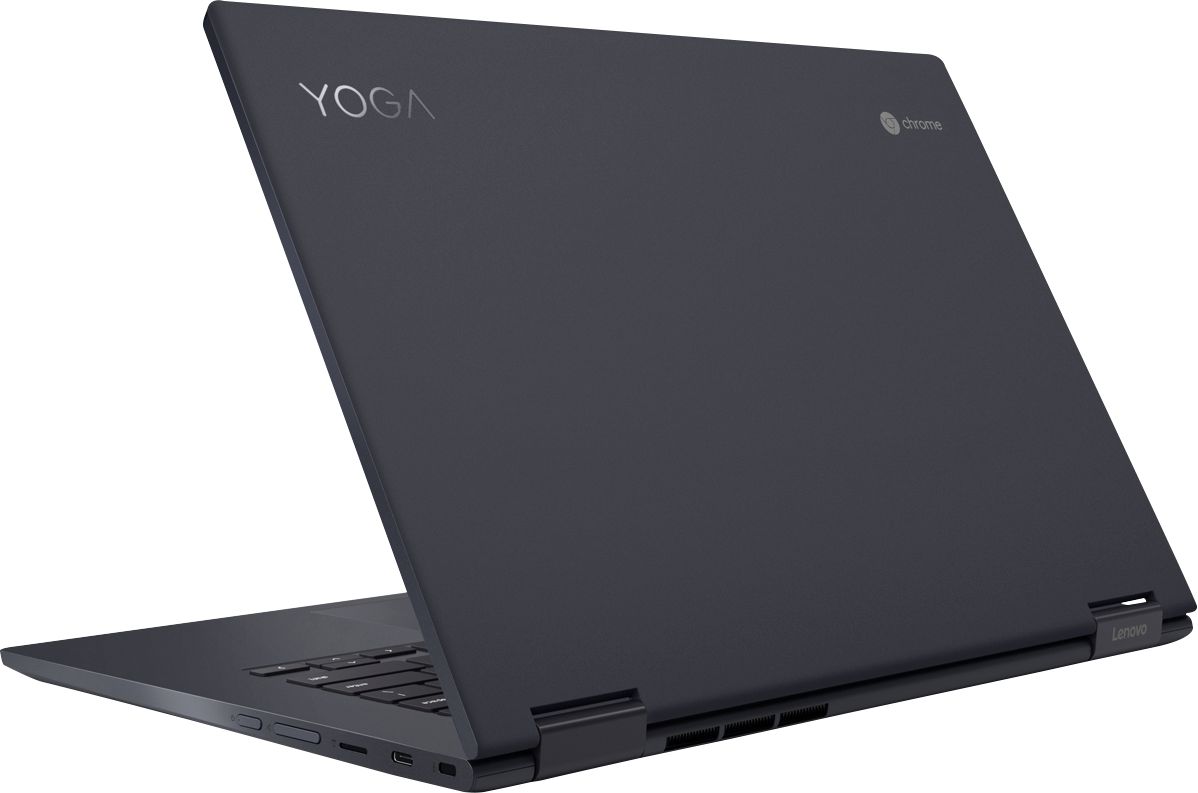
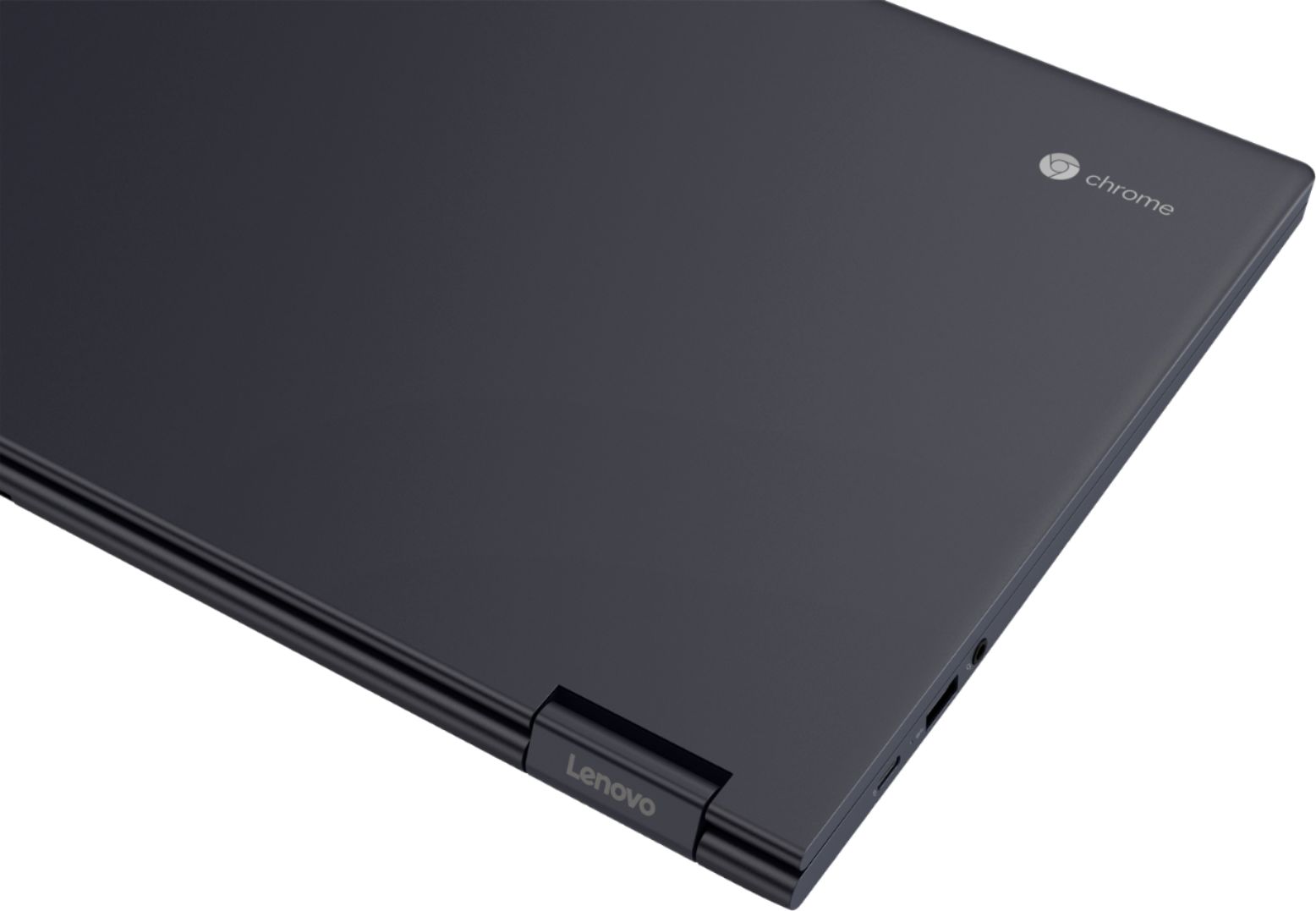


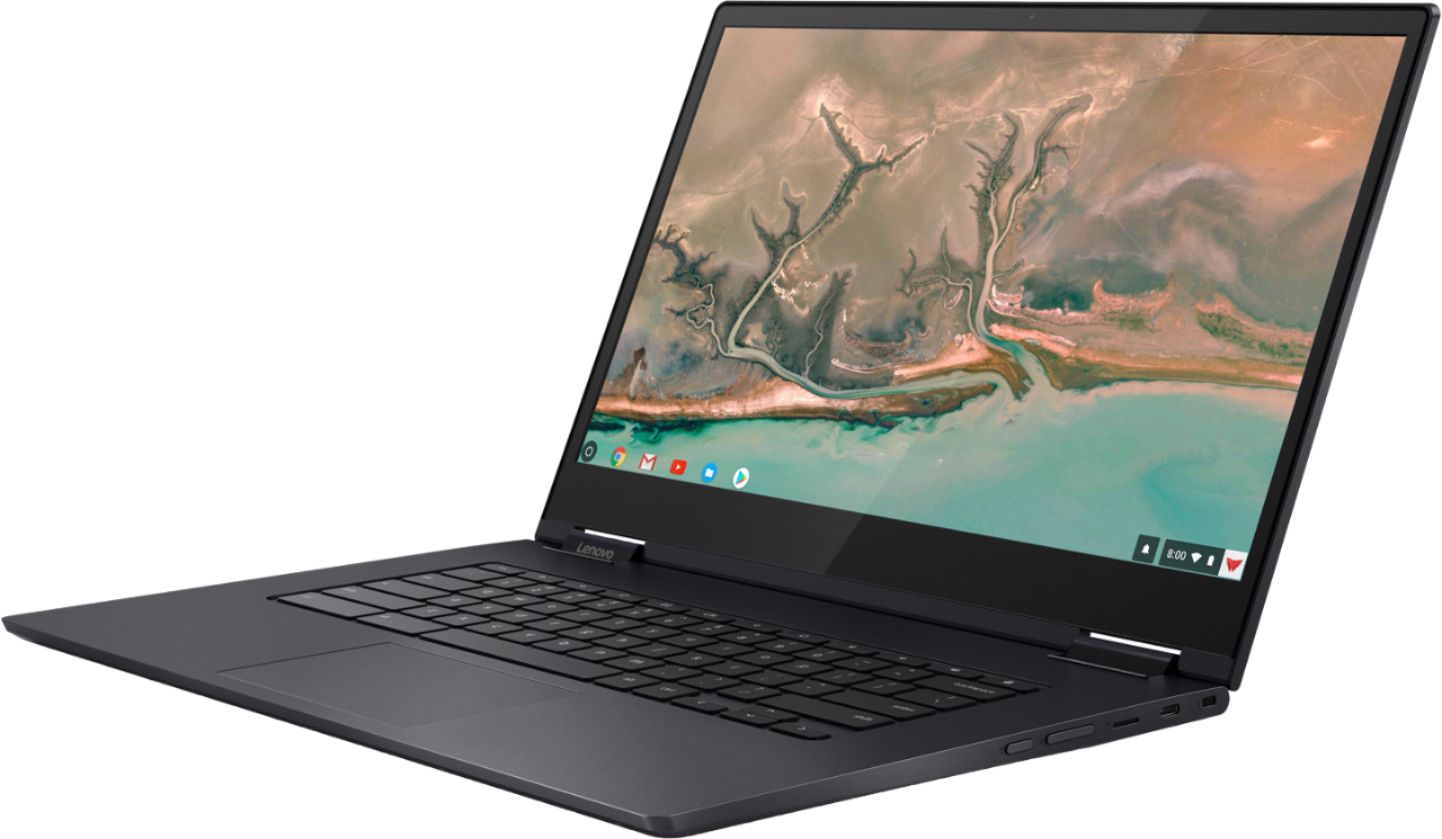








- Model:
- 81JX0000US
- SKU:
- 6295998
Rating by feature
- Value
Rating 4.4 out of 5 stars
- Quality
Rating 4.6 out of 5 stars
- Ease of Use
Rating 4.5 out of 5 stars
Customers are saying
Customers find value in the Yoga C630's large screen size, ease of use, and long battery life. Many appreciate its performance and lightweight design, along with its competitive price point and ample RAM. The positive feedback highlights its overall quality and suitability for various tasks. However, a common complaint centers on the lack of a backlit keyboard.
This summary was generated by AI based on customer reviews.
bad buy
||Posted . Owned for 1 month when reviewed.This reviewer received promo considerations or sweepstakes entry for writing a review.started during setup and was totaled unusable in less than 30 days
No, I would not recommend this to a friendBrand response from Lenovo Product Expert
Posted .We are sorry to hear that you are having issues with the initial setup of your Yoga C630 Chromebook. Setup of this Chromebook should be as easy as just logging in with your Google account to experience a new type of convertible laptop for everything you love to do. If you can not log in to your Google account, resetting your Chromebook may fix the issue. Here is a link to instruction for resetting your Chromebook: https://support.google.com/chromebook/answer/3227606?hl=en. If the issue continues, we recommend you call Lenovo Tech Support for additional help at: 877-453-6686.

Not a great Tablet
||Posted . Owned for 2 months when reviewed.This reviewer received promo considerations or sweepstakes entry for writing a review.Can’t play many games on this and shuts them down instantly.
No, I would not recommend this to a friendBrand response from Lenovo Product Expert
Posted .The Lenovo C630 Chromebook ships with the Chrome Operating System and is compatible with the Google Play Store. We always recommend you check the requirements and compatibility of any software/games you will be installing on your new computer, before you invest in any computer. Be sure your new computer can support the software/games you will need to use.

Responsive & Versatile
|Posted .This reviewer received promo considerations or sweepstakes entry for writing a review.The Lenovo Yoga C630 2-in-1 is a really nice piece of productivity/entertainment equipment. It arrived packaged nicely (although I have seen nicer). Inside the box you'll find the laptop, charging cable, and some basic instructions. I'm typically a Windows guy so I was excited at the opportunity to try out an Chrome OS. While it takes a little getting used to, I found everything to be pretty easy to learn even for someone who's spent 20+ years in Windows + another 10+ years in apple based OS. So, most of you reading this should have no problem. The Yoga had excellent performance. Start-up was a quick and silent thanks to the SSD. Powered by Intel's latest (8th generation) i5 processor, the Yoga handled multiple apps open at the same time combined with web browsing, video, and some spreadsheet usage. The Yoga comes with 8GB of system RAM which is plenty for what most will use this system for. If 128GB isn't enough storage for you, the good news is that the Yoga's memory is expandable via a micro SD card. Is it going to be your go-to for CAD or power gaming? No. But it WILL exceed the needs for most users daily productivity and entertainment based tasks. To be clear, it is far more than just a tablet and shouldn't be confused with one even though it can fill that role if needed (hence the 2-in-1). Although this particular Yogo is 15.6" of FHD goodness, I found the design to be quite sleek and of particularly high quality. The aluminum frame gives it some weight (it's not feather light, but it's not a brick either). If you don't need the full 15.6, they do have a smaller version available. In conclusion, I am really enjoying using the Lenovo Yoga Chromebook. As my first venture into using the Chrome OS, I can say it has exceeded my expectations. Most applications are now web-based anyway, so the idea of holding onto my start menu is slowly being worn away. This system satisfies almost all of my needs for productivity and entertainment and for a really great price. Pros: *Design/quality build *Expandable memory *Beautiful FHD display *Battery life 9+ hours based on my testing, but rated for 10+ Cons: *No backlit keyboard *Speakers are down firing and of very average quality. Of course, one shouldn't really expect much from laptop speakers in my opinion.
I would recommend this to a friendBrand response from Lenovo Product Expert
Posted .Thank you for choosing the Lenovo Yoga C630 Chromebook. We are pleased to hear that the features and performance of the Yoga C630 Chromebook meets your computing needs so well.
- Pros mentioned:Performance, Screen size
school use
Posted .This reviewer received promo considerations or sweepstakes entry for writing a review.we bought this on a wimb so our grandchild would not have to share his mothers computer during this covid debauchery there was 3 chrome books available in store and this was the only touchscreen, since he's only in second grade and that's what his teacher suggested thats what we bought, a little expensive for a kids computer but again only 3 choices in store?? now today 1 week later hes task bar is full of all his classes and assignments not one glitch the thing just kept running even though some of those pages are movies/videos Again i want to stress my grandchild is in second grade and doing full on zoom and google meets for most of the morning i would also like to thank whomever thought of the yoga part because his art class requires him to show his work on the screen great product
I would recommend this to a friendBrand response from Lenovo Product Expert
Posted .Thank you for choosing the Lenovo Yoga C630 Chromebook for your grand child. We are pleased to hear that the features and performance of the Yoga C630 Chromebook meets your grand child's computing needs so well. From tablet to tent, to stand to laptop mode, the Yoga Chromebook is a 360-degree convertible 2-in-1. Wrapped in an anodized aluminum, Midnight Blue finish, it's elegantly thin at .70-inch and surprisingly light at 4.2lbs. As well as a 15.6-inch near-edgeless display. It also places the latest, streamlined Chrome OS interface at your fingertips—including the Google Play Store, custom Google Maps wallpapers, images, and more.
Great Chromebook
|Posted .This reviewer received promo considerations or sweepstakes entry for writing a review.This is the first Chromebook I have ever owned, but I have owned other laptops. I really like how you can navigate through the laptop the same way you would on your phone even on laptop mode. It makes it easier for newcomers who are not tech savvy and have never owned a computer or tablet, to navigate the laptop easily. I didn't really like that the administrator email address cannot be changed without restoring the whole thing, but that is still not a huge deal. Luckily it was done on the same day that I received it and not months later. There should be a better way of changing that information though. It was very easy to navigate and set up. I did not have any problems connecting to my internet and setting up the laptop. It was actually pretty quick to set up and easy to have it up and running. It runs smoothly over wifi and I have not had any problems with wifi connection or issues with it running slow. The keyboard is smooth and easy to type on. I really like how easily the laptop opens up all the way into a tablet. The touchscreen is perfect, but beware of smudges. Like a phone, it gets smudges very easily. I would def recommend this laptop.
I would recommend this to a friendBrand response from Lenovo Product Expert
Posted .Thank you for choosing the lenovo Yoga C630 Chromebook. We are pleased to hear that the features and performance of the Yoga C630 Chromebook meets your computing needs so well.
Great hardware!
|Posted .This reviewer received promo considerations or sweepstakes entry for writing a review.Some will say it's overpowered for a Chromebook - I disagree! Since Chrome now has the ability to run full-blown Linux applications (which this one does), those applications can take full advantage of the 8GB of RAM that this one includes as well as the speedy Intel Core i5 CPU. The display on this Chromebook is a 15.6" 1920x1080 panel and cranked all the way up is wicked bright! Exceptionally crisp and has great viewing angles! Where it lacks though (not real complaints, just nitpicking!) is sound volume. The speaker is downward firing, so if you have the Chromebook on the bed or other non-flat surface, the sound will completely muffled out. Even with it in your lap the volume is weak. It would also benefit greatly from a backlit keyboard. The dark finish actually looks really nice, but it's a fingerprint magnet. Overall though this is a great Chromebook and I look forward to using it daily!
I would recommend this to a friendBrand response from Lenovo Product Expert
Posted .Thank you for choosing the Lenovo Yoga C630 Chromebook. We are pleased to hear that the features and performance of the C630 Chromebook meets your computing needs so well. With regard to audio volume, we will look into this for future improvements.
- Pros mentioned:Processor speedCons mentioned:Keyboard backlight
Almost perfect
Posted .This reviewer received promo considerations or sweepstakes entry for writing a review.I've always loved Lenovo products and when I got a the Lenovo Yoga C630 as a Christmas gift I totally stoked and for the most part I love it. The major drawback for me is there is not a backlit keyboard. I often work in dark rooms due to sensitivity to light from migraines. It makes it difficult to use the keyboard without the back light. I saw some articles online where the alt + brightness button turns it on but apparently that is only for models directly from Lenovo and not Best Buy. Doesn't make a lot of sense to me but what do I know... Very sexy looking machine, lighting fast and very functional, but sadly, I will probably exchanging it for a machine with backlit keyboard.
No, I would not recommend this to a friendBrand response from Lenovo Product Expert
Posted .The Lenovo Yoga C630 Chromebook model number 81JX0000US, does not have a backlit keyboard. From tablet to tent, to stand to laptop mode, the Yoga Chromebook is a 360-degree convertible 2-in-1. Wrapped in an anodized aluminum, Midnight Blue finish, it's elegantly thin at .70-inch and surprisingly light at 4.2lbs. As well as a 15.6-inch near-edgeless, 10-point touchscreen display. It also places the latest, streamlined Chrome OS interface at your fingertips—including the Google Play Store, custom Google Maps wallpapers, images, and more.
Laptop or Tablet?
|Posted .This reviewer received promo considerations or sweepstakes entry for writing a review.First of all unit is light weight and picture is amazing. The unit is a little big for carrying around for me, especially since my phone can do almost the same things as this unit. I am starting to become a lot more critical of laptop/tablets because unless you are gaming or in school I do not see the use for them and this item is far from revolutionary. You can surf the internet with it and it is pretty fast but other than the normal things it does not do anything that sets it apart from other laptop/tablets.
I would recommend this to a friendBrand response from Lenovo Product Expert
Posted .If you are looking for a full size 15.6" (screen size measured diagonally) 2 in 1 Chromebook, that provides a full size keyboard for entering data, doing work with Google Docs Programs and provides a large screen for viewing your work, the Lenovo C630 Chromebook is a good choice for you.
Great Practical, Cost Effective Chromebook
|Posted .This reviewer received promo considerations or sweepstakes entry for writing a review.The Lenovo Yoga C630 Chromebook is a great machine. It's powerful, has great battery life (around 10 hours of web surfing), and has a solid feel thanks to the aluminum frame. The Intel Core i5 processor and 8 Gb of memory means this machine can perform. Web surfing, word processing, and heavy spreadsheet processing don't slow this thing down. The fully hinged display is great if you want to go into "tablet" mode. The touch screen is responsive and fluid. The device is a little on the large side, but not so much so you can't travel with it. If you are looking for an affordable powerhouse Chromebook, look no further.
I would recommend this to a friendBrand response from Lenovo Product Expert
Posted .Thank you for choosing the Lenovo Yoga C630 Chromebook. This full size 15.6" (screen size measured diagonally) Chromebook weighs just 4.19 lbs. and measures 0.7" thin. We are pleased to hear that the features and performance of the Yoga C630 Chromebook meets your computing needs so well.
Good but I traded it for Dell Inspiron Chromebook
Posted .This reviewer received promo considerations or sweepstakes entry for writing a review.Good: I'm not aware of any other Chromebook you can buy with an 8th generation i5 and 8GB RAM for under $700. It's a lot of power for a Chromebook. The 15" display is pretty good and big. It's not Pixelbook level but it's good. Bad: Beyond the specification sheet the build quality isn't up to par when compared to the Dell Inspiron 14 Chromebook. The first thing I noticed is the track pad seems cheap on the Lenovo. I tried two units one on display at the store and the one I bought. The track pad isn't evenly leveled and has a noticeably larger drop off. It becomes evident when clicking the track pad near the bottom corners. The clicks sound louder than it should and feel flimsy. It feels like the trace pad wouldn't last past 2 years with my kid using it. The keyboard isn't illuminated and I can see traces of glue on the monitor panel. Why I chose the Dell Inspiron Chromebook (i3 4GB RAM) over Lenovo Yoga (i5 8GB RAM) even though there's only a $50 difference? Dell unit comes with a pen. The build quality of the Dell is better and the speakers are louder and clearer. The trace pad feels solid and the keyboard is illuminated. My wife thinks the Dell display looks a tad better in color. The Dell unit is smaller and making it more portable. Most importantly for my daily usage and benchmarks for CPU and RAM usage (signed with 2 users while using multiple tabs on each and watching a movie) Dell i3 fluctuates around 10-30% CPU usage. RAM usage is at about ~80% used. Lenovo fluctuates around around 5-20% CPU usage and ~55% RAM used. I would google "SWAP RAM Chromebook" if you're worried about RAM. From just using the Chromebook without looking at any benchmarks they would seem identical.
I would recommend this to a friendBest.Chromebook.Ever
|Posted .This reviewer received promo considerations or sweepstakes entry for writing a review.Short, sweet, and simple. Google stopped providing updates to my other Chromebook, so it was time to move on. The Lenovo Yoga C630 was just was I needed. As the option to be used as regular Chromebook, or Tablet fashion with virtual keyboard. All the apps that I used and wanted were there. Loved the Chromecast feature that paired up with our Android smart tv. What, you're still reading this? Head over to Best Buy and pick one up today, it'll make a great Xmas gift for anybody.
I would recommend this to a friendBrand response from Lenovo Product Expert
Posted .Thank you for choosing the Lenovo Yoga C630 Chromebook. We are pleased to hear that the features and performance of the Yoga C630 Chromebook is working out so well for you.
Best of the Best Chromebooks!
|Posted .This reviewer received promo considerations or sweepstakes entry for writing a review.If you are looking for a Chromebook that is at the top of it's class then this is what you want. The specs on this are far more than any App will ever demand, and it is definitely future proofed by the beefed up internals. The keyboard is nice, but being lit would be nice on such a top end item. The display is very nice, however the 2 in 1 mode is not very practical as this is a large 15" laptop, so it does not make a good tablet replacement.
I would recommend this to a friendBrand response from Lenovo Product Expert
Posted .Thank you for choosing the Lenovo C630 Chromebook. We are pleased to hear that the features and performance of the C630 Chromebook meets your computing needs so well.
All Good Here
Posted .This reviewer received promo considerations or sweepstakes entry for writing a review.I have been an avid user of Lenovo Think pads for the past nearly 20 years. In recent years I have considered moving away from Windows at home and not a fan of Macs. When I saw this show up in my news feed I thought it just sounds too good to be true. For me I only need a few "programs" and so far have found an app to comfortably replace everything I used before. I added a j5create extender to give me more ports (USB, Ethernet, etc.)and a wireless mouse and I am good to go. So I have been using for about a week now and I could not be happier. As for the life expectancy question, only time will tell but the Think Pad I replaced with this has been used every day at home for over 12 years, so, being that I am a total Lenovo fan-girl, I am optimistic.
I would recommend this to a friendBrand response from Lenovo Product Expert
Posted .Thank you for choosing the Lenovo Yoga C630 Chromebook. We are pleased to hear that the features and performance of the C630 Chromebook meets your computing needs so well.

- Pros mentioned:Performance
Severe backlight screen bleeding
Posted .This reviewer received promo considerations or sweepstakes entry for writing a review.I purchased a Lenovo Yoga Chromebook C630 (81JX0000US) from Best Buy's online store and soon noted the 1080p display exhibits severe backlight bleeding (bright areas on a black background when viewed at night in a dark room). I first observed the issue during night-time movie viewing (bright areas within the upper and lower black bands), and then discovered the bleeding to be more extensive by (1) closing all windows and tabs to return to the desktop (2) double tapping the desktop and selecting 'Set wallpaper' (3) selecting 'Solid color' and 'Black' to create a solid black desktop wallpaper. It then became evident the backlight bleeding was quite severe and extensive - multiple well-defined bright areas were visible along the edges of the display and larger cloud-like bright areas more centrally. I do not yet know if this is an isolated defect or if bleeding occurs in all Lenovo C630 displays due to low quality component selection. It is important to emphasize that backlight bleeding in LCD displays is visible only on a black background and in a dark (preferably night-time ) environment and is not 'normaI'. It is not present on my Toshiba Chromebook 2 or Samsung Chromebook Plus. It is unfortunate the Lenovo Yoga Chromebook C630 is exhibiting this issue because the device's quality and performance are otherwise excellent (with the exception of a low-quality video camera which produces low resolution and grainy video calls).
I would recommend this to a friendBrand response from Lenovo Product Expert
Posted .The Lenovo Yoga C630 Chromebook ships with a 720p (HD) web cam. The video signal should be clear and crisp. Also regarding the backlight bleed you mention, we recommend you contact Lenovo Tech Support for help with your specific issues at: 877-453-6686.
- Pros mentioned:Screen sizeCons mentioned:Keyboard backlight
Bad keyboards both times
Posted .This reviewer received promo considerations or sweepstakes entry for writing a review.The overall laptop is very nice and extremely fast. I really like the thin bezels and sharp screen. Sadly, the two I purchased had bad keyboards. The entire left half made a funky clicking noise when you barely touched the keys as if they weren't actually in place correctly. I don't know if this is just how the keyboards are on this particular laptop, but it felt very cheap and I was afraid there would be issues down the road, so I returned them both.
No, I would not recommend this to a friendBrand response from Lenovo Product Expert
Posted .There will be an audible sound when you successfully depress a key on the keyboard, indicating input into the program that is currently open, on the Lenovo Yoga C630 Chromebook. This is normal.
A good next step for some folks
Posted .This reviewer received promo considerations or sweepstakes entry for writing a review.I've had my C630 3 days now and still under evaluation but at first blush it’s the screen that jumps out literally. I really like the larger size for watching videos but using it like a 2-in-1 tablet isn't happening for me, it's just too big! If you travel much on airplanes as I do I’m not sure it would fit comfortably between you and the seat in front of you. I think if you take the mindset this is more of a Chrome based laptop with a touchscreen then this is right on the money! As far as the display itself I found both the colors clarity are quite good when doing side by side comparisons. Performance on the C630 is AWESOME! The unit doesn't get hot after being on all day long and in my lap all night long, it's also super quiet. I’ve loaded O365, used multiple cloud services and taxed the processor as much I could, let me tell you it handles everything you can throw at it and that’s super nice! I don’t do much artwork or video editing, so I can’t say if this will handle it. I believe the intended audience is more for business like users and streaming applications and that it does handle very well. Battery life is showing me about 8-9 hours with constant use with the display brightness all the way up (as I said I’m evaluating and would suspect something better if you tone that down some). The keyboard is fine for me for everyday typing but since switching to Chrome some of the new keys and shortcut’s take some getting used to but that’s the OS not the device. One suggestion is it needs a BACKLIT keyboard PEOPLE c’mon. Although if you tilt the screen forward slightly you can cast enough light with that huge display so it’s not totally bad. My biggest disappointment is not having LTE as was shared in the early release announcements. While the Wi-Fi performance is great as a business traveler I would rather have the option for WiFi or LTE for when I’m on the road and really the only reason I'd return it. Overall, it’s not a bad machine and if you’re upgrading from a smaller tablet or just planning to make the switch to a Chromebook you won’t be disappointed. If I could I'd give it a 3.75!
I would recommend this to a friendOne of the Best Chromebooks Thus Far!
Posted .This reviewer received promo considerations or sweepstakes entry for writing a review.This is my 2nd Chromebook as I needed a laptop for my new business that could serve me at the office and on the road. I needed a minimum 15" screen with at least 4GB of Ram as my other book only had 2GB and slowed considerably when multi-tasking. This IS about the perfect Chromebook as it can serve as a PC or Tablet, battery lasts a day and built well. My only complaint is not about the laptop itself, but the Android software that limits all Chromebooks. 1) Chromebooks do not auto-orient based on how you hold it as a tablet, 2) You still cannot attach a printer and must send to another PC, 3) There is NO CAPS LOCK button (The search button is worthless), 4) Graphics on Android apps look dreadful on a large screen. Google needs to get with it if they're looking to dominate the mobile market. Until they can address their OS flaws, Chromebooks will always be users last choice for a laptop.
I would recommend this to a friendBrand response from Lenovo Product Expert
Posted .Thank you for choosing the Lenovo Yoga C630 Chromebook. With regard to auto rotate for your screen, here is a link to adjusting settings within the Chrome Operating System, see if this will solve the problem: https://support.lenovo.com/us/en/solutions/ht101078. Regarding printing from a Chromebook, you need to install the Google Cloud Print App to the Chromebook. Here is a link to instructions for the installation of Google Cloud Print and how to use it: https://www.laptopmag.com/articles/how-to-set-up-google-print-on-your-chromebook. There is a key combination for Chromebooks for the CAP LOCK function: Hit Alt + search (the magnifying glass or Assistant icon), the latter of which is in the place you'd look for a Caps Lock key. You'll see an arrow appear on the bottom right notifications bar and a pop-up will alert you that Caps Lock is on. 2. Tap Shift to turn off Caps Lock. The Lenovo C630 Chromebook ships with a IPS LCD w/LED Backlight (Anti-glare) screen, with a resolution of 1920 x 1080 (FHD) and a brightness level of 300 nits.
No Brainier, best Chromebook for the price.
Posted .This reviewer received promo considerations or sweepstakes entry for writing a review.I am going to keep it simple and brief. For the price of $549, this is the best Chromebook you can buy. I have used many Chromebooks and Chromebox in the past, but this one definitely beats them all. You will get the power of Intel's 8th generation cpu and stability and capabilities of Chrome OS (i.e. Linux + Android Applications). The Lenovo is great at making keyboards and this one is no different. I deduct 0.5 star for not including backlit keyboard. The 1080p screen is better than the most Chromebooks. I am deducting another 0.5 star for not including 3:2 ration 2400×1600 display. The 1080p display is good, but doesn't even come close to Pixelbook 3:2 ration 2400x1600 display. These are some minor complaints, but nonetheless the experience so far has been positive.
I would recommend this to a friendBrand response from Lenovo Product Expert
Posted .Thank you for choosing the lenovo Yoga C630 Chromebook. This model ships with a IPS LCD w/LED Backlight (Anti-glare) screen, with a resolution of 1920 x 1080 (FHD) and a brightness level of 300 nits. The aspect ratio of the screen is the standard 16:9. We are pleased to hear that the value, features and performance of the Yoga C630 Chromebook meets your computing needs so well.
First Impression
Posted .This reviewer received promo considerations or sweepstakes entry for writing a review.I finally got to spend a little time with this chromebook today at Best Buy. As others have mentioned, it is a big laptop! However, if you watch a lot of video, this chromebook could be the one for you. My only real con on this machine is no back lit keyboard. It baffles me why they left this off at this price point. components do not seem cheaply made like lower price point chromebooks.
I would recommend this to a friendBrand response from Lenovo Product Expert
Posted .Thank you for choosing the lenovo C630 Chromebook. With regard to a backlit keyboard, we will look into this for future improvements.
- Pros mentioned:Ease of use
Good enough for basic use
Posted .This reviewer received promo considerations or sweepstakes entry for writing a review.This is a good laptop for basic functions. I enjoy how easy it is to use. My only issue is the touchpad doesn't work perfectly after use for a while. For scrolling and maneuvering the mouse no issues there, but some other things like highlighting or zoom can be hit or miss. I would recommend if you want a fast computer for very basic internet and usage.
I would recommend this to a friend