Customer Ratings & Reviews
- Model:
- 81TD0020US
- SKU:
- 6388035
Rating by feature
- Battery Life
Rating 4.0 out of 5 stars
- Speed
Rating 4.3 out of 5 stars
- Display
Rating 4.3 out of 5 stars
Customers are saying
Customers regard the Yoga C740's touch screen, ease of use, and performance as significant strengths, with many praising its lightweight design and decent battery life. Positive feedback also highlights the value for the price and the sleek design. However, some users noted the lack of an HDMI port and reported issues with fan noise and heat generation under certain conditions. The available RAM was generally well-received.
This summary was generated by AI based on customer reviews.
- Pros mentioned:Ease of use, Speed, Touch screen
Great laptop
||Posted . Owned for 1 month when reviewed.This reviewer received promo considerations or sweepstakes entry for writing a review.Bought as an open box. Only the laptop and power cord. Amazing laptop. Fast, reliable and easy to set up. Folds over backwards to use as a tablet. Love the ability to either use mouse or touch screen. Would recommend for anyone who needs a lightweight, easy to use and multipurpose laptop. Has the capability of using a stylis but have not had the chance to order yet.
I would recommend this to a friendBrand response from Lenovo Product Expert
Posted .Thank you for choosing the Lenovo Yoga C740-15. We are pleased to hear that the Yoga C740-15 meets your computing needs so well. This model is compatible with an AES Protocol Active/digital Pen, which is sold separately, like this one: https://www.bestbuy.com/site/wacom-bamboo-ink-smart-stylus-for-windows-ink-2nd-generation-gray/6374981.p?skuId=6374981

- Pros mentioned:Speed, Touch screen
The best!
||Posted . Owned for 3 weeks when reviewed.This reviewer received promo considerations or sweepstakes entry for writing a review.Solid, sturdy, fast, lots of storage and plenty of ram. The backlit keyboard is extremely useful, a must have. The touch screen is useful and the big, bright screen is awesome. The battery life is great even when you don't use any battery saving settings (like me). It's all I need and want and more. What's not to like? I recommend.
I would recommend this to a friendBrand response from Lenovo Product Expert
Posted .Once again, thank you for choosing the Lenovo Yoga C740-15. You can keep your computer running at its best by keeping the Windows 10 Operating System and all supporting BIOS files and drivers up to date. You can easily accomplish this by scanning the computer with the Lenovo Utility software available on this computer. This system has Lenovo utilities installed to help maintain the health of the device and keep the operating system software up to date. Type "Lenovo Vantage" in the Cortana Search window (if Lenovo Vantage is not installed on your device, you can download the APP and install it now). Select Lenovo Vantage from the list. In the window that opens, click on "Health and Support". In the expanded menu, select "Hardware Scan" In the window that opens, select "Run Quick Tests". This will scan your entire system for errors. Follow any directions that may pop up. If the problem continues after this scan, now click on "System Update". First select Windows update from the menu. Scan your system to be sure you have the latest version of Windows 10. Once that scan is complete, select "Additional Updates". This will scan your device to be sure there are no new BIOS/Driver updates needed. Follow any instructions that may pop up. If you ever need additional help with your Lenovo computer, we recommend you call Lenovo Tech Support at: 877-453-6686 for additional help.
- Pros mentioned:Speed, Touch screenCons mentioned:Hdmi port
Good laptop for the price
||Posted . Owned for 3 weeks when reviewed.This reviewer received promo considerations or sweepstakes entry for writing a review.Great speed, keyboard is nice and spacious I like that because I have bigger hands than normal people so it works for me, might be different for you. The screen is a good size I like that it has small bezels but it doesn't get super bright, it's fine for what I use it for but you may or may not like that. It also has a slight brownish tint compared to my desktop I have at home it's not that much but I did notice that, it has a nice 1080p display that doesn't look too bad its nice and sharp looking, touchscreen is a nice plus although I rarely use it but it's nice to have. Overall a good solid Speedy laptop at this price range wish it was maybe 100 to 200 cheaper but maybe you can catch this baby on a sale.! Maybe just a few cons I can think of is no HDMI port so maybe get an adapter (usb-c to HDMI), when you go to open the laptop it's kinda slippery because of the design and the metal material, it's not like a deal breaker but just something to think about.
I would recommend this to a friendBrand response from Lenovo Product Expert
Posted .Once again, thank you for choosing the Lenovo Yoga C740-15. You can keep your computer running at its best by keeping the Windows 10 Operating System and all supporting BIOS files and drivers up to date. You can easily accomplish this by scanning the computer with the Lenovo Utility software available on this computer. Just type "Lenovo Vantage" in the Cortana Search window (if Lenovo Vantage is not installed on your device, you can download the APP and install it now). Select Lenovo Vantage from the list. In the window that opens, click on "Health and Support". In the expanded menu, select "Hardware Scan" In the window that opens, select "Run Quick Tests". This will scan your entire system for errors. Follow any directions that may pop up. If the problem continues after this scan, now click on "System Update". First select Windows update from the menu. Scan your system to be sure you have the latest version of Windows 10. Once that scan is complete, select "Additional Updates". This will scan your device to be sure there are no new BIOS/Driver updates needed. Follow any instructions that may pop up. If you ever need additional help with your Lenovo computer, we recommend you call Lenovo Tech Support at: 877-453-6686 for additional help.
- Pros mentioned:Speed, Touch screen, Weight
Fantastic Laptop
||Posted . Owned for 1 week when reviewed.This reviewer received promo considerations or sweepstakes entry for writing a review.I really enjoy this laptop. It is very quick with its 10th gen i5 and 12gb of RAM. The touchscreen is very responsive. This is an extremely light laptop, and it still feels very durable. the screen has a solid back that cannot be easily bent. The backlit keyboard is a nice feature too.
I would recommend this to a friendBrand response from Lenovo Product Expert
Posted .Thank you for choosing the Lenovo Yoga C740-15. We are pleased to hear that the features and performance of the Yoga C740-15 meets your computing needs so well. The Yoga C740-15 provides a full size 15.6-inch screen (screen size measured diagonally), but only measures a total of 14.09 x 9.27 x 0.72 inches and weighs just 4.18 lbs. Combining heavyweight performance with lightweight portability, the Yoga C740’s 10th Gen Intel Core i5 processor enables longer battery life, high-speed connectivity, and ultra-responsive multi-tasking performance in a sleek package. Packing a one-two punch of stunning audio and visual experience, the Yoga C740 is the perfect companion for streaming your favorite videos or playing games. With a 15.6-inch FHD display. To match the tantalizing visuals, the Yoga C740’s Dolby Atmos speaker system creates an audio experience in which sound flows above and around you. Yoga is committed to protecting your privacy. Log in with your fingerprint or slide the Yoga C740’s TrueBlock Privacy Shutter closed for true peace of mind when you’re not using your webcam.
- Pros mentioned:Performance, Touch screen
Awesome 2-in-1 15.6" Laptop
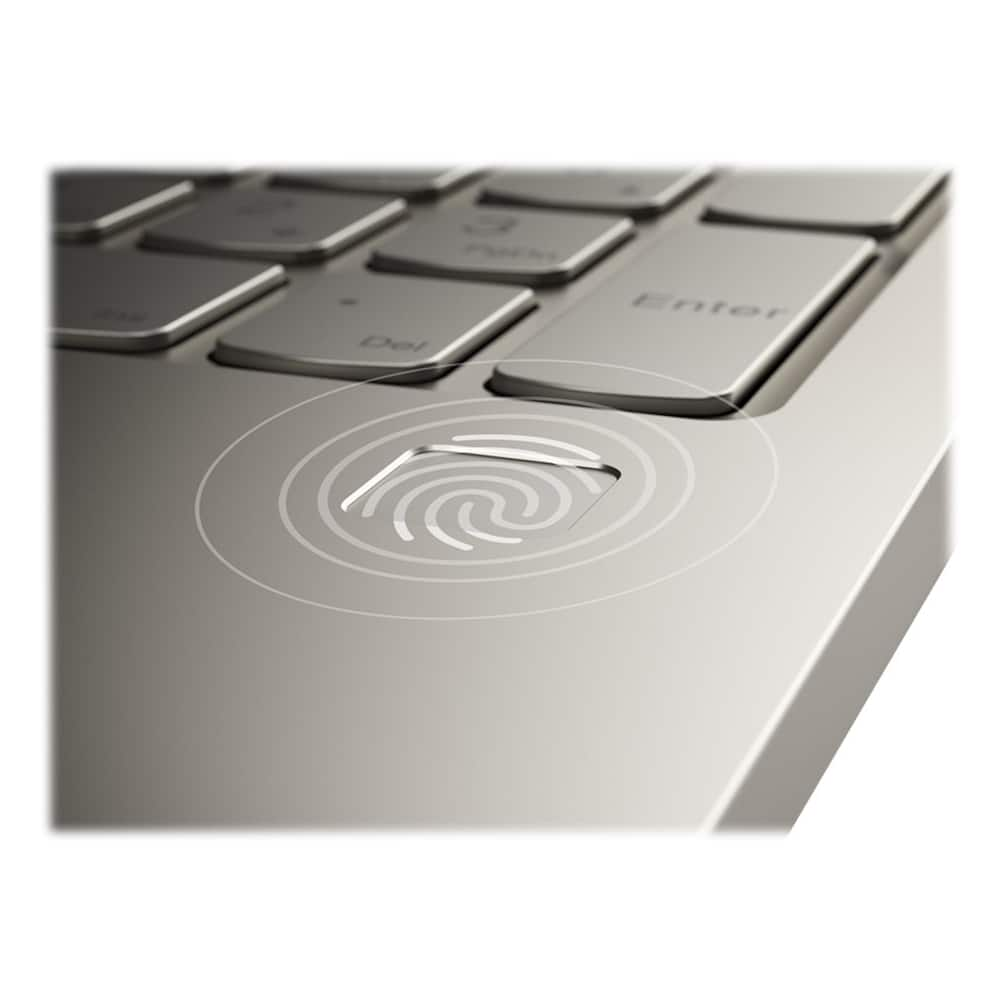
||Posted . Owned for 1.5 years when reviewed.This reviewer received promo considerations or sweepstakes entry for writing a review.The Lenovo Yoga C740 2-in-1 15.6" Touch-Screen Laptop is awesome!! The Intel Core i5 processor is excellent, and the 12GB Memory helps make the start-up and processing unbelievably fast. From the moment I power-on my laptop to the point in which it is available to use is less than 30 seconds. Unbelievable. And the processing speed is lightning fast. Also, the laptop comes with a fingerprint option that is incredible ... you no longer have to try and remember userids and passwords. And on top of all this, you have an amazing touch screen that almost makes you feel like you have 2 computers in 1. I would definitely recommend this computer to anyone looking for a lightning-fast computer with touch screen capability. You won't be disappointed!
I would recommend this to a friend - Pros mentioned:Speed, Touch screen
Awesome computer
||Posted . Owned for 2 months when reviewed.This reviewer received promo considerations or sweepstakes entry for writing a review.This is an awesome computer it is very useful. I needed one that was light and durable for school because my Toshiba is just too heavy and old anymore. It holds a charge for long time, quick respond when bringing out of sleep mode. The touch screen is great I can write notes straight onto pages. It's worth the money
I would recommend this to a friendBrand response from Lenovo Product Expert
Posted .Thank you for choosing the Lenovo Yoga C740-15, model number 81TD0003US. This model ships with a 3CELL_60.3WH_INTERNAL, Lithium Polymer Battery, with a battery life of up to 15 hours, depending on the work the device is performing. We are pleased to hear that the value, features and performance of the Yoga C740-15 meets your computing needs so well. Combining heavyweight performance with lightweight portability, the Yoga C740’s 10th Gen Intel Core i5 processor enables longer battery life, high-speed connectivity, and ultra-responsive multi-tasking performance in a sleek package. Packing a one-two punch of stunning audio and visual experience, the Yoga C740 is the perfect companion for streaming your favorite videos or playing games. With a 15.6-inch FHD display. To match the tantalizing visuals, the Yoga C740’s Dolby Atmos speaker system creates an audio experience in which sound flows above and around you. Yoga is committed to protecting your privacy. Log in with your fingerprint or slide the Yoga C740’s TrueBlock Privacy Shutter closed for true peace of mind when you’re not using your webcam.
- Pros mentioned:Speed, Weight
Great Computer
||Posted . Owned for 1 month when reviewed.This reviewer received promo considerations or sweepstakes entry for writing a review.I’ve had several brands of Laptop computers over the years. I stopped using Windows along time ago but recently went back... I like it so much I bought a second one for personal use and one for work.... By no means am I computer savvy.... So specs and such are beyond me. I rate it on durability and usability, it works, it doesn’t lag, looks great, it’s thin and light, and the speakers sound good. I would recommend this laptop.
I would recommend this to a friendBrand response from Lenovo Product Expert
Posted .Thank you for choosing the Lenovo Yoga C740-15. We are pleased to hear that the Yoga C740-15 is working out so well for you. Combining heavyweight performance with lightweight portability, the Yoga C740’s 10th Gen Intel Core i5 processor enables longer battery life, high-speed connectivity, and ultra-responsive multi-tasking performance in a sleek package. Packing a one-two punch of stunning audio and visual experience, the Yoga C740 is the perfect companion for streaming your favorite videos or playing games. With a 15.6-inch FHD display. To match the tantalizing visuals, the Yoga C740’s Dolby Atmos speaker system creates an audio experience in which sound flows above and around you. Yoga is committed to protecting your privacy. Log in with your fingerprint or slide the Yoga C740’s TrueBlock Privacy Shutter closed for true peace of mind when you’re not using your webcam.
- Pros mentioned:Speed, Touch screen, Weight
Amazing laptop
||Posted . Owned for 6 months when reviewed.This reviewer received promo considerations or sweepstakes entry for writing a review.Love this laptop. Perfect functionality. Backlit keyboard, touch screen, full numerical keypad - everything needed along with a high speed processor. Great screen resolution & quality. Sleek design. Lightweight.
I would recommend this to a friendBrand response from Lenovo Product Expert
Posted .Hello, thank you for choosing the Lenovo Yoga C740. We are so happy to hear the performance, features, and sleek modern design of the Lenovo Yoga C740 is meeting your computing needs so well.
- Pros mentioned:Speed, Touch screen
Great for Family Use
||Posted . Owned for 1 month when reviewed.This reviewer received promo considerations or sweepstakes entry for writing a review.We are happy with our Lenovo Yoga C740. We use it mainly as a family computer and home schooling. It has more than enough power and speed for the kids online classes and all of our family uses, a long battery life, and a big clear screen. The computer is a bit heavy, but that is ok with us since this computer sits on a desk or table most of the time. We also wanted the larger keyboard and screen since we will be doing a lot of reading and word processing on it. Due to the size, the tablet functionality is a bit cumbersome if you just want to lay in bed and watch a movie (however, we didn't buy it for that purpose).
I would recommend this to a friendBrand response from Lenovo Product Expert
Posted .Once again, thank you for choosing the Lenovo Yoga C740-15. This model weighs just 4.18 lbs. You can keep your computer running at its best by keeping the Windows 10 Operating System and all supporting BIOS files and drivers up to date. You can easily accomplish this by scanning the computer with the Lenovo Utility software available on this computer. This system has Lenovo utilities installed to help maintain the health of the device and keep the operating system software up to date. Type "Lenovo Vantage" in the Cortana Search window (if Lenovo Vantage is not installed on your device, you can download the APP and install it now). Select Lenovo Vantage from the list. In the window that opens, click on "Health and Support". In the expanded menu, select "Hardware Scan" In the window that opens, select "Run Quick Tests". This will scan your entire system for errors. Follow any directions that may pop up. If the problem continues after this scan, now click on "System Update". First select Windows update from the menu. Scan your system to be sure you have the latest version of Windows 10. Once that scan is complete, select "Additional Updates". This will scan your device to be sure there are no new BIOS/Driver updates needed. Follow any instructions that may pop up. If you ever need additional help with your Lenovo computer, we recommend you call Lenovo Tech Support at: 877-453-6686 for additional help.
- Pros mentioned:Speed, WeightCons mentioned:Fan noise
Good value for the price
||Posted .This reviewer received promo considerations or sweepstakes entry for writing a review.This laptop is very good quality for the price I bought it at. It’s fast, the visual and audio quality is pretty average if you’re looking for a laptop that will get you through zoom calls, and it’s very light and convenient. The storage is great and Alexa is a bonus; however, the USB port is very tough to push a cord in and the fan is a little noisy. If you buy this laptop, you may want to look into getting a screen protector and stylus because finger smudges are a little tough to wipe off the screen. I’ve only had this laptop for a week though, so it still runs great.
I would recommend this to a friendBrand response from Lenovo Product Expert
Posted .The Lenovo Yoga C740-15 ships with a beautiful 15.6-inch (screen size measured diagonally) IPS LCD w/LED Backlight (Anti-glare) screen, with a resolution of 1920 x 1080 (FHD) and a brightness level of 250 nits. Combining heavyweight performance with lightweight portability, the Yoga C740’s 10th Gen Intel Core i5 processor enables longer battery life, high-speed connectivity, and ultra-responsive multi-tasking performance in a sleek package. Packing a one-two punch of stunning audio and visual experience, the Yoga C740 is the perfect companion for streaming your favorite videos or playing games. With a 15.6-inch FHD display. To match the tantalizing visuals, the Yoga C740’s Dolby Atmos speaker system creates an audio experience in which sound flows above and around you. Yoga is committed to protecting your privacy. Log in with your fingerprint or slide the Yoga C740’s TrueBlock Privacy Shutter closed for true peace of mind when you’re not using your webcam.
- Pros mentioned:Speed, Touch screen
Really enjoy this machine
||Posted . Owned for 3 weeks when reviewed.This reviewer received promo considerations or sweepstakes entry for writing a review.I am an Apple guy. I needed an PC though for a specific job where I couldn’t use a Mac. I do have to say that the build quality is great. The speed is great. Overall I am very satisfied. The keyboard is nice and has good travel. The 10 key is a very nice addition as well. The touch screen is responsive. Battery life is really good as well. I mean really, I am very very pleased for the price that I paid. I was looking at the surface book and I am glad I went with this one. Don’t hesitate.
I would recommend this to a friendBrand response from Lenovo Product Expert
Posted .Thank you for choosing the Lenovo Yoga C740-15. We are pleased to hear that the features and performance of the Yoga C740-15 meets your computing needs so well. Combining heavyweight performance with lightweight portability, the Yoga C740’s 10th Gen Intel Core i5 processor enables longer battery life, high-speed connectivity, and ultra-responsive multi-tasking performance in a sleek package. Packing a one-two punch of stunning audio and visual experience, the Yoga C740 is the perfect companion for streaming your favorite videos or playing games. With a 15.6-inch FHD display. To match the tantalizing visuals, the Yoga C740’s Dolby Atmos speaker system creates an audio experience in which sound flows above and around you. Yoga is committed to protecting your privacy. Log in with your fingerprint or slide the Yoga C740’s TrueBlock Privacy Shutter closed for true peace of mind when you’re not using your webcam.
- Pros mentioned:Speed, Touch screen
A great find
||Posted . Owned for 2 weeks when reviewed.This reviewer received promo considerations or sweepstakes entry for writing a review.Move over Apple and here comes Lenovo. I really liked the packaging, it was fun to set up and the set up was very quick. I have not owned a Window computer in years so navigating from Mac OS to Windows is painless with the updated features of Microsoft Edge and Windows 10. The laptop is heavy and takes some getting use to but it has the numeric keypad that I was wanting. Bonus is the camera shutter feature no more sticky note to block the camera. Tablet mode is a bit awkward due the size of the screen but as a mature user it is great on the eyes. Keyboard key size is perfect larger than the MacBook. I really enjoy working on this laptop the speed is awesome with multiple windows open. Great personal computer for school and surfing/personal web browsing which is all I use the computer for. Screen and sound quality is great for watching movies etc. I will not be buying another MacBook ... Lenovo is the brand of choice going forward. Consider the following accessories: Yoga mouse and Active Pen 2 if you an artist this pen is very precise. Yoga mouse is light with an innovative design don't let the weight fool you it is the best mouse I've ever used.
I would recommend this to a friendBrand response from Lenovo Product Expert
Posted .The Lenovo Yoga 740-15 laptop, model number 81TD0003US, ships with a full-size 15.6-Inch (screen size measured diagonally) IPS LCD w/LED Backlight (Anti-glare) screen with a resolution of 1920 x 1080 (FHD) and a brightness level of 250 nits, but the overall size of the Yoga C740-15 is only 14.09 x 9.27 x 0.72 inches and the weight is only 4.18 lbs. Combining heavyweight performance with lightweight portability, the Yoga C740’s 10th Gen Intel Core i5 processor enables longer battery life, high-speed connectivity, and ultra-responsive multi-tasking performance in a sleek package. Packing a one-two punch of stunning audio and visual experience, the Yoga C740 is the perfect companion for streaming your favorite videos or playing games. With a 15.6-inch FHD display. To match the tantalizing visuals, the Yoga C740’s Dolby Atmos speaker system creates an audio experience in which sound flows above and around you. Yoga is committed to protecting your privacy. Log in with your fingerprint or slide the Yoga C740’s TrueBlock Privacy Shutter closed for true peace of mind when you’re not using your webcam.
- Pros mentioned:Ease of use, Speed
Great product
||Posted . Owned for 3 weeks when reviewed.This reviewer received promo considerations or sweepstakes entry for writing a review.Good battery life, great display, very fast, user friendly, and a good price. would recommend this product to anybody looking for a new computer.
I would recommend this to a friend - Pros mentioned:Ease of use, Touch screen
Good option with touch screen
||Posted . Owned for 1 month when reviewed.This reviewer received promo considerations or sweepstakes entry for writing a review.Easy to setup. Good option at a reasonable price. Mice touch screen withgood battery backup
I would recommend this to a friendBrand response from Lenovo Product Expert
Posted .Once again, thank you for choosing the Lenovo Yoga C740-15. You can keep your computer running at its best by keeping the Windows 10 Operating System and all supporting BIOS files and drivers up to date. You can easily accomplish this by scanning the computer with the Lenovo Utility software available on this computer. This system has Lenovo utilities installed to help maintain the health of the device and keep the operating system software up to date. Type "Lenovo Vantage" in the Cortana Search window (if Lenovo Vantage is not installed on your device, you can download the APP and install it now). Select Lenovo Vantage from the list. In the window that opens, click on "Health and Support". In the expanded menu, select "Hardware Scan" In the window that opens, select "Run Quick Tests". This will scan your entire system for errors. Follow any directions that may pop up. If the problem continues after this scan, now click on "System Update". First select Windows update from the menu. Scan your system to be sure you have the latest version of Windows 10. Once that scan is complete, select "Additional Updates". This will scan your device to be sure there are no new BIOS/Driver updates needed. Follow any instructions that may pop up. If you ever need additional help with your Lenovo computer, we recommend you call Lenovo Tech Support at: 877-453-6686 for additional help.
- Pros mentioned:Speed, Touch screen, Weight
Love my Yoga C740 15.6"
||Posted .This reviewer received promo considerations or sweepstakes entry for writing a review.Wow the Yoga C740 is so fast compared to my old laptop. I am having fun with the touch screen, although I am not sure if I should get a stylus or keep using my fingers. The Yoga C740 is so lightweight compared to my old laptop. I am just enjoying it all around, everything about it. I would definitely recommend it to anyone who wants a lightweight, fast, dependable laptop. Oh, and the screen resolution is so clear and bright.
I would recommend this to a friendBrand response from Lenovo Product Expert
Posted .Once again, thank you for choosing the Lenovo Yoga C740-15. You can keep your computer running at its best by keeping the Windows 10 Operating System and all supporting BIOS files and drivers up to date. You can easily accomplish this by scanning the computer with the Lenovo Utility software available on this computer. This system has Lenovo utilities installed to help maintain the health of the device and keep the operating system software up to date. Type "Lenovo Vantage" in the Cortana Search window (if Lenovo Vantage is not installed on your device, you can download the APP and install it now). Select Lenovo Vantage from the list. In the window that opens, click on "Health and Support". In the expanded menu, select "Hardware Scan" In the window that opens, select "Run Quick Tests". This will scan your entire system for errors. Follow any directions that may pop up. If the problem continues after this scan, now click on "System Update". First select Windows update from the menu. Scan your system to be sure you have the latest version of Windows 10. Once that scan is complete, select "Additional Updates". This will scan your device to be sure there are no new BIOS/Driver updates needed. Follow any instructions that may pop up. If you ever need additional help with your Lenovo computer, we recommend you call Lenovo Tech Support at: 877-453-6686 for additional help.
- Pros mentioned:Touch screen
Great for the Price
||Posted . Owned for 2 months when reviewed.This reviewer received promo considerations or sweepstakes entry for writing a review.I decided to finish school and needed a laptop, since most things are done online right now. Normally, I'm into HP products and would rather use those. However, at the time that I needed a laptop device, many of the HP models in my price range were sold out and the cheaper ones didn't have the features that this one offers. To make long story short, for price it functions as it should. Downloads are fast. Images are clear. Keys are easy to use. Basically the user manual outlines exactly how to set it up. If you don't want to read the usual manual, there is a voice setup that guides you every step of the way. The touch screen feature works perfectly. The overall design is very sleek and light weight. Beautiful color choice. The only two issues that I have is that the battery doesn't last the entire 11 hours. It usually starts to die around the 8 hour mark. The great part is that the charging doesn't take very long and you can expect a full charge within 20 to 30 minutes. Storage is easy. Cleaning is easy. However, I would recommend a protective cover because it matte finish does stain and scratch easily.
I would recommend this to a friendBrand response from Lenovo Product Expert
Posted .Thank you for choosing the Lenovo Yoga C740-15. This model number 81TD0003US, ships with a 3CELL_60.3WH_INTERNAL, Lithium Polymer Battery, with a battery life of up to 15 hours, depending on the work the device is performing. If you are only getting 8 hours of battery life, be sure Battery Conservation mode is turned off. This power setting is to be used when the laptop is plugged in all the time. It will prolong the overall battery life by only charging the battery to 60-percent capacity. Here is a link to instructions for turning off Battery Conservation Mode:
https://support.lenovo.com/us/en/solutions/ht103159. If Battery Conservation Mode is not turned on but you are still only getting 8 hours of battery life, be sure any software you installed is compatible with Windows 10. Incompatible software will drain the battery at a faster rate. There is no need to install Microsoft Office software. The software is already part of the operating system, you just need to activate the software with a purchased product key. If you have installed a copy of Microsoft Office, this is conflicting with the existing copy on the system and this will slow your system down. If you have installed a 3rd party anti-virus program, be sure that Windows Defender is turned off and that the trial version of McAfee Anti-Virus software is uninstalled. There can only be one anti-virus program on the system. You may need to restore your system to original factory default settings if any of the programming errors have occurred. You can do that by typing "restore" in the Cortana search window. Just click on the magnifying glass icon at the bottom left of your Windows 10 Desktop. Click on "Reset This PC" Then click on "Get Started" and follow the on screen directions to restore to factory defaults. If the problem persists, we recommend you contact Lenovo Tech Support at: 877-453-6686.
- Pros mentioned:SpeedCons mentioned:Fan noise
Its a good laptop
||Posted . Owned for 1 month when reviewed.This reviewer received promo considerations or sweepstakes entry for writing a review.I had always been with dell, but since there latest laptop went out of my price range, i tried Lenovo. This laptop looks nice, is fast, and is portable. Its such a great laptop for your money. However, it does have it down side. This laptop does have a load fan, when you put it on max performance and it does lag from time to time. Also the camera quality is not so great either.
I would recommend this to a friendBrand response from Lenovo Product Expert
Posted .We are sorry to hear that you are having issues with your Lenovo Yoga C740-15. You can use Lenovo Q-Control to manually control fan performance: ( Fn + Q ) option to change the fan. The Yoga C740-15 ships with a 720p (HD) webcam with manual Privacy Shutter and microphone built in. If the webcam performance is less than expected, be sure you have the latest version of Windows 10 on the computer, then update all of the BIOS files and drivers up to that latest version of Windows 10. You can easily accomplish this by scanning the computer with the Lenovo Utility software available on this computer. This system has Lenovo utilities installed to help maintain the health of the device and keep the operating system software up to date. Type "Lenovo Vantage" in the Cortana Search window (if Lenovo Vantage is not installed on your device, you can download the APP and install it now). Select Lenovo Vantage from the list. In the window that opens, click on "Health and Support". In the expanded menu, select "Hardware Scan" In the window that opens, select "Run Quick Tests". This will scan your entire system for errors. Follow any directions that may pop up. If the problem continues after this scan, now click on "System Update". First select Windows update from the menu. Scan your system to be sure you have the latest version of Windows 10. Once that scan is complete, select "Additional Updates". This will scan your device to be sure there are no new BIOS/Driver updates needed. Follow any instructions that may pop up. This configuration should not lag. Be sure any software you installed is compatible with Windows 10. There is no need to install Microsoft Office software. The software is already part of the operating system, you just need to activate the software with a purchased product key. If you have installed a copy of Microsoft Office, this is conflicting with the existing copy on the system and this will slow your system down. If you have installed a 3rd party anti-virus program, be sure that Windows Defender is turned off and that the trial version of McAfee Anti-Virus software is uninstalled. There can only be one anti-virus program on the system. You may need to restore your system to original factory default settings if any of the programming errors have occurred. You can do that by typing "restore" in the Cortana search window. Just click on the magnifying glass icon at the bottom left of your Windows 10 Desktop. Click on "Reset This PC" Then click on "Get Started" and follow the on screen directions to restore to factory defaults. If the problem persists, we recommend you contact Lenovo Tech Support at: 877-453-6686.
- Pros mentioned:Speed, Touch screen, Weight
10/10 Highly Recommended
||Posted . Owned for 6 months when reviewed.This reviewer received promo considerations or sweepstakes entry for writing a review.Beautifully built, lightweight but powerful. Screen resolution is amazing with the narrow bezels. Mica color is really beautiful. The fingerprint sensor is that one thing you never knew you needed. Fastest power up and down I have ever experienced. Amazing laptop. Great for college students who need a bit more than the standard on a budget.
I would recommend this to a friend - Pros mentioned:Ease of use, Touch screen
Great product
||Posted . Owned for 2 weeks when reviewed.This reviewer received promo considerations or sweepstakes entry for writing a review.Computers aren’t my strong point. Someone recommended this one to me and it didn’t disappoint. Runs all my programs I need for work. The 2 in 1 function is neat. Took some getting used to with the keyboard under it however, it’s great for a college student and note taking. Tons of storage and hasn’t bogged down. Holds a charge for a good while. Give it a go.
I would recommend this to a friendBrand response from Lenovo Product Expert
Posted .Thank you for choosing the Lenovo Yoga C740-15. We are pleased to hear that the features and performance of the Yoga C740-15 meets your computing needs so well. Combining heavyweight performance with lightweight portability, the Yoga C740’s 10th Gen Intel Core i5 processor enables longer battery life, high-speed connectivity, and ultra-responsive multi-tasking performance in a sleek package. Packing a one-two punch of stunning audio and visual experience, the Yoga C740 is the perfect companion for streaming your favorite videos or playing games. With a 15.6-inch FHD display. To match the tantalizing visuals, the Yoga C740’s Dolby Atmos speaker system creates an audio experience in which sound flows above and around you. Yoga is committed to protecting your privacy. Log in with your fingerprint or slide the Yoga C740’s TrueBlock Privacy Shutter closed for true peace of mind when you’re not using your webcam.
- Pros mentioned:Weight
Really nice laptop!
||Posted . Owned for 3 weeks when reviewed.This reviewer received promo considerations or sweepstakes entry for writing a review.I would like to give this 5 stars, but I'm not sure how to compare it to a newer laptop after having a Toshiba for 11 years. I like that it's pretty light compared to my Toshiba that probably weighs around 8 pounds. I really like that you can use it like a normal laptop, fold it over like a tent to watch movies/tv shows on it, or completely fold it 360 degrees to make it into a tablet. If you have it set up to switch to tablet mode, the screen will automatically switch to tablet mode when you open it all the way up. It seems pretty nice, but I haven't used it much as I have another tablet that I use more for that function. I really like the backlit keyboard function so I don't have to guess where certain keys are if I'm on the computer in the dark. Just hold down the (Fn key) plus the space bar, and it will light up the keyboard to a somewhat dim light. If you want it to be brighter, just hit those keys again, and then to turn it off....hit those keys a 3rd time. I enjoy that I can scroll with the mouse pad or zoom in/out on the screen using the mouse pad as well. That wasn't something I could do on my previous laptop. The finger print scanner is really nice to sign into the computer without having to type in a pin/passcode. With that being said, I did have trouble signing in with the finger print scanner once. The fix was pretty simple. All I had to do was uninstall the Bios finger print scanner app. The camera shutter is also a really nice addition, because I would rather not have to put tape over the camera like I used to. With that being said, it's a bit difficult to find the switch that will close the camera lens. I looked at the manual and it showed exactly where it's located. At first I thought the manual was for a different model computer since I couldn't find it. That is until I put my head about 10 inches away from the screen. The switch is literally the thickness of your pinky finger nail, and a couple millimeters in length. Now onto the negatives with the computer. These aren't super huge deal breakers for me, but they can be a bit annoying. I'm not used to having to download everything as an app. Instead I have always been used to putting a CD disk into the drive and downloading Microsoft Office or something else that way. When I downloaded Microsoft Office, I had no issue with that part. It was when I wanted to use it, that I had issues trying to find it. Usually it just pops up on the desktop as an Icon, or you can find it through one of the icons on the startup menu. I had to type it in the search bar to find it, and then pin it to my task bar. Also when doing research into all of the laptops.....it says that this computer has 15 hours of battery life. That is a lot of battery life compared to my previous computer. This is only partially true however. When I initially got everything set up, the amount of batter I had left was just over 7 hours with 98% of the battery remaining, which was almost the same as my previous computer. If you want the 15 hours or close to it, you have to manually go into all of the apps, and other stuff to select how much battery you want the computer to use for each app. With all of this being said, it's a really nice computer and I love it so far. There's so much newer stuff on this that I'm not used to using, that it can be a bit overwhelming for me to understand everything this computer can do. I felt like an idiot after getting this, because I thought I had to manually save all of my bookmarks from my old computer or else I would lose them. Me being the idiot that I am, didn't realize that if you sign in with your Google account (if you use that, or another platform like Microsoft Edge) that all of your bookmarks will automatically show up. It was amazing seeing that, but it also made me feel really stupid after spending an hour manually saving all of my bookmarks.
I would recommend this to a friendBrand response from Lenovo Product Expert
Posted .Thank you for choosing the Lenovo Yoga C740-15. There is a 30-day trial of Microsoft Office 365 included as part of the Windows 10 operating system. In order to keep the program active after the trial period, you will need to purchase a product key. You will not need to download any additional software. If you have installed a second copy of Microsoft Office to the computer, this may be the reason you are not getting 15 hours of battery life with low to moderate workload on the computer. Be sure any software you installed is compatible with Windows 10. There is no need to install Microsoft Office software. The software is already part of the operating system, you just need to activate the software with a purchased product key. If you have installed a copy of Microsoft Office, this is conflicting with the existing copy on the system and this will slow your system down. If you have installed a 3rd party anti-virus program, be sure that Windows Defender is turned off and that the trial version of McAfee Anti-Virus software is uninstalled. There can only be one anti-virus program on the system. You may need to restore your system to original factory default settings if any of the programming errors have occurred. You can do that by typing "restore" in the Cortana search window. Just click on the magnifying glass icon at the bottom left of your Windows 10 Desktop. Click on "Reset This PC" Then click on "Get Started" and follow the on screen directions to restore to factory defaults. If the problem persists, we recommend you contact Lenovo Tech Support at: 877-453-6686.