Customer Ratings & Reviews
- Model:
- 81TD0020US
- SKU:
- 6388035
Rating by feature
- Battery Life
Rating 4.0 out of 5 stars
- Speed
Rating 4.3 out of 5 stars
- Display
Rating 4.3 out of 5 stars
Customers are saying
Customers regard the Yoga C740's touch screen, ease of use, and performance as significant strengths, with many praising its lightweight design and decent battery life. Positive feedback also highlights the value for the price and the sleek design. However, some users noted the lack of an HDMI port and reported issues with fan noise and heat generation under certain conditions. The available RAM was generally well-received.
This summary was generated by AI based on customer reviews.
Great
||Posted . Owned for 2 weeks when reviewed.This reviewer received promo considerations or sweepstakes entry for writing a review.I bought this for my daughter and she was so excited
I would recommend this to a friendBrand response from Lenovo Product Expert
Posted .Once again, thank you for choosing the Lenovo Yoga C740-15 for your daughter. This computer can continue running at its best by keeping the Windows 10 Operating System and all supporting BIOS files and drivers up to date. You can easily accomplish this by scanning the computer with the Lenovo Utility software available on this computer. This system has Lenovo utilities installed to help maintain the health of the device and keep the operating system software up to date. Type "Lenovo Vantage" in the Cortana Search window (if Lenovo Vantage is not installed on your device, you can download the APP and install it now). Select Lenovo Vantage from the list. In the window that opens, click on "Health and Support". In the expanded menu, select "Hardware Scan" In the window that opens, select "Run Quick Tests". This will scan your entire system for errors. Follow any directions that may pop up. If the problem continues after this scan, now click on "System Update". First select Windows update from the menu. Scan your system to be sure you have the latest version of Windows 10. Once that scan is complete, select "Additional Updates". This will scan your device to be sure there are no new BIOS/Driver updates needed. Follow any instructions that may pop up. If you ever need additional help with your Lenovo computer, we recommend you call Lenovo Tech Support at: 877-453-6686 for additional help.

It has worked like a charm
||Posted . Owned for 1 month when reviewed.This reviewer received promo considerations or sweepstakes entry for writing a review.The recommendation to switch to Lenova was a good one.
I would recommend this to a friendBrand response from Lenovo Product Expert
Posted .Once again, thank you for choosing the Lenovo Yoga C740-15. You can keep your computer running at its best by keeping the Windows 10 Operating System and all supporting BIOS files and drivers up to date. You can easily accomplish this by scanning the computer with the Lenovo Utility software available on this computer. This system has Lenovo utilities installed to help maintain the health of the device and keep the operating system software up to date. Type "Lenovo Vantage" in the Cortana Search window (if Lenovo Vantage is not installed on your device, you can download the APP and install it now). Select Lenovo Vantage from the list. In the window that opens, click on "Health and Support". In the expanded menu, select "Hardware Scan" In the window that opens, select "Run Quick Tests". This will scan your entire system for errors. Follow any directions that may pop up. If the problem continues after this scan, now click on "System Update". First select Windows update from the menu. Scan your system to be sure you have the latest version of Windows 10. Once that scan is complete, select "Additional Updates". This will scan your device to be sure there are no new BIOS/Driver updates needed. Follow any instructions that may pop up. If you ever need additional help with your Lenovo computer, we recommend you call Lenovo Tech Support at: 877-453-6686 for additional help.
Does the day to day tasks I need it for
||Posted . Owned for 1 month when reviewed.This reviewer received promo considerations or sweepstakes entry for writing a review.fast and reliable. A larger hard drive would have been nice as well as a cd/dvd drive. The only real issue I have so far is that the touchpad seems off center, more to tbe left than on other laptops I have used, leading to some miscues when using it.
I would recommend this to a friendBrand response from Lenovo Product Expert
Posted .The Lenovo Yoga C740-15 ships with a standard QWEERTY keyboard and 10-key numeric pad. The Touchpad is centered under the QWERTY keys so when the typist's hands are in the Home Position on the keyboard, the typist's hands are directly over the Touchpad for easy access.
Great laptop
||Posted . Owned for 1 month when reviewed.This reviewer received promo considerations or sweepstakes entry for writing a review.Wonderful product love my new computer very easy to use
I would recommend this to a friendBrand response from Lenovo Product Expert
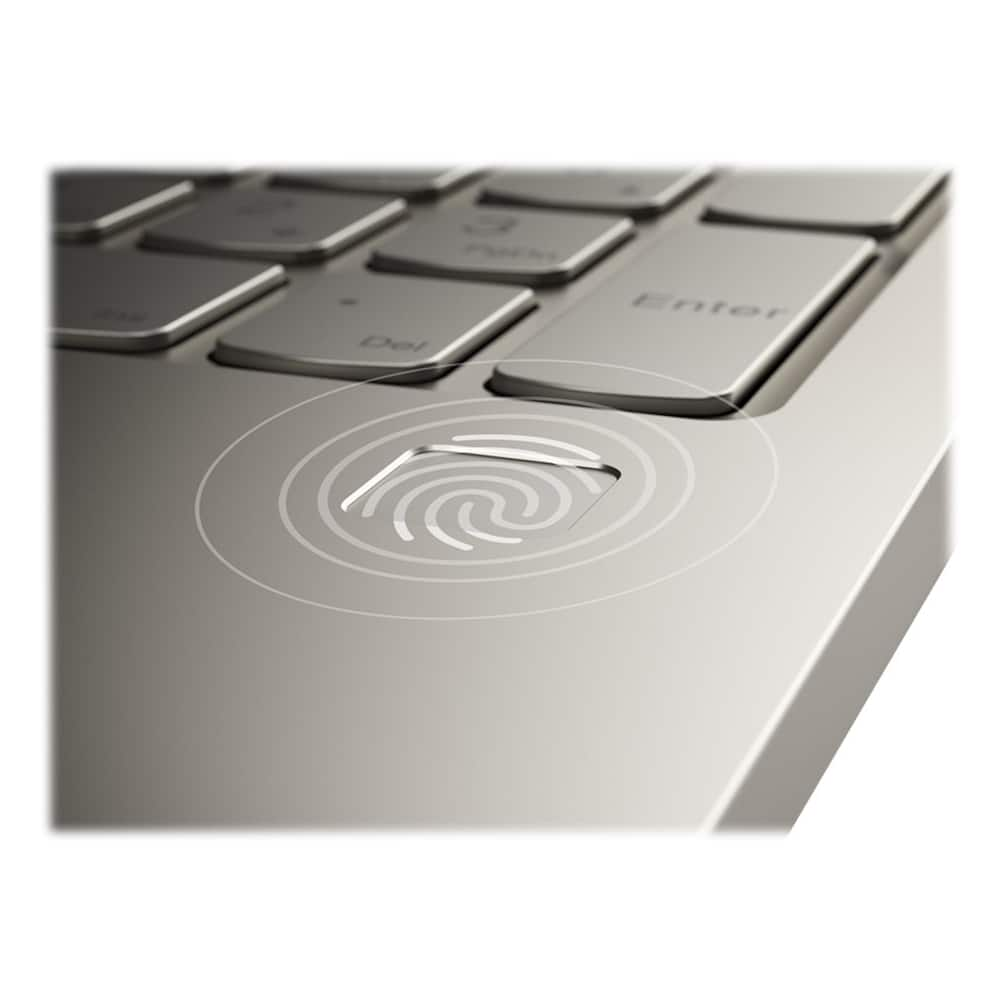
Posted .Thank you for choosing the Lenovo Yoga C740-15. We are pleased to hear that the Yoga C740-15 is working out so well for you. Combining heavyweight performance with lightweight portability, the Yoga C740’s 10th Gen Intel Core i5 processor enables longer battery life, high-speed connectivity, and ultra-responsive multi-tasking performance in a sleek package. Packing a one-two punch of stunning audio and visual experience, the Yoga C740 is the perfect companion for streaming your favorite videos or playing games. With a 15.6-inch FHD display. To match the tantalizing visuals, the Yoga C740’s Dolby Atmos speaker system creates an audio experience in which sound flows above and around you. Yoga is committed to protecting your privacy. Log in with your fingerprint or slide the Yoga C740’s TrueBlock Privacy Shutter closed for true peace of mind when you’re not using your webcam.
A great value
||Posted . Owned for 3 weeks when reviewed.This reviewer received promo considerations or sweepstakes entry for writing a review.Easy to setup and get going with work very satisfied
I would recommend this to a friendBrand response from Lenovo Product Expert
Posted .Once again, thank you for choosing the Lenovo Yoga C740-15. You can keep your computer running at its best by keeping the Windows 10 Operating System and all supporting BIOS files and drivers up to date. You can easily accomplish this by scanning the computer with the Lenovo Utility software available on this computer. This system has Lenovo utilities installed to help maintain the health of the device and keep the operating system software up to date. Type "Lenovo Vantage" in the Cortana Search window (if Lenovo Vantage is not installed on your device, you can download the APP and install it now). Select Lenovo Vantage from the list. In the window that opens, click on "Health and Support". In the expanded menu, select "Hardware Scan" In the window that opens, select "Run Quick Tests". This will scan your entire system for errors. Follow any directions that may pop up. If the problem continues after this scan, now click on "System Update". First select Windows update from the menu. Scan your system to be sure you have the latest version of Windows 10. Once that scan is complete, select "Additional Updates". This will scan your device to be sure there are no new BIOS/Driver updates needed. Follow any instructions that may pop up. If you ever need additional help with your Lenovo computer, we recommend you call Lenovo Tech Support at: 877-453-6686 for additional help.
Great buying experience
||Posted . Owned for 1 month when reviewed.This reviewer received promo considerations or sweepstakes entry for writing a review.Overall great experience buying, choosing the product.
I would recommend this to a friendBrand response from Lenovo Product Expert
Posted .Thank you for choosing the Lenovo Yoga C740-15. Combining heavyweight performance with lightweight portability, the Yoga C740’s 10th Gen Intel Core i5 processor enables longer battery life, high-speed connectivity, and ultra-responsive multi-tasking performance in a sleek package. Packing a one-two punch of stunning audio and visual experience, the Yoga C740 is the perfect companion for streaming your favorite videos or playing games. With a 15.6-inch FHD display. To match the tantalizing visuals, the Yoga C740’s Dolby Atmos speaker system creates an audio experience in which sound flows above and around you. Yoga is committed to protecting your privacy. Log in with your fingerprint or slide the Yoga C740’s TrueBlock Privacy Shutter closed for true peace of mind when you’re not using your webcam.
- Pros mentioned:Performance
Piece of CRAP
||Posted . Owned for 5 months when reviewed.This reviewer received promo considerations or sweepstakes entry for writing a review.purchased this laptop in late October and began using it in November for work. The unit stopped working in February. The warranty covered the motherboard replacement - it took WEEKS to get it back. It worked for another month and now it will not turn on again! This is EXTREMELY FRUSTRATING. Now I wish I would have purchased a cheap laptop - at least I would not be as surprised with these issues. Now I have to take it back into best buy and they will keep it ANOTHER 3-4 weeks.. when it does work- it works great
No, I would not recommend this to a friend Lenovo makes great computers.
||Posted . Owned for 3 weeks when reviewed.This reviewer received promo considerations or sweepstakes entry for writing a review.Good product. I usually always use Lenovo products.
I would recommend this to a friendBrand response from Lenovo Product Expert
Posted .Thank you for choosing the Lenovo Yoga C740-15. Combining heavyweight performance with lightweight portability, the Yoga C740’s 10th Gen Intel Core i5 processor enables longer battery life, high-speed connectivity, and ultra-responsive multi-tasking performance in a sleek package. Packing a one-two punch of stunning audio and visual experience, the Yoga C740 is the perfect companion for streaming your favorite videos or playing games. With a 15.6-inch FHD display. To match the tantalizing visuals, the Yoga C740’s Dolby Atmos speaker system creates an audio experience in which sound flows above and around you. Yoga is committed to protecting your privacy. Log in with your fingerprint or slide the Yoga C740’s TrueBlock Privacy Shutter closed for true peace of mind when you’re not using your webcam.
Great
||Posted .This reviewer received promo considerations or sweepstakes entry for writing a review.Great product - would recommend. Should bought two.
I would recommend this to a friendBrand response from Lenovo Product Expert
Posted .Thank you for choosing the Lenovo Yoga C740-15. Combining heavyweight performance with lightweight portability, the Yoga C740’s 10th Gen Intel Core i5 processor enables longer battery life, high-speed connectivity, and ultra-responsive multi-tasking performance in a sleek package. Packing a one-two punch of stunning audio and visual experience, the Yoga C740 is the perfect companion for streaming your favorite videos or playing games. With a 15.6-inch FHD display. To match the tantalizing visuals, the Yoga C740’s Dolby Atmos speaker system creates an audio experience in which sound flows above and around you. Yoga is committed to protecting your privacy. Log in with your fingerprint or slide the Yoga C740’s TrueBlock Privacy Shutter closed for true peace of mind when you’re not using your webcam.
Good price
||Posted . Owned for 3 weeks when reviewed.This reviewer received promo considerations or sweepstakes entry for writing a review.Excellent laptop For the money many features......
I would recommend this to a friendBrand response from Lenovo Product Expert
Posted .Thank you for choosing the Lenovo Yoga C740-15. Combining heavyweight performance with lightweight portability, the Yoga C740’s 10th Gen Intel Core i5 processor enables longer battery life, high-speed connectivity, and ultra-responsive multi-tasking performance in a sleek package. Packing a one-two punch of stunning audio and visual experience, the Yoga C740 is the perfect companion for streaming your favorite videos or playing games. With a 15.6-inch FHD display. To match the tantalizing visuals, the Yoga C740’s Dolby Atmos speaker system creates an audio experience in which sound flows above and around you. Yoga is committed to protecting your privacy. Log in with your fingerprint or slide the Yoga C740’s TrueBlock Privacy Shutter closed for true peace of mind when you’re not using your webcam.
touchscreen disabled in 15 days
||Posted . Owned for 3 weeks when reviewed.This reviewer received promo considerations or sweepstakes entry for writing a review.issue is Best Buy often stocks name brand items that have a little glitch.. for example this could have been a great lap top but it is one of the few Lenovo models whose touchscreen is disabled with windows 10 update. When researching this all, other Lenovos have updated drivers, etc to correct the issue except for this specific item. This is huge because I paid for a touch screen but now it is disabled and there is no fix from microsoft or Lenovo. I think it is specific to this model
No, I would not recommend this to a friendBrand response from Lenovo Product Expert
Posted .Hello, we are sorry to hear you are experiencing this issue with your Lenovo Yoga C740 Model:81TD0003US. We recommend getting in touch with the Best Buy Geek squad or Lenovo support at 877-453-6686
Fast but
||Posted . Owned for 7 months when reviewed.This reviewer received promo considerations or sweepstakes entry for writing a review.It’s fast and powerful but the keyboard really sucks, my 3 year old pulled off 5 keys and I can’t get them back in to save my life. They shouldn’t be able to come off so easy and that reflects my review.
I would recommend this to a friendLenovo - Yoga C740
||Posted .This reviewer received promo considerations or sweepstakes entry for writing a review.Levono - Yoga C740 2-in1 15.6 Two years two months this was a great laptop, now it will not charge or turn on. Would not recommend this to anyone.
No, I would not recommend this to a friendVery disappointed
||Posted . Owned for 7 months when reviewed.This reviewer received promo considerations or sweepstakes entry for writing a review.The laptop has performed well in terms of running, but the physical laptop has been pretty cheaply made. Within this first 3 months, keys were falling off the keyboard, a hinge was loose, and the screen has a light and dark spots on it. I got all of these features repaired through best buy, and yet still certain keys feel loose and I continue to have light spots on my screen that stand out great. Very disappointed in my entire experience.
No, I would not recommend this to a friendGreat camera quality. Volume is low.
||Posted . Owned for 1 month when reviewed.This reviewer received promo considerations or sweepstakes entry for writing a review.Some stalling and seemingly delay in keys. Appears to be some possible malfunction but couldn't return using for work Computer is nice using 8 hours a day for work but not sure if this causes the freezing.
I would recommend this to a friendBrand response from Lenovo Product Expert
Posted .We are sorry to hear that you are experiencing keyboard lag on your Lenovo Yoga C740-15. First, be sure you have the latest version of Windows 10 on your computer. Then update all of the BIOS files and drivers up to that latest version of Windows 10. You can easily accomplish this by scanning the computer with the Lenovo Utility software available on this computer. This system has Lenovo utilities installed to help maintain the health of the device and keep the operating system software up to date. Type "Lenovo Vantage" in the Cortana Search window (if Lenovo Vantage is not installed on your device, you can download the APP and install it now). Select Lenovo Vantage from the list. In the window that opens, click on "Health and Support". In the expanded menu, select "Hardware Scan" In the window that opens, select "Run Quick Tests". This will scan your entire system for errors. Follow any directions that may pop up. If the problem continues after this scan, now click on "System Update". First select Windows update from the menu. Scan your system to be sure you have the latest version of Windows 10. Once that scan is complete, select "Additional Updates". This will scan your device to be sure there are no new BIOS/Driver updates needed. Follow any instructions that may pop up. If the issue still continues after these updates, we recommend you call Lenovo Tech Support at: 877-453-6686 for additional help.
Worked great until 1 month past warranty
||Posted . Owned for 1 year when reviewed.This reviewer received promo considerations or sweepstakes entry for writing a review.I bought this computer to use while in grad school. Unfortunately, I'm just over a year in and the laptop is no longer reliable. The keyboard started to have a horrible lag a few months after purchase. After finding out I would be without a computer for a few days to a few weeks if I used the warranty, I did a little research and discovered the lag was caused by something in Lenovo Vantage. Easy fix! Fast forward to 1 month after the warranty expired and my computer started making a HORRIBLE noise in the middle of my class over Teams. Turns out it was my fan failing. I was able to change out the fan after watching a few YouTube videos, but the noise started one again 6 months later. Luckily, the fan has not fully stopped and only catches occasionally so my backup fan is still sitting in a box, waiting to be installed. It doesn't stop there! A bios update from Lenovo caused my battery to drain quickly and stop taking a charge unless plugged in. Another thing I was able to fix, but it came at a time when my charging port was loose and had to sit perfectly in order to accept a charge. After dealing with this for a few more weeks, I am now at the point where my laptop will only charge if a pen is situated perfectly under the cord after finding the sweet spot. This means no typing papers while the battery is low because I risk the cord moving out of position. I now have to change the fan for the SECOND time and figure out what it will take to install a new charging port.
No, I would not recommend this to a friendTerrible Battery Life
||Posted .This reviewer received promo considerations or sweepstakes entry for writing a review.Lenovo C740 has underwhelmed me with its battery life. Average battery life of 4 hours on a full charge with 100% brightness. Simple web surfing/ Youtube drains a full charge quickly. Was told by a Lenovo customer rep the advertised 15 hour battery is only achieved if laptop is left on idle. Could be a great laptop but will definitely be going back to Best Buy for a different brand.
No, I would not recommend this to a friendBrand response from Lenovo Product Expert
Posted .The Lenovo Yoga C740-15, model number 81TD0003US, ships with a 3CELL_60.3WH_INTERNAL, Lithium Polymer Battery, with a battery life of up to 15 hours, depending on the work the device is performing. This would be mixed use, moderate workload, not at idle or standby. If you are only getting 4 hours of battery life, be sure that Battery Conservation Mode is turned off. This power setting is used when the computer is always plugged in. Battery Conservation Mode prolongs battery life by only charging the battery to 60-percent. If Battery Conservation Mode is not turned on, be sure any software you installed is compatible with Windows 10. There is no need to install Microsoft Office software. The software is already part of the operating system, you just need to activate the software with a purchased product key. If you have installed a copy of Microsoft Office, this is conflicting with the existing copy on the system and this will slow your system down. If you have installed a 3rd party anti-virus program, be sure that Windows Defender is turned off and that the trial version of McAfee Anti-Virus software is uninstalled. There can only be one anti-virus program on the system. You may need to restore your system to original factory default settings if any of the programming errors have occurred. You can do that by typing "restore" in the Cortana search window. Just click on the magnifying glass icon at the bottom left of your Windows 10 Desktop. Click on "Reset This PC" Then click on "Get Started" and follow the on screen directions to restore to factory defaults. If the problem persists, we recommend you contact Lenovo Tech Support at: 877-453-6686.
Not as expected
||Posted . Owned for 1 month when reviewed.This reviewer received promo considerations or sweepstakes entry for writing a review.My Lenovo of 2 yrs died and I had to purchase a new laptop. The sales person at BB suggested the newest Lenovo as he said it was similar but better . I should have gone with my instinct that he did not know what he was talking about, nor did he care. What a mistake! The keys aren’t even in the same place. It was extremely slow. I returned it and switched to a Mac. The new sales rep told me the other guy had quit and I got him on his last day. Ask for a knowledgeable sales person who will listen. I had to make 4 trips back to get everything I needed
No, I would not recommend this to a friendBrand response from Lenovo Product Expert
Posted .The Lenovo Yoga C740-15, model number 81TD0003US, ships with a standard QWERTY keyboard with 10-key numeric pad.
Laptop
||Posted . Owned for 3 months when reviewed.This reviewer received promo considerations or sweepstakes entry for writing a review.At first, it was a great computer. After 5 months of usage, the screen is glitching . I had to send the laptop to the Lenovo so that they can fix it. Almost $1000 laptop is not reliable
No, I would not recommend this to a friendNot happy with it.
||Posted . Owned for 1 month when reviewed.This reviewer received promo considerations or sweepstakes entry for writing a review.It’s not what I expected. It’s too heavy. I didn’t expect it to be an Android. If you were opened, I would have returned it. I called but never got a response. I don’t have a nickname.
No, I would not recommend this to a friendBrand response from Lenovo Product Expert
Posted .The Lenovo Yoga C740-15 ships with Windows 10 Home 64-bit Operating System. This ultra portable 2 in 1 system provides a full-size 15.6-Inch IPS LCD w/LED Backlight (Anti-glare) screen, with a resolution of 1920 x 1080 (FHD) and a brightness level of 250 nits, but only weighs 4.18 lbs.