Customer Ratings & Reviews
- Model:
- 81TD0020US
- SKU:
- 6388035
Rating by feature
- Battery Life
Rating 4.0 out of 5 stars
- Speed
Rating 4.3 out of 5 stars
- Display
Rating 4.3 out of 5 stars
Customers are saying
Customers regard the Yoga C740's touch screen, ease of use, and performance as significant strengths, with many praising its lightweight design and decent battery life. Positive feedback also highlights the value for the price and the sleek design. However, some users noted the lack of an HDMI port and reported issues with fan noise and heat generation under certain conditions. The available RAM was generally well-received.
This summary was generated by AI based on customer reviews.
disconnects from wifi frequently
||Posted . Owned for 3 weeks when reviewed.This reviewer received promo considerations or sweepstakes entry for writing a review.like everything about this laptop except it frequently disconnects from wifi. I have researched problem on lenovo site and it is common but I can't figure out how to fix problem.
No, I would not recommend this to a friendBrand response from Lenovo Product Expert
Posted .We are sorry to hear that you are having WiFi connectivity issues with your Yoga C740-15, model number 81TD0003US. This model ships with 5G, Wide-Range/High-Speed 2x2 802.11AC WiFi capability. To keep the WiFi performing at optimum levels, be sure you have the latest version of Windows 10 on the computer, then update all of the BIOS files and drivers, including the communications drivers, up to that latest version of Windows 10. You can easily accomplish this by scanning the computer with the Lenovo Utility software available on this computer. This system has Lenovo utilities installed to help maintain the health of the device and keep the operating system software up to date. Type "Lenovo Vantage" in the Cortana Search window (if Lenovo Vantage is not installed on your device, you can download the APP and install it now). Select Lenovo Vantage from the list. In the window that opens, click on "Health and Support". In the expanded menu, select "Hardware Scan" In the window that opens, select "Run Quick Tests". This will scan your entire system for errors. Follow any directions that may pop up. If the problem continues after this scan, now click on "System Update". First select Windows update from the menu. Scan your system to be sure you have the latest version of Windows 10. Once that scan is complete, select "Additional Updates". This will scan your device to be sure there are no new BIOS/Driver updates needed. Follow any instructions that may pop up. If the issue still continues after these updates, we recommend you call Lenovo Tech Support at: 877-453-6686 for additional help.

- Cons mentioned:Fan noise
Nice PC But Extremely Loud
||Posted . Owned for 1 month when reviewed.This reviewer received promo considerations or sweepstakes entry for writing a review.Loudest laptop i have ever owned. The computer will be sitting idle w/o any activity or programs running and the fan is cranking loud
No, I would not recommend this to a friendBrand response from Lenovo Product Expert
Posted .We are sorry to hear that you are having issues with your Lenovo Yoga C740-15. To keep your Yoga C740-15 running optimally, be sure you have the latest version of Windows 10 on the computer, then update all of the BIOS files and drivers up to that latest version of Windows 10. This will keep background processes to a minimum which will reduce the amount of time the internal fan runs. You can easily accomplish this by scanning the computer with the Lenovo Utility software available on this computer. This system has Lenovo utilities installed to help maintain the health of the device and keep the operating system software up to date. Type "Lenovo Vantage" in the Cortana Search window (if Lenovo Vantage is not installed on your device, you can download the APP and install it now). Select Lenovo Vantage from the list. In the window that opens, click on "Health and Support". In the expanded menu, select "Hardware Scan" In the window that opens, select "Run Quick Tests". This will scan your entire system for errors. Follow any directions that may pop up. If the problem continues after this scan, now click on "System Update". First select Windows update from the menu. Scan your system to be sure you have the latest version of Windows 10. Once that scan is complete, select "Additional Updates". Once your computer is up to date, you can manually adjust the fan performance as well. You can use Lenovo Q-Control to manually control fan performance: ( Fn + Q ) option to change the fan. If the issue continues, we recommend you call Lenovo Tech Support at: 877-453-6686.
Not A Workhorse
||Posted . Owned for 1 year when reviewed.This reviewer received promo considerations or sweepstakes entry for writing a review.This laptop's camera and microphone only lasted for about a year before they both stopped working. I don't think it was designed for frequent use, which my wife uses in Zoom meetings. The customer service rep said the cameras and mics on this model always die quickly. Thankfully we purchased the extended warranty and had it fixed. I would not buy this model again, although I've had good success with my work Lenovo, which is a higher tier model.
No, I would not recommend this to a friendGood Laptop for beginners
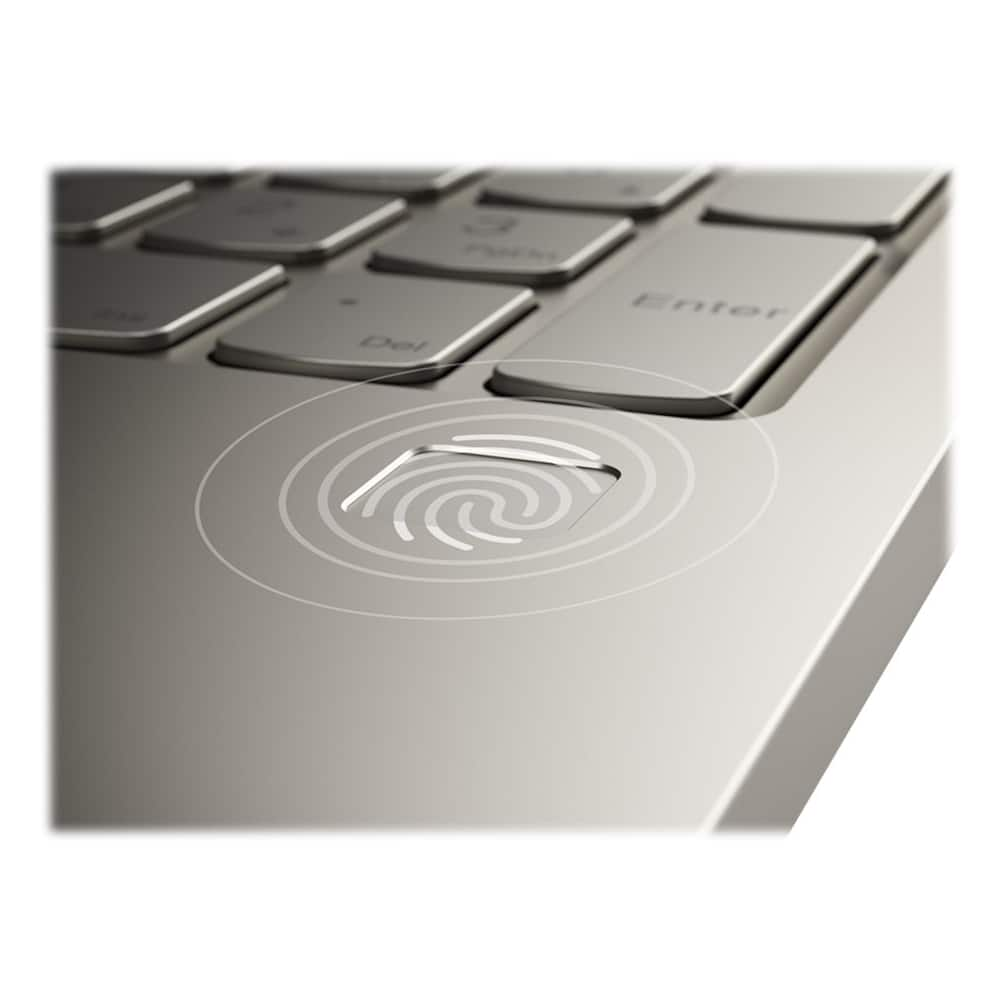
||Posted . Owned for 1 month when reviewed.This reviewer received promo considerations or sweepstakes entry for writing a review.I was happy with this laptop,but after two weeks The fingerprint password access stopped working, so I will check with the Geek squad to see if they fix it for free.
No, I would not recommend this to a friendBrand response from Lenovo Product Expert
Posted .We are sorry to hear that you are having issues with the fingerprint reader on your Lenovo Yoga C740-15. Check to be sure you have the latest version of Windows 10 on the computer, then update all of the BIOS files and drivers, including those for the fingerprint reader, up to that latest version of Windows 10. You can easily accomplish this by scanning the computer with the Lenovo Utility software available on this computer. This system has Lenovo utilities installed to help maintain the health of the device and keep the operating system software up to date. Type "Lenovo Vantage" in the Cortana Search window (if Lenovo Vantage is not installed on your device, you can download the APP and install it now). Select Lenovo Vantage from the list. In the window that opens, click on "Health and Support". In the expanded menu, select "Hardware Scan" In the window that opens, select "Run Quick Tests". This will scan your entire system for errors. Follow any directions that may pop up. If the problem continues after this scan, now click on "System Update". First select Windows update from the menu. Scan your system to be sure you have the latest version of Windows 10. Once that scan is complete, select "Additional Updates". This will scan your device to be sure there are no new BIOS/Driver updates needed. Follow any instructions that may pop up. If the issue still continues after these updates, we recommend you call Lenovo Tech Support at: 877-453-6686 for additional help.
Nice computer
||Posted . Owned for 3 weeks when reviewed.This reviewer received promo considerations or sweepstakes entry for writing a review.I ended up returning this computer because it was not able to handle some of the modeling programs I need. The graphics card is weak for the actual cost of the computer.
No, I would not recommend this to a friendNot sure oof he rating
||Posted . Owned for 2 months when reviewed.This reviewer received promo considerations or sweepstakes entry for writing a review.My daughter is having trouble with the built in microphone It never worked. It is now school time & its effecting her ability to complete verbal French lessons
No, I would not recommend this to a friendBrand response from Lenovo Product Expert
Posted .We are sorry to hear that your daughter is having issues with the microphone on her Lenovo Yoga C740-15. First be sure the latest version of Windows 10 is on the computer, then update all of the BIOS files and drivers, including the audio drivers, up to that latest version of Windows 10. You can easily accomplish this by scanning the computer with the Lenovo Utility software available on this computer. This system has Lenovo utilities installed to help maintain the health of the device and keep the operating system software up to date. Type "Lenovo Vantage" in the Cortana Search window (if Lenovo Vantage is not installed on your device, you can download the APP and install it now). Select Lenovo Vantage from the list. In the window that opens, click on "Health and Support". In the expanded menu, select "Hardware Scan" In the window that opens, select "Run Quick Tests". This will scan your entire system for errors. Follow any directions that may pop up. If the problem continues after this scan, now click on "System Update". First select Windows update from the menu. Scan your system to be sure you have the latest version of Windows 10. Once that scan is complete, select "Additional Updates". This will scan your device to be sure there are no new BIOS/Driver updates needed. Follow any instructions that may pop up. If the issue still continues after these updates, we recommend you call Lenovo Tech Support at: 877-453-6686 for additional help.
Freeze!
||Posted . Owned for more than 2 years when reviewed.This reviewer received promo considerations or sweepstakes entry for writing a review.Bought brand new. Have had just two years now. Have only used it lightly the past year. Always turn off via file shutdown, when not using. Sometimes goes weeks untouched. Freezes constantly now. Sometimes middle Of using but always when I walk away for just even 10 minutes or so. Only way to solve is to turn off with power button and power back on. Can’t be good for it.
No, I would not recommend this to a friendBattery life
||Posted . Owned for 1 month when reviewed.This reviewer received promo considerations or sweepstakes entry for writing a review.The computer functions perfectly but the battery only lasts me an hour and a half without charging. Is this normal?
I would recommend this to a friendBrand response from Lenovo Product Expert
Posted .The Lenovo Yoga C740-15 model number 81TD0003US, ships with a 3CELL_60.3WH_INTERNAL, Lithium Polymer Battery, with a battery life of up to 15 hours, depending on the work the device is performing. If you are only getting 1.5 fours of battery life, first, be sure you have Battery Conservation Mode turned off. This power setting is used only for laptops that are plugged in all the time. It charges the battery only to 60-percent capacity, to prolong overall battery life. Here is a link to instructions for turning off Battery Conservation Mode:
https://support.lenovo.com/us/en/solutions/ht103159. Second, be sure any software you installed is compatible with Windows 10. Incompatible software will drain the battery at a faster rate. There is no need to install Microsoft Office software. The software is already part of the operating system, you just need to activate the software with a purchased product key. If you have installed a copy of Microsoft Office, this is conflicting with the existing copy on the system and this will slow your system down. If you have installed a 3rd party anti-virus program, be sure that Windows Defender is turned off and that the trial version of McAfee Anti-Virus software is uninstalled. There can only be one anti-virus program on the system. You may need to restore your system to original factory default settings if any of the programming errors have occurred. You can do that by typing "restore" in the Cortana search window. Just click on the magnifying glass icon at the bottom left of your Windows 10 Desktop. Click on "Reset This PC" Then click on "Get Started" and follow the on screen directions to restore to factory defaults. Finally, here is a link to tips for getting more battery life within Windows 10: https://support.microsoft.com/en-us/help/20443/windows-10-battery-saving-tips. If the problem persists, we recommend you contact Lenovo Tech Support at: 877-453-6686.
Lenovo
||Posted .This reviewer received promo considerations or sweepstakes entry for writing a review.I returned this because it too long to get. I had to go buy one somewhere else because I needed it for a class I was about to start.
I would recommend this to a friendNice
||Posted . Owned for 1 month when reviewed.This reviewer received promo considerations or sweepstakes entry for writing a review.I have to say it is great item over all only issue so far is I had to send out after a week of purchase because letters on keyboard fell off.
I would recommend this to a friendStop working 5 days after having
||Posted . Owned for 1 month when reviewed.This reviewer received promo considerations or sweepstakes entry for writing a review.I had to send back for repair after only 5 days of using. I couldn't get it to turn on. Hopefully will get replaced.
I would recommend this to a friendBrand response from Lenovo Product Expert
Posted .We are sorry to hear that you are having issues with your Lenovo Yoga C740-15. It is possible that resetting your computer back to original factory settings will correct the issue. Since you can not properly boot the computer, this system is equipped with OneKey Recovery System. There is a very small pin hole on the bottom right of the device, right near the top right edge of the cooling vent on the bottom of the device. You will need a pin to push this reset button. Plug the device in. Let the battery charge for about 15 minutes. Push the reset button. The system should boot to a choice screen where you can choose "Restore To Factory Default". Select this. It will delete everything from the hard drive except the original factory install of the operating system. You will need to reinstall all programs and files after the reset. If you don't have copies of the files, try to make one before you restore by selecting "Boot to desktop" and trying to back up your files. Once you have the computer reset, be sure any software you installed is compatible with Windows 10. There is no need to install Microsoft Office software. The software is already part of the operating system, you just need to activate the software with a purchased product key. If you have installed a copy of Microsoft Office, this is conflicting with the existing copy on the system and this will slow your system down. If you have installed a 3rd party anti-virus program, be sure that Windows Defender is turned off and that the trial version of McAfee Anti-Virus software is uninstalled. There can only be one anti-virus program on the system. You may need to restore your system to original factory default settings if any of the programming errors have occurred. You can do that by typing "restore" in the Cortana search window. Just click on the magnifying glass icon at the bottom left of your Windows 10 Desktop. Click on "Reset This PC" Then click on "Get Started" and follow the on screen directions to restore to factory defaults. If the problem persists, we recommend you contact Lenovo Tech Support at: 877-453-6686.
- Cons mentioned:Hdmi port
Meh
||Posted . Owned for less than 1 week when reviewed.This reviewer received promo considerations or sweepstakes entry for writing a review.Stopped charging, No HDMI port... but that's my own fault for not checking
I would recommend this to a friendBrand response from Lenovo Product Expert
Posted .We are sorry to hear that you are having issues charging your Lenovo Yoga C740-15. Let the computer battery level drop below 50-percent, then plug the computer back in to see if the computer begins charging again. If the laptop does not begin charging we recommend you call Lenovo Tech Support for additional help at: 877-453-6686. The Lenovo Yoga C740-15 ships with USB-c with video out to connect an external monitor. You can connect an HDMI external monitor to this computer by using a USB-c to HDMI adapter.
BROKEN LAPTOP
||Posted . Owned for 10 months when reviewed.This reviewer received promo considerations or sweepstakes entry for writing a review.I just bought this computer less than 8 months it broke, I am disappointed and NOT HAPPY.
No, I would not recommend this to a friendPoor Display
||Posted . Owned for 1 week when reviewed.This reviewer received promo considerations or sweepstakes entry for writing a review.I returned this laptop twice. The first time the display was dim. I brought it in for a side-by-side comparison and staff acknowledged it was not up to par. Second time I brought it in because color was weak and yellowish. Staff acknowledged and then I decided on an HP model instead. I tried to like this machine but gave up and made a switch while still early in my purchase.
No, I would not recommend this to a friendBrand response from Lenovo Product Expert
Posted .We are sorry to hear you experienced this issue with the Lenovo - Yoga C740 2-in-1 15.6" Touch-Screen Laptop. The Yoga C740 features a 1920x1080 FHD touchscreen, IPS LCD, w/LED Backlight (Anti-glare) and features 300 nits brightness.
does not fit the space purchased
||Posted . Owned for 1 month when reviewed.This reviewer received promo considerations or sweepstakes entry for writing a review.I was looking for a smaller size television to fit a smaller room. I purchased only because of value
I would recommend this to a friendLenovo C740 Laptop
||Posted . Owned for 1 year when reviewed.This reviewer received promo considerations or sweepstakes entry for writing a review.Not enough storage memory and speed for me? But no chance of upgrading?
I would recommend this to a frienddownloads take a long time
||Posted . Owned for 1 month when reviewed.This reviewer received promo considerations or sweepstakes entry for writing a review.Down loads are very slow. Would like faster down loads. Over all the laptop seems to be fine.
No, I would not recommend this to a friendNot sure that everything I bought is included
||Posted . Owned for 3 weeks when reviewed.This reviewer received promo considerations or sweepstakes entry for writing a review.Love my new laptop; the service from Geek Squad. Wish that the store was easier to access.
I would recommend this to a friendDoctor
||Posted . Owned for 3 weeks when reviewed.This reviewer received promo considerations or sweepstakes entry for writing a review.Did not like the color, I was hoping for black or silver, but it is a good computer
I would recommend this to a friendGreat Laptop, but customer service, hmmmm.
||Posted . Owned for 3 weeks when reviewed.This reviewer received promo considerations or sweepstakes entry for writing a review.This laptop is great, but the customer service was not so good. I was really disappointed.
I would recommend this to a friend