Customer Ratings & Reviews
- Model:
- 81TD0020US
- SKU:
- 6388035
Rating by feature
- Battery Life
Rating 4.0 out of 5 stars
- Speed
Rating 4.3 out of 5 stars
- Display
Rating 4.3 out of 5 stars
Customers are saying
Customers regard the Yoga C740's touch screen, ease of use, and performance as significant strengths, with many praising its lightweight design and decent battery life. Positive feedback also highlights the value for the price and the sleek design. However, some users noted the lack of an HDMI port and reported issues with fan noise and heat generation under certain conditions. The available RAM was generally well-received.
This summary was generated by AI based on customer reviews.
- Pros mentioned:Speed
Screen not as bright as acer
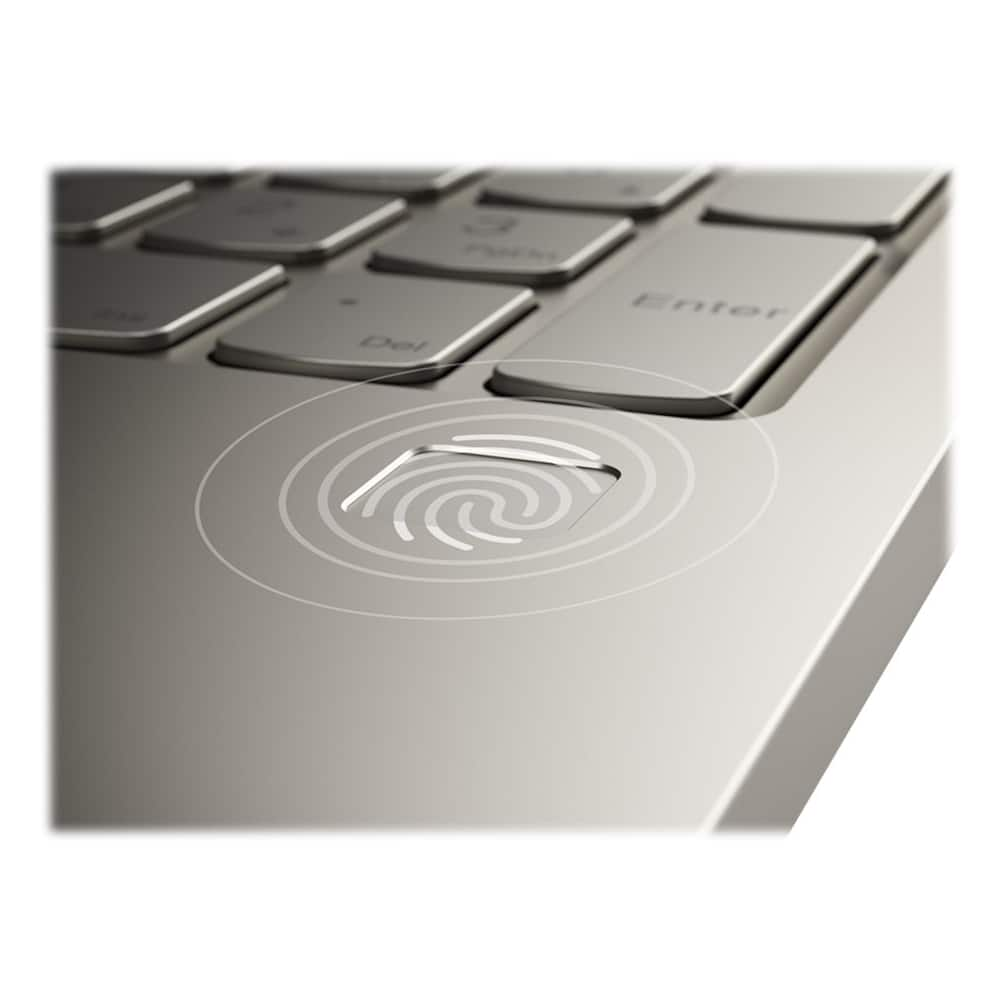
||Posted . Owned for 3 weeks when reviewed.This reviewer received promo considerations or sweepstakes entry for writing a review.Speed is great. Sound ok. Not very bright compared to acer. Finger print reader awesome. Would not buy again. Best buy has a 14 day return.
No, I would not recommend this to a friendBrand response from Lenovo Product Expert
Posted .Combining heavyweight performance with lightweight portability, the Yoga C740’s 10th Gen Intel Core i5 processor enables longer battery life, high-speed connectivity, and ultra-responsive multi-tasking performance in a sleek package. Packing a one-two punch of stunning audio and visual experience, the Yoga C740 is the perfect companion for streaming your favorite videos or playing games. With a 15.6-inch (screen size measured diagonally) IPS LCD w/LED Backlight (Anti-glare) screen, with a resolution of 1920 x 1080 (FHD) and a brightness level of 250 nits. To match the tantalizing visuals, the Yoga C740’s Dolby Atmos speaker system creates an audio experience in which sound flows above and around you. Yoga is committed to protecting your privacy. Log in with your fingerprint or slide the Yoga C740’s TrueBlock Privacy Shutter closed for true peace of mind when you’re not using your webcam.

OK for Geeks, Maybe
||Posted . Owned for 1 month when reviewed.This reviewer received promo considerations or sweepstakes entry for writing a review.I returned it after being frustrated for several weeks. Now I'm not a beginner with computers, but I am also not a geek. I have been used to a HP. I kept having problems with my setup so I decided to go back to my HP. I'm too old for change!
No, I would not recommend this to a friendBrand response from Lenovo Product Expert
Posted .The Lenovo Yoga C740-15 ships with Windows 10 Home 64-bit Operating System, which provides both audio (through Cortana) and on-screen, step by step instructions for the setup and activation of Windows 10.
Lemon. BB replacement policy is inadequate.
||Posted . Owned for 11 months when reviewed.This reviewer received promo considerations or sweepstakes entry for writing a review.We got a lemon. Bought in August. Bad motherboard by December. Repaired by BB. Broke again within a couple of months. Bad motherboard again. BB says it will replace. But, that does not mean a similar Lenovo. Instead, it's a store credit. And, the credit is insufficient to buy a similar Lenovo because the prices have gone up. So, we paid our money and the laptop was broken more time than not in under a year. We have 2 other Lenovo laptops in our household, but this is enough to think we need to change brands and stores. Boo to Lenovo and BB on this one.
No, I would not recommend this to a friendWorst Customer Service
||Posted . Owned for 3 months when reviewed.This reviewer received promo considerations or sweepstakes entry for writing a review.I bought this computer in June to work from home. The computer would cut out in the middle of Zoom calls after about a month. Finally it wouldn't start at all. Thus began a two-month saga of two returns to a customer service center in Texas and phone calls and emails that I do not have time for nor expect for a brand new computer. I just got this computer back for the second time and guess what, not fixed. I'm extremely frustrated and will never buy another Lenovo again. To have to go out twice during a pandemic to send this computer off and then have it not work is ridiculous. Don't buy it.
No, I would not recommend this to a friendBrand response from Lenovo Product Expert
Posted .We are sorry to hear that you are having issues with your Lenovo Yoga C740-15. Be sure any software you installed is compatible with Windows 10. There is no need to install Microsoft Office software. The software is already part of the operating system, you just need to activate the software with a purchased product key. If you have installed a copy of Microsoft Office, this is conflicting with the existing copy on the system and this will slow your system down. If you have installed a 3rd party anti-virus program, be sure that Windows Defender is turned off and that the trial version of McAfee Anti-Virus software is uninstalled. There can only be one anti-virus program on the system. You may need to restore your system to original factory default settings if any of the programming errors have occurred. You can do that by typing "restore" in the Cortana search window. Just click on the magnifying glass icon at the bottom left of your Windows 10 Desktop. Click on "Reset This PC" Then click on "Get Started" and follow the on screen directions to restore to factory defaults. If the problem persists, we recommend you contact Lenovo Tech Support at: 877-453-6686.
Not happy
||Posted . Owned for 1 month when reviewed.This reviewer received promo considerations or sweepstakes entry for writing a review.Very disappointed my hadn’t even had it a month and a bit locker popped up after she did an update that came up on the computer. The bit locker locked her out of the computer. This is something she did not request or sign up for. Called Microsoft and they said to call Lenovo. Lenovo said they couldn’t help to call Microsoft. Took it back to Best Buy and had to pay an additional $200 to have it wiped clean and reinstalled. Then my daughter had to pay another $140 for to reinstall Word and all this as she’s trying to navigate through her fist year of college.
No, I would not recommend this to a friendBrand response from Lenovo Product Expert
Posted .Hello, we are very sorry to hear you had this experience with your Lenovo Yoga C740. BitLocker Drive Encryption is a data protection feature that integrates with the Windows 10 operating system and addresses the threats of data theft or exposure from lost, stolen, or inappropriately decommissioned computers. This is a feature that is native to windows 10. More information can be found on the official Microsoft website at https://docs.microsoft.com/en-us/windows/security/information-protection/bitlocker/bitlocker-overview
DO NOT BUY
||Posted . Owned for 1 month when reviewed.This reviewer received promo considerations or sweepstakes entry for writing a review.If it was possible to give this computer 0 stars I would. I have had this laptop for a month and a half and have had nothing but problems and trips to the geek squad for help. First the geek squad had to reset my laptop and lost everything. Then the audio stopped working and on top of that my favorite feature of this laptop which is the fingerprint sign in is no longer working. Also the brightness setting is suck on the dimmest setting. So if you want to waste a lot of money and a whole lot of time then I would recommend this laptop.
No, I would not recommend this to a friendBrand response from Lenovo Product Expert
Posted .Hi Morgan we are sorry to hear you are experiencing issues with your Lenovo Yoga C740. Regarding the finger print reader here's a tip for making your fingerprint reader work every time: Try lightly sliding your finger over the fingerprint reader. No need to press hard on the reader, in fact pressing hard on the fingerprint reader will distort your fingerprint and cause read errors. Regarding the audio and display we recommend performing a hardware scan to see if there are any issues and to install the latest system software and device drivers. You can easily accomplish this by scanning the computer with the Lenovo Utility software available on this computer. This system has Lenovo utilities installed to help maintain the health of the device and keep the operating system software up to date. Type "Lenovo Vantage" in the Cortana Search window (if Lenovo Vantage is not installed on your device, you can download the APP and install it now). Select Lenovo Vantage from the list. In the window that opens, click on "Health and Support". In the expanded menu, select "Hardware Scan” In the window that opens, select "Run Quick Tests". This will scan your entire system for errors. Follow any directions that may pop up. If the problem continues after this scan, now click on "System Update". First select Windows update from the menu. Scan your system to be sure you have the latest version of Windows 10. Once that scan is complete, select "Additional Updates". This will scan your device to be sure there are no new BIOS/Driver updates needed. Follow any instructions that may pop up. If the issue continues after these updates, we recommend you call Lenovo Tech Support at: 877-453-6686 for additional help.
Screen is too dark
||Posted . Owned for 1 month when reviewed.This reviewer received promo considerations or sweepstakes entry for writing a review.I ended up returning this item because the screen was too dim even on the highest setting. The brightest setting was still very dark compared to three other computers in our home.
No, I would not recommend this to a friendBrand response from Lenovo Product Expert
Posted .The Lenovo Yoga C740-15, model number 81TD0003US, ships with a beautiful, 15.6-inch (screen size measured diagonally) IPS LCD w/LED Backlight (Anti-glare) screen, with a resolution of 1920 x 1080 (FHD) and a brightness level of 250 nits.
Poor microphone
||Posted . Owned for 1 month when reviewed.This reviewer received promo considerations or sweepstakes entry for writing a review.For the most part the computer works as designed, however after 3 weeks the microphone doesn't work very well and I must use my laptop and cell phone to participate in online meetings.
No, I would not recommend this to a friendBrand response from Lenovo Product Expert
Posted .We are sorry to hear that you are having issues with the built in microphone on the Lenovo Yoga C740-15. First check to see if the microphone is functioning properly by using Windows sound recorder APP. Here is a link to accessing sound recorder: https://support.microsoft.com/en-us/help/4028308/windows-10-how-to-use-voice-recorder. Use your microphone to test the operation of the microphone. If to works, check the audio settings within the conferencing APP you are using and adjust the microphone settings within the APP. If the microphone does not work properly within sound recorder, be sure you have the latest version of Windows 10 on the computer, then update all of the BIOS files and drivers up to that latest version of Windows 10. You can easily accomplish this by scanning the computer with the Lenovo Utility software available on the computer. This system has Lenovo utilities installed to help maintain the health of the device and keep the operating system software up to date. Type "Lenovo Vantage" in the Cortana Search window (if Lenovo Vantage is not installed on your device, you can download the APP and install it now). Select Lenovo Vantage from the list. In the window that opens, click on "Health and Support". In the expanded menu, select "Hardware Scan" In the window that opens, select "Run Quick Tests". This will scan your entire system for errors. Follow any directions that may pop up. If the problem continues after this scan, now click on "System Update". First select Windows update from the menu. Scan your system to be sure you have the latest version of Windows 10. Once that scan is complete, select "Additional Updates". This will scan your device to be sure there are no new BIOS/Driver updates needed. Follow any instructions that may pop up. If the issue still continues after these updates, we recommend you call Lenovo Tech Support at: 877-453-6686 for additional help.
wrong specs/feel cheated!
||Posted . Owned for 1 month when reviewed.This reviewer received promo considerations or sweepstakes entry for writing a review.The salesman who sold us the computer gave us specifications that were not correct and made us believe it had 1 tera memory etc...and that is why we bought the more expensive computer. I returned the next day to speak with the manger who promised to speak with the salesman (who happened to be at lunch) and get back to me with the explanation. Unfortunately no one called and no one sent any explanation and I feel cheated by selling me a computer with inferior specs!
No, I would not recommend this to a friend- Pros mentioned:Speed
Great computer
||Posted . Owned for 1 month when reviewed.This reviewer received promo considerations or sweepstakes entry for writing a review.Bought this lap top for my daughter for college. She said it’s a great computer. It is fast and does everything she needs and more
I would recommend this to a friendBrand response from Lenovo Product Expert
Posted .Combining heavyweight performance with lightweight portability, the Yoga C740’s 10th Gen Intel Core i5 processor enables longer battery life, high-speed connectivity, and ultra-responsive multi-tasking performance in a sleek package. Packing a one-two punch of stunning audio and visual experience, the Yoga C740 is the perfect companion for streaming your favorite videos or playing games. With a 15.6-inch FHD display. To match the tantalizing visuals, the Yoga C740’s Dolby Atmos speaker system creates an audio experience in which sound flows above and around you. Yoga is committed to protecting your privacy. Log in with your fingerprint or slide the Yoga C740’s TrueBlock Privacy Shutter closed for true peace of mind when you’re not using your webcam.
GLOSSY, Super Glare Screen
||Posted . Owned for less than 1 week when reviewed.This reviewer received promo considerations or sweepstakes entry for writing a review.This product is inaccurately sold. The screen is incredibly glossy and catches the glare of EVERYTHING. The #1 thing I was searching for in a laptop was an anti-glare screen so I can work outside. Apparently this is an "anti-glare" glossy screen. But it definitely catches glare of the sunlight, indoor lights etc. It's like looking at a mirror. Geeksquad referred me to buy this laptop after hours on hours of searching. Bestbuy and Lenovo let me down on this.
No, I would not recommend this to a friendBrand response from Lenovo Product Expert
Posted .The Lenovo Yoga C740-15, model number 81TD0003US, ships with an IPS LCD w/LED Backlight (Anti-glare) screen. This screen provides brilliant, high quality, crystal clear images, with a anti-glare coating to reduce the glare from ambient lighting.
- Pros mentioned:Speed, Touch screen
Beautifully performing product!
Posted .This reviewer received promo considerations or sweepstakes entry for writing a review.This is the first Lenovo I’ve purchased and it will not be my last. I do not speak tech so, I can not tell you how the processor and whatever else works. What I can tell you is that this product is reliable. The laptop is fast. Graphics are beautiful and all of the superhero movies look great. I post process my photography work with this laptop and the images onscreen are true to what is printed. The ability to use the laptop like a tablet is very convenient. The volume does not get loud enough for me but otherwise the laptop is perfect.
I would recommend this to a friend Worst laptop and replacement ever
||Posted . Owned for 9 months when reviewed.This reviewer received promo considerations or sweepstakes entry for writing a review.Worst laptop I ever purchased. It was recommended by the employee as a great option to the ASUS I had that fixed after 11 years. Horrible replacement. It died and would not come on after having it for 3 months. Best Buy replaced it as a faulty machine and the 2nd one died after 6 months when a weld came loose and I nearly lost all of my data. I definitely did not buy another one!! Worst waste of money ever!
No, I would not recommend this to a friendNot worth it
||Posted . Owned for 7 months when reviewed.This reviewer received promo considerations or sweepstakes entry for writing a review.Purchased this laptop at the beginning of the pandemic bc our desk top crapped out. Needed something bc everyone was working from home. Easy set up from the box. The second week of using it the keyboard was non responsive. Tried everything to fix on my own and even called the company. Needed it for work so I has an external keyboard and used that for a quick fix. I boxed it up and returned to store.
No, I would not recommend this to a friendBrand response from Lenovo Product Expert
Posted .We are sorry to hear that you are having issues with your Lenovo Yoga C740-15. Be sure any software you installed is compatible with Windows 10. There is no need to install Microsoft Office software. The software is already part of the operating system, you just need to activate the software with a purchased product key. If you have installed a copy of Microsoft Office, this is conflicting with the existing copy on the system and this will slow your system down. If you have installed a 3rd party anti-virus program, be sure that Windows Defender is turned off and that the trial version of McAfee Anti-Virus software is uninstalled. There can only be one anti-virus program on the system. You may need to restore your system to original factory default settings if any of the programming errors have occurred. You can do that by typing "restore" in the Cortana search window. Just click on the magnifying glass icon at the bottom left of your Windows 10 Desktop. Click on "Reset This PC" Then click on "Get Started" and follow the on screen directions to restore to factory defaults. If the problem persists, we recommend you contact Lenovo Tech Support at: 877-453-6686.
Laptop completey broke down as soon as warrenty is
||Posted .This reviewer received promo considerations or sweepstakes entry for writing a review.Bought it 4/2020 and it completely broke down 9/2021. It wont charge, I wont start. I took it to lenovo service center and the guy said warrenty only covers first 1 yr and will cost at least $700. Thats a cost of this laptop I paid. He said most likely the board or chips are burnt. Horrible laptop that just broke as soon as factory warrenty run out. Dont buy
No, I would not recommend this to a friend- Cons mentioned:Heat
Laptop
||Posted . Owned for 3 months when reviewed.This reviewer received promo considerations or sweepstakes entry for writing a review.Laptop was alright but the only issue I had was it would heat up quickly and a lot.
No, I would not recommend this to a friendBrand response from Lenovo Product Expert
Posted .We are sorry to hear that your Lenovo Yoga C740-15 is running hot. Be sure any software you installed is compatible with Windows 10. There is no need to install Microsoft Office software. The software is already part of the operating system, you just need to activate the software with a purchased product key. If you have installed a copy of Microsoft Office, this is conflicting with the existing copy on the system and this will slow your system down. If you have installed a 3rd party anti-virus program, be sure that Windows Defender is turned off and that the trial version of McAfee Anti-Virus software is uninstalled. There can only be one anti-virus program on the system. You may need to restore your system to original factory default settings if any of the programming errors have occurred. You can do that by typing "restore" in the Cortana search window. Just click on the magnifying glass icon at the bottom left of your Windows 10 Desktop. Click on "Reset This PC" Then click on "Get Started" and follow the on screen directions to restore to factory defaults. If the problem persists, we recommend you contact Lenovo Tech Support at: 877-453-6686.
Not good computer, I will stick to HP
||Posted . Owned for 7 months when reviewed.This reviewer received promo considerations or sweepstakes entry for writing a review.Rating: 1 start Deserve: Zero stars Support - Zero Hardware -100% Software support - zero It is the first time that I bought a laptop, and last just 6 months. First Issue: No sound, and speakers, not mic, Repair time: 2 months 15 days later... Second Issue: Touchscreen not working, updates, reinstall of new hardware not working Resend laptop to repair Highly not recommended.
No, I would not recommend this to a friendSpeaker and camera quite working
||Posted . Owned for 3 weeks when reviewed.This reviewer received promo considerations or sweepstakes entry for writing a review.Lenovo was no help. I had to pay $10.00 to buy a driver update. I understand this happens a lot with the Yoga C740 .
No, I would not recommend this to a friendBrand response from Lenovo Product Expert
Posted .The Lenovo Yoga C740-15 has the Windows 10 Home Operating System that uses BIOS files and drivers that must be updated on occasion. You can easily accomplish this by using the Lenovo Utility software available on your Yoga C740-15. This system has Lenovo utilities installed to help maintain the health of the device and keep the operating system software up to date. Type "Lenovo Vantage" in the Cortana Search window (if Lenovo Vantage is not installed on your device, you can download the APP and install it now). Select Lenovo Vantage from the list. In the window that opens, click on "Health and Support". In the expanded menu, select "Hardware Scan" In the window that opens, select "Run Quick Tests". This will scan your entire system for errors. Follow any directions that may pop up. If the problem continues after this scan, now click on "System Update". First select Windows update from the menu. Scan your system to be sure you have the latest version of Windows 10. Once that scan is complete, select "Additional Updates". This will scan your device to be sure there are no new BIOS/Driver updates needed. Follow any instructions that may pop up. If the issue still continues after these updates, we recommend you call Lenovo Tech Support at: 877-453-6686 for additional help.
Time zone stuck in UTC. Office portal already
||Posted .This reviewer received promo considerations or sweepstakes entry for writing a review.This laptop appears to have been sold before some software already activated. Some internet options predetermined
No, I would not recommend this to a friendBrand response from Lenovo Product Expert
Posted .Resetting the Lenovo Yoga C740-15 back to original factory settings should clear all presets and allow you to set them. Here is a link to instructions for resetting a Windows 10 computer: https://support.microsoft.com/en-us/help/12415
- Pros mentioned:Speed
Great PC but blew up in 10 months
||Posted . Owned for 11 months when reviewed.This reviewer received promo considerations or sweepstakes entry for writing a review.I loved it! Super fast. Hard drive crashed in 10 months!
No, I would not recommend this to a friendBrand response from Lenovo Product Expert
Posted .We are sorry to hear that you are having issues with your Lenovo Yoga C740-15, model number 81TD0003US. Resetting your computer back to original factory settings may fix the issue you are having, even if you can no longer boot the computer normally. This system is equipped with OneKey Recovery System. There is a very small pin hole on the bottom right side of the device, right near the top right corner of the cooling vent on the bottom of this device. You will need a pin to push this reset button. Plug the device in. Let the battery charge for about 15 minutes. Push the reset button. The system should boot to a choice screen where you can choose "Restore To Factory Default". Select this. It will delete everything from the hard drive except the original factory install of the operating system. You will need to reinstall all programs and files after the reset. If you don't have copies of the files, try to make one before you restore by selecting "Boot to desktop" and trying to back up your files. If the problem persists after the factory reset, we recommend you contact Lenovo Tech Support at: 877-453-6686.