Customer Ratings & Reviews
- Model:
- 81TD0020US
- SKU:
- 6388035
Rating by feature
- Battery Life
Rating 4.0 out of 5 stars
- Speed
Rating 4.3 out of 5 stars
- Display
Rating 4.3 out of 5 stars
Customers are saying
Customers regard the Yoga C740's touch screen, ease of use, and performance as significant strengths, with many praising its lightweight design and decent battery life. Positive feedback also highlights the value for the price and the sleek design. However, some users noted the lack of an HDMI port and reported issues with fan noise and heat generation under certain conditions. The available RAM was generally well-received.
This summary was generated by AI based on customer reviews.
Poor screen
||Posted .This reviewer received promo considerations or sweepstakes entry for writing a review.The coolest thing about it - is the form factor! But I did not like the screen, the weight and speakers.
No, I would not recommend this to a friendBrand response from Lenovo Product Expert
Posted .The Lenovo Yoga C740-15, model number 81TD0003US, ships with a IPS LCD w/LED Backlight (Anti-glare) screen, with a resolution of 1920 x 1080 (FHD) and a brightness level of 250 nits. This configuration provides a full-size 15.6-inch screen (screen size measured diagonally), but only measures 14.09 x 9.27 x 0.72 inches and weighs just 4.18 lbs. The Yoga C740-15 ships with the Dolby Atmos Speaker System, with stereo 2W speakers, which creates an audio experience in which sound flows above and around you.

..
||Posted . Owned for 9 months when reviewed.This reviewer received promo considerations or sweepstakes entry for writing a review.Bought higher price and not happy with Laptop.Number is key working and running slow.
No, I would not recommend this to a friendBrand response from Lenovo Product Expert
Posted .We are sorry to hear that you are having issues with your Lenovo Yoga C740-15. Be sure any software you installed is compatible with Windows 10. There is no need to install Microsoft Office software. The software is already part of the operating system, you just need to activate the software with a purchased product key. If you have installed a copy of Microsoft Office, this is conflicting with the existing copy on the system and this will slow your system down. If you have installed a 3rd party anti-virus program, be sure that Windows Defender is turned off and that the trial version of McAfee Anti-Virus software is uninstalled. There can only be one anti-virus program on the system. You may need to restore your system to original factory default settings if any of the programming errors have occurred. You can do that by typing "restore" in the Cortana search window. Just click on the magnifying glass icon at the bottom left of your Windows 10 Desktop. Click on "Reset This PC" Then click on "Get Started" and follow the on screen directions to restore to factory defaults. If the problem persists, we recommend you contact Lenovo Tech Support at: 877-453-6686.
Absolute garbage
||Posted .This reviewer received promo considerations or sweepstakes entry for writing a review.This computer was purchased in May 2020. It consistently shut down at the worst possible time. After several calls/chat session with technical support, the spontaneous shutdown issues went unresolved. and now, 19 months after it was purchased, it won't even turn on. Complete garbage,
No, I would not recommend this to a friend- Cons mentioned:Hdmi port
Ok but not for the price
||Posted . Owned for 1 month when reviewed.This reviewer received promo considerations or sweepstakes entry for writing a review.It does not have any ports had to buy multiple adapters
No, I would not recommend this to a friendBrand response from Lenovo Product Expert
Posted .The Lenovo Yoga C740-15 ships with two standard USB ports and two USB-c ports, one provides video-out for an external monitor. If you need to connect an HDMI monitor to this laptop, you can do this with a USB to USB-c adapter.
There’s a learning curve
||Posted . Owned for 1 month when reviewed.This reviewer received promo considerations or sweepstakes entry for writing a review.There’s a learning curve. Wish I had bought another model this one is too hard to work
No, I would not recommend this to a friendBrand response from Lenovo Product Expert
Posted .The heart of the Lenovo Yoga C740-15 is the Windows 10 Operating System. With regard to learning your way around Windows 10, you may want to try YouTube.com (just type that address in your browser address window). There are hundreds for free instructional videos there about Windows 10. Just type Windows 10 Introduction in to the YouTube search window. You can watch free videos there that will show you the basics all the way up to tips and tricks videos and they're all free.
Worse laptop ever!
||Posted . Owned for 1 year when reviewed.This reviewer received promo considerations or sweepstakes entry for writing a review.This is worse laptop you could ever buy. I purchased this for my granddaughter for college. It had to be fixed twice for replacement of the motherboard. Now it won’t work, fully charged, unless it’s plugged into a socket. Do not waste your money on this junk!
No, I would not recommend this to a friendok
||Posted . Owned for 3 weeks when reviewed.This reviewer received promo considerations or sweepstakes entry for writing a review.its ok does some weird stuff with seri and the battery life
I would recommend this to a friendBrand response from Lenovo Product Expert
Posted .The Lenovo Yoga C740-15 is a Windows 10 computer, it uses both Cortana and Alexa as its personal assistant software. This model ships with a 3CELL_60.3WH_INTERNAL, Lithium Polymer Battery, with a battery life of up to 15 hours, depending on the work the device is performing. If you are getting substantially less battery life that expected, be sure any software you installed is compatible with Windows 10. There is no need to install Microsoft Office software. The software is already part of the operating system, you just need to activate the software with a purchased product key. If you have installed a copy of Microsoft Office, this is conflicting with the existing copy on the system and this will slow your system down. If you have installed a 3rd party anti-virus program, be sure that Windows Defender is turned off and that the trial version of McAfee Anti-Virus software is uninstalled. There can only be one anti-virus program on the system. You may need to restore your system to original factory default settings if any of the programming errors have occurred. You can do that by typing "restore" in the Cortana search window. Just click on the magnifying glass icon at the bottom left of your Windows 10 Desktop. Click on "Reset This PC" Then click on "Get Started" and follow the on screen directions to restore to factory defaults. If the problem persists, we recommend you contact Lenovo Tech Support at: 877-453-6686.
my bad luck
||Posted . Owned for 5 months when reviewed.This reviewer received promo considerations or sweepstakes entry for writing a review.out of the 6 months I owned, its been out for repairs for 5 months. went to Lenovo for repair 4 times ( Boot device missing) and came back with the same problem. I just don't know what else to do here.. trying to reach Lenovo support if they can do anything.
No, I would not recommend this to a friendBrand response from Lenovo Product Expert
Posted .We are sorry to hear that you are having issues with the Windows 10 Operating System on your device. Try resetting the computer back to the original factory settings by using OneKey Recovery. This system is equipped with OneKey Recovery System. There is a very small pin hole on the bottom of the device, right near the top right corner of the cooling vent on the bottom device. You will need a pin to push this reset button. Plug the device in. Let the battery charge for about 15 minutes. Push the reset button. The system should boot to a choice screen where you can choose "Restore To Factory Default". Select this. It will delete everything from the hard drive except the original factory install of the operating system. You will need to reinstall all programs and files after the reset. If you don't have copies of the files, try to make one before you restore by selecting "Boot to desktop" and trying to back up your files. Once you have Windows 10 restored to original factory settings, be sure any software you installed is compatible with Windows 10. There is no need to install Microsoft Office software. The software is already part of the operating system, you just need to activate the software with a purchased product key. If you have installed a copy of Microsoft Office, this is conflicting with the existing copy on the system and this will slow your system down. If you have installed a 3rd party anti-virus program, be sure that Windows Defender is turned off and that the trial version of McAfee Anti-Virus software is uninstalled. There can only be one anti-virus program on the system. You may need to restore your system to original factory default settings if any of the programming errors have occurred. You can do that by typing "restore" in the Cortana search window. Just click on the magnifying glass icon at the bottom left of your Windows 10 Desktop. Click on "Reset This PC" Then click on "Get Started" and follow the on screen directions to restore to factory defaults. If the problem persists, we recommend you contact Lenovo Tech Support at: 877-453-6686.
Lenovo
||Posted . Owned for 1 month when reviewed.This reviewer received promo considerations or sweepstakes entry for writing a review.Lenovo good product service nice too much product mmm
I would recommend this to a friendBrand response from Lenovo Product Expert
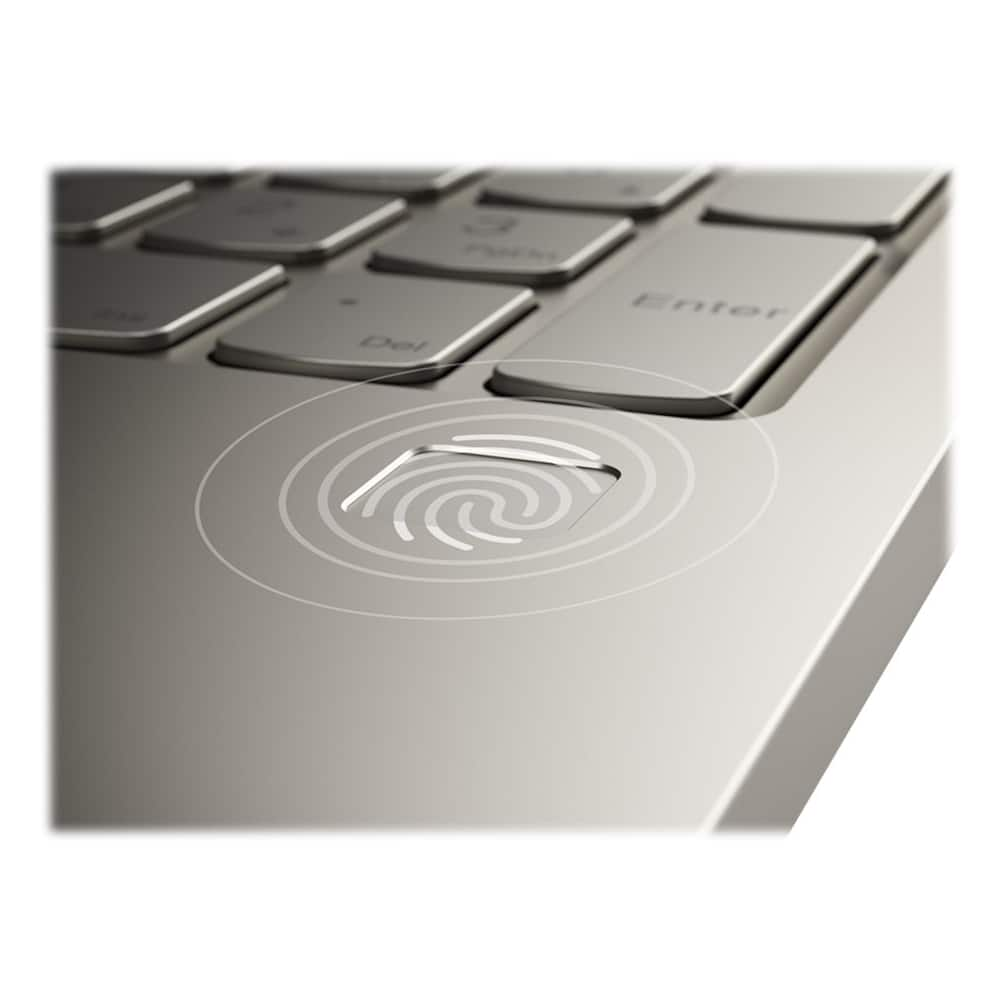
Posted .Combining heavyweight performance with lightweight portability, the Yoga C740’s 10th Gen Intel Core i5 processor enables longer battery life, high-speed connectivity, and ultra-responsive multi-tasking performance in a sleek package. Packing a one-two punch of stunning audio and visual experience, the Yoga C740 is the perfect companion for streaming your favorite videos or playing games. With a 15.6-inch FHD display. To match the tantalizing visuals, the Yoga C740’s Dolby Atmos speaker system creates an audio experience in which sound flows above and around you. Yoga is committed to protecting your privacy. Log in with your fingerprint or slide the Yoga C740’s TrueBlock Privacy Shutter closed for true peace of mind when you’re not using your webcam.
NEVER LENOVA
||Posted . Owned for 1 year when reviewed.This reviewer received promo considerations or sweepstakes entry for writing a review.I will never buy a Lenova again. I have only had this for 2 years and it will no longer charge. Lenova will not help me because it's out of warranty. Well.... if I stood behind my products, I will help my customers. Disgrace.
No, I would not recommend this to a friendNot well built.
||Posted . Owned for 1 year when reviewed.This reviewer received promo considerations or sweepstakes entry for writing a review.Peoduct is not well built. The on/off button is in a corner an very susceptible to contact. It breaks very easily and repairs are very costly. I own 4 lenovo laptops and we have been having issues with all of them.
No, I would not recommend this to a friendHad Issues
||Posted . Owned for 2 weeks when reviewed.This reviewer received promo considerations or sweepstakes entry for writing a review.I had to order two of this same computer because it was freezing after every time I used the Internet. Lenovo is normally a solid brand but there was something up with the two laptops I purchased,
No, I would not recommend this to a friendBrand response from Lenovo Product Expert
Posted .We are sorry to hear that you are having issues with your Lenovo Yoga C740-15 and the Windows 10 Operating System freeze on you. Windows 10 should not freeze. Be sure any software you installed is compatible with Windows 10. There is no need to install Microsoft Office software. The software is already part of the operating system, you just need to activate the software with a purchased product key. If you have installed a copy of Microsoft Office, this is conflicting with the existing copy on the system and this will slow your system down. If you have installed a 3rd party anti-virus program, be sure that Windows Defender is turned off and that the trial version of McAfee Anti-Virus software is uninstalled. There can only be one anti-virus program on the system. You may need to restore your system to original factory default settings if any of the programming errors have occurred. You can do that by typing "restore" in the Cortana search window. Just click on the magnifying glass icon at the bottom left of your Windows 10 Desktop. Click on "Reset This PC" Then click on "Get Started" and follow the on screen directions to restore to factory defaults. If the problem persists, we recommend you contact Lenovo Tech Support at: 877-453-6686.
Is already broken
||Posted . Owned for 4 months when reviewed.This reviewer received promo considerations or sweepstakes entry for writing a review.Purchased this laptop and 2 months later, already started getting the blue screen, had to send it to Lenovo for repair since there was a hardware problem - Memory Management. I still don't have the laptop back and it has been almost a month :(
No, I would not recommend this to a friendBrand response from Lenovo Product Expert
Posted .We are sorry to hear you experienced this issue with your Lenovo Yoga C740, we appreciate your patience in regards to this matter.
Do not buy
||Posted . Owned for 1 month when reviewed.This reviewer received promo considerations or sweepstakes entry for writing a review.This is the first time I write a review about a laptop. For the following customers who consider purchasing this item, please be aware: I can't turn it on after one month's use. The screen goes to black after the Lenovo Splash Screen.
No, I would not recommend this to a friendBrand response from Lenovo Product Expert
Posted .We are sorry to hear that you are having issues with your Lenovo Yoga C740-15 and the Windows 10 Operating System. It is possible that resetting your computer back to original factory settings may correct the issue you describe. Since you can no longer boot the computer to the Windows 10 Desktop, this system is equipped with OneKey Recovery System. There is a very small pin hole on the bottom of the device, right near the top right edge of the cooling vent on the bottom of the device. You will need a pin to push this reset button. Plug the device in. Let the battery charge for about 15 minutes. Push the reset button. The system should boot to a choice screen where you can choose "Restore To Factory Default". Select this. It will delete everything from the hard drive except the original factory install of the operating system. You will need to reinstall all programs and files after the reset. If you don't have copies of the files, try to make one before you restore by selecting "Boot to desktop" and trying to back up your files. Once you have the computer reset, be sure any software you installed is compatible with Windows 10. There is no need to install Microsoft Office software. The software is already part of the operating system, you just need to activate the software with a purchased product key. If you have installed a copy of Microsoft Office, this is conflicting with the existing copy on the system and this will slow your system down. If you have installed a 3rd party anti-virus program, be sure that Windows Defender is turned off and that the trial version of McAfee Anti-Virus software is uninstalled. There can only be one anti-virus program on the system. You may need to restore your system to original factory default settings if any of the programming errors have occurred. You can do that by typing "restore" in the Cortana search window. Just click on the magnifying glass icon at the bottom left of your Windows 10 Desktop. Click on "Reset This PC" Then click on "Get Started" and follow the on screen directions to restore to factory defaults. If the problem persists, we recommend you contact Lenovo Tech Support at: 877-453-6686.
Disappointed
||Posted . Owned for 3 weeks when reviewed.This reviewer received promo considerations or sweepstakes entry for writing a review.I bought this laptop and within a month windows crashed and I had to do a wipe it clean and do a hard reboot to the system for it to work. My mother bought one in Feb, and her camera has stopped working, Was very disappointed.
No, I would not recommend this to a friendBrand response from Lenovo Product Expert
Posted .We are sorry to hear that you are having issues with your Lenovo Yoga C740-15. You can keep your Yoga C740-15 running at its best by using the Lenovo Utility software available on this computer. This system has Lenovo utilities installed to help maintain the health of the device and keep the operating system software up to date. Type "Lenovo Vantage" in the Cortana Search window (if Lenovo Vantage is not installed on your device, you can download the APP and install it now). Select Lenovo Vantage from the list. In the window that opens, click on "Health and Support". In the expanded menu, select "Hardware Scan" In the window that opens, select "Run Quick Tests". This will scan your entire system for errors. Follow any directions that may pop up. If the problem continues after this scan, now click on "System Update". First select Windows update from the menu. Scan your system to be sure you have the latest version of Windows 10. Once that scan is complete, select "Additional Updates". This will scan your device to be sure there are no new BIOS/Driver updates needed. Follow any instructions that may pop up. If the issue still continues after these updates, we recommend you call Lenovo Tech Support at: 877-453-6686 for additional help.
Do Not By Lenova Yogas!
||Posted . Owned for 1 year when reviewed.This reviewer received promo considerations or sweepstakes entry for writing a review.Laptop dead after 21 months. Of course only 1 year warranty. This is the second Lenovo Yoga I've owned thats gone to crap. I have 4 HP laptops and 2 ASUS laptops that run flawlessly.
No, I would not recommend this to a friendWorst laptop
||Posted .This reviewer received promo considerations or sweepstakes entry for writing a review.It’s a piece of junk. Stay away from this laptop. It broke down immediately after its warranty period and after I got it repaired the mother board went kaput.
No, I would not recommend this to a friendNot a hood laptop
||Posted . Owned for 2 weeks when reviewed.This reviewer received promo considerations or sweepstakes entry for writing a review.Thh hi is is not a good laptop. I had it for two weeks it was a brand new one and had not audio at all and ended up having major hard drive issues. Would not recommend this to anyone.
No, I would not recommend this to a friendBrand response from Lenovo Product Expert
Posted .We are sorry to hear that you are having issues with your Lenovo Yoga C740-15. Be sure any software you installed is compatible with Windows 10. There is no need to install Microsoft Office software. The software is already part of the operating system, you just need to activate the software with a purchased product key. If you have installed a copy of Microsoft Office, this is conflicting with the existing copy on the system and this will slow your system down. If you have installed a 3rd party anti-virus program, be sure that Windows Defender is turned off and that the trial version of McAfee Anti-Virus software is uninstalled. There can only be one anti-virus program on the system. You may need to restore your system to original factory default settings if any of the programming errors have occurred. You can do that by typing "restore" in the Cortana search window. Just click on the magnifying glass icon at the bottom left of your Windows 10 Desktop. Click on "Reset This PC" Then click on "Get Started" and follow the on screen directions to restore to factory defaults. If the problem persists, we recommend you contact Lenovo Tech Support at: 877-453-6686.
DO NOT PURCHASE!!
||Posted . Owned for 9 months when reviewed.This reviewer received promo considerations or sweepstakes entry for writing a review.Sadly, the mother board died on one week outside of the manufacture's warranty. Neither Best Buy or Lenovo offered any assistance to remedy. DO NOT PURCHASE!!!
No, I would not recommend this to a friendMotherboard died in less than Two Years
||Posted . Owned for 1.5 years when reviewed.This reviewer received promo considerations or sweepstakes entry for writing a review.I purchased this laptop in August of 2020 and the motherboard died in June of 2022 requiring me to purchase a new laptop.
No, I would not recommend this to a friend