Customer Ratings & Reviews
- Model:
- 81TD0020US
- SKU:
- 6388035
Rating by feature
- Battery Life
Rating 4.0 out of 5 stars
- Speed
Rating 4.3 out of 5 stars
- Display
Rating 4.3 out of 5 stars
Customers are saying
Customers regard the Yoga C740's touch screen, ease of use, and performance as significant strengths, with many praising its lightweight design and decent battery life. Positive feedback also highlights the value for the price and the sleek design. However, some users noted the lack of an HDMI port and reported issues with fan noise and heat generation under certain conditions. The available RAM was generally well-received.
This summary was generated by AI based on customer reviews.
Screen Quality is not good.
||Posted . Owned for 1 month when reviewed.This reviewer received promo considerations or sweepstakes entry for writing a review.Purchased this laptop two months ago because of the reviews and the screen cracked , prior to this laptop I’ve had my HP laptop for 3 years and this never happened.
No, I would not recommend this to a friendIdentity Theft
||Posted . Owned for 1 month when reviewed.This reviewer received promo considerations or sweepstakes entry for writing a review.This Laptop Was Purchased By A Woman With No Best Buy Credit Card She Just Walked In Said Put It On My Card And Best Buy Did I Live In CA The Store Is In NJ Beware
No, I would not recommend this to a friendFan stopped
||Posted . Owned for 5 months when reviewed.This reviewer received promo considerations or sweepstakes entry for writing a review.Purchased this in August and the fan has already stopped working. Disappointed BestBuy won’t help and the chat agent just passes the issue on.
No, I would not recommend this to a friendBrand response from Lenovo Product Expert
Posted .We are sorry to hear that you are having issues with your Lenovo Yoga C740-15. The fan will only operate when the system needs to be cooled, the fan will not run all the time. You can use Lenovo Q-Control to manually control fan and system performance: ( Fn + Q ) option to change the fan by undervolting the processor. If the issue continues, we recommend you call Lenovo Tech Support at: 877-453-6686.

Died within 1 Year of Purchase
||Posted . Owned for 10 months when reviewed.This reviewer received promo considerations or sweepstakes entry for writing a review.Computer died 30 days after the 1 Year Warranty expired. What I've learned: you pay 3x for Apple but Apple doesn't die.
No, I would not recommend this to a friendIssues
||Posted . Owned for 3 weeks when reviewed.This reviewer received promo considerations or sweepstakes entry for writing a review.trouble getting camera to work and no sound. trouble getting camera to work and no sound.
No, I would not recommend this to a friendBrand response from Lenovo Product Expert
Posted .We are sorry to hear that you are having issues with the webcam on your Lenovo Yoga C740-15. Be sure you open the manual Privacy Shutter before you try to use the webcam and microphone. Here is a link to a Product Tour Video that highlights the manual Privacy Shutter and the manual slider that needs to be used to open the Privacy Shutter, right over the webcam lens. This actives both the webcam and microphone: https://www.youtube.com/watch?v=i7gquhzeAhQ. If the issue continues, we recommend you call Lenovo Tech Support at: 877-453-6686.
Motherboard Doesn’t Last
||Posted . Owned for 1.5 years when reviewed.This reviewer received promo considerations or sweepstakes entry for writing a review.Motherboard went out after purchasing 2/06/2020. It cost $648 for Best Buy to fix. Paid $865 total for it
No, I would not recommend this to a friendHard drive failed after two weeks use.
||Posted . Owned for 1 month when reviewed.This reviewer received promo considerations or sweepstakes entry for writing a review.After two weeks of use, Hard drive squeals while on sleep. Then makes chomp chomp chomp sound after waking up and signing on.
No, I would not recommend this to a friendBrand response from Lenovo Product Expert
Posted .The Lenovo Yoga C740-15 model number 81TD0003US, ships with a solid state hard drive which has no moving parts. We recommend you call Lenovo Tech Support for help with the specific issue you have at: 877-453-6686.
Would not buy
||Posted . Owned for more than 2 years when reviewed.This reviewer received promo considerations or sweepstakes entry for writing a review.Stopped working after a year. I would not buy this product again.
No, I would not recommend this to a friendDisappointed with inbuilt camera
||Posted . Owned for less than 1 week when reviewed.This reviewer received promo considerations or sweepstakes entry for writing a review.Inbuilt camera didn’t work. Replaced the laptop. Problem continued!!! Had to just written the replacement as well
No, I would not recommend this to a friendBrand response from Lenovo Product Expert
Posted .We are sorry to hear that you had issues with the 720p (HD) webcam with manual Privacy Shutter. Be sure the Privacy Shutter is open before you try to use the webcam. There is a small slider above the webcam lens that opens up the Privacy Shutter. Here is a link to a product tour video of the Yoga C740-15 that highlights the Privacy Shutter: https://www.youtube.com/watch?v=i7gquhzeAhQ
Not even a month and wont turn on
||Posted . Owned for 1 month when reviewed.This reviewer received promo considerations or sweepstakes entry for writing a review.With under a month the screen wont wint turn on. For the price I expect it to work longer than 40 days
No, I would not recommend this to a friendBrand response from Lenovo Product Expert
Posted .We are sorry to hear that you are having issues with your Lenovo Yoga C740-15. First be sure the problem is not with the AC adapter/charger. Plug the computer in with the included AC adapter/charger. There will be a white or amber LED light on (white if at 100-percent charge, amber if charge is below 90-percent) right near the power port where you plug the computer in. If this White - amber light does not come on, the issue is with the AC adapter/charger. If the AC adapter/charger is sending power properly to the laptop and the white - amber light comes on then, resetting the computer back to original factory settings may fix the issue. Since you can no longer boot the computer, this system is equipped with OneKey Recovery System. There is a very small pin hole on the bottom of the device, right near the top right corner of the cooling vent on the bottom of the device. You will need a pin to push this reset button. Plug the device in. Let the battery charge for about 15 minutes. Push the reset button. The system should boot to a choice screen where you can choose "Restore To Factory Default". Select this. It will delete everything from the hard drive except the original factory install of the operating system. You will need to reinstall all programs and files after the reset. If you don't have copies of the files, try to make one before you restore by selecting "Boot to desktop" and trying to back up your files. Once you have the computer reset, be sure any software you installed is compatible with Windows 10. There is no need to install Microsoft Office software. The software is already part of the operating system, you just need to activate the software with a purchased product key. If you have installed a copy of Microsoft Office, this is conflicting with the existing copy on the system and this will slow your system down. If you have installed a 3rd party anti-virus program, be sure that Windows Defender is turned off and that the trial version of McAfee Anti-Virus software is uninstalled. There can only be one anti-virus program on the system. You may need to restore your system to original factory default settings if any of the programming errors have occurred. You can do that by typing "restore" in the Cortana search window. Just click on the magnifying glass icon at the bottom left of your Windows 10 Desktop. Click on "Reset This PC" Then click on "Get Started" and follow the on screen directions to restore to factory defaults. If the problem persists, we recommend you contact Lenovo Tech Support at: 877-453-6686.
Power issues
||Posted . Owned for 1.5 years when reviewed.This reviewer received promo considerations or sweepstakes entry for writing a review.Once it powers off its nearly impossible to power back on.
No, I would not recommend this to a friendGeeks can install routine, but not fix problems.
||Posted . Owned for 3 weeks when reviewed.This reviewer received promo considerations or sweepstakes entry for writing a review.Printer not working and was before new lap top purchase. 4 trips and 3 calls. Ridiculous.
No, I would not recommend this to a friendBrand response from Lenovo Product Expert
Posted .The Lenovo Yoga C740-15 is compatible with any Windows 10 compatible printer. We recommend you contact your printer manufacturer to confirm that your specific model printer is compatible with Windows 10. Install and pair your printer per the instructions provided by your printer manufacturer for your specific printer model. It may be necessary to download and install Windows 10 printer drivers from the printer manufacturer's website for your model printer to the Yoga C740-15 computer.
Terrible computer
||Posted . Owned for 2 weeks when reviewed.This reviewer received promo considerations or sweepstakes entry for writing a review.Hard drive wasn't recognized after two weeks of use.
No, I would not recommend this to a friendBrand response from Lenovo Product Expert
Posted .We are sorry to hear that you are having issues with your Lenovo Yoga C740-15. It is possible that resetting the computer back to original factory settings will fix this issue. Since the computer can't be booted, this system is equipped with OneKey Recovery System. There is a very small pin hole on the bottom, right side of the device, right near the top right side of the cooling vent on the device. You will need a pin to push this reset button. Plug the device in. Let the battery charge for about 15 minutes. Push the reset button. The system should boot to a choice screen where you can choose "Restore To Factory Default". Select this. It will delete everything from the hard drive except the original factory install of the operating system. You will need to reinstall all programs and files after the reset. If you don't have copies of the files, try to make one before you restore by selecting "Boot to desktop" and trying to back up your files. Once you have the computer restored, be sure any software you installed is compatible with Windows 10. There is no need to install Microsoft Office software. The software is already part of the operating system, you just need to activate the software with a purchased product key. If you have installed a copy of Microsoft Office, this is conflicting with the existing copy on the system and this will slow your system down. If you have installed a 3rd party anti-virus program, be sure that Windows Defender is turned off and that the trial version of McAfee Anti-Virus software is uninstalled. There can only be one anti-virus program on the system. You may need to restore your system to original factory default settings if any of the programming errors have occurred. You can do that by typing "restore" in the Cortana search window. Just click on the magnifying glass icon at the bottom left of your Windows 10 Desktop. Click on "Reset This PC" Then click on "Get Started" and follow the on screen directions to restore to factory defaults. If the problem persists, we recommend you contact Lenovo Tech Support at: 877-453-6686.
Bas quality
||Posted . Owned for 6 months when reviewed.This reviewer received promo considerations or sweepstakes entry for writing a review.Was a gift for mom. It work for 3 months and then the main board just stopped working.
No, I would not recommend this to a friendBrand response from Lenovo Product Expert
Posted .We are sorry to hear that you are having issues with your Lenovo Yoga C740-15. It is possible that resetting the device back to original factory settings may correct the issue you describe. Since you can not boot the computer, this system is equipped with OneKey Recovery System. There is a very small pin hole on the bottom right of the device, right near the top right corner of the cooling vent on the bottom device. You will need a pin to push this reset button. Plug the device in. Let the battery charge for about 15 minutes. Push the reset button. The system should boot to a choice screen where you can choose "Restore To Factory Default". Select this. It will delete everything from the hard drive except the original factory install of the operating system. You will need to reinstall all programs and files after the reset. If you don't have copies of the files, try to make one before you restore by selecting "Boot to desktop" and trying to back up your files. If the problem persists after the factory reset, we recommend you contact Lenovo Tech Support at: 877-453-6686.
Laptop freezing all the time
||Posted . Owned for 1 month when reviewed.This reviewer received promo considerations or sweepstakes entry for writing a review.Lobe the feel of the laptop, but laptop freezes all the time which makes it useless
No, I would not recommend this to a friendBrand response from Lenovo Product Expert
Posted .The Lenovo Yoga C740-15 ships with Windows 10 64-bit Operating System and it should not freeze. Be sure any software you installed is compatible with Windows 10. There is no need to install Microsoft Office software. The software is already part of the operating system, you just need to activate the software with a purchased product key. If you have installed a copy of Microsoft Office, this is conflicting with the existing copy on the system and this will slow your system down. If you have installed a 3rd party anti-virus program, be sure that Windows Defender is turned off and that the trial version of McAfee Anti-Virus software is uninstalled. There can only be one anti-virus program on the system. You may need to restore your system to original factory default settings if any of the programming errors have occurred. You can do that by typing "restore" in the Cortana search window. Just click on the magnifying glass icon at the bottom left of your Windows 10 Desktop. Click on "Reset This PC" Then click on "Get Started" and follow the on screen directions to restore to factory defaults. If the problem persists, we recommend you contact Lenovo Tech Support at: 877-453-6686.
Crappy product!!!
||Posted . Owned for 2 months when reviewed.This reviewer received promo considerations or sweepstakes entry for writing a review.Terrible....USB c port stop working after few weeks. Sent it back but still waiting.
No, I would not recommend this to a friendBrand response from Lenovo Product Expert
Posted .We are sorry to hear that you are having issues with your Lenovo Yoga C740-15. It is possible that restoring the computer back to original settings may fix the issue. Here is a link to instructions for resetting your Windows 10 computer: https://support.microsoft.com/en-us/help/17085/windows-8-restore-refresh-reset-pc. Once you have the computer restored, check to see if the problem is fixed. If not, be sure you have the latest version of Windows 10 on the computer then update all of the BIOS files and drivers up to that latest version of Windows 10. You can easily accomplish this by scanning the computer with the Lenovo Utility software installed on the computer. This system has Lenovo utilities installed to help maintain the health of the device and keep the operating system software up to date. Type "Lenovo Vantage" in the Cortana Search window (if Lenovo Vantage is not installed on your device, you can download the APP and install it now). Select Lenovo Vantage from the list. In the window that opens, click on "Health and Support". In the expanded menu, select "Hardware Scan" In the window that opens, select "Run Quick Tests". This will scan your entire system for errors. Follow any directions that may pop up. If the problem continues after this scan, now click on "System Update". First select Windows update from the menu. Scan your system to be sure you have the latest version of Windows 10. Once that scan is complete, select "Additional Updates". This will scan your device to be sure there are no new BIOS/Driver updates needed. Follow any instructions that may pop up. If the issue still continues after these updates, we recommend you call Lenovo Tech Support at: 877-453-6686 for additional help.
Worst Best Buy experience
||Posted . Owned for 1 month when reviewed.This reviewer received promo considerations or sweepstakes entry for writing a review.Worst experience ever, would never recommend anyone to shop at Best Buy,
No, I would not recommend this to a friendNot good
||Posted . Owned for 1 month when reviewed.This reviewer received promo considerations or sweepstakes entry for writing a review.Poor performance. Needs faster cpu performance and overall cheap design.
No, I would not recommend this to a friendBrand response from Lenovo Product Expert
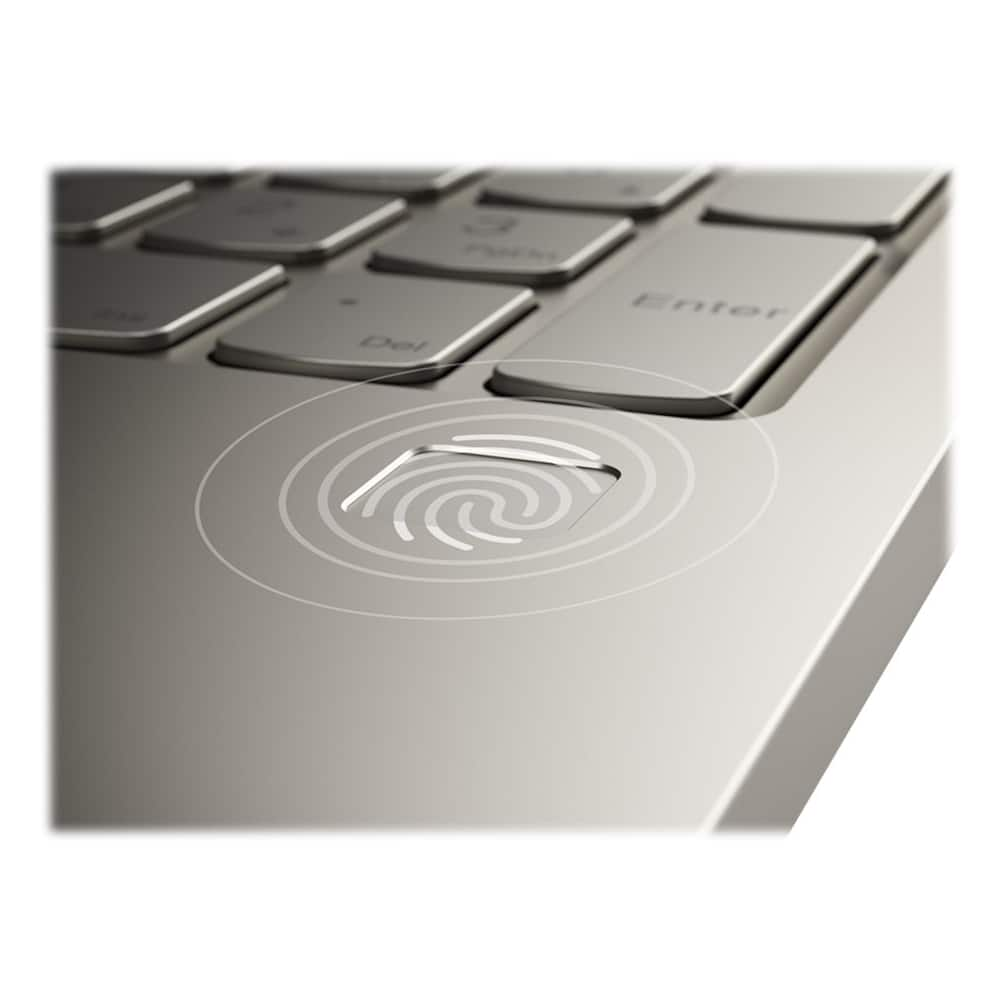
Posted .The Lenovo Yoga C740-15, model number 81TD0003US, will boot from off to the Windows 10 Desktop in less than 10-seconds. If you are getting slower performance, Be sure any software you installed is compatible with Windows 10. There is no need to install Microsoft Office software. The software is already part of the operating system, you just need to activate the software with a purchased product key. If you have installed a copy of Microsoft Office, this is conflicting with the existing copy on the system and this will slow your system down. If you have installed a 3rd party anti-virus program, be sure that Windows Defender is turned off and that the trial version of McAfee Anti-Virus software is uninstalled. There can only be one anti-virus program on the system. You may need to restore your system to original factory default settings if any of the programming errors have occurred. You can do that by typing "restore" in the Cortana search window. Just click on the magnifying glass icon at the bottom left of your Windows 10 Desktop. Click on "Reset This PC" Then click on "Get Started" and follow the on screen directions to restore to factory defaults. Combining heavyweight performance with lightweight portability, the Yoga C740’s 10th Gen Intel Core i5 processor enables longer battery life, high-speed connectivity, and ultra-responsive multi-tasking performance in a sleek package. Packing a one-two punch of stunning audio and visual experience, the Yoga C740 is the perfect companion for streaming your favorite videos or playing games. With a 15.6-inch FHD display. To match the tantalizing visuals, the Yoga C740’s Dolby Atmos speaker system creates an audio experience in which sound flows above and around you. Yoga is committed to protecting your privacy. Log in with your fingerprint or slide the Yoga C740’s TrueBlock Privacy Shutter closed for true peace of mind when you’re not using your webcam. If the problem persists, we recommend you contact Lenovo Tech Support at: 877-453-6686.
Bad laptop
||Posted . Owned for 4 months when reviewed.This reviewer received promo considerations or sweepstakes entry for writing a review.Didn’t run when we opened it up first thing. Refund came easy.
No, I would not recommend this to a friendDefective Laptop
||Posted . Owned for 1 month when reviewed.This reviewer received promo considerations or sweepstakes entry for writing a review.The laptop had a defective screen. I had to return it within 14 days.
No, I would not recommend this to a friendBrand response from Lenovo Product Expert
Posted .We are sorry to hear that you had issues with the screen on your Lenovo Yoga C740-15. It is possible that your issue can be fixed. We recommend you call Lenovo Tech Support for help with your specific issue at: 877-453-6686.