Customer Ratings & Reviews






- Model:
- 81TD0005US
- SKU:
- 6367802
Rating by feature
- Battery Life
Rating 4.1 out of 5 stars
- Speed
Rating 4.3 out of 5 stars
- Display
Rating 4.5 out of 5 stars
Customers are saying
Customers often highlight the responsive touch screen, ease of use, and lightweight design as significant advantages. Positive feedback also frequently mentions strong performance and good battery life. However, some users reported issues with the device overheating and occasional excessive fan noise. A few customers also commented on the price point being higher than expected.
This summary was generated by AI based on customer reviews.
Just as described, no disappointments
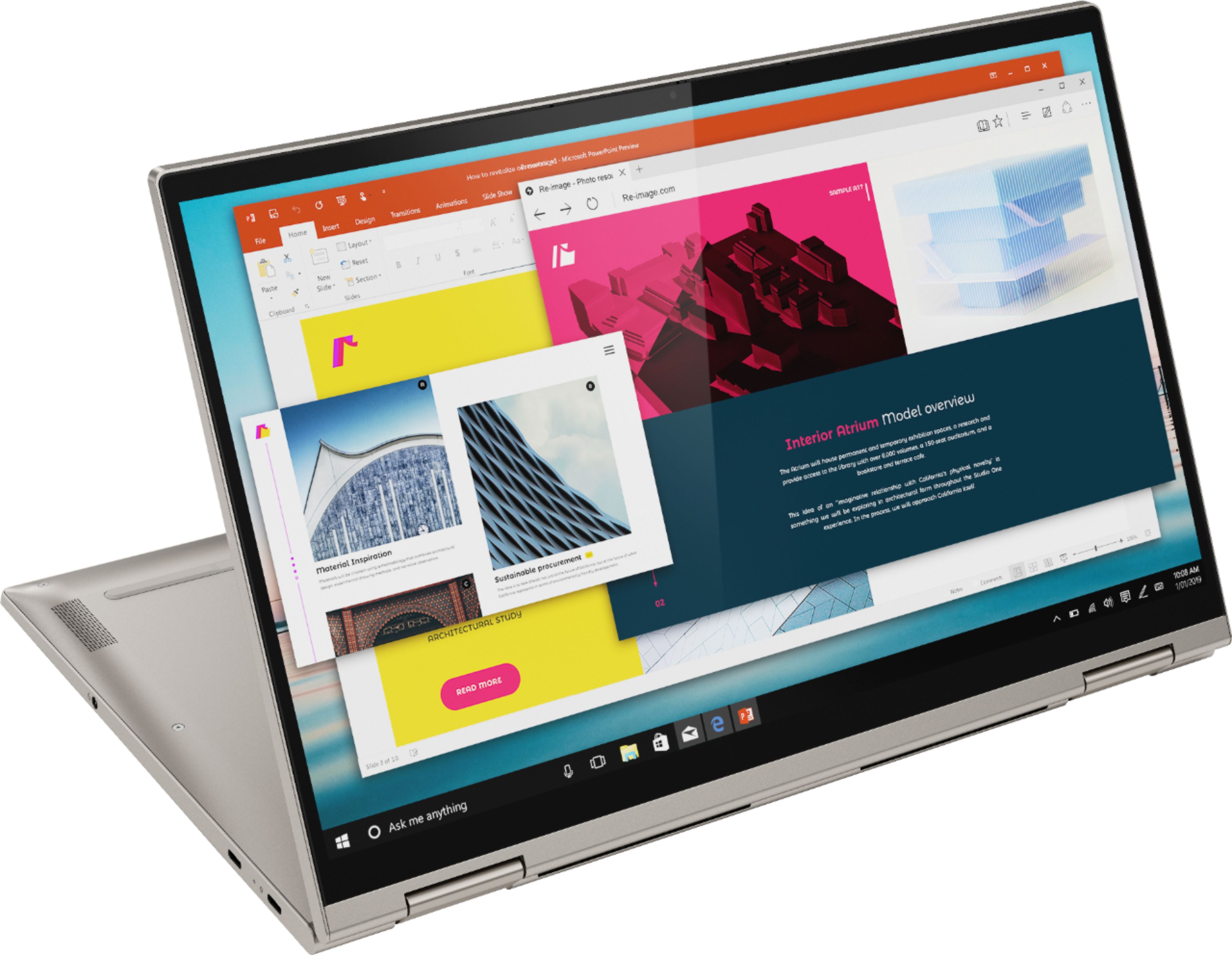
||Posted .This reviewer received promo considerations or sweepstakes entry for writing a review.This a light weight very usable laptop. Nice sound and fingerprint log in which were bonus features. It's not exactly like a tablet when it is folded that way, it's a little clunky, but nice to have that option from time to time. Love the lighted keyboard as well.
I would recommend this to a friendBrand response from Lenovo Product Expert
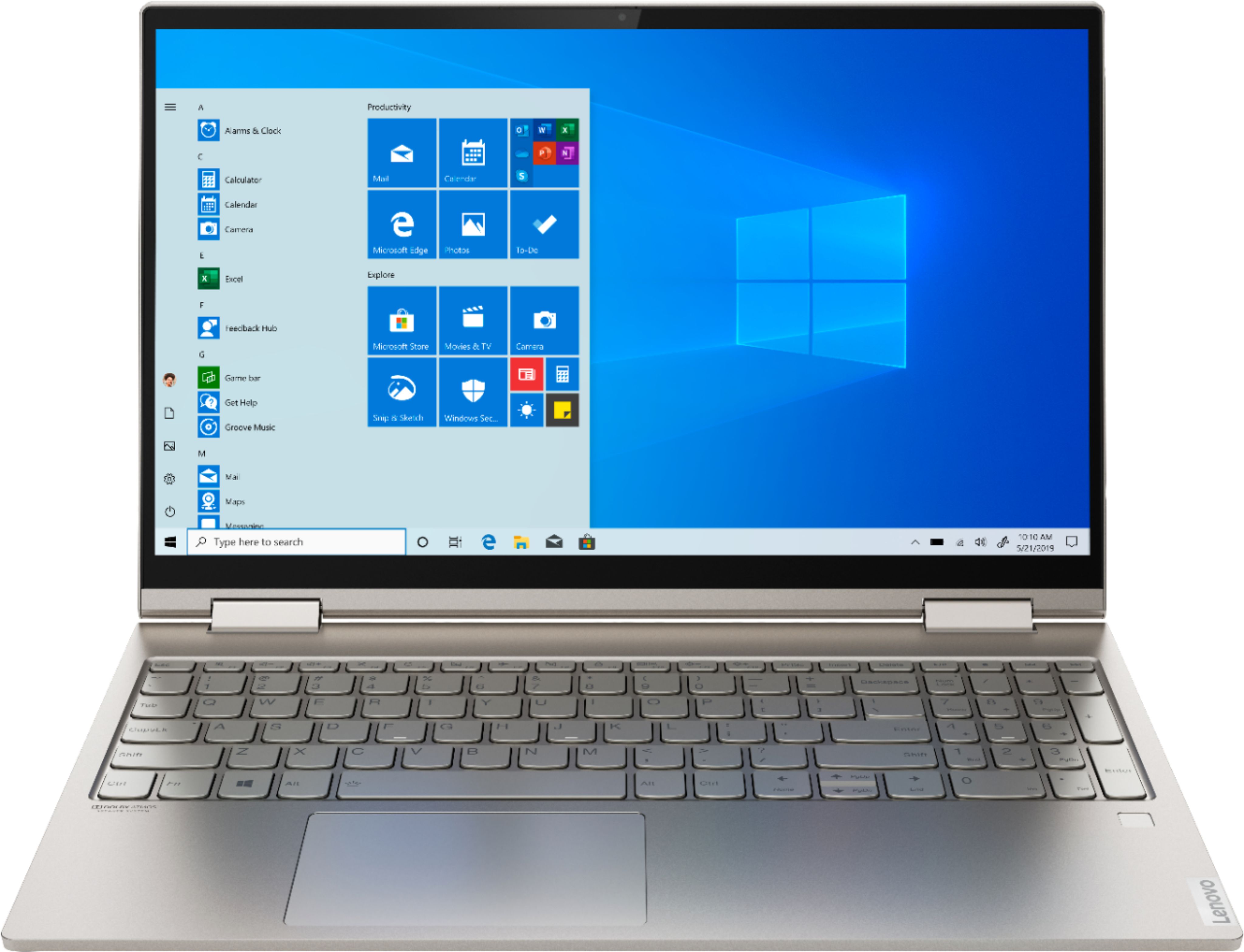
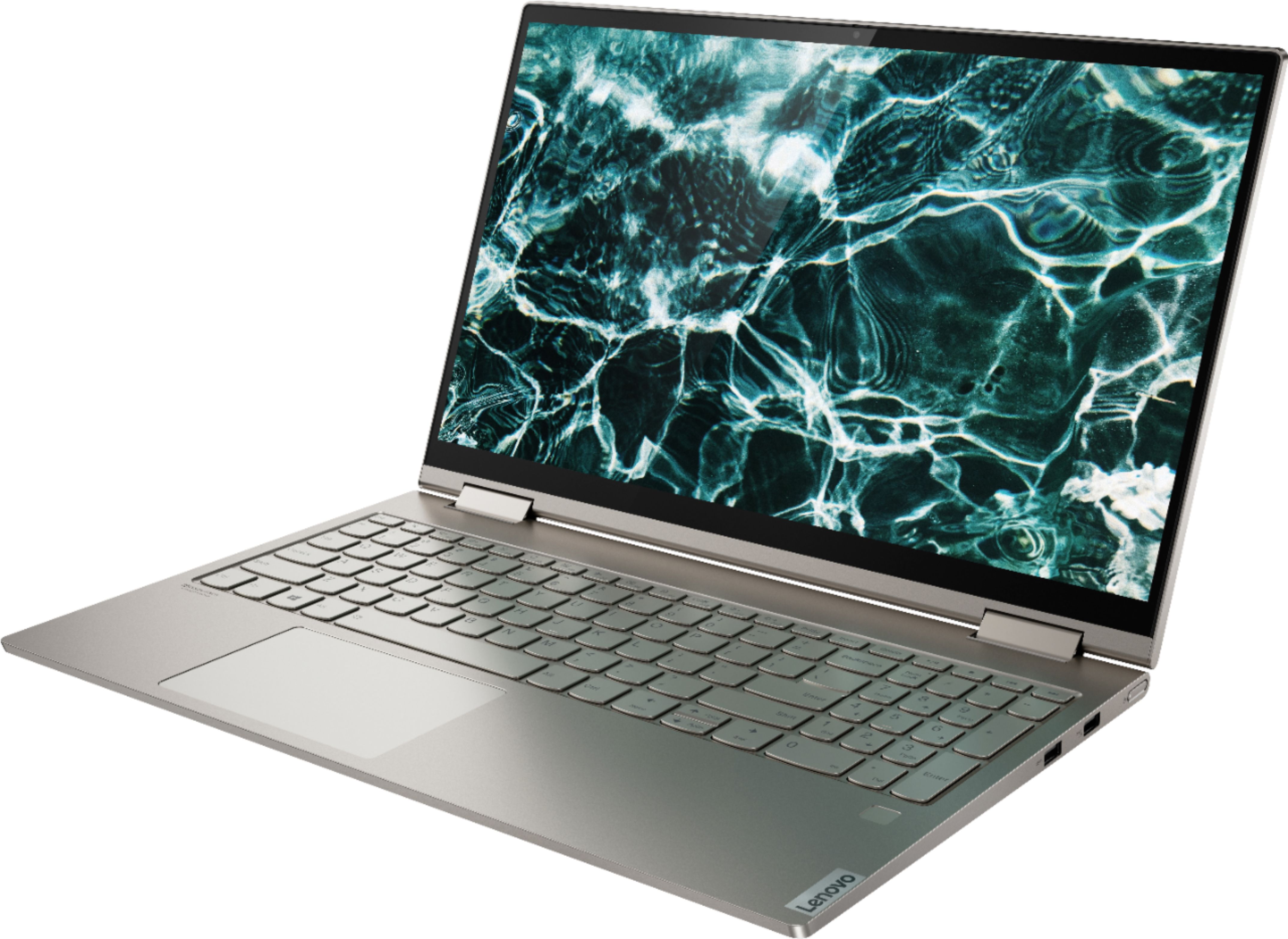
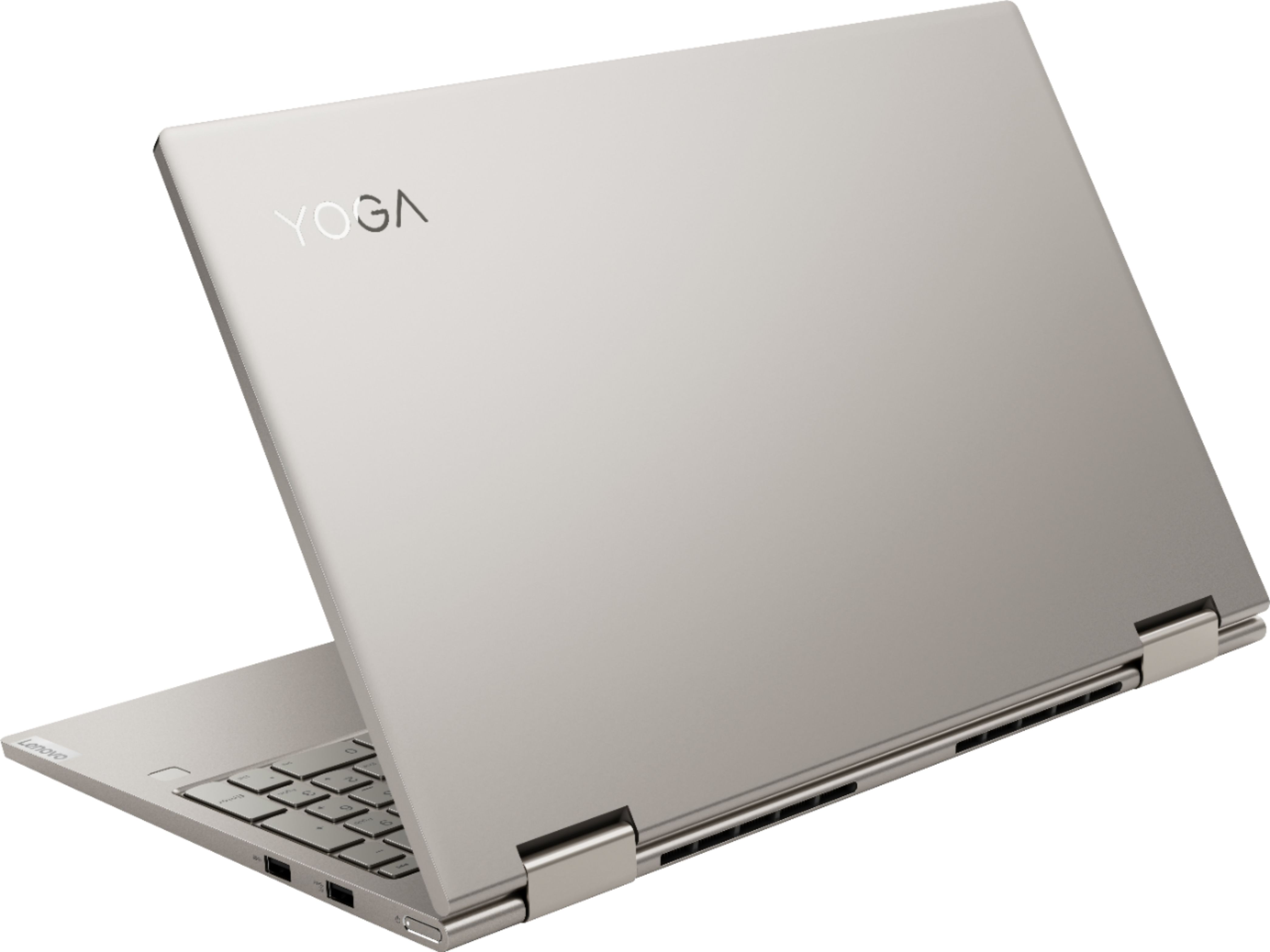
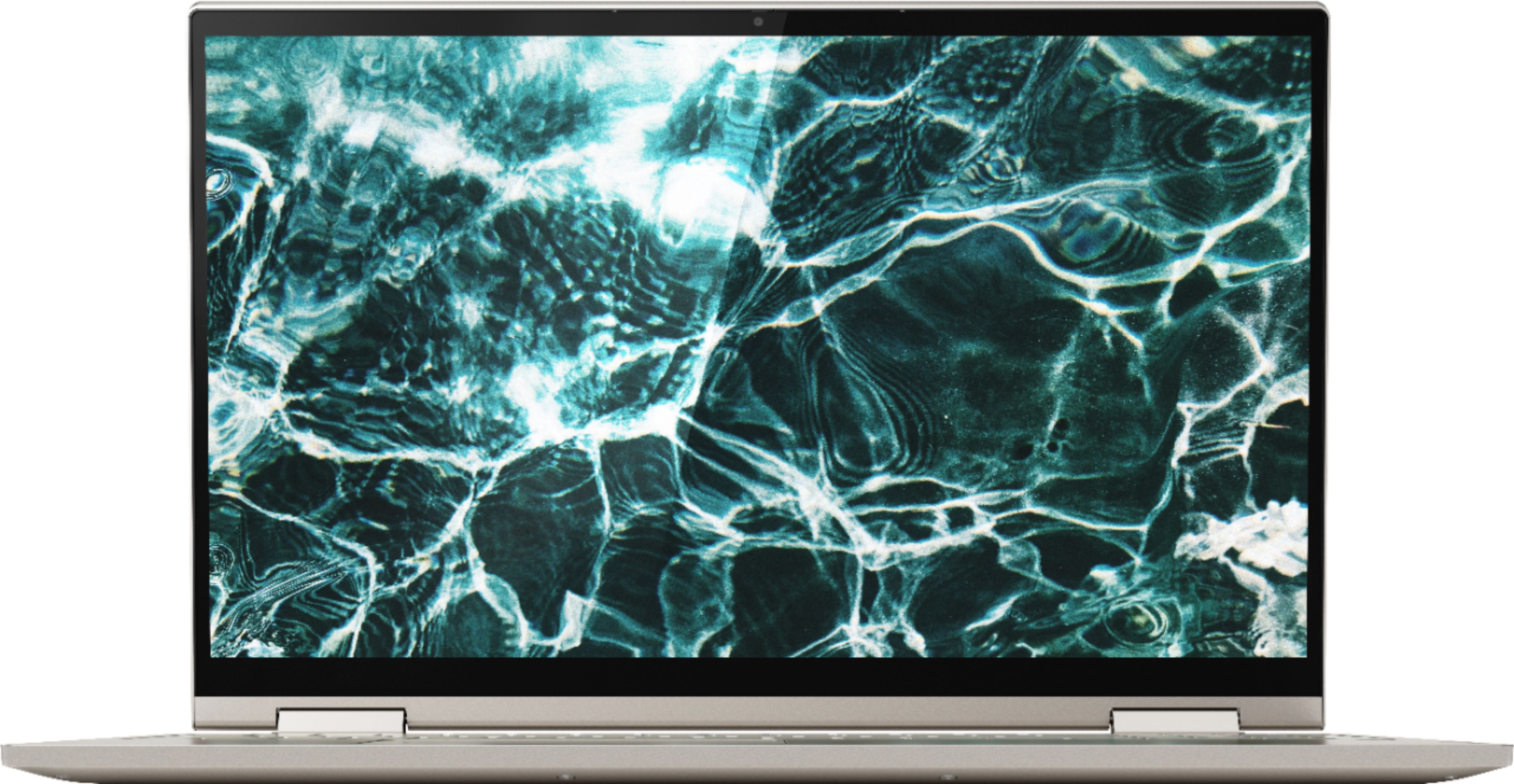
Posted .Thank you for choosing the Lenovo Yoga C740-15. This ultra portable 2 in 1 system provides a full-size 15.6-inch (screen size measured diagonally) IPS LCD w/LED Backlight screen, with HDR capability, a resolution of 1920 x 1080 (FHD) and a brightness of 500 nits, but only measures a total of 14.09 x 9.27 x 0.72 inches and weighs just 4.18 lbs. Combining heavyweight performance with lightweight portability, the Yoga C740’s 10th Gen Intel Core i7 processor enables longer battery life, high-speed connectivity, and ultra-responsive multi-tasking performance in a sleek package. Packing a one-two punch of stunning audio and visual experience, the Yoga C740 is the perfect companion for streaming your favorite videos or playing games. With a 15.6-inch FHD HDR wide-angle display with 500 nits brightness, this laptop delivers millions of colors to your screen. To match the tantalizing visuals, the Yoga C740’s Dolby Atmos speaker system creates an audio experience in which sound flows above and around you. Yoga is committed to protecting your privacy. Log in with your fingerprint or slide the Yoga C740’s TrueBlock Privacy Shutter closed for true peace of mind when you’re not using your webcam.

Good experience so far
||Posted . Owned for less than 1 week when reviewed.This reviewer received promo considerations or sweepstakes entry for writing a review.I bought this laptop after being inspired by a friend's c930. This turned out to be even better.
I would recommend this to a friendBrand response from Lenovo Product Expert
Posted .Thank you for choosing the Lenovo Yoga C740-15. We are pleased to hear that the features and performance of the Yoga C740-15 meets your computing needs so well. Combining heavyweight performance with lightweight portability, the Yoga C740’s 10th Gen Intel Core i7 processor enables longer battery life, high-speed connectivity, and ultra-responsive multi-tasking performance in a sleek package. Packing a one-two punch of stunning audio and visual experience, the Yoga C740 is the perfect companion for streaming your favorite videos or playing games. With a 15.6-inch FHD HDR wide-angle display with 500 nits brightness, this laptop delivers millions of colors to your screen. To match the tantalizing visuals, the Yoga C740’s Dolby Atmos speaker system creates an audio experience in which sound flows above and around you. Yoga is committed to protecting your privacy. Log in with your fingerprint or slide the Yoga C740’s TrueBlock Privacy Shutter closed for true peace of mind when you’re not using your webcam. Stream smoother and connect to as many smart devices in your home as you want, or fly through websites even in the busiest cafes. With up to 15 hours of battery life, you can leave your power supply at home—or bring it along for an extra boost, as an hour plugged in will give you up to 80% battery life, with Rapid Charge.
Excellent price/quality balance
||Posted . Owned for 3 weeks when reviewed.This reviewer received promo considerations or sweepstakes entry for writing a review.Excellent laptop, great price point for quality/performance. Slick, fast, high quality finish. Very quiet and cool. No bloatware. I would warmly recommend to anyone for general use, even road warriors. Great everyday laptop, except for gaming.
I would recommend this to a friendBrand response from Lenovo Product Expert
Posted .Hello, thank you for choosing the Lenovo Yoga C740. We are so happy to hear the performance, features, and sleek modern design of the Lenovo Yoga C740 is meeting your computing needs so well. We appreciate your recommendation.
Does the job - mostly
||Posted . Owned for 1 month when reviewed.This reviewer received promo considerations or sweepstakes entry for writing a review.It works which is more than I can say about my last laptop that was only a year old (different brand). Unfortunately, I was having trouble downloading MS Office from my school's website. It turns out Word is already installed on the laptop, but not activated - so I can't use it. But because it's installed I can't download from the school (we have an agreement with Microsoft). And they can't get it uninstalled. I'm now using a workaround to use Word over the network. And I'm not super happy.
No, I would not recommend this to a friendBrand response from Lenovo Product Expert
Posted .There is a 30-day trial of Microsoft Office 365 included as part of the Windows 10 operating system. In order to keep the program active after the trial period. If your school provides Microsoft Office for you, they should be able to provide a 25-digit Product Key to activate the software already installed as part of Windows 10. You may need to contact Microsoft through their website for more information. Here is a link to the Microsoft Forum with information about activating school Microsoft Office 365 Accounts: https://answers.microsoft.com/en-us/msoffice/forum/msoffice_onenote-mso_win10/cant-activate-office-using-office-365-from-school/8561e0e6-6a8f-41f2-9a29-d2dbc8bde2ed
I love it
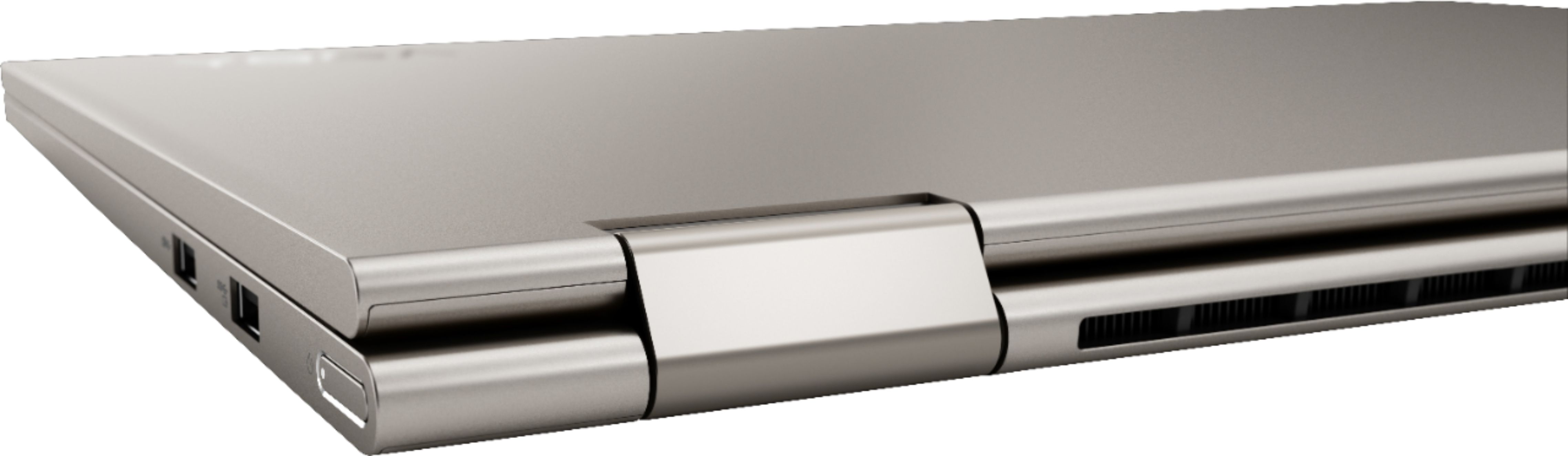
||Posted . Owned for 3 weeks when reviewed.This reviewer received promo considerations or sweepstakes entry for writing a review.I love it thus far. I don’t know much about laptops so I can’t compare it to others but I runs smooth and I love how the keys feel. Not a fan of the fact that this doesn’t have an hdmi port so that means I have to buy a connector or a docking station.
I would recommend this to a friendBrand response from Lenovo Product Expert
Posted .Thank you for choosing the Lenovo Yoga C740-15. This model ships with video out capability through a USB-c port. You can connect an HDMI external monitor to this laptop by using a USB-c to HDMI adapter.
Great 2-in-1
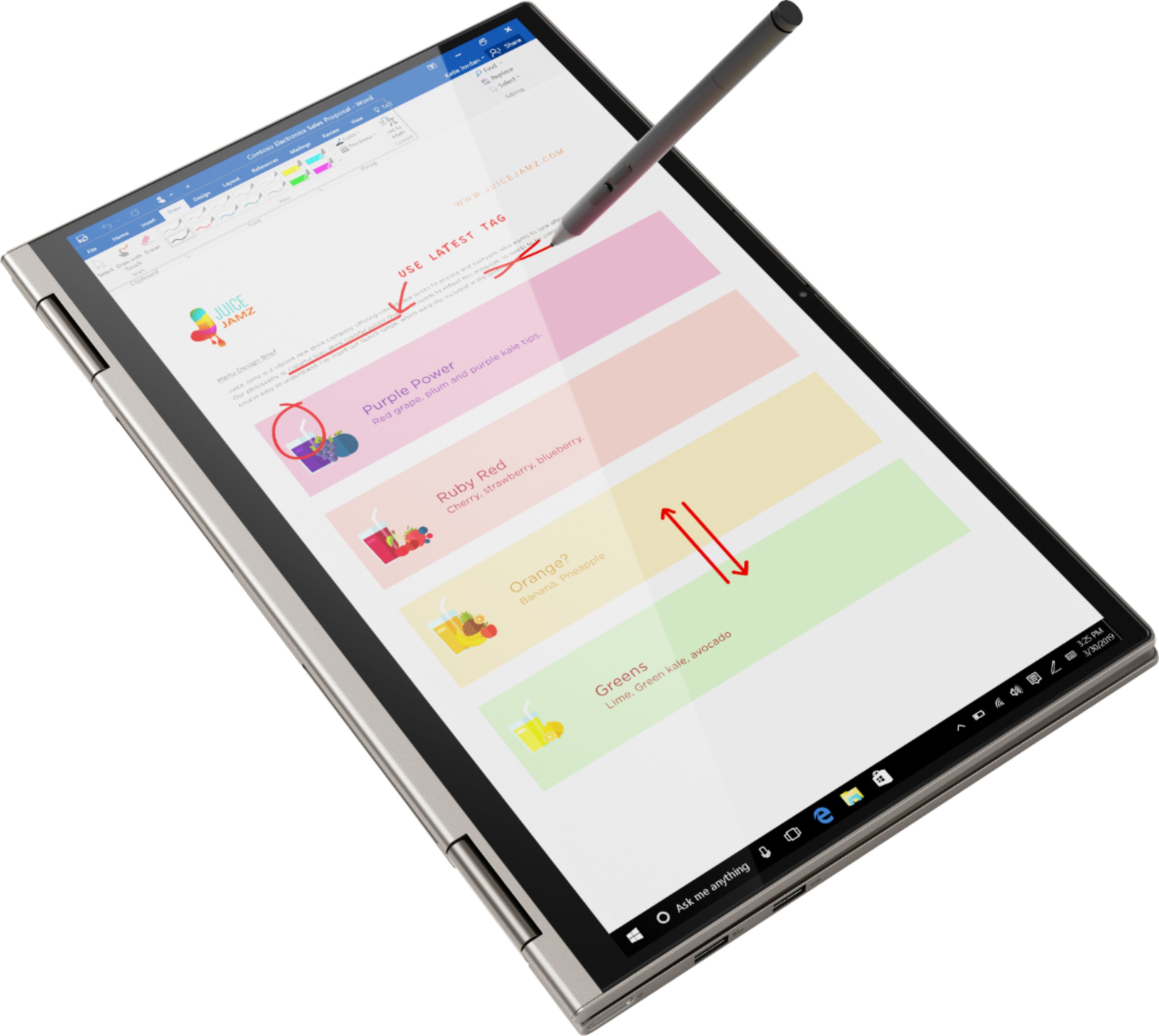
||Posted . Owned for 3 weeks when reviewed.This reviewer received promo considerations or sweepstakes entry for writing a review.This laptop is great! Boots up quickly. Fairly light for a 15" laptop. With enough storage space and RAM for just about anyone! Speakers are great, unless you fold it completely around to where the speakers are pointing away from you. Wish it came with a stylus.
I would recommend this to a friendBrand response from Lenovo Product Expert
Posted .Thank you for choosing the Lenovo Yoga C740-15, model number 81TD0005US. The Active Pen for this model is sold separately. We are pleased to hear that the features and performance of the Yoga C740-15 meets your computing needs so well. Combining heavyweight performance with lightweight portability, the Yoga C740’s 10th Gen Intel Core i7 processor enables longer battery life, high-speed connectivity, and ultra-responsive multi-tasking performance in a sleek package. Packing a one-two punch of stunning audio and visual experience, the Yoga C740 is the perfect companion for streaming your favorite videos or playing games. With a 15.6-inch FHD HDR wide-angle display with 500 nits brightness, this laptop delivers millions of colors to your screen. To match the tantalizing visuals, the Yoga C740’s Dolby Atmos speaker system creates an audio experience in which sound flows above and around you. Yoga is committed to protecting your privacy. Log in with your fingerprint or slide the Yoga C740’s TrueBlock Privacy Shutter closed for true peace of mind when you’re not using your webcam.
Easy to set up
||Posted . Owned for 3 weeks when reviewed.This reviewer received promo considerations or sweepstakes entry for writing a review.Came with a lot of trial offers. I wish I had instruction on how t get rid of them. I think I got the tech support set up, but made an appt to make sure. Great experience that I stressed over and your people are very helpful. Will not go any where else.
I would recommend this to a friendBrand response from Lenovo Product Expert
Posted .The Lenovo Yoga C740-15 ships with just two adware programs, a 30-day trial of Microsoft Office 365 (as part of Windows 10 operating system) and a 30-day trial of McAfee virus protection. Lenovo computers ship with one of the cleanest factory software installs within the consumer computer industry. Here is a link to information on uninstalling McAfee from Windows 10: https://service.mcafee.com/webcenter/portal/oracle/webcenter/page/scopedMD/s55728c97_466d_4ddb_952d_05484ea932c6/Page29.jspx?wc.contextURL=%2Fspaces%2Fcp&articleId=TS101331&_afrLoop=1355161020222084&leftWidth=0%25&showFooter=false&showHeader=false&rightWidth=0%25¢erWidth=100%25#!%40%40%3FshowFooter%3Dfalse%26_afrLoop%3D1355161020222084%26articleId%3DTS101331%26leftWidth%3D0%2525%26showHeader%3Dfalse%26wc.contextURL%3D%252Fspaces%252Fcp%26rightWidth%3D0%2525%26centerWidth%3D100%2525%26_adf.ctrl-state%3Dx25crirbo_9
Lenovo - Yoga C740 2-in-1 great PC!
||Posted . Owned for 1 month when reviewed.This reviewer received promo considerations or sweepstakes entry for writing a review.I had a hard choice at this is price point. I believe this was the best purchase I could have made. The Lenovo laptop has beaten all my expectations with one exception, battery life. The battery life is average at best lasting about 4 to 6 hours.
I would recommend this to a friendBrand response from Lenovo Product Expert
Posted .Thank you for choosing the Lenovo Yoga C740-15, model number 81TD0005US. This model ships with a 3CELL_60.3WH_INTERNAL, Lithium Polymer Battery, with a battery life of up to 15 hours, depending on the work the device is performing. If you are only getting 4 to 6 hours of battery life, first, be sure Battery Conservation Mode is turned off. This power setting should be used only when the computer is plugged in all the time. It will only charge the battery to 60-percent capacity to prolong overall battery life. Here is a link to instructions for turning off Battery Conservation Mode:
https://support.lenovo.com/us/en/solutions/ht103159. Second, if Battery Conservation Mode is not turned on but you still only get 4 to 6 hours of battery life, be sure you have the latest version of Windows 10 on the computer, then update all of the BIOS files and drivers up to that latest version of Windows 10. You can easily accomplish this by scanning the computer with the Lenovo Utility software available on this computer. This system has Lenovo utilities installed to help maintain the health of the device and keep the operating system software up to date. Type "Lenovo Vantage" in the Cortana Search window (if Lenovo Vantage is not installed on your device, you can download the APP and install it now). Select Lenovo Vantage from the list. In the window that opens, click on "Health and Support". In the expanded menu, select "Hardware Scan" In the window that opens, select "Run Quick Tests". This will scan your entire system for errors. Follow any directions that may pop up. If the problem continues after this scan, now click on "System Update". First select Windows update from the menu. Scan your system to be sure you have the latest version of Windows 10. Once that scan is complete, select "Additional Updates". This will scan your device to be sure there are no new BIOS/Driver updates needed. Follow any instructions that may pop up. Finally, if after updating operating software you still get 4 to 6 hours of battery life, be sure any software you installed is compatible with Windows 10. There is no need to install Microsoft Office software. The software is already part of the operating system, you just need to activate the software with a purchased product key. If you have installed a copy of Microsoft Office, this is conflicting with the existing copy on the system and this will slow your system down. If you have installed a 3rd party anti-virus program, be sure that Windows Defender is turned off and that the trial version of McAfee Anti-Virus software is uninstalled. There can only be one anti-virus program on the system. You may need to restore your system to original factory default settings if any of the programming errors have occurred. You can do that by typing "restore" in the Cortana search window. Just click on the magnifying glass icon at the bottom left of your Windows 10 Desktop. Click on "Reset This PC" Then click on "Get Started" and follow the on screen directions to restore to factory defaults. If the problem persists, we recommend you contact Lenovo Tech Support at: 877-453-6686.
Nice Computer
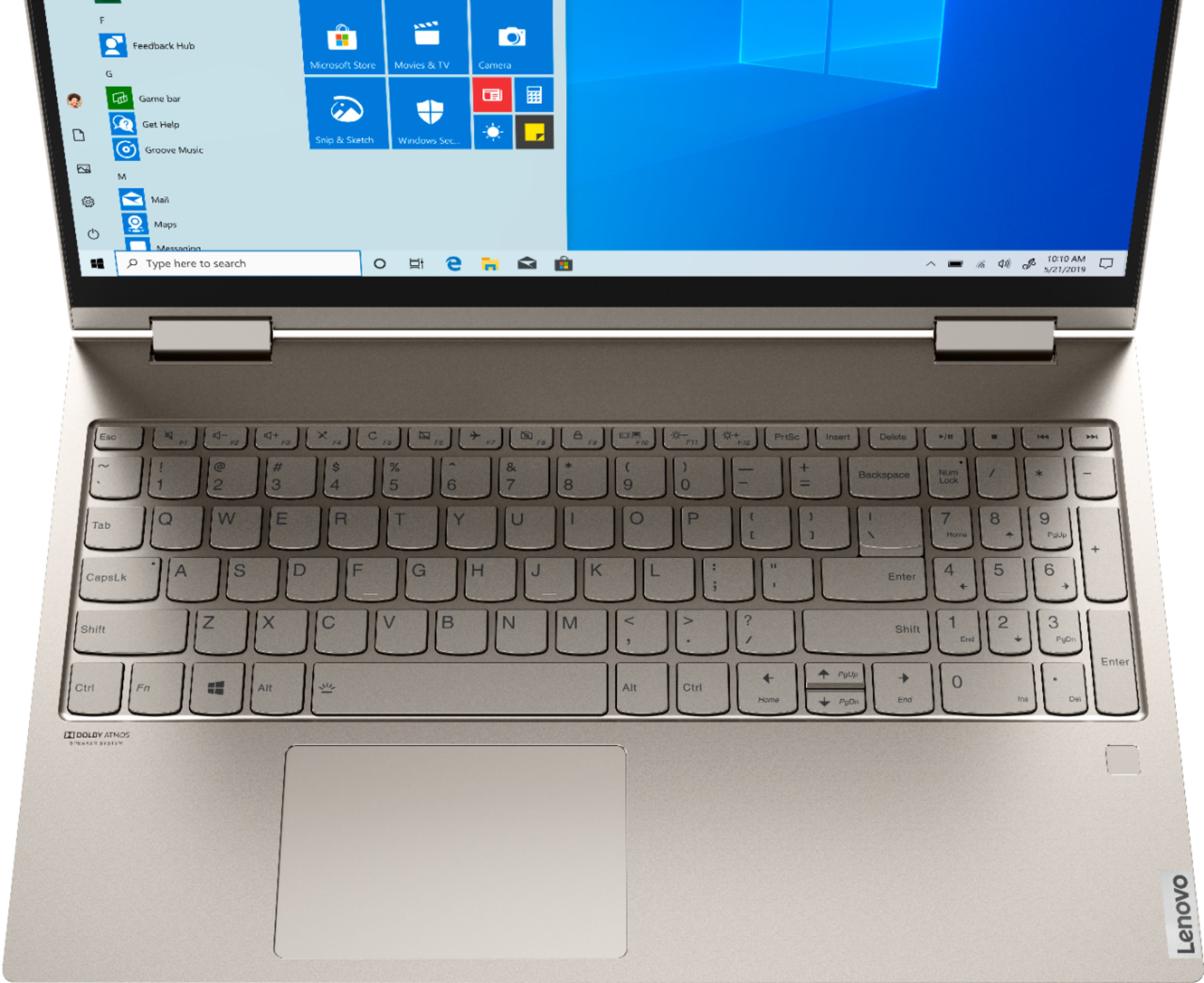
||Posted . Owned for 1 month when reviewed.This reviewer received promo considerations or sweepstakes entry for writing a review.Very nice and powerful computer. My one gripe is that in some lighting situations, the illuminated keyboard doesn't show up well, so it's hard to see what the keys are. Darker keys with light letters, numerals and characters would be helpful.
I would recommend this to a friendBrand response from Lenovo Product Expert
Posted .Thank you for choosing the Lenovo Yoga C740-15. Combining heavyweight performance with lightweight portability, the Yoga C740’s 10th Gen Intel Core i7 processor enables longer battery life, high-speed connectivity, and ultra-responsive multi-tasking performance in a sleek package. Packing a one-two punch of stunning audio and visual experience, the Yoga C740 is the perfect companion for streaming your favorite videos or playing games. With a 15.6-inch FHD HDR wide-angle display with 500 nits brightness, this laptop delivers millions of colors to your screen. To match the tantalizing visuals, the Yoga C740’s Dolby Atmos speaker system creates an audio experience in which sound flows above and around you. Yoga is committed to protecting your privacy. Log in with your fingerprint or slide the Yoga C740’s TrueBlock Privacy Shutter closed for true peace of mind when you’re not using your webcam.
Fast and excellent. Easy setup.
||Posted . Owned for 2 weeks when reviewed.This reviewer received promo considerations or sweepstakes entry for writing a review.This isn’t a 300$ cheapo Walmart laptop. Bought it opened from Best Buy came with 12 month warranty but warranty was only 10.5 months. Bummer!! Also it doesn’t have a CD/DVD capability which I assumed it would have. All in all a sweet deal.
I would recommend this to a friendBrand response from Lenovo Product Expert
Posted .Once again, thank you for choosing the Lenovo Yoga C740-15. You can keep your computer running at its best by keeping the Windows 10 Operating System and all supporting BIOS files and drivers up to date. You can easily accomplish this by scanning the computer with the Lenovo Utility software available on this computer. This system has Lenovo utilities installed to help maintain the health of the device and keep the operating system software up to date. Type "Lenovo Vantage" in the Cortana Search window (if Lenovo Vantage is not installed on your device, you can download the APP and install it now). Select Lenovo Vantage from the list. In the window that opens, click on "Health and Support". In the expanded menu, select "Hardware Scan" In the window that opens, select "Run Quick Tests". This will scan your entire system for errors. Follow any directions that may pop up. If the problem continues after this scan, now click on "System Update". First select Windows update from the menu. Scan your system to be sure you have the latest version of Windows 10. Once that scan is complete, select "Additional Updates". This will scan your device to be sure there are no new BIOS/Driver updates needed. Follow any instructions that may pop up. If you ever need additional help with your Lenovo computer, we recommend you call Lenovo Tech Support at: 877-453-6686 for additional help.
replacement notebook
||Posted . Owned for 7 months when reviewed.This reviewer received promo considerations or sweepstakes entry for writing a review.at time of purchase there were shortages limiting my selection. However I am happy with the purchase. This was for another employee and they have been using it with no questions or problems. What else could you ask for.
I would recommend this to a friendServes my needs
||Posted . Owned for 1 month when reviewed.This reviewer received promo considerations or sweepstakes entry for writing a review.It is sufficient for my needs. One big thing I do not like is the light colored lettering on a grey background. Luckily I know the keyboard but it would help those with diminishing eyesight.
I would recommend this to a friendBrand response from Lenovo Product Expert
Posted .Thank you for choosing the Lenovo Yoga C740-15. The Yoga C740-15 ships with a standard QWERTY keyboard that is backlit for improved visibility. Combining heavyweight performance with lightweight portability, the Yoga C740’s 10th Gen Intel Core i7 processor enables longer battery life, high-speed connectivity, and ultra-responsive multi-tasking performance in a sleek package. Packing a one-two punch of stunning audio and visual experience, the Yoga C740 is the perfect companion for streaming your favorite videos or playing games. With a 15.6-inch FHD HDR wide-angle display with 500 nits brightness, this laptop delivers millions of colors to your screen. To match the tantalizing visuals, the Yoga C740’s Dolby Atmos speaker system creates an audio experience in which sound flows above and around you. Yoga is committed to protecting your privacy. Log in with your fingerprint or slide the Yoga C740’s TrueBlock Privacy Shutter closed for true peace of mind when you’re not using your webcam.
Lenovo Yoga c740 - Great buy
||Posted . Owned for 1 month when reviewed.This reviewer received promo considerations or sweepstakes entry for writing a review.Kids love it. Fast processing speed, love the touchscreen and 2-in-1 functions. Also convenient that it has a fingerprint sign in. We also got the Microsoft Ink pen. Only wish it could screen cast to our Samsung TV like our Mac does.
I would recommend this to a friendBrand response from Lenovo Product Expert
Posted .Thank you for choosing the Lenovo Yoga C740-15. You can wireless cast the screen image from your Yoga C740-15 to a compatible TV by using Windows 10 Miracast Technology. If you've got a Windows 10 laptop like the Yoga C740-15 and a compatible TV, one of the easiest ways to transmit your laptop screen to your TV is to use the new screen-casting capabilities that are built into the Windows 10 interface. Just go to the Action Center and click Connect. Your laptop will scan for and give you options to connect to any nearby Miracast-enabled device.
Great Computer
||Posted . Owned for 3 weeks when reviewed.This reviewer received promo considerations or sweepstakes entry for writing a review.I love this laptop, I've been showing it off to everyone I know and it makes applying for jobs so much easier. Only downside is the mouse is placed a bit too far to the left which makes it uncomfortable to use in certain positions.
I would recommend this to a friendBrand response from Lenovo Product Expert
Posted .The Lenovo Yoga C740-15 ships with a standard QWERTY keyboard and has a 10-key numeric pad included. The Touchpad is centered under the QWERTY keys so when the the typist's hands are in the Home Position on the keyboard, the Touchpad is directly under the typist's hands for easy access.
Fast even when running quickbooks
||Posted . Owned for 3 weeks when reviewed.This reviewer received promo considerations or sweepstakes entry for writing a review.The only con so far is sometimes I have to max out the volume. Not sure if it's due to my end or senders end yet. I remote into several other computers and no issues. Too new to totally evaluate at this point, but I am a happy camper.
I would recommend this to a friendBrand response from Lenovo Product Expert
Posted .Thank you for choosing the Lenovo Yoga C740-15. Concerning the audio volume levels when using group conferencing APPs, be sure to adjust not just the volume levels on the computer, but also within the conferencing APP you are using. The Conferencing software will over ride the audio controls of the computer.
Love my Lenovo!!
||Posted . Owned for 10 months when reviewed.This reviewer received promo considerations or sweepstakes entry for writing a review.I bought this to work from home at the beginning of the Pandemic. It is absolutely AMAZING!! I never owned a laptop before but would highly recommend this to anyone looking to purchase one. Thanks, Lenovo!!
I would recommend this to a friendlove it
||Posted . Owned for 1 month when reviewed.This reviewer received promo considerations or sweepstakes entry for writing a review.just upgraded my laptop and got this one on sale. I love the way it runs. What sold me on it is that it had 4 gb more of ram than all the other laptops in this price range. So far so good. Does everything I need it to do. Love it.
I would recommend this to a friendBrand response from Lenovo Product Expert
Posted .Once again, thank you for choosing the Lenovo Yoga C740-15. You can keep your computer running at its best by keeping the Windows 10 Operating System and all supporting BIOS files and drivers up to date. You can easily accomplish this by scanning the computer with the Lenovo Utility software available on this computer. This system has Lenovo utilities installed to help maintain the health of the device and keep the operating system software up to date. Type "Lenovo Vantage" in the Cortana Search window (if Lenovo Vantage is not installed on your device, you can download the APP and install it now). Select Lenovo Vantage from the list. In the window that opens, click on "Health and Support". In the expanded menu, select "Hardware Scan" In the window that opens, select "Run Quick Tests". This will scan your entire system for errors. Follow any directions that may pop up. If the problem continues after this scan, now click on "System Update". First select Windows update from the menu. Scan your system to be sure you have the latest version of Windows 10. Once that scan is complete, select "Additional Updates". This will scan your device to be sure there are no new BIOS/Driver updates needed. Follow any instructions that may pop up. If you ever need additional help with your Lenovo computer, we recommend you call Lenovo Tech Support at: 877-453-6686 for additional help.
Great Laptop for Full Time Student!
||Posted . Owned for 1 month when reviewed.This reviewer received promo considerations or sweepstakes entry for writing a review.This laptop has been a great purchase. Sleek, fast and most importantly I love the security features installed with the finger print recognition option that enables you to log into this laptop. Extremely satisfied customer!
I would recommend this to a friendBrand response from Lenovo Product Expert
Posted .Thank you for choosing the Lenovo Yoga C740-15. We are pleased to hear that the features and performance of the Yoga C740-15 meets your computing needs so well. Combining heavyweight performance with lightweight portability, the Yoga C740’s 10th Gen Intel Core i7 processor enables longer battery life, high-speed connectivity, and ultra-responsive multi-tasking performance in a sleek package. Packing a one-two punch of stunning audio and visual experience, the Yoga C740 is the perfect companion for streaming your favorite videos or playing games. With a 15.6-inch FHD HDR wide-angle display with 500 nits brightness, this laptop delivers millions of colors to your screen. To match the tantalizing visuals, the Yoga C740’s Dolby Atmos speaker system creates an audio experience in which sound flows above and around you. Yoga is committed to protecting your privacy. Log in with your fingerprint or slide the Yoga C740’s TrueBlock Privacy Shutter closed for true peace of mind when you’re not using your webcam.
Really like it so far.
||Posted . Owned for 3 weeks when reviewed.This reviewer received promo considerations or sweepstakes entry for writing a review.I really like It so far. Handles what we do as a family. Little games, emails, some art stuff. I wish there was a way to protect the keyboard when it's in tablet mode though. I'm sure there is a cover or something.
I would recommend this to a friendI love the 10 key
||Posted . Owned for 3 weeks when reviewed.This reviewer received promo considerations or sweepstakes entry for writing a review.Overall I like this laptop. The 10 key is amazing and a game changer for me. The only thing I dislike is that it is not easy to open. Not a deal breaker but a simple cut out or finger hold to help open would be great
I would recommend this to a friendBrand response from Lenovo Product Expert
Posted .Thank you for choosing the Lenovo Yoga C740-15. You can easily open the Yoga C740-15 by just placing the computer on a flat surface and while holding the left side of the computer with your fingers, lift up on the right side of the lid with the fingers on your right hand. Combining heavyweight performance with lightweight portability, the Yoga C740’s 10th Gen Intel Core i7 processor enables longer battery life, high-speed connectivity, and ultra-responsive multi-tasking performance in a sleek package. Packing a one-two punch of stunning audio and visual experience, the Yoga C740 is the perfect companion for streaming your favorite videos or playing games. With a 15.6-inch FHD HDR wide-angle display with 500 nits brightness, this laptop delivers millions of colors to your screen. To match the tantalizing visuals, the Yoga C740’s Dolby Atmos speaker system creates an audio experience in which sound flows above and around you. Yoga is committed to protecting your privacy. Log in with your fingerprint or slide the Yoga C740’s TrueBlock Privacy Shutter closed for true peace of mind when you’re not using your webcam.