Customer Ratings & Reviews

- Model:
- 81TD001YUS
- SKU:
- 6388041
Rating by feature
- Battery Life
Rating 4.1 out of 5 stars
- Speed
Rating 4.3 out of 5 stars
- Display
Rating 4.5 out of 5 stars
Customers are saying
Customers often highlight the responsive touch screen, ease of use, and lightweight design as significant advantages. Positive feedback also frequently mentions strong performance and good battery life. However, some users reported issues with the device overheating and occasional excessive fan noise. A few customers also commented on the price point being higher than expected.
This summary was generated by AI based on customer reviews.
Solid
Posted .This reviewer received promo considerations or sweepstakes entry for writing a review.Boughr this maybe 3 or 4 years ago now. Honestly its been great. Had a few issues of the touch screen not working just had to update some drivers and it worked again. Overall recommend
I would recommend this to a friendprimary use: video calls
Posted .This reviewer received promo considerations or sweepstakes entry for writing a review.This has been a perfect laptop for my business needs.
I would recommend this to a friendNice laptop
Posted .This reviewer received promo considerations or sweepstakes entry for writing a review.So good, it’s fast and easy to use. Really recommend this one
I would recommend this to a friendGot it right and quick
Posted .This reviewer received promo considerations or sweepstakes entry for writing a review.We need a reliable computer for home school and got exactly what we needed on the same day.
I would recommend this to a friendPerfect!
Posted .This reviewer received promo considerations or sweepstakes entry for writing a review.Bought this in 2020. 4 years later and still going strong!
I would recommend this to a friendGreat laptop!
Posted .This reviewer received promo considerations or sweepstakes entry for writing a review.Perfect laptop for school! Speakers worked well and got me through long college days.
I would recommend this to a friendMother board died 4 year
Posted .This reviewer received promo considerations or sweepstakes entry for writing a review.This is my 4th year and the mother board died. It has built in RAM that has malfunctioned. I liked this laptop but not anymore as it’s not durable. DELL seems to be fine as my 10 year old Laptop still works. Also Lenovo don’t have proper service centers in India. I spent $900 for this laptop and it’s not worth it. I paid heavy pricing going to Lenova.
No, I would not recommend this to a friend- Pros mentioned:Performance
Content
Posted .This reviewer received promo considerations or sweepstakes entry for writing a review.I love my new laptop. Definitely has a learning curve If you aren’t computer savvy like myself. Overall a very great choice. From picture to performance it’s just what I need for school and anything else I may want to do on my free time.
I would recommend this to a friendBrand response from Lenovo Product Expert
Posted .Once again, thank you for choosing the Lenovo Yoga C740-15. You can keep your computer running at its best by keeping the Windows 10 Operating System and all supporting BIOS files and drivers up to date. You can easily accomplish this by scanning the computer with the Lenovo Utility software available on this computer. This system has Lenovo utilities installed to help maintain the health of the device and keep the operating system software up to date. Type "Lenovo Vantage" in the Cortana Search window (if Lenovo Vantage is not installed on your device, you can download the APP and install it now). Select Lenovo Vantage from the list. In the window that opens, click on "Health and Support". In the expanded menu, select "Hardware Scan" In the window that opens, select "Run Quick Tests". This will scan your entire system for errors. Follow any directions that may pop up. If the problem continues after this scan, now click on "System Update". First select Windows update from the menu. Scan your system to be sure you have the latest version of Windows 10. Once that scan is complete, select "Additional Updates". This will scan your device to be sure there are no new BIOS/Driver updates needed. Follow any instructions that may pop up. If you ever need additional help with your Lenovo computer, we recommend you call Lenovo Tech Support at: 877-453-6686 for additional help.

- Pros mentioned:Performance
Fantastic all-around machine
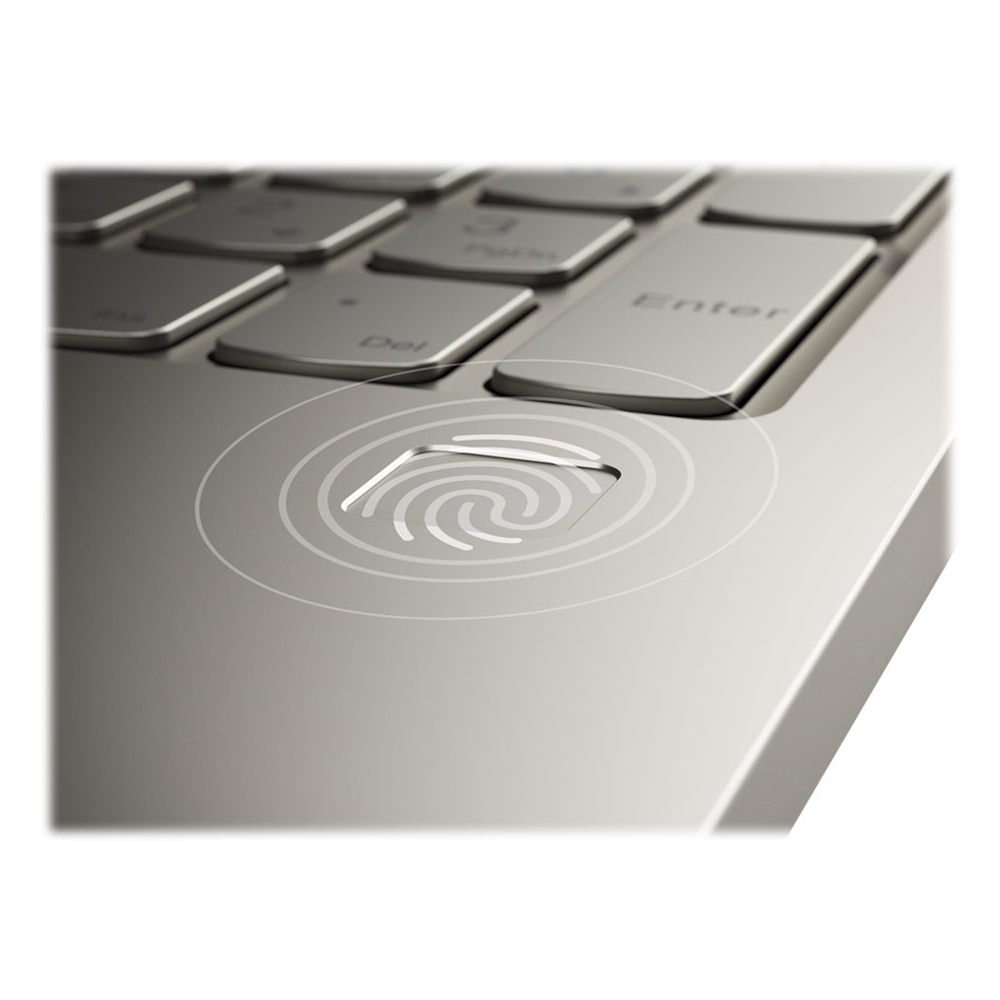
Posted .This reviewer received promo considerations or sweepstakes entry for writing a review.Pros: FANTASTIC display, fast performance, accurate fingerprint scanner, great speakers, comfortable keyboard Cons: Inconsistent battery
I would recommend this to a friendBrand response from Lenovo Product Expert
Posted .The Lenovo Yoga C740-15 ships with a 3CELL_60.3WH_INTERNAL, Lithium Polymer Battery, with a battery life of up to 15 hours, depending on the work the device is performing. Combining heavyweight performance with lightweight portability, the Yoga C740’s 10th Gen Intel Core i7 processor enables longer battery life, high-speed connectivity, and ultra-responsive multi-tasking performance in a sleek package. Packing a one-two punch of stunning audio and visual experience, the Yoga C740 is the perfect companion for streaming your favorite videos or playing games. With a 15.6-inch FHD HDR wide-angle display with 500 nits brightness, this laptop delivers millions of colors to your screen. To match the tantalizing visuals, the Yoga C740’s Dolby Atmos speaker system creates an audio experience in which sound flows above and around you. Yoga is committed to protecting your privacy. Log in with your fingerprint or slide the Yoga C740’s TrueBlock Privacy Shutter closed for true peace of mind when you’re not using your webcam.
Great computer just one problem
Posted .This reviewer received promo considerations or sweepstakes entry for writing a review.This computer is great, the speed is great, it is easy to use and the mica color is such a nice color. I've only had this computer for a couple of days so I cannot go into further details. But since the first day I received it I've had issues with the camera. Every I got to open the Windows camera app, or use Zoom it reads me an error message saying; No Cameras Are Attached. I have tried rebooting the computer, updates windows 10, updated the camera drivers, and I even got a hold of Windows and the steps they put me through have not help. I has been difficult to get a hold of Lenovo, but I am hoping to hear back from them soon because I would really like to keep this laptop and not have to return it.
I would recommend this to a friendBrand response from Lenovo Product Expert
Posted .We are sorry to hear that you are having difficulty with the webcam on your Lenovo Yoga C740-15. This model ships with a 720p (HD) webcam with a manual Privacy Shutter. With the Privacy Shutter closed the webcam is inoperable. There is a red dot over the webcam lens when the Privacy Shutter is in place. To open the Privacy Shutter, there is a manual slider directly above the webcam lens. Slide the tab to the right to open the Privacy Shutter. When the red dot over the webcam lens is gone, the webcam is now operational. Here is a link to a Product Tour YouTube Video, which highlights the Privacy Shutter and the manual slider used to open it: https://www.youtube.com/watch?v=i7gquhzeAhQ
BEWARE - BAD DESIGN
Posted .This reviewer received promo considerations or sweepstakes entry for writing a review.First off, if it were possible to give zero stars, I would. Wife needed a new computer for school after putting up with some issues with her old one for far too long. We did some comparison shopping, had been looking at the Surface, but the Best Buy employee pointed this machine out to us. Was very impressed with the specs, and read all of the reviews, and ultimately ordered this computer, which arrived last night. Unboxed it, powered it on, and IMMEDIATELY noticed a problem. The screen didn't come on. AT ALL. 'Cortana' started walking us through the setup verbally, but nothing on screen. Wife nudged the screen to adjust it, and it turned on. And then off. As you rotated the screen through it's full range, the screen would flicker on and off - once you found a position the screen was on, the slightest movement (like typing) would make it flicker again. A short internet search lead me to threads on the Lenovo forums where this is a known, and reported, issue going back at least two years on this and other Lenovo 2-in-1 models. The hinge design puts strain on the cable from the motherboard to the screen - several posters on the thread "fixed" the problem by taking their computer apart and adjusting the cable, but noted it is not a permanent fix as the hinge design tends to pull the cable away again. While this is within my technical ability, I am *not* cracking the case on a $1,000+ computer that is less than an hour out of the box to fix a problem the company has known about for two years. (Oh - and every solution Lenovo offers suggests it is a software problem. A software problem that can be caused by light pressure on the physical case of the computer? And they expect us to buy that?) This computer is going back - and not exchanged for another Lenovo. (Again, on that same Lenovo forum, one user went through THREE computers before finding one that worked) We will be going with a different brand. Shame, really. We were both excited about this machine and the specifications and design of it - we loved the case, and I was looking forward to many years of use out of it. But when you run into major problems within 5 seconds of hitting the power button for the first time... I'll never so much as look at a Lenovo product again.
No, I would not recommend this to a friendBrand response from Lenovo Product Expert
Posted .We are sorry to hear you had issues with your Lenovo Yoga C740-15. We recommend you contact Lenovo Tech Support for help with your specific issue at: 877-453-6686.
Steer clear of Lenovo
Posted .This reviewer received promo considerations or sweepstakes entry for writing a review.TLDR: Lenovo customer service is horrendous, their products are poor electronics, and I would never buy from them again and discourage you from doing so yourself. I have never, EVER written a review of anything in my LIFE. Granted I’m only 20, but still. I bought the Lenovo Yoga 920 for college in summer 2018 (I realize this is not the same product, it has since been discontinued I believe) because it seemed to have it all. A 2-in-1, touchscreen, came in this pretty coppery-pink color and I was in LOVE with it. Lenovo has since proven itself the worst company to ever work with— I cant even figure out how to leave a review on their own website so I decided to come here. Purchased in 7/2018, not used until late 8/2018, and in late 9/2018 (one month of continuous use for college), my Lenovo stopped working and gave me the message: Default boot device missing or boot failed. I then spent over an hour on HOLD waiting for Lenovo customer service, got through for them to tell me I need my whole motherboard replaced IN A BRAND NEW LAPTOP. Thankfully it was covered under warrantee, however I needed a laptop and I knew this was a bad omen. So I tried to return it, a brand new laptop with one month of use, but they REFUSED as it was past the 30 day warrantee. 30 days??? Also my fault for not paying close attention to that warrantee, but when I paid for the 1-year extended warrantee I assumed that would mean all-inclusive, my mistake. So I sent it in for the 2 weeks they needed it and to my unwavering stupidity got stuck with buying a second laptop, because I absolutely needed one for college, and despite all my mother’s warnings for some reason I still purchased a second Lenovo— again, my mistake. Fast forward to September 2019, on the EXACT SAME DATE as when my og computer crashed in Sept 2018, my og computer crashes again with the same message. So I call Lenovo, again, and this time I tell them I want my money back and I don’t want their laptop (yes, I realize this was irrational but I was furious that after I sent it in to have a motherboard replaced in a not even 2 month old laptop, that it would fail AGAIN and need the motherboard replaced a second time—their words), to which they refuse (makes sense at that point). So I bust out Lenovo #2 and start using that while I have my friend who works w/computers take a look a the og. Laptop #2 has had regular use for about a year by now (10/2018) and suddenly starts having battery problems. I’ll turn it on and it will have 60%+ but suddenly shut off after I get it connected to wifi and open an application (like Chrome). If I use about half the battery and shut it down, I should not expect to be able to use it when I turn it on next (be it an hour or 4 hours my battery shouldn’t be draining like that when it’s shut down for such a short period of time in a relatively young laptop and with promises of a 14 hour battery life). I purchased the second laptop through Best Buy— best decision I made in this whole process because they are wonderful and have fantastic customer service and are always willing to help even with devices you did not buy through them, so shout out to Best Buy, y’all are doing the MOST. Bless you if you read all this, I wanted to tell people that for whatever reason Lenovo has riveting reviews and customers who stand buy their products and have had them for ages, however I am NOT one of them and I don’t understand how I could get 2 doozy devices from them and be met with absolutely no help at all from customer service. Please save your time and money and buy something else from Best Buy!
No, I would not recommend this to a friendBrand response from Lenovo Product Expert
Posted .We are sorry to hear that you are having issues with your Lenovo Yoga 920. You don't mention the model type of the second Lenovo computer you purchased. We recommend you call Lenovo Tech Support and have the Ticket Numbers available of the service you had done on your Yoga 920. You can reach Lenovo Tech Support at: 877-453-6686.
Garbage
Posted .This reviewer received promo considerations or sweepstakes entry for writing a review.Piece of garbage. Hardly used it. After 3 years, it stopped working. Several visits to Geek Squad who said they fixed it but didn't. Won't buy Lenovo product again.
No, I would not recommend this to a friendbad product
Posted .This reviewer received promo considerations or sweepstakes entry for writing a review.I bought this on 12/18/2020, it died on 02/25/2021. The machine is going to cost me all kinds of money to get repaired. A box, a data specialist to recover the data since the machine is dead. Don't ever buy a Lenovo product, I woun't
No, I would not recommend this to a friendBrand response from Lenovo Product Expert
Posted .We are sorry to hear that you are having issues with your Lenovo Yoga C740-15. It is possible that resetting the computer back to original factory settings will correct the issue you are having. Since you can no longer boot the computer, this system is equipped with OneKey Recovery System. There is a very small pin hole on the bottom right side of the device, right near the top right corner of the cooling vent on the bottom of the device. You will need a pin to push this reset button. Plug the device in. Let the battery charge for about 15 minutes. Push the reset button. The system should boot to a choice screen where you can choose "Restore To Factory Default". Select this. It will delete everything from the hard drive except the original factory install of the operating system. You will need to reinstall all programs and files after the reset. If you don't have copies of the files, try to make one before you restore by selecting "Boot to desktop" and trying to back up your files. If the problem persists after the factory reset, we recommend you contact Lenovo Tech Support at: 877-453-6686.
First lenovo
Posted .This reviewer received promo considerations or sweepstakes entry for writing a review.Pleased so far! This is an updated version of windows for me so still learning but love the laptop
I would recommend this to a friendBrand response from Lenovo Product Expert
Posted .Hi Crystal! Thanks for choosing the Lenovo Yoga C740 Laptop. We are pleased to hear the value, performance, and features of the C740 Laptop are meeting your computing needs so well. We understand learning a new version of an operating system can seem daunting at first but there is good news in that there is help online for free. You may want to try YouTube.com (just type that address in your browser address window). There are hundreds for free instructional videos there about Windows 10. Just type Windows 10 Introduction into the YouTube search window. You can watch free videos there that will show you the basics all the way up to tips and tricks videos and they are all free.
Great laptop -- constant service issues unresolved
Posted .This reviewer received promo considerations or sweepstakes entry for writing a review.This is my 2nd Lenovo 2-in-1 laptop. I actually love the new C740 I bought in May 2020. Everything went great until the display stopped working in early Sept. MIND YOU I paid Lenovo for 3 years PREMIUM next day onsite warranty. So, it took 2 days for the 1st tech to come. He pried the screen out with a screwdriver damaging the bezel; stripped the pop out screws and glue the screen improperly and over the camera shutter. He said the display was "Dead on Arrival" and they would have to order it again. It took more days for the 2nd technician to come out -- he did nothing would not touch it and said it needed the whole top assembly replaced and needed to go to Depot Repair. It took 3 weeks for the shipping box to arrive. With my extended warranty I also purchased Keep My Drive protection. They told me to back up my drive. How is this possible when there is no display and an external USBC monitor would not display. U was advised to take it to a repair location so they could take out the hard drive before sending in for depot repair. SERIOUSLY!!!!! So, I called support again and they arranged for a tech to come out and ordered all the little parts (unassembled) to replace the entire top assembly and hinge. The tech came out today and was great -- and the result is that the display looks is so dim and unreadable she now "thinks" it might be the motherboard -- if it is sent in for Depot Repair it can take up to and longer depending on resolution of issues 10 business days ONCE received. She got approval to send a mother board -- but says it might be another bad display. I want a NEW computer not a bunch of refurbished parts. No resolution it sits with the corporate team in NC
No, I would not recommend this to a friendLook up problems
Posted .This reviewer received promo considerations or sweepstakes entry for writing a review.Worst computer I have ever owned. I don't say that lightly. I bought this online, my current computer is 5 years old so after much consideration I decided to upgrade. Only I down graded with this laptop. I have the computer for 2 days and it was crashing. Didn't even fully set it up. The only thing I did was download Chrome because it is a requirement for my classes. Took it in and asked if I had done something wrong. Nope just the computer Bestbuy reps were just as dumbfounded as I was. So thankfully I got rid of it. I also looked it up online this is a constant problem with the C7's and C9's
No, I would not recommend this to a friendOnly lasts 3 years
Posted .This reviewer received promo considerations or sweepstakes entry for writing a review.My laptop is only 3 years old and has already shut down. Have not found anyone that can fix the problem
No, I would not recommend this to a friendBuy a laptop become an IT expert!!!
Posted .This reviewer received promo considerations or sweepstakes entry for writing a review.Let me be clear from the beginning I actually love this laptop and all of its features -- when they work. It is neat having a fingerprint scanner, dolby sound, impressive screen clarity, and the machine moves quickly. Very light weight and the touch screen/tablet functionality are nice when you are on the go. What is not cool is how every time there is a new Windows Update I have to spend a few hours the next day trying to figure out how to fix which feature was somehow disabled due to the update. I've only owned this laptop for 2 months and I've already had to go through this process three times. One time the fingerprint scanner stopped working. Another time my audio jack wasn't working. Yet another time my microphone shut off. This last issue it was my wireless card that stopped working. Lenovo Support is no help. I sat on hold for an hour and then spoke to someone who entered a support ticket for me. Never got a call back from the tech to fix my issue. Eventually found the issue solution from an online forum, but not after trying several other fixes first. I've never experienced this with any of the other multiple laptops I've owned. The previous laptops would have piggyback updates alongside the Windows updates to make sure their drivers synched with the update. Not Lenovo. They must be trying to train a new era of IT professionals. It is too late for me to return this laptop, but I will never buy a Lenovo product again. I paid too much for this device to have to be wasting hours of my time every few weeks to fix their mistakes.
No, I would not recommend this to a friendBrand response from Lenovo Product Expert
Posted .We are sorry to hear that you are having issues with Windows 10 update on your Lenovo Yoga C740-15. To keep your Yoga C740-15 running at its best, keep all of the operating software up to date. That includes Windows 10 versions, BIOS files and drivers. You can easily accomplish this by scanning the computer with the Lenovo Utility software available on this computer. This system has Lenovo utilities installed to help maintain the health of the device and keep the operating system software up to date. Type "Lenovo Vantage" in the Cortana Search window (if Lenovo Vantage is not installed on your device, you can download the APP and install it now). Select Lenovo Vantage from the list. In the window that opens, click on "Health and Support". In the expanded menu, select "Hardware Scan" In the window that opens, select "Run Quick Tests". This will scan your entire system for errors. Follow any directions that may pop up. If the problem continues after this scan, now click on "System Update". First select Windows update from the menu. Scan your system to be sure you have the latest version of Windows 10. Once that scan is complete, select "Additional Updates". This will scan your device to be sure there are no new BIOS/Driver updates needed. Follow any instructions that may pop up. If the issue still continues after these updates, we recommend you call Lenovo Tech Support at: 877-453-6686 for additional help.
I want my money back....
Posted .This reviewer received promo considerations or sweepstakes entry for writing a review.I am so upset. I bought this computer last month, have only used it three times and two out of the three times it hasnt worked. I was in the middle of doing something the other day, and the computer froze and the screen went black. Tried to hit ctrl alt delete, nothing. Tried to turn off and back on, nothing. Left it off for a while, turned back on, background came up, but you couldn't click on anything, it was frozen. I gave up, put the computer away came back today. Was working fine for about 20 minutes, then black screen and freezing all over again. Thing came back up, said it wanted to do an update, said ok, let it do the update, thought maybe that would solve the issue, nope. Been messing with the thing for the past 20 minutes and it will start and then do nothing. Looked up the issue online and looks like this has been going on for years with this model! I wish I would have seen those issues when I was researching this computer. How this computer has so many good ratings I have no idea. Im so mad. All the self help things online aren't working either because I cant even get into a menu to try to do a diagnostic test or reboot or anything. Will be calling lenovo tomorrow, but from what I read, sounds like thats a dead end as well.
No, I would not recommend this to a friendBrand response from Lenovo Product Expert
Posted .We are sorry to hear that you are having issues with your Lenovo Yoga C740-15. It is possible that resetting the computer back to original factory settings will clear the error you are experiencing. Since the computer will not properly boot to the Windows 10 Desktop, this system is equipped with OneKey Recovery System. There is a very small pin hole on the bottom of the device, right near the top right corner of the cooling vent on the bottom of the device. You will need a pin to push this reset button. Plug the device in. Let the battery charge for about 15 minutes. Push the reset button. The system should boot to a choice screen where you can choose "Restore To Factory Default". Select this. It will delete everything from the hard drive except the original factory install of the operating system. You will need to reinstall all programs and files after the reset. If you don't have copies of the files, try to make one before you restore by selecting "Boot to desktop" and trying to back up your files. Once you have the computer reset, be sure any software you installed is compatible with Windows 10. There is no need to install Microsoft Office software. The software is already part of the operating system, you just need to activate the software with a purchased product key. If you have installed a copy of Microsoft Office, this is conflicting with the existing copy on the system and this will slow your system down. If you have installed a 3rd party anti-virus program, be sure that Windows Defender is turned off and that the trial version of McAfee Anti-Virus software is uninstalled. There can only be one anti-virus program on the system. You may need to restore your system to original factory default settings if any of the programming errors have occurred. You can do that by typing "restore" in the Cortana search window. Just click on the magnifying glass icon at the bottom left of your Windows 10 Desktop. Click on "Reset This PC" Then click on "Get Started" and follow the on screen directions to restore to factory defaults. If the problem persists, we recommend you contact Lenovo Tech Support at: 877-453-6686.