Customer Ratings & Reviews





Rating by feature
- Value
Rating 4.2 out of 5 stars
- Quality
Rating 4.5 out of 5 stars
- Ease of Use
Rating 4.6 out of 5 stars
Customers are saying
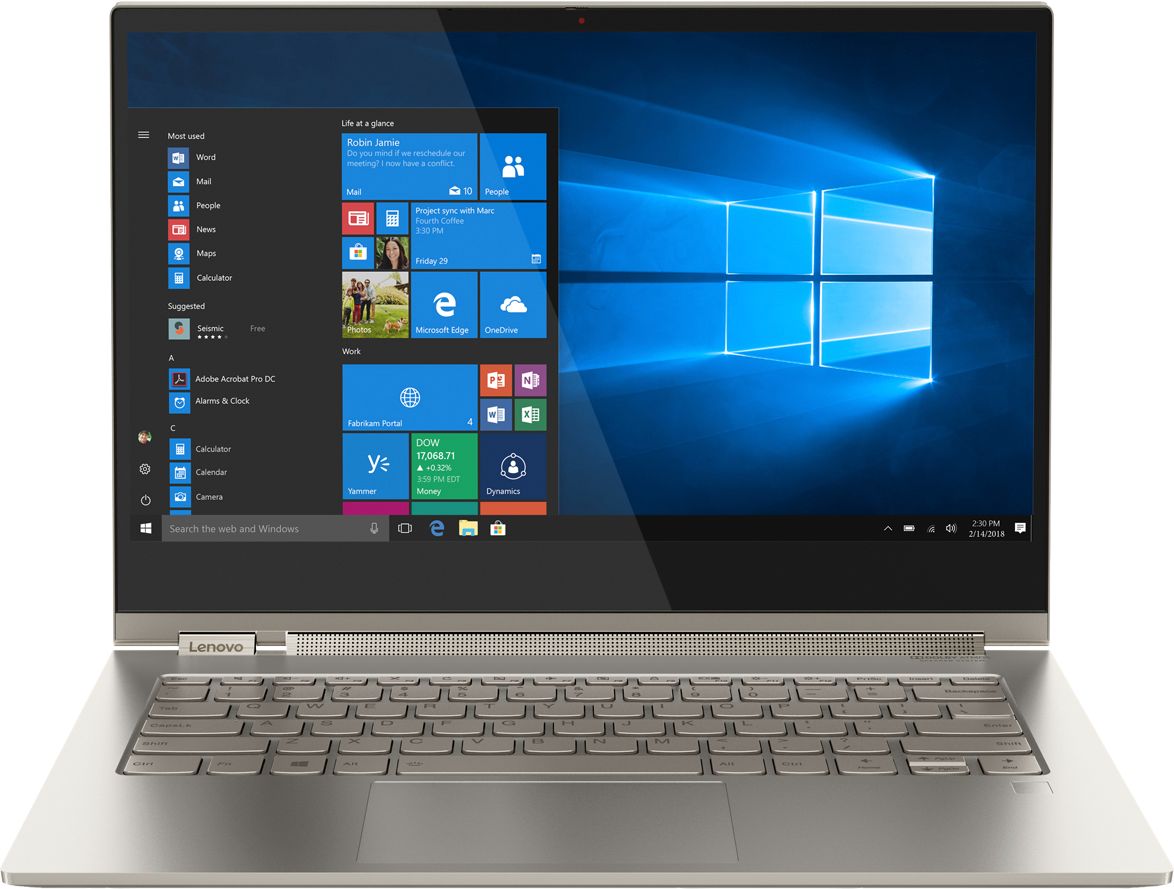
Customers are positive about the Yoga C930's touch screen, weight, 4k display, sound quality, and price. They appreciate its lightweight design, easy-to-use features, and vibrant display. However, customers are negative about its battery life, limited ports, heating issues, and occasional fan noise. Some users have even reported receiving defective units.
This summary was generated by AI based on customer reviews.
Amazing laptop
||Posted .This reviewer received promo considerations or sweepstakes entry for writing a review.Perfect for a school laptop or any other purpose .
I would recommend this to a friendBrand response from Lenovo Product Expert
Posted .Thank you for choosing the Lenovo Yoga C930-14 4K model. We are pleased to hear that the Yoga C930-14 4K model is working out so well for you.

Great All Around Laptop
||Posted .This reviewer received promo considerations or sweepstakes entry for writing a review.I truly enjoy the ease of use as a laptop or tablet.
I would recommend this to a friendBrand response from Lenovo Product Expert
Posted .Thank you for choosing the lenovo Yoga C930-14 4K model. We are pleased to hear that the Yoga C930-14 4K model is working out so well for you.
Decent home computer
||Posted .This reviewer received promo considerations or sweepstakes entry for writing a review.My initial instinct and experience was to go with the Think Pad. I should have done more research on the Yoga. It is a great home computer but not extremely useful on the go or operating as a work/home unit.
I would recommend this to a friendBrand response from Lenovo Product Expert
Posted .The Lenovo Yoga C930-14 4K model is made for on-the-go, high powered computing. The Yoga C930-14 4K model ships with the powerful, Quad-Core/Eight-Thread Intel Core i7-8550U processor, supported by 16GB of DDR4-2400Mhz RAM and a 512GB solid state hard drive. The screen is an IPS LCD w/LED Backlight RGB format, with a resolution of 3840 x 2160 (UHD) and a brightness level of 300 nits. All this computing power in a device that measures just 12.61 x 8.93 x 0.57 inches and weighs just 3.04 lbs. If you are looking a powerful, ultra portable, light weight, 2 in 1 computer, the Lenovo C930-14 4K model is a great choice.
Not as great as the price promised
||Posted . Owned for 3 weeks when reviewed.This reviewer received promo considerations or sweepstakes entry for writing a review.only ONE USB port? Why? doesn't make sense. So now I need to use an external plug-in port Also, typing sometimes adds double letters :( (forces me to slow down - but it's not what I expected!)
No, I would not recommend this to a friendBrand response from Lenovo Product Expert
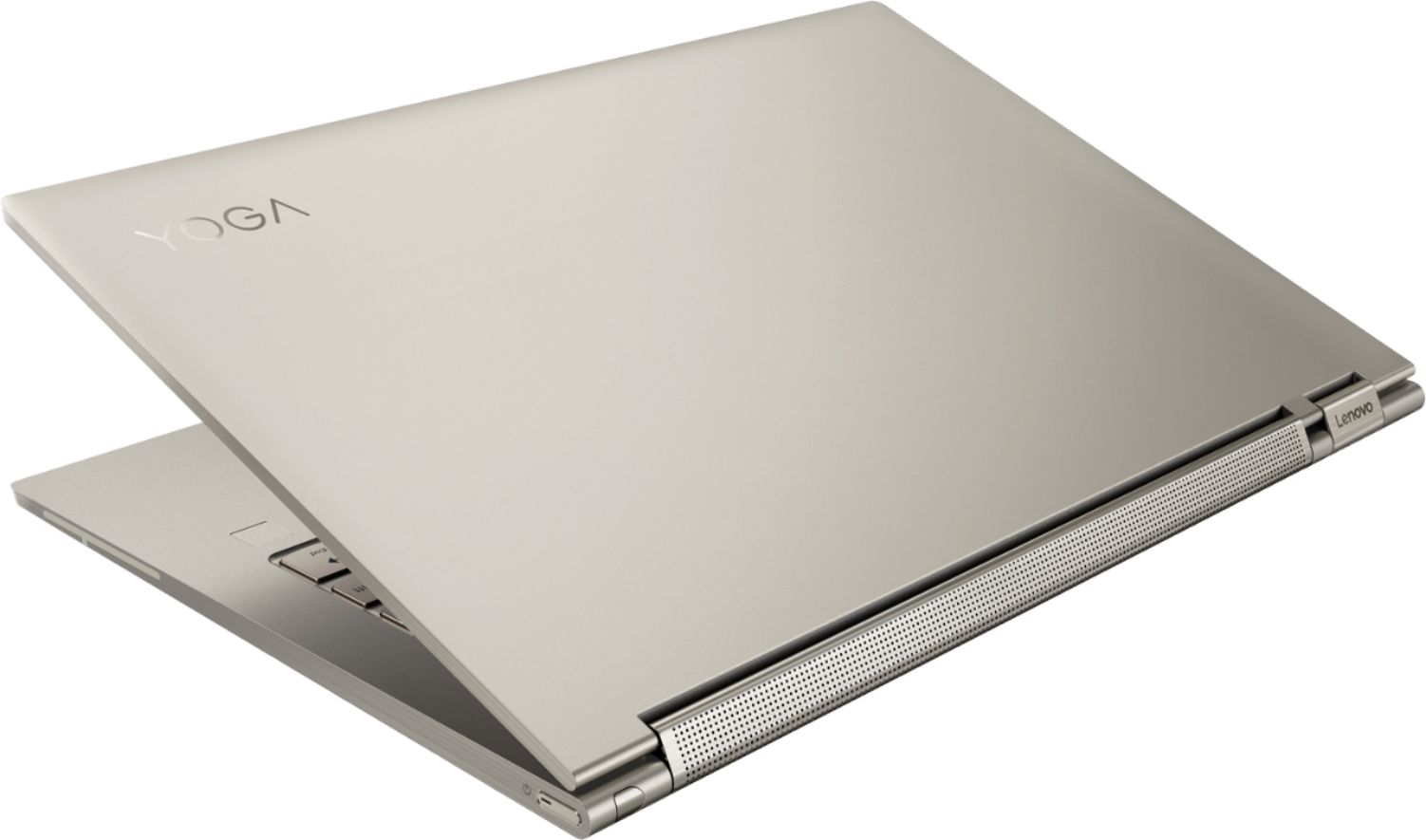
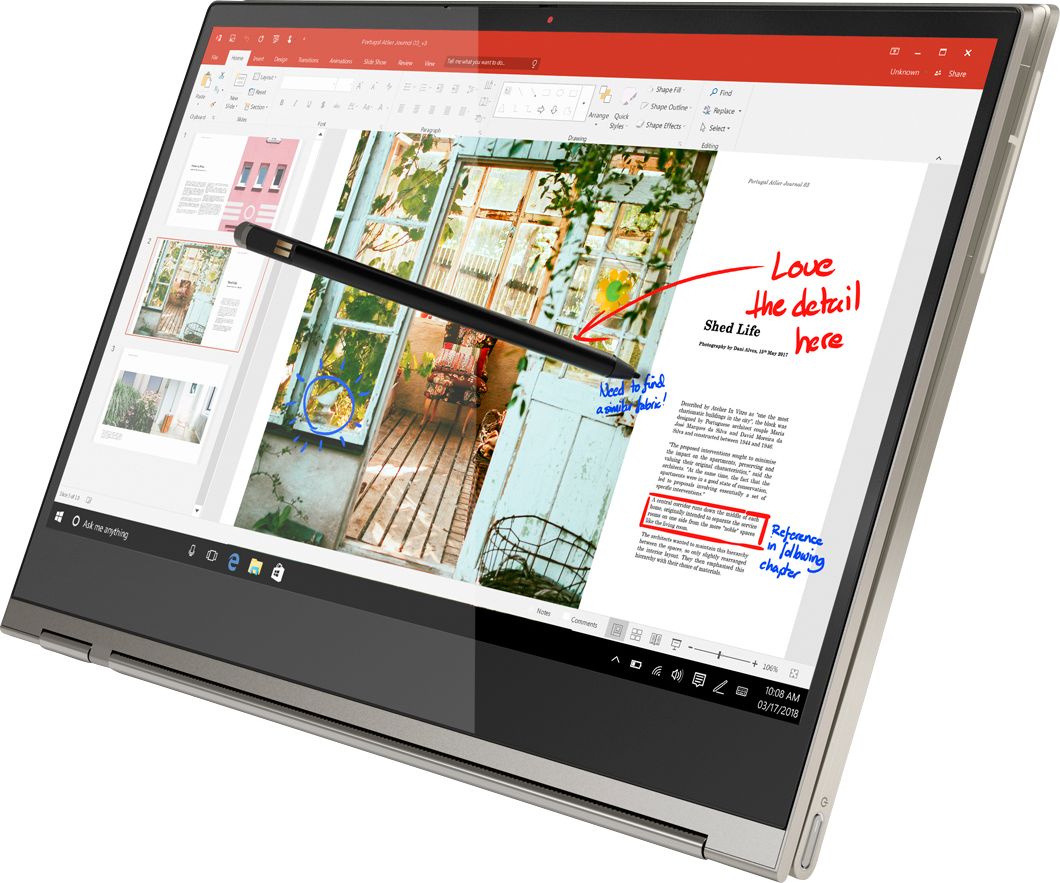
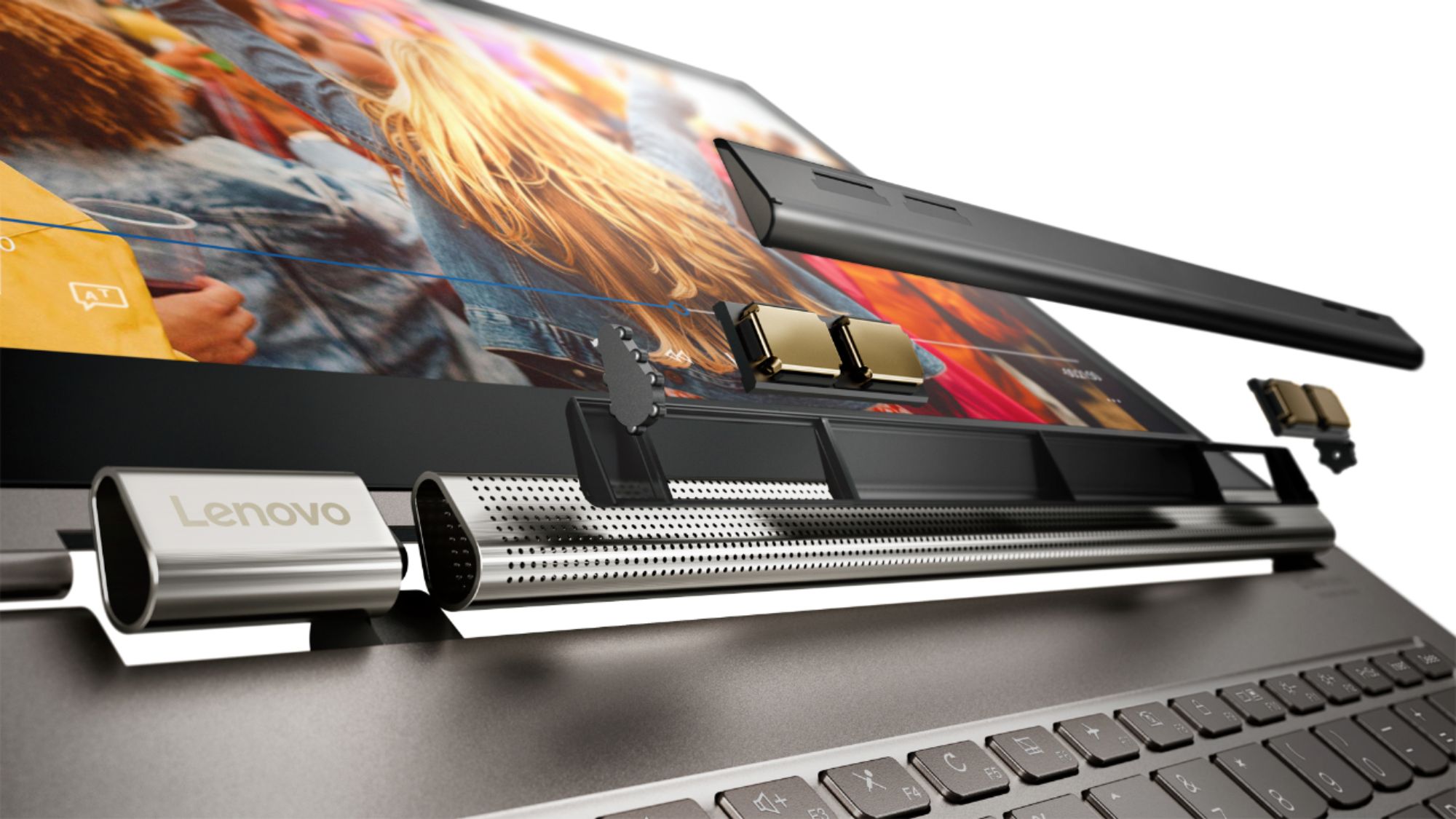
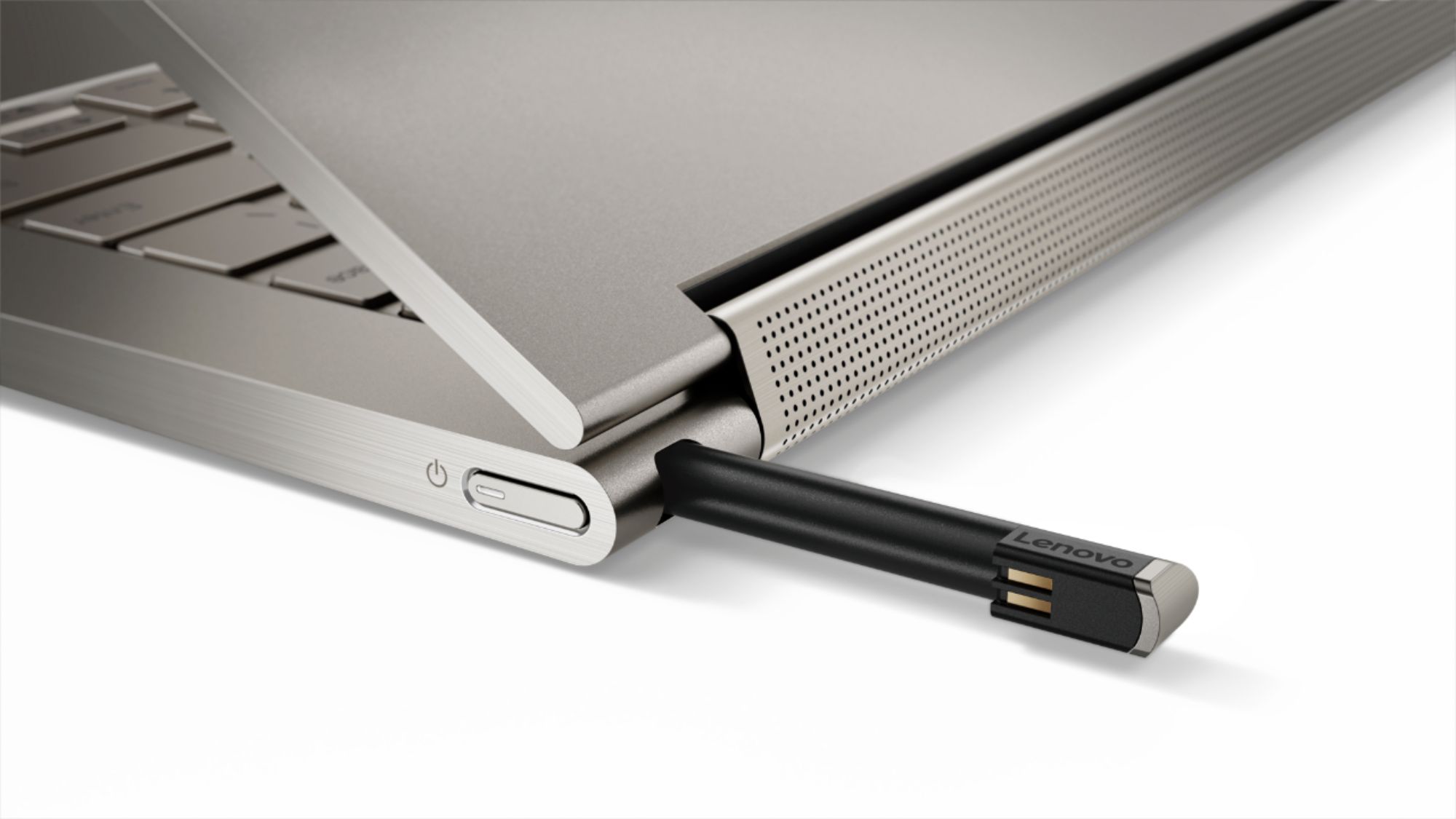
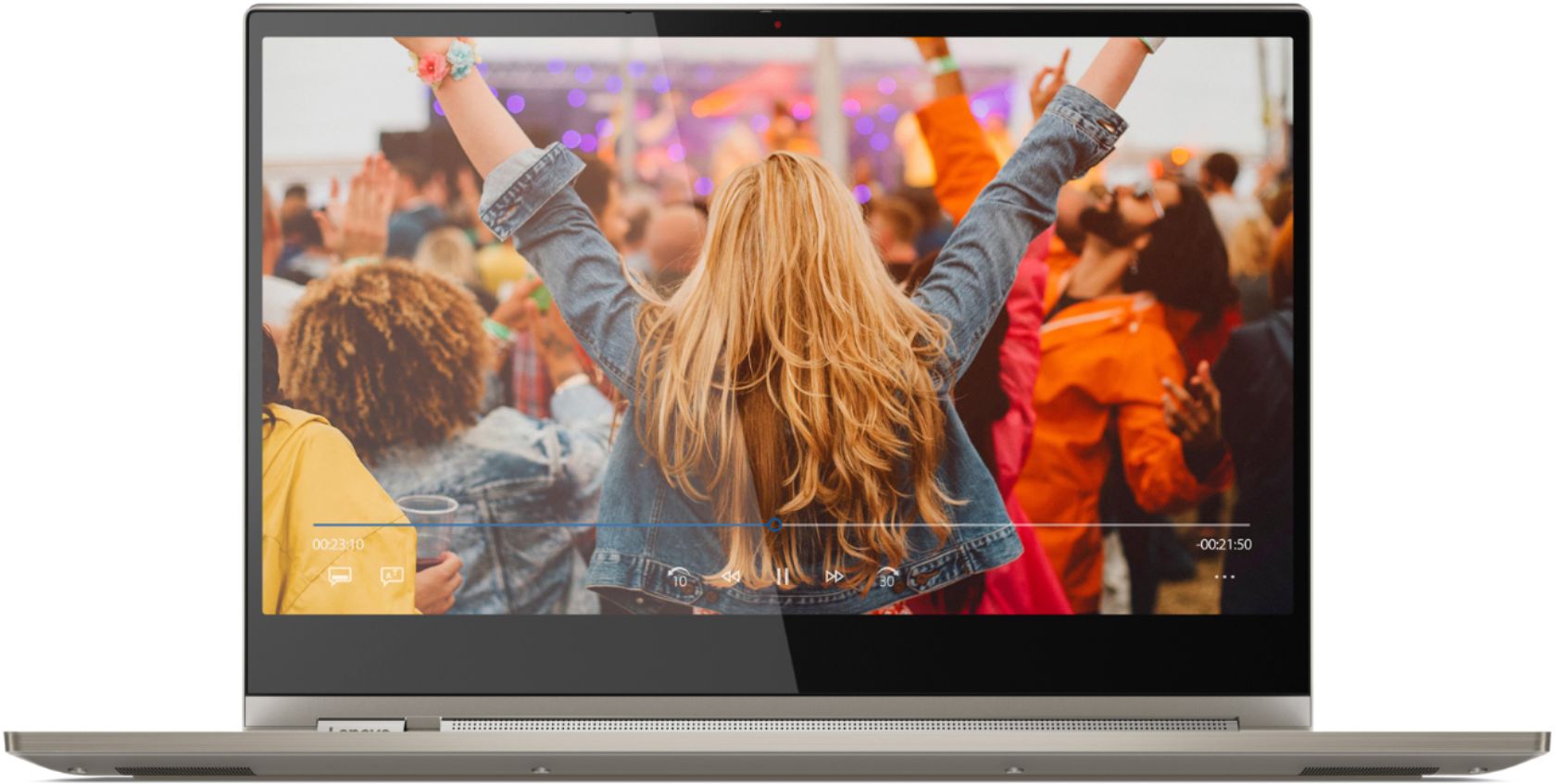
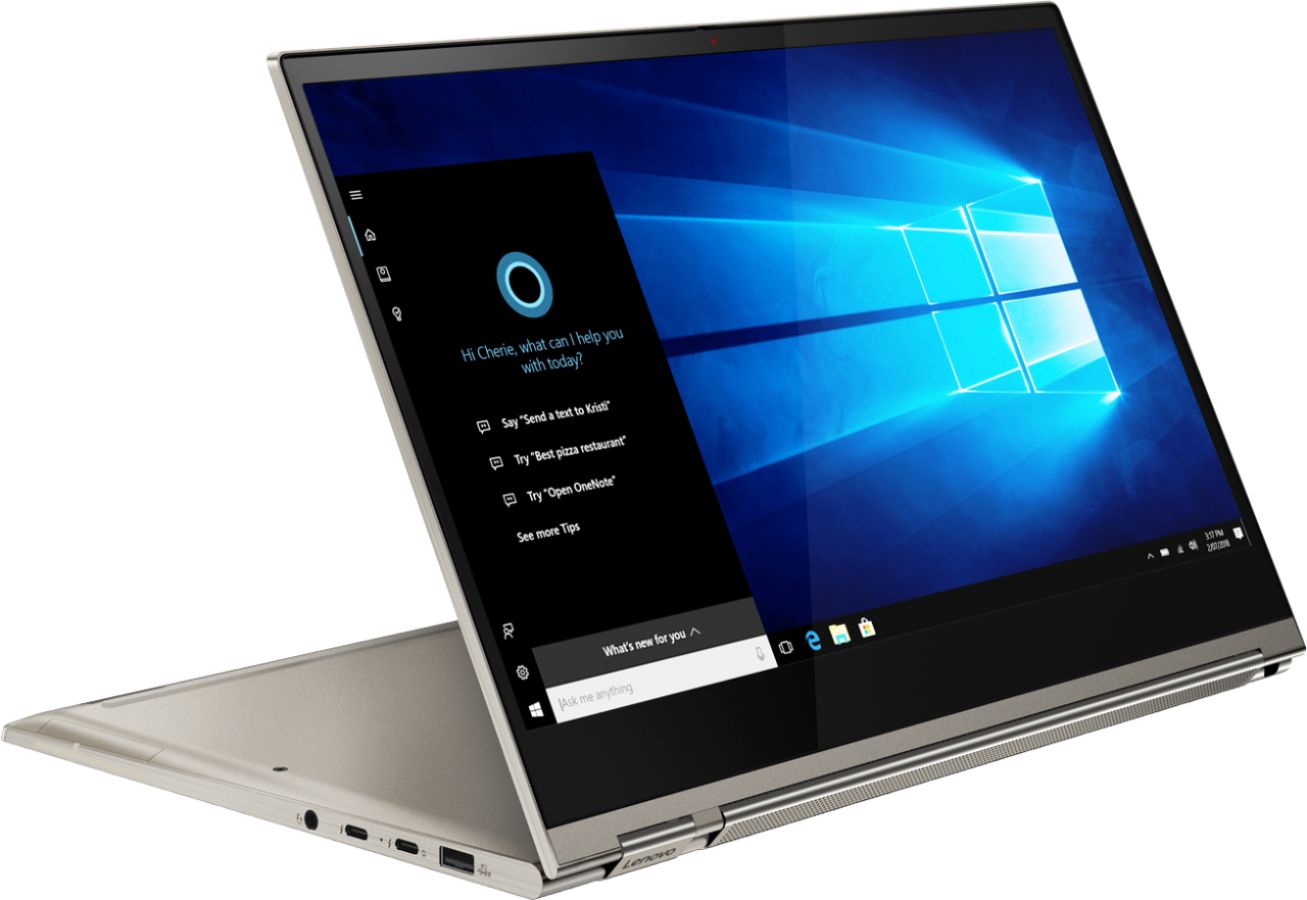
Posted .The Lenovo Yoga C930-14, model number 81C4000EUS, ships with one standard USB port and two Thunderbolt ports. The Yoga C930-14 ships with a standard QWERTY keyboard. The Yoga C930 offers 16GB of DDR4-2400MHz RAM, 512GB SSD PCIe of super-fast storage, as well as 8th Generation Intel Core i7 processing. So you'll have a system engineered for powerful responsiveness and speed in a razor-thin convertible. Combine 4K clarity with the ultra vivid imaging of Dolby Vision. Experience brighter brights, darker blacks, and colors never before seen on standard displays—the true red of an English double-decker bus, or the sharp blue of a summer sky. By shifting components, we were able to edge the screen with razor-thin 4.95 mm vertical bezels that will make the absolute most of your visuals. We've heard from you that keeping track of a digital pen can be a pain. With a garaged pen (included) that fits flush into the chassis, you won't have to worry about looking for your pen when you need it. The Yoga C930 ensures you'll be able to capture your thoughts the moment they occur because it charges while in its compartment and is ready to go. With its 4,096 points of pressure sensitivity in the tip of the pen, it provides the natural feel of a pen-on-paper experience, with twice the accuracy of competitors' pens. Working hand-in-hand with Dolby, we created the word's first speakers that fit into a convertible hinge via a rotating sound bar, delivering powerful immersive sound in every mode. The Yoga C930's Rotating Sound Bar with Dolby Atmos Speaker System is truly revolutionary, as the audio sound will be just as amazing whatever mode you're in: tent, stand, tablet, or laptop. Dolby Atmos delivers breathtaking, three-dimensional audio that flows above and around you with depth and precision. Combining two sets of speakers - featuring powerful down-firing woofers, custom tweeters, and unique vibration buffers that reduce unwanted noise - your audio will sound bigger, deeper, and more accurate. It’s sound you can feel. Designed to be equally stylish in every position, the Yoga C930 is crafted from premium aluminum with high-precision drills and polished twice for a luxurious feel. Not only will you have a sleek looking 2-in-1 laptop, you’ll also have a marvelous feat in
cutting edge computer engineering.
Beware of quality
||Posted . Owned for 1.5 years when reviewed.This reviewer received promo considerations or sweepstakes entry for writing a review.I've had a lot of issues with this computer including the screen flickering to a point where it becomes unusable a little over a year after I received it. I took it to get repaired and they told me its a common problem for this type of laptop! After spending so much money on a laptop I would expect it to be better quality and to last longer. In addition, Lenovo did not give me the option to pay for an extended warranty.
No, I would not recommend this to a friendBad Hardware and poor body quality
||Posted . Owned for 1.5 years when reviewed.This reviewer received promo considerations or sweepstakes entry for writing a review.Very Bad hardware and poor body quality. With in one year, multiple problem has been started. 1) Laptop is getting started heating on use of 30 minute. 2) Had to send laptop for battery replacement. 3) started getting scratches in screen from inside. some parts from inside is started giving scratches from inside. 4) When i got laptop from lenovo on post battery replacement, it was having dent on speaker Poor quality check and poor service from lenovo. Lenovo should re-visit quality of body and hardware of this product. Even when i got this laptop first time, it was having dent and i had to send for replacement. I invested $1,559.10 and bought this laptop as i was looking for some reliable company and product for long term but with in one and half year, i started facing lot of problem. When i told lenovo and requested for money back or any composition, they said your laptop in under warranty and we will just replace parts and said we can't do anything else.
No, I would not recommend this to a friendCamera broke out of box
||Posted .This reviewer received promo considerations or sweepstakes entry for writing a review.Camera was inoperative out of box. Chatted with Lenovo support with no fix. Hardware was defective for the camera. Lost faith and bought a MacBook Pro and put Windows on it. The 2 in 1 was not all I thought it would be. Windows is glitchy in tablet mode with freezes etc. Pen was nice but small.
No, I would not recommend this to a friendBrand response from Lenovo Product Expert
Posted .We are sorry to hear that the Lenovo Yoga C930-14 did not work for you. For 2018, Lenovo retained its place for a second year as the best laptop vendor:
https://www.laptopmag.com/articles/laptop-brand-ratings
Just Buy a MacBook Pro Instead
||Posted . Owned for more than 2 years when reviewed.This reviewer received promo considerations or sweepstakes entry for writing a review.This laptop has been a perpetual disappointment and money sucking paper weight. I’ve had this thing brought in for repairs 3 TIMES!! I originally purchased it for about $2000, and have since spend another $1000 on repairs to include having to have the entire motherboard replaced just a few months ago. Now half the keyboard won’t work. What?! This laptop was purchased to help me complete my masters program. And sadly, this is not the only Lenovo product that has been a complete disappoint. Be sure to do lots of research before buying. These constant repairs put my school work and grades at risk and I finally had it. I finally went back to Apple, and have not had a single problem since. I’ve never had nowhere near this level of trouble with my previous MacBook Pros, Dell or HP laptops. Grrr!!!
No, I would not recommend this to a friendThe screen stopped working in less than 9 months
||Posted .This reviewer received promo considerations or sweepstakes entry for writing a review.The screen stopped turning on. It flickers and shows hazy rainbow spread across the screen.
No, I would not recommend this to a friendBrand response from Lenovo Product Expert
Posted .We are sorry to hear that you are having issues with your Lenovo C930-14 4K model. Since you point out that the device worked well for 9 months before the issue occurred, the problem may be due to a recent Windows 10 update. Restoring the computer back to original factory settings may fix the issue. Also, be sure any software you installed is compatible with Windows 10. There is no need to install Microsoft Office software. The software is already part of the operating system, you just need to activate the software with a purchased product key. If you have installed a copy of Microsoft Office, this is conflicting with the existing copy on the system and this will slow your system down. If you have installed a 3rd party anti-virus program, be sure that Windows Defender is turned off and that the trial version of McAfee Anti-Virus software is uninstalled. There can only be one anti-virus program on the system. You may need to restore your system to original factory default settings if any of the programing errors have occurred. You can do that by typing "restore" in the Cortana search window. Just click on the magnifying glass icon at the bottom left of your Windows 10 Desktop. Click on "Reset This PC" Then click on "Get Started" and follow the on screen directions to restore to factory defaults. If the problem persists, we recommend you contact Lenovo Tech Support at: 877-453-6686. For 2018, Lenovo retained its place for a second year as the best laptop vendor:
https://www.laptopmag.com/articles/laptop-brand-ratings
Really like, equipment faulty.
||Posted . Owned for 1 year when reviewed.This reviewer received promo considerations or sweepstakes entry for writing a review.I LOVE this laptop! I use it regularly. However, it didn't even make it 2 years and I have had to replace the charger and now the charging port has gone bad. I paid $1200+ for this and would expect is to last longer than that. Very disappointed.
I would recommend this to a friendPros and Cons
||Posted . Owned for 3 weeks when reviewed.This reviewer received promo considerations or sweepstakes entry for writing a review.Good size and display but slow network and graphicS rendering capacities.
I would recommend this to a friendBrand response from Lenovo Product Expert
Posted .The Lenovo Yoga C930-14 4K model ships with the latest 5G, wide range connectivity 802.11 AC (2 x 2) frequency WiFi capability. The Yoga C930 offers 16GB of DDR4-2400MHz RAM, 512GB SSD PCIe of super-fast storage, as well as 8th Generation Intel Core i7 processing. The Yoga C930-14 4K model has integrated graphics processing within the Core i7-8550U, it is the Intel UHD Graphics 620 version. Combine 4K clarity with the ultra vivid imaging of Dolby Vision. Experience brighter brights, darker blacks, and colors never before seen on standard displays—the true red of an English double-decker bus, or the sharp blue of a summer sky. By shifting components, we were able to edge the screen with razor-thin 4.95 mm vertical bezels that will make the absolute most of your visuals. Working hand-in-hand with Dolby, we created the word's first speakers that fit into a convertible hinge via a rotating sound bar, delivering powerful immersive sound in every mode. The Yoga C930's Rotating Sound Bar with Dolby Atmos Speaker System is truly revolutionary, as the audio sound will be just as amazing whatever mode you're in: tent, stand, tablet, or laptop. Dolby Atmos delivers breathtaking, three-dimensional audio that flows above and around you with depth and precision. Combining two sets of speakers - featuring powerful down-firing woofers, custom tweeters, and unique vibration buffers that reduce unwanted noise - your audio will sound bigger, deeper, and more accurate. It’s sound you can feel. We've heard from you that keeping track of a digital pen can be a pain. With a garaged pen (included) that fits flush into the chassis, you won't have to worry about looking for your pen when you need it. The Yoga C930 ensures you'll be able to capture your thoughts the moment they occur because it charges while in its compartment and is ready to go. With its 4,096 points of pressure sensitivity in the tip of the pen, it provides the natural feel of a pen-on-paper experience, with twice the accuracy of competitors' pens.
Misleading Lenovo advertising - Not HDR display
||Posted .This reviewer received promo considerations or sweepstakes entry for writing a review.I bought this laptop because of the advertised 4K Dolby Vision and Dolby Atmos on Lenovo's website. Dolby Vision is an HDR format but this screen is a normal lcd panel without HDR support. Also the pen is tiny and the color of the best buy version, gold-ish, isn't to my taste.
No, I would not recommend this to a friendBrand response from Lenovo Product Expert
Posted .The Lenovo Yoga C930-14 4K model has Dolby Vision. Dolby Vision is a way of mastering and delivering HDR to the home.
- Cons mentioned:Defective
Never got it to work
||Posted . Owned for 8 months when reviewed.This reviewer received promo considerations or sweepstakes entry for writing a review.The laptop was BSOD out of the box. Best Buy tried to fix 3 times, never really fixed it. Would work for a day and then BSOD again. They would not replace. Very disappointed in HP and Best Buy.
No, I would not recommend this to a friendBrand response from Lenovo Product Expert
Posted .We are sorry to hear that you are having issues with the Lenovo Yoga C930-14 4K Model. From the description of the issue you describe, it sounds as though there may be incompatible software installed on the computer. Be sure any software you installed is compatible with Windows 10. There is no need to install Microsoft Office software. The software is already part of the operating system, you just need to activate the software with a purchased product key. If you have installed a copy of Microsoft Office, this is conflicting with the existing copy on the system and this will slow your system down. If you have installed a 3rd party anti-virus program, be sure that Windows Defender is turned off and that the trial version of McAfee Anti-Virus software is uninstalled. There can only be one anti-virus program on the system. You may need to restore your system to original factory default settings if any of the programming errors have occurred. You can do that by typing "restore" in the Cortana search window. Just click on the magnifying glass icon at the bottom left of your Windows 10 Desktop. Click on "Reset This PC" Then click on "Get Started" and follow the on screen directions to restore to factory defaults. If the problem persists, we recommend you contact Lenovo Tech Support at: 877-453-6686.
Product Quality Issues
||Posted . Owned for 1 year when reviewed.This reviewer received promo considerations or sweepstakes entry for writing a review.Unfortunately, this laptop wasn't registering any power even after using different chargers. Upon speaking to a lenovo representative, it was determined that the motherboard was at fault (The most expensive part of the computer to replace!). The price to replace this part was almost as much as the laptop itself and I'm left without a working device to use for school. I'm really disappointed due to the fact that the laptop only lasted a little over a year. I can only hope the quality improves in future designs.
No, I would not recommend this to a friendBrand response from Lenovo Product Expert
Posted .We are sorry to hear that you are having issues with your Lenovo Yoga C930-14 4K Model. It is possible that restoring the computer back to original factory settings will correct the issue you describe. Since you can no longer boot the computer, this system is equipped with OneKey Recovery System. When the computer is off, press the Fn + Power button to open the OneKey Recovery System Menu; select System Recovery > Troubleshoot > Reset this PC. Plug the device in. Let the battery charge for about 15 minutes. Push the reset button. The system should boot to a choice screen where you can choose "Restore To Factory Default". Select this. It will delete everything from the hard drive except the original factory install of the operating system. You will need to reinstall all programs and files after the reset. If you don't have copies of the files, try to make one before you restore by selecting "Boot to desktop" and trying to back up your files. If the problem persists after the factory reset, we recommend you contact Lenovo Tech Support at: 877-453-6686.
Lenovo Yoga C930 - bad
||Posted . Owned for 1 year when reviewed.This reviewer received promo considerations or sweepstakes entry for writing a review.Inferior design. Fans started making noise and failing within a couple of months. Others report similar problems. I had to give up and get a different machine.
No, I would not recommend this to a friendDefect that many users haven't noticed
||Posted .This reviewer received promo considerations or sweepstakes entry for writing a review.After the C930 wakes from sleep your wifi download speeds are limited to 20mbps until you reboot. This has been reported by others on Lenovo forums. Lenovo customer support will blame your ISP and are not taking accountability. Luckily I was within my return window, I feel sorry for anyone stuck with this problem.
No, I would not recommend this to a friendBrand response from Lenovo Product Expert
Posted .We are sorry to hear you experienced issues with WiFi speed. The Lenovo Yoga C930-14 uses the latest 5G 802.11 AV frequency WiFi. First be sure your router firmware is up to date. Check the router manufacturer's web site to be sure your router model has the latest firmware updates. Second, scan your computer to be sure you have the latest version of Windows 10 and that the BIOS files and drivers are up to date on the computer. You can easily do this by scanning the computer with the Lenovo Utility software installed on the computer. This system has Lenovo utilities installed to help maintain the health of the device and keep the operating system software up to date. Type "Lenovo Vantage" in the Cortana Search window (if Lenovo Vantage is not installed on your device, you can download the APP and install it now). Select Lenovo Vantage from the list. In the window that opens, click on "Health and Support". In the expanded menu, select "Hardware Scan" In the window that opens, select "Run Quick Tests". This will scan your entire system for errors. Follow any directions that may pop up. If the problem continues after this scan, now click on "System Update". First select Windows update from the menu. Scan your system to be sure you have the latest version of Windows 10. Once that scan is complete, select "Additional Updates". This will scan your device to be sure there are no new BIOS/Driver updates needed. Follow any instructions that may pop up. If the issue still continues after these updates, we recommend you call Lenovo Tech Support at: 877-453-6686 for additional help. For 2018, Lenovo retained its place for a second year as the best laptop vendor:
https://www.laptopmag.com/articles/laptop-brand-ratings
Disappointed
||Posted . Owned for 1 month when reviewed.This reviewer received promo considerations or sweepstakes entry for writing a review.Desk top apps glitches, application minimizes on its own and have to restart computer multiple times because the audio cuts off multiple times in one setting.
No, I would not recommend this to a friendBrand response from Lenovo Product Expert
Posted .We are sorry to hear that you are having issues with your Lenovo Yoga C930 4K model. Be sure any software you installed is compatible with Windows 10. There is no need to install Microsoft Office software. The software is already part of the operating system, you just need to activate the software with a purchased product key. If you have installed a copy of Microsoft Office, this is conflicting with the existing copy on the system and this will slow your system down. If you have installed a 3rd party anti-virus program, be sure that Windows Defender is turned off and that the trial version of McAfee Anti-Virus software is uninstalled. There can only be one anti-virus program on the system. You may need to restore your system to original factory default settings if any of the programming errors have occurred. You can do that by typing "restore" in the Cortana search window. Just click on the magnifying glass icon at the bottom left of your Windows 10 Desktop. Click on "Reset This PC" Then click on "Get Started" and follow the on screen directions to restore to factory defaults. If there is no incompatible software installed, this system has Lenovo utilities installed to help maintain the health of the device and keep the operating system software up to date. Type "Lenovo Vantage" in the Cortana Search window (if Lenovo Vantage is not installed on your device, you can download the APP and install it now). Select Lenovo Vantage from the list. In the window that opens, click on "Health and Support". In the expanded menu, select "Hardware Scan" In the window that opens, select "Run Quick Tests". This will scan your entire system for errors. Follow any directions that may pop up. If the problem continues after this scan, now click on "System Update". First select Windows update from the menu. Scan your system to be sure you have the latest version of Windows 10. Once that scan is complete, select "Additional Updates". This will scan your device to be sure there are no new BIOS/Driver updates needed. Follow any instructions that may pop up. If the issue still continues after these updates, we recommend you call Lenovo Tech Support at: 877-453-6686 for additional help.
Big stats & Big Errors
||Posted . Owned for 4 months when reviewed.This reviewer received promo considerations or sweepstakes entry for writing a review.I use this computer as a secondary supplement to my comfortable at home desktop when I'm out of the house. I only use it for text documents and so far I've had to contact tech support three times to simple issue involving the wifi device not starting, mostly wifi related issues. I've just reinstalled the driver at the direction of tech support for the third time in two months. - Tech support is dismissive. They will give you steps and ask you to contact them in the future for more help.
No, I would not recommend this to a friendBrand response from Lenovo Product Expert
Posted .We are sorry to hear that you are having WiFi connectivity issues. Be sure you have the latest version of Windows 10 on the computer. Then update all of the BIOS files and drivers on this computer up to that latest version of Windows 10. You can easily accomplish this by scanning the computer with the Lenovo Utility software installed on the computer. This system has Lenovo utilities installed to help maintain the health of the device and keep the operating system software up to date. Type "Lenovo Vantage" in the Cortana Search window (if Lenovo Vantage is not installed on your device, you can download the APP and install it now). Select Lenovo Vantage from the list. In the window that opens, click on "Health and Support". In the expanded menu, select "Hardware Scan" In the window that opens, select "Run Quick Tests". This will scan your entire system for errors. Follow any directions that may pop up. If the problem continues after this scan, now click on "System Update". First select Windows update from the menu. Scan your system to be sure you have the latest version of Windows 10. Once that scan is complete, select "Additional Updates". This will scan your device to be sure there are no new BIOS/Driver updates needed. Follow any instructions that may pop up. If the issue still continues after these updates, we recommend you call Lenovo Tech Support at: 877-453-6686 for additional help.
Slow
||Posted . Owned for 1 month when reviewed.This reviewer received promo considerations or sweepstakes entry for writing a review.Purchased for school work and Fortnite. Graphics much slower than Macbook (side by side comparison playing Fortnite) with similar specs. Returned
No, I would not recommend this to a friendBrand response from Lenovo Product Expert
Posted .The Yoga C930 offers 16GB of DDR4-2400MHz RAM, 512GB SSD PCIe of super-fast storage, as well as 8th Generation, Quad-Core/Eight-Thread Intel Core i7-8550U processor, with a base speed of 1.8GHz and a Turbo Boost speed of up to 3.7GHz. So you'll have a system engineered for powerful responsiveness and speed in a razor-thin convertible. Designed to be equally stylish in every position the 360-degree hinge can position to, the Yoga C930 is crafted from premium aluminum with high-precision drills and polished twice for a luxurious feel. Not only will you have a sleek looking 2-in-1 laptop, you’ll also have a marvelous feat in cutting edge computer engineering. Combine 4K clarity with the ultra vivid imaging of Dolby Vision. Experience brighter brights, darker blacks, and colors never before seen on standard displays—the true red of an English double-decker bus, or the sharp blue of a summer sky. By shifting components, we were able to edge the screen with razor-thin 4.95 mm vertical bezels that will make the absolute most of your visuals. Working hand-in-hand with Dolby, we created the word's first speakers that fit into a convertible hinge via a rotating sound bar, delivering powerful immersive sound in every mode. The Yoga C930's Rotating Sound Bar with Dolby Atmos Speaker System is truly revolutionary, as the audio sound will be just as amazing whatever mode you're in: tent, stand, tablet, or laptop. Dolby Atmos delivers breathtaking, three-dimensional audio that flows above and around you with depth and precision. Combining two sets of speakers - featuring powerful down-firing woofers, custom tweeters, and unique vibration buffers that reduce unwanted noise - your audio will sound bigger, deeper, and more accurate. It’s sound you can feel. Innovation in computer engineering and design comes alive with Yoga.
Laptop is good but not the pen
||Posted . Owned for 3 weeks when reviewed.This reviewer received promo considerations or sweepstakes entry for writing a review.Love how the laptop is functioning. But the laptop pen stopped working after 3 weeks. Its frustrating. Disappointed with its quality.
No, I would not recommend this to a friendBrand response from Lenovo Product Expert
Posted .We are sorry to hear that you are having issues with the onboard, Lenovo Yoga C930-14 active pen. We recommend you call Lenovo Tech Support for help at: 877-453-6686.