Customer Ratings & Reviews
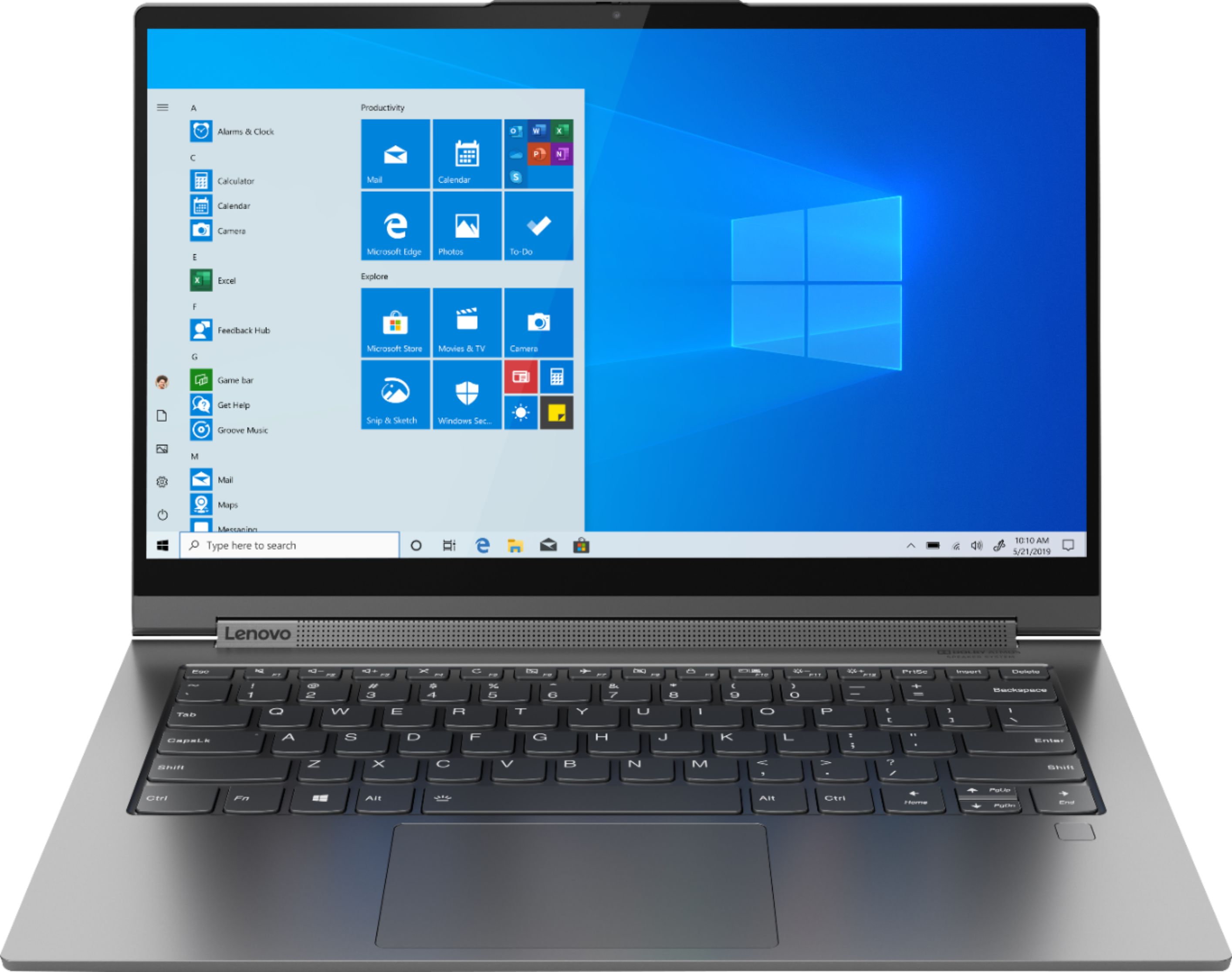
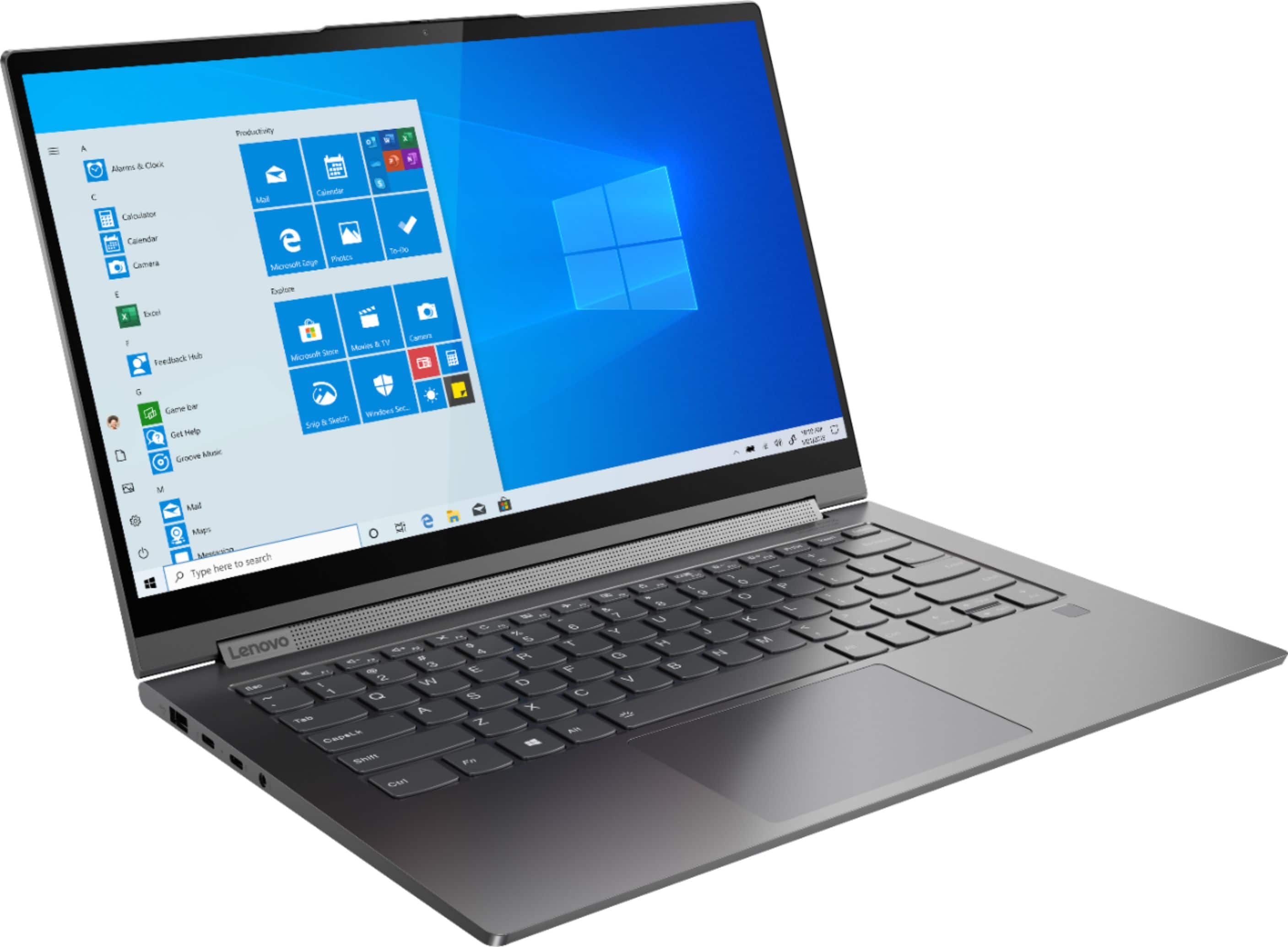
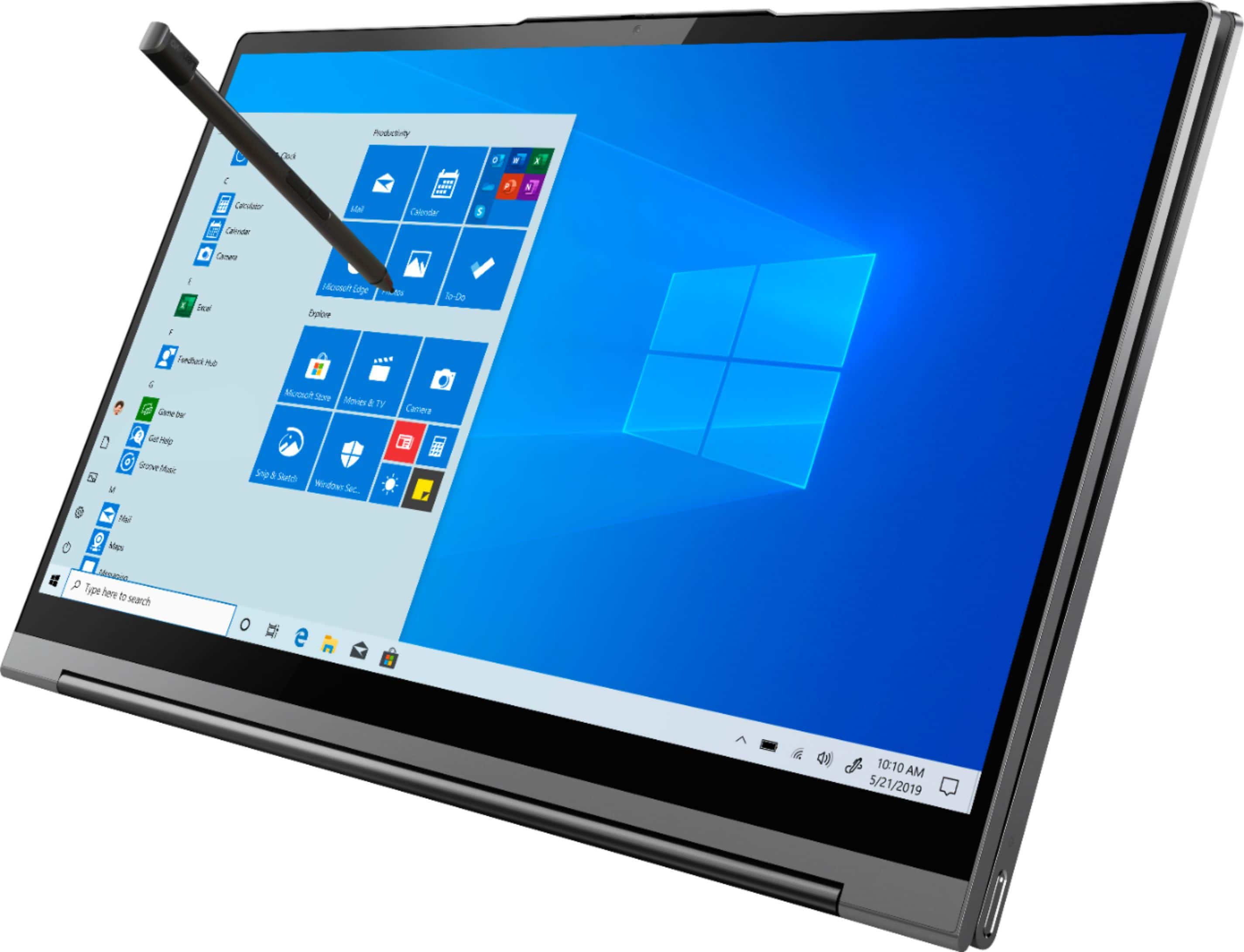

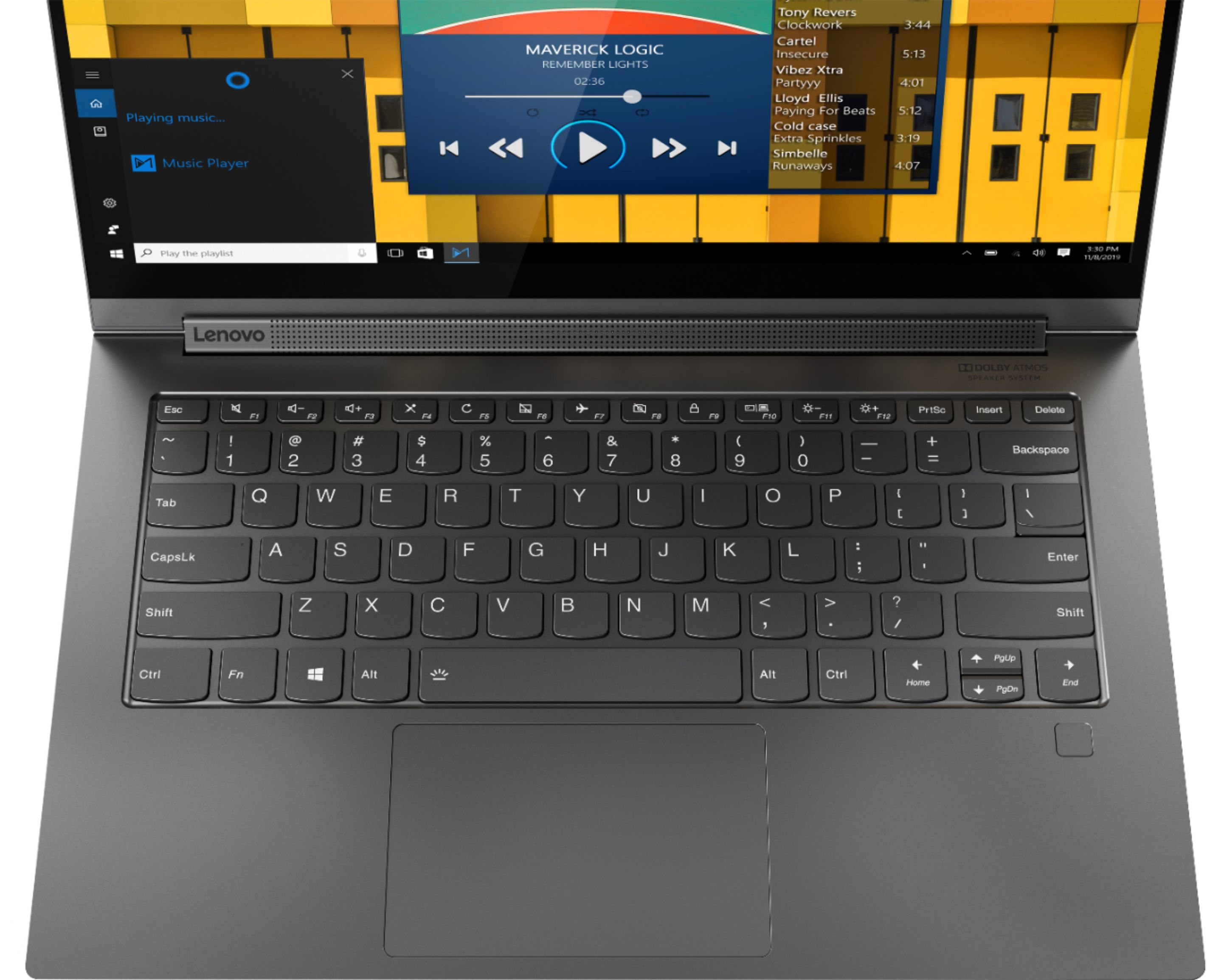
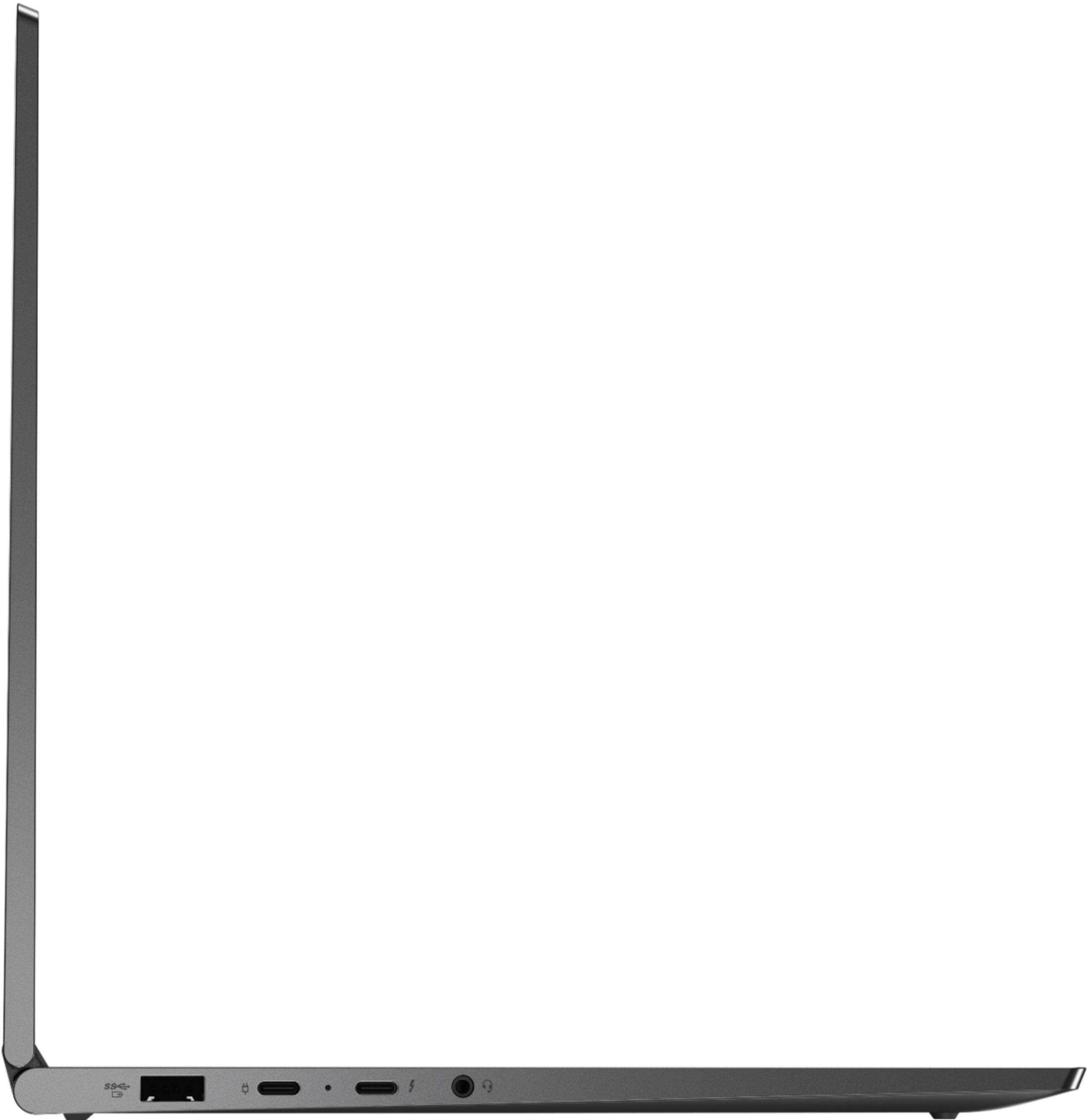
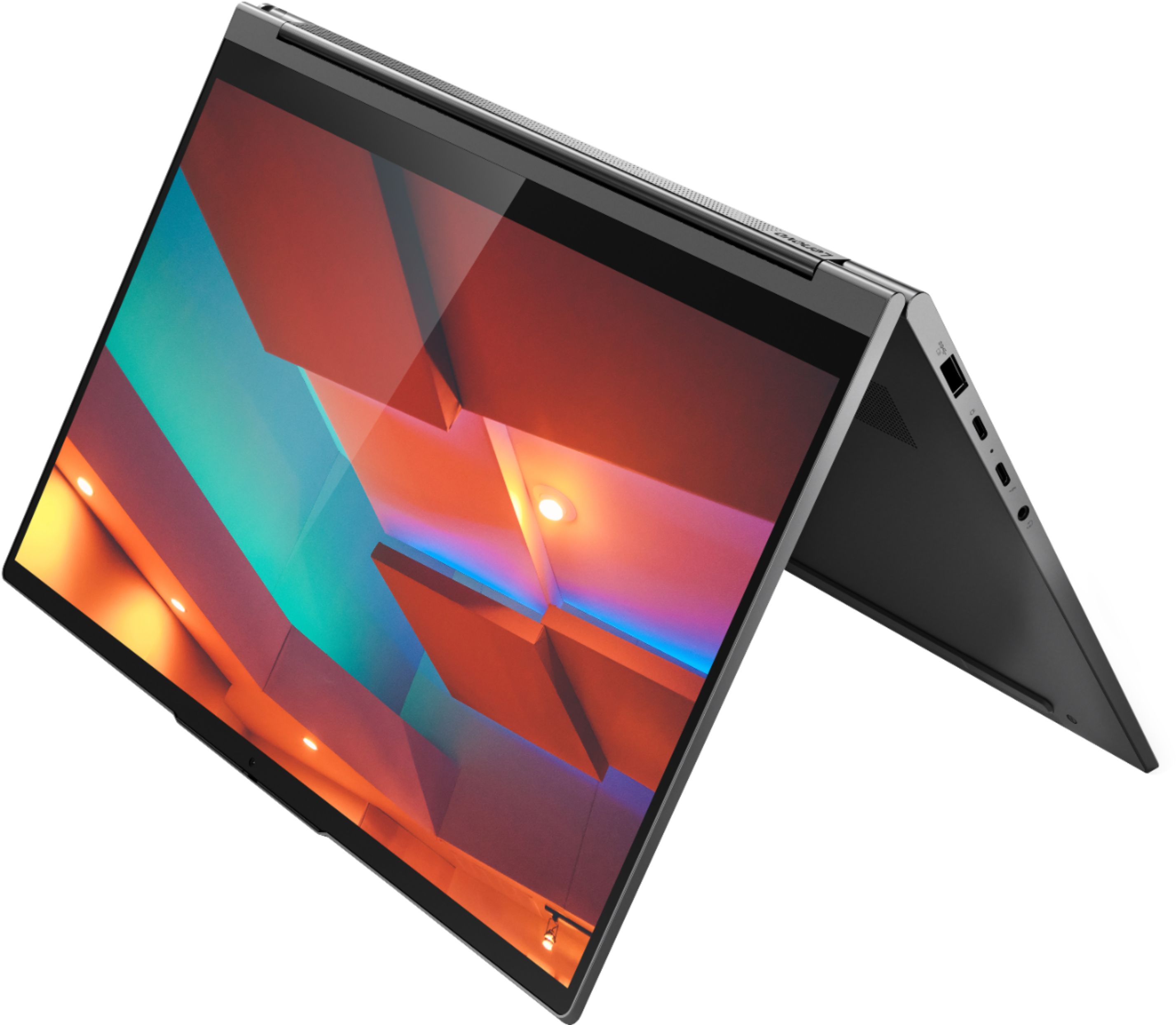

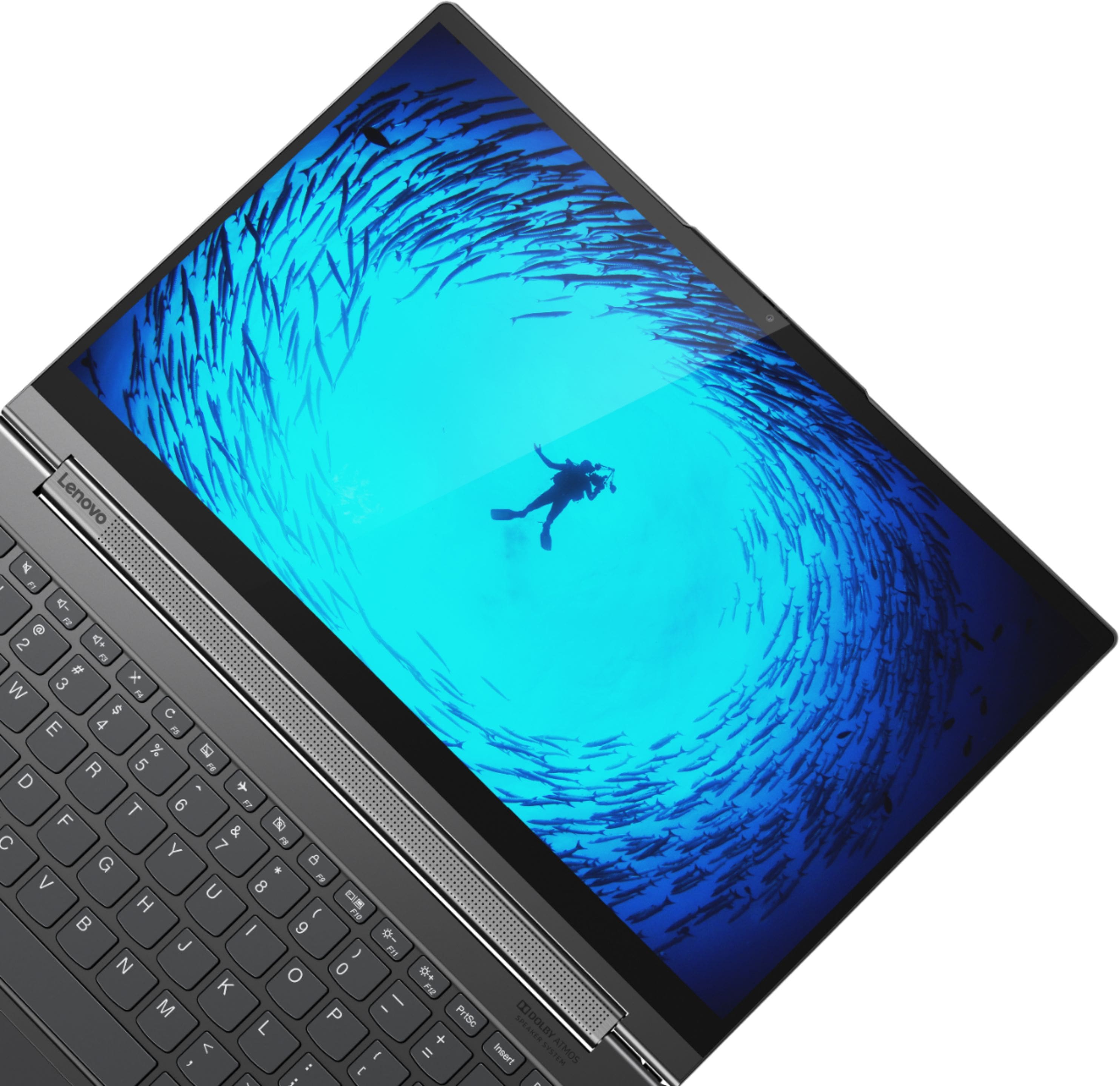





- Model:
- 81Q9002GUS
- SKU:
- 6367799
Rating by feature
- Battery Life
Rating 4.2 out of 5 stars
- Speed
Rating 4.4 out of 5 stars
- Display
Rating 4.5 out of 5 stars
Customers are saying
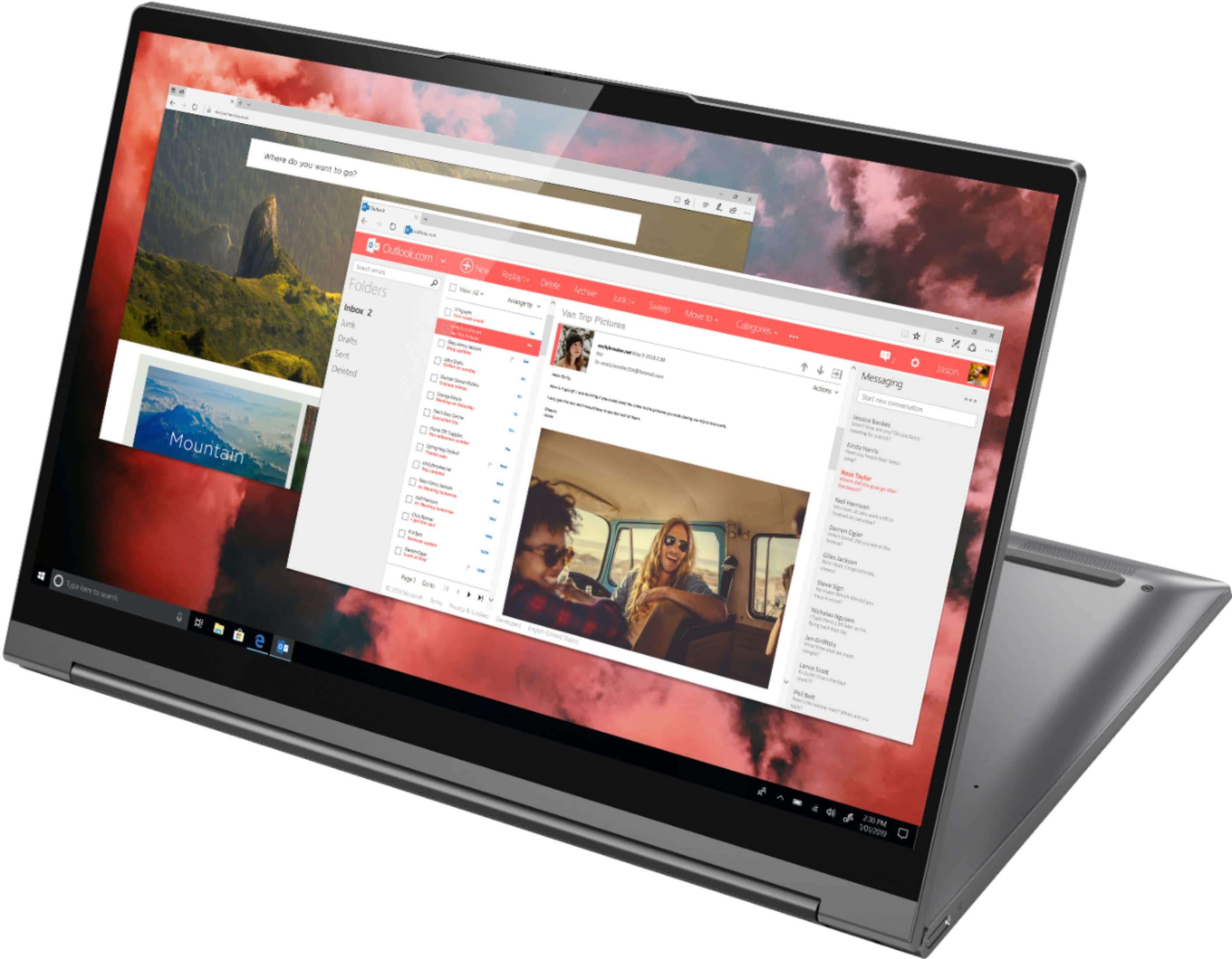
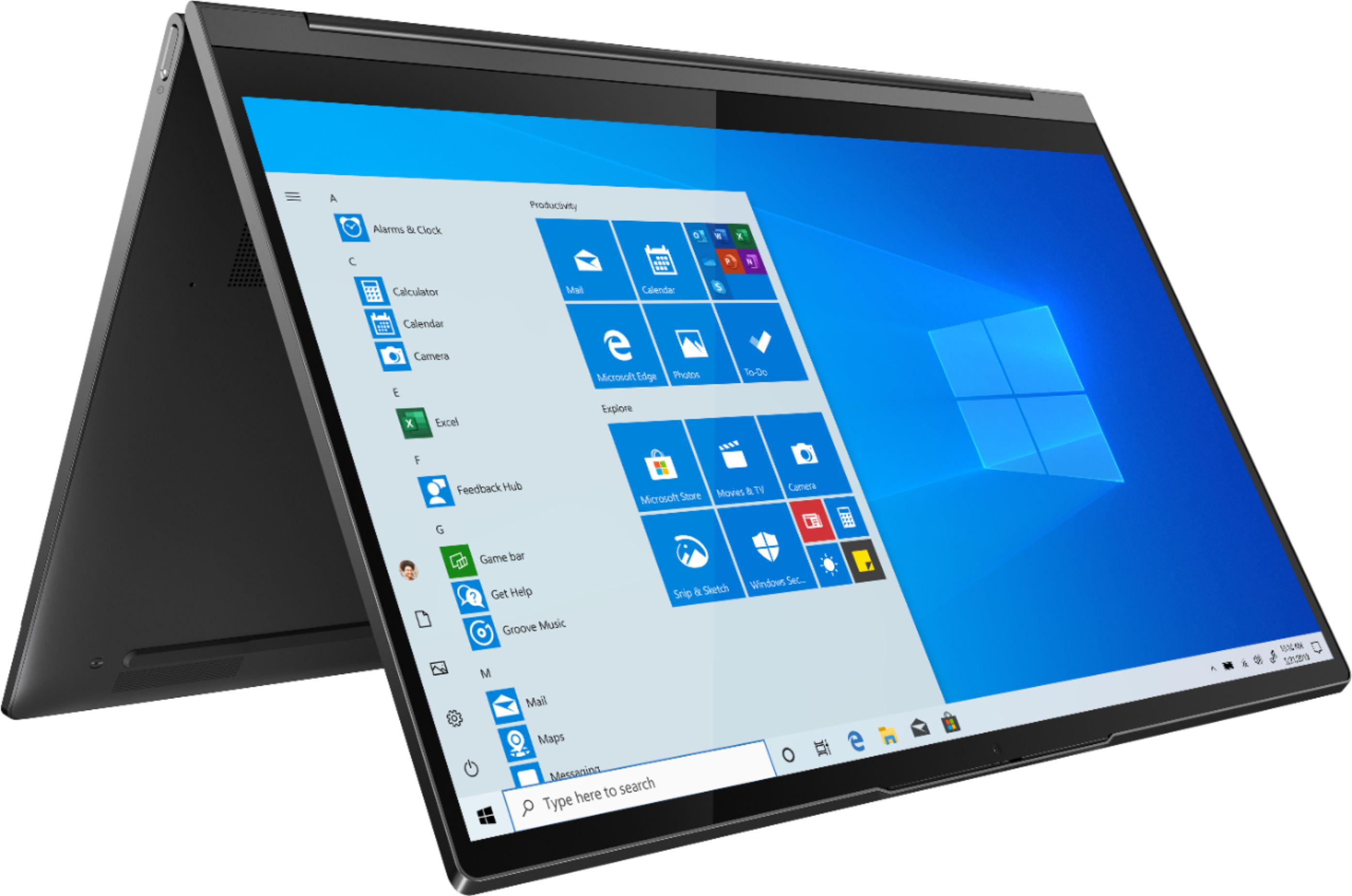
Customers are enthusiastic about the Yoga C940 2-in-1 laptop's fast performance, responsive touch screen, long battery life, and lightweight design. They appreciate the solid build quality and high-quality screen. However, some customers have concerns about the limited number of ports, occasional fan noise, and higher price point.
This summary was generated by AI based on customer reviews.
Laptop computer serves my puposes very well.
||Posted . Owned for 3 weeks when reviewed.This reviewer received promo considerations or sweepstakes entry for writing a review.I have used the computer just a few times since my purchase and have been satisfied with the computer overall. I especially am impressed with the clarity of picture screens. I am also impressed with the amount of standard programs that have been included.
I would recommend this to a friendBrand response from Lenovo Product Expert
Posted .Thank you for choosing the Lenovo Yoga C940-14. We are pleased to hear that the features and performance of the Yoga C940-14 meets your computing needs so well. The Lenovo Yoga C940-14 model ships with just two adware programs, a 30-day trial of Microsoft Office 365 (as part of Windows 10 operating system) and a 30-day trial of McAfee virus protection. Lenovo computers ship with one of the cleanest factory software installs within the consumer computer industry. Every component of Yoga C940 was engineered with your experience in mind. That’s why The Yoga C940 offers the brilliant color and clarity with ultra-narrow bezels. At 400 nits brightness, it’s brighter than standard SDR displays. You’ll enjoy amazing realism that's vivid, nuanced, and powerful. Capture your ideas the moment inspiration hits with a garaged digital pen. Featuring an in-body charging compartment, the Yoga C940 ensures you’ll never lose a thought—or your digital pen—again. The convertible hinge hides a powerful Dolby Atmos Speaker System that immerses you in 3D sound in every mode. Combined with two sets of speakers featuring powerful subwoofers, custom tweeters, and unique vibration buffers that reduce unwanted noise, your audio will sound bigger, deeper, and more accurate. Experience how the Yoga C940 embodies world-class craftsmanship, innovative solutions, and elevated design. Log into your Yoga C940 in less than two seconds with an integrated fingerprint reader. That’s three times faster than the average time it takes to type a password. Forget your password.

Innovative Hardware with a few kinks
||Posted . Owned for 4 months when reviewed.This reviewer received promo considerations or sweepstakes entry for writing a review.Love the speaker on the hinge, and sound quality is great! I have just 2 issues that bring this down to 4 stars. 1. There is a creaking noise on the bottom left, when i press on the rubber foot. Not sure if it’s the casing or something internal, hopefully the former. The creak has become louder over time. 2. The software sometimes gets confused over desktop/tablet mode. It will go into tablet mode randomly, meaning the keyboard doesn’t function. That being said, I just changed my star rating to 3 because this bug is unacceptable whether it’s a Windows 10 issue or not, Lenovo should fix it.
I would recommend this to a friendBrand response from Lenovo Product Expert
Posted .We are sorry to hear that you are having issues with your Lenovo Yoga C940-14. Regarding the sound you hear when pushing on the computer, we recommend you bring the computer in to your local Best Buy Store and have the Geek Squad examine the issue for a possible fix. Second, regarding the issue with tablet mode being activated without putting the device into tablet mode, this may indicate the need for a software update. First, be sure you have the latest version of Windows 10 on the computer, then update all of the BIOS files and drivers up to that latest version of Windows 10. You can easily accomplish this by scanning the computer with the Lenovo Utility software installed on the computer. This system has Lenovo utilities installed to help maintain the health of the device and keep the operating system software up to date. Type "Lenovo Vantage" in the Cortana Search window (if Lenovo Vantage is not installed on your device, you can download the APP and install it now). Select Lenovo Vantage from the list. In the window that opens, click on "Health and Support". In the expanded menu, select "Hardware Scan" In the window that opens, select "Run Quick Tests". This will scan your entire system for errors. Follow any directions that may pop up. If the problem continues after this scan, now click on "System Update". First select Windows update from the menu. Scan your system to be sure you have the latest version of Windows 10. Once that scan is complete, select "Additional Updates". This will scan your device to be sure there are no new BIOS/Driver updates needed. Follow any instructions that may pop up. If the issue still continues after these updates, we recommend you call Lenovo Tech Support at: 877-453-6686 for additional help.
Ok not great
||Posted . Owned for 3 months when reviewed.This reviewer received promo considerations or sweepstakes entry for writing a review.I wanted the Surface Pro 7, Best Buy was sold out of the one I wanted at the time, so I gave this a try. It was OK, just not what I was hoping for, so I returned it as soon as the Surface Pro 7 was in stock.
I would recommend this to a friendLove the pen
||Posted . Owned for 1 month when reviewed.This reviewer received promo considerations or sweepstakes entry for writing a review.This was exactly what I was looking for, It has all the capabilities to handle my personal business and games too. Love that it's a laptop and a tablet in one. The touch screen is easy to operate (I've had problems in the past with touch screens).
I would recommend this to a friendBrand response from Lenovo Product Expert
Posted .Once again, thank you for choosing the Lenovo Yoga C940-14. You can keep your computer running at its best by keeping the Windows 10 Operating System and all supporting BIOS files and drivers up to date. You can easily accomplish this by scanning the computer with the Lenovo Utility software available on this computer. This system has Lenovo utilities installed to help maintain the health of the device and keep the operating system software up to date. Type "Lenovo Vantage" in the Cortana Search window (if Lenovo Vantage is not installed on your device, you can download the APP and install it now). Select Lenovo Vantage from the list. In the window that opens, click on "Health and Support". In the expanded menu, select "Hardware Scan" In the window that opens, select "Run Quick Tests". This will scan your entire system for errors. Follow any directions that may pop up. If the problem continues after this scan, now click on "System Update". First select Windows update from the menu. Scan your system to be sure you have the latest version of Windows 10. Once that scan is complete, select "Additional Updates". This will scan your device to be sure there are no new BIOS/Driver updates needed. Follow any instructions that may pop up. If you ever need additional help with your Lenovo computer, we recommend you call Lenovo Tech Support at: 877-453-6686 for additional help.
Keeps on getting better
||Posted . Owned for 3 weeks when reviewed.This reviewer received promo considerations or sweepstakes entry for writing a review.I purchased the predecessor of this model and its keep on getting better. This one was purchased for my son, who always had a MAC. He borrowed mine and feel in love with it. When it was time for him to get one, he decided on this instead of the MAC.
I would recommend this to a friendBrand response from Lenovo Product Expert
Posted .Thank you for choosing the Yoga C940-14 for your son. Every component of Yoga C940 was engineered with your experience in mind. That’s why The Yoga C940 offers the brilliant color and clarity with ultra-narrow bezels. At 400 nits brightness, it’s brighter than standard SDR displays. You’ll enjoy amazing realism that's vivid, nuanced, and powerful. Capture your ideas the moment inspiration hits with a garaged digital pen. Featuring an in-body charging compartment, the Yoga C940 ensures you’ll never lose a thought—or your digital pen—again. The convertible hinge hides a powerful Dolby Atmos Speaker System that immerses you in 3D sound in every mode. Combined with two sets of speakers featuring powerful subwoofers, custom tweeters, and unique vibration buffers that reduce unwanted noise, your audio will sound bigger, deeper, and more accurate. Experience how the Yoga C940 embodies world-class craftsmanship, innovative solutions, and elevated design. Log into your Yoga C940 in less than two seconds with an integrated fingerprint reader. That’s three times faster than the average time it takes to type a password. Forget your password.
Nice laptop. Solid feel
||Posted . Owned for less than 1 week when reviewed.This reviewer received promo considerations or sweepstakes entry for writing a review.I’ve only had the laptop for about a week now but so far so good. Runs cool. Decent battery life. Solid build. My old laptop had a UHD display so I was hesitant about stepping down to an FHD display, but honestly, it still looks really good.
I would recommend this to a friendBrand response from Lenovo Product Expert
Posted .Once again, thank you for choosing the Lenovo Yoga C940-14. You can keep your computer running at its best by keeping the Windows 10 Operating System and all supporting BIOS files and drivers up to date. You can easily accomplish this by scanning the computer with the Lenovo Utility software available on this computer. This system has Lenovo utilities installed to help maintain the health of the device and keep the operating system software up to date. Type "Lenovo Vantage" in the Cortana Search window (if Lenovo Vantage is not installed on your device, you can download the APP and install it now). Select Lenovo Vantage from the list. In the window that opens, click on "Health and Support". In the expanded menu, select "Hardware Scan" In the window that opens, select "Run Quick Tests". This will scan your entire system for errors. Follow any directions that may pop up. If the problem continues after this scan, now click on "System Update". First select Windows update from the menu. Scan your system to be sure you have the latest version of Windows 10. Once that scan is complete, select "Additional Updates". This will scan your device to be sure there are no new BIOS/Driver updates needed. Follow any instructions that may pop up. If you ever need additional help with your Lenovo computer, we recommend you call Lenovo Tech Support at: 877-453-6686 for additional help
Lenovo - Yoga C940 2-in-1
||Posted . Owned for 1 week when reviewed.This reviewer received promo considerations or sweepstakes entry for writing a review.I love my Lenovo - Yoga C940 2-in-1 laptop. I searched high and low and found a super open boxed deal on this. Read the reviews on this laptop comes as advertised! Pros: Lightweight, versatile, stylish. Cons: No so far.
I would recommend this to a friendBrand response from Lenovo Product Expert
Posted .Thanks for choosing the Lenovo Yoga C940 Laptop. We are pleased to hear the features, performance, build quality, included pen, and feather light design of the Yoga C940 are meeting your computing needs so well!
Computer is awesome
||Posted . Owned for 1 month when reviewed.This reviewer received promo considerations or sweepstakes entry for writing a review.I use this computer for reviewing models and Blubeam editing and it powers through no problem. A little bit of computer whine but its not too bad. There is a bit of keyboard flex which it makes typing on it ehh but everything else is fine
I would recommend this to a friendBrand response from Lenovo Product Expert
Posted .Every component of Yoga C940 was engineered with your experience in mind. That’s why The Yoga C940 offers the brilliant color and clarity with ultra-narrow bezels. At 400 nits brightness, it’s brighter than standard SDR displays. You’ll enjoy amazing realism that's vivid, nuanced, and powerful. Capture your ideas the moment inspiration hits with a garaged digital pen. Featuring an in-body charging compartment, the Yoga C940 ensures you’ll never lose a thought—or your digital pen—again. The convertible hinge hides a powerful Dolby Atmos Speaker System that immerses you in 3D sound in every mode. Combined with two sets of speakers featuring powerful subwoofers, custom tweeters, and unique vibration buffers that reduce unwanted noise, your audio will sound bigger, deeper, and more accurate. Experience how the Yoga C940 embodies world-class craftsmanship, innovative solutions, and elevated design. Log into your Yoga C940 in less than two seconds with an integrated fingerprint reader. That’s three times faster than the average time it takes to type a password. Forget your password.
Good value, premium feel
||Posted . Owned for 3 weeks when reviewed.This reviewer received promo considerations or sweepstakes entry for writing a review.So far so good. I've seen reviews that the system gets hot but we've not experienced it. Runs great, feels solid and premium. The stylus is a great add. All in all we're happy with the purchase and would buy again.
I would recommend this to a friendBrand response from Lenovo Product Expert
Posted .Thank you for choosing the Lenovo Yoga C940-14. We are pleased to hear that the performance of the Yoga C940-14 meets your computing needs so well.
Good computer
||Posted . Owned for 3 weeks when reviewed.This reviewer received promo considerations or sweepstakes entry for writing a review.Purchased laptop as my old lenovo Yoga for over 5 years died and needed a replacement. Compared different laptops and thought this was the best as it was really similar to my old laptop
I would recommend this to a friendBrand response from Lenovo Product Expert
Posted .Once again, thank you for choosing the Lenovo Yoga C940-14. We appreciate your loyalty to the Yoga Product Family and the Lenovo Brand. You can keep your new computer running at its best by keeping the Windows 10 Operating System and all supporting BIOS files and drivers up to date. You can easily accomplish this by scanning the computer with the Lenovo Utility software available on this computer. This system has Lenovo utilities installed to help maintain the health of the device and keep the operating system software up to date. Type "Lenovo Vantage" in the Cortana Search window (if Lenovo Vantage is not installed on your device, you can download the APP and install it now). Select Lenovo Vantage from the list. In the window that opens, click on "Health and Support". In the expanded menu, select "Hardware Scan" In the window that opens, select "Run Quick Tests". This will scan your entire system for errors. Follow any directions that may pop up. If the problem continues after this scan, now click on "System Update". First select Windows update from the menu. Scan your system to be sure you have the latest version of Windows 10. Once that scan is complete, select "Additional Updates". This will scan your device to be sure there are no new BIOS/Driver updates needed. Follow any instructions that may pop up. If you ever need additional help with your Lenovo computer, we recommend you call Lenovo Tech Support at: 877-453-6686 for additional help.
The perfect companion
||Posted . Owned for 2 weeks when reviewed.This reviewer received promo considerations or sweepstakes entry for writing a review.This laptop is sleek and compact. The display and keyboard are adaptive and ergonomic. The touchpad and the garaged pen are effective. The soundbar is compatible and adjustable. In short, this is the perfect companion for everyone.
No, I would not recommend this to a friendBrand response from Lenovo Product Expert
Posted .Thank you for choosing the Lenovo Yoga C940-14. We are pleased to hear that the features and performance of the Yoga C940-14 meets your computing needs so well. Every component of Yoga C940 was engineered with your experience in mind. That’s why The Yoga C940 offers the brilliant color and clarity with ultra-narrow bezels. At 400 nits brightness, it’s brighter than standard SDR displays. You’ll enjoy amazing realism that's vivid, nuanced, and powerful. Capture your ideas the moment inspiration hits with a garaged digital pen. Featuring an in-body charging compartment, the Yoga C940 ensures you’ll never lose a thought—or your digital pen—again. The convertible hinge hides a powerful Dolby Atmos Speaker System that immerses you in 3D sound in every mode. Combined with two sets of speakers featuring powerful subwoofers, custom tweeters, and unique vibration buffers that reduce unwanted noise, your audio will sound bigger, deeper, and more accurate. Experience how the Yoga C940 embodies world-class craftsmanship, innovative solutions, and elevated design. Log into your Yoga C940 in less than two seconds with an integrated fingerprint reader. That’s three times faster than the average time it takes to type a password. Forget your password.
Great laptop
||Posted . Owned for 3 weeks when reviewed.This reviewer received promo considerations or sweepstakes entry for writing a review.Love this laptop! I teach yoga on zoom and I this computer has worked great! The camera and audio are great quality. Very responsive computer quick and I love the touch screen and that I can work as a tablet as well
I would recommend this to a friendexpensive but worth it
||Posted . Owned for 4 months when reviewed.This reviewer received promo considerations or sweepstakes entry for writing a review.Bought this for my son for at home school. He absolutely loves it. He loves it so much that I haven't been able to use it much myself. From my short experiences, it is well made. Easy to use. Highly recommend
I would recommend this to a friendBrand response from Lenovo Product Expert
Posted .Hi there! Thank you for choosing the Lenovo Yoga C940 14" laptop. We are so happy to hear the amazing performance, features, premium look, and feel of the Yoga C940 is meeting your Son's computing needs so well.
Pretty good so far
||Posted . Owned for 3 weeks when reviewed.This reviewer received promo considerations or sweepstakes entry for writing a review.I’ve had this for about a month so far and my complaint is the memory is not upgradable most of the time the 12GB is sufficient but when I’m working and occasionally need to have lots of browser tabs open it runs out of memory.
I would recommend this to a friendBrand response from Lenovo Product Expert
Posted .Once again, thank you for choosing the Lenovo Yoga C940-14. You can keep your computer running at its best by keeping the Windows 10 Operating System and all supporting BIOS files and drivers up to date. You can easily accomplish this by scanning the computer with the Lenovo Utility software available on this computer. This system has Lenovo utilities installed to help maintain the health of the device and keep the operating system software up to date. Type "Lenovo Vantage" in the Cortana Search window (if Lenovo Vantage is not installed on your device, you can download the APP and install it now). Select Lenovo Vantage from the list. In the window that opens, click on "Health and Support". In the expanded menu, select "Hardware Scan" In the window that opens, select "Run Quick Tests". This will scan your entire system for errors. Follow any directions that may pop up. If the problem continues after this scan, now click on "System Update". First select Windows update from the menu. Scan your system to be sure you have the latest version of Windows 10. Once that scan is complete, select "Additional Updates". This will scan your device to be sure there are no new BIOS/Driver updates needed. Follow any instructions that may pop up. If you ever need additional help with your Lenovo computer, we recommend you call Lenovo Tech Support at: 877-453-6686 for additional help.
Portable and Slim laptop
||Posted . Owned for 1 year when reviewed.This reviewer received promo considerations or sweepstakes entry for writing a review.Laptop works as described with out any flaws. Based on this laptop performance I recently purchased another yoga model. Looks sleek and stylish.
I would recommend this to a friendBest laptop ever!!!
||Posted . Owned for 2 weeks when reviewed.This reviewer received promo considerations or sweepstakes entry for writing a review.Absolutely love this laptop!!! So easy to get up and running and has absolutely everything I need!! Live that it folds back into pad mode and love that a stylus comes with it and ticks conveniently in the laptop!!
I would recommend this to a friendUpgrade from my Yoga 2 Pro
||Posted . Owned for less than 1 week when reviewed.This reviewer received promo considerations or sweepstakes entry for writing a review.The first thing I noticed was how great the screen looked. I haven't had enough time to play with everything, but it is super fast. I am a typist, so I am particular about keyboards. This one isn't my favorite but it works.
I would recommend this to a friendBrand response from Lenovo Product Expert
Posted .Once again, thank you for choosing the Lenovo Yoga C940-14. You can keep your computer running at its best by keeping the Windows 10 Operating System and all supporting BIOS files and drivers up to date. You can easily accomplish this by scanning the computer with the Lenovo Utility software available on this computer. This system has Lenovo utilities installed to help maintain the health of the device and keep the operating system software up to date. Type "Lenovo Vantage" in the Cortana Search window (if Lenovo Vantage is not installed on your device, you can download the APP and install it now). Select Lenovo Vantage from the list. In the window that opens, click on "Health and Support". In the expanded menu, select "Hardware Scan" In the window that opens, select "Run Quick Tests". This will scan your entire system for errors. Follow any directions that may pop up. If the problem continues after this scan, now click on "System Update". First select Windows update from the menu. Scan your system to be sure you have the latest version of Windows 10. Once that scan is complete, select "Additional Updates". This will scan your device to be sure there are no new BIOS/Driver updates needed. Follow any instructions that may pop up. If you ever need additional help with your Lenovo computer, we recommend you call Lenovo Tech Support at: 877-453-6686 for additional help.
- Cons mentioned:Overheating
stop working after 2 weeks of use.
||Posted . Owned for 1 month when reviewed.This reviewer received promo considerations or sweepstakes entry for writing a review.computer work perfect for the first week, but after it got to hot and stop working. I returned to BB and got my money back.
No, I would not recommend this to a friendBrand response from Lenovo Product Expert
Posted .We are sorry to hear that you had issues with your Lenovo Yoga C940-14. Be sure any software you installed is compatible with Windows 10. There is no need to install Microsoft Office software. The software is already part of the operating system, you just need to activate the software with a purchased product key. If you have installed a copy of Microsoft Office, this is conflicting with the existing copy on the system and this will slow your system down. If you have installed a 3rd party anti-virus program, be sure that Windows Defender is turned off and that the trial version of McAfee Anti-Virus software is uninstalled. There can only be one anti-virus program on the system. You may need to restore your system to original factory default settings if any of the programming errors have occurred. You can do that by typing "restore" in the Cortana search window. Just click on the magnifying glass icon at the bottom left of your Windows 10 Desktop. Click on "Reset This PC" Then click on "Get Started" and follow the on screen directions to restore to factory defaults. If you can no longer boot the Yoga C940-14 properly to restore, this system is equipped with OneKey Recovery System. There is a very small pin hole on the bottom of the computer, at the bottom left corner of the cooling vent on the bottom of the device, right near the headphone jack on the device. You will need a pin to push this reset button. Plug the device in. Let the battery charge for about 15 minutes. Push the reset button. The system should boot to a choice screen where you can choose "Restore To Factory Default". Select this. It will delete everything from the hard drive except the original factory install of the operating system. You will need to reinstall all programs and files after the reset. If you don't have copies of the files, try to make one before you restore by selecting "Boot to desktop" and trying to back up your files. If the problem persists after the factory reset, we recommend you contact Lenovo Tech Support at: 877-453-6686.
Love this laptop BUT!...... overheating
||Posted . Owned for less than 1 week when reviewed.This reviewer received promo considerations or sweepstakes entry for writing a review.I really love this laptop and I feel like I can use this laptop for long time BUT ONE BIG ISSUE CPU Temperature going up ridiculously high Even when I’m not doing anything temperature goes up to 75~80 Max temp hi 97!!!! I was just watching YouTube and check emails.. I’m going to return this laptop SO sad
No, I would not recommend this to a friendBrand response from Lenovo Product Expert
Posted .The Lenovo Yoga C940-14 ships with the energy efficient Intel Core i7-1065G7 processor, with advanced power management. The Yoga C940-14 also has a superior cooling system, The Intelligent Cooling System, to keep the Yoga C940-14 running at optimum temperatures. At low workloads, the cooling system is so efficient, you will barely hear the fan run. Be sure you have Intelligent Cooling turned on within the Lenovo Vantage Utility software. Second, be sure there is no software working in the background driving the workload up. You can use Task Manager to find out what programs are running in the background. Here is a link to instructions: https://it.toolbox.com/blogs/acitodg/how-to-find-hidden-programs-running-in-the-background-020615. The normal maximum operating temperature of the Intel Core i7-1065G7 processor is 100-degrees Celsius/212 degrees Fahrenheit. Here is a link to the SPEC sheet on the Intel Core i7-1065G7 processor. We recommend you call Lenovo Tech Support if you have additional questions at: 877-453-6686.
- Cons mentioned:Camera
Both Computer and Best Buy - Lemon Dealers!
||Posted . Owned for 1 month when reviewed.This reviewer received promo considerations or sweepstakes entry for writing a review.Bought this brand new. We were "told" by the clerk at Best Buy here in Santa Fe, NM, that we had a full month to return if there were any issues. Computer sat in its original packaging for two weeks opened it and used it. Turns out, the internal camera DOES NOT WORK. *And we needed this function specifically for class streaming. Tried to return for exchange - NO GO! Best Buy then said we only had two weeks to return. In the end, we were ONE DAY outside the return period (which was supposed to be one month - as originally told). Lenovo support - unable to repair unless we send the computer in to them and it will take upward of a full month! Outstanding! (Insert heavy sarcasm here). The computer itself is nice and looks really good. Good size, weight and style. But dang - BRAND NEW!?
No, I would not recommend this to a friendBrand response from Lenovo Product Expert
Posted .We are sorry to hear that you are having issues with your Lenovo Yoga C940-14. This model ships with a Privacy Shutter over the web cam lens. Be sure this Privacy Shutter is open (the red dot over the camera lens is not visible) before you use the web cam. Here is a link to a video of the features of the Yoga C940-14 including the Privacy Shutter: https://www.youtube.com/watch?v=bGUVBAwXWS0