Customer Ratings & Reviews







- Model:
- 81Q9002GUS
- SKU:
- 6367799
Rating by feature
- Battery Life
Rating 4.2 out of 5 stars
- Speed
Rating 4.4 out of 5 stars
- Display
Rating 4.5 out of 5 stars
Customers are saying
Customers are enthusiastic about the Yoga C940 2-in-1 laptop's fast performance, responsive touch screen, long battery life, and lightweight design. They appreciate the solid build quality and high-quality screen. However, some customers have concerns about the limited number of ports, occasional fan noise, and higher price point.
This summary was generated by AI based on customer reviews.
Crashing
Posted .This reviewer received promo considerations or sweepstakes entry for writing a review.This laptop keep crashing on me and its only 8 months old, I'm in the middle of finals and I'm so upset after paying almost a $1000 for this laptop!
No, I would not recommend this to a friendPoor manual & set up, poor support
||Posted . Owned for 1 month when reviewed.This reviewer received promo considerations or sweepstakes entry for writing a review.Bought product 2/1/20 and took 2 weeks to get Outlook properly. Lenovo ran an update 5 days ago that triggered Bitlocker encrypting computer and preventing an access to computer. Took 48 hours to be allowed to talk to to any 2nd tier support. Still looks like I will lose all my information. Advice: activate Bitlocker, store 3 copies of keys, the TURN OFF Bitlocker. Back up data. Bitlocker is NOT listed as part of Windows 10 Home version ( OS for this laptop) but it is able to be triggered. Found out the hard way.
No, I would not recommend this to a friendBrand response from Lenovo Product Expert
Posted .We are sorry to hear that you are having issues with your Lenovo Yoga C940-14. This system uses Windows 10 Home Operating System 64-bit. Windows 10 provides both audio (through Cortana) and on-screen, step by step instructions for the initial setup and activation of Windows 10 on this computer. For additional help we recommend you call Lenovo Tech Support at: 877-453-6686.

Do Not Buy
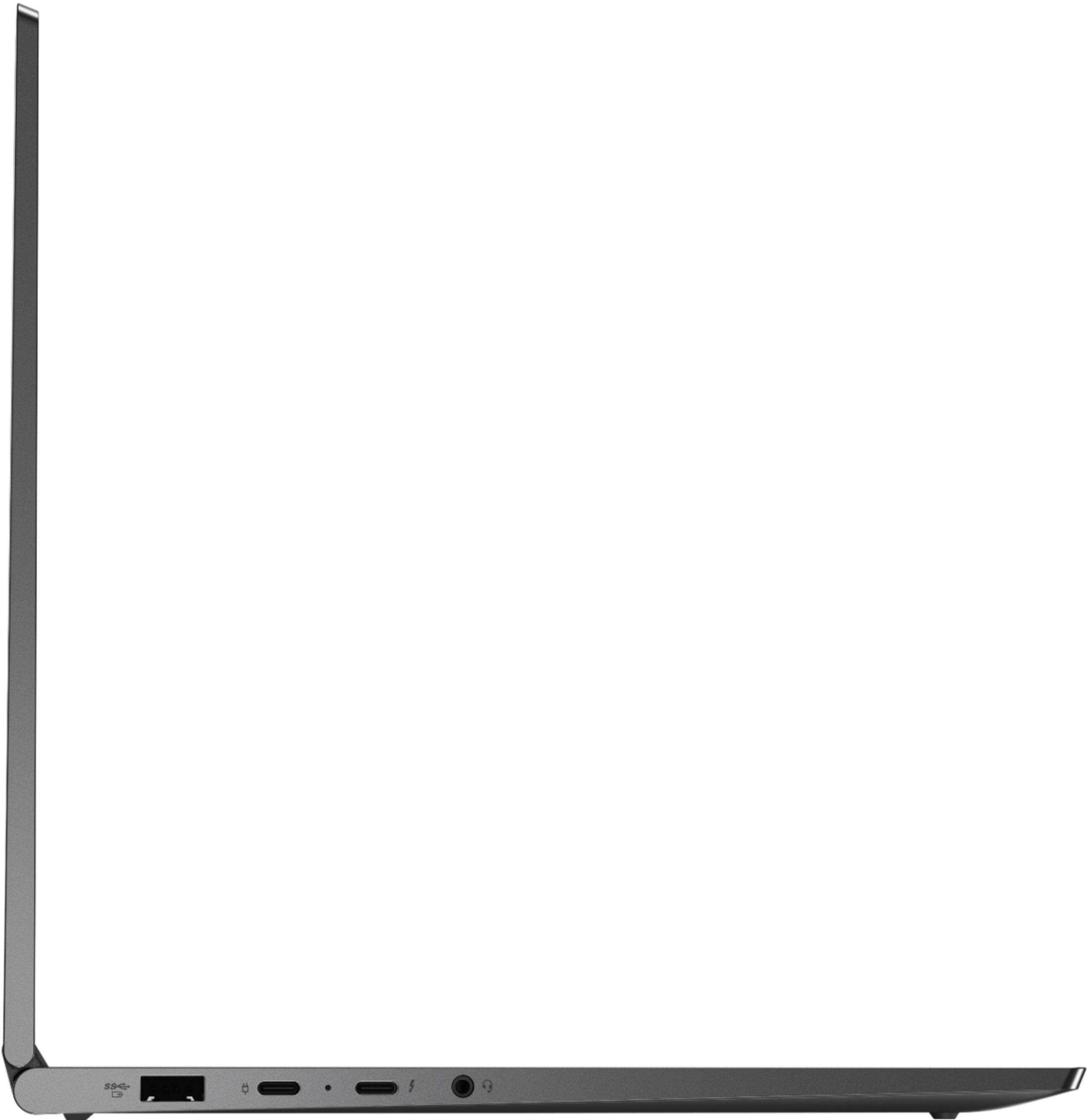
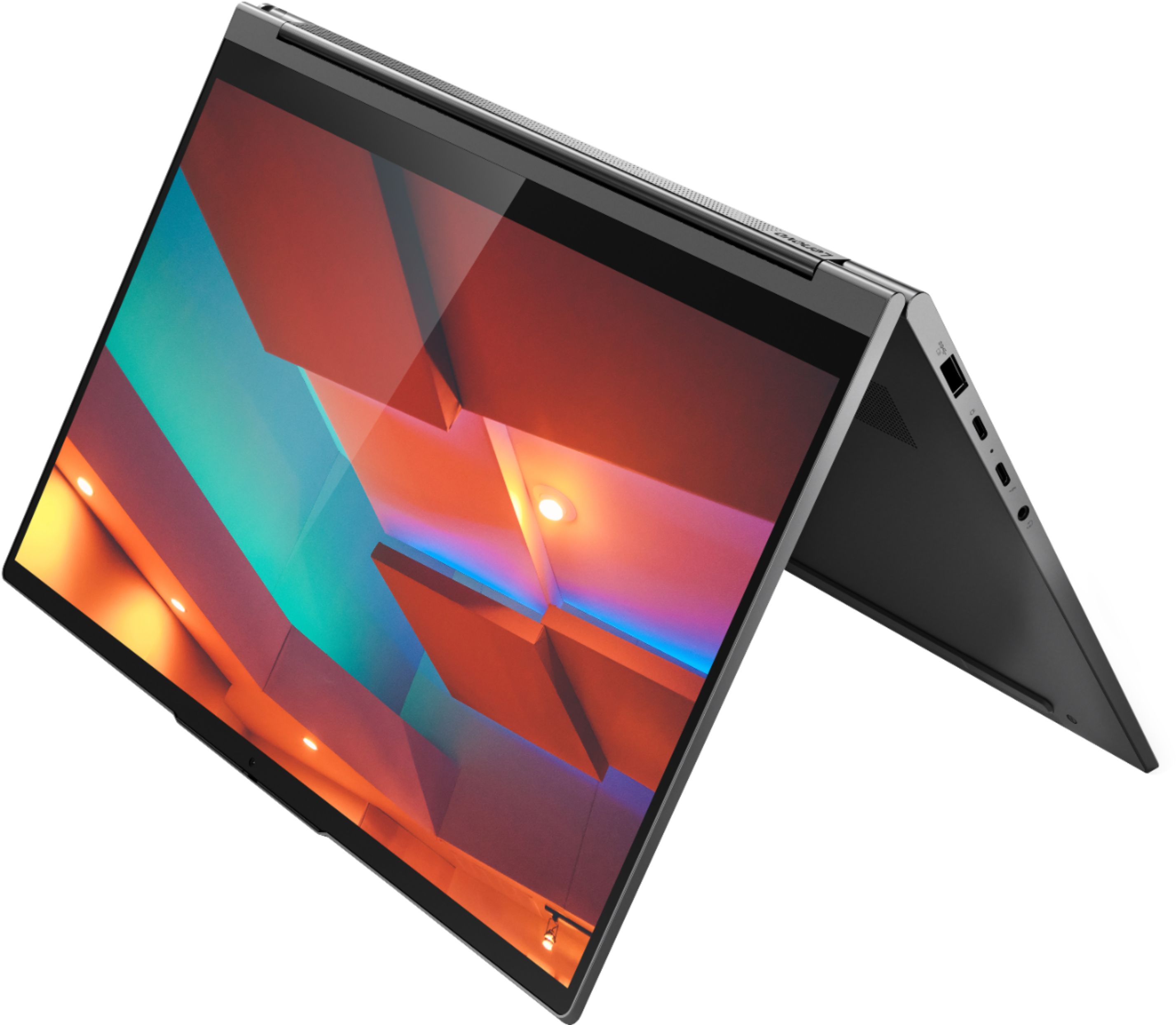
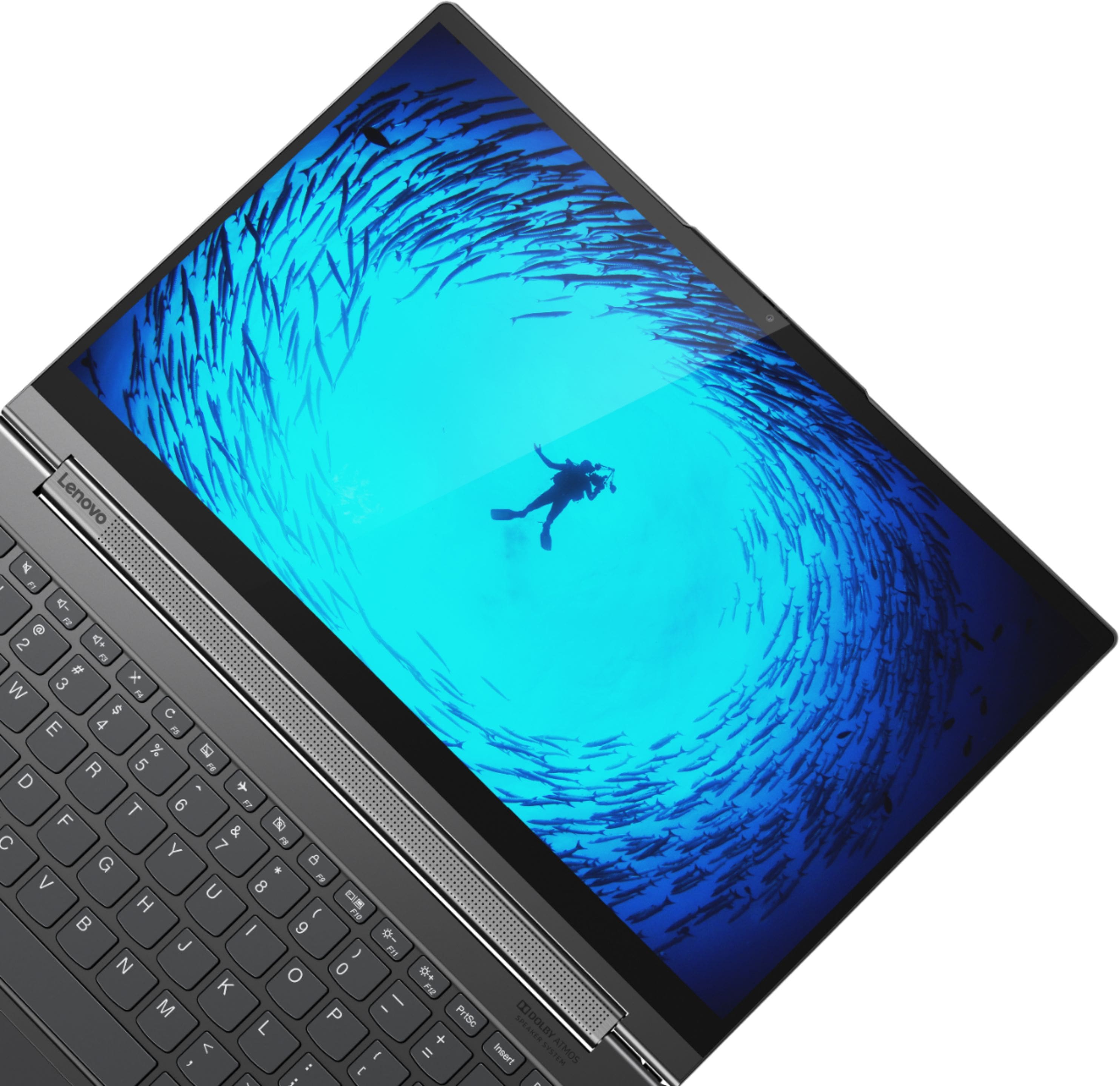
||Posted . Owned for 2 weeks when reviewed.This reviewer received promo considerations or sweepstakes entry for writing a review.Honestly, It looks like a really good laptop, it really does, but its performance issues lead me to driving all the way back to bestbuy (about a 20 minute drive for me) just to return it. It lags everything you turn it on, and every time you open a browser. The 2 stars are for the design of it mostly, also, the hinge is no longer the speaker, it comes out of the back of the keyboard section. So when you are in tablet mode, the speaker sounds weird.
No, I would not recommend this to a friendBrand response from Lenovo Product Expert
Posted .We are sorry to hear that you are having issues with Windows 10 on your Lenovo Yoga C940-14. Windows 10 should not lag or freeze. Be sure any software you installed is compatible with Windows 10. There is no need to install Microsoft Office software. The software is already part of the operating system, you just need to activate the software with a purchased product key. If you have installed a copy of Microsoft Office, this is conflicting with the existing copy on the system and this will slow your system down. If you have installed a 3rd party anti-virus program, be sure that Windows Defender is turned off and that the trial version of McAfee Anti-Virus software is uninstalled. There can only be one anti-virus program on the system. You may need to restore your system to original factory default settings if any of the programming errors have occurred. You can do that by typing "restore" in the Cortana search window. Just click on the magnifying glass icon at the bottom left of your Windows 10 Desktop. Click on "Reset This PC" Then click on "Get Started" and follow the on screen directions to restore to factory defaults. If the problem persists, we recommend you contact Lenovo Tech Support at: 877-453-6686.
Don't buy it!!!
||Posted . Owned for 5 months when reviewed.This reviewer received promo considerations or sweepstakes entry for writing a review.Nothing against Best Buy but this computer didn't work. We have sent the laptop to Lenovo 3 times for repair and they couldn't get it to work. These are the problems: Computer shut down without any reason , touch screen didn't work and I cannot login, a very frustrating experience. I just sent an email to Yang Yuanging CEO of Lenovo and three Sr. managers asking for help. I waited 6 months for a solution, I can't wait more...Sorry.
No, I would not recommend this to a friendBrand response from Lenovo Product Expert
Posted .We are sorry to hear that you are having issues with your Lenovo Yoga C940-14. First, Be sure any software you installed is compatible with Windows 10. There is no need to install Microsoft Office software. The software is already part of the operating system, you just need to activate the software with a purchased product key. If you have installed a copy of Microsoft Office, this is conflicting with the existing copy on the system and this will slow your system down. If you have installed a 3rd party anti-virus program, be sure that Windows Defender is turned off and that the trial version of McAfee Anti-Virus software is uninstalled. There can only be one anti-virus program on the system. You may need to restore your system to original factory default settings if any of the programming errors have occurred. You can do that by typing "restore" in the Cortana search window. Just click on the magnifying glass icon at the bottom left of your Windows 10 Desktop. Click on "Reset This PC" Then click on "Get Started" and follow the on screen directions to restore to factory defaults. If there is no incompatible software installed, creating recovery media may be a solution. Here is a link to instuctions for doing this: https://pcsupport.lenovo.com/us/en/products/laptops-and-netbooks/ideapad-s-series-netbooks/s145-15api/solutions/HT103653/?cid=us%3Asem%7Cse%7Cgoogle%7CTFSM1Q12YF%7Cchanneladv_b_non-brand_ideapad_dsa%7Cideapad%20dsa%7C%7Cb%7C10147249900%7C107278414968%7Caud-906211442101%3Adsa-912195333543%7Ctext%7Cnon-brand&ef_id=EAIaIQobChMI49-fg7r16QIVkYbACh2OrgWyEAAYASAAEgIL9_D_BwE%3AG%3As&s_kwcid=AL%214030%213%21438221022374%21b%21%21g%21%21%2110147249900%21107278414968&gclid=EAIaIQobChMI49-fg7r16QIVkYbACh2OrgWyEAAYASAAEgIL9_D_BwE
- Cons mentioned:Price
Not worth the money
||Posted . Owned for 8 months when reviewed.This reviewer received promo considerations or sweepstakes entry for writing a review.Horrible laptop, had to send it in twice in first 6 months for overheating issue. Other than the overheating issue it work fine but for a $1400 laptop to have overheating issues twice is completely unacceptable.
No, I would not recommend this to a friendBrand response from Lenovo Product Expert
Posted .We are sorry to hear that you are having issues with your Lenovo Yoga C940-14. System workload determines the heat generated by the components within this computer. If you hear that internal fan running when the workload is low or the computer should be idle, be sure any software you installed is compatible with Windows 10. There is no need to install Microsoft Office software. The software is already part of the operating system, you just need to activate the software with a purchased product key. If you have installed a copy of Microsoft Office, this is conflicting with the existing copy on the system and this will slow your system down. If you have installed a 3rd party anti-virus program, be sure that Windows Defender is turned off and that the trial version of McAfee Anti-Virus software is uninstalled. There can only be one anti-virus program on the system. You may need to restore your system to original factory default settings if any of the programming errors have occurred. You can do that by typing "restore" in the Cortana search window. Just click on the magnifying glass icon at the bottom left of your Windows 10 Desktop. Click on "Reset This PC" Then click on "Get Started" and follow the on screen directions to restore to factory defaults. If there is no incompatible software installed, you can use Lenovo Q-Control to manually control fan and system performance: ( Fn + Q ) option to change the fan by undervolting the processor. If the issue continues, we recommend you call Lenovo Tech Support at: 877-453-6686.
Laptop
||Posted . Owned for 1 month when reviewed.This reviewer received promo considerations or sweepstakes entry for writing a review.I haven't been able to do much with it yet. Wish I would have knew Gateway laptops were coming out. I would have waited!
No, I would not recommend this to a friendAlright computer, overpriced
||Posted . Owned for 6 months when reviewed.This reviewer received promo considerations or sweepstakes entry for writing a review.Not worth the money in my opinion. Don’t know if I just got a bad model but the screen would randomly think I was touching it when I wasn’t and the computer overall seemed a little slow. I had it for about 3 days before returning it and getting a MacBook Pro which seems to be much faster, not glitchy, and seems like it also has better picture quality/ colors are more vibrant
No, I would not recommend this to a friend- Cons mentioned:Fan noise
Horrible screen
||Posted . Owned for 1 week when reviewed.This reviewer received promo considerations or sweepstakes entry for writing a review.Got 2 bad units with flickering screen problems. Quality control sucks!!!!! Will look at another brand. So disappointed. And also the fans run nonstop and are super annoying. Miss the Yoga 920!! That one worked great and had none of these problems!!!
No, I would not recommend this to a friendBrand response from Lenovo Product Expert
Posted .We are sorry to hear that you are having issues with screen flicker on your Lenovo Yoga C940-14. It is possible that resetting your computers back to original factory settings may correct the issues you describe. If you can not properly boot the computer due to the screen flicker, this system is equipped with OneKey Recovery System. There is a very small pin hole on the bottom, left side of the device, right near the bottom left corner of the cooling vent on the bottom of the device. You will need a pin to push this reset button. Plug the device in. Let the battery charge for about 15 minutes. Push the reset button. The system should boot to a choice screen where you can choose "Restore To Factory Default". Select this. It will delete everything from the hard drive except the original factory install of the operating system. You will need to reinstall all programs and files after the reset. If you don't have copies of the files, try to make one before you restore by selecting "Boot to desktop" and trying to back up your files. Once you have the computers restored, be sure any software you installed is compatible with Windows 10. There is no need to install Microsoft Office software. The software is already part of the operating system, you just need to activate the software with a purchased product key. If you have installed a copy of Microsoft Office, this is conflicting with the existing copy on the system and this will slow your system down. If you have installed a 3rd party anti-virus program, be sure that Windows Defender is turned off and that the trial version of McAfee Anti-Virus software is uninstalled. There can only be one anti-virus program on the system. You may need to restore your system to original factory default settings if any of the programming errors have occurred. You can do that by typing "restore" in the Cortana search window. Just click on the magnifying glass icon at the bottom left of your Windows 10 Desktop. Click on "Reset This PC" Then click on "Get Started" and follow the on screen directions to restore to factory defaults. If the problem persists, we recommend you contact Lenovo Tech Support at: 877-453-6686.
Great Price, poor quality
||Posted .This reviewer received promo considerations or sweepstakes entry for writing a review.I enjoyed this computer up until one month of use when the screws on the bottom of the laptop started to fall out. This caused the pen to stop working. I’ve mailed out the laptop device 2 weeks ago to Lenovo to be fixed and now they’re saying they do not have the parts in stock. Best Buy was a fine experience but the support on Lenovo side has been very unpleasant.
No, I would not recommend this to a friendLenovo Yoga
||Posted . Owned for 3 weeks when reviewed.This reviewer received promo considerations or sweepstakes entry for writing a review.Having some trouble with the WiFi function and need to bring it in for technical support
I would recommend this to a friendworking ok
||Posted . Owned for 2 months when reviewed.This reviewer received promo considerations or sweepstakes entry for writing a review.amazing outlook, but the screen is very fragile. mine got damaged and replaced by Lenovo.
No, I would not recommend this to a friendHad to return it and the 2nd was bad too
||Posted . Owned for 3 weeks when reviewed.This reviewer received promo considerations or sweepstakes entry for writing a review.1st one straight out of box 6 hrs of usage mouse froze. Did all Lenovo motherboard updates and next day same thing. Returned it and got another one. Used for one whole day no issues and then on 2nd day the screen locked up with horizontal white lines. Powered it down and do all Lenovo updates work great for 2 days and video locked up again. Returned unit and bought something totally different. Love the device I’ve the sound and speed however I think Lenovo Yoga needs to do a better job with quality control before they ship a laptop.
No, I would not recommend this to a friendBrand response from Lenovo Product Expert
Posted .We are sorry to hear that you are having issues with the Lenovo Yoga C940-14. Be sure any software you installed is compatible with Windows 10. There is no need to install Microsoft Office software. The software is already part of the operating system, you just need to activate the software with a purchased product key. If you have installed a copy of Microsoft Office, this is conflicting with the existing copy on the system and this will slow your system down. If you have installed a 3rd party anti-virus program, be sure that Windows Defender is turned off and that the trial version of McAfee Anti-Virus software is uninstalled. There can only be one anti-virus program on the system. You may need to restore your system to original factory default settings if any of the programming errors have occurred. You can do that by typing "restore" in the Cortana search window. Just click on the magnifying glass icon at the bottom left of your Windows 10 Desktop. Click on "Reset This PC" Then click on "Get Started" and follow the on screen directions to restore to factory defaults. If the problem persists, we recommend you contact Lenovo Tech Support at: 877-453-6686.
- Cons mentioned:Overheating
Laptop sucks
||Posted . Owned for 5 months when reviewed.This reviewer received promo considerations or sweepstakes entry for writing a review.It shuts off while I'm using it. Last time it smelled like it was smoldering. There was no smoke nor no flames, and it wasnt hot. But it could be a fire hazard. Itz been sent back to the manufacturer. I requested a new one. So, we'll see what happens.
No, I would not recommend this to a friend Bad Product.
||Posted . Owned for 9 months when reviewed.This reviewer received promo considerations or sweepstakes entry for writing a review.Big time problems with this laptop that buyers be aware of: 1. the stylus that comes with the laptop stopped working in the first month. 2. Screen Blackout problem: Now the screen continually blacks out and you have to reboot twice to restore it to normal functionality 3. Key board light: if you switch this one, the whole system starts behaving wildly and blacks out and sometimes throws errors I had to use this laptop for my work as due to covid restrictions, i could not get a new one. but after sometime, i stopped using it as the problems started increasing
No, I would not recommend this to a friendBrand response from Lenovo Product Expert
Posted .We are sorry to hear that you are having issue with your Lenovo Yoga C940-14. It is possible that resetting your computer back to original factory settings will correct the issues you are having. If the screen image issue will not let you properly boot the computer to the Windows 10 Desktop for a normal system reset, this system is equipped with OneKey Recovery System. There is a very small pin hole on the bottom right side of the device, right near the bottom right corner of the cooling vent on the bottom of the device. You will need a pin to push this reset button. Plug the device in. Let the battery charge for about 15 minutes. Push the reset button. The system should boot to a choice screen where you can choose "Restore To Factory Default". Select this. It will delete everything from the hard drive except the original factory install of the operating system. You will need to reinstall all programs and files after the reset. If you don't have copies of the files, try to make one before you restore by selecting "Boot to desktop" and trying to back up your files. Once you have the computer reset, be sure any software you installed is compatible with Windows 10. There is no need to install Microsoft Office software. The software is already part of the operating system, you just need to activate the software with a purchased product key. If you have installed a copy of Microsoft Office, this is conflicting with the existing copy on the system and this will slow your system down. If you have installed a 3rd party anti-virus program, be sure that Windows Defender is turned off and that the trial version of McAfee Anti-Virus software is uninstalled. There can only be one anti-virus program on the system. You may need to restore your system to original factory default settings if any of the programming errors have occurred. You can do that by typing "restore" in the Cortana search window. Just click on the magnifying glass icon at the bottom left of your Windows 10 Desktop. Click on "Reset This PC" Then click on "Get Started" and follow the on screen directions to restore to factory defaults. If the problem persists, we recommend you contact Lenovo Tech Support at: 877-453-6686.
- Pros mentioned:PerformanceCons mentioned:Camera
Some simple issues but would still recommend!
Posted .This reviewer received promo considerations or sweepstakes entry for writing a review.I've had this laptop for 3 years and a month. I got it for school. Yes, it's pricier than dell for similar specs, but if you intend to have it for many years, I recommend it. To this day, it works just as fast, holds all these files, and is very light. The only issue I have is with the camera which recently stopped working, but I'm sure I could take it in to get fixed, I've just been lazy. Also, the pen stopped working at some point, but I never really used it anyway, nor do I really use the tablet-yoga part. I download a lot of files and textbooks for university, but this laptop does not slow down at all. I intend to keep her for at least 3 more years and, if she stays just as good, maybe even 8-10 years. I will caution that the battery dies quicker these days, but I assume it's because of all my files and if I were to factory reset, she'd probably be a bit faster. Solid 7.6/10 <3
I would recommend this to a friend Not as good as the clerk represented!
||Posted . Owned for 1 month when reviewed.This reviewer received promo considerations or sweepstakes entry for writing a review.-The 4/$ key sticks and sometimes deletes information on its own. -The 14" screen is too small for the kind of work I do. -All files were not transported from the old computer. - My charge cable (for old computer) is still at Best Buy. I can't get through on the phone to schedule a pick-up. NOT HAPPY AT ALL!!
No, I would not recommend this to a friendBrand response from Lenovo Product Expert
Posted .We are sorry to hear that you are having issues with your Lenovo Yoga C940-14. Regarding the issue with keys sticking, be sure there is nothing trapped under the keys. Turning the computer 90-degrees and gently shaking the computer may release anything trapped under the keys. Here is a link to Lenovo Migration Assistant software to help you easily transfer files from your old computer to your new one: https://www.lenovo.com/us/en/software/lenovomigrationassistant/. If you continue to have issues we recommend you call Lenovo Tech Support for additional help at: 877-453-6686.
DO NOT BUY THIS FROM BEST BUY!
||Posted . Owned for 3 months when reviewed.This reviewer received promo considerations or sweepstakes entry for writing a review.This has to be the worst ever laptop I ever bought. I am a Computer Science student and this has to be the worst decision I have ever made. I've only been using this laptop for 4 months and it turns off without me even touching it. At times it gets really slow to the point where I have to wait a long time for it to load a page. I am currently writing this review in a library where I have been working on a project for the past 2 hours and this laptop just turned off on me. I just lost all the code I wrote in the past 2 hours and I'm going to have to do the project all over again. I have bought open box laptops from Amazon before and I have never experienced any difficulties. Please save your money. DO NOT BUY THIS LAPTOP FROM BEST BUY!!!
No, I would not recommend this to a friendscreen is too small
||Posted . Owned for 1 month when reviewed.This reviewer received promo considerations or sweepstakes entry for writing a review.had to leave my old computer there instead of them working on it immediately
I would recommend this to a friendIt's ok
||Posted . Owned for 5 months when reviewed.This reviewer received promo considerations or sweepstakes entry for writing a review.Not what I thought sou d is good but curser dose not seem to act right
No, I would not recommend this to a friendBrand response from Lenovo Product Expert
Posted .With regard to the touchpad, you can make adjustments to the touchpad in your system settings. You can get there by clicking on the magnifying glass at the bottom left of your Windows 10 screen. Type "touchpad" in the search window. Select "Mouse & touchpad settings" from the list of choices. You can make general adjustments to the touchpad there. You can also select "Additional mouse options" for more detailed adjustments to the touchpad sensitivity by increasing the delay of the touchpad. If you continue to have issues, we recommend you call Lenovo Tech Support for help with your specific issues at: 877-453-6686.
Looks cool
||Posted . Owned for 3 months when reviewed.This reviewer received promo considerations or sweepstakes entry for writing a review.Great sleek looking laptop. Returned it for a mac book though
No, I would not recommend this to a friend