Customer Ratings & Reviews

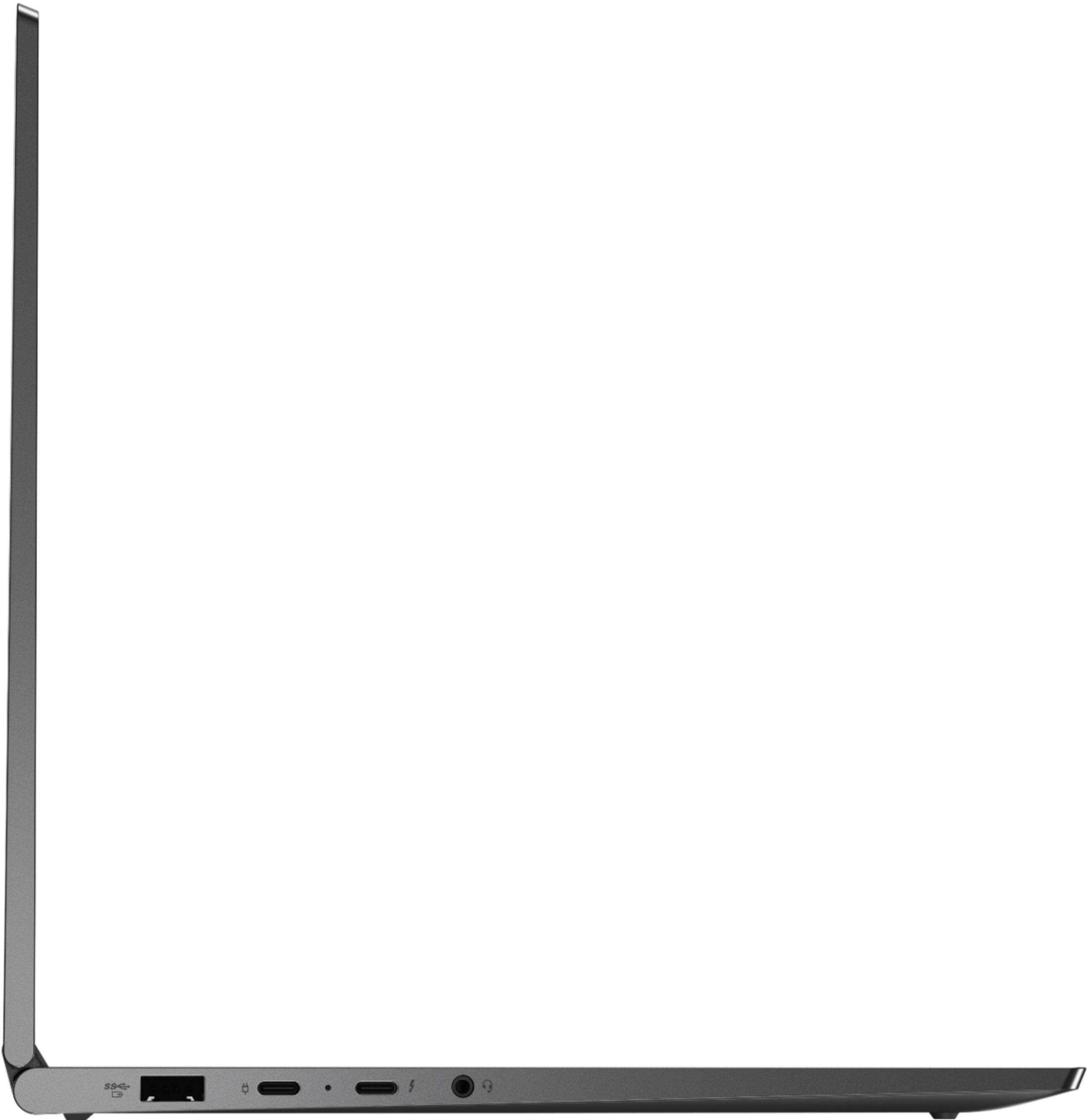
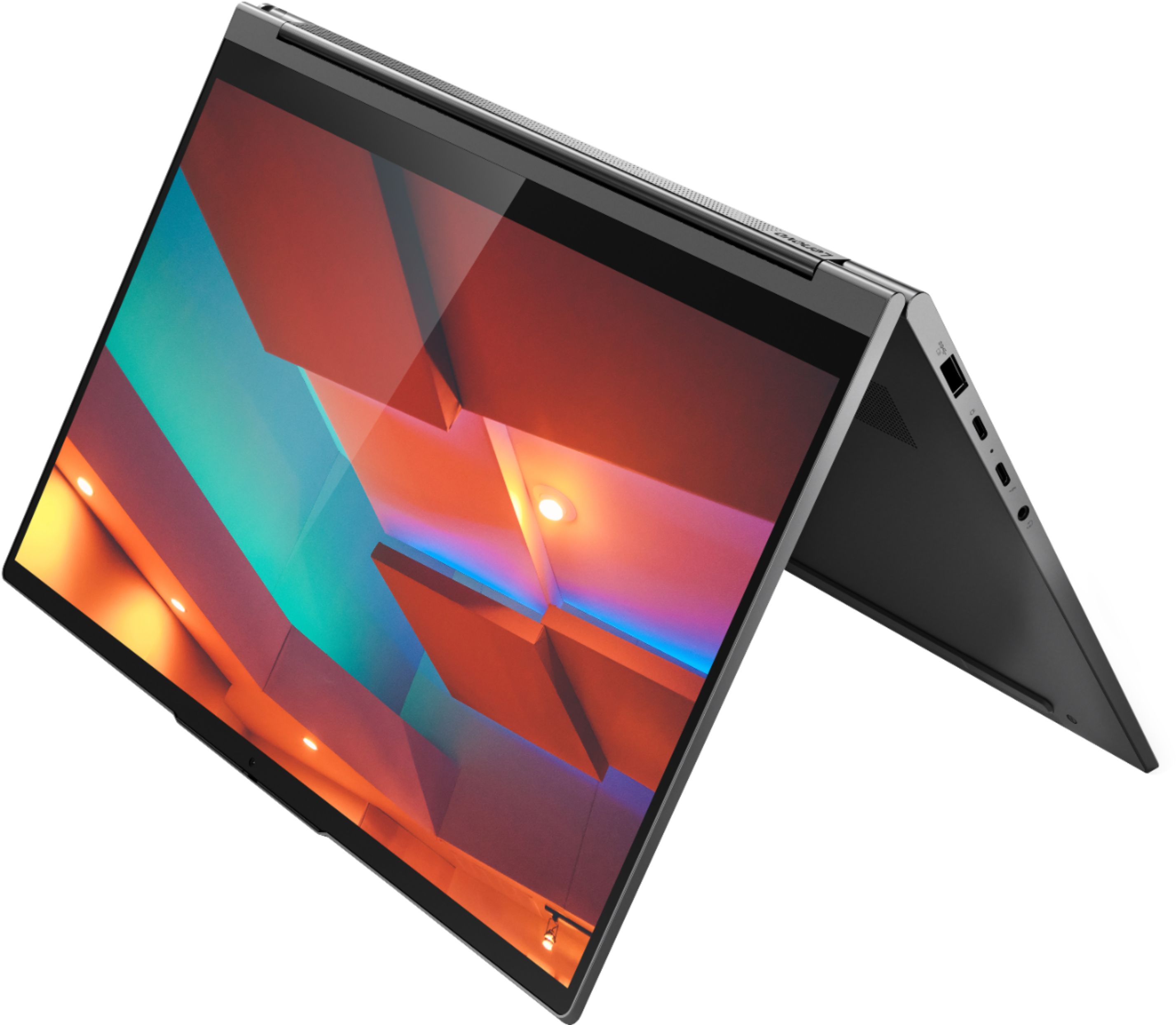

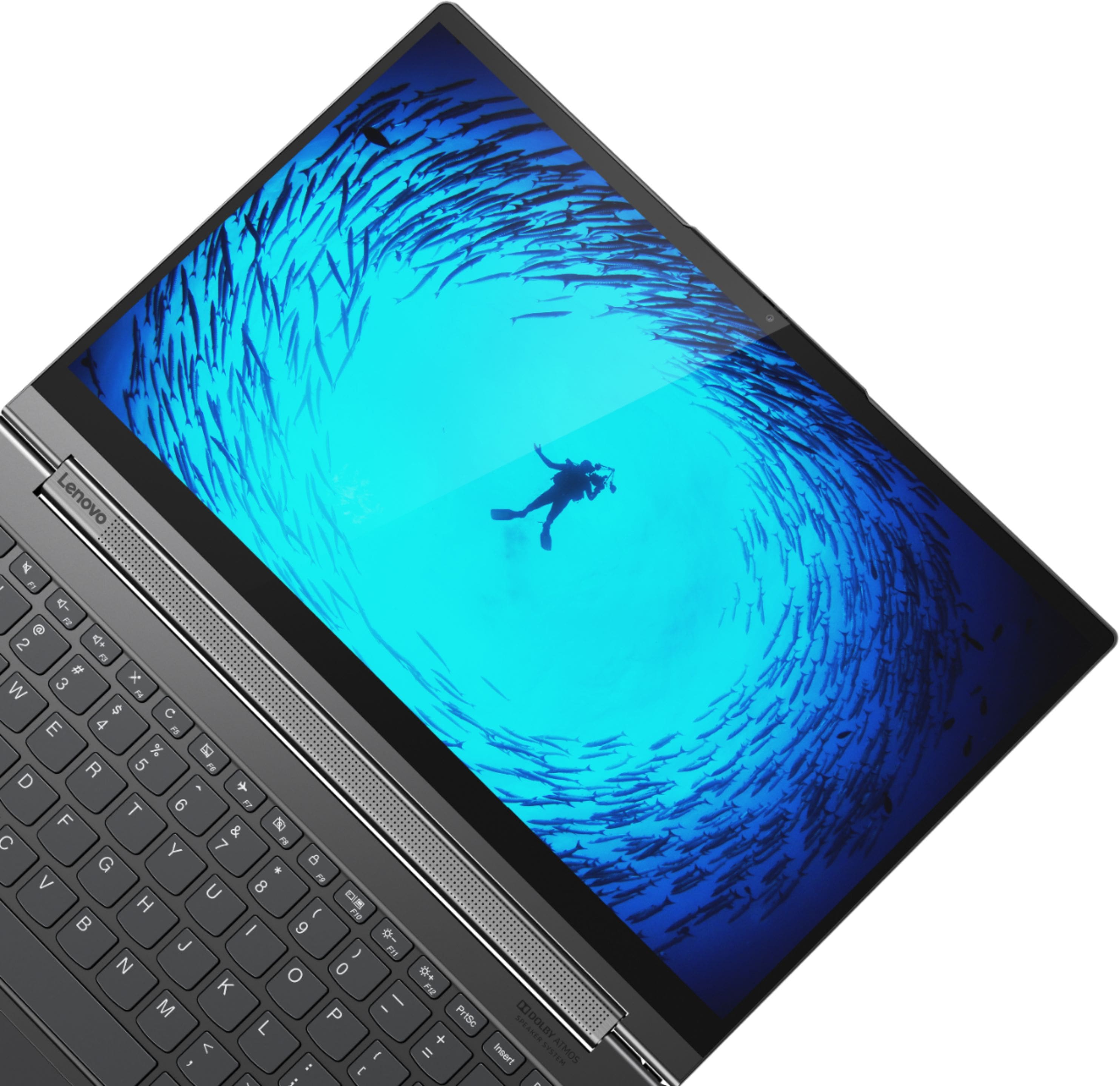





- Model:
- 81Q9002GUS
- SKU:
- 6367799
Rating by feature
- Battery Life
Rating 4.2 out of 5 stars
- Speed
Rating 4.4 out of 5 stars
- Display
Rating 4.5 out of 5 stars
Customers are saying
Customers are enthusiastic about the Yoga C940 2-in-1 laptop's fast performance, responsive touch screen, long battery life, and lightweight design. They appreciate the solid build quality and high-quality screen. However, some customers have concerns about the limited number of ports, occasional fan noise, and higher price point.
This summary was generated by AI based on customer reviews.
Went dead twice within first three months.
Posted .This reviewer received promo considerations or sweepstakes entry for writing a review.I bought a new Lenovo Yoga on Wirecutter's recommendation, for child's remote schooling. Went dead twice within the first three months. Arrived from Best Buy new, January 2021. First went dead Feb 2021. Sent it in to repair; Lenovo was good about sending a box and repairing it for free. Arrived fixed early March 2021. Hooray! Fixed! Two weeks later - went dead all over again. The laptop is now again at Lenovo for repair. Was told that because I did not get a replacement warranty, the laptop must be sent in to be fixed each time it goes dead - cannot be replaced no matter how many times it breaks. I have bookmarked Lenovo's repair status page, I check it so frequently.
No, I would not recommend this to a friendBrand response from Lenovo Product Expert
Posted .We are sorry to hear that you are having repeated issues with your Lenovo Yoga C940-14, model number 81Q9002GUS. Since the issue has reoccurred after repair, Be sure any software you installed is compatible with Windows 10. There is no need to install Microsoft Office software. The software is already part of the operating system, you just need to activate the software with a purchased product key. If you have installed a copy of Microsoft Office, this is conflicting with the existing copy on the system and this will slow your system down. If you have installed a 3rd party anti-virus program, be sure that Windows Defender is turned off and that the trial version of McAfee Anti-Virus software is uninstalled. There can only be one anti-virus program on the system. You may need to restore your system to original factory default settings if any of the programming errors have occurred. You can do that by typing "restore" in the Cortana search window. Just click on the magnifying glass icon at the bottom left of your Windows 10 Desktop. Click on "Reset This PC" Then click on "Get Started" and follow the on screen directions to restore to factory defaults.

Screen blacks out, tech support no help
Posted .This reviewer received promo considerations or sweepstakes entry for writing a review.Don't make the same mistake I did. Screen blacks out, turning power off is only way to bring it back. Doing some after the fact research, this is a common problem. Haven't lost data yet. Only solution tech support suggests is a factory reset; this is probably because they can't figure it out. Tech support is horrible. Over two hours on hold twice; dropped both times. No call back even though I verified they had my number. I wont use for work; I fear losing data.
No, I would not recommend this to a friendBrand response from Lenovo Product Expert
Posted .We are sorry to hear that you are having issues with your Lenovo Yoga C940-14. Once you have reset your Yoga C940-14 back to original factory settings, be sure any software you installed is compatible with Windows 10. There is no need to install Microsoft Office software. The software is already part of the operating system, you just need to activate the software with a purchased product key. If you have installed a copy of Microsoft Office, this is conflicting with the existing copy on the system and this will slow your system down. If you have installed a 3rd party anti-virus program, be sure that Windows Defender is turned off and that the trial version of McAfee Anti-Virus software is uninstalled. There can only be one anti-virus program on the system. You may need to restore your system to original factory default settings if any of the programming errors have occurred. You can do that by typing "restore" in the Cortana search window. Just click on the magnifying glass icon at the bottom left of your Windows 10 Desktop. Click on "Reset This PC" Then click on "Get Started" and follow the on screen directions to restore to factory defaults. If the problem persists, we recommend you contact Lenovo Tech Support at: 877-453-6686.
Extremely Disappointed!
Posted .This reviewer received promo considerations or sweepstakes entry for writing a review.I purchased this laptop about three months ago and initially gave it an excellent review. Lately, it is driving me crazy! The keyboard goes haywire! I can't type a complete sentence with out deleting and backspacing a million times. It mistypes the letters. It's also slow and freezes. This is definitely not a good buy ! This is ongoing with Best Buy products! The past few computers purchased at Best Buy have been junk! Steer clear !
No, I would not recommend this to a friendBrand response from Lenovo Product Expert
Posted .We are sorry to hear that you are having issues currently with your Lenovo Yoga C940-14. Since the laptop was working properly but only recently developed issues, be sure any software you installed is compatible with Windows 10. There is no need to install Microsoft Office software. The software is already part of the operating system, you just need to activate the software with a purchased product key. If you have installed a copy of Microsoft Office, this is conflicting with the existing copy on the system and this will slow your system down. If you have installed a 3rd party anti-virus program, be sure that Windows Defender is turned off and that the trial version of McAfee Anti-Virus software is uninstalled. There can only be one anti-virus program on the system. You may need to restore your system to original factory default settings if any of the programming errors have occurred. You can do that by typing "restore" in the Cortana search window. Just click on the magnifying glass icon at the bottom left of your Windows 10 Desktop. Click on "Reset This PC" Then click on "Get Started" and follow the on screen directions to restore to factory defaults. If there is no incompatible software installed, then check to be sure you have the latest version of Windows 10 on the computer. Then update all of the BIOS files and drivers up to that latest version of Windows 10. You can easily accomplish this by scanning the computer with the Lenovo Utility software available on this computer. This system has Lenovo utilities installed to help maintain the health of the device and keep the operating system software up to date. Type "Lenovo Vantage" in the Cortana Search window (if Lenovo Vantage is not installed on your device, you can download the APP and install it now). Select Lenovo Vantage from the list. In the window that opens, click on "Health and Support". In the expanded menu, select "Hardware Scan" In the window that opens, select "Run Quick Tests". This will scan your entire system for errors. Follow any directions that may pop up. If the problem continues after this scan, now click on "System Update". First select Windows update from the menu. Scan your system to be sure you have the latest version of Windows 10. Once that scan is complete, select "Additional Updates". This will scan your device to be sure there are no new BIOS/Driver updates needed. Follow any instructions that may pop up. If the issue still continues after these updates, we recommend you call Lenovo Tech Support at: 877-453-6686 for additional help.
AVOID AT ALL COSTS! Buy an Etchasketch instead.
Posted .This reviewer received promo considerations or sweepstakes entry for writing a review.Likely the worst laptop I have ever owned. I have gotten multiple BSOD, dont even think about trying to do something as simple as playing a youtube vid which will be choppy and freeze constantly. For whatever reason this thing struggles enormously to complete simple computing tasks. Also, its not the internet connection and its not a software issue. Lenovo Support has been in this thing 5 times already and cant improve it. I have purchased Yogas in the past and they have been great but Lenovo really screwed this one up.
No, I would not recommend this to a friendBrand response from Lenovo Product Expert
Posted .Hello, we are sorry to hear you are experiencing this issue with your Lenovo Yoga C940 14" laptop model # 81Q9002GUS. Please ensure you are running the latest version of Windows 10. Here is a link to instructions for updating Windows 10 https://support.microsoft.com/en-us/windows/update-windows-10-3c5ae7fc-9fb6-9af1-1984-b5e0412c556a . Next we recommend checking for System Device Driver/BIOS updates with the Lenovo Vantage APP. You can easily accomplish this by scanning the computer with the Lenovo Utility software available on this computer. This system has Lenovo utilities installed to help maintain the health of the device and keep the operating system software up to date. Type "Lenovo Vantage" in the Cortana Search window (if Lenovo Vantage is not installed on your device, you can download the APP and install it now). Select Lenovo Vantage from the list. In the window that opens, click on "Health and Support". In the expanded menu, select "Hardware Scan” In the window that opens, select "Run Quick Tests". This will scan your entire system for errors. Follow any directions that may pop up. If the problem continues after this scan, now click on "System Update". First select Windows update from the menu. Scan your system to be sure you have the latest version of Windows 10. Once that scan is complete, select "Additional Updates". This will scan your device to be sure there are no new BIOS/Driver updates needed. Follow any instructions that may pop up. Lastly please be sure any software you installed is compatible with Windows 10. There is no need to install Microsoft Office software. The software is already part of the operating system, you just need to activate the software with a purchased product key. If you have installed a copy of Microsoft Office, this is conflicting with the existing copy on the system and this will slow your system down. If you have installed a 3rd party anti-virus program, be sure that Windows Defender is turned off and that the trial version of McAfee Anti-Virus software is uninstalled. There can only be one anti-virus program on the system. You may need to restore your system to original factory default settings if any of the programming errors have occurred. You can do that by typing "restore" in the Cortana search window. Just click on the magnifying glass icon at the bottom left of your Windows 10 Desktop. Click on "Reset This PC” Then click on "Get Started" and follow the on-screen directions to restore to factory defaults. If the problem persists, we recommend you contact Lenovo Tech Support at: 877-453-6686.
Charging Cable Very Unstable; Not working now
Posted .This reviewer received promo considerations or sweepstakes entry for writing a review.This was the most expensive laptop I have bought but not much better than my first, cheaper, Lenovo. The main problem is that the charging cable is very unstable and not reliable. I bought a second charging cable thinking that the problem was the charging cable but I have the same iffy charging status on the new cable. Today it is refusing to charge no matter how I try to make it work. I am not buying another Lenovo.
No, I would not recommend this to a friendBrand response from Lenovo Product Expert
Posted .We are sorry to hear that you are having issues charging your Lenovo C940-14. Be sure you have Battery Conservation Mode turned off. This is a power setting used when the computer is plugged in all the time. It only allows the battery to charge to 60-percent, to extend battery life. Here is a link to instructions for turning off Battery Conservation Mode:
https://support.lenovo.com/us/en/solutions/ht103159. If the issue continues, we recommend you call Lenovo Tech Support for help with your specific issue at: 877-453-6686.
Real problems
Posted .This reviewer received promo considerations or sweepstakes entry for writing a review.This was the laptop as I wanted it. The 1st I bought had damaged hardware. The replacement was sent to me with no power cord. Built in China and assembled by IBM. How fallen in quality of IBM (International Business Machines). Now 2 round trips to Best Buy @40 miles round trip.
I would recommend this to a friendabsolute worst purchase of my life
Posted .This reviewer received promo considerations or sweepstakes entry for writing a review.It runs slower than the 6 year old computer I had before it. It constantly glitches out, won’t let me open what I need to, and split screen is hard to use on it, it turns different colors randomly and will start playing sounds when it’s closed.I’ve never hated anything as much as I hate this computer
No, I would not recommend this to a friendBrand response from Lenovo Product Expert
Posted .We are sorry to hear that you are having issues with your Lenovo Yoga C940-14, model number 81Q9002GUS. First, Be sure any software you installed is compatible with Windows 10. There is no need to install Microsoft Office software. The software is already part of the operating system, you just need to activate the software with a purchased product key. If you have installed a copy of Microsoft Office, this is conflicting with the existing copy on the system and this will slow your system down. If you have installed a 3rd party anti-virus program, be sure that Windows Defender is turned off and that the trial version of McAfee Anti-Virus software is uninstalled. There can only be one anti-virus program on the system. You may need to restore your system to original factory default settings if any of the programming errors have occurred. You can do that by typing "restore" in the Cortana search window. Just click on the magnifying glass icon at the bottom left of your Windows 10 Desktop. Click on "Reset This PC" Then click on "Get Started" and follow the on screen directions to restore to factory defaults. If there is no incompatible software installed, then be sure you have the latest version of Windows 10 on the computer. Then Update all BIOS files and drivers up to that latest version of Windows 10. You can easily accomplish this by scanning the computer with the Lenovo Utility software available on this computer. This system has Lenovo utilities installed to help maintain the health of the device and keep the operating system software up to date. Type "Lenovo Vantage" in the Cortana Search window (if Lenovo Vantage is not installed on your device, you can download the APP and install it now). Select Lenovo Vantage from the list. In the window that opens, click on "Health and Support". In the expanded menu, select "Hardware Scan" In the window that opens, select "Run Quick Tests". This will scan your entire system for errors. Follow any directions that may pop up. If the problem continues after this scan, now click on "System Update". First select Windows update from the menu. Scan your system to be sure you have the latest version of Windows 10. Once that scan is complete, select "Additional Updates". This will scan your device to be sure there are no new BIOS/Driver updates needed. Follow any instructions that may pop up. If after updating the BIOS and drivers to the latest version of Windows 10 does not fix the issues you are having, resetting the computer back to original factory settings may correct the problem. Here is a link to instructions for resetting your Windows 10 Laptop: https://support.microsoft.com/en-us/windows/recovery-options-in-windows-10-31ce2444-7de3-818c-d626-e3b5a3024da5. If the issues with your computer will not allow you to reset the computer normally, this system is equipped with OneKey Recovery System. There is a very small pin hole on the bottom left side of the device, right near the bottom left corner of the cooling vent on the bottom of the device. You will need a pin to push this reset button. Plug the device in. Let the battery charge for about 15 minutes. Push the reset button. The system should boot to a choice screen where you can choose "Restore To Factory Default". Select this. It will delete everything from the hard drive except the original factory install of the operating system. You will need to reinstall all programs and files after the reset. If you don't have copies of the files, try to make one before you restore by selecting "Boot to desktop" and trying to back up your files. If the problem persists after the factory reset, we recommend you contact Lenovo Tech Support at: 877-453-6686.
Great computer with a worthless wifi connection
Posted .This reviewer received promo considerations or sweepstakes entry for writing a review.I have a C930 that I love and bought this to work from home. I can't stay connected to any wifi for more than 5 minutes. I have to manually reconnect each time it drops and the only help Lenovo offers is to suggest updating drivers.
No, I would not recommend this to a friendBrand response from Lenovo Product Expert
Posted .We are sorry to hear that you are having issues with your Yoga C940-14, model number 81Q9002GUS. This model ships with the latest, Intel 6G, wide-range, high speed 2x2 802.11AX frequency WiFi capability built in. Here is a link to instructions for connecting a Windows 10 laptop to your WiFi network: https://support.microsoft.com/en-us/help/4027030/windows-10-connect-to-a-wi-fi-network. If you continue to experience signal drop, first, check to be sure you have the latest version of Windows 10 on the computer, then update both the BIOS files and the drivers up to that latest version of Windows 10. You can easily accomplish this by scanning the computer with the Lenovo Utility software installed on the computer. This system has Lenovo utilities installed to help maintain the health of the device and keep the operating system software up to date. Type "Lenovo Vantage" in the Cortana Search window (if Lenovo Vantage is not installed on your device, you can download the APP and install it now). Select Lenovo Vantage from the list. In the window that opens, click on "Health and Support". In the expanded menu, select "Hardware Scan" In the window that opens, select "Run Quick Tests". This will scan your entire system for errors. Follow any directions that may pop up. If the problem continues after this scan, now click on "System Update". First select Windows update from the menu. Scan your system to be sure you have the latest version of Windows 10. Once that scan is complete, select "Additional Updates". This will scan your device to be sure there are no new BIOS/Driver updates needed. Follow any instructions that may pop up. If the issue still continues after these updates, we recommend you call Lenovo Tech Support at: 877-453-6686 for additional help.