Customer Ratings & Reviews





- Model:
- 81Q9003PUS
- SKU:
- 6388042
Rating by feature
- Battery Life
Rating 4.2 out of 5 stars
- Speed
Rating 4.4 out of 5 stars
- Display
Rating 4.5 out of 5 stars
Customers are saying
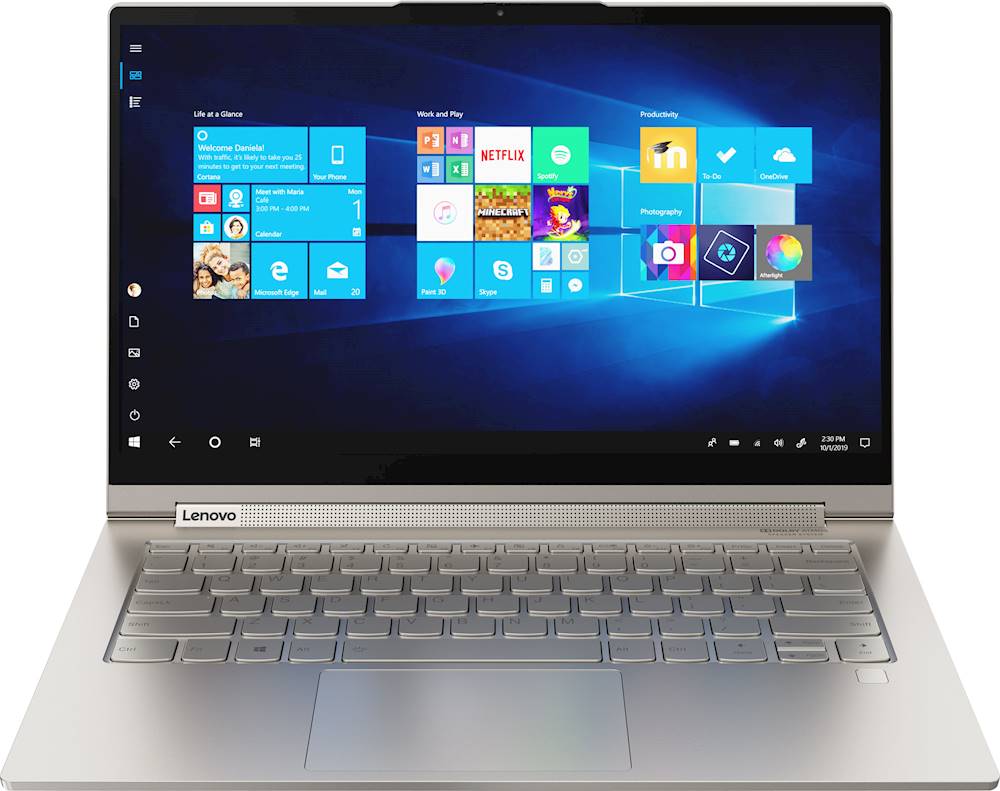
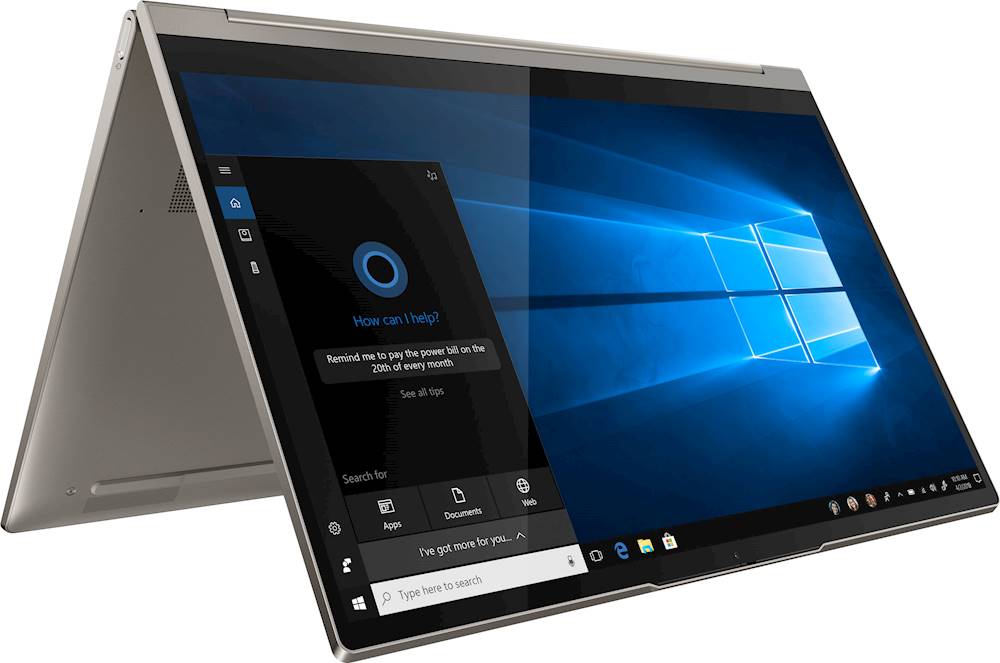
Customers are enthusiastic about the Yoga C940 2-in-1 laptop's fast performance, responsive touch screen, long battery life, and lightweight design. They appreciate the solid build quality and high-quality screen. However, some customers have concerns about the limited number of ports, occasional fan noise, and higher price point.
This summary was generated by AI based on customer reviews.
Just what you need.
||Posted . Owned for 1 month when reviewed.This reviewer received promo considerations or sweepstakes entry for writing a review.This laptop is amazing. The 10th i7 processsor is great especially paired with 12 gb of fbe lpddr4 ram. The build quality is great and the keyboard feels good. The best part about the laptop is probably the speakers. They get extremely loud compared to the old yogas and they are also very crisp.
No, I would not recommend this to a friendBrand response from Lenovo Product Expert
Posted .Once again, thank you for choosing the Lenovo Yoga C940-14. You can keep your computer running at its best by keeping the Windows 10 Operating System and all supporting BIOS files and drivers up to date. You can easily accomplish this by scanning the computer with the Lenovo Utility software available on this computer. This system has Lenovo utilities installed to help maintain the health of the device and keep the operating system software up to date. Type "Lenovo Vantage" in the Cortana Search window (if Lenovo Vantage is not installed on your device, you can download the APP and install it now). Select Lenovo Vantage from the list. In the window that opens, click on "Health and Support". In the expanded menu, select "Hardware Scan" In the window that opens, select "Run Quick Tests". This will scan your entire system for errors. Follow any directions that may pop up. If the problem continues after this scan, now click on "System Update". First select Windows update from the menu. Scan your system to be sure you have the latest version of Windows 10. Once that scan is complete, select "Additional Updates". This will scan your device to be sure there are no new BIOS/Driver updates needed. Follow any instructions that may pop up. If you ever need additional help with your Lenovo computer, we recommend you call Lenovo Tech Support at: 877-453-6686 for additional help.

Great Laptop for School and Personal Use
||Posted . Owned for 1 month when reviewed.This reviewer received promo considerations or sweepstakes entry for writing a review.Before purchasing this, I had a 15 inch Thinkpad that struggled to have more than one tab open on my internet browser. So glad I decided to go ahead with purchase! I have had the Yoga C940 for a little over a month now, and this is a purchase I don't regret making. Initially, I worried about switching to a smaller screen, but I barely noticed the difference aside from the lack of a number keypad. I bought it open box at a reduced price, and though there were some light markings on the cover, it has been working great. I love using the tablet and stylus feature to take notes for classes. It also has a great speed and works fine when I play video games on Steam, though the battery does drain a bit faster. I've only had one issue lately in which the brightness will not be reduced. I've attempted to solve the issue myself without success, I'll likely be resorting to Geek Squad soon for assistance. Overall, I would still recommend this laptop.
I would recommend this to a friendBrand response from Lenovo Product Expert
Posted .Thank you for choosing the Lenovo Yoga C940-14. With regard to adjusting screen brightness, if you are unable to manually adjust screen brightness, be sure auto brightness is first turned off before you try manual adjustments. Here is a link to more information about controlling auto brightness within Windows 10: https://www.tenforums.com/tutorials/70157-enable-disable-adaptive-brightness-windows-10-a.html. Here is a link to instructions for manually adjusting screen brightness within Windows 10: https://support.microsoft.com/en-us/windows/change-screen-brightness-in-windows-10-3f67a2f2-5c65-ceca-778b-5858fc007041#:~:text=Select%20action%20center%20on%20the,slider%20to%20adjust%20the%20brightness.. If the issue continues, you can contact Lenovo Tech Support at: 877-453-6686.
Great 2-in-1
||Posted . Owned for 1 month when reviewed.This reviewer received promo considerations or sweepstakes entry for writing a review.This is a great laptop so far. It's fast and built really solid. I only had one issue at first with it dropping Wi Fi but after I updated to the latest driver I haven't had a problem with it since. The finger print reader is great and speakers put out good sound compared to other laptops.
I would recommend this to a friendBrand response from Lenovo Product Expert
Posted .Thank you for choosing the Lenovo Yoga C940-14. We are pleased to hear that the features and performance of the Yoga C940-14 meets your computing needs so well. Every component of Yoga C940 was engineered with your experience in mind. That’s why The Yoga C940 offers the brilliant color and clarity with ultra-narrow bezels. At 400 nits brightness, it’s brighter than standard SDR displays. You’ll enjoy amazing realism that's vivid, nuanced, and powerful. Capture your ideas the moment inspiration hits with a garaged digital pen. Featuring an in-body charging compartment, the Yoga C940 ensures you’ll never lose a thought—or your digital pen—again. The convertible hinge hides a powerful Dolby Atmos Speaker System that immerses you in 3D sound in every mode. Combined with two sets of speakers featuring powerful subwoofers, custom tweeters, and unique vibration buffers that reduce unwanted noise, your audio will sound bigger, deeper, and more accurate. Experience how the Yoga C940 embodies world-class craftsmanship, innovative solutions, and elevated design. Log into your Yoga C940 in less than two seconds with an integrated fingerprint reader. That’s three times faster than the average time it takes to type a password. Forget your password.
Excellent All Around Laptop!
||Posted . Owned for 1 week when reviewed.This reviewer received promo considerations or sweepstakes entry for writing a review.Right before I purchased this I bought the base model 2020 Macbook Pro 13 inch, but after using it for a week I didn't think it was worth the high price that I paid for it so I returned it. I picked this Lenovo Yoga C940 on sale right after and it blows the Macbook Pro out of the water in my opinion. You get newer specs, it works flawlessly, the battery life is great, webcam has a privacy shutter, and the sound is excellent for a laptop. I would definitely recommend. I use it mostly for school work and streaming videos online, and as I mentioned previously this thing works beautifully. Compared to the Macbook Pro I mentioned, this machine has double the storage, newer wifi, more RAM, and more ports (not a lot more, but still), so overall I am happy with my purchase.
I would recommend this to a friendBrand response from Lenovo Product Expert
Posted .Thank you for choosing the Lenovo Yoga C940-14. We are pleased to hear that the value, features and performance of the Yoga C940-14 meets your computing needs so well. Every component of Yoga C940 was engineered with your experience in mind. That’s why The Yoga C940 offers the brilliant color and clarity with ultra-narrow bezels. At 400 nits brightness, it’s brighter than standard SDR displays. You’ll enjoy amazing realism that's vivid, nuanced, and powerful. Capture your ideas the moment inspiration hits with a garaged digital pen. Featuring an in-body charging compartment, the Yoga C940 ensures you’ll never lose a thought—or your digital pen—again. The convertible hinge hides a powerful Dolby Atmos Speaker System that immerses you in 3D sound in every mode. Combined with two sets of speakers featuring powerful subwoofers, custom tweeters, and unique vibration buffers that reduce unwanted noise, your audio will sound bigger, deeper, and more accurate. Experience how the Yoga C940 embodies world-class craftsmanship, innovative solutions, and elevated design. Log into your Yoga C940 in less than two seconds with an integrated fingerprint reader. That’s three times faster than the average time it takes to type a password. Forget your password.
Love it...use it daily.
||Posted . Owned for 1 year when reviewed.This reviewer received promo considerations or sweepstakes entry for writing a review.Without a doubt, this is the best Windows laptop I have ever used. It is not the current top of class in speed or memory, but the combination of weight, dimensions, ports, and quality build makes this a close MacBook challenger if you need to run Windows-only software.
I would recommend this to a friendBrand response from Lenovo Product Expert
Posted .Thanks for choosing the Lenovo Yoga C940 Laptop. We are pleased to hear the features, performance, build quality, included pen, and feather light design of the Yoga C940 are meeting your computing needs so well!
- Pros mentioned:Performance
Great overall laptop!
||Posted . Owned for 1 month when reviewed.This reviewer received promo considerations or sweepstakes entry for writing a review.I bought this laptop for my son who is 12 for distant learning for school. Overall, its a solid laptop with good graphics and screen size. Decent performance and has some nice capabilities for video. Very easy to set-up and use.
I would recommend this to a friendBrand response from Lenovo Product Expert
Posted .Thank you for choosing the Lenovo Yoga C940-14 for your son. We are pleased to hear that the Yoga C940-14 meets your son's computing needs so well. Every component of Yoga C940 was engineered with your experience in mind. That’s why The Yoga C940 offers the brilliant color and clarity with ultra-narrow bezels. At 400 nits brightness, it’s brighter than standard SDR displays. You’ll enjoy amazing realism that's vivid, nuanced, and powerful. Capture your ideas the moment inspiration hits with a garaged digital pen. Featuring an in-body charging compartment, the Yoga C940 ensures you’ll never lose a thought—or your digital pen—again. The convertible hinge hides a powerful Dolby Atmos Speaker System that immerses you in 3D sound in every mode. Combined with two sets of speakers featuring powerful subwoofers, custom tweeters, and unique vibration buffers that reduce unwanted noise, your audio will sound bigger, deeper, and more accurate. Experience how the Yoga C940 embodies world-class craftsmanship, innovative solutions, and elevated design. Log into your Yoga C940 in less than two seconds with an integrated fingerprint reader. That’s three times faster than the average time it takes to type a password. Forget your password.
- Pros mentioned:Battery life
Good Laptop
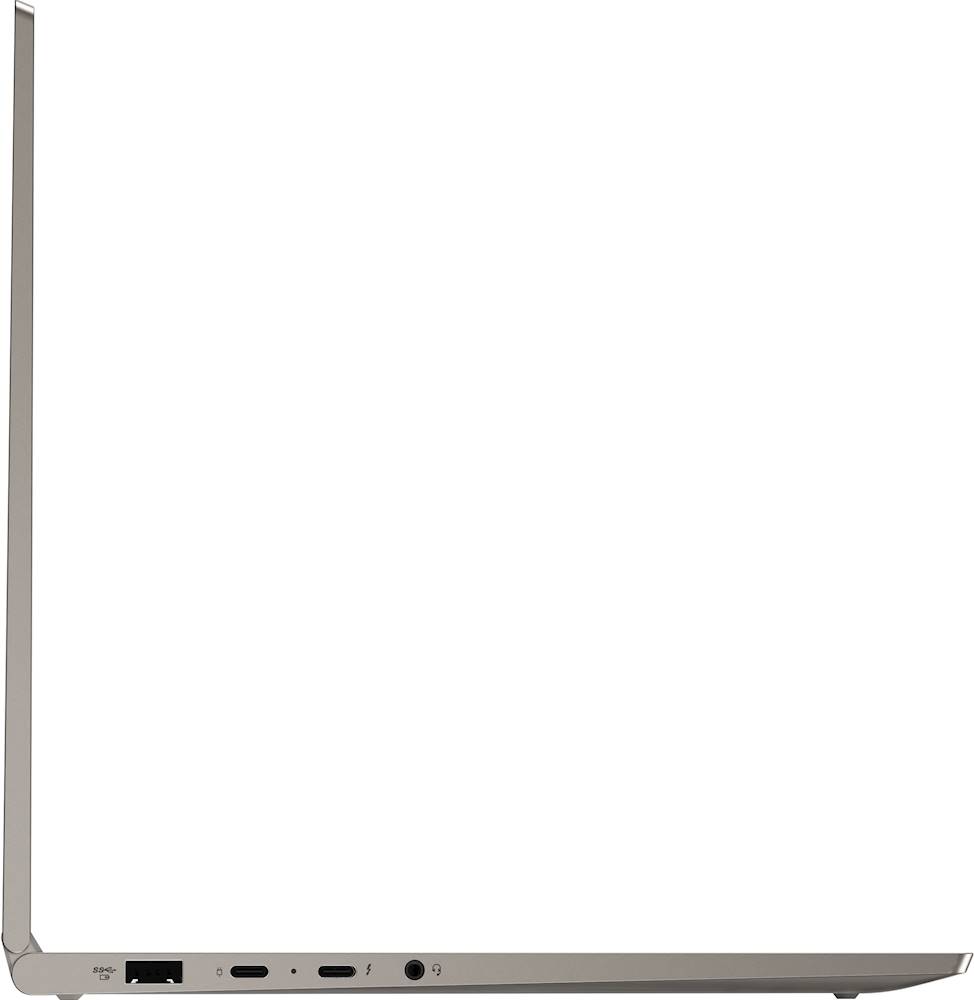
||Posted . Owned for 1 month when reviewed.This reviewer received promo considerations or sweepstakes entry for writing a review.Prefer desktops however I see the advantage of a laptop occasionally.My second laptop, battery life fairly good, great case (metal not plastic), easy to use. Only negative is it should have an additional USB port, one is not enough specially if you prefer using a bluetooth mouse.
I would recommend this to a friendBrand response from Lenovo Product Expert
Posted .Once again, thank you for choosing the Lenovo Yoga C940-14. If you find you need more standard USB Type A ports, you may want to consider using a portable USB Hub with this laptop. Also, you can keep your computer running at its best by keeping the Windows 10 Operating System and all supporting BIOS files and drivers up to date. You can easily accomplish this by scanning the computer with the Lenovo Utility software available on this computer. This system has Lenovo utilities installed to help maintain the health of the device and keep the operating system software up to date. Type "Lenovo Vantage" in the Cortana Search window (if Lenovo Vantage is not installed on your device, you can download the APP and install it now). Select Lenovo Vantage from the list. In the window that opens, click on "Health and Support". In the expanded menu, select "Hardware Scan" In the window that opens, select "Run Quick Tests". This will scan your entire system for errors. Follow any directions that may pop up. If the problem continues after this scan, now click on "System Update". First select Windows update from the menu. Scan your system to be sure you have the latest version of Windows 10. Once that scan is complete, select "Additional Updates". This will scan your device to be sure there are no new BIOS/Driver updates needed. Follow any instructions that may pop up. If you ever need additional help with your Lenovo computer, we recommend you call Lenovo Tech Support at: 877-453-6686 for additional help.
- Pros mentioned:Battery life
Love the laptop. Has been working perfectly.
||Posted . Owned for 1 month when reviewed.This reviewer received promo considerations or sweepstakes entry for writing a review.Excellent laptop, battery lasts longer than 8 - 10 hrs. The only issue is how the keys are arranged, quiet different from the regular keyboards. Also one USB port, you have to take off the mouse port to connect the printer port.
I would recommend this to a friendBrand response from Lenovo Product Expert
Posted .The Lenovo Yoga C940-14 ships with a standard QWERTY keyboard. If you find you need more standard USB Type A ports, you may want to consider using a portable USB Hub with this laptop. You can keep your computer running at its best by keeping the Windows 10 Operating System and all supporting BIOS files and drivers up to date. You can easily accomplish this by scanning the computer with the Lenovo Utility software available on this computer. This system has Lenovo utilities installed to help maintain the health of the device and keep the operating system software up to date. Type "Lenovo Vantage" in the Cortana Search window (if Lenovo Vantage is not installed on your device, you can download the APP and install it now). Select Lenovo Vantage from the list. In the window that opens, click on "Health and Support". In the expanded menu, select "Hardware Scan" In the window that opens, select "Run Quick Tests". This will scan your entire system for errors. Follow any directions that may pop up. If the problem continues after this scan, now click on "System Update". First select Windows update from the menu. Scan your system to be sure you have the latest version of Windows 10. Once that scan is complete, select "Additional Updates". This will scan your device to be sure there are no new BIOS/Driver updates needed. Follow any instructions that may pop up. If you ever need additional help with your Lenovo computer, we recommend you call Lenovo Tech Support at: 877-453-6686 for additional help.
- Pros mentioned:Fast
Keyboard issues
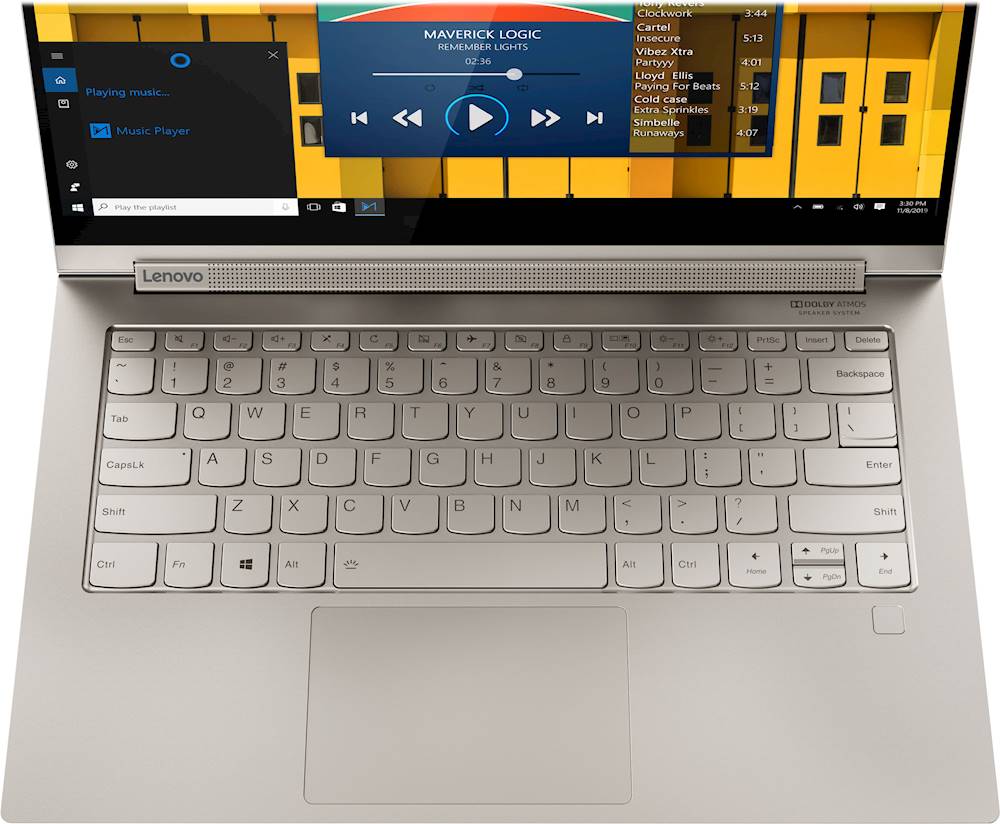
||Posted . Owned for 2 weeks when reviewed.This reviewer received promo considerations or sweepstakes entry for writing a review.This laptop’s keyboard does not work like traditional keyboards. The home and end keys you have to hit the function button first for it to work. Also the upper function keys do not work the same. That also requires hitting the function button before applying my macros. I switch back and forth between different computers and this is quite aggravating. I bought another keyboard and hook it up to the laptop every time just so I don’t have to deal with the awkwardness of the keyboard. Other than that, I like the laptop. It’s super fast, lightweight, and the screen graphics are great for a laptop...just super bummed out with the keyboard
No, I would not recommend this to a friendBrand response from Lenovo Product Expert
Posted .The Lenovo Yoga C940-14 ships with a traditional QWERTY keyboard. You can switch the function keys so the the F-Keys (F1-12) are the primary and do not require the use of the Fn Key. Here is a link to instructions for switching the function keys on your Yoga C940-14: https://support.lenovo.com/ie/en/solutions/ht103044
- Cons mentioned:Ports
Great laptop
||Posted . Owned for 9 months when reviewed.This reviewer received promo considerations or sweepstakes entry for writing a review.Great laptop super flexible and easy to use. Screen glitches out occasionally and have to close and re open to fix it. Also no hdmi port so had to get a special usb c-hdmi cable to add additional screen.
I would recommend this to a friend I love it
||Posted . Owned for 1 month when reviewed.This reviewer received promo considerations or sweepstakes entry for writing a review.I tried several other computers and ended up taking them back. I was starting to think I wasn't going to find one that I liked. But I love this one. The 14" size is perfect for me. I didn't like the 13" ones because they weren't tall enough. I needed more vertical space. I didn't like the 15 " because they were to large. I hate the ones that have the numeric pad included in the keypad. It puts the scroll pad off center. The key pad feels great. The scroll pad works very smoothly. The display is nice and bright. The sound is loud and easy to understand. It isn't muffled at all. The battery life is very good. I am not really sure how long it last. But I start in the morning and it is still going when I plug it back up at night. The things I don't like is it doesn't have a MS card reader. And there is no cd drive. But that seems to be the same for most laptops now. It would be perfect if it had the LTE feature available. But I use my ipad for that.
I would recommend this to a friendBrand response from Lenovo Product Expert
Posted .Thank you for choosing the Lenovo Yoga C940-14. We are pleased to hear that the performance of the Yoga C940-14 meets your computing needs so well. Every component of Yoga C940 was engineered with your experience in mind. That’s why The Yoga C940 offers the brilliant color and clarity with ultra-narrow bezels. At 400 nits brightness, it’s brighter than standard SDR displays. You’ll enjoy amazing realism that's vivid, nuanced, and powerful. Capture your ideas the moment inspiration hits with a garaged digital pen. Featuring an in-body charging compartment, the Yoga C940 ensures you’ll never lose a thought—or your digital pen—again. The convertible hinge hides a powerful Dolby Atmos Speaker System that immerses you in 3D sound in every mode. Combined with two sets of speakers featuring powerful subwoofers, custom tweeters, and unique vibration buffers that reduce unwanted noise, your audio will sound bigger, deeper, and more accurate. Experience how the Yoga C940 embodies world-class craftsmanship, innovative solutions, and elevated design. Log into your Yoga C940 in less than two seconds with an integrated fingerprint reader. That’s three times faster than the average time it takes to type a password. Forget your password.
- Pros mentioned:Touch screen
Decent functionality overall. Regretting purchase.
||Posted . Owned for 3 weeks when reviewed.This reviewer received promo considerations or sweepstakes entry for writing a review.Love the keyboard. Still hard to hear when volume is maxed out (videos, zoom, etc isn’t as loud as ThinkPad). Yoga option is awkward w the keyboard still exposed - still looking for an overlay/hardcover to block keys while holding upright as a tablet. Pen and touchscreen is fun to use - no need for a mouse. Love the security options. Processor is horrible - my screen blacked out multiple times when “sharing my screen” on video conference calls (mainly videos), computer periodically freezes when I had 5+ programs running, and screen recording option gets disabled on its own - not sure how to troubleshoot!
No, I would not recommend this to a friendBrand response from Lenovo Product Expert
Posted .We are sorry to hear that you are having issues with your Lenovo Yoga C940-14. This system ships with Premium Audio capability. The convertible Yoga hinge hides a powerful Dolby Atmos Speaker System that immerses you in 3D sound in every mode. Combined with two sets of speakers featuring powerful subwoofers, custom tweeters, and unique vibration buffers that reduce unwanted noise, your audio will sound bigger, deeper, and more accurate. The Yoga C940-14 ships with Windows 10 Home 64-bit Operating System, which should not cause the screen to black out when used with compatible software. Incompatible software may be the cause of both your audio and screen issues. Be sure any software you installed is compatible with Windows 10. There is no need to install Microsoft Office software. The software is already part of the operating system, you just need to activate the software with a purchased product key. If you have installed a copy of Microsoft Office, this is conflicting with the existing copy on the system and this will slow your system down. If you have installed a 3rd party anti-virus program, be sure that Windows Defender is turned off and that the trial version of McAfee Anti-Virus software is uninstalled. There can only be one anti-virus program on the system. You may need to restore your system to original factory default settings if any of the programming errors have occurred. You can do that by typing "restore" in the Cortana search window. Just click on the magnifying glass icon at the bottom left of your Windows 10 Desktop. Click on "Reset This PC" Then click on "Get Started" and follow the on screen directions to restore to factory defaults. If the problem persists, we recommend you contact Lenovo Tech Support at: 877-453-6686.
- Pros mentioned:Battery life
Good laptop
||Posted . Owned for 1 month when reviewed.This reviewer received promo considerations or sweepstakes entry for writing a review.Laptop is good and works well. It’s takes a little while to connect to WiFi that seems to be only issue as of now. Battery Life is good. Overall a good laptop for personal and office related use as well.
I would recommend this to a friendBrand response from Lenovo Product Expert
Posted .Thank you for choosing the Lenovo Yoga C940-14. Windows 10 should connect your WiFi signal automatically after the initial setup of your WiFi account with this computer. Here is a link to tips for fixing issues with the auto-connect feature for WiFi within Windows 10: https://appuals.com/windows-10-will-not-connect-to-wifi-automatically/. If the issue continues, we recommend you contact Lenovo Tech Support for additional help at: 877-453-6686.
- Pros mentioned:Battery life
Amazing laptop!
||Posted .This reviewer received promo considerations or sweepstakes entry for writing a review.This laptop has performed amazing and without any issues. The battery life is great. I can use it all day and not have to worry about running out of battery. It's the perfect size to bring it along anywhere. Plus the sound from the speakers are top notch.
I would recommend this to a friendBrand response from Lenovo Product Expert
Posted .Thank you for choosing the Lenovo Yoga C940-14. We are pleased to hear that the features and performance of the Yoga C940-14 meets your computing needs so well.
- Pros mentioned:Touch screen
Awesome
||Posted . Owned for 3 weeks when reviewed.This reviewer received promo considerations or sweepstakes entry for writing a review.I honestly really love Lenovo laptops. I had an older version that I purchased four years ago at the start of college. This one is so much better. It has a nice keyboard and the size and weight of it is perfect for traveling and being on the go. Would recommend.
I would recommend this to a friendBrand response from Lenovo Product Expert
Posted .Thank you for choosing the Lenovo Yoga C940-14. We appreciate your loyalty to the Lenovo Brand. We are pleased to hear that the Yoga C940-14 is working out so well for you. Combining heavyweight performance with lightweight portability, the Yoga C740’s 10th Gen Intel Core i7 processor enables longer battery life, high-speed connectivity, and ultra-responsive multi-tasking performance in a sleek package. Packing a one-two punch of stunning audio and visual experience, the Yoga C740 is the perfect companion for streaming your favorite videos or playing games. With a 15.6-inch FHD HDR wide-angle display with 500 nits brightness, this laptop delivers millions of colors to your screen. To match the tantalizing visuals, the Yoga C740’s Dolby Atmos speaker system creates an audio experience in which sound flows above and around you. Yoga is committed to protecting your privacy. Log in with your fingerprint or slide the Yoga C740’s TrueBlock Privacy Shutter closed for true peace of mind when you’re not using your webcam.
- Pros mentioned:Touch screen
Great Choice
||Posted . Owned for 3 months when reviewed.This reviewer received promo considerations or sweepstakes entry for writing a review.My MacBook Pro died and I wasn't sure if I'd stay or move to PC. I chose this because I loved the touch screen and the display was awesome. I also wanted a USB port. It's been an easy switch, my iCloud drive integrated seamlessly. I'm so happy I chose this computer.
I would recommend this to a friendBrand response from Lenovo Product Expert
Posted .Thank you for choosing the Lenovo Yoga C940-14. We are pleased to hear that the features and performance of the Yoga C940-14 meets your computing needs so well. Every component of Yoga C940 was engineered with your experience in mind. That’s why The Yoga C940 offers the brilliant color and clarity with ultra-narrow bezels. At 400 nits brightness, it’s brighter than standard SDR displays. You’ll enjoy amazing realism that's vivid, nuanced, and powerful. Capture your ideas the moment inspiration hits with a garaged digital pen. Featuring an in-body charging compartment, the Yoga C940 ensures you’ll never lose a thought—or your digital pen—again. The convertible hinge hides a powerful Dolby Atmos Speaker System that immerses you in 3D sound in every mode. Combined with two sets of speakers featuring powerful subwoofers, custom tweeters, and unique vibration buffers that reduce unwanted noise, your audio will sound bigger, deeper, and more accurate. Experience how the Yoga C940 embodies world-class craftsmanship, innovative solutions, and elevated design. Log into your Yoga C940 in less than two seconds with an integrated fingerprint reader. That’s three times faster than the average time it takes to type a password. Forget your password.
- Pros mentioned:Battery life
Good value for money
||Posted . Owned for 6 months when reviewed.This reviewer received promo considerations or sweepstakes entry for writing a review.We purchased the Lenovo product Yoga C940 2-in-1 14" Touch-Screen Laptop earlier in Jan 2020 and could not have been pleased. With Intel Core i7 the system works really fast, the battery has good life and the overall features work well for family use.
I would recommend this to a friendBrand response from Lenovo Product Expert
Posted .Thank you for choosing the Lenovo Yoga C940-14. We are pleased to hear that the Yoga C940-14 is working out so well for you. Every component of Yoga C940 was engineered with your experience in mind. That’s why The Yoga C940 offers the brilliant color and clarity with ultra-narrow bezels. At 400 nits brightness, it’s brighter than standard SDR displays. You’ll enjoy amazing realism that's vivid, nuanced, and powerful. Capture your ideas the moment inspiration hits with a garaged digital pen. Featuring an in-body charging compartment, the Yoga C940 ensures you’ll never lose a thought—or your digital pen—again. The convertible hinge hides a powerful Dolby Atmos Speaker System that immerses you in 3D sound in every mode. Combined with two sets of speakers featuring powerful subwoofers, custom tweeters, and unique vibration buffers that reduce unwanted noise, your audio will sound bigger, deeper, and more accurate. Experience how the Yoga C940 embodies world-class craftsmanship, innovative solutions, and elevated design. Log into your Yoga C940 in less than two seconds with an integrated fingerprint reader. That’s three times faster than the average time it takes to type a password. Forget your password.
Solid 2-in-1 for Business School
||Posted . Owned for 2 weeks when reviewed.This reviewer received promo considerations or sweepstakes entry for writing a review.I did a lot of research before eventually pulling the trigger on buying a laptop. I already had a gaming laptop, but wanted something lighter for going back to school for my MBA. The specs on this stack up well against its competitors: XPS 13, HP Spectre, Macbook Air. However, let me highlight a few key differences. -2 USB-C ports and a dedicated USB 3.0 port; very convenient for wired or wireless mouse -2-in-1/touchscreen support; some people think this is a luxury no one needs, but it truly does speed things along; also, tent mode is very convenient for watching shows/videoconferencing -price point is generally lower than the others; after thorough research, I think this is the best bang for your buck The laptop isn't perfect, and I've run into a few issues, especially when videoconferencing, but none of them are dealbreakers. Would recommend this laptop to most users.
I would recommend this to a friendBrand response from Lenovo Product Expert
Posted .Once again, thank you for choosing the Lenovo Yoga C940-14. You can keep your computer running at its best by keeping the Windows 10 Operating System and all supporting BIOS files and drivers up to date. You can easily accomplish this by scanning the computer with the Lenovo Utility software available on this computer. This system has Lenovo utilities installed to help maintain the health of the device and keep the operating system software up to date. Type "Lenovo Vantage" in the Cortana Search window (if Lenovo Vantage is not installed on your device, you can download the APP and install it now). Select Lenovo Vantage from the list. In the window that opens, click on "Health and Support". In the expanded menu, select "Hardware Scan" In the window that opens, select "Run Quick Tests". This will scan your entire system for errors. Follow any directions that may pop up. If the problem continues after this scan, now click on "System Update". First select Windows update from the menu. Scan your system to be sure you have the latest version of Windows 10. Once that scan is complete, select "Additional Updates". This will scan your device to be sure there are no new BIOS/Driver updates needed. Follow any instructions that may pop up. If you ever need additional help with your Lenovo computer, we recommend you call Lenovo Tech Support at: 877-453-6686 for additional help.
Great Decision
||Posted . Owned for 4 months when reviewed.This reviewer received promo considerations or sweepstakes entry for writing a review.I am back to school online for my degree. I needed a laptop but was a bit overwhelmed by choice. Did some research and chose the Yoga C940 2-in-one. Great decision. Plenty of storage for files and databases for projects. Display is clear and bright and battery lasts for hours. Also, before purchase went to Best Buy to "test drive" the laptop. The staff was knowledgeable and reassuring. In a refreshing twist... they did not try to upsell me to another laptop I saw that was 400.00 more. In fact they encouraged me that the one I chose was more than adequate especially for the price (purchased while on sale).... Couldn't be happier.
I would recommend this to a friend- Pros mentioned:Performance
Love it
||Posted .This reviewer received promo considerations or sweepstakes entry for writing a review.Very fast and quiet, much smoother than my old laptop. It’s making school a lot easier. Sometimes the fan gets loud when I have many windows open, but it doesn’t affect performance and doesn’t last long. It also looks super sleek and smooth.
I would recommend this to a friend