Customer Ratings & Reviews





- Model:
- 81Q9003PUS
- SKU:
- 6388042
Rating by feature
- Battery Life
Rating 4.2 out of 5 stars
- Speed
Rating 4.4 out of 5 stars
- Display
Rating 4.5 out of 5 stars
Customers are saying
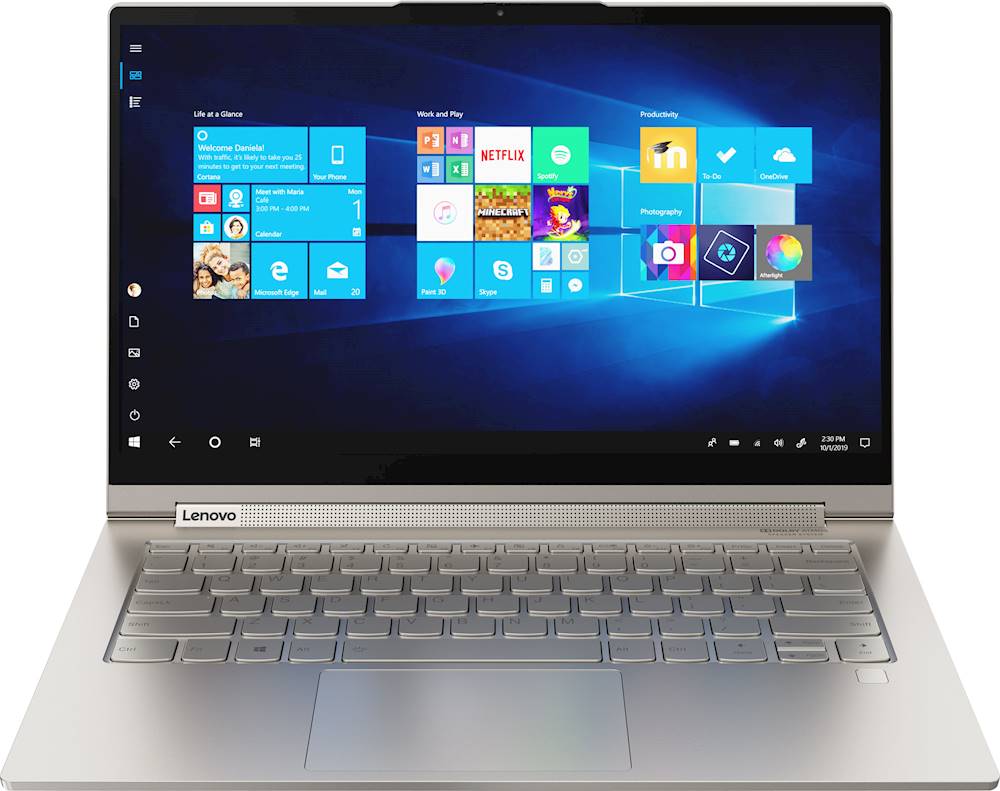
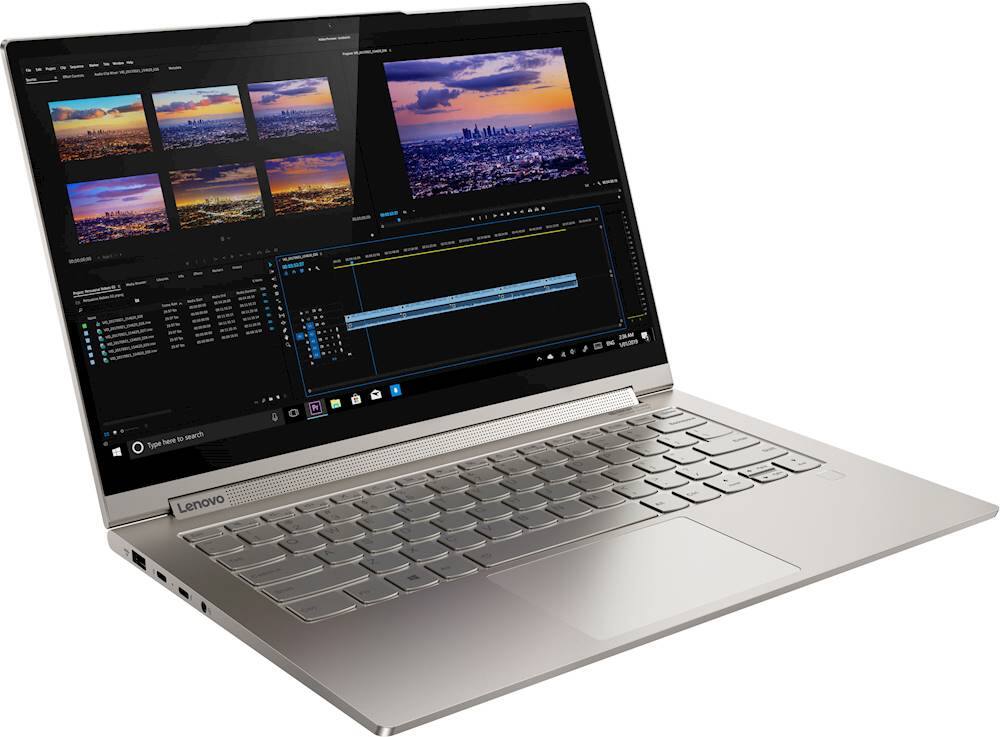
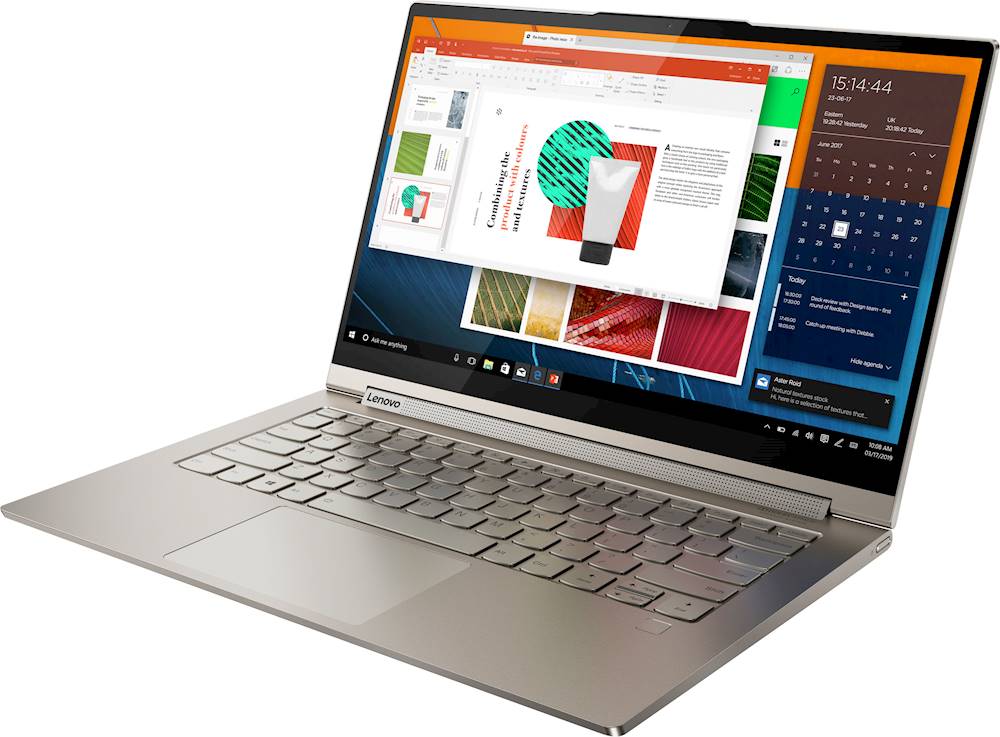
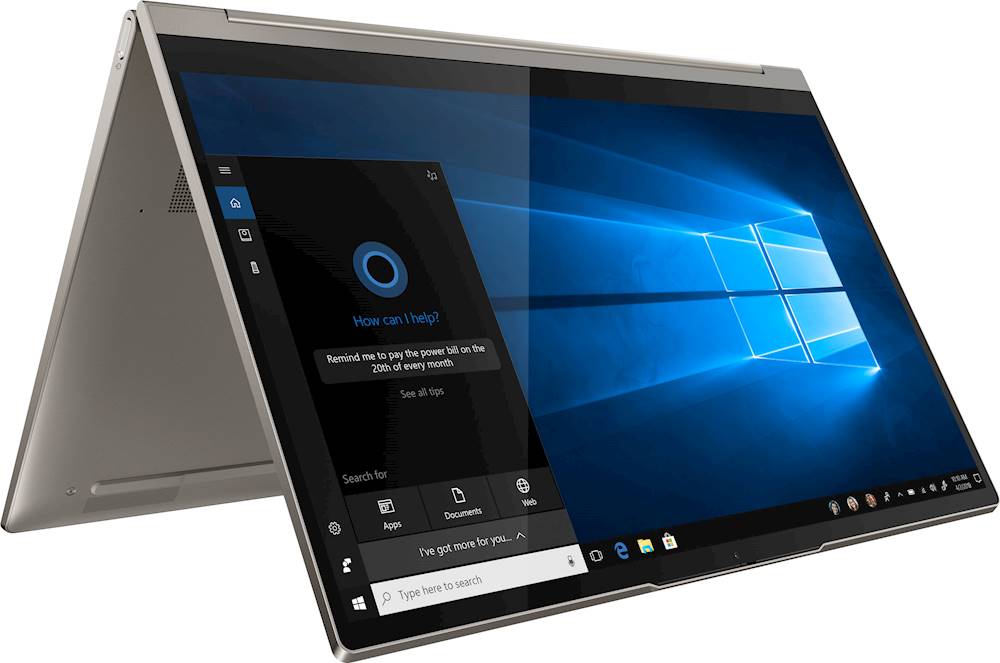
Customers are enthusiastic about the Yoga C940 2-in-1 laptop's fast performance, responsive touch screen, long battery life, and lightweight design. They appreciate the solid build quality and high-quality screen. However, some customers have concerns about the limited number of ports, occasional fan noise, and higher price point.
This summary was generated by AI based on customer reviews.
Many good parts, but few ports and a bad keyboard
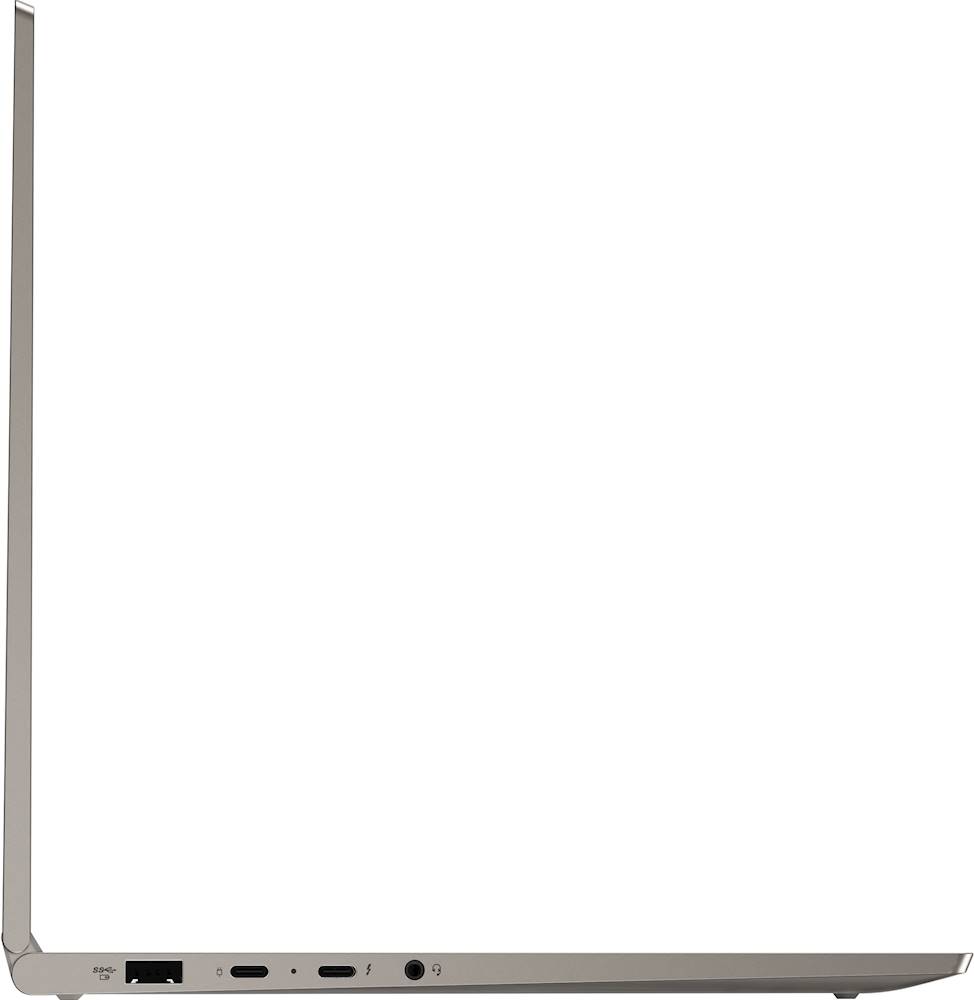
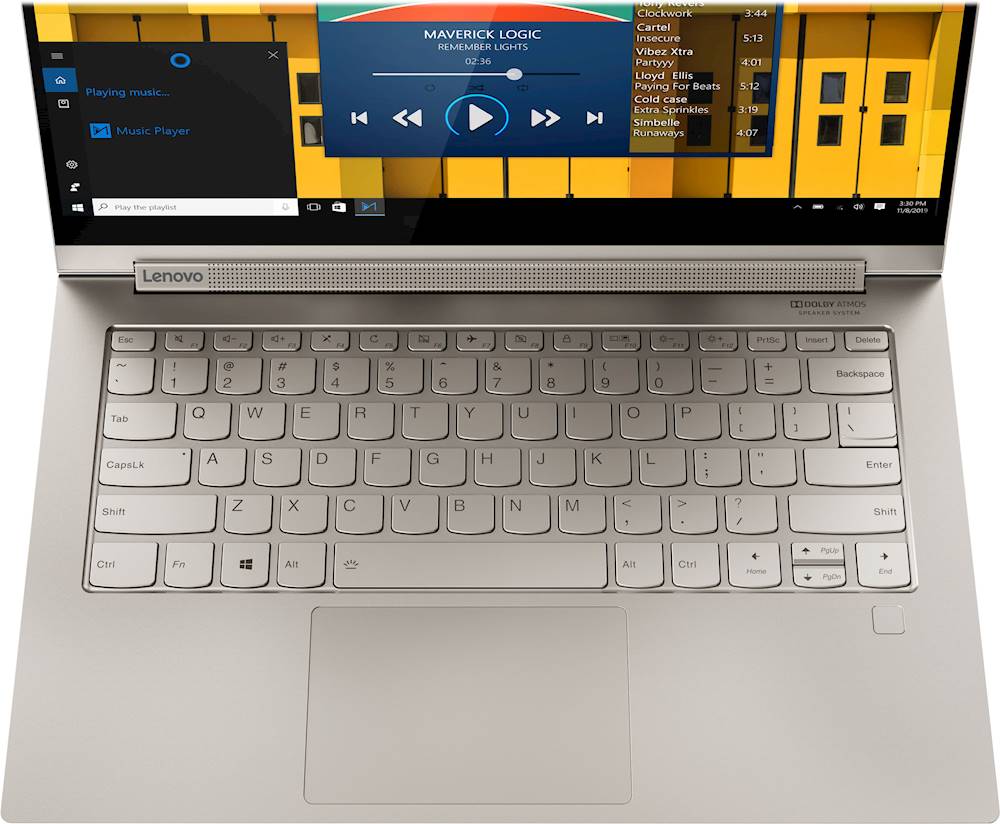
||Posted . Owned for less than 1 week when reviewed.This reviewer received promo considerations or sweepstakes entry for writing a review.The features on this laptop are excellent, but it is very limited in the number of USB C ports...just two. Connecting the Yoga to other devices, external drives, large monitors, etc., is not going to happen unless you buy external hubs. But for me, the biggest issue is that its keyboard is one of the worst I've ever encountered in a laptop. My old ThinkPad x220 had an amazingly good keyboard. This Yoga's keyboard is imprecise, a little clumsy in its feel, and difficult to use. I understand...this computer is for a generation of users who want to touch screens and otherwise have to do next to nothing to communicate their 147 characters. But I am a writer, and with this machine, any serious writing is a huge chore. Disappointing.
No, I would not recommend this to a friendBrand response from Lenovo Product Expert
Posted .The Lenovo Yoga C940-14, model number 81Q9002GUS, ships with a standard QWERTY keyboard. Additionally, every component of Yoga C940 was engineered with your experience in mind. That’s why The Yoga C940 offers the brilliant color and clarity with ultra-narrow bezels. At 400 nits brightness, it’s brighter than standard SDR displays. You’ll enjoy amazing realism that's vivid, nuanced, and powerful. Capture your ideas the moment inspiration hits with a garaged digital pen. Featuring an in-body charging compartment, the Yoga C940 ensures you’ll never lose a thought—or your digital pen—again. The convertible hinge hides a powerful Dolby Atmos Speaker System that immerses you in 3D sound in every mode. Combined with two sets of speakers featuring powerful subwoofers, custom tweeters, and unique vibration buffers that reduce unwanted noise, your audio will sound bigger, deeper, and more accurate. Experience how the Yoga C940 embodies world-class craftsmanship, innovative solutions, and elevated design. Log into your Yoga C940 in less than two seconds with an integrated fingerprint reader. That’s three times faster than the average time it takes to type a password. Forget your password.

Great value and very high quality
||Posted . Owned for 2 weeks when reviewed.This reviewer received promo considerations or sweepstakes entry for writing a review.The value here is unbeatable. An amazing, very high quality, ultrathin laptop that can also replace your tablet. This has fully replaced 2 of my devices. Heating can be an issue as the design of the laptop does a poor job of cooling, but if you download Lenovo Vantage and tweak the settings, it's manageable. Still bad, but manageable. I consider this a fine tradeoff for it's sleek design. The biggest issues people complain about are with the 4k model. Don't buy that one. Buy this one, the 1080p. This has the 2nd-best speakers on any laptop, behind only the 16" MacBook Pro. That alone make this great for media consumption. You can run light games on this laptop, but that's it. It will run E Sports titles at medium settings. For productivity, it's great, as is to be expected.
I would recommend this to a friendBrand response from Lenovo Product Expert
Posted .Thank you for choosing the Lenovo Yoga C940-14 model number 81Q9002GUS. This model should not run hot. The Yoga C940-14 will feel warm to the touch when under heavy workloads and/or when the laptop is charging, this is normal. The maximum operating temperature of the Intel Core i7-1065G7 processor within this laptop is 100 degrees Celsius (2 12 degrees Fahrenheit) under maximum workloads. You can use Lenovo Q-Control to manually control fan and system performance: ( Fn + Q ) option to change the fan by undervolting the processor. If the issue continues, we recommend you call Lenovo Tech Support at: 877-453-6686.
- Pros mentioned:Fast
Excellent piece of technology
||Posted . Owned for 8 months when reviewed.This reviewer received promo considerations or sweepstakes entry for writing a review.Great Laptop. Very fast and solid built. Lenovo build great laptops. Little heavy. Screen is excellent, Graphics and brightness is far better than other brands. Battery life is also great. Overall well built and great performer.
I would recommend this to a friendBrand response from Lenovo Product Expert
Posted .Thank you for choosing the Lenovo Toga C940-14. This model weighs just 2.97 lbs.
- Pros mentioned:Battery life
Great product
||Posted . Owned for 3 weeks when reviewed.This reviewer received promo considerations or sweepstakes entry for writing a review.Got this product to replace earlier 2 in 1 and am not disappointed. Excellent buy, battery life, display. Would be a MUST have (for all) if this unit included SD card slo. Of course this can be addressed with an external dongle. Enjoying this product!
I would recommend this to a friendBrand response from Lenovo Product Expert
Posted .Thank you for choosing the Lenovo Yoga C940-14. Every component of Yoga C940 was engineered with your experience in mind. That’s why The Yoga C940 offers the brilliant color and clarity with ultra-narrow bezels. At 400 nits brightness, it’s brighter than standard SDR displays. You’ll enjoy amazing realism that's vivid, nuanced, and powerful. Capture your ideas the moment inspiration hits with a garaged digital pen. Featuring an in-body charging compartment, the Yoga C940 ensures you’ll never lose a thought—or your digital pen—again. The convertible hinge hides a powerful Dolby Atmos Speaker System that immerses you in 3D sound in every mode. Combined with two sets of speakers featuring powerful subwoofers, custom tweeters, and unique vibration buffers that reduce unwanted noise, your audio will sound bigger, deeper, and more accurate. Experience how the Yoga C940 embodies world-class craftsmanship, innovative solutions, and elevated design. Log into your Yoga C940 in less than two seconds with an integrated fingerprint reader. That’s three times faster than the average time it takes to type a password. Forget your password.
- Pros mentioned:Fast
Lenovo c940
||Posted . Owned for 1 year when reviewed.This reviewer received promo considerations or sweepstakes entry for writing a review.It’s fast and silent but after using for a year horizontal line started appearing on screen and light dims automatic
I would recommend this to a friend - Pros mentioned:Fast
An AMAZING laptop!
||Posted . Owned for 2 months when reviewed.This reviewer received promo considerations or sweepstakes entry for writing a review.An AMAZING laptop. This thing is way better than any Macbook I have ever owned. This thing is fast, doesn't over heat, and is modern looking. Oh and the best thing is that it has a little thing that can go over the camera for privacy!
I would recommend this to a friendBrand response from Lenovo Product Expert
Posted .Thank you for choosing the Lenovo Yoga C940-14. We are pleased to hear that the features and performance of the Yoga C940-14 meets your computing needs so well. Every component of Yoga C940 was engineered with your experience in mind. That’s why The Yoga C940 offers the brilliant color and clarity with ultra-narrow bezels. At 400 nits brightness, it’s brighter than standard SDR displays. You’ll enjoy amazing realism that's vivid, nuanced, and powerful. Capture your ideas the moment inspiration hits with a garaged digital pen. Featuring an in-body charging compartment, the Yoga C940 ensures you’ll never lose a thought—or your digital pen—again. The convertible hinge hides a powerful Dolby Atmos Speaker System that immerses you in 3D sound in every mode. Combined with two sets of speakers featuring powerful subwoofers, custom tweeters, and unique vibration buffers that reduce unwanted noise, your audio will sound bigger, deeper, and more accurate. Experience how the Yoga C940 embodies world-class craftsmanship, innovative solutions, and elevated design. Log into your Yoga C940 in less than two seconds with an integrated fingerprint reader. That’s three times faster than the average time it takes to type a password. Forget your password. There's a 720p (HD) webcam with manual Privacy Shutter to guard your privacy when the webcam is not in use.
- Pros mentioned:Fast
Great SPECS for the price, Cheap=overheat
||Posted . Owned for less than 1 week when reviewed.This reviewer received promo considerations or sweepstakes entry for writing a review.Súper fast machine, well made quality on the aluminum chasis. The problem is that fans get noisy and it can achieve high temperatures under the sound bar and under. Screen also starts flickering but i might think this will go away with some drivers actualization.
No, I would not recommend this to a friendBrand response from Lenovo Product Expert
Posted .You can adjust the fan and processor performance by adjusting settings within Lenovo Vantage software. You can use Lenovo Q-Control to manually control fan performance: ( Fn + Q ) option to change the fan. If the issue continues, we recommend you call Lenovo Tech Support at: 877-453-6686.
- Pros mentioned:Fast
Excellent!
||Posted . Owned for 1 month when reviewed.This reviewer received promo considerations or sweepstakes entry for writing a review.Excellent computer for daughter as she converted to online work to finish out school year. Very fast and reliable. Quiet keyboard and clear picture. Great placement of speakers - also works well when converted to tablet. Excellent purchase!
I would recommend this to a friendBrand response from Lenovo Product Expert
Posted .Thank you for choosing the lenovo Yoga C940-14 for your daughter. We are pleased to hear that the Yoga C940-14 is working out so well for your daughter. Every component of Yoga C940 was engineered with your experience in mind. That’s why The Yoga C940 offers the brilliant color and clarity with ultra-narrow bezels. At 400 nits brightness, it’s brighter than standard SDR displays. You’ll enjoy amazing realism that's vivid, nuanced, and powerful. Capture your ideas the moment inspiration hits with a garaged digital pen. Featuring an in-body charging compartment, the Yoga C940 ensures you’ll never lose a thought—or your digital pen—again. The convertible hinge hides a powerful Dolby Atmos Speaker System that immerses you in 3D sound in every mode. Combined with two sets of speakers featuring powerful subwoofers, custom tweeters, and unique vibration buffers that reduce unwanted noise, your audio will sound bigger, deeper, and more accurate. Experience how the Yoga C940 embodies world-class craftsmanship, innovative solutions, and elevated design. Log into your Yoga C940 in less than two seconds with an integrated fingerprint reader. That’s three times faster than the average time it takes to type a password. Forget your password.
- Pros mentioned:Touch screen
Love this laptop!
||Posted . Owned for 1 month when reviewed.This reviewer received promo considerations or sweepstakes entry for writing a review.I've had my eye on this laptop for a while and finally took the plunge. I love it! I'm not really "techy" but I think it's great. I use it for school and fun. Touchscreen, camera, and microphone work great and the keyboard is great too.
I would recommend this to a friendBrand response from Lenovo Product Expert
Posted .Once again, thank you for choosing the Lenovo Yoga C940-14. You can keep your computer running at its best by keeping the Windows 10 Operating System and all supporting BIOS files and drivers up to date. You can easily accomplish this by scanning the computer with the Lenovo Utility software available on this computer. This system has Lenovo utilities installed to help maintain the health of the device and keep the operating system software up to date. Type "Lenovo Vantage" in the Cortana Search window (if Lenovo Vantage is not installed on your device, you can download the APP and install it now). Select Lenovo Vantage from the list. In the window that opens, click on "Health and Support". In the expanded menu, select "Hardware Scan" In the window that opens, select "Run Quick Tests". This will scan your entire system for errors. Follow any directions that may pop up. If the problem continues after this scan, now click on "System Update". First select Windows update from the menu. Scan your system to be sure you have the latest version of Windows 10. Once that scan is complete, select "Additional Updates". This will scan your device to be sure there are no new BIOS/Driver updates needed. Follow any instructions that may pop up. If you ever need additional help with your Lenovo computer, we recommend you call Lenovo Tech Support at: 877-453-6686 for additional help.
Fast and reliable
||Posted . Owned for 1 month when reviewed.This reviewer received promo considerations or sweepstakes entry for writing a review.This laptop is amazing. I like the built quality and the fact that it works really fast with it's 10th gen processor. I shouldn't forget about the sound, I have had laptops before but I have fallen in love with the sound quality of this one.
I would recommend this to a friendBrand response from Lenovo Product Expert
Posted .Thank you for choosing the Lenovo Yoga C740-14. We are pleased to hear that the features and performance of the Yoga C740-14 meets your computing needs so well. Combining heavyweight performance with lightweight portability, the Yoga C740-14 10th Gen Intel Core i5 processor enables longer battery life, high-speed connectivity and ultra-responsive multi-tasking performance in a sleek package. Featuring the vibrant color and clarity of a high-resolution display with narrow borders on all sides, the Yoga C740 offers a powerful entertainment experience on the go. To match the stunning visuals, the C740’s user-facing Dolby Atmos speaker system creates an unmatched audio experience in which sound flows above and around you. Featuring sandblasted premium aluminum, this 2-in-1 convertible laptop is all about the details—a color-matched keyboard, subtly rounded edges for comfortable holding, and smoother transitions when you flip from laptop mode into tablet and back. Work and play in style. Yoga is committed to protecting your privacy. Log in with your fingerprint; or slide the Yoga C740’s TrueBlock Privacy Shutter closed for true peace of mind when you’re not using the webcam.
- Pros mentioned:Touch screen
Love my Lenovo C940
||Posted . Owned for 1 month when reviewed.This reviewer received promo considerations or sweepstakes entry for writing a review.So far I love this laptop. It performs very well. Very nice for users, good quality screen and keyboard. Ok maybe all outlets should not be on left hand side, and there has been some heating up. Otherwise great!
I would recommend this to a friendBrand response from Lenovo Product Expert
Posted .Thank you for choosing the Lenovo Yoga C940-14, model number 81Q9002GUS. The ports are on the left side of the Yoga C940-14 to make room for the internal components of the Active Pen garage/charger on the right side of the Yoga C940-14. It is normal for the Yoga C940-14 to feel warm to the touch when it is under heavy workloads or the computer is plugged in and charging. You can use Lenovo Q-Control to manually control fan and system performance: ( Fn + Q ) option to change the fan by undervolting the processor. If the issue continues, we recommend you call Lenovo Tech Support at: 877-453-6686.
- Pros mentioned:Battery life
Best Laptop Purchase - Lenovo is a Hidden Gem
||Posted . Owned for 2 weeks when reviewed.This reviewer received promo considerations or sweepstakes entry for writing a review.With lightning-fast processing, long battery life, and a modern look, this has been the best laptop purchased so far. Use it daily for several hours, no heat issues, battery life surpasses my stamina. Highly recommend this laptop!
I would recommend this to a friendBrand response from Lenovo Product Expert
Posted .Thank you for choosing the lenovo Yoga C940-14. We are pleased to hear that the features and performance of the Yoga C940-14 meets your computing needs so well. Every component of Yoga C940 was engineered with your experience in mind. That’s why The Yoga C940 offers the brilliant color and clarity with ultra-narrow bezels. At 400 nits brightness, it’s brighter than standard SDR displays. You’ll enjoy amazing realism that's vivid, nuanced, and powerful. Capture your ideas the moment inspiration hits with a garaged digital pen. Featuring an in-body charging compartment, the Yoga C940 ensures you’ll never lose a thought—or your digital pen—again. The convertible hinge hides a powerful Dolby Atmos Speaker System that immerses you in 3D sound in every mode. Combined with two sets of speakers featuring powerful subwoofers, custom tweeters, and unique vibration buffers that reduce unwanted noise, your audio will sound bigger, deeper, and more accurate. Experience how the Yoga C940 embodies world-class craftsmanship, innovative solutions, and elevated design. Log into your Yoga C940 in less than two seconds with an integrated fingerprint reader. That’s three times faster than the average time it takes to type a password. Forget your password.
- Pros mentioned:Fast
Very nice 2 in 1 tablet...
||Posted .This reviewer received promo considerations or sweepstakes entry for writing a review.Very well designed and built laptop/tablet. Fastest device I own. SSD hard drive really performs. Quality graphics and screen makes for easy ready and streaming videos. I like it more than my iPad and it’s much more versatile.
I would recommend this to a friendBrand response from Lenovo Product Expert
Posted .Once again, thank you for choosing the Lenovo Yoga C940-14. You can keep your computer running at its best by keeping the Windows 10 Operating System and all supporting BIOS files and drivers up to date. You can easily accomplish this by scanning the computer with the Lenovo Utility software available on this computer. Just type "Lenovo Vantage" in the Cortana Search window (if Lenovo Vantage is not installed on your device, you can download the APP and install it now). Select Lenovo Vantage from the list. In the window that opens, click on "Health and Support". In the expanded menu, select "Hardware Scan" In the window that opens, select "Run Quick Tests". This will scan your entire system for errors. Follow any directions that may pop up. If the problem continues after this scan, now click on "System Update". First select Windows update from the menu. Scan your system to be sure you have the latest version of Windows 10. Once that scan is complete, select "Additional Updates". This will scan your device to be sure there are no new BIOS/Driver updates needed. Follow any instructions that may pop up. If you ever need additional help with your Lenovo computer, we recommend you call Lenovo Tech Support at: 877-453-6686 for additional help.
- Pros mentioned:Performance
Great laptop
||Posted . Owned for 2 months when reviewed.This reviewer received promo considerations or sweepstakes entry for writing a review.the laptop is great however, after uaing for about a month uts starts to heat up and could hear fan out loud. Other then this the laptop performance is great. Would def recommend.
I would recommend this to a friendBrand response from Lenovo Product Expert
Posted .We are sorry to hear that you are having issues with your lenovo Yoga C940-14. The Yoga C940-14 should not overheat. You can use Lenovo Q-Control to manually control fan performance: ( Fn + Q ) option to change the fan. Additionally, be sure any software you installed is compatible with Windows 10. Incompatible software will cause the workload to increase unnecessarily. There is no need to install Microsoft Office software. The software is already part of the operating system, you just need to activate the software with a purchased product key. If you have installed a copy of Microsoft Office, this is conflicting with the existing copy on the system and this will slow your system down. If you have installed a 3rd party anti-virus program, be sure that Windows Defender is turned off and that the trial version of McAfee Anti-Virus software is uninstalled. There can only be one anti-virus program on the system. You may need to restore your system to original factory default settings if any of the programming errors have occurred. You can do that by typing "restore" in the Cortana search window. Just click on the magnifying glass icon at the bottom left of your Windows 10 Desktop. Click on "Reset This PC" Then click on "Get Started" and follow the on screen directions to restore to factory defaults. Finally, be sure you have the latest version of Windows 10 on the computer, then update all of the BIOS files and drivers up to that latest version of Windows 10. You can easily accomplish this by scanning the computer with the Lenovo Utility software available on this computer. This system has Lenovo utilities installed to help maintain the health of the device and keep the operating system software up to date. Type "Lenovo Vantage" in the Cortana Search window (if Lenovo Vantage is not installed on your device, you can download the APP and install it now). Select Lenovo Vantage from the list. In the window that opens, click on "Health and Support". In the expanded menu, select "Hardware Scan" In the window that opens, select "Run Quick Tests". This will scan your entire system for errors. Follow any directions that may pop up. If the problem continues after this scan, now click on "System Update". First select Windows update from the menu. Scan your system to be sure you have the latest version of Windows 10. Once that scan is complete, select "Additional Updates". This will scan your device to be sure there are no new BIOS/Driver updates needed. Follow any instructions that may pop up. If the issue still continues after these updates, we recommend you call Lenovo Tech Support at: 877-453-6686 for additional help.
- Pros mentioned:Fast
Great Laptop
||Posted . Owned for 3 weeks when reviewed.This reviewer received promo considerations or sweepstakes entry for writing a review.The Lenovo Yoga C940 2-in-1 14" Touch-Screen Laptop is a great value. It has lots of storage (512GB), and with 12GB of RAM, it's super fast. It's lightweight and easy to set up (I was up and running in about 30 minutes).
I would recommend this to a friendBrand response from Lenovo Product Expert
Posted .Thank you for choosing the Lenovo Yoga C940-14. We are pleased to hear that the features and performance of the Yoga C940-14 meets your computing needs so well. Every component of Yoga C940 was engineered with your experience in mind. That’s why The Yoga C940 offers the brilliant color and clarity with ultra-narrow bezels. At 400 nits brightness, it’s brighter than standard SDR displays. You’ll enjoy amazing realism that's vivid, nuanced, and powerful. Capture your ideas the moment inspiration hits with a garaged digital pen. Featuring an in-body charging compartment, the Yoga C940 ensures you’ll never lose a thought—or your digital pen—again. The convertible hinge hides a powerful Dolby Atmos Speaker System that immerses you in 3D sound in every mode. Combined with two sets of speakers featuring powerful subwoofers, custom tweeters, and unique vibration buffers that reduce unwanted noise, your audio will sound bigger, deeper, and more accurate. Experience how the Yoga C940 embodies world-class craftsmanship, innovative solutions, and elevated design. Log into your Yoga C940 in less than two seconds with an integrated fingerprint reader. That’s three times faster than the average time it takes to type a password. Forget your password.
- Pros mentioned:Touch screen
Remote Heaven
||Posted . Owned for 3 weeks when reviewed.This reviewer received promo considerations or sweepstakes entry for writing a review.This laptop actually makes working a home a pleasure. The graphics are great, I can flip, I can use a mouse, or the pen provided which makes it so much easier when you are accessing different programs and screens.
I would recommend this to a friend - Pros mentioned:Fast
Lenovo Yoga laptop was a great purchase.
||Posted . Owned for 3 weeks when reviewed.This reviewer received promo considerations or sweepstakes entry for writing a review.The laptop/tablet 2 for 1 is exactly what I needed. It is fast, small, and lightweight. I bought a refurbished model so I could maximize the technology I got for the price. The pickup was completely Covid safe.
I would recommend this to a friend - Pros mentioned:Battery life
Lenovo Yoga
||Posted . Owned for 1 month when reviewed.This reviewer received promo considerations or sweepstakes entry for writing a review.I love my new Lenovo laptop! It's small but mighty! The battery last a long time, and the graphics are amazing! It's user friendly even though I'm not real good with teck! I would totally recommend Lenovo!
I would recommend this to a friendBrand response from Lenovo Product Expert
Posted .Thank you for choosing the Lenovo Yoga C940-14. We are pleased to hear that the performance of the Yoga C940-14 meets your computing needs so well.
- Pros mentioned:Light weight
My Lenovo
||Posted . Owned for 3 weeks when reviewed.This reviewer received promo considerations or sweepstakes entry for writing a review.I have been using this laptop for the past one month, it's pretty good, less weight, fast and very useful. We need to buy an additional adaptor to use HDMI and it will be available in market for 20+ dollars.
I would recommend this to a friend Great All Around Laptop
||Posted . Owned for 11 months when reviewed.This reviewer received promo considerations or sweepstakes entry for writing a review.Love this Lenovo Yoga. was skeptical at first of buying online but after finding exactly what I wanted it turned out to be amazing. I've used it constantly for over a year now and love it!
I would recommend this to a friend