Customer Ratings & Reviews
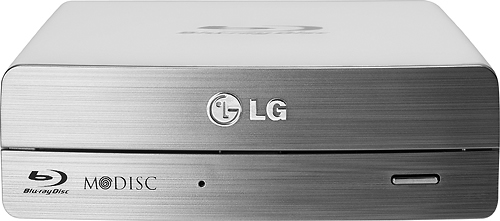
- Model:
- BE14NU40
- |
- SKU:
- 6697151
Customer reviews
Rating 4.3 out of 5 stars with 319 reviews
(319 customer reviews)to a friend
Customers are saying
Customers find value in the 14x External USB 3.0/2.0 Blu-ray Disc Drive's ease of use and excellent performance, with many praising its compatibility across various operating systems and quiet operation. While some users mentioned the size could be improved and the included software is outdated, the positive feedback on picture quality and speed outweighs these concerns. The drive's affordability is also frequently cited as a significant advantage.
This summary was generated by AI based on customer reviews.
Rated 3 out of 5 stars
hard to install
||Posted .This reviewer received promo considerations or sweepstakes entry for writing a review.This device was difficult to install. Works fine once you can get it installed.
No, I would not recommend this to a friendRated 2 out of 5 stars
Probably not what you're looking for.
||Posted .This reviewer received promo considerations or sweepstakes entry for writing a review.Bought this with the intention of using it for memory storage and for watching movies on my PC. Works great for the memory storage, and accesses blu-Ray music just fine, but will not play video unless it's on DVD, because of software restrictions.
No, I would not recommend this to a friendRated 1 out of 5 stars
Quit working in 5 months
||Posted .This reviewer received promo considerations or sweepstakes entry for writing a review.Absolute junk.......................................
No, I would not recommend this to a friendRated 3 out of 5 stars
NOT SO GREAT
||Posted .This reviewer received promo considerations or sweepstakes entry for writing a review.I LIKE THIS PRODUCT BUT IT IS NOT MADE OF GOLD AND DIAMONDS
I would recommend this to a friendRated 2 out of 5 stars
Does not "like" non-Blue Ray discs; stalls out
||Posted .This reviewer received promo considerations or sweepstakes entry for writing a review.I wouldn't purchase this particular model again, simply because it doesn't readily accept non blue Ray discs. I bought it thinking I'd have the versatility of being able to play both types of discs, without problems.
No, I would not recommend this to a friendRated 1 out of 5 stars
Buggy
||Posted .This reviewer received promo considerations or sweepstakes entry for writing a review.This pain in the butt thing is the worst video player I've ever had. My 15 year old VCR plays more reliably. It's endlessly freezing in the middle of playback, sometimes requiring an entire computer reboot to start playing again. Sometimes it can't even find the movie. Don't waste your money.
No, I would not recommend this to a friendRated 1 out of 5 stars
I'm having many issues with trying to read DVD's
||Posted .This reviewer received promo considerations or sweepstakes entry for writing a review.I am having a lot of issues trying to get this to work reliably playing DVD's. I think there is probably a driver compatibility issue with Windows 8. I will have to find another product that will hopefully work better with Windows 8.
No, I would not recommend this to a friend- Pros mentioned:Compatibility, Ease of use, Speed
Rated 5 out of 5 stars
Great Blu-ray Player/Burner!!!
Posted .This reviewer received promo considerations or sweepstakes entry for writing a review.This is a great Blu-ray burner! It is fast and efficient., makes high quality video and can convert any disc to HD 3D format. It is also portable, compact and easily adaptable to all of my PC's. Anything from my kids ACER notebook, my COMPAQ Laptop, my Dad's older HP desktop, to my brand new ASUS Desktop. (Which is also Fantastic by the way.) The hardware is easy to use and the software is also simple. It can also be used with a variety of other burning wares.
I would recommend this to a friend - Pros mentioned:Ease of use, Usb
Rated 5 out of 5 stars
great for a external player
Posted .This reviewer received promo considerations or sweepstakes entry for writing a review.wanted a blu-ray player for a older laptop. because i could not afford a new laptop. this one works great and is easy to set up even for someone who does not know very much about computers.
I would recommend this to a friend - Pros mentioned:Speed, Usb
Rated 5 out of 5 stars
Awesome External Drive
Posted .This reviewer received promo considerations or sweepstakes entry for writing a review.Not sure why this thing has so many negative reviews based on SOFTWARE. If that is how you properly rate a device I guess I should rate my $2500 DSLR poorly for not coming with photoshop. This device does what it is supposed to do, and does it well I might add. This drive has been amazing for everything I have used it for. I have ripped about 125 DVDs and have cloned about another 45 DVDs. DVDs have gone down in price, but they are still expensive to replace. This device was purchased to use with my extremely low-end Asus 14" notebook that had no DVD drive and I use it more often for basic tasks. It does have a USB 3.0 port that I do use, and has seemed fairly quick considering the PCs lack of raw power. We have kids and kids as everyone knows will accidentally destroy anything, even things they like. We bought this to rip DVDs and dump them on the PS3, iPad and sometimes stream them to the PS3. We have also used it to clone some DVDs that we use in the car for the kids so if we ruin a disc it's not the original that we purchased. It's far much cheaper to replace a $0.50 DVD-R disc than go buy another $25 disney movie. Average burn time on this unit is between 9-13 minutes, average rip time is about 14-18 minutes. Again, this is from a i3 w/ 4gb ram, 5400rpm HD with a 32GB readyboost SD card. I use DVDFab to clone and make ISO backups, I use handbrake for my rips.
I would recommend this to a friend - Pros mentioned:Usb
Rated 5 out of 5 stars
LG's Blu~Ray External Drive
Posted .This reviewer received promo considerations or sweepstakes entry for writing a review.I use my LG Blue~Ray external drive for quickly transferring the entire 3DBlue~Ray/Blue~Ray Disc with special features, and chapters to my SanDisk 128GB Class 10 microSDXC Card. The 128GB microSDXC is located in my Galaxy Note 3. The LG BE14NU40 rapidly reads the Blue~Ray Disc and transfers it through USB 3.0 to my Laptop to a program called 123 Copy Blu~Ray/DVD Platinum. Upon about 4+/- hour’s replication the program stores it on my hard drive and is then transferred to my Galaxy Note 3 via USB 3.0. I understand that I can easily access my Blue~Rays via digital copy but Digital Copy does not have the special features and deleted scenes as well as different movie versions (Directors Cut, Extended, Theatrical etc.). I also purchased the 2 year Best Buy Geek Squad Protection for peace of mind. Overall for what I use my LG BE14NU40, I am very satisfied with my Purchase.
I would recommend this to a friend - Pros mentioned:Speed
Rated 5 out of 5 stars
Works great on a MAC
Posted .This reviewer received promo considerations or sweepstakes entry for writing a review.I had originally bought a small slim bluray player for my iMac. While it was small it felt cheap, had many problems, was slow and I ended up returning it. I found this drive at best buy and while its a bit more expensive its well worth the price. The drive doesnt need any drivers for a MAC. Just play and play. While its big which I dont mind I will say its FAST!!! and doesnt feel cheap and like its going to break like the other slim bluray drives. Def would recommend this drive.
I would recommend this to a friend - Pros mentioned:Compatibility, Usb
Rated 5 out of 5 stars
Great player
Posted .This reviewer received promo considerations or sweepstakes entry for writing a review.I decided to test out connecting a Blu Ray player to my iMac along with purchasing the MacBluRayPlayer software on the web. The player connected right up to my iMac's USB port, it recognized it and now, along with that software I purchased (it's a third party software separate from the LG player) I can watch my Blu Ray collection on my 27" iMac. No issues with the player at all. Actually, my iMac recognized the LG player as a separate drive and allowed me to read Blu Rays without any software installed. The only downside right now, I can't use the burner feature, but that is NOT an issue with the LG drive, it's the Mac's issue. I can't give a negative rating on the compatibility since I knew there was a chance it wouldn't work with my Mac. LG states on the box that it's Windows compatible only, but much to my surprise, it did read Blu Rays straight out of the box with no software installed.
I would recommend this to a friend - Pros mentioned:Speed, Usb
Rated 5 out of 5 stars
Superfast Blu-Ray Drive
Posted .This reviewer received promo considerations or sweepstakes entry for writing a review.Excellent Drive! Though the box claims its made for Windows, it works like a charm on my new MacMini with USB 3.0 ports. I plugged the drive in and worked immediately. I was able to rip a blu-ray in about 20 minutes. Bought it to replace an older USB 2.0 Blu-ray drive that took almost an hour for the same results. It uses only one USB 3.0 port and is powered by a regular wall power adapter.
I would recommend this to a friend - Pros mentioned:Compatibility, Speed
Rated 5 out of 5 stars
Easy BD Burner
Posted .This reviewer received promo considerations or sweepstakes entry for writing a review.I was looking for a BD burner to backup my photo files. I am using a Dell Studio XPS 435MT with Windows 7 Home Premium. I recently installed a USB 3 card. This external BD burner was completely compatible with my hardware and software. Coupled with the USB 3 it was very fast. I have burned over a dozen SL disks and 3 DL disks without any problems. Typical SL speed is <15 minutes for a full disk. The included software is ok, but as a previous reviewer noted, you don't judge a piece of hardware by the free software that comes with it. There are plenty of options if you are not happy with the free-ware. I'm very pleased with the purchase and performance.
I would recommend this to a friend - Pros mentioned:Ease of use, Speed
Rated 5 out of 5 stars
Very good choice for Blu Ray burner
Posted .This reviewer received promo considerations or sweepstakes entry for writing a review.I use this burner with a Mac (10.9.1) and it worked beautifully right out of the box. I didn't need to install any software or drivers. The drive is recognized by Disk Utility, DVD Studio Pro, and Adobe Encore with no issues. It burns quickly and quietly, I think I will be ordering another one!
I would recommend this to a friend - Pros mentioned:Compatibility
Rated 5 out of 5 stars
Great Blu Ray Player
Posted .This reviewer received promo considerations or sweepstakes entry for writing a review.Works with windows 8.1 just fine and love it. People say in reviews that it does not but it does. Highly recommend this DVD player.
I would recommend this to a friend - Pros mentioned:Ease of use
Rated 4 out of 5 stars
Decent Affordable Blu-Ray Drive
Posted .This reviewer received promo considerations or sweepstakes entry for writing a review.Great external blu-ray drive for your average consumer. Very happy with it. I would recommend it to others.
I would recommend this to a friend - Pros mentioned:Ease of useCons mentioned:Software
Rated 2 out of 5 stars
It could've been better!
Posted .This reviewer received promo considerations or sweepstakes entry for writing a review.I returned this burner a while ago my reasons were: I work as independent filmmalker, and I needed to burn a bluray disc of my short-film to a film festival screening last September. So I went fast to Best Buy store, and I bought this model... But I got so disappointed... The burner works great, and it's easy to install, but I was unable to burn any bluray disc... Why??? BECAUSE, LG doesn't provide a software to you burn your movie to Bluray disc... It simple provide a basic Cyberlink application... If you want to create bluray movies, cyberlink is going to require to you to upgrade the software which it would cost $125!!! Which I would end paying around $274 plus tax... I returned this item in the next day!
No, I would not recommend this to a friend Rated 4 out of 5 stars
First experience with a Blu-ray burner
Posted .This reviewer received promo considerations or sweepstakes entry for writing a review.After a few years of double density DVD burning, I decided to try the Blu-ray burner for saving my home videos. The LG burner works well on types of disc storage.
I would recommend this to a friend