Customer Ratings & Reviews


- Model:
- 34WL500-B
- SKU:
- 6329954
Rating by feature
- Display Quality
Rating 4.9 out of 5 stars
- Ease of Use
Rating 4.7 out of 5 stars
- Features
Rating 4.6 out of 5 stars
Customers are saying
Customers enjoy the large screen size and find the monitor easy to use. Many appreciate the price and the improved multitasking capabilities due to the screen size. However, some customers point out that the resolution could be better and that the monitor lacks built-in speakers. A few also mention that the stand could be more adjustable.
This summary was generated by AI based on customer reviews.
It's OK
||Posted . Owned for 1 month when reviewed.This reviewer received promo considerations or sweepstakes entry for writing a review.Text quality is poor. If you watch movie and play games then it's alright
No, I would not recommend this to a friendSet up and no camera built in
||Posted . Owned for 3 weeks when reviewed.This reviewer received promo considerations or sweepstakes entry for writing a review.This is not as adjustable as I had hoped and not happy it does not have a camera
No, I would not recommend this to a friendNice for pictures and scenery. A bit blurry for
||Posted . Owned for 3 weeks when reviewed.This reviewer received promo considerations or sweepstakes entry for writing a review.A little disappointing for doing spreadsheet type work as screen gets a bit blurry
No, I would not recommend this to a friendVery disappointed
||Posted . Owned for 4 months when reviewed.This reviewer received promo considerations or sweepstakes entry for writing a review.My wife bought one, and I liked it so much I bought one for myself the next day. 4 months later and mine has stopped working. It started streaking the image sporadically about 15% of the time a week ago. Over the course of a week, it has increased and is like that almost all the time now. I have tried changing the HDMI cord out for a new one. That didn't help at all.
No, I would not recommend this to a friendBrand response from LGAnswers
Posted .Please contact LG Customer Support by direct message via Twitter (@LGUSSupport) or Facebook Messenger (https://www.facebook.com/LGUSA/). Please be sure to provide your name, phone number, address, email, model/serial numbers and date of purchase and we will be happy to assist you. We apologize for any inconvenience this caused. ^Venette

- Cons mentioned:Resolution
Poor quality - Do not buy
||Posted . Owned for 2 weeks when reviewed.This reviewer received promo considerations or sweepstakes entry for writing a review.The first time I purchased this monitor, the power cord was not included in the box. I returned it and bought another. This time the monitor had a dead pixel in the screen. It also is very low resolution and makes images very grainy.
No, I would not recommend this to a friend didnt even make it a month
||Posted . Owned for 1 month when reviewed.This reviewer received promo considerations or sweepstakes entry for writing a review.just made it to the 30 day window and a few pixels went out the bottom left corner. contacted Best Buy and was given no option or willingness to help out just referred to LG for repair/replacement
No, I would not recommend this to a friendBrand response from LGAnswers
Posted .We regret you did not receive support in resolving the issue and we hope that you are willing to
allow us another opportunity to assist. Please contact LG Customer Support by direct message
via Twitter (@LGUSSupport) or Facebook Messenger (https://www.facebook.com/LGUSA/).
You can also call us at 800-243-0000. Please provide your contact information, model/serial
numbers of the TV and date of purchase, and we will be happy to assist you.^Venette
not bad
||Posted . Owned for 1 month when reviewed.This reviewer received promo considerations or sweepstakes entry for writing a review.so far so good just wish it had display port and sound
No, I would not recommend this to a friendAlmost perfect!
||Posted .This reviewer received promo considerations or sweepstakes entry for writing a review.I don't recommend this product to anyone using a Mac.
I would recommend this to a friendSaved by the bell
||Posted . Owned for 7 months when reviewed.This reviewer received promo considerations or sweepstakes entry for writing a review.The overall design and build quality was good but this unit went out on me before one year LG was slow to assist Best Buy came through for me on this one
No, I would not recommend this to a friendNEVER MIND!!! Terrible product.
||Posted . Owned for 2 weeks when reviewed.This reviewer received promo considerations or sweepstakes entry for writing a review.I saw this product online and ordered it since the price was reasonable. What a disappointment. LG has done a pathetic job with this monitor. This monitor doesn't even have an auto switch feature. My HP monitors from 5 years back had that by default. I played around with the setting hoping I could switch it one but couldn't find that setting. The display is not bright. I thought I was my laptops brightness setting and tried turning it up. Even with the brightness set at a 100%, this LG monitor looked dim and dull. Please DONT waste your money on this monitor.
No, I would not recommend this to a friendBrand response from LGAnswers
Posted .We are sorry to hear that your unit did not meet your needs/expectations. This is not the quality we expect from our products. We are continuously working to improve the quality of our products and anticipate market demands that drive customer satisfaction. If you ever have any questions please reach out to our support team on Twitter via @LGUSSupport or on Facebook at https://www.facebook.com/LGUSA/. To speak with an agent via phone, you can call 800.243.0000 We apologize for any inconvenience this caused. ^Venette
not a curved monitor
||Posted .This reviewer received promo considerations or sweepstakes entry for writing a review.I hate to leave a 1 star review since the monitor itself seems fine so far. I'm really disappointed that it isn't curved though! I had selected the filter for a curved monitor, had compared a bunch of them, and finally selected this one. I guess the bestbuy website had it categorized wrong! If they can message me that they fixed this incorrect listing I will update this with a correct review of the product for what it is! (Annoying though, because this was the 'Black Friday deal' I went for, and now that Black Friday is over I'll have to pay in full if I return this one.)
No, I would not recommend this to a friendBrand response from LGAnswers
Posted .We hate to hear you are dissatisfied with your unit's performance.If you'd like to discuss more, please reach out to our Customer Support Team on Twitter via @LGUSSupport or on Facebook at https://www.facebook.com/LGUSA/. To speak with an agent via phone, you can call 800.243.0000 We apologize for any inconvenience this caused. ^Venette
- Cons mentioned:Resolution
Poor screen resolution
||Posted . Owned for 11 months when reviewed.This reviewer received promo considerations or sweepstakes entry for writing a review.This monitor doesn't have small enough resolution so I found it to be a poor monitor.
No, I would not recommend this to a friendBrand response from LGAnswers
Posted .We are continuously working to improve the quality of our products and anticipate market demands that drive customer satisfaction. Your feedback is especially important to us and your concerns will be shared with our product team. If you have questions or further concerns, please reach out to our support team on Facebook at @LGUSSupport. We apologize for any inconvenience this caused. ^Venette
- Pros mentioned:Screen sizeCons mentioned:Resolution, Stand

Massive Spreadsheet Mayhem!
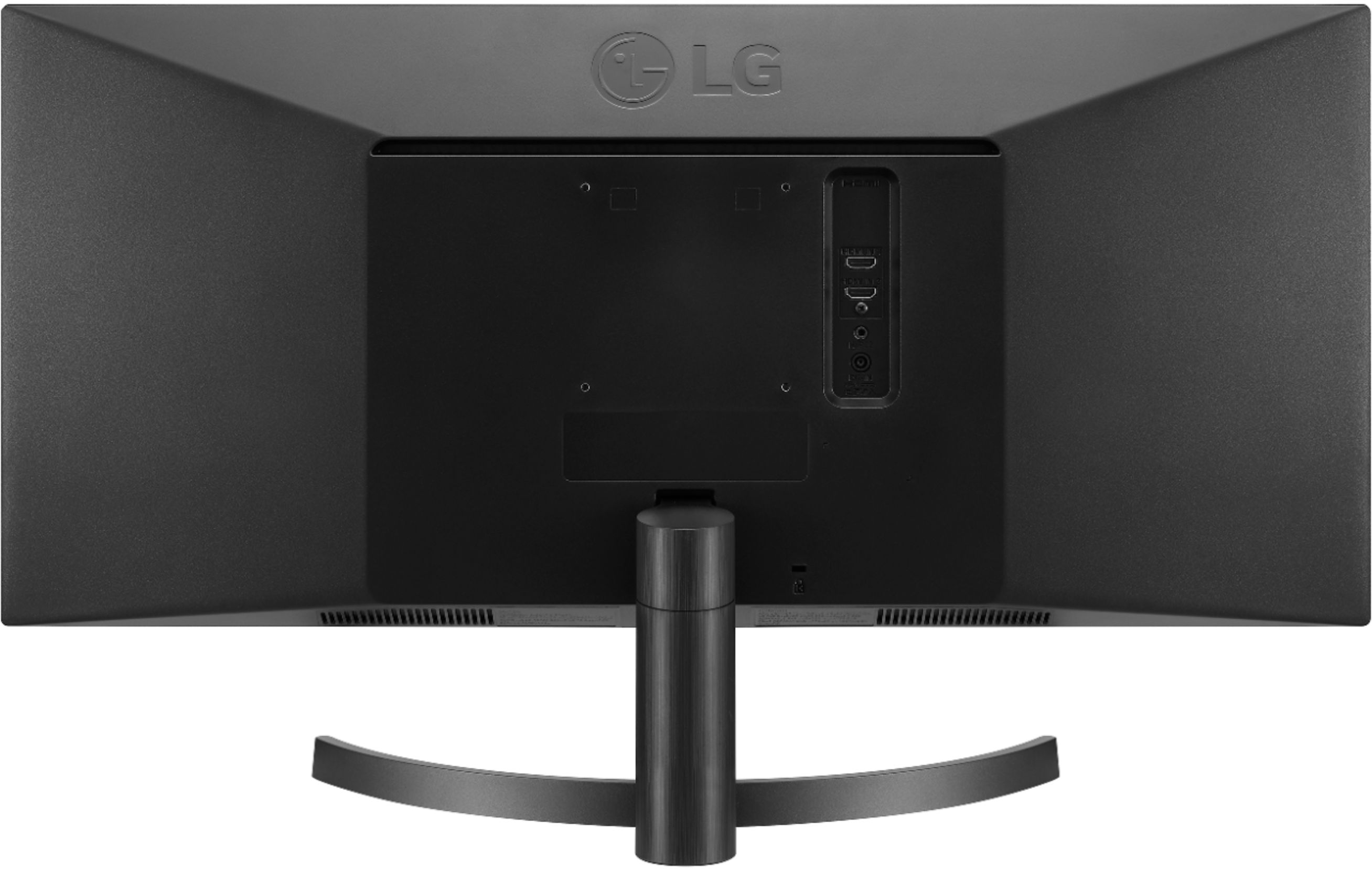
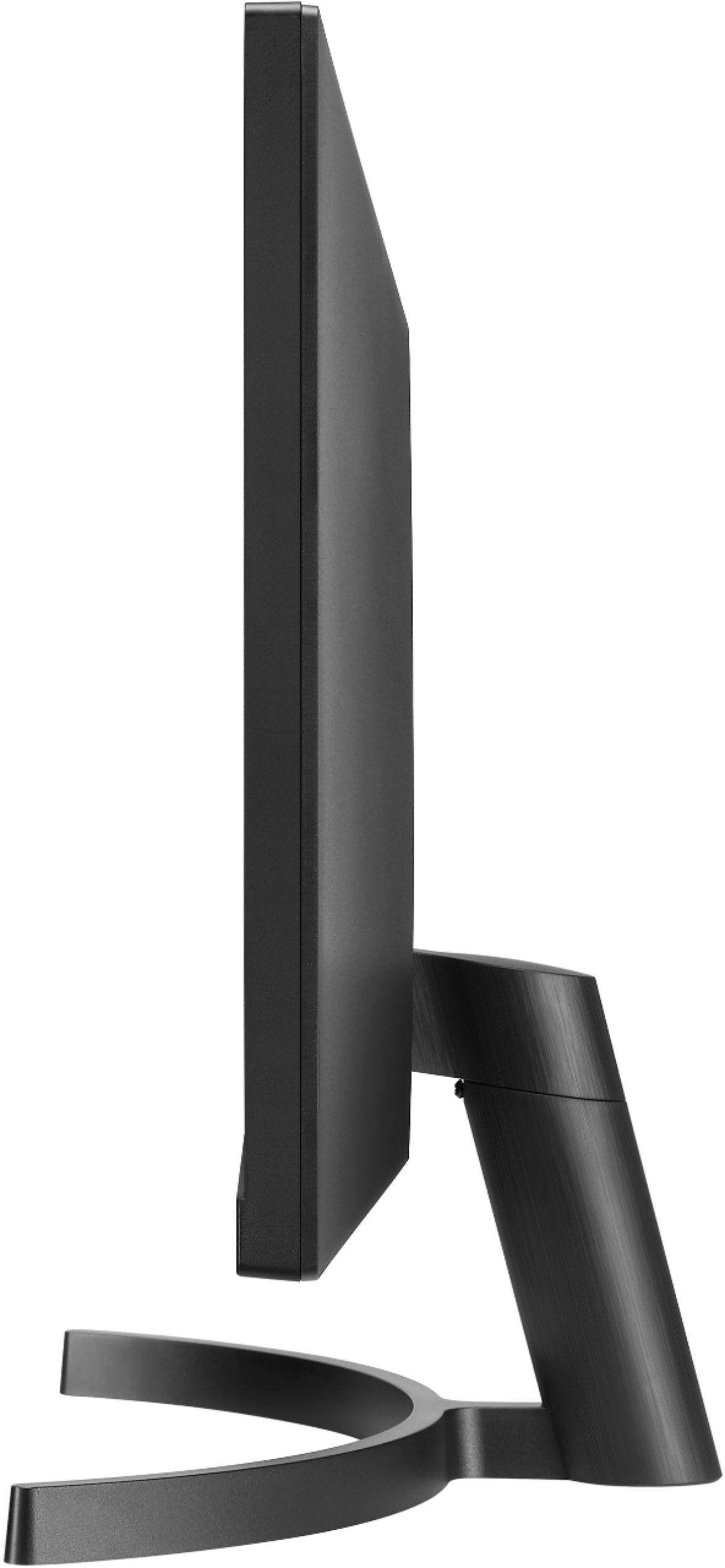
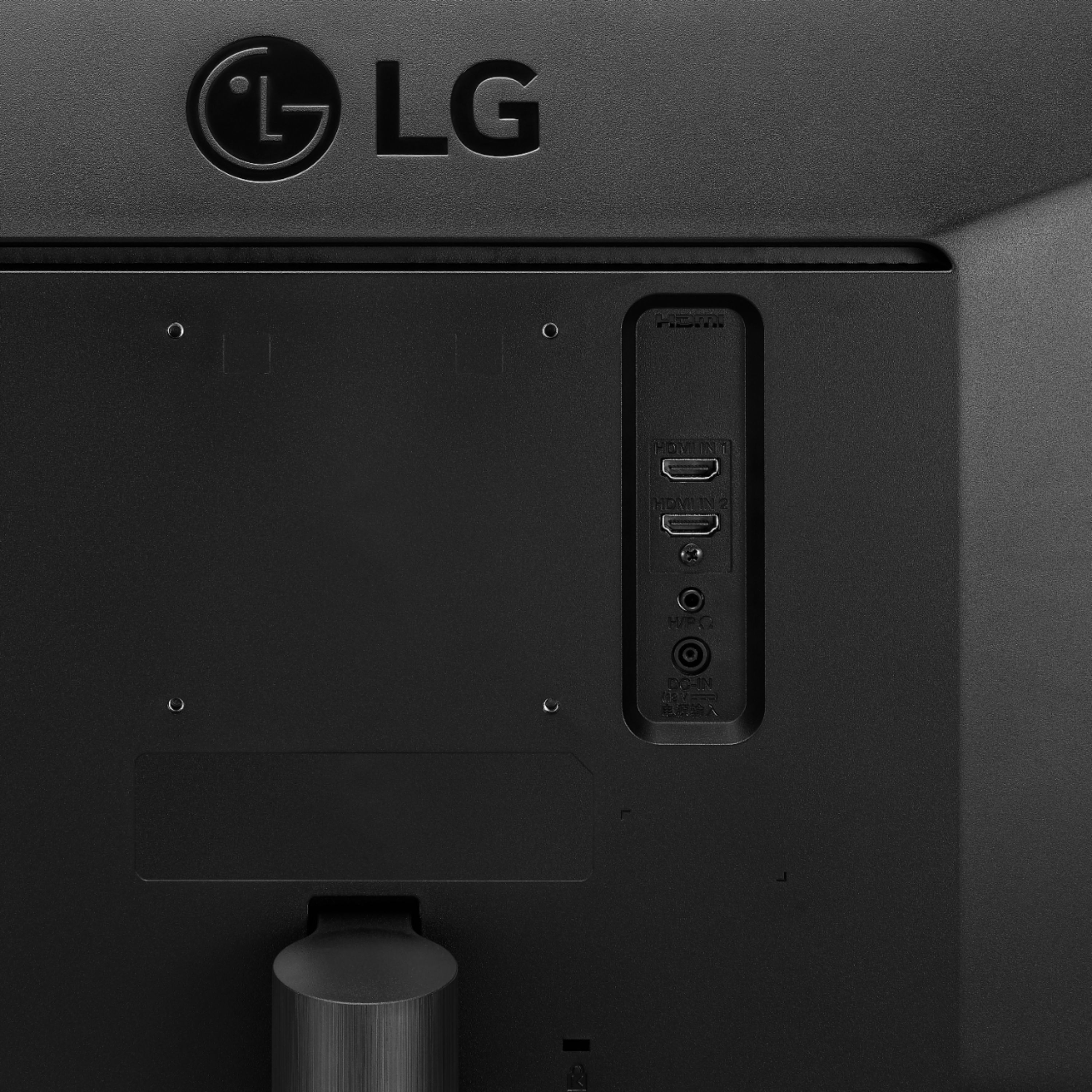
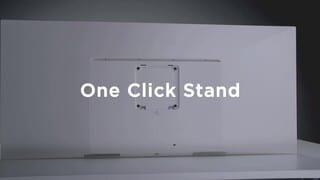
|Posted .This reviewer received promo considerations or sweepstakes entry for writing a review.LG 34WL500 Awesome size! Great resolution. 3 star rating for a wobbly stand at base connection, hard to know if getting proper drivers/software from website as support page does not recognize model number at time of writing, basic picture performance, and product page feature list is a bit of an exaggeration of real product quality. I am not too sure of the HDR marketing. It’s near in possible to find HDR content not attached to 4k content. I would have thought if they wanted the color punch that HDR gives it would have been better to not have a anti-glare screen. With the width of this though, you wouldn’t want a glossy screen unless it was curved screen; so just questioning the HDR capabilities as its really hard to test them. Sitting head on I don’t notice any color degradation on the sides. I have it setup about 28-30 inches from my eyes and don’t find I’m turning my head a lot. For the review I had it setup as a dual monitor on my laptop and while I never noticed it before when running dual screens, the 34” size exacerbated the Windows 10 scaling issue with high-res display. When it is connected I have to run a separate program to fix the scaling issues (just google Windows 10 dpi fix). Oddly enough the issue with the programs I use only happens with Office products. Most of my other work is in a browser and this does not happen with Chrome Browser. To be clear this isn’t a monitor issue, this is a Windows 10, and in no way reflects the capabilities of the monitor; just an fyi as Windows 10 has known issue and this is the only work-around I have found for Office products. Most of my work is done in dual screen setup off of a desktop, with dual 23” monitors. While it has been good, when running in large excel files it just never really works the way I would like with the split in the screen and I tend to have a bit more apps open than can fit. And while I was originally thinking of just having the LG 34” as the only monitor, II may get a little crazy and setup the 3 monitors! I did not test for gaming scenarios, I did test Netflix and set the monitor as main screen and only display. Watching Avengers: Infinity War, I wasn’t too impressed with the dark scenes, a lot of blooming. I will say I am not impressed with the stand. The stand is a two piece setup that consists of a half-moon base and a post with attached mounting bracket for the monitor. The post attaches to the base via a simple thumb screw and has a lot of play that makes the monitor wobble when typing or lightly bumping the desk. The bracket attaches flush to the back of the monitor with a quick connect setup that is easy to detach. It appears that it may have mounting points for a wall mount setup, but it would require expansion post as the mounting holes are recessed. Most kits come with that, so just know you will need to use them if mounting. Inputs are 2x HDMI and a 3.5mm Headphone out jack. I could not get the headphone out to work with my speaker system. The HDMI connection accepts audio pass through to the monitor and then via the headphone jack. This is typically used when the HDMI connection is being used for a non-computer source, like a blu-ray/gaming system, etc. I didn’t test too much on this feature as I am using it as a pc monitor and it is easier to pass the sound directly from the PC to my speakers. A few things from unboxing and setup. As stated already it only uses HDMI connections, so make sure you have any adapters necessary for your setup; most laptops have HDMI now; some still include VGA. The CD-ROM with the drivers and screen layout was not in any protective sleeve or case! I tried getting the software from the product page, but it appears that it has been updated there yet. It kept sending me to the Support Page and when inputting the model number to search nothing was found. The first time I plugged it in I couldn’t get the computer to recognize the resolution format, so it was just outputting as standard 1920x1080. I downloaded a driver from the website by stumbling through the support page and it began outputting the wide format. At that point it also change my audio output setting from the internal to the monitor. That was when I decided to test that feature but could not get it to work. Most likely an issue with the content coming from the PC via HDMI to monitor and trying to decode; again for PC use it just easier to run directly from the computer. The only thing I think that would make this ultrawide format better at 34” is the resolution being 4K. While I am glad to get a lot more consistent screen real estate than a dual screen setup, I cannot scale the windows to my liking to fit some of the programs that I normally run. I may try some custom scaling to less than 100% as Windows won’t let this happen. The third-party app I downloaded does allow this, I just have not tested it out yet; was more trying to fix the blurry text in Office apps issue. Ultrawide is definitely a niche product in my opinion, so if it is something you are looking for I think this model could fit the bill. I don’t like the marketing on LG’s product page. It says it is nearly bezel-less, but all of my monitors in my home have no bezel at the bottom (meaning the actual screen display stops at the bottom bezel) vs this 34” has bezel on all four sides (meaning there is the actual screen bezel, then a faux bezel where the image stops, but when the monitor is off it looks nearly bezel-less). I think the product page tries to upsell the features more than what they are for this product. It’s a basic monitor with good resolution for basic functionality. I wouldn’t recommend it for any color accuracy video/photo editing. But as general video/photo editing you can definitely fit all the panels without needing to scroll with the awesome screen real estate. I don’t think it does anything bad, but I wasn’t wowed, except by the size. Definitely know what your needs are before purchasing for the price, I’m wondering if a 4K tv would be a better option seeing what they are going for these days, but size and lag may be bigger issues on a tv set versus a traditional monitor setup. This set will definitely give me the initial goal of having more on one screen and so for that I can definitely recommend.
I would recommend this to a friend Open box item did not include power cable
||Posted . Owned for 2 weeks when reviewed.This reviewer received promo considerations or sweepstakes entry for writing a review.The open box item did not include a power cable. Because it was a proprietary power brick. The item needed to be returned. Unable to review picture quality.
I would recommend this to a friendBrand response from LGAnswers
Posted .Thank you for taking time to review this product. We are continuously working to improve the quality of our products and anticipate market demands that drive customer satisfaction. Your feedback is especially important to us and your concerns will be shared with our product team. We apologize for any inconvenience this caused. ^Venette
- Pros mentioned:Hdr, Screen sizeCons mentioned:Software
Nice monitor, needs software options
|Posted .This reviewer received promo considerations or sweepstakes entry for writing a review.The LG 34" ultra-widescreen monitor is a great option for work, and a decent option for most games, and a very-cool option for optimized games. This thing is massive and a little disorienting when you first turn it on. The screen is just as described--ultra wide. It includes anti-glare technology that really helps reduce eyestrain, though like most technology of that type it dims the picture a bit as well, giving it a greyed-out look rather than bright white on some pages. That is actually ideal when using this monitor for what it's best at--running two full-sized screens side-by-side. It's ideal for work that requires data-entry, as it's very easy to have a spreadsheet open on one half and either another spread sheet or a word document open on the other. The screen responds quickly when gaming and also looks very good. The resolution is fine for most movies, though the anti-glare tends to dim and wash out high resolution, even when the HDR is enhancing the color. I don't typically watch much media on my computer systems, so that's not an issue for me, but you'll definitely want to keep it in mind if it's one of your main uses. Games look good, though games not designed to use the entire screen on a widescreen monitor can look a little cramped. Diablo III and Wolfenstein II both looked amazing, though, and responded very quickly. The biggest issue I have is that I read about the software LG has for these monitors that supposedly makes it very easy to adjust the screen layout...but was unable to use it. Like many newer computers my computer doesn't have a disc drive, and there's nowhere to download the program yet on LG's website. You can do almost everything the software is capable of through Windows, but like most things Windows it's not as easy as it should be. I was able to use Windows snap to get programs side-by-side, but supposedly the LG program makes using split-screen much easier, and has more options than Windows does for layout. Hopefully they'll offer an alternative to the disc soon. The other controls are basic monitor controls located on a 'rocker' button directly underneath the LG on the monitor's front. They work fine and run the usual gambit of controls. You can plug headphones directly into the monitor if you need to--it seems to work fine when I tested it. I use a more powerful program and headphones designed for gaming, and preferred the superior sound offered through that option. The jack is nice to have in a pinch, though. The base seems a bit 'wobbly', but is very stable--the sheer size of the monitor keeps it from moving once it's in place. When off the monitor looks bezel-free, but strangely it doesn't utilize all of that space when it's on, so there is a definite 1/2 inch border around your usable space. Overall this is a really nice monitor that for very specific situations, and a decent option for everyday use. Highly recommended if your work is made easier by having more than one program open at a time.
I would recommend this to a friend - Pros mentioned:Hdr, Screen size
Great Widescreen Monitor For Work & Play
|Posted .This reviewer received promo considerations or sweepstakes entry for writing a review.As a long time gamer I have always been curious about playing on a widescreen monitor. Players often opt to span gaming content over two monitors to get additional screen real estate but this always struck me as an awkward and unappealing solution. Unboxing the LG 34WL500-B widescreen monitor reveals the monitor, power adapter, stand, some documentation, and software on disc. Included also is an hdmi cable which is an appreciated touch. I hate getting a new device and scrambling for a cable. The box is of course large but I was still surprised at the actual size of this monitor. It is definitely wide. Assembling the stand was a breeze as you simply connect the neck of the stand to the base with a thumbscrew and then just snap the stand into place on the rear of the monitor. I appreciate that no tools were required. I also like the minimal stand design. It is sleek but sturdy. Placing the monitor on my desk immediately made a statement. The 34WL500 is imposing and impressive, measuring about 32.5 inches wide and standing about 19.5 inches tall. The height is fairly comfortable for me but I am a bit disappointed that the height of the monitor stand is not adjustable. It was now time to set this LG up. The power adapter is smaller than I expected. No big brick here. As I connected the monitor to my pc I note that there are 2 hdmi ports but sadly missing is DisplayPort. Also sadly missing are USB ports. The monitor is of course plug and play but you really should install the included drivers and software disc. This LG software is called OnScreen Control and it unleashes a ton of settings and presets. Here you find some great options for customizing your new display. There are loads of split screen configurations to suit almost any desired layout from 2 splits up to 8. Here one can also do picture in picture. In split screen you simply select how you want the screen divided and then open applications and drag them to fill the areas. For instance with a triple split I can have Outlook, Word, and Chrome open at the same time all in their defined screen space. I am a definite multitasker who works with many windows open at once so I love this feature. FYI these settings stick between reboots too. In OnScreen Control you can also easily adjust brightness and contrast within the app opposed to fumbling with the monitor button to access the settings menu. Here you can also select a bunch of picture modes depending on the content you are displaying whether it be a game, movie, etc. interestingly you can also create application presets which adjust these picture modes for specific apps. For instance, you can always have Windows Media Player launch in Cinema mode. Very cool. Next you will find your game mode settings such as response time and it is here that you can toggle FreeSync on and off. Very glad to see FreeSync supported. Please note that the 34WL500 FreeSync function is not currently compatible with Nvidia graphics cards. Hopefully it will be certified in the future. I would point out that when powered off the monitor has the appearance of an edge to edge display since no bezel is apparent. However, when powered on a bezel edge is present under the screen so the image does not extend to the very edge. A bit disappointing. On a positive note HDR10 is supported. I have been replaying Wolfenstein 2 in prep for the release of Youngblood so I looked forward to see how it performed on a widescreen display. Not all games are compatible with widescreen but you can find resources online which list all games that are or simply just check your video resolution settings within your games to see if 2560x1080 is supported. You will have to also adjust the aspect ratio to 21:9 within game settings to see this resolution. Then you’re ready to play widescreen. For me Wolfenstein was a like a new game with a far more immersive viewing experience with far more content filling my screen particularly at the edges of my peripheral vision. I certainly had a greater sense of being a part of the action. There are a lot more pixels in play here so you will experience a FPS performance hit. How much depends on your video hardware. I was using an RX580 so was able to still play on maxed out settings. I next played some older games which didn’t support widescreen. Here you’ll experience a centered image with black bars on either side. Overall the LG 34WL500 is a high quality monitor with a few minor disappointments but huge benefits for both work and play. I was quickly sold on widescreen. You will be too.
I would recommend this to a friend Trash
||Posted . Owned for 6 months when reviewed.This reviewer received promo considerations or sweepstakes entry for writing a review.Went bad in less than 2 months- couldn’t return it due to COVID closures. Now I’m stuck dealing with manufacturer. Frisco - Eldorado store wasn’t helpful.
No, I would not recommend this to a friendBrand response from LGAnswers
Posted .We are sorry to hear that your unit is not working properly.Please contact LG Customer Support by direct message via Twitter (@LGUSSupport) or Facebook Messenger (https://www.facebook.com/LGUSA/). Please be sure to provide your name, phone number, address, email, model/serial numbers and date of purchase and we will be happy to assist you. We apologize for any inconvenience this caused. ^Venette
Not good
||Posted . Owned for 2 weeks when reviewed.This reviewer received promo considerations or sweepstakes entry for writing a review.I will return it. Screen have some running pixels and it’s blurry .
No, I would not recommend this to a friendBrand response from LGAnswers
Posted .Please reach out to our support team on Facebook at @LGUSSupport. Please be sure to provide your name, phone number, address, email, model/serial numbers, and date of purchase and we will be happy to assist you. There are policies and procedures in place to ensure resolutions are consistent and fair. I am confident that we will work to provide an agreeable resolution.^Venette
Can not connect to VGA adapter
||Posted .This reviewer received promo considerations or sweepstakes entry for writing a review.Our laptop has only VGA port, and this monitor could not get connecting with VGA via a VGA-to-HDMI adapter. There is "No Signal". We got tired of trying for a few hours, so we brought it back to BestBuy the same day we purchased it; the Geek couldn't get it to work either. What a shame! How could a great name like LG couldn't make it compatible with VGA.
No, I would not recommend this to a friendBrand response from LGAnswers
Posted .We are sorry to hear that your unit is not working as designed. We are continuously working to improve the quality of our products, availability while anticipating market demands that drive customer satisfaction. If the problem hasn't resolve, please reach out to our support team on Twitter via @LGUSSupport or on Facebook at https://www.facebook.com/LGUSA/. We apologize for any inconvenience this caused. ^Venette
Was okay for a while
||Posted . Owned for 1 month when reviewed.This reviewer received promo considerations or sweepstakes entry for writing a review.Bought on Christmas Eve for a little less than $300 was okay for a while but eventually, it experience bad burn-in.
No, I would not recommend this to a friendBrand response from LGAnswers
Posted .We are sorry to hear you encountered this issue with your monitor. For assistance, please give our computer specialists a call at 800-243-0000. ^CP