Customer Ratings & Reviews
- Model:
- 43UA7700PUB
- |
- SKU:
- 10315588
Customer reviews
Rating 4.6 out of 5 stars with 352 reviews
(352 customer reviews)Rating by feature
- Picture Quality4.8
Rating 4.8 out of 5 stars
- Sound Quality4.5
Rating 4.5 out of 5 stars
- Brightness4.7
Rating 4.7 out of 5 stars
to a friend
Rated 2 out of 5 stars
Bad placement for power cord.
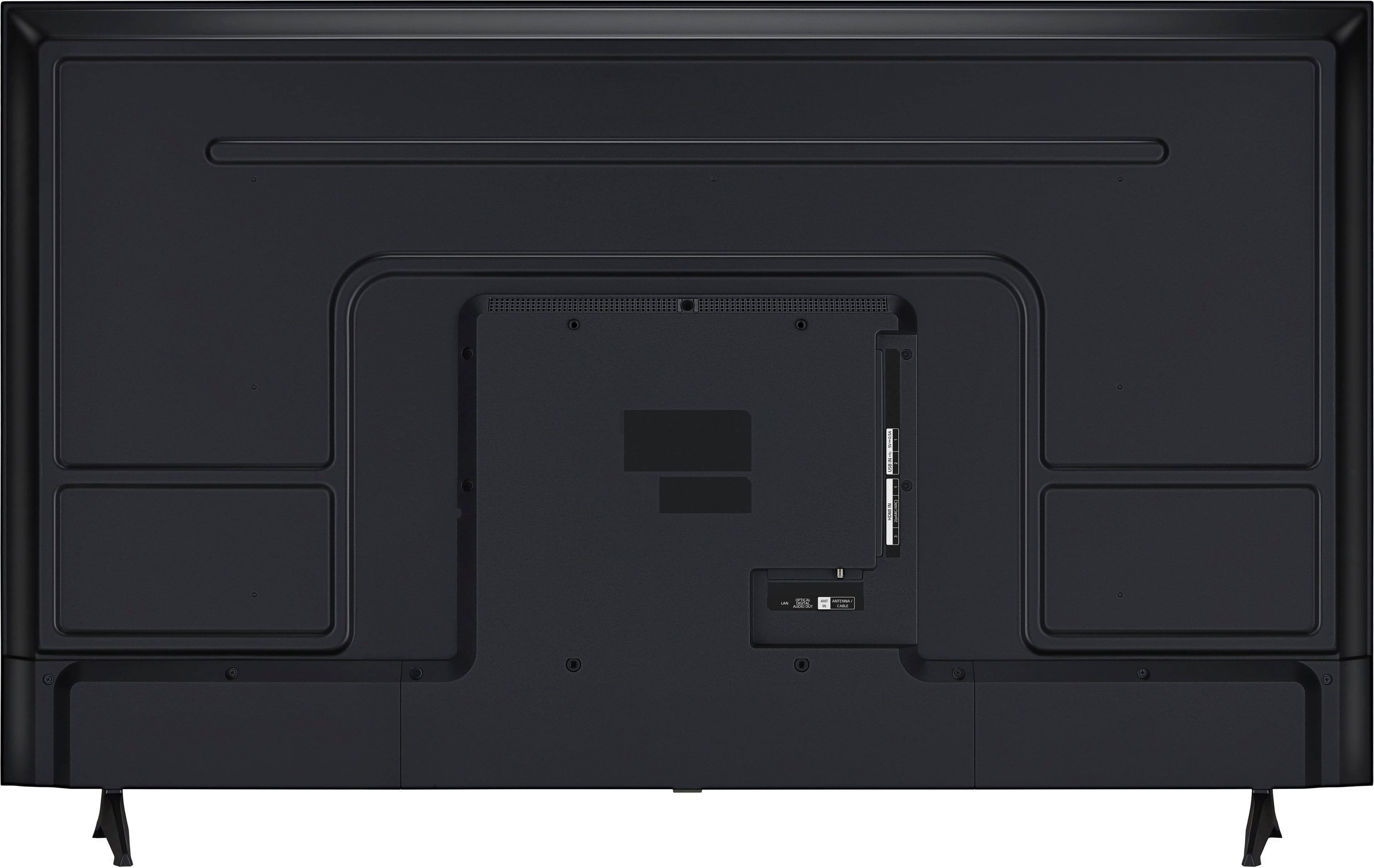
||Posted . Owned for 3 weeks when reviewed.This reviewer received promo considerations or sweepstakes entry for writing a review.The power cord is in a weird place on the back of the TV. If you mount this tv, the mount will cover the place where the power cord goes.
This review is from LG - 43” Class UA77 Series LED AI 4K UHD Smart webOS TV (2025)
No, I would not recommend this to a friendBrand response from LG Digital Customer Care
Posted .Hi, Jannelle. Thank you for sharing your experience with your LG TV (43UA7700PUB) model. We understand how important it is to have a smooth installation process. On this model, the power cord port placement can sometimes be covered by certain wall mounts. A helpful step is to use a right‑angle power adapter or select a mount with an open back plate design so the cord can fit securely without obstruction. You can find more guidance here: https://www.lg.com/us/support/product/lg-43UA7700PUB.AUSQ. If you’d like further assistance, please send us an email at lgdigitalcare@lg.sprinklrsupport.com with a brief description of the issue so our team can review next steps. ^Juvy
Rated 3 out of 5 stars
Nut worth it
||Posted . Owned for 1 week when reviewed.This reviewer received promo considerations or sweepstakes entry for writing a review.TV has some problems like when setting up the TV for the first time the person given instruction is slk hyienyom
This review is from LG - 43” Class UA77 Series LED AI 4K UHD Smart webOS TV (2025)
No, I would not recommend this to a friendBrand response from LG Digital Customer Care
Posted .Hello there. Thank you for sharing your experience with us. We understand your inquiry regarding the setup instructions for your LG - 43 Class UA77 Series LED AI 4K UHD Smart webOS TV (2025). We understand that the initial setup guidance didn't meet your expectations. To assist you, we suggest checking the "Language" settings in the General menu to ensure the voice guidance or menu language is set to your preference.
https://www.bestbuy.com/product/lg-43-class-ua77-series-led-ai-4k-uhd-smart-webos-tv-2025/JJ8VPZT652
For further assistance and any specific concerns you may have, please contact us on lgdigitalcare@lg.sprinklrsupport.com. We appreciate your patience. —Renzo
Rated 3 out of 5 stars
Poor customer service.
||Posted . Owned for 2 weeks when reviewed.This reviewer received promo considerations or sweepstakes entry for writing a review.I could 't find anyone to help me. TV does not have a very good picture.
This review is from LG - 43” Class UA77 Series LED AI 4K UHD Smart webOS TV (2025)
No, I would not recommend this to a friendRated 1 out of 5 stars
Buyer Remorse
||Posted .This reviewer received promo considerations or sweepstakes entry for writing a review.when shopping at the Newnan GA store, I asked the clerk if this specific tv had blue tooth. the clerk said nearly all the new tvs have a level of bluetooth installed already. He was right. But I am a novice to tvs and should have asked, which tv here pairs plug and play with my earbuds or headsets. Apparently many new tvs with blue tooth only in one way or another, like just a keyboard or a game program. Not bluetooth ear buds and wireless headsets. So my brand new blue tooth tv from Best Buy does not pair blue tooth earbuds or headsets and it doesnt even have a audio jack to install an adaptor. Even the jet pax plane has an audio jack to pair them. Oh what to do. I am not sure if I go back to the store if they can help me find a work around.
This review is from LG - 43” Class UA77 Series LED AI 4K UHD Smart webOS TV (2025)
No, I would not recommend this to a friendBrand response from LG Digital Customer Care
Posted .Hi, David. Thank you for reaching out and sharing your experience with your new LG TV (43UA7700PUB) model. We understand the importance of having a TV that pairs easily with your preferred audio devices, especially when you’re hoping to use Bluetooth earbuds or wireless headsets. We appreciate the details you provided about what happened at the store and how the Bluetooth features differed from what you expected.
To help you move forward, one helpful step is to check the Sound → Sound Out menu and confirm whether LG Sound Sync/Bluetooth is available. This feature supports pairing with compatible Bluetooth audio devices. You can also review the Bluetooth capabilities for your model here: https://www.lg.com/us/support/product/lg-43UA7700PUB.AUSQ. If you’d like us to explore additional audio connection options or help identify compatible accessories, please send us an email at lgdigitalcare@lg.sprinklrsupport.com for further assistance. ^Juvy
Rated 3 out of 5 stars
Good picture quality
||Posted . Owned for 2 months when reviewed.This reviewer received promo considerations or sweepstakes entry for writing a review.Sound quality not so great, you would need to buy. Soundbar.
This review is from LG - 43” Class UA77 Series LED AI 4K UHD Smart webOS TV (2025)
I would recommend this to a friendBrand response from LG Digital Customer Care
Posted .Hi there, Cecy. Thank you for sharing your experience with us. We understand that the sound quality of your LG 43 Class UA77 Series LED AI 4K UHD Smart webOS TV didn't meet your expectations, and we appreciate your feedback regarding the picture quality. We understand your inquiry and are happy to help you optimize your audio settings or discuss compatible soundbar options.
https://www.bestbuy.com/product/lg-43-class-ua77-series-led-ai-4k-uhd-smart-webos-tv-2025/JJ8VPZT652
For further assistance and any specific concerns you may have, please contact us on lgdigitalcare@lg.sprinklrsupport.com. We appreciate your patience. —Renzo
Rated 3 out of 5 stars
Many features, but slow interface and poor audio
||Posted .This reviewer received promo considerations or sweepstakes entry for writing a review.Good amount of features, but interface is a bit slow to navigate. Also, the built-in speakers have a tiny sound.
This review is from LG - 43” Class UA77 Series LED AI 4K UHD Smart webOS TV (2025)
No, I would not recommend this to a friendBrand response from LG Digital Customer Care
Posted .Hello there. Thank you for sharing your experience with us regarding your LG 43 Class UA77 Series LED AI 4K UHD Smart webOS TV. We understand your inquiry regarding the interface speed and the audio quality of the built-in speakers. To help improve the navigation speed, we recommend using the Memory Optimizer found under Settings > Support to clear unnecessary cache and background processes. For the audio, you may want to try adjusting the Sound Mode to Cinema or AI Sound Pro in the Sound settings to enhance the depth of the built-in speakers.
https://www.bestbuy.com/product/lg-43-class-ua77-series-led-ai-4k-uhd-smart-webos-tv-2025/JJ8VPZT652
For further assistance and any specific concerns you may have, please contact us on lgdigitalcare@lg.sprinklrsupport.com. We appreciate your patience. —Renzo
Rated 2 out of 5 stars
LG TV very bad sound terrible does not come within
||Posted .This reviewer received promo considerations or sweepstakes entry for writing a review.The TV that I purchased the l. GT v I'm not satisfied with it, I don't like it. The sound is terrible. The picture is terrible and I'm saying this to you all I want to get Samsung, how do I do it?
This review is from LG - 43” Class UA77 Series LED AI 4K UHD Smart webOS TV (2025)
No, I would not recommend this to a friendBrand response from LG Digital Customer Care
Posted .Hi, Leonard. Thank you for sharing your experience with your LG TV (43UA7700PUB) model. We understand the importance of having a TV that delivers the picture and sound quality you expect—especially when you’ve just brought it home and want it to perform well.
To help improve your current setup, one step you can try is adjusting the Sound Mode and Picture Mode settings. For sound, go to Settings > All Settings > Sound > Sound Mode and select AI Sound Pro for clearer, fuller audio. For picture, go to Settings > All Settings > Picture > Picture Mode Settings and try Cinema or Filmmaker Mode, which often provide a more natural and balanced image. More guidance here: https://www.lg.com/us/support/help-library/lg-tv-audio-problems--1388777718317OLT and https://www.lg.com/us/support/help-library/lg-tv-picture-quality-and-optimization--20152175493545. For further discussion on your options or assistance with your TV's performance, please email us at lgdigitalcare@lg.sprinklrsupport.com for direct support. ^Juvy
Rated 2 out of 5 stars
Cheap buy for those needing one
||Posted .This reviewer received promo considerations or sweepstakes entry for writing a review.If you're looking for a cheap get by tv, buy this, if you're looking for slow streaming, and adjustments to tv color and brightness changing on their own, buy this. It's so bright it could lead Santa's sleigh this year. The ability to program shows for future watching is nice.
This review is from LG - 43” Class UA77 Series LED AI 4K UHD Smart webOS TV (2025)
No, I would not recommend this to a friendBrand response from LG Digital Customer Care
Posted .Hi, Dianias. Thanks for sharing your thoughts on the LG TV (43UA7700PUB) model. We appreciate your detailed feedback and can definitely see how automatic brightness and color shifts might feel overwhelming at times.
To help manage those changes, we recommend turning off Auto Picture Mode and Energy Saving settings. You can do this by going to Settings > All Settings > Picture > Picture Mode Settings > Auto Picture Mode and setting it to Off, then navigating to Settings > All Settings > General > Energy Saving and selecting Off there as well. This will give you more consistent control over brightness and color. For more help, visit https://www.lg.com/us/support/help-library/lg-tv-the-best-picture-settings-for-your-lg-tv--20150577528034. If you'd like help fine-tuning your settings or exploring other features, feel free to email us at lgdigitalcare@lg.sprinklrsupport.com. We’re here to help. ^Juvy
Rated 3 out of 5 stars
Volume
||Posted . Owned for 1 month when reviewed.This reviewer received promo considerations or sweepstakes entry for writing a review.Can not hear with TV own speaker. Have to turn up volume to 50 to heR
This review is from LG - 43” Class UA77 Series LED AI 4K UHD Smart webOS TV (2025)
No, I would not recommend this to a friendBrand response from LG Digital Customer Care
Posted .Hello there, JosieP. Thank you for sharing your experience with us. We understand your inquiry regarding the volume levels on your LG - 43 Class UA77 Series LED AI 4K UHD Smart webOS TV (2025). We understand that the unit didn't meet your expectations regarding the internal speaker output.
https://www.bestbuy.com/product/lg-43-class-ua77-series-led-ai-4k-uhd-smart-webos-tv-2025/JJ8VPZT652
To address this, please ensure the "Sound Out" setting is set to "TV Speaker" and check if "Auto Volume" is enabled in the Sound settings to help balance the audio levels. For further assistance and any specific concerns you may have, please contact us on lgdigitalcare@lg.sprinklrsupport.com, and our team will be more than happy to assist you. —Renzo
Rated 1 out of 5 stars
Not worth the great price
||Posted . Owned for 2 months when reviewed.This reviewer received promo considerations or sweepstakes entry for writing a review.I've had this TV for 3 months. Now it just buffers my streaming channels. I'm not a tech type person but I don't like the OS on this TV either. I find it's difficult for me to usem. I wish I never got this TV!
This review is from LG - 43” Class UA77 Series LED AI 4K UHD Smart webOS TV (2025)
No, I would not recommend this to a friendBrand response from LG Digital Customer Care
Posted .Hi, there. Thank you for sharing your experience with the LG TV (43UA7700PUB) model. We appreciate your feedback and understand how important it is for your TV to deliver smooth streaming and be easy to navigate.
To help improve streaming performance, we recommend checking your network connection by going to Settings > Network > Wi-Fi Connection > Advanced Settings. If your signal strength is low, try moving your router closer to the TV or using a wired Ethernet connection for better stability. For more information, visit https://www.lg.com/us/support/help-library/lg-tv-troubleshooting-your-tvs-internet-connection--1426626051711.
For help navigating the webOS interface, you can explore step-by-step guides on our webOS support page — it offers tips to make things easier and more intuitive. If you’d like us to assist further, feel free to email us at lgdigitalcare@lg.sprinklrsupport.com. We're here to help in any way we can. ^Juvy
Rated 2 out of 5 stars
LG is a solid company but not this TV.
||Posted . Owned for 3 weeks when reviewed.This reviewer received promo considerations or sweepstakes entry for writing a review.Everything great except the picture. The cinema picture mode was particularly not good. Picture does not go very bright in general. Traded it in for a TCL that was 15 dollars less and have zero regrets.
This review is from LG - 43” Class UA77 Series LED AI 4K UHD Smart webOS TV (2025)
No, I would not recommend this to a friendBrand response from LG Digital Customer Care
Posted .Hi there. Thank you for sharing your experience with us regarding your LG - 43 Class UA77 Series LED AI 4K UHD Smart webOS TV. We understand your inquiry about the picture quality, particularly the brightness and the Cinema picture mode.
We want to help ensure you get the best picture possible from your TV. A simple step to improve brightness is to check the Picture Mode Settings. You can often adjust the Backlight or OLED Pixel Brightness within the Picture settings menu to increase the overall brightness.
https://www.bestbuy.com/product/lg-43-class-ua77-series-led-ai-4k-uhd-smart-webos-tv-2025/JJ8VPZT652
For further assistance and to explore possible solutions for any specific concerns you may have, please send us a private message on Social Media @LGUSSupport. We appreciate your patience. —Renzo
Rated 1 out of 5 stars
Bad Television and Customer Service
||Posted . Owned for 1 month when reviewed.This reviewer received promo considerations or sweepstakes entry for writing a review.TV won’t work and bestbuy will not replace it because it is more than 14 days even though I explained that I am not local. I travel back and forth to set up the house. Bought 5 TVs and had problems with 2 of them.
This review is from LG - 43” Class UA77 Series LED AI 4K UHD Smart webOS TV (2025)
No, I would not recommend this to a friendBrand response from LG Digital Customer Care
Posted .Hi, SimiE. Thank you for reaching out, and we understand the importance of having your LG LG TV (43UA7700PUB) model working properly. One step that may help is performing a power reset: Unplug the TV from the wall outlet for 30 seconds.
Plug it directly into a working wall outlet (avoid power strips).
Press and hold the power button on the TV for 5 seconds.
This can help the TV reinitialize its power board and may restore normal operation. For more guidance, visit https://www.lg.com/us/support/help-library/lg-tv-why-does-my-tv-have-no-power--1441914332865OLT. We’d like to assist further.
Please send us an email at lgdigitalcare@lg.sprinklrsupport.com so we can take a closer look and support you more closely. ^Juvy
Rated 1 out of 5 stars
Unbelievably slow…like RIDICULOUSLY slow.
||Posted . Owned for 1 month when reviewed.This reviewer received promo considerations or sweepstakes entry for writing a review.If you connect this straight to WiFi without an Apple TV or other streaming box, you’re going to waste your time buying it and returning it. You can’t watch anything without a big time lag or seeing the circle spin while it loads. I’ve owned TV’s that are 10 years older than this one that would put it to shame. Back in the box you go, it was nice knowin’ ya! Actually not really nice…all this did was cause frustration. Horrible TV. Sony has never disappointed me. My mistake for buying it.
This review is from LG - 43” Class UA77 Series LED AI 4K UHD Smart webOS TV (2025)
No, I would not recommend this to a friendBrand response from LG Digital Customer Care
Posted .Hi, John. Thanks for sharing your experience with the LG TV (43UA7700PUB) model. We appreciate your feedback and understand how important smooth streaming is when using built-in apps.
If you're seeing frequent buffering or lag, we recommend checking your network speed and ensuring the TV is connected to a 5GHz WiFi band for optimal performance. You can also try clearing the cache in the TV’s settings under General > System > Application Manager, which can help improve app responsiveness. For more help, visit https://www.lg.com/us/support/help-library/tv-video-lag--20150774974899. If you'd like us to assist further or help confirm your network settings are optimized, feel free to email us at lgdigitalcare@lg.sprinklrsupport.com. We’re here to help. ^Juvy
Rated 3 out of 5 stars
Maurpat
||Posted .This reviewer received promo considerations or sweepstakes entry for writing a review.Very nice value for the money. Best Buy made purchase easy
This review is from LG - 43” Class UA77 Series LED AI 4K UHD Smart webOS TV (2025)
I would recommend this to a friendBrand response from LG Digital Customer Care
Posted .Hi there, MauriceH. Thank you for sharing your experience with us. We understand your inquiry and are glad to hear you are enjoying the value of your LG 43 Class UA77 Series LED AI 4K UHD Smart webOS TV. For further assistance and any specific concerns you may have, please contact us on lgdigitalcare@lg.sprinklrsupport.com.
https://www.bestbuy.com/product/lg-43-class-ua77-series-led-ai-4k-uhd-smart-webos-tv-2025/JJ8VPZT652
We appreciate your patience. —Renzo
Rated 2 out of 5 stars
Have to buy upgraded remote to use all features
||Posted . Owned for 1 week when reviewed.This reviewer received promo considerations or sweepstakes entry for writing a review.Remote that comes with TV does not use voice, Alexa, or AI functions. Have to buy an upgraded LG remote for $50 to use all the functions of the TV.
This review is from LG - 43” Class UA77 Series LED AI 4K UHD Smart webOS TV (2025)
No, I would not recommend this to a friendBrand response from LG Digital Customer Care
Posted .Hello there, John. Thank you for sharing your experience with us. We understand your inquiry regarding the remote control features and compatibility with your 43 Class UA77 Series TV. Your feedback is important, and we'd like to assist you further. For further assistance and any specific concerns you may have, please contact us on lgdigitalcare@lg.sprinklrsupport.com.
https://www.bestbuy.com/product/lg-43-class-ua77-series-led-ai-4k-uhd-smart-webos-tv-2025/JJ8VPZT652
We appreciate your patience. —Renzo
Rated 1 out of 5 stars
WiFi stopped working
||Posted . Owned for 1 week when reviewed.This reviewer received promo considerations or sweepstakes entry for writing a review.Absolutely horrible purchase. Had the TV for less than 2 weeks and the WiFi adapter stopped working. Tried everything to fix it but nothing worked. The buttons on the remote are a cluttered mess. Absolutely horrible.
This review is from LG - 43” Class UA77 Series LED AI 4K UHD Smart webOS TV (2025)
No, I would not recommend this to a friendBrand response from LG Digital Customer Care
Posted .Hi, Arturo. Thank you for reaching out about your LG TV (43UA7700AUA) model. We understand the importance of having a TV that stays connected and performs reliably. For a TV that suddenly loses Wi‑Fi capability, one helpful step you can try is to unplug the TV for about 30 seconds and plug it back in, then reconnect to your network through Settings → Network → Wi‑Fi Connection. This helps reset the internal network module and can restore wireless functionality. For more guidance, https://www.lg.com/us/support/help-library/lg-tv-troubleshooting-your-tvs-internet-connection--1426626051711. We’d be glad to take a closer look at this for you. Please send us an email at lgdigitalcare@lg.sprinklrsupport.com so our team can assist you directly. ^Juvy
Rated 1 out of 5 stars
Bad TV
||Posted .This reviewer received promo considerations or sweepstakes entry for writing a review.Return period is over, just got the TV up and it does not work. The box is not damaged, the TV does not look damaged but it is. Would not buy again.
This review is from LG - 43” Class UA77 Series LED AI 4K UHD Smart webOS TV (2025)
No, I would not recommend this to a friendBrand response from LG Digital Customer Care
Posted .Hi, Louann. Thank you for reaching out about your LG TV (43UA7700PUB) model. We understand the importance of having a TV that works right out of the box, especially after the return window has passed.
One helpful step you can try is a power cycle reset. Unplug the TV for about 30 seconds, then plug it back in and turn it on. This helps the internal system reinitialize and can resolve issues that appear even when there’s no visible physical damage. For more guidance, visit https://www.lg.com/us/support/help-library/lg-tv-why-does-my-tv-have-no-power--1441914332865OLT.
We’d like to take a closer look at your unit and help determine the next best steps. Please send us an email at lgdigitalcare@lg.sprinklrsupport.com with your model number, a brief description of what the TV is doing when powered on, and any photos of the screen, if possible. ^Juvy
Rated 1 out of 5 stars
TERRIBLE
||Posted . Owned for 3 weeks when reviewed.This reviewer received promo considerations or sweepstakes entry for writing a review.EVEN WORSE THAN THE SAMSUNG I GOT ON AUGUST 28. NO MANUAL TO SET UP, NO SALESPERSON AT STORE TO WAIT ON ME. REALLY DISAPPOINTED WITH BEST BUY, YOU ARE ONLY INTERESTED IN GETTING THE SALE ON YOUR TERMS WITH NO REGARDS FOR THE CUSTOMEER.
This review is from LG - 43” Class UA77 Series LED AI 4K UHD Smart webOS TV (2025)
No, I would not recommend this to a friendBrand response from LG Digital Customer Care
Posted .Hi, Peter. Thank you for reaching out and sharing your experience with the LG TV (43UA7700PUB) model. We appreciate you letting us know about the setup challenges and lack of in-store support.
For this model, one helpful step is to access the digital user manual directly from LG’s support site, which provides clear instructions for installation and setup. You can find it here: https://www.lg.com/us/support/product/lg-43UA7700PUB. This guide walks you through connecting devices, configuring picture and sound settings, and customizing menus so you can get the most out of your TV.
If further assistance is needed, please send us an email at lgdigitalcare@lg.sprinklrsupport.com so our team can provide tailored support for your unit. ^Juvy
Rated 1 out of 5 stars
It came Damaged
||Posted .This reviewer received promo considerations or sweepstakes entry for writing a review.The TV came Damaged from Best Buy. This apparently was an older model that was laying around. So I can’t give an honest review of the television.
This review is from LG - 43” Class UA77 Series LED AI 4K UHD Smart webOS TV (2025)
No, I would not recommend this to a friendBrand response from LG Digital Customer Care
Posted .Hi, John. Thank you for taking the time to share this with us. We understand the importance of receiving an LG TV (43UA7700PUB) model in the best possible condition, especially when you’re excited to set it up and enjoy it. If you haven't done so yet, we recommend contacting Best Buy customer service at 888-237-8289 to report the damage. For more details, visit https://www.bestbuy.com/site/help-topics/return-exchange-policy/pcmcat260800050014.c?id=pcmcat260800050014.
Since this unit arrived damaged, one helpful step you can try—once you’re able to exchange the unit—is to perform a Picture Test on the replacement TV. This can be done by going to Settings > All Settings > Support > Picture Test. This helps confirm that the display is working properly right out of the box. We’d be glad to assist you further. Please feel free to send us an email at lgdigitalcare@lg.sprinklrsupport.com so we can look into this with you in more detail. ^Juvy
Rated 2 out of 5 stars
not interested
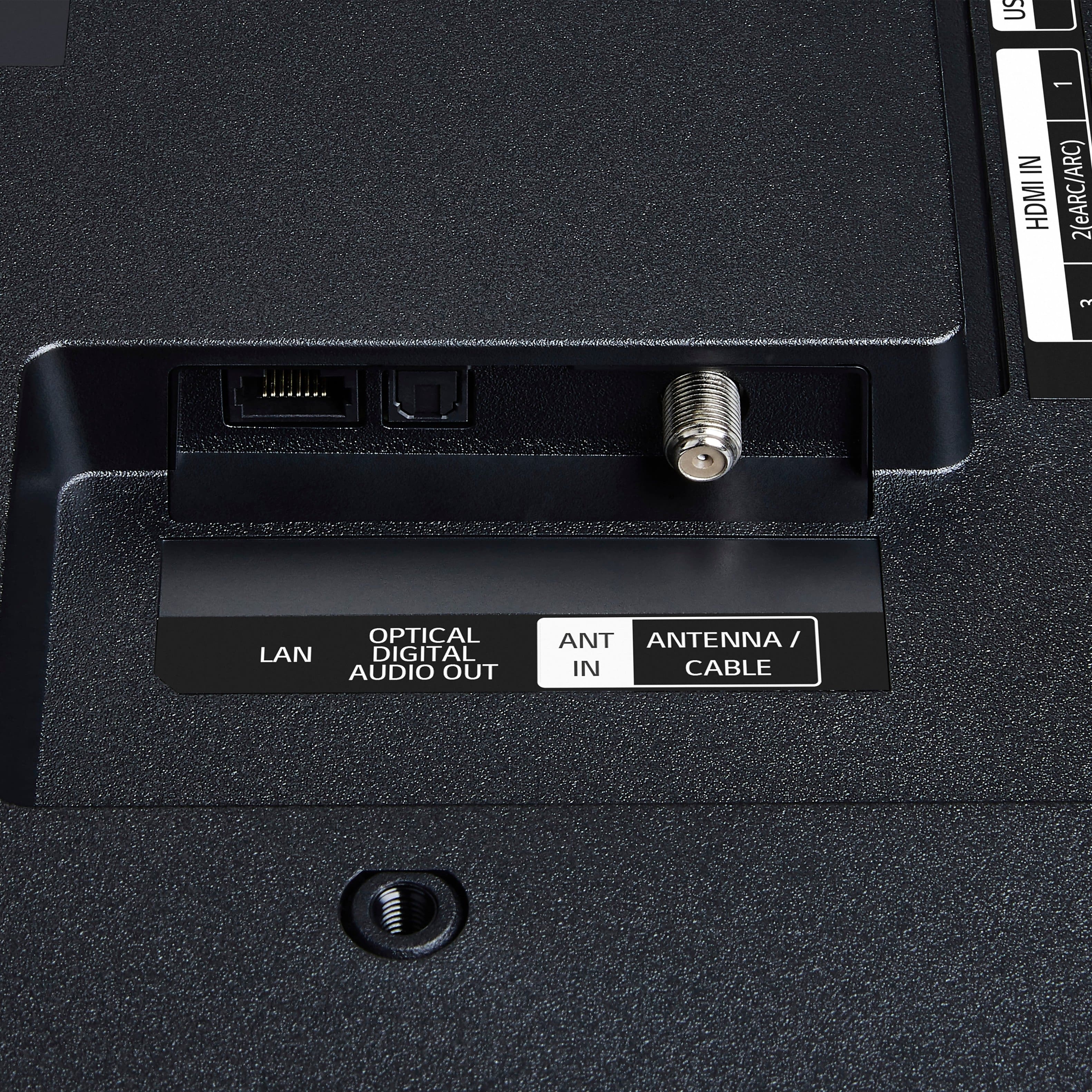
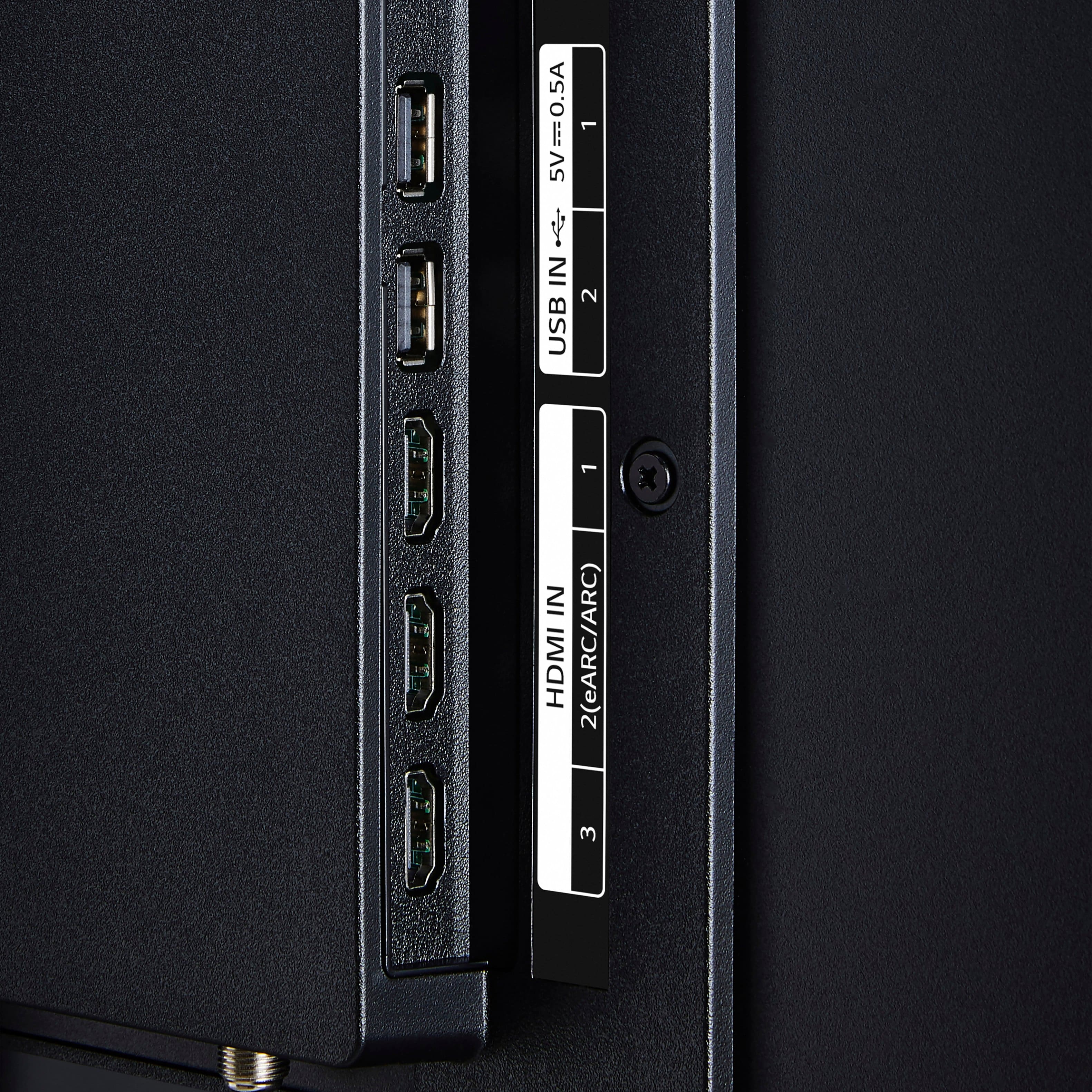
||Posted . Owned for 3 weeks when reviewed.This reviewer received promo considerations or sweepstakes entry for writing a review.poor sound quality inferior construction not enough ports
This review is from LG - 43” Class UA77 Series LED AI 4K UHD Smart webOS TV (2025)
No, I would not recommend this to a friendBrand response from LG Digital Customer Care
Posted .Hi, Chris. Thank you for sharing your thoughts on the LG TV (43UA7700PUB) model. We appreciate your insights and understand how important sound performance, build quality, and connectivity are to your experience. For sound quality, we recommend exploring the TV’s audio settings under “Sound Mode” and trying options like “Clear Voice” or “Cinema” to enhance clarity and depth. Connecting an external soundbar or speaker system via HDMI ARC or optical out can also provide a richer audio experience. You can find more tips here: https://www.youtube.com/watch?v=2aF0XLguYBs. If you’d like help reviewing your setup or exploring accessory options, feel free to email us at lgdigitalcare@lg.sprinklrsupport.com. We’re here to assist. ^Juvy