Customer Ratings & Reviews






- Model:
- 43UA7700PUB
- SKU:
- 11121974
Rating by feature
- Picture Quality
Rating 4.7 out of 5 stars
- Sound Quality
Rating 4.5 out of 5 stars
- Brightness
Rating 4.7 out of 5 stars
LG is a solid company but not this TV.
||Posted . Owned for 3 weeks when reviewed.This reviewer received promo considerations or sweepstakes entry for writing a review.Everything great except the picture. The cinema picture mode was particularly not good. Picture does not go very bright in general. Traded it in for a TCL that was 15 dollars less and have zero regrets.
No, I would not recommend this to a friendBrand response from LG Digital Customer Care
Posted .Hi there. Thank you for sharing your experience with us regarding your LG - 43 Class UA77 Series LED AI 4K UHD Smart webOS TV. We understand your inquiry about the picture quality, particularly the brightness and the Cinema picture mode.
We want to help ensure you get the best picture possible from your TV. A simple step to improve brightness is to check the Picture Mode Settings. You can often adjust the Backlight or OLED Pixel Brightness within the Picture settings menu to increase the overall brightness.
https://www.bestbuy.com/product/lg-43-class-ua77-series-led-ai-4k-uhd-smart-webos-tv-2025/JJ8VPZT652
For further assistance and to explore possible solutions for any specific concerns you may have, please send us a private message on Social Media @LGUSSupport. We appreciate your patience. —Renzo
Unbelievably slow…like RIDICULOUSLY slow.
||Posted . Owned for 1 month when reviewed.This reviewer received promo considerations or sweepstakes entry for writing a review.If you connect this straight to WiFi without an Apple TV or other streaming box, you’re going to waste your time buying it and returning it. You can’t watch anything without a big time lag or seeing the circle spin while it loads. I’ve owned TV’s that are 10 years older than this one that would put it to shame. Back in the box you go, it was nice knowin’ ya! Actually not really nice…all this did was cause frustration. Horrible TV. Sony has never disappointed me. My mistake for buying it.
No, I would not recommend this to a friendBrand response from LG Digital Customer Care
Posted .Hi, John. Thanks for sharing your experience with the LG TV (43UA7700PUB) model. We appreciate your feedback and understand how important smooth streaming is when using built-in apps.
If you're seeing frequent buffering or lag, we recommend checking your network speed and ensuring the TV is connected to a 5GHz WiFi band for optimal performance. You can also try clearing the cache in the TV’s settings under General > System > Application Manager, which can help improve app responsiveness. For more help, visit https://www.lg.com/us/support/help-library/tv-video-lag--20150774974899. If you'd like us to assist further or help confirm your network settings are optimized, feel free to email us at lgdigitalcare@lg.sprinklrsupport.com. We’re here to help. ^Juvy
Bad Television and Customer Service
||Posted . Owned for 1 month when reviewed.This reviewer received promo considerations or sweepstakes entry for writing a review.TV won’t work and bestbuy will not replace it because it is more than 14 days even though I explained that I am not local. I travel back and forth to set up the house. Bought 5 TVs and had problems with 2 of them.
No, I would not recommend this to a friendBrand response from LG Digital Customer Care
Posted .Hi, SimiE. Thank you for reaching out, and we understand the importance of having your LG LG TV (43UA7700PUB) model working properly. One step that may help is performing a power reset: Unplug the TV from the wall outlet for 30 seconds.
Plug it directly into a working wall outlet (avoid power strips).
Press and hold the power button on the TV for 5 seconds.
This can help the TV reinitialize its power board and may restore normal operation. For more guidance, visit https://www.lg.com/us/support/help-library/lg-tv-why-does-my-tv-have-no-power--1441914332865OLT. We’d like to assist further.
Please send us an email at lgdigitalcare@lg.sprinklrsupport.com so we can take a closer look and support you more closely. ^Juvy
Maurpat
||Posted .This reviewer received promo considerations or sweepstakes entry for writing a review.Very nice value for the money. Best Buy made purchase easy
I would recommend this to a friendBrand response from LG Digital Customer Care
Posted .Hi there, MauriceH. Thank you for sharing your experience with us. We understand your inquiry and are glad to hear you are enjoying the value of your LG 43 Class UA77 Series LED AI 4K UHD Smart webOS TV. For further assistance and any specific concerns you may have, please contact us on lgdigitalcare@lg.sprinklrsupport.com.
https://www.bestbuy.com/product/lg-43-class-ua77-series-led-ai-4k-uhd-smart-webos-tv-2025/JJ8VPZT652
We appreciate your patience. —Renzo
TV is Junk
||Posted . Owned for 1 month when reviewed.This reviewer received promo considerations or sweepstakes entry for writing a review.TV is junk….i think LG had a quality control issue during production of this model! Purchased TV, returned it for defect, now the 2nd unit is defective.
No, I would not recommend this to a friendBrand response from LG Digital Customer Care
Posted .Hi, Billie. Thank you for reaching out about the LG TV (43UA7700PUB) model. We understand the importance of a reliable home entertainment experience and a high-quality display. To address the defects in these units, ensure the internal software is fully synced with your home network and devices to eliminate any configuration errors. Perform a Hard Reset. Update Firmware: Go to Settings > All Settings > General > About This TV > Check for Updates. A new firmware release may fix display or processing issues from early production batches. For more guidance, https://www.lg.com/us/support/product/lg-43UA7700PUB.AUSQ. We’d like to take a closer look at the specific defects you encountered on both units. Please send us an email at lgdigitalcare@lg.sprinklrsupport.com. We're here to help. ^Juvy
Have to buy upgraded remote to use all features
||Posted . Owned for 1 week when reviewed.This reviewer received promo considerations or sweepstakes entry for writing a review.Remote that comes with TV does not use voice, Alexa, or AI functions. Have to buy an upgraded LG remote for $50 to use all the functions of the TV.
No, I would not recommend this to a friendBrand response from LG Digital Customer Care
Posted .Hello there, John. Thank you for sharing your experience with us. We understand your inquiry regarding the remote control features and compatibility with your 43 Class UA77 Series TV. Your feedback is important, and we'd like to assist you further. For further assistance and any specific concerns you may have, please contact us on lgdigitalcare@lg.sprinklrsupport.com.
https://www.bestbuy.com/product/lg-43-class-ua77-series-led-ai-4k-uhd-smart-webos-tv-2025/JJ8VPZT652
We appreciate your patience. —Renzo
WiFi stopped working
||Posted . Owned for 1 week when reviewed.This reviewer received promo considerations or sweepstakes entry for writing a review.Absolutely horrible purchase. Had the TV for less than 2 weeks and the WiFi adapter stopped working. Tried everything to fix it but nothing worked. The buttons on the remote are a cluttered mess. Absolutely horrible.
No, I would not recommend this to a friendBrand response from LG Digital Customer Care
Posted .Hi, Arturo. Thank you for reaching out about your LG TV (43UA7700AUA) model. We understand the importance of having a TV that stays connected and performs reliably. For a TV that suddenly loses Wi‑Fi capability, one helpful step you can try is to unplug the TV for about 30 seconds and plug it back in, then reconnect to your network through Settings → Network → Wi‑Fi Connection. This helps reset the internal network module and can restore wireless functionality. For more guidance, https://www.lg.com/us/support/help-library/lg-tv-troubleshooting-your-tvs-internet-connection--1426626051711. We’d be glad to take a closer look at this for you. Please send us an email at lgdigitalcare@lg.sprinklrsupport.com so our team can assist you directly. ^Juvy
Bad TV
||Posted .This reviewer received promo considerations or sweepstakes entry for writing a review.Return period is over, just got the TV up and it does not work. The box is not damaged, the TV does not look damaged but it is. Would not buy again.
No, I would not recommend this to a friendBrand response from LG Digital Customer Care
Posted .Hi, Louann. Thank you for reaching out about your LG TV (43UA7700PUB) model. We understand the importance of having a TV that works right out of the box, especially after the return window has passed.
One helpful step you can try is a power cycle reset. Unplug the TV for about 30 seconds, then plug it back in and turn it on. This helps the internal system reinitialize and can resolve issues that appear even when there’s no visible physical damage. For more guidance, visit https://www.lg.com/us/support/help-library/lg-tv-why-does-my-tv-have-no-power--1441914332865OLT.
We’d like to take a closer look at your unit and help determine the next best steps. Please send us an email at lgdigitalcare@lg.sprinklrsupport.com with your model number, a brief description of what the TV is doing when powered on, and any photos of the screen, if possible. ^Juvy
TERRIBLE
||Posted . Owned for 3 weeks when reviewed.This reviewer received promo considerations or sweepstakes entry for writing a review.EVEN WORSE THAN THE SAMSUNG I GOT ON AUGUST 28. NO MANUAL TO SET UP, NO SALESPERSON AT STORE TO WAIT ON ME. REALLY DISAPPOINTED WITH BEST BUY, YOU ARE ONLY INTERESTED IN GETTING THE SALE ON YOUR TERMS WITH NO REGARDS FOR THE CUSTOMEER.
No, I would not recommend this to a friendBrand response from LG Digital Customer Care
Posted .Hi, Peter. Thank you for reaching out and sharing your experience with the LG TV (43UA7700PUB) model. We appreciate you letting us know about the setup challenges and lack of in-store support.
For this model, one helpful step is to access the digital user manual directly from LG’s support site, which provides clear instructions for installation and setup. You can find it here: https://www.lg.com/us/support/product/lg-43UA7700PUB. This guide walks you through connecting devices, configuring picture and sound settings, and customizing menus so you can get the most out of your TV.
If further assistance is needed, please send us an email at lgdigitalcare@lg.sprinklrsupport.com so our team can provide tailored support for your unit. ^Juvy
It came Damaged
||Posted .This reviewer received promo considerations or sweepstakes entry for writing a review.The TV came Damaged from Best Buy. This apparently was an older model that was laying around. So I can’t give an honest review of the television.
No, I would not recommend this to a friendBrand response from LG Digital Customer Care
Posted .Hi, John. Thank you for taking the time to share this with us. We understand the importance of receiving an LG TV (43UA7700PUB) model in the best possible condition, especially when you’re excited to set it up and enjoy it. If you haven't done so yet, we recommend contacting Best Buy customer service at 888-237-8289 to report the damage. For more details, visit https://www.bestbuy.com/site/help-topics/return-exchange-policy/pcmcat260800050014.c?id=pcmcat260800050014.
Since this unit arrived damaged, one helpful step you can try—once you’re able to exchange the unit—is to perform a Picture Test on the replacement TV. This can be done by going to Settings > All Settings > Support > Picture Test. This helps confirm that the display is working properly right out of the box. We’d be glad to assist you further. Please feel free to send us an email at lgdigitalcare@lg.sprinklrsupport.com so we can look into this with you in more detail. ^Juvy
not interested
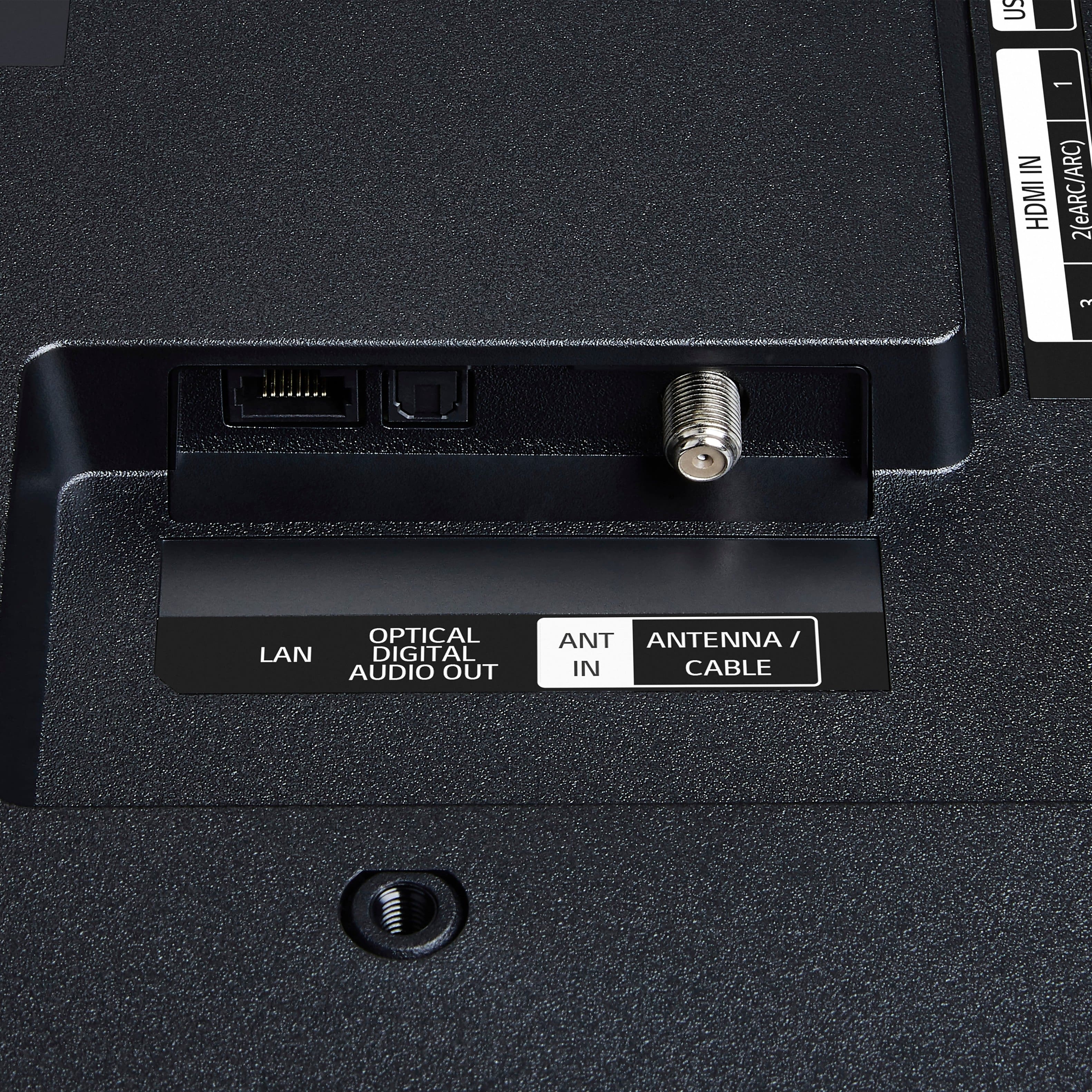
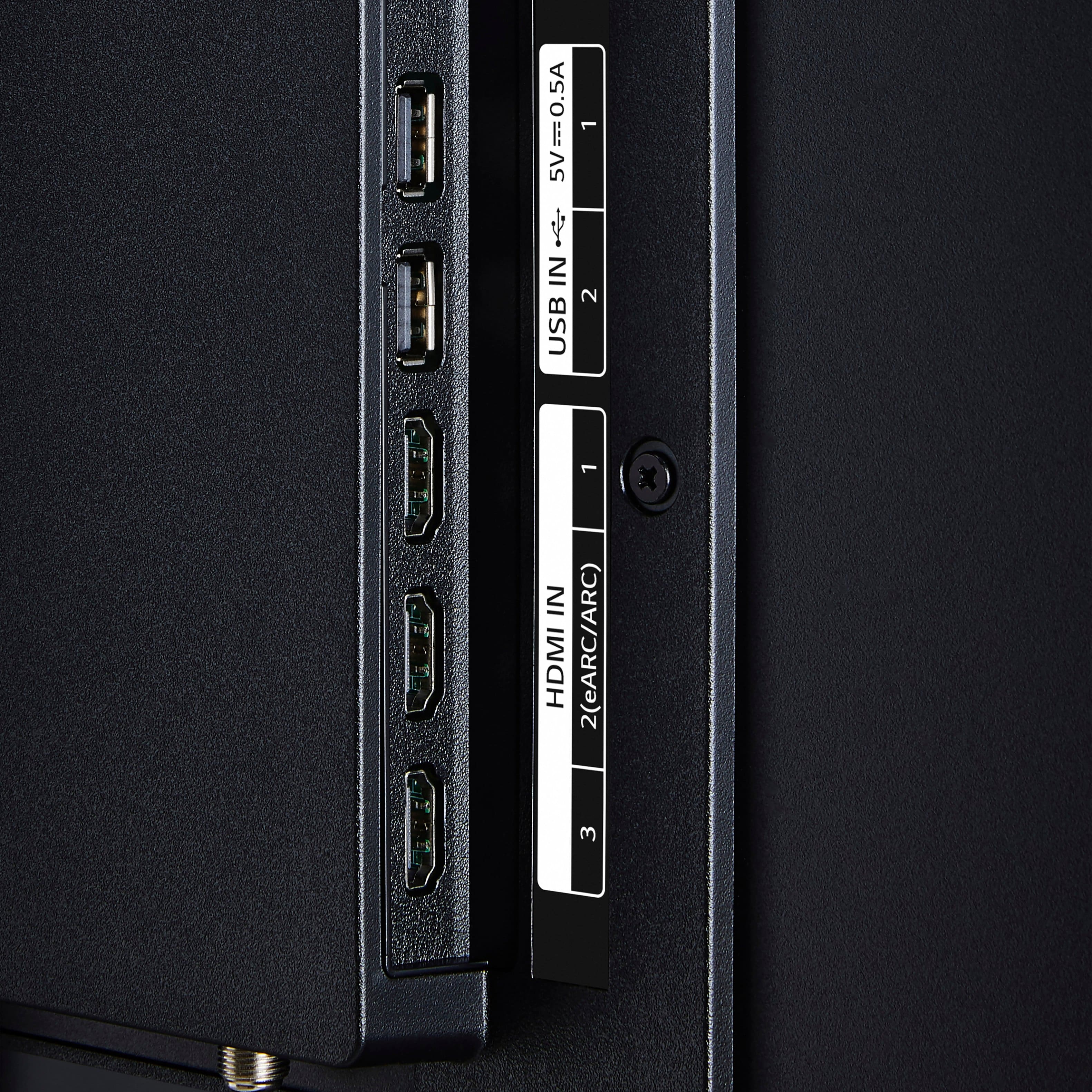
||Posted . Owned for 3 weeks when reviewed.This reviewer received promo considerations or sweepstakes entry for writing a review.poor sound quality inferior construction not enough ports
No, I would not recommend this to a friendBrand response from LG Digital Customer Care
Posted .Hi, Chris. Thank you for sharing your thoughts on the LG TV (43UA7700PUB) model. We appreciate your insights and understand how important sound performance, build quality, and connectivity are to your experience. For sound quality, we recommend exploring the TV’s audio settings under “Sound Mode” and trying options like “Clear Voice” or “Cinema” to enhance clarity and depth. Connecting an external soundbar or speaker system via HDMI ARC or optical out can also provide a richer audio experience. You can find more tips here: https://www.youtube.com/watch?v=2aF0XLguYBs. If you’d like help reviewing your setup or exploring accessory options, feel free to email us at lgdigitalcare@lg.sprinklrsupport.com. We’re here to assist. ^Juvy
Frustrating
||Posted . Owned for 1 month when reviewed.This reviewer received promo considerations or sweepstakes entry for writing a review.TV Screen was broken. Looked fine until we turned it on to try to set-up the TV Set. The screen appeared to be damaged (looked like wrinkles on a screen protector). However, there was no screen protector. We returned this and received another with very similar damage noticed after we turned it on. Returned this one and purchased a different brand. No problems with new set.
No, I would not recommend this to a friendBrand response from LG Digital Customer Care
Posted .Hi, there. Thank you for sharing your feedback with us regarding your LG TV (43UA7700PUB) model. We understand your experience about receiving two TVs with similar screen damage right out of the box, leading you to choose a different brand. We strive to provide reliable, high-quality products and exceptional services to ensure a smooth experience from unboxing to setup.
A common troubleshooting step, if you were to encounter this with an LG TV in the future, is to always power on the TV and check the screen for any anomalies before completing the full setup, if possible. This allows for immediate identification of such issues.
For further assistance, please send us a private message on social media @LGUSSupport and our team will be more than happy to explore possible solutions. ^Juvy
Software issues
||Posted . Owned for 2 weeks when reviewed.This reviewer received promo considerations or sweepstakes entry for writing a review.So many software issues that LG support could not help with.
No, I would not recommend this to a friendBrand response from LG Digital Customer Care
Posted .Hi, Anon. Thank you for sharing your experience with us. We understand your concern regarding software issues with your LG TV (43UA7700AUA) model. Our goal is to ensure you have a smooth experience with our smart TVs, and we’re here to help.
Start by performing a full power cycle: unplug the TV for 60 seconds, then plug it back in and hold the power button on the remote for 10 seconds. This can resolve temporary glitches. Also, ensure your TV has the latest firmware by going to Settings > All Settings > Support > Software Update. For more help, visit https://www.lg.com/us/support/help-library/lg-tv-how-to-update-an-lg-smart-tv--1430510575535.
If you have further questions, feel free to message us on social media @LGUSSupport. We’re always here to assist. ^Juvy
LG TV
||Posted . Owned for 3 weeks when reviewed.This reviewer received promo considerations or sweepstakes entry for writing a review.Had a problem with it so I returned it. The picture just hung up
No, I would not recommend this to a friendBrand response from LG Digital Customer Care
Posted .Hi, there. Thank you for sharing your experience with your LG TV (43UA7700PUB) model. We understand the importance of having a TV that delivers a smooth, reliable picture right out of the box.
If you ever run into a similar issue with a future LG TV, one helpful step is to perform a power reset by unplugging the unit for about 60 seconds and plugging it back in. This can clear temporary glitches that may cause the picture to freeze or hang. More guidance here: https://www.lg.com/us/support/help-library/lg-tv-troubleshooting-intermittent-picture-or-freezing--20154720316832. If you need further assistance with any LG product, feel free to send us an email at lgdigitalcare@lg.sprinklrsupport.com. We're here to help. ^Juvy
Works wonderfully as a PC monitor
Posted .This reviewer received promo considerations or sweepstakes entry for writing a review.General->Game Optimizer->On (if you're using for a PC display or gaming). Support->Privacy & Terms->Do not sell my personal information (if you feel like buying a TV isn't an offer to watch you) LG's UA77 is the 2025 update for their fairly entry level TV. The UA77 is an excellent IPS panel that supports 4:4:4 color, has a fast response time, and subpixel arrangement is amenable to PC usage (standard RGB). If you're looking for a big monitor on a budget, the UA77, specifically the 43" version, is just about perfect. I've setup the UA77 a few times, and LG's initial setup is long, but not difficult. Specifically I skipped a lot of it since my use case isn't the smarts of the TV (which are excellent - I'm a big fan of WebOS just due to it's Palm history). Overall setup is super easy with this TV. The remote is awesome and a great update from the more chunky LG remotes of the past TVs. You still get the magic remote with on screen cursor that tracks motion, but you get a more traditional, flat, candy bar style remote. Core functions like volume and channel change are mapped to a rocker which feels pretty natural. There are 6 buttons mapped to services (Netflix, Prime Video, Disney +, LG channels, Sling, and Alexa). Build quality seems quite solid. The backing is plastic and minimal, and the frame seems aluminum. Bezels are thin, but the display has dark areas that are not display so these bezels are not quite as thin as you'd think. The display bottom is the only edge that aligns with the display frame. This isn't too distracting, but feels disingenuous. The panel I received was perfect. No dead pixels, stuck or otherwise. Brightness isn't amazing, but not bad. I've certainly had brighter TVs and monitors, but this falls under the 'sufficient, but don't expect HDR performance'. There is IPS glow, but I didn't see any major panel inconsistencies or corner bleed. If you're using this for a PC monitor you can generally just go to General settings->Game Optimizer->On. This enables ALLM, VRR, and low latency which are awesome bonus features in this generation. You can set many of these settings separately and manually, but it simplifies the setup. You can set Game Optimizer as the picture mode. If not automatically selected, choose Aspect Ratio->"Just Scan" to On to avoid issues with overscan. You can manually disable most feature under the advanced picture settings. In Windows, go to Display and under Scale & layout choose Scale 100%, and make sure Display resolution is 3840x2160. If you go under Advanced display check to make sure you're at 60Hz, but if you can't select 60Hz, check your dock, cable, or PC's graphics card to make sure they all support 4k60. I'm limited to 30Hz on one dock, and it does make this less than ideal. At these settings/resolution I can get 107 rows and BG columns in Excel. Yes, I wish it was curved, but no one makes a 40"+ 16:9 panel that's curved until you get to the Arc. Smarts are really nice and offer pretty much any service you can imagine. WebOS is such a cool operating system, you should read up on it's history. No lags, and solid performance. WebOS 25 is an incremental improvement over older WebOS versions, pretty much with AI plastered all over it. I didn't go deep into it, but voice commands and training seem quite a bit improved. I'm not using these features, but a friend is on her 55" version she purchased at the same time and they seem solid. Overall if you're looking for a good budget TV, LG's UA77 is a pretty good offering. If you're looking for a budget 4k large format monitor and don't care about power save mode and wake from sleep - this TV offers the 4:4:4, IPS, and subpixel arrangement that are necessary for clear text. Features such ALLM, and VRR are a huge bonus to gamers, and PC users alike, so also a huge plus. You get a metric ton of screen real-estate which is exactly what I needed. If you need a big panel with decent viewing angles and solid performance on a low budget, then look no further.
I would recommend this to a friend- Pros mentioned:Picture quality, Size
Perfect fit and picture
Posted .This reviewer received promo considerations or sweepstakes entry for writing a review.The LG 43" fits perfectly in the space we have. And the picture is so much clearer than on our former 26 year old tv.
I would recommend this to a friend - Pros mentioned:Picture quality
Satisfied LG customer!!
Posted .This reviewer received promo considerations or sweepstakes entry for writing a review.Delighted with this LG tv. Sound and picture so good. No problems. James McKendree from Geek Squad was so helpful in wall mounting and set up. Highly satisfied and James took me through the new system, a real help.( I am 85 yrs old and not really tech savv.)
I would recommend this to a friend - Pros mentioned:Picture quality
Just the right one
Posted .This reviewer received promo considerations or sweepstakes entry for writing a review.Great price. Helpful salesman. Thanks for the great service.
I would recommend this to a friend - Pros mentioned:Picture quality
Great tv.
Posted .This reviewer received promo considerations or sweepstakes entry for writing a review.Bought it for my daughter's dorm in college and its a great tv,the only thing is it wont sync to her iPhone for streaming movies.
I would recommend this to a friend LG-43" UA77 LEG AI 4K UHD 2025
Posted .This reviewer received promo considerations or sweepstakes entry for writing a review.I've had difficulty operating this TV. I am not a tech person, so I read as much as I could and spoke once to a person from my internet carrier for help. The set up was over three days. Then I added ROKU. Every time I turn on the TV, with the ROKU remote, I get a question on the screen. Do I want to go to the hdml 1 app? If I don't say yes, quickly, the question disappears from the screen. Then I have to navigate to the html 1 box on the lower left and click to get to ROKU. It's time consuming. Also there are constant commercials on the shows, so I don't want to watch as a result. It's really a burden on the consumer to spend hours and hours trying to figure out the set up and use of a TV. There should be a person at the store who walked me through this and then provided a telephone number to a person and not a BOT to chat with.....the failure of corporations to provide customer service makes it clear that the corporation is king and the customer is nothing. And the TV itself? Terrible sound, Durning a movie, the voices are hardly audible and the music score is almost twice as loud. I did set the sound to movie. And the tv is highly reflective of any light in the room. Just not great.
No, I would not recommend this to a friendBrand response from LG Digital Customer Care
Posted .Hi there, OliviaN. Thank you for sharing your experience with us regarding your LG - 43 Class UA77 Series LED AI 4K UHD Smart webOS TV (2025). We understand your inquiry regarding the setup process, external device connectivity, and the audio performance of your unit. Your feedback is important, and we want to ensure you have a better experience with our technology.
https://www.bestbuy.com/product/lg-43-class-ua77-series-led-ai-4k-uhd-smart-webos-tv-2025/JJ8VPZT652
To help with the audio balance you mentioned, we recommend trying the Clear Voice Pro setting found in the Sound menu, which is designed to enhance dialogue clarity over background music. For further assistance and any specific concerns you may have, please contact us on lgdigitalcare@lg.sprinklrsupport.com, and our team will be more than happy to assist you.
—Renzo