Customer Ratings & Reviews
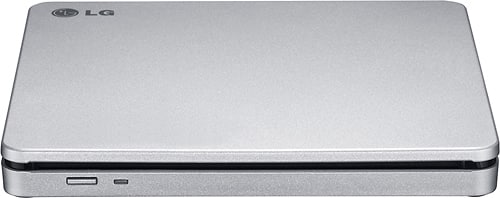
- Model:
- AP70NS50
- SKU:
- 1802033
Rating by feature
- Value
Rating 4.5 out of 5 stars
- Quality
Rating 4.6 out of 5 stars
- Ease of Use
Rating 4.6 out of 5 stars
Customers are saying
Customers commend the 8x External Double-Layer DVD±RW/CD-RW SuperMulti Blade Drive for its ease of use, performance, and broad compatibility. Its compact size, speed, design, and lightweight nature are also appreciated, along with its quiet operation. The DVD drive functionality receives positive feedback, while some customers express reservations about the software requirements.
This summary was generated by AI based on customer reviews.
.....
||Posted .This reviewer received promo considerations or sweepstakes entry for writing a review.I haven't used it but so far it looks nice. It matches my apple desktop.
I would recommend this to a friendJust ok
||Posted .This reviewer received promo considerations or sweepstakes entry for writing a review.Nothing special but gets the job done. Better values are available.
No, I would not recommend this to a friendDoes the job.
||Posted .This reviewer received promo considerations or sweepstakes entry for writing a review.This player does all of the basic functions it's supposed to.
I would recommend this to a friendokay but not the fastest drive
||Posted .This reviewer received promo considerations or sweepstakes entry for writing a review.a nice portable dive that is easy to bring in my laptop case
I would recommend this to a friendNot what it was supposed to be
||Posted .This reviewer received promo considerations or sweepstakes entry for writing a review.It was not what it was supposed to be. We were suppose to be able to load it on our brand new lap tops to add movies to them, but that is not the case. It won't even load on my husbandS computer it just gives him errors.
No, I would not recommend this to a friendOk for a Mac disc reader
||Posted .This reviewer received promo considerations or sweepstakes entry for writing a review.Bought this product with high hopes for a class. Turned out the first time I used it, the disc got stuck and it was a headache to eject. After it was ok but the problem continued. Might be the discs I'm using, but I am unsure. Over I believe it is a good product.
I would recommend this to a friendgood product
||Posted .This reviewer received promo considerations or sweepstakes entry for writing a review.used for a couple days. satisfied with the product
I would recommend this to a friendDid not work
||Posted .This reviewer received promo considerations or sweepstakes entry for writing a review.There was no remote. LG took one month to send the remote. When it arrived and I did the setup, the tray would not open. Returned to Best Buy.
No, I would not recommend this to a friendBrand response from LGAnswers
Posted .Thanks so much for the excellent review. We greatly appreciate the feedback and we are sorry the drive did not meet your expectations. ^CP

NOOO
||Posted .This reviewer received promo considerations or sweepstakes entry for writing a review.Stay away from this! Not a good product at all!!!!!
No, I would not recommend this to a friendgood product
||Posted .This reviewer received promo considerations or sweepstakes entry for writing a review.Thanks for asking i really enjoy having the USB port
I would recommend this to a friendCan't install driver
||Posted .This reviewer received promo considerations or sweepstakes entry for writing a review.I've tried multiple times to install this item on my Surface Pro 3 and it keeps giving me a power surge on my USB port. The recommended work around is not viable since the Surface Pro 3 only has one USB port. Seriously regretting my purchase of this external DVD/CD drive.
No, I would not recommend this to a friendNot Very
||Posted .This reviewer received promo considerations or sweepstakes entry for writing a review."This isn't very compatible with MacBook Pro. Customers looking for a External Drive for your MacBook Pro, I HIGHly suggest staying with Apple Brand products. On The exterior of the box/packaging, it has the Mac compatible, if it is - it's not very easy, you have download additional software and get an additional wire adapter"
No, I would not recommend this to a friendBrand response from LGAnswers
Posted .We are sorry to hear of your experience with your unit. Please know that we are continuously working to improve the quality of our products and anticipate market demands that drive customer satisfaction. Your feedback is especially important to us and your concerns will be shared with our product team. We hope that you will consider LG for your future product needs. For the latest updates on LG Burners/Drivers, please https://www.lg.com/us/burners-drives. You can always reach out to LG Customer Support by direct message via Twitter (@LGUSSupport) or Facebook (https://www.facebook.com/LGUSA/) with any product questions or concerns. We apologize for any inconvenience this caused. ^Daphane
Dissatisfied
||Posted .This reviewer received promo considerations or sweepstakes entry for writing a review.Dissatisfied, it is a poor product, noisy, extremely slow, I feel that I have paid for a product that should be superior for an inferior one, I do not advise anyone, when he is recording he feels that he is doing well and he keeps asking for a track, Another detail, I never understood why it brings a double cable with the same function, the electrical connector brings two equal extensions in the same connector, I never asked for it, I have engraved double-sided disc in a few words it's a bad product
No, I would not recommend this to a friendBrand response from LGAnswers
Posted .We hate to hear you are dissatisfied with your unit's performance.If you'd like to discuss more, please reach out to our Customer Support Team on Twitter via @LGUSSupport or on Facebook at https://www.facebook.com/LGUSA/. To speak with an agent via phone, you can call 800.243.0000 We apologize for any inconvenience this caused. ^Venette
Used it once before it asked for more money
||Posted . Owned for 11 months when reviewed.This reviewer received promo considerations or sweepstakes entry for writing a review.When I first got it, it needed an update and now I can't watch my movies because I have to pay another 50.00 for another update.
No, I would not recommend this to a friendBrand response from LGAnswers
Posted .Thank you for taking the time to provide your feedback. We will share this with our research and development teams for future improvements.^Venette
Ok, but not compatible with Mac
||Posted .This reviewer received promo considerations or sweepstakes entry for writing a review.Good drive, but not compatible with MAC. CD that comes with software and drivers are only for Windows. You would have to purchase/download 3rd party software to be able to fully utilize this drive on Mac
No, I would not recommend this to a friendBrand response from LGAnswers
Posted .The AP70NS50 is compatible with the following operating systems: Windows 7, Windows 8, Windows Vista™, Windows XP, Mac OS® X. If you need assistance with this drive please reach out to a computer specialist for assistance by calling 800-243-0000. ^CP
Haven't been able to get this to work properly
||Posted . Owned for 1 month when reviewed.This reviewer received promo considerations or sweepstakes entry for writing a review.I purchased this to because my current pc doesn't have dvd/cd drive. I have tried several times to get it work with no success. I put dvd in and nothing happens. I would have taken this back but I didn't notice the short time I had to return it. The casing is nice perhaps it will now serve as a costly cup coaster.
No, I would not recommend this to a friendBrand response from LGAnswers
Posted .We are sorry to hear that your unit did not meet your needs/expectations. This is not the quality we expect from our products.We are continuously working to improve the quality of our products and anticipate market demands that drive customer satisfaction. If you ever have any questions please reach out to our support team on Twitter via @LGUSSupport or on Facebook at https://www.facebook.com/LGUSA/. To speak with an agent via phone, you can call 800.243.0000 We apologize for any inconvenience this caused. ^Venette
WILL NOT LOAD WITH WINDOWS 10
||Posted .This reviewer received promo considerations or sweepstakes entry for writing a review.BETTER CHECK IF YOIU HAVE WINDOWS 10, DOESN'T WORK LIKE IT SHOULD. CD THAT CAME WITH IT IS THE PROBLEMS FROM WHAT I CAN SEE.
No, I would not recommend this to a friendNot very easy to use.
||Posted .This reviewer received promo considerations or sweepstakes entry for writing a review.Not very easy to use. They want you to down load a few things that you may not even need. I spent couple days on it. And gave up and used my old one
No, I would not recommend this to a friendBrand response from LGAnswers
Posted .We are sorry to see you are having trouble using your disc drive. For assistance, please give our computer specialists a call at 800-243-0000. ^CP
Very touchy reader.
||Posted .This reviewer received promo considerations or sweepstakes entry for writing a review.This reader had problems reading cd's if there was any scratch or fault in the cd. I often rent books on cd from the library and cds that my lap-top or car reader would have no problem with were not processed by this drive unless cleaned and polished, if then. I will probably return it.
No, I would not recommend this to a friendDevice Does not work
||Posted . Owned for 3 weeks when reviewed.This reviewer received promo considerations or sweepstakes entry for writing a review.the only instructions are "plug it in" and nothing available downloadable. mine only plays music CDs despite "windows Device manager" saying item is working properly. it does not even load the disc that comes with it. Now i have to drive 50 miles to return it.
No, I would not recommend this to a friendBrand response from LGAnswers
Posted .We are sorry to hear that your unit is not working as designed. We are continuously working to improve the quality of our products, availability while anticipating market demands that drive customer satisfaction. If the problem hasn't resolve, please reach out to our support team on Facebook at @LGUSSupport and use #VOC in your first message to our social media support team.. We apologize for any inconvenience this caused. ^Venette