Customer Ratings & Reviews
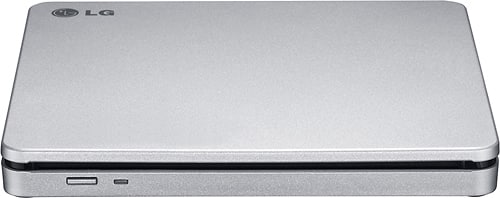
- Model:
- AP70NS50
- SKU:
- 1802033
Rating by feature
- Value
Rating 4.5 out of 5 stars
- Quality
Rating 4.6 out of 5 stars
- Ease of Use
Rating 4.6 out of 5 stars
Customers are saying
Customers commend the 8x External Double-Layer DVD±RW/CD-RW SuperMulti Blade Drive for its ease of use, performance, and broad compatibility. Its compact size, speed, design, and lightweight nature are also appreciated, along with its quiet operation. The DVD drive functionality receives positive feedback, while some customers express reservations about the software requirements.
This summary was generated by AI based on customer reviews.
Inoperable.
||Posted . Owned for 3 weeks when reviewed.This reviewer received promo considerations or sweepstakes entry for writing a review.In the process of setting up the computer, it froze up. I took it back and no help was provided unless I wanted to pay for geek service. So I retuned the computer without ever being able to actually use. It. L
No, I would not recommend this to a friendBrand response from LGAnswers
Posted .We are disappointed to see that you were not satisfied with your recent purchase and would like to learn more from you. However we need to move to a platform that supports back and forth messaging. Please send us a private message on Facebook or Twitter using @LGUSSupport and use #VOC, and share your feedback with us. Thank you. ^Jennifer

Mr. Robert
||Posted . Owned for 1 month when reviewed.This reviewer received promo considerations or sweepstakes entry for writing a review.Not working properly.I nave to call for service. Not showing 4 K.
No, I would not recommend this to a friendBrand response from LG Digital Customer Care
Posted .We apologize if you have been disappointed with the performance of your LG AP70NS50 Portable DVD Rewriter. We understand that it can be frustrating when a product does not meet your expectations, especially when it comes to specific features like 4K compatibility.
We value your feedback and want to ensure that we address your concerns appropriately. To provide you with the best possible assistance, we kindly request that you reach out to us on Facebook or Twitter through @LGUSSupport. We will work diligently to investigate the issue further. ~Bridge
Compatibility Issues w/ MacBook
||Posted .This reviewer received promo considerations or sweepstakes entry for writing a review.When I first used the device it was poorly interfaced with my Mac but was functional the first couple times. Since then, when trying to use it, it continually creates an automatic shutdown due to drawing too much power from the laptop (or so the error message states). Looking at other posts for resolving the issue has proved too complex to find an easy work around or solution.
No, I would not recommend this to a friendNot compatible
||Posted .This reviewer received promo considerations or sweepstakes entry for writing a review.The box stated that it was compatible with my MacBook Pro, but I couldn't get it to work properly.
No, I would not recommend this to a friendDisappointed
||Posted .This reviewer received promo considerations or sweepstakes entry for writing a review.I purchased this item for use with a Mac computer, for which it was labeled as compatible. Not compatible out of the box, not compatible after attempting online downloads of software from multiple sources.
No, I would not recommend this to a friendBrand response from LGAnswers
Posted .We are sorry to hear of your experience with your unit. Please know that we are continuously working to improve the quality of our products and anticipate market demands that drive customer satisfaction. Your feedback is especially important to us and your concerns will be shared with our product team. We hope that you will consider LG for your future product needs. For the latest updates on LG Burners/Drivers, please https://www.lg.com/us/burners-drives. You can always reach out to LG Customer Support by direct message via Twitter (@LGUSSupport) or Facebook (https://www.facebook.com/LGUSA/) with any product questions or concerns. We apologize for any inconvenience this caused. ^Daphane
Waste money no use
||Posted . Owned for 1 month when reviewed.This reviewer received promo considerations or sweepstakes entry for writing a review.Doesn't play DVDs so if u bought it aanaand paid more thinking you gotboth. You did not and can have mine. I have no use forsomething I cant watch a movie on my comp now. And i wanted it for movies on laptop. Waste
No, I would not recommend this to a friendBrand response from LGAnswers
Posted .This disc drive does have the ability to both read and write DVD's. If you're in need of some guidance with using your disc drive, please give us a call at 800-243-0000 so a specialist can help out. ^CP
Does not work with Mac
||Posted .This reviewer received promo considerations or sweepstakes entry for writing a review.Product discription says it's compatible with Mac computers. It is not.
No, I would not recommend this to a friendDVD/CD RE
||Posted . Owned for 1 month when reviewed.This reviewer received promo considerations or sweepstakes entry for writing a review.Actually I am having trouble getting it to work. I may be returning it.
No, I would not recommend this to a friendBrand response from LGAnswers
Posted .Thank you for taking this time to communicate with us about your LG DVD/CD Player. We'd love to get a better understanding of the issue and what we can do to rectify it. Please send us a private message on Facebook or Twitter using @LGUSSupport, including your model and serial numbers of the player, or call our Customer Service at (800) 243-0000, as it'll be our pleasure to assist you further. ~Rita
Not great
||Posted . Owned for 1 week when reviewed.This reviewer received promo considerations or sweepstakes entry for writing a review.Item speed was too slow and dod not load properly.
No, I would not recommend this to a friendBrand response from LG Digital Customer Care
Posted .Hello Spatzjo! We appreciate you taking the time to review your experience with your LG Portable DVD Rewriter, and we understand the frustration you've encountered with the slow speed and loading issues. Your satisfaction is important to us, and we're here to look into this matter for you. To do so, we recommend reaching out to us on social media using @LGUSSupport. -Cazz
Cats 54:10
||Posted . Owned for 1.5 years when reviewed.This reviewer received promo considerations or sweepstakes entry for writing a review.I don't know why LG products don't work that well with other products but they don't so I did waste my money and I won't be buying LG products anymore
No, I would not recommend this to a friendBrand response from LGAnswers
Posted .We hate to hear you are dissatisfied with your unit's performance.If you'd like to discuss more, please reach out to our Customer Support Team on Twitter via @LGUSSupport or on Facebook at https://www.facebook.com/LGUSA/. To speak with an agent via phone, you can call 800.243.0000 We apologize for any inconvenience this caused. ^Venette
Dvd
||Posted .This reviewer received promo considerations or sweepstakes entry for writing a review.Returned it did not work for me it is only 2.0 USB
No, I would not recommend this to a friendDid not work at all on 15in Mackbook Pro
||Posted .This reviewer received promo considerations or sweepstakes entry for writing a review.I got this to use with my new 15 inch Mackbook Pro (Mac OS Sierra ver 10.12.2) It would not install on this computer. I might recommend it for windows.
I would recommend this to a friendBrand response from LGAnswers
Posted .We are sorry to hear of your experience with your unit. Please know that we are continuously working to improve the quality of our products and anticipate market demands that drive customer satisfaction. Your feedback is especially important to us and your concerns will be shared with our product team. We hope that you will consider LG for your future product needs. For the latest updates on LG Burners/Drivers, please https://www.lg.com/us/burners-drives. You can always reach out to LG Customer Support by direct message via Twitter (@LGUSSupport) or Facebook (https://www.facebook.com/LGUSA/) with any product questions or concerns. We apologize for any inconvenience this caused. ^Daphane
Didnt work for my MacBook
||Posted .This reviewer received promo considerations or sweepstakes entry for writing a review.I have a 2008 MacBook and it flat out did not work. For those of you reading the review - this product does not work for the original aluminum macbook model.
No, I would not recommend this to a frienddoesn't work
||Posted . Owned for 11 months when reviewed.This reviewer received promo considerations or sweepstakes entry for writing a review.I used this for about a week, now it doesn't work at all. Everytime I connect it there's a Problem with device connection to laptop
I would recommend this to a friendBrand response from LGAnswers
Posted .Please contact LG Customer Support by direct message via Twitter (@LGUSSupport) or Facebook Messenger (https://www.facebook.com/LGUSA/). Please be sure to provide your name, phone number, address, email, model/serial numbers and date of purchase and we will be happy to assist you. We apologize for any inconvenience this caused. ^Venette
Not a really great product!
||Posted .This reviewer received promo considerations or sweepstakes entry for writing a review.I wasted my money on this product! I couldn't get it to work with my MacBook! No instructions came with this product! I should've just bought the Apple CD Drive like I started to at first!
No, I would not recommend this to a friendOutdated
||Posted .This reviewer received promo considerations or sweepstakes entry for writing a review.Even though it said it was compatible with windows 10 it was not. Did not work at all with my computer
No, I would not recommend this to a friendBrand response from LGAnswers
Posted .We are sorry to hear that your unit did not meet your needs/expectations. This is not the quality we expect from our products. We are continuously working to improve the quality of our products and anticipate market demands that drive customer satisfaction. If you ever have any questions please reach out to our support team on Facebook at @LGUSSupport and use #VOC in your first message to our social media support team.. To speak with an agent via phone, you can call 800.243.0000 We apologize for any inconvenience this caused. ^Venette
Incompatible
||Posted . Owned for 3 weeks when reviewed.This reviewer received promo considerations or sweepstakes entry for writing a review.Could not get it to work. It was incompatible with my computer
No, I would not recommend this to a friendBrand response from LG Digital Customer Care
Posted .Hello there. Thank you for reaching out to us. We're sorry to hear that you had compatibility issues with your LG AP70NS50 external optical drive and your computer. It's essential to ensure that the drive is compatible with your computer's operating system and hardware.
Here are some steps you can take to address compatibility issues:
Check System Requirements: Review the system requirements for the LG AP70NS50 and ensure they match your computer's specifications, including the operating system (Windows, macOS, etc.), available ports (USB, USB-C, etc.), and system architecture (32-bit or 64-bit).
Update Drivers: Visit the LG website to see if there are updated drivers or firmware available for your external drive. Download and install any necessary updates to enhance compatibility.
Test with Other Devices: If possible, try using the external drive with other computers or devices to rule out any issues specific to your computer.
If you continue to experience compatibility problems, it may be helpful to contact LG customer support for assistance. They can provide guidance on how to address the issue or recommend alternative solutions.
We apologize for any inconvenience you've encountered, and we appreciate your feedback. Your satisfaction is important to us, and we hope these suggestions help you address the compatibility issues with your LG external optical drive. ^Jolly
Don't waste your time.
||Posted . Owned for 1 month when reviewed.This reviewer received promo considerations or sweepstakes entry for writing a review.It would not work with my MacBook pro. The description said it works with both pc and Mac, but it doesn't.
No, I would not recommend this to a friendBrand response from LGAnswers
Posted .We are sorry to hear that your unit did not meet your needs/expectations. This is not the quality we expect from our products. We are continuously working to improve the quality of our products and anticipate market demands that drive customer satisfaction. If you ever have any questions please reach out to our support team on Twitter via @LGUSSupport or on Facebook at https://www.facebook.com/LGUSA/. To speak with an agent via phone, you can call 800.243.0000 We apologize for any inconvenience this caused. ^Venette
ugh
||Posted .This reviewer received promo considerations or sweepstakes entry for writing a review.the salesman promised me this item would work for my mac, when I get home I find out that it doesn't work for the updated version.
No, I would not recommend this to a friendDoes not for me
||Posted . Owned for 2 months when reviewed.This reviewer received promo considerations or sweepstakes entry for writing a review.Up to this date, I can not play my videos with this external DVD.
No, I would not recommend this to a friendBrand response from LGAnswers
Posted .We are sorry to hear that your unit did not meet your needs/expectations. This is not the quality we expect from our products. We are continuously working to improve the quality of our products and anticipate market demands that drive customer satisfaction. If you ever have any questions please reach out to our support team on Twitter via @LGUSSupport or on Facebook at https://www.facebook.com/LGUSA/. To speak with an agent via phone, you can call 800.243.0000 We apologize for any inconvenience this caused. ^Venette