Customer Ratings & Reviews
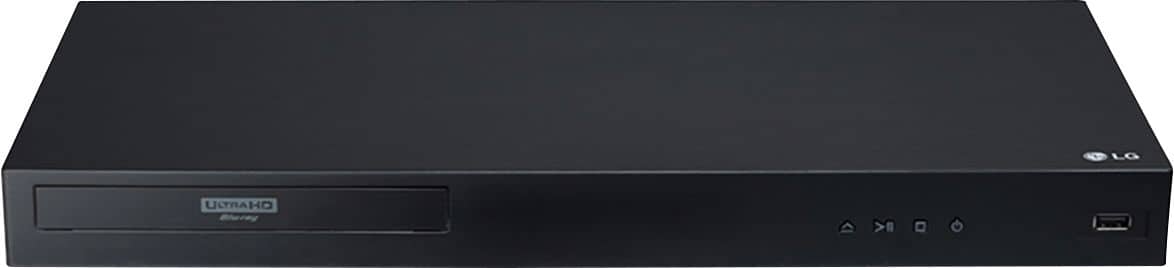
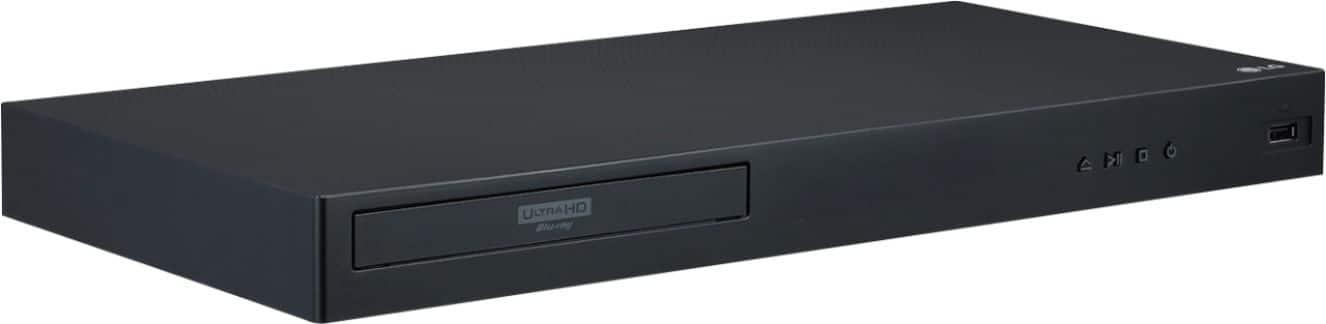
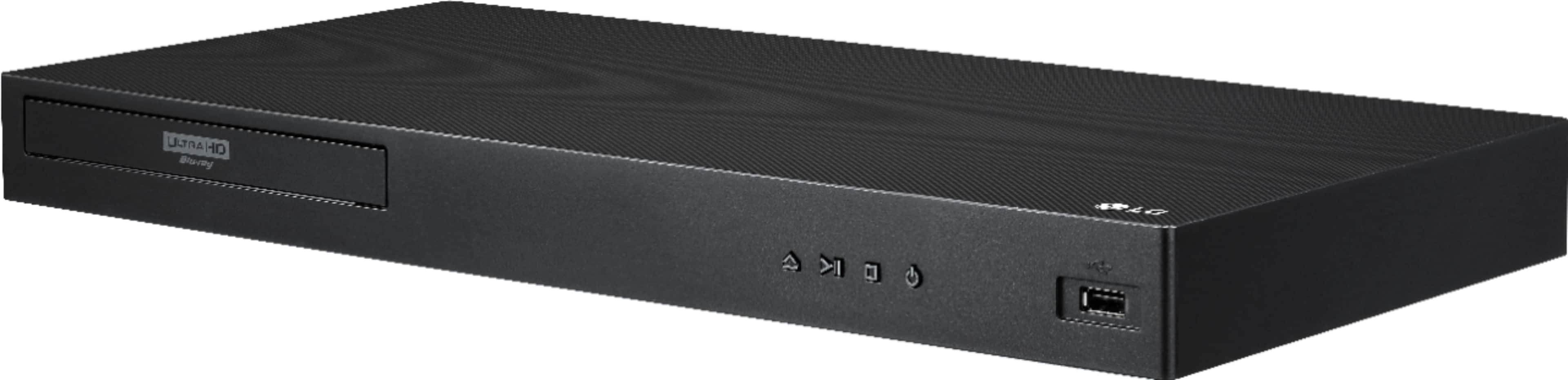


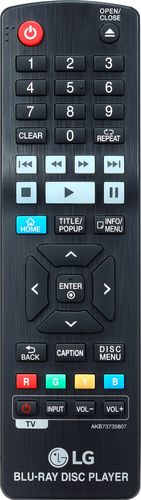

- Model:
- UBK90
- SKU:
- 6215814
Rating by feature
- Value
Rating 4.3 out of 5 stars
- Quality
Rating 4.5 out of 5 stars
- Ease of Use
Rating 4.5 out of 5 stars
Customers are saying
Customers praise the Streaming 4K Ultra HD Hi-Res Audio Wi-Fi Built-In Blu-ray Player's picture quality, ease of use, and 4K capabilities, with many also highlighting its Dolby Vision support. Positive feedback also mentions the player's performance and quiet operation, along with its reasonable price. However, some users express dissatisfaction with the limited app selection and streaming options available. Concerns were also raised regarding the size of the unit and the quality of the remote control.
This summary was generated by AI based on customer reviews.
Too expensive
||Posted . Owned for 1.5 years when reviewed.This reviewer received promo considerations or sweepstakes entry for writing a review.Way too expensive for the value of what you get so don't buy it.
No, I would not recommend this to a friendBrand response from LG Digital Customer Care
Posted .Hi, there. Thank you for taking the time to review the LG Blu-ray Player (UBK90) model. We're sorry to hear that the price may not align with your expectations. We strive to offer top-notch products and ensure that our customers receive the best possible value for their money. Your feedback helps us improve our products and services. If you have any specific concerns or suggestions, please reach out to us on social media @LGUSSupport. ^Juvy

- Pros mentioned:Dolby vision

Great player!
|Posted .This reviewer received promo considerations or sweepstakes entry for writing a review.Pros: Solid construction Great color reproduction Compact Two HDMI outputs for systems without HD Pass-through 3D performance is flawless Cons: Stupid product sticker on front of box No options to display HDR output type Special Display color settings don’t make sense Simplink is a pain Magic Remote kind of works This is a very capable 4K Blu-ray player. The player’s interface is very easy to work with. The home screen has four icons that represent the four major functions of the player: Movie, Music/Pictures, Applications, Settings. I have never used a Blu-ray player to server up photos before. I do have an DLNA compliant SAN on my network that does contain many photos and music albums. Unfortunately, the player did not recognize the network device. As a result, I was not able to test this feature. Since I already own a Smart TV there was no need to setup either YouTube or Netflix on this BD player. The inclusion of the apps is a great feature for those who do not have a Smart TV and want to stream either service. For some reason, LG felt the need to put an ugly sticker on the front of this player to advertise the fact that it had streaming capabilities. The reason I bring this up is because the sticker is very hard to take off. I understand the reasoning before advertising, but LG should have used an easy to remove sticker. I am sure that I am like a lot of folks who purchased this player for integration into a home theater system. All of my components are black, so they blend into the background when content is playing. The sticker cheapens that experience. Movies are first rate. I tested 4K Dolby Vision content, HDR 10 Content, regular Blu-ray content, and 3D content. The Dolby Vision content was outstanding. You do need a TV and a player that are both Dolby Vision capable. If you are running the content through a receiver then the receiver needs to either support Dolby Vision or Dolby Vision passthrough. My receiver supports passthrough. I eventually chose to by-pass the receiver for video in favor of going straight to the TV. Simplink was playing havoc with my receiver’s Audio Return Channel, ARC, so I was forced into a work around. The player does have two HDMI outputs: one supports audio/video and the second is audio only. I chose to run an HDMI cable from the BD player to the HDMI 1 port on the TV. I then ran a second HDMI cable from the audio only port to receiver’s BD HMDI labeled port. I did not run into any picture/audio syncing issues with this configuration. I could have chosen to go with a single HDMI out to the TV and then allow the TV to output the audio either via Fiber Optic or over the ARC. Unfortunately, the receiver was unable to sync the sound with video using either configuration. I did try to modify the audio delay but could not find any setting that made either of these configurations work. This is not a shortcoming of the BD player since there are a lot of components contributing to this issue. A little image appears in the upper right-hand corner of the TV stating if the content is either HDR or Dolby Vision. The image only lasts a few seconds. There is no way from the BD player what format is running. The image seems to be the only indication. Your TV may have an info screen that will tell you. Definitely check your TV’s user’s manual. I did find one strange quark regarding the HDR indicator image. When I first got the BD player, I did get the Dolby Vision image on the screen. Now all I get is the HDR image regardless of the disc’s format. The images are still amazing. Content: The first movie I played was Guardians of the Galaxy 2. The second scene of the movie where our heroes are fighting an interdimensional rainbow spitting monster is a visual delight. I believe every color that fits in the HDR color space is exercised somewhere during this scene. The movie simply gets better from there. Sound reproduction is top notch. It was like being at the movies with my current 5.1 surround. Black Panther is another incredible Dolby Vision. Pacific Rim and Star Trek Beyond, HDR 10 films, also looked amazing. The color space is not as wide as Dolby Vision, but I didn’t really notice. I did try a few regular Blu-ray films. Independency Day 2, the 2017 version of Jumanji, and Game of Thrones performed flawlessly. My last test was 3D playback. I have an older LG 3D capable TV so I gave Pacific Rim 3D a ride. Awesome! I own an LG magic remote. I tried to setup the remote with the BD player. If you try this then be ready for some disappointment. The only buttons on the magic remote that work are the d-pad buttons, play, and pause. The scroll wheel in the center does not interact with the BD player at all. Plan on using the remote that comes with your player. Except for a few minor annoyances, Simplink and the Magic Remote, this is a very solid BD player for integration into a home theater system. The most compelling reason to purchase this BD player is for your Dolby Vision capable TV. I hope this review proved useful.
I would recommend this to a friend Brightness problems
||Posted . Owned for 1 month when reviewed.This reviewer received promo considerations or sweepstakes entry for writing a review.Piece of crap player. unfortunately didn't take it out of the box until after the return date. I'' stuck with a player that you can't adjust the brightness. Picture barely watchable.
No, I would not recommend this to a friendBrand response from LGAnswers
Posted .We are continuously working to improve the quality of our products and anticipate market demands that drive customer satisfaction. Your feedback is especially important to us and your concerns will be shared with our product team. If you have questions or further concerns, please reach out to our support team on Twitter via @LGUSSupport or on Facebook at https://www.facebook.com/LGUSA/. We apologize for any inconvenience this caused. ^Venette
Not the best
||Posted .This reviewer received promo considerations or sweepstakes entry for writing a review.Have had several issues with this. The sound would turn off and also the picture would cut out. It's done this a few times but when the issues aren't going it works fine
No, I would not recommend this to a friendBrand response from LGAnswers
Posted .Hi, I am sorry to hear you are having these issues with the Blu-Ray player you purchased. If there is anything we can assist you with, please feel free to reach out to us via phone at 1-800-243-0000 or online on Facebook https://www.facebook.com/LGUSSupport or Twitter @LGUSSupport so I can gather the necessary information from you to assist you further. ^EJ
Doesn't work
||Posted . Owned for 1 month when reviewed.This reviewer received promo considerations or sweepstakes entry for writing a review.I cannot get it to connect to my wifi so it won't work. It turns on and DVD tray opens and thats it. Hope to exchange for a regular Blu ray player.
No, I would not recommend this to a friendBrand response from LGAnswers
Posted .We hate to hear that your unit did not work properly. Please reach out to our support team on Facebook at @LGUSSupport. You can also call us at 800-243-0000. Please provide your contact information, model/serial numbers of the TV and date of purchase, and we will be happy to assist you.^Venette
Junk
||Posted .This reviewer received promo considerations or sweepstakes entry for writing a review.Piece of junk Bought it new and after 5 plays it started fluttering and displaying lines on the screen
No, I would not recommend this to a friendBrand response from LGAnswers
Posted .We hate to hear that your unit did not work properly. Please reach out to our support team on Facebook at @LGUSSupport. You can also call us at 800-243-0000. Please provide your contact information, model/serial numbers of the TV and date of purchase, and we will be happy to assist you.^Venette
Broken
||Posted . Owned for 1 month when reviewed.This reviewer received promo considerations or sweepstakes entry for writing a review.Right out of the box, the tray for the DVD would not work. Had to return the item. Bought Sony instead. Sony works great.
No, I would not recommend this to a friendBrand response from LGAnswers
Posted .We hate to hear that your Blu-ray player was defective. If you decide to give LG products another try and have concerns or questions, you can contact our Customer Support by any of the below options:
Phone: 1-800-243-0000
LiveChat: https://www.lg.com/us/support/chatbot
Email: https://www.lg.com/us/support/email-appointment
Facebook Messenger: https://www.facebook.com/LGUSA/
Twitter DM: @LGUS
The LG Community Forum is also a great resource for getting help from other LG customers: https://lgcommunity.us.com/ ^CP
Handsome product but...
||Posted . Owned for 1 month when reviewed.This reviewer received promo considerations or sweepstakes entry for writing a review.I have used this product 4 times and it is already malfunctioning! It loads the dvd but does not play on the TV (like HDMI plug does not send signal) I am really dissatisfied.
No, I would not recommend this to a friendBrand response from LGAnswers
Posted .We hate to hear that your Blu-ray player is not playing your DVD's, but would love to be able to help. We would be happy to see what's going on. Please contact LG Customer Support so that we can better investigate your issues and assist you towards a resolution. You can contact our Customer Support by any of the below options:
Phone: 1-800-243-0000
Live Chat: https://www.lg.com/us/support/chatbot
Email: https://www.lg.com/us/support/email-appointment
Facebook Messenger: https://www.facebook.com/LGUSA/
Twitter: @LGUSSupport
The LG Community Forum is also a great resource for getting help from other LG customers: https://lgcommunity.us.com/
Garbage
||Posted . Owned for 2 weeks when reviewed.This reviewer received promo considerations or sweepstakes entry for writing a review.Garbage. First one sounded like the Concorde taking off, second skips all over the place.
No, I would not recommend this to a friendBrand response from LGAnswers
Posted .We are continuously working to improve the quality of our products and anticipate market demands that drive customer satisfaction. Your feedback is especially important to us and your concerns will be shared with our product team. If you have questions or further concerns, please reach out to our support team on Facebook at @LGUSSupport. We apologize for any inconvenience this caused. ^Venette
Died in less than a year with minimal use
||Posted . Owned for 9 months when reviewed.This reviewer received promo considerations or sweepstakes entry for writing a review.Worked fine until last night when the video went fuzzy, then flickered, then quit working. The unit is now garbage.
No, I would not recommend this to a friendBrand response from LGAnswers
Posted .We hate to hear that your Blu-ray player quit working, but would love to be able to help. We would be happy to see what's going on. Drop us a line on Twitter at @LGUSSupport or on Facebook https://www.facebook.com/LGUSA/ so we can get more info and see what we can do. ^CP
Had to Return - 4K doesn’t work
||Posted . Owned for 5 months when reviewed.This reviewer received promo considerations or sweepstakes entry for writing a review.Doesn’t work with my Vizio 4K tv. The output resolution stays at 1080p. I even tried calling customer service and looking at online support. No luck.
No, I would not recommend this to a friendStopped working! Not worth it
||Posted . Owned for more than 2 years when reviewed.This reviewer received promo considerations or sweepstakes entry for writing a review.I’ve only had this item around 18 months and it stopped working. Not good quality.
No, I would not recommend this to a friendBrand response from LGAnswers
Posted .Let us help you with that! Send us a private message on Facebook or Twitter using @LGUSSupport and include #VOC, your contact info, and model # and we would be happy to troubleshoot the issue or set up repair if needed. Thanks. ^Jennifer
After Use
||Posted .This reviewer received promo considerations or sweepstakes entry for writing a review.Unit disc tray open and shut no matter what button was pushed. Unit would not play disc. Returned unit to store.
No, I would not recommend this to a friendBrand response from LGAnswers
Posted .Hey Stew, thank you for your feedback. I hate to hear that you had to return the Blu-ray player due to the player not playing your disks. I can understand how frustrating this may be for you. If there is anything we can do to assist you further feel free to reach out to us directly via Facebook https://www.facebook.com/LGUSSupport or Twitter @LGUSSupport. ^TH
- Pros mentioned:Picture quality, Price
nice
Posted .This reviewer received promo considerations or sweepstakes entry for writing a review.We bought this to replace our Sony X800 that just quit after only 14 months this player is just as good if not better the picture is super clean and the sound is better than the x800 we noticed that right away.it loads fast and is super quiet it's hooked up to our Sony 900F and Z9F sound bar runs perfect it will NOT play Dolby Vision on the Sony something about Sony's software being different for their Dolby Vision but that's ok the picture is outstanding with just HDR and for 179.00 bucks you cant go wrong no more high Dollar players when this player will do it all better for less.....
I would recommend this to a friend - Pros mentioned:Picture qualityCons mentioned:App support
Awesome Quality but software/firmware needs update
|Posted .This reviewer received promo considerations or sweepstakes entry for writing a review.The UBK90 seem pretty solid, has most of the controls you need on the front but other than that, it’s pretty much non-descript. Powering up take about 15 seconds to boot, setup is easy. HOWEVER. I was surprised that it doesn’t auto update firmware. I had to dig down a few levels to find it and update it manually. I would have liked to see this as an auto function. After booting and setting it up on my network. The home screen displays 4 icons, those being, player, pictures, music, and premium services. I was really disappointed to see the premium services at this time only has 2 apps. Netflix and YouTube. Nothing else. Not even an area to go download other apps. I would love to see this updated in the future. When I selected music it took me to a LG TV Smart share program. So since the instructions included didn’t shed any light, I looked for the app on my phone. There was indeed a smartshare app BUT there was also a message that they will no longer support the app and that the end of life is fast approaching. This also needs to be removed from the software installed on the UBK90. I was however able to connect it to the app you should use from now on to the unit, (LGTV Plus) I could do about everything with the app that the remote that’s included could do. The aforementioned issue should be taken care of as quick as possible since this is the latest from LG. On to viewing 4K DVDs After putting the movie in it only took about 15 second for the movie to start playing. That’s pretty fast compared to an older standard Blue Ray unit I have. Once the movie started, I was floored by the quality. It was as good as or better than my local Imax In my opinion. Very crisp and clear. My TV supports Dolby vision sound and was able to utilize this feature to my satisfaction. I have been watching 4 K rentals weekly since I received this unit. I really like it and would never even think of going back to standard Blue Ray. In closing, I am giving this a 4 star review ONLY due to the fact that the overall quality of the viewing experience and the build quality are top notch. This would have been easily a 5 star review had it not been for the software aforementioned. I would recommend this to family and friends But I would have them hold off till the software and premium apps have been added to and updated.
I would recommend this to a friend Avoid this Player
||Posted . Owned for 1 month when reviewed.This reviewer received promo considerations or sweepstakes entry for writing a review.Worst purchase. Player stops after playing for an hour.
No, I would not recommend this to a friendBrand response from LGAnswers
Posted .Thank you for sharing your open feedback regarding your LG.. Streaming Blu-ray Player, and your experience using it. We greatly appreciate your time, as it helps us to deliver a effective outcome to issues or concerns and ultimately make life more convenient for our customers. Going forward we can be reached via private message/direct message using the platforms Facebook or Twitter please use the handle @LGUSSupport or by calling customer service at (800)243-000. We're eager to help feel free to reach out anytime. Thank you .~Tanisha
The dvd didn't even open
||Posted . Owned for 3 weeks when reviewed.This reviewer received promo considerations or sweepstakes entry for writing a review.Worst purchase I ever made. I even had difficulty returning it with in the time frame, needed to speak with a manager.
No, I would not recommend this to a friendBrand response from LGAnswers
Posted .We are sorry to hear that your purchase did not meet your expectations. LG absolutely cares. We are continuously working to improve the quality of our products. We apologize for any inconvenience this caused. Please contact LG Customer Support by direct message via Twitter (@LGUSSupport) or Facebook Messenger (https://www.facebook.com/LGUSA/). Please be sure to provide your name, phone number, address, email, model/serial numbers, and date of purchase and we will be happy to assist you. I am confident that we will work to provide an agreeable resolution. ^Daphane
Very loud rattling noise for 4K UHD discs
||Posted . Owned for 1 year when reviewed.This reviewer received promo considerations or sweepstakes entry for writing a review.Disc drive is noisy when playing certain 4k UHD discs
No, I would not recommend this to a friendBrand response from LGAnswers
Posted .Please reach out to our support team on Facebook at @LGUSSupport and use #VOC in your first message to our social media support team. Please be sure to provide your name, phone number, address, email, model/serial numbers, and date of purchase and we will be happy to assist you. There are policies and procedures in place to ensure resolutions are consistent and fair. I am confident that we will work to provide an agreeable resolution.^Venette
Sucks
||Posted . Owned for 1 month when reviewed.This reviewer received promo considerations or sweepstakes entry for writing a review.Wouldn’t play specific movies, get a SONY 4K player instead. Same price much better
No, I would not recommend this to a friendBrand response from LGAnswers
Posted .We are sorry to hear that your unit did not meet your needs/expectations. This is not the quality we expect from our products. We are continuously working to improve the quality of our products and anticipate market demands that drive customer satisfaction. If you ever have any questions please reach out to our support team on Facebook at @LGUSSupport and use #VOC in your first message to our social media support team.. To speak with an agent via phone, you can call 800.243.0000 We apologize for any inconvenience this caused. ^Venette
Died after 6 months
||Posted . Owned for 11 months when reviewed.This reviewer received promo considerations or sweepstakes entry for writing a review.worked fine for about 6 months, then died and will not come on. So disappointed after paying this much
No, I would not recommend this to a friendBrand response from LGAnswers
Posted .We are sorry to hear that you had a problem with your unit.Please try to reset it or contact LG Customer Support by direct message via Twitter (@LGUSSupport) or Facebook Messenger (https://www.facebook.com/LGUSA/). Please be sure to provide your name, phone number, address, email, model/serial numbers and date of purchase and we will be happy to assist you. We apologize for any inconvenience this caused. ^Venette