Customer Ratings & Reviews
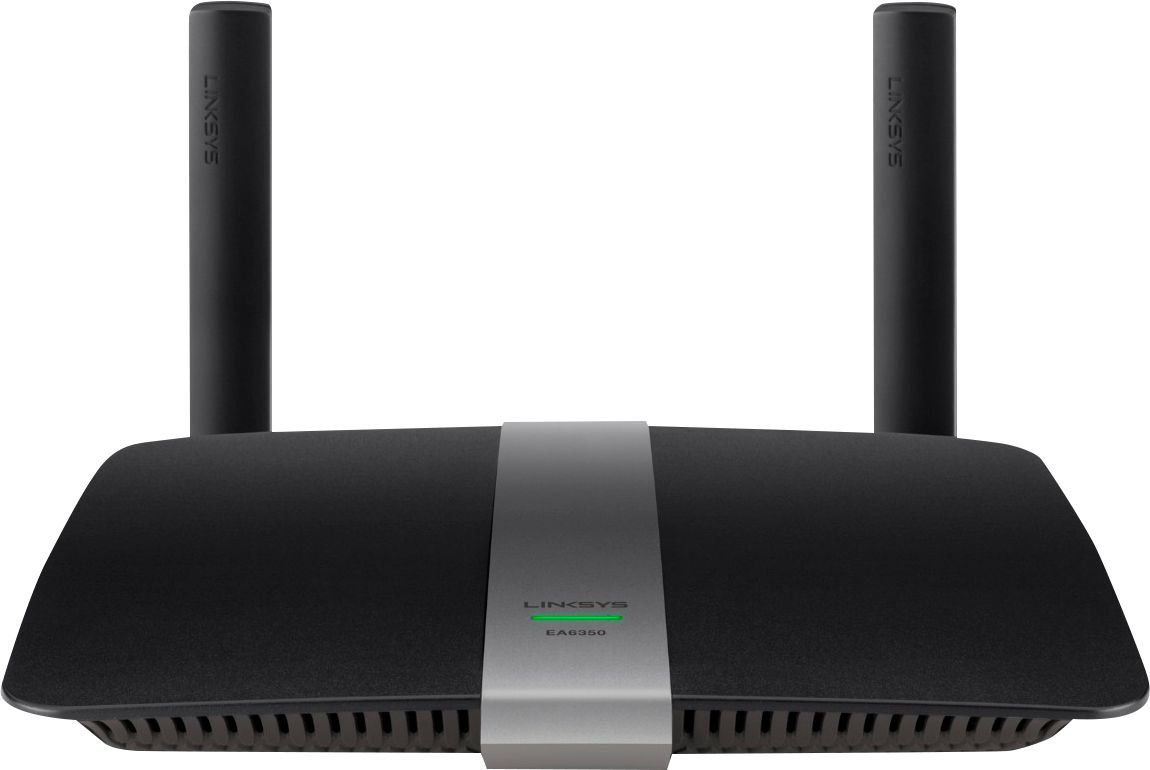
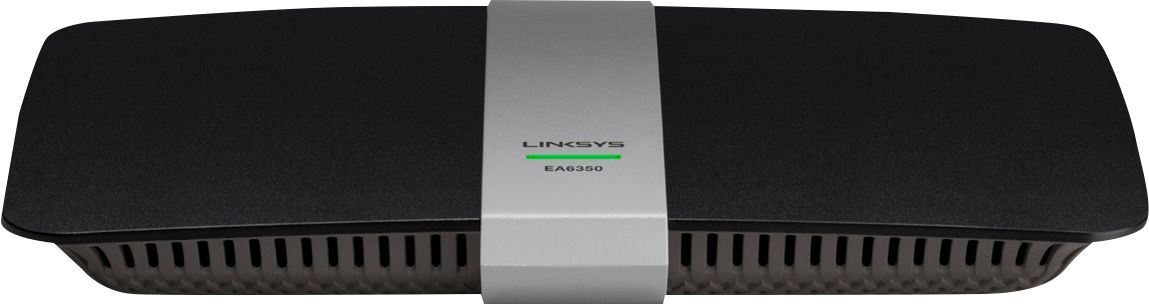

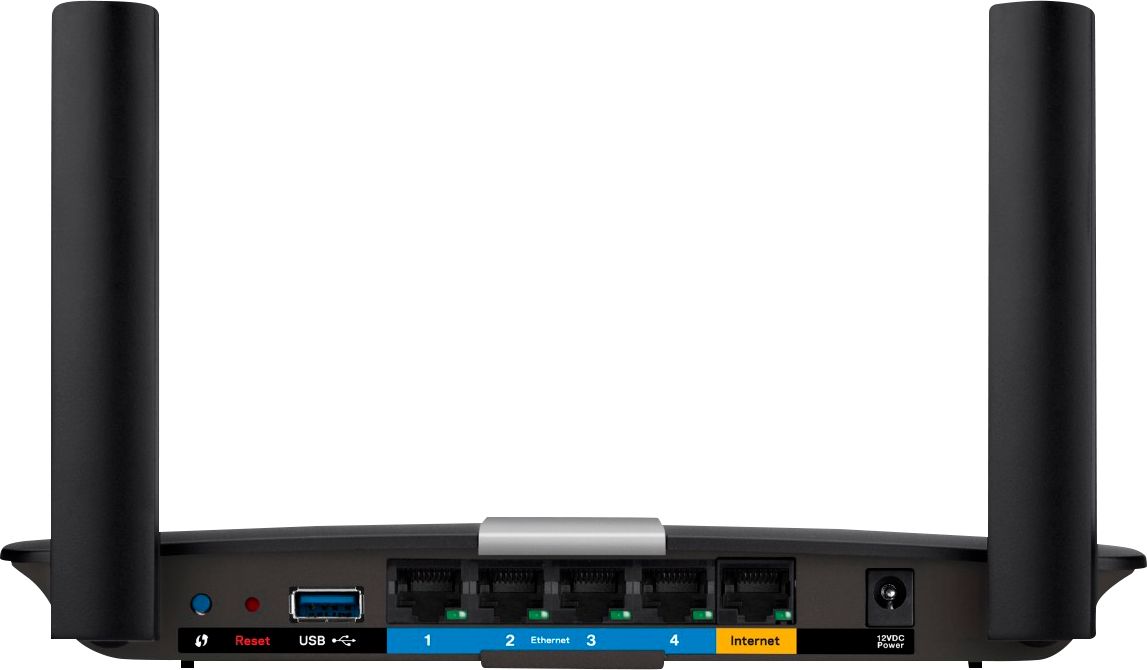


- Model:
- EA6350
- SKU:
- 5124122
Rating by feature
- Setup
Rating 4.8 out of 5 stars
- Range
Rating 4.7 out of 5 stars
- Signal Strength
Rating 4.6 out of 5 stars
Customers are saying
Customers praise the AC1200 Dual-Band WiFi 5 Router for its ease of use, range, and performance, with many citing simple setup and strong signal strength as key advantages. Positive feedback also highlights the router's good value for the price and reliable coverage. However, some users experienced connectivity issues and reported the router may get warm during operation. A few also noted compatibility problems with certain older devices.
This summary was generated by AI based on customer reviews.
Sweet
||Posted .This reviewer received promo considerations or sweepstakes entry for writing a review.Frickin cool man! Wow wee Ricky Henderson. Pick my nose.
I would recommend this to a friendWorks as it should
||Posted .This reviewer received promo considerations or sweepstakes entry for writing a review.Salesman was very helpful,would buy from BestBuy again.
I would recommend this to a friendGreat wireless router
||Posted .This reviewer received promo considerations or sweepstakes entry for writing a review.I would recommend this router. Works great in the house.
I would recommend this to a friendMixed results
||Posted .This reviewer received promo considerations or sweepstakes entry for writing a review.This gives a very solid and fast wifi connection. As a hub though, my desktop CPU connection was very slow and stagnant so I had to reconfigure my offices network so the modem was stand alone and not a hub. Again, good wifi but not a good hub.
I would recommend this to a friendBrand response from Linksys Product Expert
Posted .Hi Chris,
Thanks for your feedback. We really appreciate it.
When you say hub, are you referring to the wired connectivity of your devices through the router? Allow us to help you check on it so it will work to its full potential. Please send us an email at LinksysCares@linksys.com. Kindly include your contact details, network setup and the link to this review.
Regards,
Linksys Support
http://support.linksys.com
Good but limited reach
||Posted .This reviewer received promo considerations or sweepstakes entry for writing a review.Product worked well in beginning but it started slowing down. I think it had limited reach. My home is 2400 sq ft and the router was upstairs. When I'm in the living room I noticed things were slower so I swapped it for another.
No, I would not recommend this to a friendBrand response from Linksys Staff
Posted .Hi, Riri32,
There's a possibility that obstructions affected the wireless range. Let us isolate it by changing the wireless channel and adjusting the antennas. Email us anytime with your phone number and the link to this post at LinksysCares@linksys.com if you need our assistance.
Regards,
Irish
Linksys Support
Great
||Posted .This reviewer received promo considerations or sweepstakes entry for writing a review.Help with the speed of Internet. Great change. Thanks
I would recommend this to a friendDid not Perform as advertised
||Posted .This reviewer received promo considerations or sweepstakes entry for writing a review.The unit did absolutely nothing for my household internet despite my having been assured it would assist my connection in addressing 7-10 connected units. It made the existing network unstable and created much more trouble than benefit.
No, I would not recommend this to a friendBrand response from Linksys Staff
Posted .Hi Doubleeagle,
We are sorry to hear about your experience with the Linksys EA6350 wireless router. We are here to help you in improving its performance. Please send us an email at LinksysCares@linksys.com together with your contact details and the link to this review.
By the way, you can also try adjusting the router wireless channel to avoid possible conflict with other devices or networks.
Regards,
Linksys Support
www.linksys.com/support
Very happy with item.
||Posted .This reviewer received promo considerations or sweepstakes entry for writing a review.Very happy with this item and with customer service.
I would recommend this to a friendWireless router
||Posted .This reviewer received promo considerations or sweepstakes entry for writing a review.Says it sends signal up to 200ft yet won't work well through the walls at most 60ft. Have to hold it up for my wifi devices to connect. My 9 year old belkein did much better.
No, I would not recommend this to a friendOk router but Smart Wifi concept flawed
||Posted .This reviewer received promo considerations or sweepstakes entry for writing a review.The signal strength is not any better than the Comcast router it replaced and I have had issues with the Smart Wifi app and web service. If you are not able to get this working then you cannot change more advanced settings.
No, I would not recommend this to a friendBrand response from Linksys Staff
Posted .Hi, DavidS,
The router is expected to perform to its full potential. We can try setting fixed channels on both networks to help improve its wireless performance.
Please email us your contact information at LinksysCares@linksys.com so we can help you get in touch with one of our Escalation Engineers. They'll help you optimize the wireless settings and they want to closely check your experience with the Linksys Smart Wi-Fi app and Account home page. Indicate the link to this review for our reference.
Regards,
Kristine
Linksys Support
Disappointed
||Posted .This reviewer received promo considerations or sweepstakes entry for writing a review.Can't explain why, but this newer technology worked worse in my house than the one it was meant to replace that is several years old. We returned and kept the old one for now.
No, I would not recommend this to a friendBrand response from Linksys Staff
Posted .Hi Mml0598,
Thank you for taking the time to write this review and for letting us know about this feedback. We're sad to hear that you've had a challenge with the unit and yet, we were not able to assist you with it. Should you ever encounter any more challenge with any Linksys device, please let us know anytime. Email us at LinksysCares@linksys.com along with your contact information and the link to this post.
We will be glad to help you.
Regards,
Linksys Support
www.linksys.com
Excellent Buy
||Posted .This reviewer received promo considerations or sweepstakes entry for writing a review.Great Product. I would recommend this to anyone. !!
I would recommend this to a friendLinksys
||Posted .This reviewer received promo considerations or sweepstakes entry for writing a review.This is my second Linksys router and I LOVE It!!!!
I would recommend this to a friendgreat item!
||Posted .This reviewer received promo considerations or sweepstakes entry for writing a review.Love the product! Would recommend to anyone! !!!!!
I would recommend this to a friendGreat router
||Posted .This reviewer received promo considerations or sweepstakes entry for writing a review.The router is just what we needed for our household
I would recommend this to a friendweak signals
||Posted .This reviewer received promo considerations or sweepstakes entry for writing a review.I think this item is good for a small house, I had to bring this back to get a higher end router from netgear due to the weak signal this router has. I simply cannot stream high def movies with this router from other rooms in the house.
No, I would not recommend this to a friendBrand response from Linksys Product Expert
Posted .Hi James. We appreciate the time you spent in sharing your experience with us. You may change the wireless channel frequency of the router, so it may broadcast a stronger signal. You may test channels 1, 3, 6, 9, and 11 for the 2.4 GHz network. For the 5 GHz, test channels 157 and 161. Use a computer > open an internet browser > Type 192.168.1.1 in the address bar > Type in your log-in credentials > Click on the Wireless option, so you may configure the wireless channel. Should you need further assistance, you may email us your complete contact details, location, and the link to this review at LinksysCares@linksys.com, so our team may provide more possible solutions.
Ok
||Posted .This reviewer received promo considerations or sweepstakes entry for writing a review.I did not find this to be as easy as past routers to install. Also, my Time Warner Cable Wifi has slowed significantly since I purchase this BUT I cannot be positive it is the router vs. the wifi service. (I so hate TWC!)
I would recommend this to a friendBrand response from Linksys Staff
Posted .Hi Islanding2,
Your feedback means a lot to us and we hope you'll allow us to help you. We suggest that you bypass the router and check if you have a stable connection directly connected to the modem. Adjusting the router’s wireless channel is also a good move to avoid possible interference in your network. Preferred wireless channels to use for the 2.4 GHz network are 1, 6, and 11 since they’re considered non-overlapping channels.
Let us know how it goes at LinksysCares@linksys.com with your contact details, location, and the link to this review for reference.
Regards,
Linksys Support
www.linksys.com
- Pros mentioned:Ease of use, RangeCons mentioned:Heat
EA6350-4A Great range and User Interface
Posted .This reviewer received promo considerations or sweepstakes entry for writing a review.Good WiFi range and a wonderful user interface. Setup was a breeze. I really enjoy the fact that I'm able to set priority devices. My xbox1 will no longer get interrupted from others on the network. Good looks and performs well. I have one concern, it gets hot. I don't understand why there are no ventilation holes or fins on the top of the device. Their newer devices all seem to have ventilation on top. Heat rises, and in this routers case there is a solid plastic lid, dome shaped trapping in all the heat. My table top, were it sits is def warmer then normal to the touch. The routers lid is hot to the touch. Heat and electronics don't play well together, and im worried this will cut down on the routers life span. I've updated the firmware via the routers online interface, and its still getting warm. Although the router seems to run hot, it's doing its job. I guess I'm just a little concerned. If it ran cooler, def 5 stars.
I would recommend this to a friendBrand response from Linksys Staff
Posted .Hi, Anthony,
Thanks for sharing your insights, and we appreciate that you brought this to our attention so we can help. Your safety is our main priority and we would like to take full responsibility to this. Try to relocate the router in a well-ventilated area and check if it gets hot again. If yes, we suggest to manually reflash/upgrade the firmware and proceed in doing a factory reset. Should you need further assistance, get in touch with us via email at LinksysCares@linksys.com along with your contact details and the link to this post for reference. We would be more than willing to help.
We look forward to assist you.
Regards,
Linksys Support
www.linksys.com
Great high speed Internet... but then
||Posted .This reviewer received promo considerations or sweepstakes entry for writing a review.It worked great when I first got it all hoozed up. Then after about a month I started to have issues with the wireless part of it. Very slow connection, if any at all, but I still had good wired connectivity
No, I would not recommend this to a friendBrand response from Linksys Staff
Posted .Hi Msheff,
The placement of your wireless router is one of the keys to having a good signal. It’s best that you position it in an open and strategic area away from physical obstructions. Adjusting the wireless channel is also a good move to avoid interference on your network.
If the connection will not improve, please send us an email at LinksysCares@linksys.com with your contact details and the link to this review so that we can assist you further.
Regards,
Rechel
Linksys Support
Not much better than my old one, unless...
||Posted .This reviewer received promo considerations or sweepstakes entry for writing a review.Not much better than my old one, unless... there is something wrong with my cable internet connection (Cox). Speeds for downloads are in the vicinity of 2.5, I am paying for up to 50, so it seems really slow.
I would recommend this to a friendBrand response from Linksys Staff
Posted .Hi BeBe,
Your feedback is highly appreciated and thank you for your time in sharing it. Slow download speed is not normal for our AC routers. We’d suggest doing the following:
• Isolate the issue by checking if your other computers have the same download speed.
• Check if your computer has the same download speed when connected straight to the modem.
• Perform a firmware upgrade.
If the connection will not improve, you can send us an email at LinksysCares@linksys.com with your contact details, location, and the link to this review so that we can assist you further.
Regards,
Linksys Support
www.linksys.com