Customer Ratings & Reviews
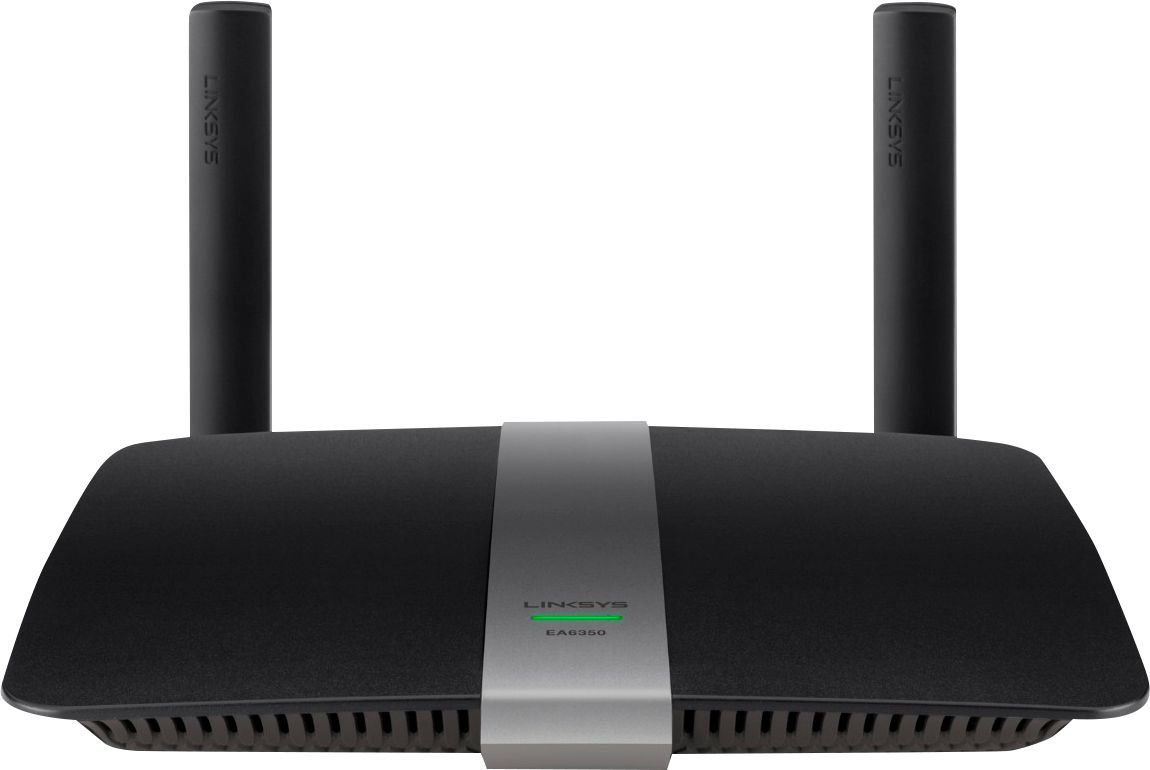

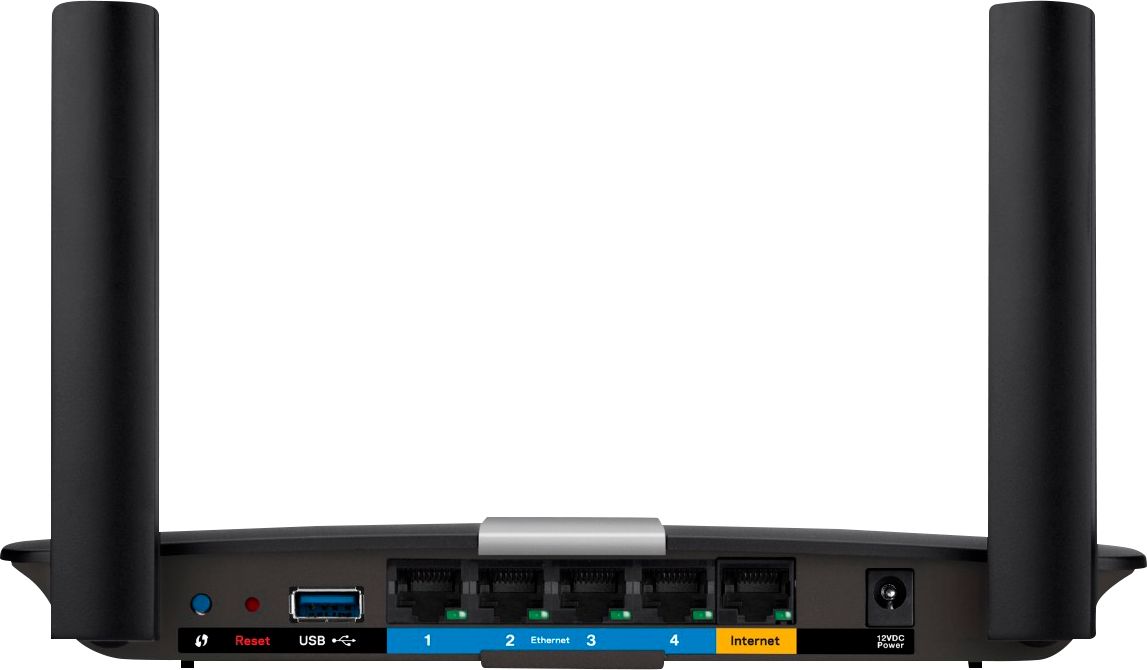


- Model:
- EA6350
- SKU:
- 5124122
Rating by feature
- Setup
Rating 4.8 out of 5 stars
- Range
Rating 4.7 out of 5 stars
- Signal Strength
Rating 4.6 out of 5 stars
Customers are saying
Customers praise the AC1200 Dual-Band WiFi 5 Router for its ease of use, range, and performance, with many citing simple setup and strong signal strength as key advantages. Positive feedback also highlights the router's good value for the price and reliable coverage. However, some users experienced connectivity issues and reported the router may get warm during operation. A few also noted compatibility problems with certain older devices.
This summary was generated by AI based on customer reviews.
Ok smart wi-fi router
||Posted .This reviewer received promo considerations or sweepstakes entry for writing a review.I notice this product those not have long range wi-fi capabilities. It keep dropping signal to one of my bedrooms.
No, I would not recommend this to a friendBrand response from Linksys Staff
Posted .Hi, Jorge,
Your experience with the router is very important to us. The dropping signal and short wireless range might've been caused by wireless interference. We suggest adjusting the wireless channel as it would help in improving and stabilizing the wireless connection.
Should you need further assistance, feel free to contact us at LinksysCares@linksys.com and indicate your full name, phone number, location, and the link to this post.
We'd be happy to assist you further.
Regards,
Linksys Support
Would not work correctly.
||Posted .This reviewer received promo considerations or sweepstakes entry for writing a review.Linksys tech support and Geek squad could not get two different units to work properly. Returned them both.
No, I would not recommend this to a friendBrand response from Linksys Staff
Posted .Hi, YumaTom,
The router should be easy to set up. Please email us your case number or your contact information at LinksysCares@linksys.com with the link to this review so we can check your case and investigate on why it failed to work. Also, should you need help with your other Linksys products, please don't hesitate to get in touch with us.
Regards
Kristine
Linksys Support
Not as great of a range as I thought
||Posted .This reviewer received promo considerations or sweepstakes entry for writing a review.I cannot get good signal very far from this unit and I am not impressed. Sales associate recommended.
No, I would not recommend this to a friendBrand response from Linksys Staff
Posted .Hi, Rosie,
The placement of your router can affect its wireless coverage. It would help if you place the unit away from physical obstructions that can cause interferences.
Let's get this fixed as soon as possible and we'll expect more details about your network setup by sending us an email at LinksysCares@linksys.com. Indicate your contact details and the link to this review. We would love to help you resolve this issue.
Regard,
Kristine
Linksys Support
no improvement in Wi-Fi
||Posted .This reviewer received promo considerations or sweepstakes entry for writing a review.Bought this on the recommendation of the Best Buy employee. It did not improve the Wi-Fi in my house which is what I was under the impression would happen. I should have done more research prior to buying this unit. As a router, I'm sure its ok but it didn't improve my situation at all.
No, I would not recommend this to a friendBrand response from Linksys Staff
Posted .Hi, ejep,
We appreciate your taking the time in posting this review, and this is definitely not the experience we wanted you to have with our Linksys EA6350 router. We truly understand how you feel, and we would like to make things right for you. To achieve maximum performance, we need to ensure that the router is relocated in an open area free from possible interference that would cause signal interference. Since you're using this Dual Band router, we have to modify the channels for the 2.4 GHz and 5 GHz frequencies for a much wider wireless coverage. For the 2.4 GHz wireless network, we can try channels 1, 6 and 11, and channels 36, 40, 44 and 48 for the 5 GHz wireless network. We would also recommend to update the firmware to make the internet connection stable for both wired and wireless devices. Should you need assistance, get in touch with us at LinksysCares@linksys.com along with your contact details and the link to this post for reference.
Your satisfaction is our utmost priority.
Regards,
Linksys Support
www.linksys.com
It about average
||Posted .This reviewer received promo considerations or sweepstakes entry for writing a review.I found the range is very limited. You go to another room and you loose the signal.
No, I would not recommend this to a friendBrand response from Linksys Staff
Posted .Hi Nommy,
Make sure to update the router's firmware to the latest one to optimize its capabilities. Try adjusting its wireless settings as well. Should you need further assistance, email us at LinksysCares@linksys.com. Indicate your full contact details with the link of this review as reference.
Regards,
Harvey
Linksys Support
Go with the Eero instead
||Posted . Owned for 5 months when reviewed.This reviewer received promo considerations or sweepstakes entry for writing a review.Needed a temporary wireless router when my Apple airport express died. (sigh) Sorry this device doesn't cut the mustard for my wireless needs. Wished I bought the Eero instead (will be my next purchase when I can justify the price). For the price it isn't worth it for a 2100 sq foot home.
No, I would not recommend this to a frienddont buy...
||Posted .This reviewer received promo considerations or sweepstakes entry for writing a review.The 5Mhz signal is insufficient to travel through even one plaster wall. You have to be within 5 feet of this router to get the full 866Mb/s connection. I tried many different config settings and different computers. The security is difficult to configure and is in the parental section for the router config site. I plan to return this wifi router.
No, I would not recommend this to a friendBrand response from Linksys Staff
Posted .Hi, Quepasamdc,
Interference in your area can affect the performance of the router's 5 GHz network. We want to check your network setup and the configurations that you have tried to improve the connection. Please email us your contact details at LinksysCares@linksys.com with the link to this review so we help you get in touch with one of our Escalation Engineers.
We'll wait for your email.
Regards,
Kristine
Linksys Support
Didn't work for me
||Posted .This reviewer received promo considerations or sweepstakes entry for writing a review.Wifi band is only good for 1 floor with no interference. Any interference does not transmit
No, I would not recommend this to a friendBrand response from Linksys Staff
Posted .Hi, Chevy,
Thick walls, metal objects, appliances, and mirrors can cause signal interference. To fully boost your Wi-Fi signal, try assigning fixed channels for both frequency bands. We recommend channels 1, 6, 9 and 11 for the 2.4 GHz band, and channels 36, 40, 44 and 48 for the 5 GHz. Update us how it goes at LinksysCares@linksys.com and we'll have one our Escalation Engineers look closely into this matter. Indicate your contact information and the link to this review.
Regards,
Jay
Linksys Support
didnt do much
||Posted .This reviewer received promo considerations or sweepstakes entry for writing a review.seemed to work fine as far as lights,etc go,but was super slow when trying to get online.
No, I would not recommend this to a friendBrand response from Linksys Staff
Posted .Hi, Danno,
We would like to gather more details about your experience so we can get this properly isolated. The router should able to deliver fast Wi-Fi connection and its expected speed.
Please get in touch with us at LinksysCares@linksys.com so that our Escalation Engineers can help you optimize the unit's wireless settings. Indicate your contact information and the link to this review for our reference.
Regards,
Kristine
Linksys Support
it doesn't work
||Posted .This reviewer received promo considerations or sweepstakes entry for writing a review.the router that came with century link works better and has a stronger signal throughout the house this one doesn't work at all
No, I would not recommend this to a friendBrand response from Linksys Product Expert
Posted .Hi. Thank you for providing our product a review and for sharing with us your experience. The wireless settings of the router can be manually configured, so it may broadcast a stronger signal strength. Once the settings are properly set up, you should be able to enjoy the wireless connection. Access the router's wireless settings page by following the steps in this link: http://kb.linksys.com/Linksys/ukp.aspx?pid=80&vw=1&articleid=25807. For 2.4GHz network, test channels 1, 3, 6, and 11. For 5GHz, try channels 157 and 161. If you need additional assistance, email us your complete contact details, location, and the link to this review at LinksysCares@linksys.com. We will do our best to provide more possible solutions.
performance is regular
||Posted .This reviewer received promo considerations or sweepstakes entry for writing a review.the router extend my network only a few meters don't worth the extra cash for the little inprovment
No, I would not recommend this to a friendBrand response from Linksys Product Expert
Posted .Hi hery380,
Thank you for sharing your feedback on the Linksys EA6350. The router's wireless range can be improved by some changes on the wireless settings and router location. We recommend that you try tweaking the wireless channel of the router and choose the channel with the best result. Relocating your devices can also be of help. Place the router in a central location and keep it away from physical obstruction.
For further assistance, please email us at LinksysCares@linksys.com along with your contact information, and the details of your network.
Regards,
Linksys Support
http://support.linksys.com
Reset itself every 10-15 minutes
||Posted .This reviewer received promo considerations or sweepstakes entry for writing a review.I have used a lot of Linksys products and thought this one would be an easy choice, but the device kept resetting and losing its configurations. While this was likely an issue specific to the device I purchased, that is the only experience I have with the device to review it upon. I replaced it with a different manufacturer/model.
No, I would not recommend this to a friendBrand response from Linksys Staff
Posted .Hi Zhovan8,
We understand your decision. This behavior is unusual for our routers and could be caused by an outdated firmware. Should you have any Linksys products in the future, we're here to help if you need assistance. Feel free to send us an email at LinksysCares@linksys.com anytime.
Regards,
Rechel
Linksys Support
Poor tech support
||Posted . Owned for 1.5 years when reviewed.This reviewer received promo considerations or sweepstakes entry for writing a review.Did not get good tech support from company. Once installed I could not get a tech that really understands English enough to communicate. I returned it. Probably a good product but communication stinks.
No, I would not recommend this to a friendNot good for big spaces.
||Posted .This reviewer received promo considerations or sweepstakes entry for writing a review.Didn't really work for what I need in my home, the range wasn't great.
No, I would not recommend this to a friendBrand response from Linksys Staff
Posted .Hi KeiST,
The range will be affected if there is too much physical interference between the router and you devices. We often recommend that you place the router at the center of your home to get an even coverage.
We can have our Second Level Technicians assist you with the placement of the router to maximize your range. Send us your contact details at LinksysCares@linksys.com so that we can escalate your case.
We hope to hear from you soon.
Regards,
Thaddeus
Linksys Support
- Cons mentioned:Heat
Very poor Dual-band Wi-fi Router
||Posted .This reviewer received promo considerations or sweepstakes entry for writing a review.Router was bad quality, the router got really hot!
No, I would not recommend this to a friendBrand response from Linksys Staff
Posted .Hi, Rick05,
If the router is still operating at 32 to 104°F (0 to 40°C), then there's nothing to worry. To further isolate this, make sure to use the power adapter that came with the router and plug it into another power outlet. Please email us at LinksysCares@linksys.com with your phone number and the link to this post so we can get you to our Support team.
Regards,
Irish
Linksys Support
Careful
||Posted .This reviewer received promo considerations or sweepstakes entry for writing a review.I know my way around a computer but this was a pain in the butt! Comes with quick setup instruction only! No instruction on how to set up the different wireless bands! I bought this to replace one I got 6 years ago and I am tempted to go back to that one! Still having issues with it even after contacting tech support!
No, I would not recommend this to a friendBrand response from Linksys Staff
Posted .Hi, Brian,
We would appreciate if you will provide us more details about the issues you've encountered with your EA6350 router so we can tap our escalation engineers for a resolution. Should you have a reference number from your previous phone call, please share it with us so we can have a better understanding of your case. Get in touch with us at LinksysCares@linksys.com along with your contact information and the link to this post.
As for your feedback on the instructions in setting up different wireless bands, we'll have it relayed to our Team for future product updates.
Regards,
Jay
Linksys Support
Not Strong Enough
||Posted .This reviewer received promo considerations or sweepstakes entry for writing a review.It wouldnt cover all of the 1400 sqft of my home. Had to get the next step up.
No, I would not recommend this to a friendBrand response from Linksys Staff
Posted .Hi, CHIMF,
If you haven't tried adjusting the wireless channels, we would advise you to try channels 1, 6, 9 and 11 for the 2.4 GHz band, and channels 36, 40, 44 and 48 for the 5 GHz. Update us with the results at LinksysCares@linksys.com and we'll have one of our Escalation Engineers take care of your issue. Don't forget to indicate your contact details and the link to this review for reference.
Regards,
Jay
Linksys Support
It's really weak
||Posted .This reviewer received promo considerations or sweepstakes entry for writing a review.It's not powerful, it's not giving full bar for normal2 bedroom apartments.
No, I would not recommend this to a friendBrand response from Linksys Staff
Posted .Hi, Derick,
The placement of your router is an important factor in its overall performance. It would help if you place the unit away from walls and other obstructions. We can also try changing the router's wireless channel to avoid interference in your area.
Please get in touch with us at LinksysCares@linksys.com so we can have the product checked further with our Escalation Engineers. Indicate the link to this review for our reference.
Regards,
Kristine
Linksys Support
Warning! Warning! Does not work properly!
||Posted . Owned for 8 months when reviewed.This reviewer received promo considerations or sweepstakes entry for writing a review.Worked fine for the first 6 months and then would no longer connect to the wifi no matter what I tried! Had to contact my local internet provider and even they couldn't get it to work so I had to buy yet another router. Do not buy. It will stop working. End of story.
No, I would not recommend this to a friendBrand response from Linksys Staff
Posted .Hi, NRVS,
It is quite unusual for the device to stop working in just six months. If the LED indicator still turns on, it is possible that the router just needs to be reset in order to refresh its settings. Please get in touch with us at LinksysCares@linksys.com so we can ask one of our Escalation Engineers to contact you to further isolate the setback. Indicate your contact information and a link to this review as our reference when you reach out.
Regards,
Rosalyn
Linksys Support
Small house
||Posted .This reviewer received promo considerations or sweepstakes entry for writing a review.Very weak for a large house. May be okay for a smaller area
No, I would not recommend this to a friendBrand response from Linksys Staff
Posted .Hi Buzz,
To boost the performance of the Linksys router, we recommend that you place the device somewhere high or in an elevated area to get around some physical obstructions that may hinder its signal. For further assistance, email us at LinksysCares@linksys.com along with your phone number and the link to this review for easy reference.
Regards,
Princes
Linksys Support