Customer Ratings & Reviews
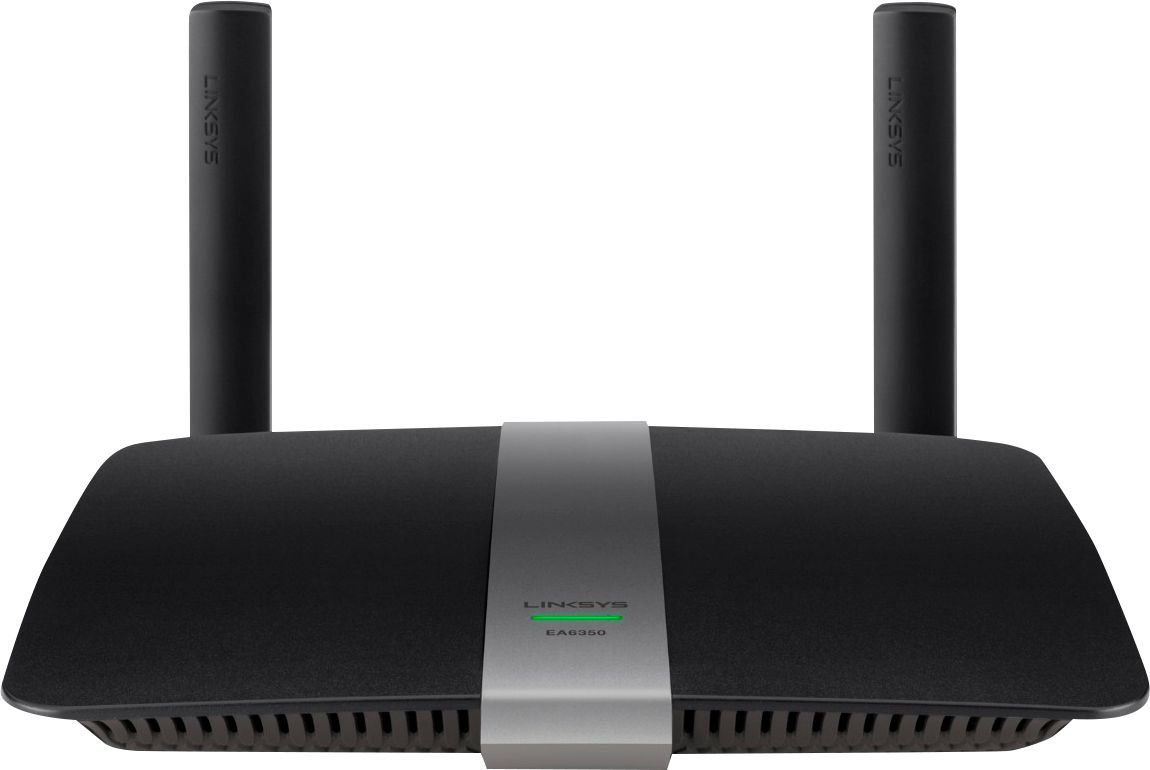
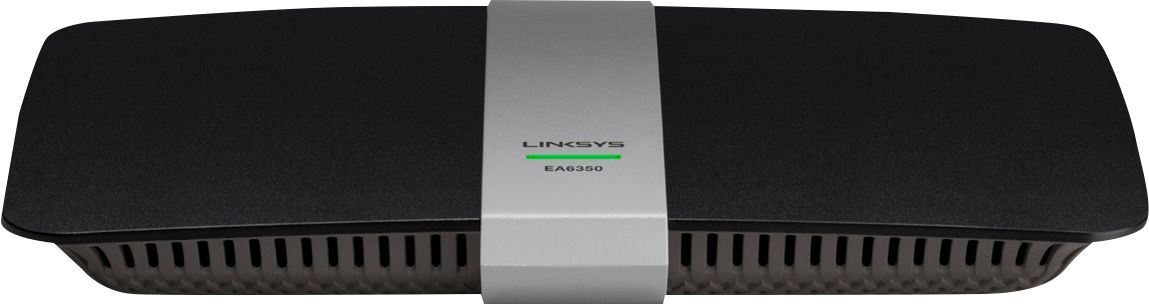

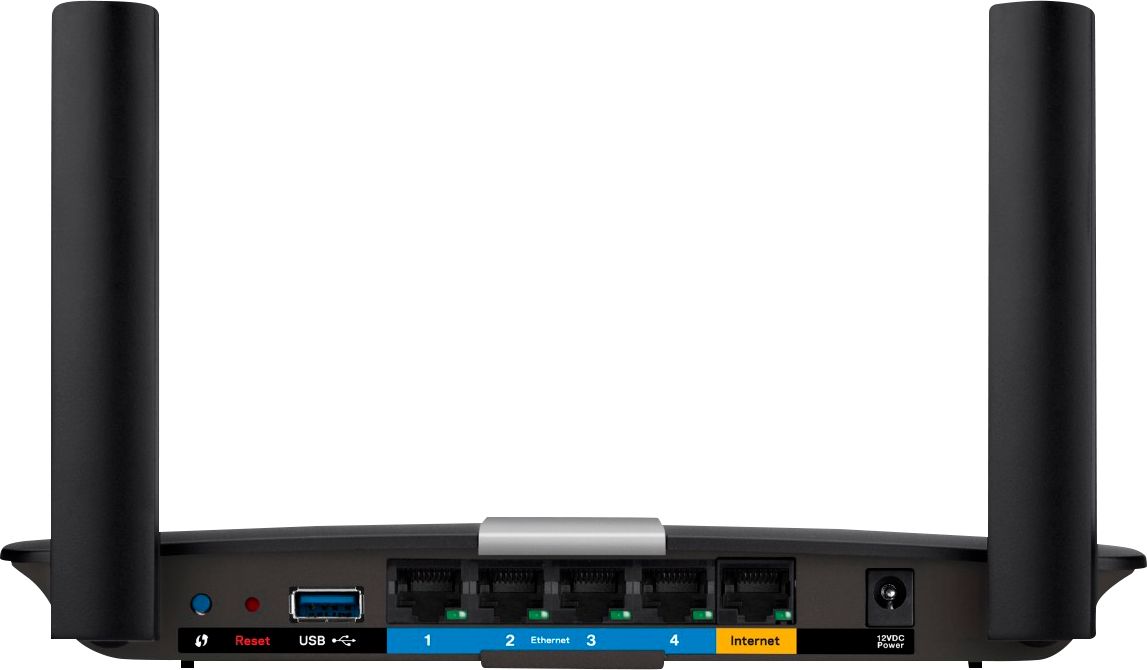


- Model:
- EA6350
- SKU:
- 5124122
Rating by feature
- Setup
Rating 4.8 out of 5 stars
- Range
Rating 4.7 out of 5 stars
- Signal Strength
Rating 4.6 out of 5 stars
Customers are saying
Customers praise the AC1200 Dual-Band WiFi 5 Router for its ease of use, range, and performance, with many citing simple setup and strong signal strength as key advantages. Positive feedback also highlights the router's good value for the price and reliable coverage. However, some users experienced connectivity issues and reported the router may get warm during operation. A few also noted compatibility problems with certain older devices.
This summary was generated by AI based on customer reviews.
Do Not Buy
Posted .This reviewer received promo considerations or sweepstakes entry for writing a review.Router is horrible. Service from Linksys is even worse than router, it's non-existent. If I could return this and exchange for another name brand router I would. My last router worked without a hitch. Died after two years and I bought this piece of junk. If you have a good one, I guess you're lucky. I tried Linksys Live Chat. If you have all day to wait for them, I guess you have more time than I do. Do not buy. I will never buy another Linksys router. If Best Buy doesn't take it back, I may never buy anything from them again.
No, I would not recommend this to a friendBrand response from Linksys Product Expert
Posted .Hi Flippy. We are saddened to hear about your experience. We'd like to offer our help. You may email us the detailed info of the situation, your complete contact details, location, receipt, and the link to this review at LinksysCares@linksys.com, so our team may provide possible solutions.

- Cons mentioned:Connectivity
UGH!!!
Posted .This reviewer received promo considerations or sweepstakes entry for writing a review.I purchased this router after lots of research and reviews, lots of people say its got great range. My Belkin dual-band has better range than this. I've changed the channels, I've done everything under the sun to make a stronger connection and it's all been garbage. And a major waste of time. I live in a small 1200 s.f. home and I can't even get a signal down stairs, router is upstairs. I am mad as heck that I spent the money, time and energy on this product. And I will be returning it to the store.
No, I would not recommend this to a friendBrand response from Linksys Staff
Posted .Hi, Tbormet,
It looks like that you have already exhausted the necessary troubleshooting steps. We would like to endorse your case to one of our Escalation Engineers so that they can further check the router and your network setup. Email us all the steps that you’ve taken at LinksysCares@linksys.com with your contact details and the link to this review. Our team would love to resolve this issue for you.
Regards,
Kristine
Linksys Support
Linksys router, ok. need to be able to use all 256
Posted .This reviewer received promo considerations or sweepstakes entry for writing a review.Got a Linksys router E6350. I like it, but wish I could allow it to assign DHCP to all the octets in my range. Also wish it would see everything on my network even if it did not assign it an address.
I would recommend this to a friendWorks first couple of months
Posted .This reviewer received promo considerations or sweepstakes entry for writing a review.I bought this router over 1 year now, and for the past few months it keeps dropping the internet, I have unplugged the router and plugger the ethernet directly to my computer and its not the internet provider its the router...it worked for the first year but its not working anymore on some days it goes in and out several times. By the way I have had Linksys routers before had Cisco for a while never had a problem...I would like to buy Linksys again but am afraid same thing will happen..thinking of buying tplink??
No, I would not recommend this to a friendBrand response from Linksys Staff
Posted .Hi NPerry2782,
One of the factors that can trigger dropping connection is having an outdated firmware. To resolve your issues, we need to update your router's firmware and optimize the settings. Please reach out to us at LinksysCares@linksys.com so we can have one of our Escalation Engineers walk you through the steps. In your email, include your contact details and the link to this post.
Regards,
Jay
Linksys Support
Nothing But Problems
Posted .This reviewer received promo considerations or sweepstakes entry for writing a review.I pay for 90Mps cable internet, but even with the latest firmware, this router consistently drops the speed as low as 7Mps. It has to be reset each time to get back up to the speed I should be getting.
No, I would not recommend this to a friendBrand response from Linksys Staff
Posted .Hi Dave,
We can help you isolate the challenge and determine what's causing it to happen. By the way, does it occur on both wired and wireless connection? You may tell us more about this via email at LinksysCares@linksys.com with your contact details and the link to this review.
However, please try to perform a factory reset and configure the router again.
Regards,
Linksys Support
www.linksys.com/us/support
Terrible product
Posted .This reviewer received promo considerations or sweepstakes entry for writing a review.Stopped working twice. First time manufacturer replaced after much struggle. Second time, one year later, will not replace. Should last much longer.
No, I would not recommend this to a friendBrand response from Linksys Staff
Posted .Hi, CGCG,
It is very unusual for the same model to stop working twice. We'll have our Escalation Engineers check on this further. Just send us your case number at LinksysCares@linksys.com so that we can forward your case.
We hope to hear from you soon.
Regards,
Thaddeus
Linksys Support
Didn't work for me
Posted .This reviewer received promo considerations or sweepstakes entry for writing a review.This product had to many issues. I had to call Linsys technical support several times. I finally decided to return it for a refund!!!
No, I would not recommend this to a friendBrand response from Linksys Staff
Posted .Hi Eddk,
Thank you for giving our product a try and we apologize that it did not work as expected. Should you have any Linksys products in the future, we're here to help if you need assistance. Feel free to email us at LinksysCares@linksys.com with your contact details, location, and the link to this review for reference.
Regards,
Linksys Support
www.linksys.com
Not for large area
Posted .This reviewer received promo considerations or sweepstakes entry for writing a review.Does not function well in multi floor dwellings, I installed router extender to compensate for dead spot in basement.
No, I would not recommend this to a friendBrand response from Linksys Staff
Posted .Hi, Bassnutts,
The EA6350 router has the capability to provide you a decent range, suitable with your existing network environment. If you haven't tried adjusting the wireless channels, try channels 1, 6, 9 and 11 for the 2.4 GHz band, and channels 36, 40, 44 and 48 for the 5 GHz. Should you need a hand, reach out to us at LinksysCares@linksys.com and we'll have one of our Escalation Engineers walk you through the process. Indicate your contact information and the link to this review.
Regards,
Jay
Linksys Support
Horrible customer service
Posted .This reviewer received promo considerations or sweepstakes entry for writing a review.I had trouble getting this router setup I was able to name it and assign a password, then had trouble authenticating from my phone. When I finally got it to take from my phone the app gets to a point where you click a button to find you router in order to add to account it took so many tries in order for that to work and then it finally asks for the router password that I used during setup and it says wrong password after several attempts I called tech support. During my 20 min wait on hold it's prompting me to check out tech support online so I do and end up reseing everything! This time I didn't change the network name or password and end up running into the same dead end. When tech support finally answers I can barely understand him and once he verifies who I am and what the problem is he instantly jumps to a sales pitch about needing to remote access my computer for $9.99 I'm not paying money for you to help me setup a brand new router! So I'm taking this thing back to best buy to find a different one
No, I would not recommend this to a friendBrand response from Linksys Staff
Posted .Hi, JakeR,
Setting up the router should be easy using the Smart Setup Wizard. Allow us to make things right here and help you get the router setup. Moreover, your experience with our Support team has caught our attention as customer satisfaction is always our top priority.
Before you consider returning the product, please email us your contact information or your case number at LinksysCares@linksys.com so we can investigate what happened and our Escalation Engineers are eager to help you get the unit working as expected. Indicate the link to this review for our reference.
Regards,
Kristine
Linksys Support
- Cons mentioned:Connectivity
Worst router I have ever owned
Posted .This reviewer received promo considerations or sweepstakes entry for writing a review.If slow speeds and dropped connections are your thing then this router is for you. My $30 Belkin router worked better then this piece of garbage. It is so bad that I can not have 2 people on it at the same time with out one of them being kicked off.
No, I would not recommend this to a friendBrand response from Linksys Staff
Posted .Hi, MrBeaver812,
This is definitely not the router's expected behavior as it should maintain a stable and reliable connection once it's set up. Also, you can connect two devices simultaneously with this unit. We could try setting fixed channels on both networks and checking if the unit's firmware is updated.
If you still have the product, please email us your contact information at LinksysCares@linksys.com so that our Escalation Engineers can help you optimize its wireless settings. Indicate the link to this review for our reference.
Regards,
Kristine
Linksys Support
Printer problems
Posted .This reviewer received promo considerations or sweepstakes entry for writing a review.I had no connection to the printer from my two laptops. My geeksquad service came in handy when a tech spent 5 hours online doing a remote setup with this Linksys 1200 model (EA6350). But they both went offline within an hour. I have read about a roaming problem in the IP address component. The product reviews confirmed this ongoing problem. This product was recommended/sold to me by my new internet provider. They were here yesterday to RESET the device. Same story, temporary fix... no printer connection. My other phones, laptops, and tablet are great on this router. But the printer is another story.
No, I would not recommend this to a friendBrand response from Linksys Staff
Posted .Hi Gram11,
Thank you for letting us know about what happened. We would like to review the steps you’ve done with our Technical Support team. Please email us your case number or phone number at LinksysCares@linksys.com so we can have one of our Escalation Engineers assist you further. Include your contact details and the link to this review.
Regards,
Rechel
Linksys Support
Drops wi-fi connection multiple times a day
Posted .This reviewer received promo considerations or sweepstakes entry for writing a review.Drops wi-fi connection multiple times a day, especially when I'm using Zoom. I'm probably going to have to purchase another unit to replace this one. Definitely will NOT be recommending this to anyone
No, I would not recommend this to a friendWorst router I've ever purchased
Posted .This reviewer received promo considerations or sweepstakes entry for writing a review.As the title says this is probably the worst router I've ever purchased and the misfortune of using. The range really is good on it but the problem is getting it to work. It crashes 2-3 times a day on its own and has to be reset, or there no internet connection (wired) and it won't accept the password for WiFi. If you try using the "smart" features/controls through the App or computer that will instantly crash this router as well. I feel I wasted my money, and should have returned while I still had the chance. After spending $100 on this router I still have to go out and buy another one.
No, I would not recommend this to a friendBrand response from Linksys Staff
Posted .Hi Mash170,
Your detailed feedback on our product is appreciated and we’ll take this chance to help you out. Our router should not exhibit intermittent internet connection. We suggest that you bypass the router and make sure that you have a stable connection from the modem. You can also manually update or reflash its firmware. Here's how it's done: http://www.linksys.com/us/support-article?articleNum=138462
If the connection will not improve, you can send us an email at LinksysCares@linksys.com with your contact details, location, and the link to this review so that we can assist you further.
Regards,
Linksys Support
www.linksys.com
Continually Resets
Posted .This reviewer received promo considerations or sweepstakes entry for writing a review.Purchased about November 2016 and right from the start the unit kept resetting. At first I thought it was the modem but realized it was THIS router. Customer service finally identified this as a defective unit (of course it was after the return period through Best Buy). They are shipping me a new unit in about a week! AND I HAVE TO PAY TO RETURN IT!I would never purchase another LINKSYS product. If you do pick another model...please...
No, I would not recommend this to a friendBrand response from Linksys Staff
Posted .Hi, billylen,
We truly understand where you're coming from. If you receive the replacement for your EA6350 router, don't hesitate to contact us directly at LinksysCares@linksys.com. We'll have one of our Escalation Engineers assist you in setting it up to ensure that the wireless settings are fully optimized to achieve a great Wi-Fi experience. Indicate your contact information and the link to this review.
Regards,
Jay
Linksys Support
Not so great
Posted .This reviewer received promo considerations or sweepstakes entry for writing a review.I have had a Linksys router since 1999 and have been a advocate for their ease of use, durability and reliability. This router has changed my outlook on Linksys. Range is not as good as advertised, boot process takes about 3 minutes before operational. NOT DD-WRT APPROVED device. Drops wired and wireless connections. Example: wired connection from this router directly to my xbox360 and it drops randomly and frequently. Not cool. I returned this router after a few days of trying to combat these issues. Best Buy return process was great.
No, I would not recommend this to a friendBrand response from Linksys Product Expert
Posted .Hi Justin. We value the time you spent in sharing your experience and for trying our product. We are saddened to know about what happened. We wished to have had the chance to be of service to you. Setting up a manual MTU and wireless channel can fix this type of situation. Should you decide to get a Linksys device again, don't hesitate to contact us via email at LinksysCares@linksys.com if you need any assistance.
Junk with no support
Posted .This reviewer received promo considerations or sweepstakes entry for writing a review.Do you want reliable DNS lookups? Don't buy this product. Do you want reliable LAN DHCP services? Don't buy this product. Do you want web-based support without being forced to speak to English-challenged foreign call center script readers? Don't buy this product. In spite of many attempts to get a response, I'm still waiting for warranty support. Not holding my breath. $100 down the drain.
No, I would not recommend this to a friendBrand response from Linksys Staff
Posted .Hi,
We want to look into the details about what happened to your case. Please email us your case number at LinksysCares@linksys.com and we'll have someone from our Escalation Engineers to contact you as soon as possible. Indicate the link to this review for our reference.
Regards,
Kristine
Linksys Support
Wifi breaks signal often
Posted .This reviewer received promo considerations or sweepstakes entry for writing a review.Wish I had bought another one. Called my ISP and we checked that the internet was live and good. We also checked my modem and was also good. Then we checked my router's wifi and there we found the problem. Wifi keeps on dropping signal. Of course my ISP could not do anything since they didn't make this router. Can't use wifi much for movies much anymore.
No, I would not recommend this to a friendBrand response from Linksys Staff
Posted .Hi, iChrisFlex,
A corrupted firmware or a misconfiguration problem could be one of the factors causing the signal to drop. We recommend updating the firmware and setting fixed channels for both frequency bands. Please email us your contact details and the link to this review at LinksysCares@linksys.com and we'll have one of our Escalation Engineers sort this out for you.
Regards,
Jay
Linksys Support
defective product
Posted .This reviewer received promo considerations or sweepstakes entry for writing a review.I had been through 2 modem routers within less than a month. One was 1.5 years old and the replacement lasted less than 2 weeks. Best Buy recommended getting separate router and modem, which I did .. got this router .. had problems with this one after only 2 days as it was overheating .. so brought it back and had it replaced.
No, I would not recommend this to a friendBrand response from Linksys Staff
Posted .Hi, Marlene. We appreciate your time for sharing this feedback. It's quite unfortunate that you are having problems with overheating with the device. We're glad that you were able to replace it. If you need further assistance with the device, let us know by sending an email at LinksysCares@linksys.com. Please include the link to this review in the email. We hope to hear from you again.
Ok router
Posted .This reviewer received promo considerations or sweepstakes entry for writing a review.Worked ok but I sometimes had problems with it dropping my macbook.
No, I would not recommend this to a friendBrand response from Linksys Staff
Posted .Hi, Chuck1999,
Thank you for sharing your feedback. We'll help you with the challenge you've mentioned. Do you notice that the connection drops when using other wireless devices? If you do, this might've been caused by wireless interference. Try adjusting the wireless channel of the router and make sure that the firmware is update. You can also remove your network from the preferred networks of your computer and reconnect to it.
Do not hesitate to email us at LinksysCares@linksys.com for further assistance and indicate your full name, phone number, location, and the link to this post.
Regards,
Linksys Support
Bad
Posted .This reviewer received promo considerations or sweepstakes entry for writing a review.Don’t buy this brand is really bad I used less than 15 months already not working I call them they said they won’t do any trouble shooting because already expired
No, I would not recommend this to a friendBrand response from Linksys Staff
Posted .Hi Lingling,
We can have our Second Level Technicians get in touch with you for further troubleshooting. Just send us your contact details at LinksysCares@linksys.com along with the link to this post so that we can escalate your case.
We hope to hear from you soon.
Regards,
Thaddeus
Linksys Support