Customer Ratings & Reviews
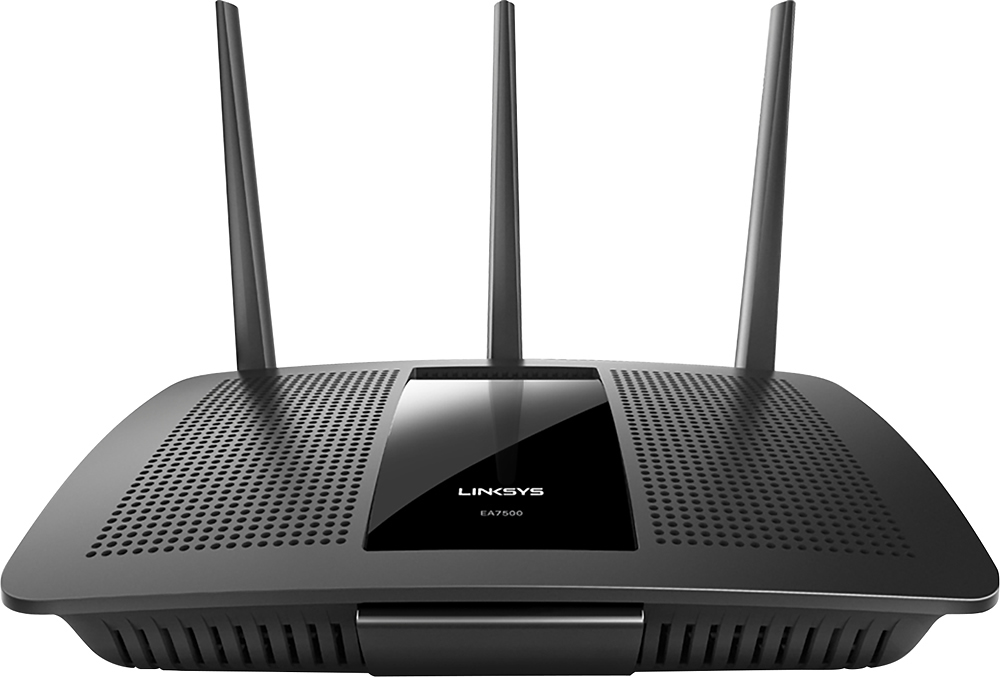
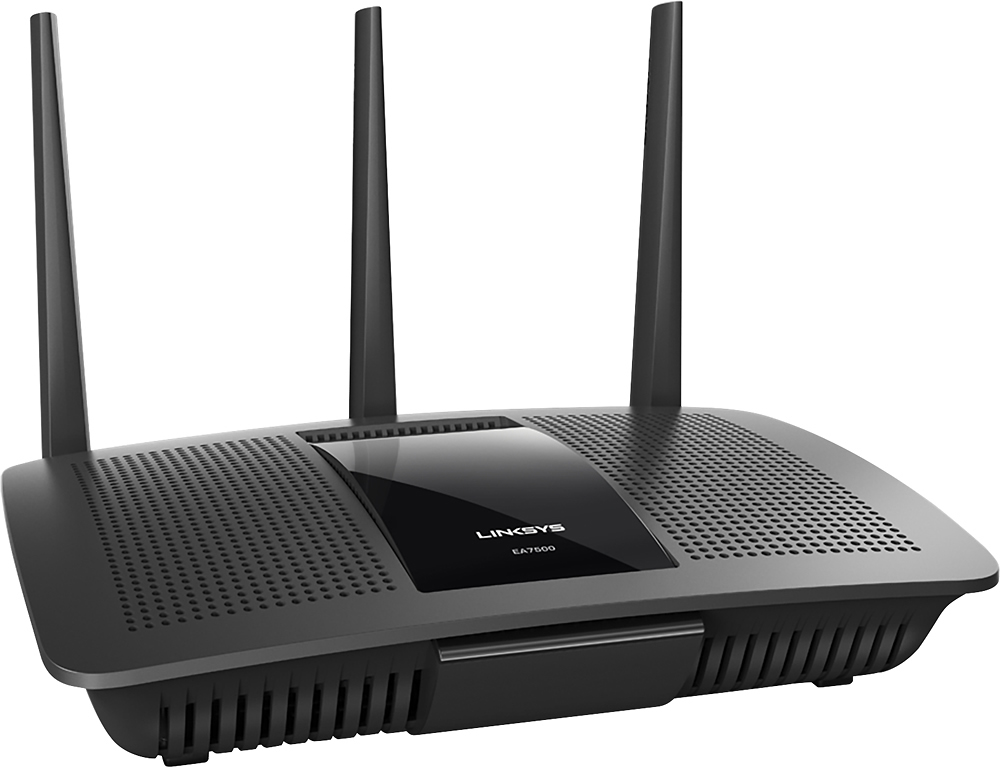
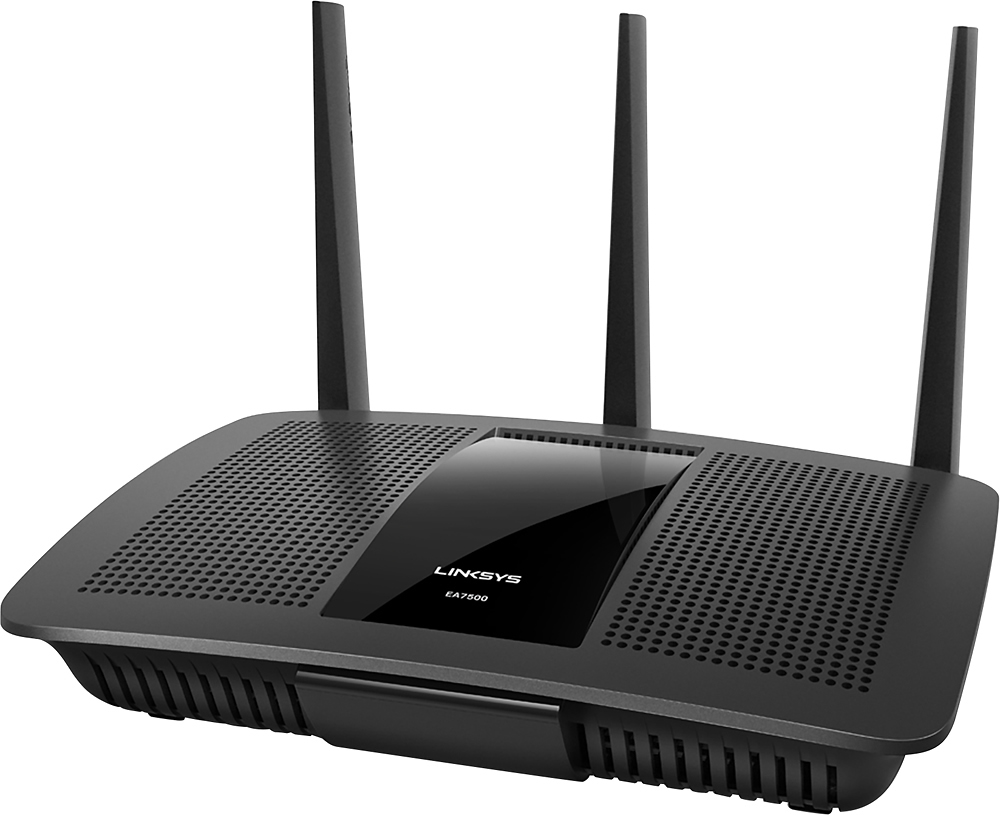
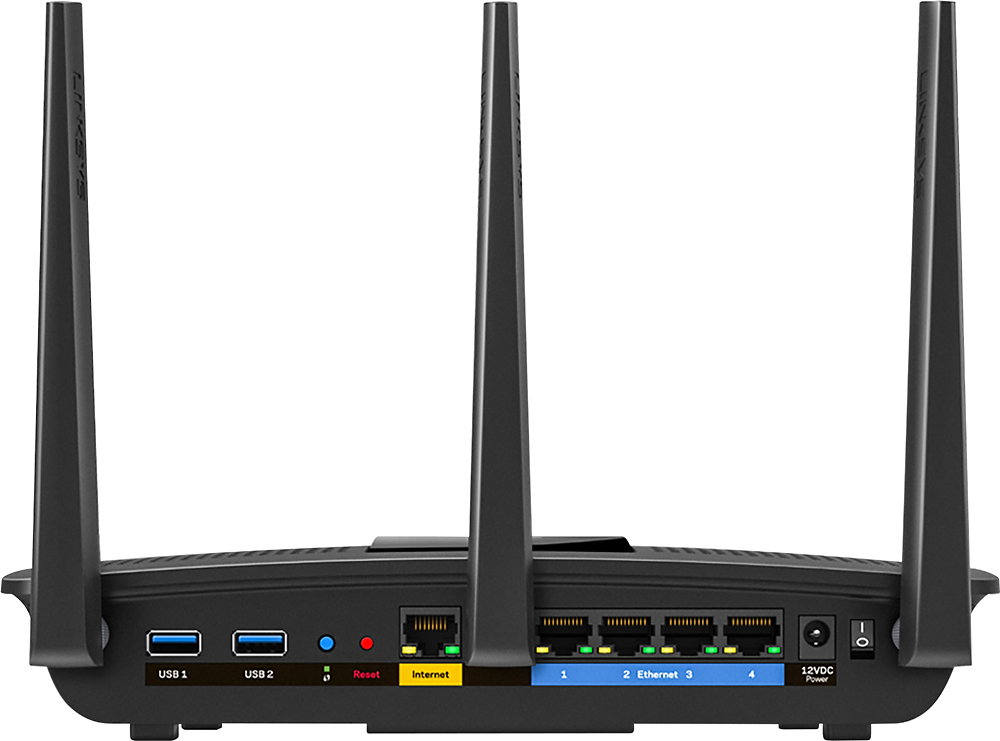



- Model:
- EA7500
- SKU:
- 4830200
Rating by feature
- Value
Rating 4.5 out of 5 stars
- Quality
Rating 4.6 out of 5 stars
- Ease of Use
Rating 4.6 out of 5 stars
Customers are saying
Customers find value in the AC1900 Dual-Band WiFi 5 Router's ease of use, range, and strong signal, frequently praising its performance and simple setup process. Many appreciate the improved WiFi coverage and its suitability for streaming. While some find the router larger than expected, the overwhelmingly positive feedback highlights its effectiveness.
This summary was generated by AI based on customer reviews.
Junk router for family
||Posted . Owned for 8 months when reviewed.This reviewer received promo considerations or sweepstakes entry for writing a review.My internet is very slow and cuts in and out with this crappy router. Definitely not worth the money.
No, I would not recommend this to a friendBrand response from Linksys Staff
Posted .Hi, Cody,
If the router is already running on the latest firmware and there’s a stable connection when you connect directly to the modem, try changing the channels instead to less congested ones as wireless interference might be the culprit of the challenge. If that won’t help, let’s have our Escalation Engineers investigate this further. Just send us an email at LinksysCares@linksys.com along with your contact information and a link to this review as our reference.
Regards,
Rosalyn
Linksys Support
- Pros mentioned:Ease of use

Great range and speed, easy setup
|Posted .This reviewer received promo considerations or sweepstakes entry for writing a review.I received this newly announced router, and had it out of the box and online within a few minutes. Setup was very easy, with clearly written startup instructions. The only problem I have with setup is that you loose connectivity when you change the name of the broadcast ID of the network. While I knew this was going to happen, and that I would have to connect to the new network....someone not as familiar with wifi setup might not know this will happen and will just sit and stare at the never ending "loading" logo on the setup website. This router is jam packed with features, and they all work very well. There is an app that you can load on your phone which allows remote monitoring and network admin tools. You can also see current users, adjust network priorities and so fourth on this app. The only gripe I have is the looks of the unit itself. With 3 ugly antennas sticking up from the back, and one lit up logo on a ugly black box it's not the prettiest thing in the world, but it works well.
I would recommend this to a friend - Pros mentioned:Range
Just what I was looking for!
Posted .This reviewer received promo considerations or sweepstakes entry for writing a review.Bought this unit because my previous router lost the ability to provide internet. Was looking for a router that could support streaming videos as well as online gaming. This router does just that. Also the set up was super easy and made step by step so even if I didn't know anything about electronics I could set it up. The range is awesome as I still have connectivity at the end of my driveway. If anyone I know is needing a good router I'd be sure to recommend this one.
I would recommend this to a friend - Pros mentioned:Range, Speed
Great range/coverage
Posted .This reviewer received promo considerations or sweepstakes entry for writing a review.(disclaimer: Linksys supplied a free sample in exchange for a review) I've gone through 4 or so different routers trying to cover my whole house with just a single device, and this one comes the closest. There's still a couple spots in the house where I get, at best, dial-up-like speeds, but it's significantly better than my fios router, and noticeably better than my previous TP-Link. With the proviso that my home network is atypical, the setup process was a bit frustrating. I have a fios router serves both as a "cable modem" (it gets my public IP from the fios ONT), and as a MoCA bridge to other rooms in my house. As such, if I want those rooms to be on the same network as wifi devices, I *have* to use it as the actual router (for NAT, DHCP, etc). Which means that I have to set the AC1900 to bridge mode. Doing that means you have to skip the setup wizard. And worse, since the default IP address is the same as my fios router, I also had to run the setup without it having access to an actual internet connection (which meant waiting for multiple attempts to get to the net before I could skip past it). It also means a lot of the flashier features (like the phone app) aren't applicable. All that being said, I liked the fact that the UI hid all the features that don't apply in bridge mode. And the interface was easy to navigate and understand. Finally, since I noticed folks complaining about getting low reception on the 5ghz band...that's the tradeoff...higher frequency means more bandwidth, but the signal suffers more when traveling through walls. I'd really recommend trying a speed test (just google "speed test" and you'll get google's right in the results) on both bands from different spots in your house. I noticed that in my dead spots, even though the 5ghz band showed as way lower signal, it was still, by far, getting me the best transfer speeds.
I would recommend this to a friend - Pros mentioned:Range, Speed
Great Router!
Posted .This reviewer received promo considerations or sweepstakes entry for writing a review.I intentionally waited a month before reviewing this router. I got it on Deal of the Day or it would have probably been out of my price range (or needs). I work from home, have 8 desktops/laptops, 2 printers, security cameras, various tablets and smartphones, smart TVs, and devices, Netflix, Amazon Instant Video, etc. My needs are more than most, but still not necessarily so extensive that I would need this router. But, I got a good price and decided to splurge. I've not been disappointed. This router replaced a Belkin RT68U that was about 3 years old, so I do typically purchase high-end routers. Setup: Simple and quick. I configured my Network name and passwords exactly as in my old router, and all my devices connected without the need to re-configure. This was a huge time-saver. Setup time took less than 20 minutes, including connecting cables, going through the setup, and updating the firmware. Speed: I have Xfinity (Comcast). I did a speed test (wired and unwired). Download speed went 80 Mbps to 180 Mbps and upload speeds from 25 to 40 Mbps. These speeds can vary and I only ran the test once. Range: Awesome. No other word for it. Placed the router middle floor, same location as the old Belkin. I now have 5 bars on top floor and basement and 4 bars in far corners of both. I have a fairly large yard (3/4 acre) and I'm connected all over the yard. Features I like: Linksys Smart Wifi allows connection to the router from anywhere and the ability to set up alerts. Static IP: reserve an IP for a device (like security cameras, printers, etc.) by simply clicking on the device in the network map and selecting reserve DHCP address. I can't say I've used many of the advanced features I paid for, but I'll get there. I hope this review was helpful.
I would recommend this to a friend - Pros mentioned:Speed
Easy setup with great coverage
Posted .This reviewer received promo considerations or sweepstakes entry for writing a review.Very easy setup with a nice web UI for configurations. Dual band helps in segregating the high speed and low speed devices. MIMO is really good on devices that supports the feature. Really good coverage in all rooms. The speed does not reduce even in the farthest room. Could see huge difference in streaming when compared to my old router. Definitely recommend this AC router for anyone who is looking to stream movies, media and has a lot of wireless devices.
I would recommend this to a friend Barely had over a year and it's bad
||Posted .This reviewer received promo considerations or sweepstakes entry for writing a review.Bought this one year and 4 months ago and it's already smoked.
No, I would not recommend this to a friendBrand response from Linksys Staff
Posted .Hi Rhonda,
Send us an email about this at LinksysCares@linksys.com and we'll have our Second Level Technicians check this out to make sure. Don't forget to include your contact details and the link to this post as a reference.
We hope to hear from you soon.
Regards,
Thaddeus
Linksys Support
worked 1 year, then gave us problems
||Posted .This reviewer received promo considerations or sweepstakes entry for writing a review.Worked 1 year then worked on and off. We found out Optimum cable gives us one for free. That's working great
No, I would not recommend this to a friendBrand response from Linksys Staff
Posted .Hi, Mike,
It's odd that the router started to behave intermittently. Let's make sure that the unit is running on the latest firmware version. Please email us your contact information at LinksysCares@linksys.com so we can get you over to our Escalation Engineers. They'll check the product and help you get it to work again on your network. Indicate the link to this review for our reference.
Regards,
Kristine
Linksys Support
- Pros mentioned:Ease of use
Highly recommend this product
|Posted .This reviewer received promo considerations or sweepstakes entry for writing a review.In Living with this new router for a week or more compared to my ASUS rt-ac66r an ac1750 vs this Linksys ac1900. Wow the bandwidth alone on the 2.4ghz spectrum I'm average close to 300mps or higher throughout the house a 3500 sq ft.. The coverage strengh is remarkable much stronger & faster than my Asus router. On the ac side the average speed is 500-866mbps! Linksys is a much better unit. Excellent wi-fi coverage, easy setup and I like the gui as well. the best feature is you can remote access the router via smartphone or tablet as well and you can update firmware remotely without having to plug your computer to the router via ethernet like the Asus. Highly recommend this you won't be disappointed
I would recommend this to a friend High performance, a lot of customization options
|Posted .This reviewer received promo considerations or sweepstakes entry for writing a review.PROs + Strong performance: The Linksys EA7500 features 3 high performance antennas featuring AC MU-MIMO, which are some fancy acronyms that translate into "super fast, multi-device-handling WiFi". This is ideal if your household is like many and has a growing number of devices connecting to WiFi, such as a laptops, smartphones, a few tablets for the kids, a Netflix streaming box, some game consoles... the list goes on and on. I did some tests with streaming Netflix on my Apple TV, playing HD YouTube videos on my laptop, and streaming high quality sound on Apple Music. All of my devices performed without a hitch and I did not encounter any buffering. + Web interface: Once you have the router connected to your modem and powered up, use the WiFi connection information found in the Quick Start guide to connect your computer. Once connected, head to 192.168.1.1 in a browser and you'll find a nice web interface for configuring the router (you don't need to use the CD). + Network map: If you need to manage a lot of devices, the EA7500 creates a nice map of everything connected to the router. You can view the laptops, iPhones, Android phones, etc currently connected. There is a separate map for the Guest Network, so you can see if one of your neighbors is connected to it and turn off the guest network if need be. + Guest network: The guest network allows you to create a separate network, name it something different and give it a different password. That way, you don't need to give out the password to your "real" network to friends and family who may be visiting. The guest network is also isolated, so users on the guest network cannot see shared files from your computer. + Parental Controls: On a per-device basis, you can restrict usage times and block websites. For example, you can select one of the iPads belonging to your children and only allow access between 6-9pm and block access to facebook.com. + Media prioritization: If everyone is using your WiFi at once, your internet connection can slow down and cause buffering. In the Media Prioritization section of the router, you can allow certain devices to always have high priority. For example, you could give your Netflix streaming box highest priority so your streams are not interrupted by someone else on your network who is uploading high resolution photos. Conversely, you could give your work computer the highest priority so it is not slowed down by someone streaming Netflix. + USB storage: You can connect an external USB hard drive to the router and share it on your network. Use it to store your photos, videos, and music, then easily access them no matter which computer you are using. One of the USB ports on the router is also USB 3.0, making it ideal for high speed transfers which comes in handy when you're transferring large movie files and backing up your computer. + Techie options: If you're so inclined, the router admin pages provide options for VLANs, port forwarding, DMZ, MAC filtering, etc. Most users won't need some of these sections, but they are available if you want full control of your home network. CONs - Linksys Smart WiFi: When I first setup the router, I was prompted to setup a Linksys Smart WiFi account. Ugh, I wasn't interested in creating another username and password I would have to remember. But, luckily, I noticed a link towards the bottom right that allowed me to setup the router locally (the default password is "admin"). The Smart WiFi gives you some "apps" and remote control, but if you're not interested in those functions, you can bypass it completely. Overall, this is a nice, high performance router that provides a stable and strong WiFi connection throughout my home. The very well done web interface provides a lot of customization options making it ideal for advanced users as well.
I would recommend this to a friend- Pros mentioned:Speed
Great Dual Band Router for the Family
Posted .This reviewer received promo considerations or sweepstakes entry for writing a review.Finally a router with a power switch so I don't drop the cord behind my desk when doing a power cycle Correctly shaped AC adapter that doesn't interfere in my surge protector Exquisite 5GHz range, coverage, and speeds Max-Stream and Beamforming are amazing Very quick to change/apply settings Latest firmware pre-installed Super simple general setup Very Easy FTP Server setup Solid FTP download speed Runs super cool Backlit Logo.
I would recommend this to a friend Did not work
||Posted .This reviewer received promo considerations or sweepstakes entry for writing a review.Impossible to install, even with knowledgable help. Spent hours trying to find the signal. Returned it.
No, I would not recommend this to a friendBrand response from Linksys Staff
Posted .Hi, Chick,
Installing the EA7500 Router should always be easy using the Smart Setup Wizard which is embedded in its firmware even if the router does not have an Internet connection or is in its default settings. We regret to hear that you've already returned the unit. We could have tapped one of our Escalation Engineers to look closely into your network setup for further isolation. Should you have other Linksys device that needs assistance, don't hesitate to email us at LinksysCares@linksys.com.
Regards,
Jay
Linksys Support
- Pros mentioned:Ease of use
Awesome
Posted .This reviewer received promo considerations or sweepstakes entry for writing a review.Great router fast setup andvery friendly also has many options to connect
I would recommend this to a friend Next gen wireless for the whole family
|Posted .This reviewer received promo considerations or sweepstakes entry for writing a review.So for those not sure what MU-MIMO is, basically it enables multiple users to utilize the wifi signal in your home/business without degradation of the signal/speed. Normally, with a lot of older model routers, there is one antenna. This antenna needs to supply signal to your phone or your laptop. In the event where multiple users needs to access the wifi, the single antenna must supply signals to all those devices. In today's age where you, your kids,spouse, in-laws, etc., all have smartphones and/or tablets, older wireless routers can struggle a bit with supply signals to all those devices. Where MU-MIMO comes in is it enables those same number of users to connects to, not one, but three antennas. This cuts down on the strain the single antenna routers would experience and allow more than one person/device to connect to the router while maintaining consistent data speed. First thing, this WILL NOT make your wireless speeds faster. That is totally dependant on how fast your wifi is so if you're wifi speed it around 20Mbps, it'll be the same. What the MU-MIMO router will help with is supplying a more consistent data speed for all users accessing the router. Since there are three antennas to this router, this helps normalize/balance the load of data transfer put on the router. Using a single antenna router, being accessed by 3 devices, you can expect a little slower speed due to the load being placed on the router/antenna. The multiple antenna on this router splits the load to distribute a more even, consistent data speed as more users access the router. Assuming you got a consistent 20Mpbs speed on your internet connection, a single antenna would be fine if it was just you accessing it on your laptop/game console/phone. Add more devices/people to the mix, more load gets placed on the single antenna router causing it to slow down speeds in order to keep up with all the devices connecting to it. Having used this router for a few days, I can see a noticeable improvement in overall speed being delivered to my devices. On any given day, I'll have my iPhone/iPad/Laptop/PS4 tapping into the wireless. While streaming on the laptop, partaking in raids in Destiny on the PS4 and maybe updating some apps on the iDevices, goes a lot smoother using this router than with my previous single antenna router. Usually, whenever I'm gaming, I don't use anything else that would take up bandwidth on the router. Now, I can freely use other devices on my network without having any serious dive in speed for those devices. While I can't speak to how fast/slow my internet speed is on any given day, I can say that, since installing this router, I don't see any difference in streaming YouTube vids while playing PS4. Even with other people connecting to my wifi, there is a relatively constant supply of data for each device. Overall, I'd say this is a great upgrade/addition to any home/business where lots of people will be connecting to the wifi. For home, your kids can stream Netflix/YouTube the same time you and the Mrs. are doing taxes online. Great little piece of tech and highly recommend.
I would recommend this to a friendOnly lasted a year
||Posted . Owned for 1.5 years when reviewed.This reviewer received promo considerations or sweepstakes entry for writing a review.Only lasted 1 year, need longer warranties on these products!
No, I would not recommend this to a friendBrand response from Linksys Staff
Posted .Hi, 2Bigdogs,
Have you tried plugging the router into a different power outlet or reset it? Let’s get this checked further at LinksysCares@linksys.com so our Escalation Engineers can assist you accordingly. Do include your contact information and a link to this post as our reference.
Regards,
Rosalyn
Linksys Support
- Pros mentioned:Ease of use, Speed
Amazing and fast.
Posted .This reviewer received promo considerations or sweepstakes entry for writing a review.I love how easy it is the adjust your settings and how fast the speed is. I have multiple devices connected to it and it always maintains a very quick speed.
I would recommend this to a friend - Pros mentioned:Ease of use, Speed
Great, EZ Setup, multi devices
Posted .This reviewer received promo considerations or sweepstakes entry for writing a review.EZ Setup, works great with multiple streaming users, phones and smart devices. Linksys App remote access provides everything you need to manage the router.
I would recommend this to a friend parental controls do not work
||Posted .This reviewer received promo considerations or sweepstakes entry for writing a review.Parental controls do not work as advertised. Do your research on this aspect.
No, I would not recommend this to a friendBrand response from Linksys Staff
Posted .Hi, here4tech,
The Parental Control feature of your EA7500 router should work fine with no issues if the firmware is up-to-date and the settings for both bands are properly configured. We're curious what specific sites not working so we can get it sorted out by one of our Escalation Engineers. Please reach out to us at LinksysCares@linksys.com along with your contact details and the link to this post.
Best regards,
Jay
Linksys Support
- Pros mentioned:Ease of use
Latest Technology Available NOW
|Posted .This reviewer received promo considerations or sweepstakes entry for writing a review.Installation was effortless, I needed no additional software. Just plugged in the EA7500, looked for its wi-fi signal on my devices, connected with the Linksys supplied username and password and was able to immediately configure my new wi-fi network. The EA7500 uses the brand new MU-MIMO tecnology which is supposed to ensure excellent connectivity to multiple demanding devices on your network. Since at this time I don't have any devices that can make use of this technology, I can't comment on the any improvements this router has over older technolgy, but it's good to know I'm ready for the future. The wi-fi signal from the EA7500 was very good, but I didn't notice a huge difference from my Comcast supplied XB3 wireless gateway.
I would recommend this to a friend - Pros mentioned:Speed
Outstanding Gigabit Router
Posted .This reviewer received promo considerations or sweepstakes entry for writing a review.I've had the AC1900 for 2 weeks and am thoroughly satisfied. Out of the box to fully set up took minutes and was completely painless. I opened the package just to get an idea how complicated set-up would be and wound up setting the Router up completely in about 15 minutes (including the firmware update). I completed the whole set up from my couch using an iPad and the process was straightforward and simple. I set this up as a test network at first to compare it to the wifi from my Google Fiber modem. I immediately noticed better speed and stability throughout the house, even in places where I've needed extenders in the past. The network is also really stable and consistent. This router also solved a problem I had with a previous router that, despite its Gigabit claims, couldn't pass Fiber speeds through a wired connection to my desktop. I have since made the AC 1900 the only wifi network and my son has noticed the improved speed and reliability in gaming (getting him to say anything positive about the wifi is high praise!). The AC1900 paired with my existing extenders (though I don't really need them anymore) by simply power cycling the extenders. We now have a very consistent, high speed network through this challenging house. Really impressed with the AC 1900. I received the AC 1900 from Linksys in exchange for an honest review of the product.
I would recommend this to a friend